The Procurement Dashboard Excel Template for Manufacturing Firms offers a comprehensive tool to streamline purchasing processes and monitor supplier performance efficiently. Its customizable features enable tracking of order status, cost analysis, and inventory levels in real-time, enhancing decision-making accuracy. Designed specifically for manufacturing, this dashboard helps optimize procurement workflows and reduce operational expenses.
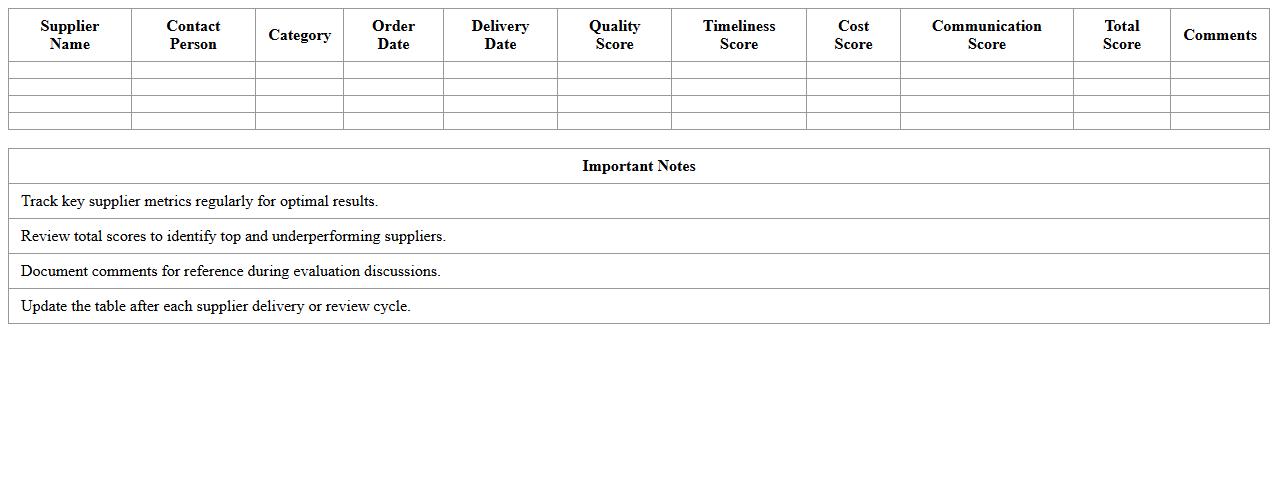
Supplier Performance Tracking Excel Template
The
Supplier Performance Tracking Excel Template is a structured spreadsheet designed to monitor and evaluate supplier reliability, quality, delivery times, and cost efficiency systematically. It helps businesses identify top-performing suppliers, detect areas needing improvement, and ensure compliance with procurement standards, leading to better decision-making and stronger supplier relationships. By providing clear, data-driven insights, this template optimizes supply chain management and minimizes risks associated with supplier underperformance.
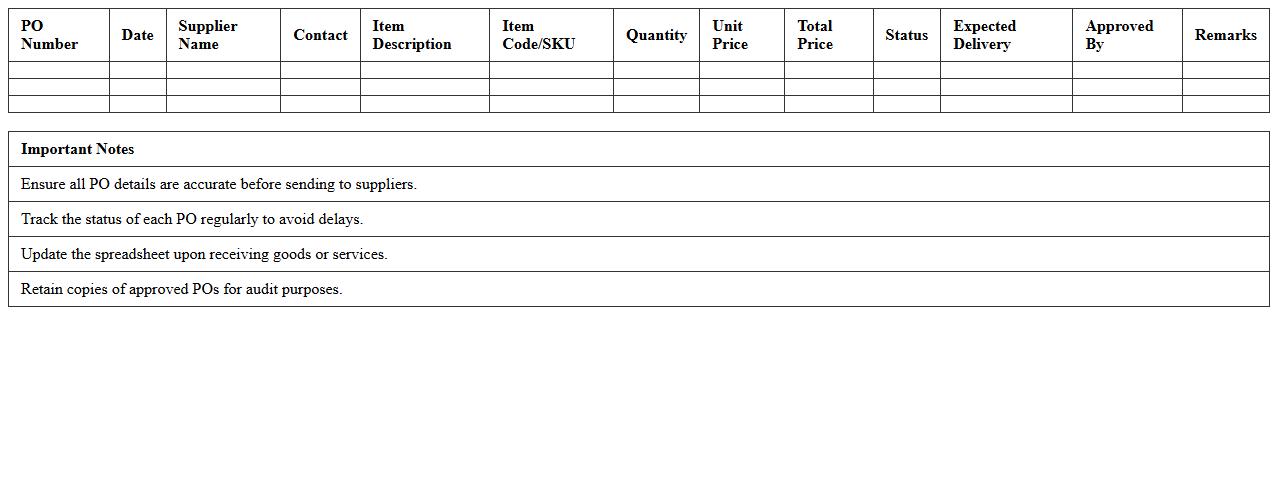
Purchase Order Management Spreadsheet
A
Purchase Order Management Spreadsheet is a structured document designed to track and organize purchase orders efficiently. It helps businesses monitor order statuses, manage supplier information, and control inventory levels, ensuring timely procurement and reducing errors. By centralizing purchase data, this spreadsheet enhances financial oversight and streamlines communication between procurement teams and vendors.
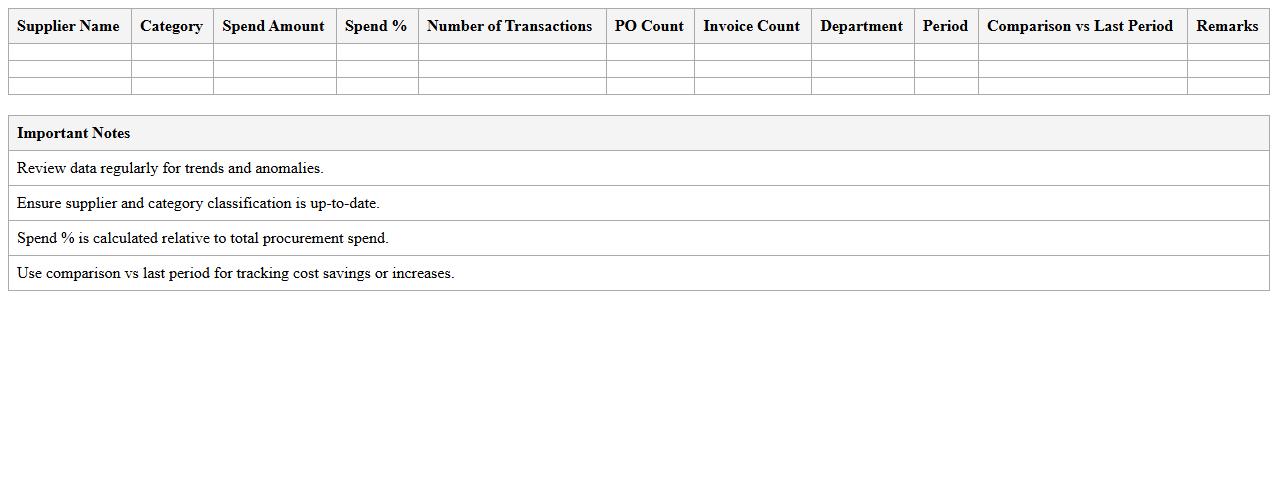
Procurement Spend Analysis Dashboard
A
Procurement Spend Analysis Dashboard document compiles and visualizes purchasing data to help organizations track and analyze their expenditure across suppliers, categories, and timeframes. This tool enables identification of cost-saving opportunities, supplier performance issues, and spend patterns, leading to more informed decision-making and strategic sourcing. By providing clear insights into procurement activities, it enhances budget control, optimizes supplier relationships, and drives operational efficiency.
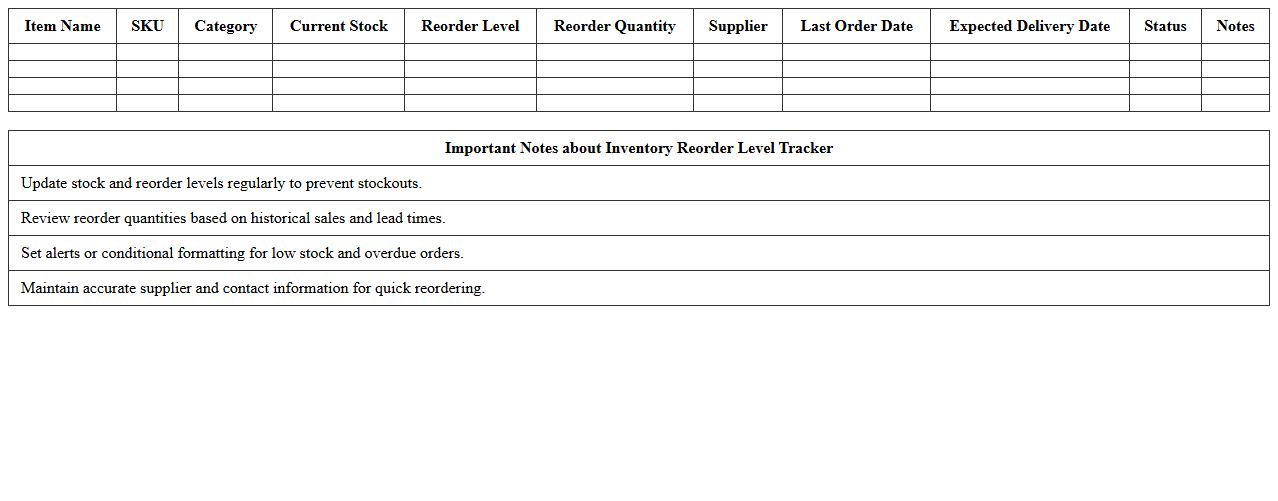
Inventory Reorder Level Tracker
An
Inventory Reorder Level Tracker document monitors stock levels to trigger timely replenishment orders, preventing stockouts and overstock situations. It improves inventory management by providing clear visibility on reorder points, ensuring optimal stock availability based on sales patterns and lead times. This tool enhances operational efficiency and reduces carrying costs by aligning inventory restocking with actual demand.
RFQ Comparison Sheet for Manufacturing
A
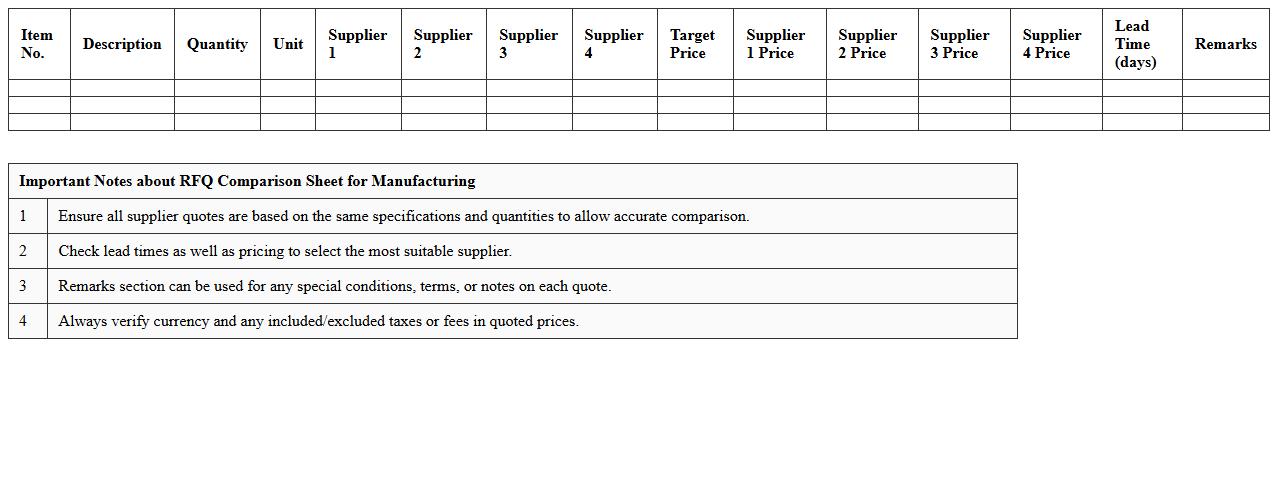
RFQ Comparison Sheet for manufacturing is a detailed document that systematically organizes and compares multiple supplier quotes based on criteria such as price, lead time, material quality, and payment terms. This tool enables procurement and production teams to make data-driven decisions by highlighting the strengths and weaknesses of each vendor offer, ensuring cost-efficiency and adherence to manufacturing specifications. Using an RFQ Comparison Sheet reduces the risk of overspending and improves supplier negotiation strategies, ultimately optimizing the supply chain management process.
Vendor Payment Status Excel Log
The
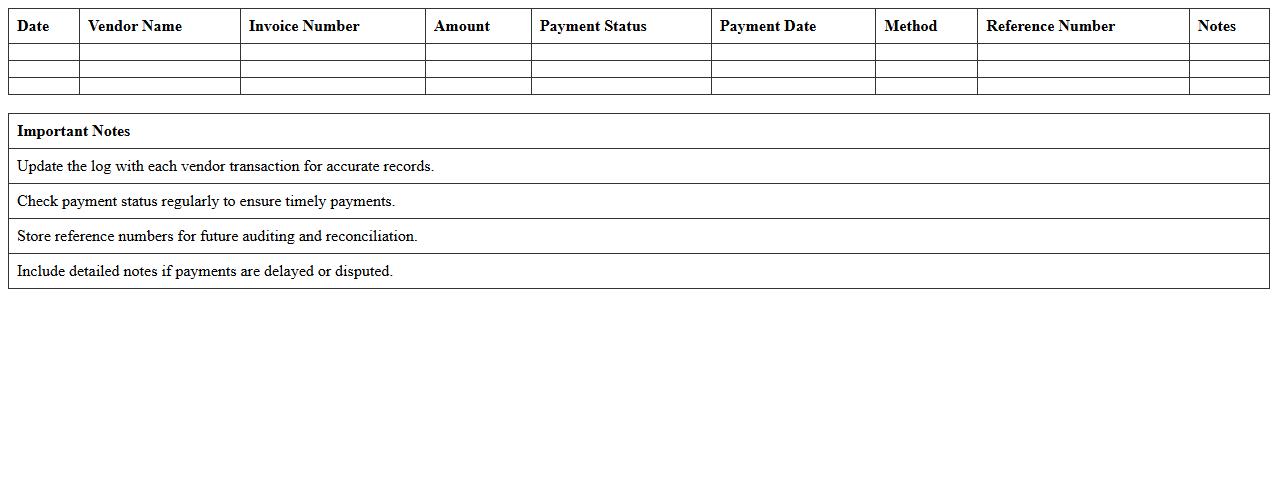
Vendor Payment Status Excel Log document is a comprehensive spreadsheet used to track and manage payments made to vendors, including payment dates, amounts, and outstanding balances. It helps businesses maintain accurate financial records, ensuring timely payments and preventing discrepancies or missed transactions. This log enhances vendor relationship management and streamlines accounting processes by providing clear visibility into payment statuses.
Annual Procurement Budget Tracker
The
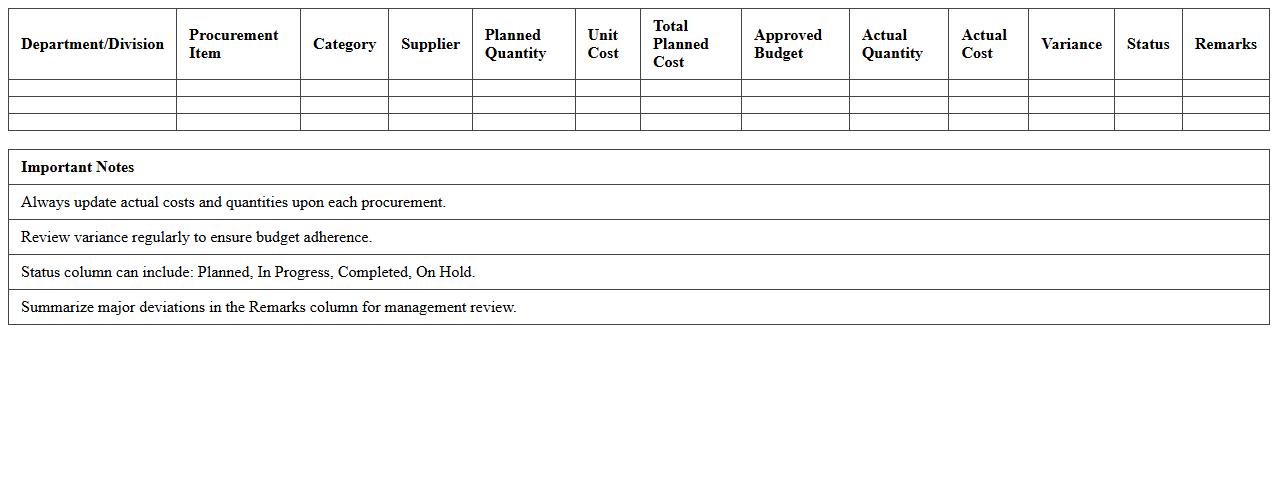
Annual Procurement Budget Tracker document is a detailed financial tool designed to monitor and manage procurement expenses throughout the fiscal year. It helps organizations allocate resources efficiently, avoid budget overruns, and ensure compliance with financial plans by providing real-time tracking of purchase orders, vendor contracts, and payment schedules. Using this document enhances transparency, supports strategic decision-making, and improves cost control in procurement processes.
Material Requirement Planning Template
A
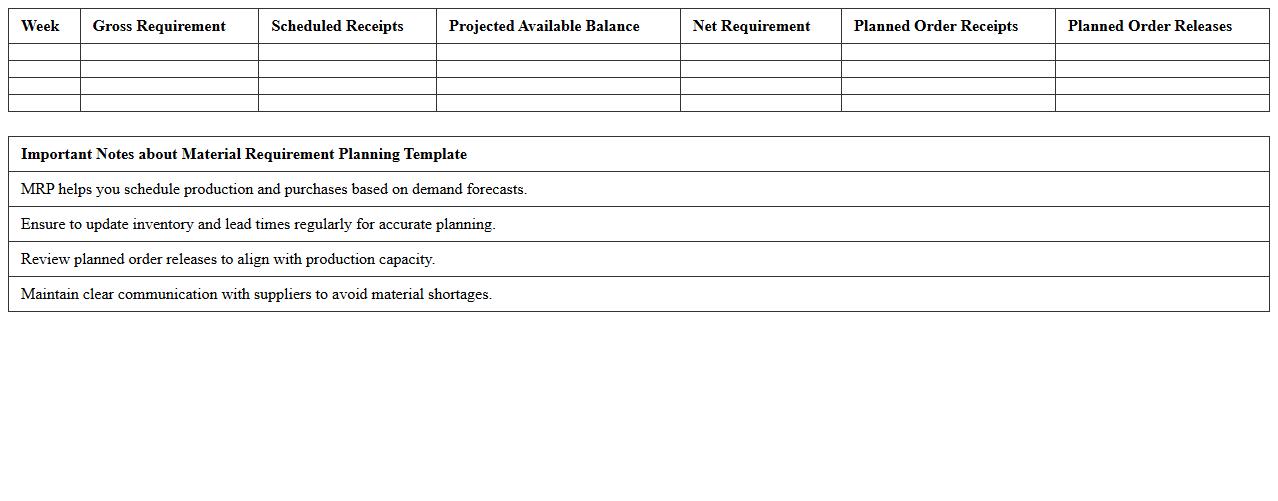
Material Requirement Planning Template document is a structured tool used to forecast and schedule the materials needed for manufacturing processes, ensuring optimal inventory levels and timely procurement. It helps organizations reduce waste, prevent stockouts, and improve production efficiency by accurately aligning material availability with production demand. Utilizing this template streamlines supply chain management and supports cost-effective decision-making in resource allocation.
Monthly Procurement KPI Dashboard
The
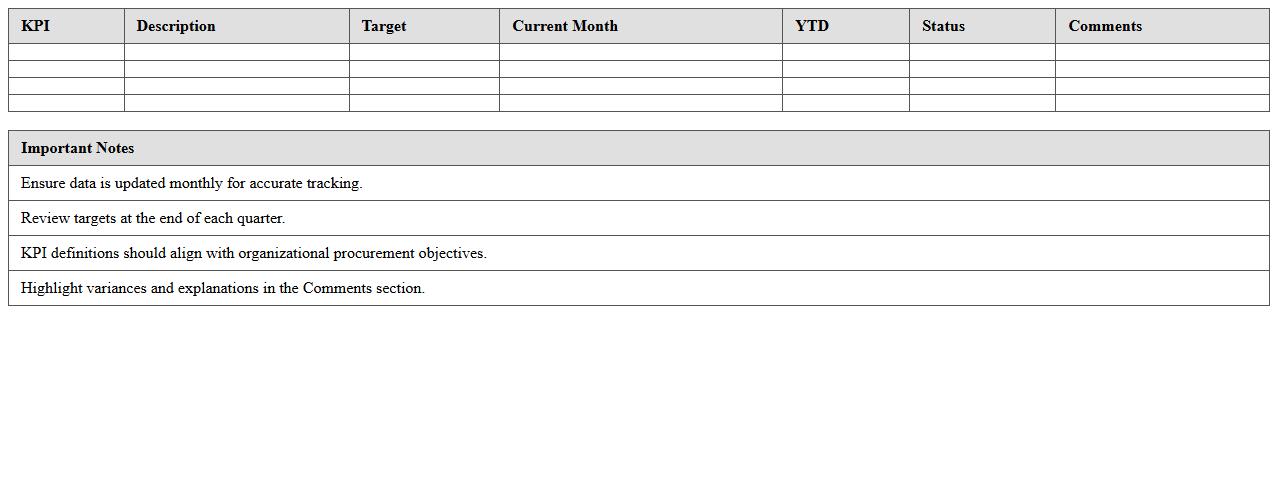
Monthly Procurement KPI Dashboard document consolidates key performance indicators related to procurement activities into a single, easy-to-read format. It enables procurement managers to monitor supplier performance, cost savings, and purchase order cycle times efficiently, facilitating data-driven decision-making. By tracking these KPIs monthly, organizations can identify bottlenecks, optimize procurement processes, and enhance overall supply chain effectiveness.
Contract Expiry Alert Excel Sheet
The
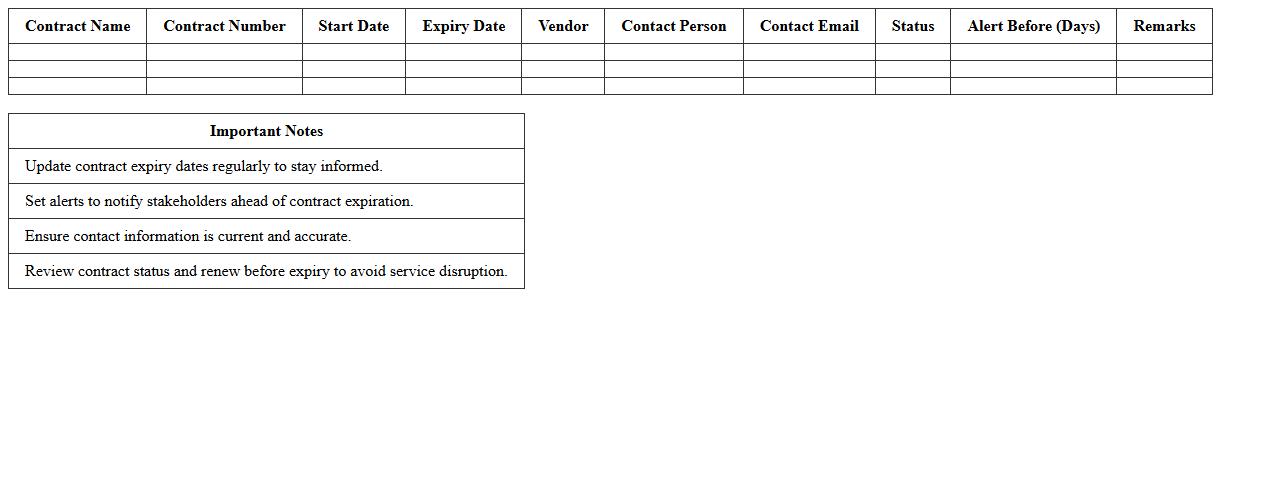
Contract Expiry Alert Excel Sheet is a specialized document designed to track and notify users of upcoming contract expiration dates, ensuring timely renewals and preventing lapses. By systematically organizing contract details, renewal dates, and alert reminders, it enhances contract management efficiency and reduces the risks associated with missed deadlines. This tool is essential for businesses to maintain continuous service agreements, optimize resource planning, and avoid unnecessary penalties.
How can conditional formatting highlight delayed procurement orders in the dashboard?
Conditional formatting can be applied to the procurement order dates to visually indicate delays. By setting rules that compare expected delivery dates against current dates, orders falling behind schedule can be highlighted in red. This real-time visual cue allows managers to quickly identify and address delayed orders on the dashboard.
What formulas track supplier lead time variances in Excel reports?
Excel formulas such as =DATEDIF() or =NETWORKDAYS() are used to calculate supplier lead times by measuring the difference between order and delivery dates. To track lead time variances, the actual lead time is compared against standard lead times using subtraction formulas. Conditional formulas like =IF() help flag variances exceeding acceptable thresholds.
How to automate monthly spend analysis charts by item category?
Automating monthly spend analysis involves linking dynamic named ranges with pivot tables categorized by item type. Using data refreshing tools and formulas such as =SUMIFS(), spend data is aggregated per category each month. These pivot tables feed into charts that automatically update to visualize monthly spend trends by item category.
Which pivot table fields display real-time inventory status for each vendor?
Key pivot table fields include Vendor Name, Inventory Quantity, and Stock Status to provide snapshots of current inventory levels. Adding date fields allows for filtering to the latest data reflecting real-time inventory status. Calculated fields can further enhance status insights by showing shortages or overstock cases per vendor.
How does dashboard integration capture nonconformance incidents per PO?
Dashboard integration pulls nonconformance incident data from quality management systems linked to purchase orders. This is achieved through automated data connections or APIs that populate the dashboard with incident counts and details. As a result, stakeholders receive timely visibility on PO-level nonconformance for proactive resolution.
More Dashboard Excel Templates