The Inventory Management Dashboard Excel Template for Warehouses offers a comprehensive solution to track stock levels, monitor product movement, and analyze inventory trends efficiently. Designed for ease of use, this template provides real-time data visualization and customizable reports to optimize warehouse operations. It enhances decision-making by delivering accurate insights into inventory status, helping reduce shortages and overstock situations.
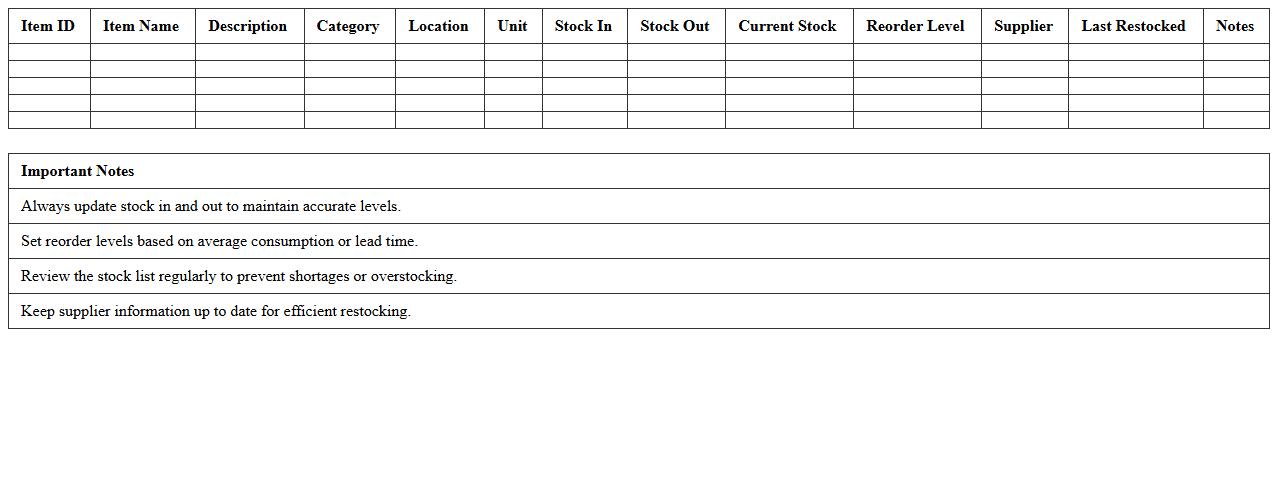
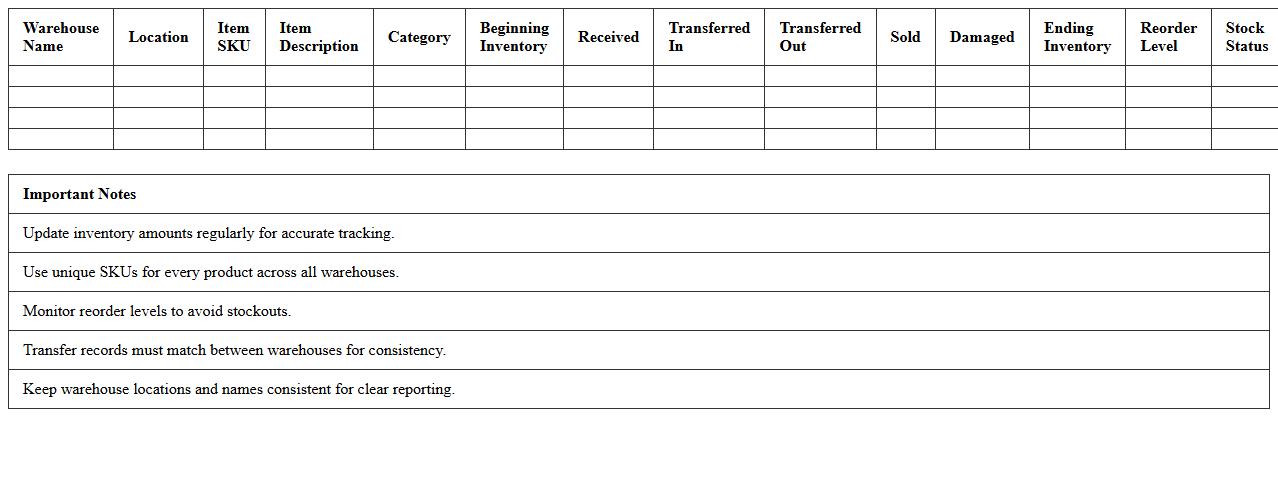
Warehouse Inventory Stock Level Tracker Excel Template
The
Warehouse Inventory Stock Level Tracker Excel Template is a structured document designed to monitor and manage inventory quantities efficiently. It helps businesses maintain accurate stock levels, prevent overstocking or stockouts, and streamline order management processes. By providing real-time insights into inventory status, this template optimizes warehouse operations and supports data-driven decision-making.
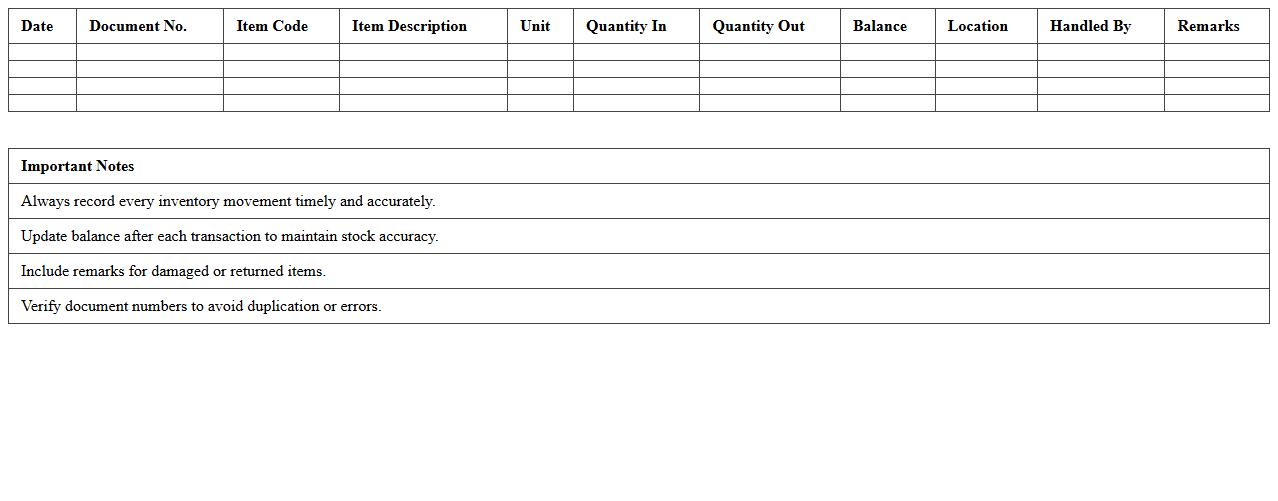
Warehouse Inventory Movement Log Excel Template
The
Warehouse Inventory Movement Log Excel Template is a structured spreadsheet designed to track the inflow and outflow of inventory within a warehouse. It enables precise monitoring of stock levels, movement dates, item quantities, and locations, reducing errors and improving inventory accuracy. This template enhances operational efficiency by providing real-time inventory insights, supporting timely decision-making, and streamlining stock management processes.
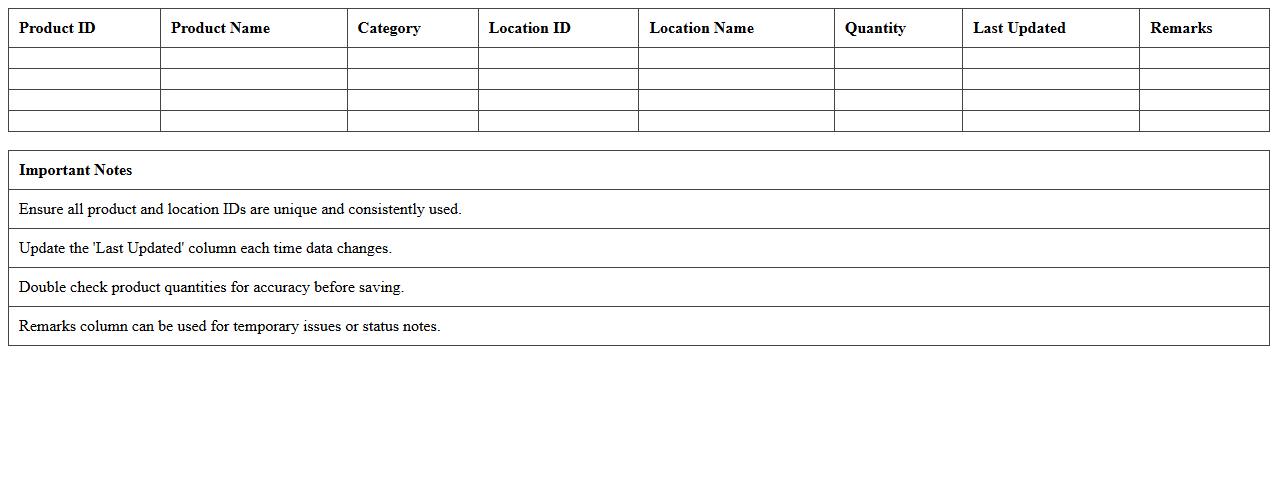
Product Location Mapping Excel Spreadsheet
A
Product Location Mapping Excel Spreadsheet document organizes and tracks the precise locations of products within warehouses or retail spaces, enhancing inventory management efficiency. It allows businesses to quickly identify stock positions, streamline order fulfillment processes, and reduce search time, ultimately improving operational productivity. This tool supports data-driven decisions by offering clear visibility into product distribution and storage patterns.
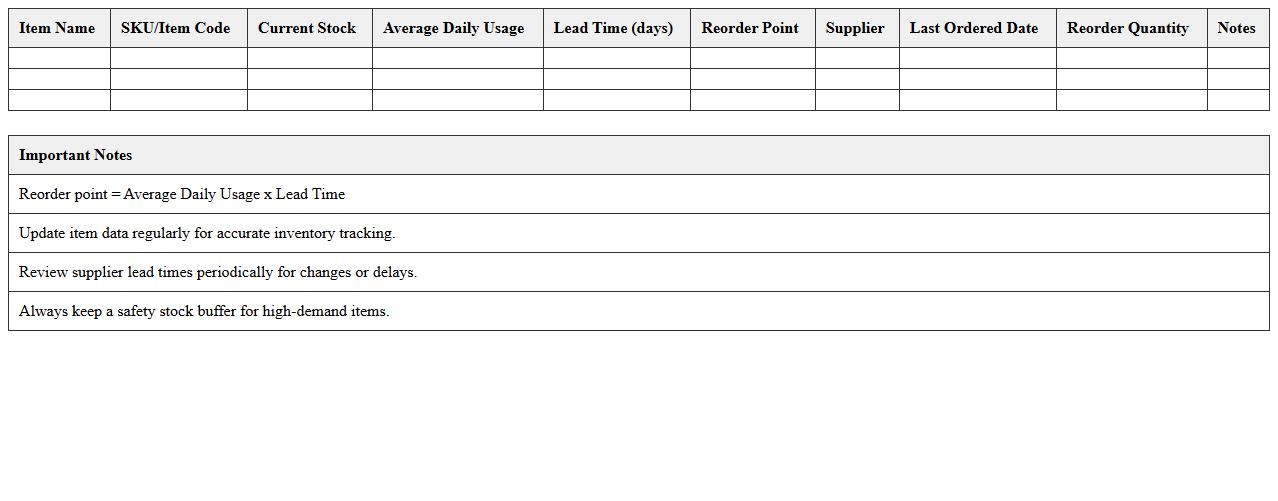
Inventory Reorder Point Excel Sheet
An
Inventory Reorder Point Excel Sheet is a specialized spreadsheet designed to calculate the optimal inventory level at which new stock should be ordered to avoid shortages. It helps businesses maintain efficient stock control by automatically factoring in lead times, average daily usage, and safety stock requirements. This tool streamlines inventory management, reduces carrying costs, and prevents stockouts, ensuring smooth operations and improved cash flow.
Multi-Warehouse Inventory Control Dashboard Excel
The
Multi-Warehouse Inventory Control Dashboard Excel is a powerful tool designed to centralize and streamline inventory management across multiple storage locations. It provides real-time visibility into stock levels, reorder points, and product movement, enabling businesses to optimize inventory distribution and reduce stockouts or overstock situations. By consolidating data into an easy-to-use visual interface, it enhances decision-making efficiency and improves overall supply chain performance.
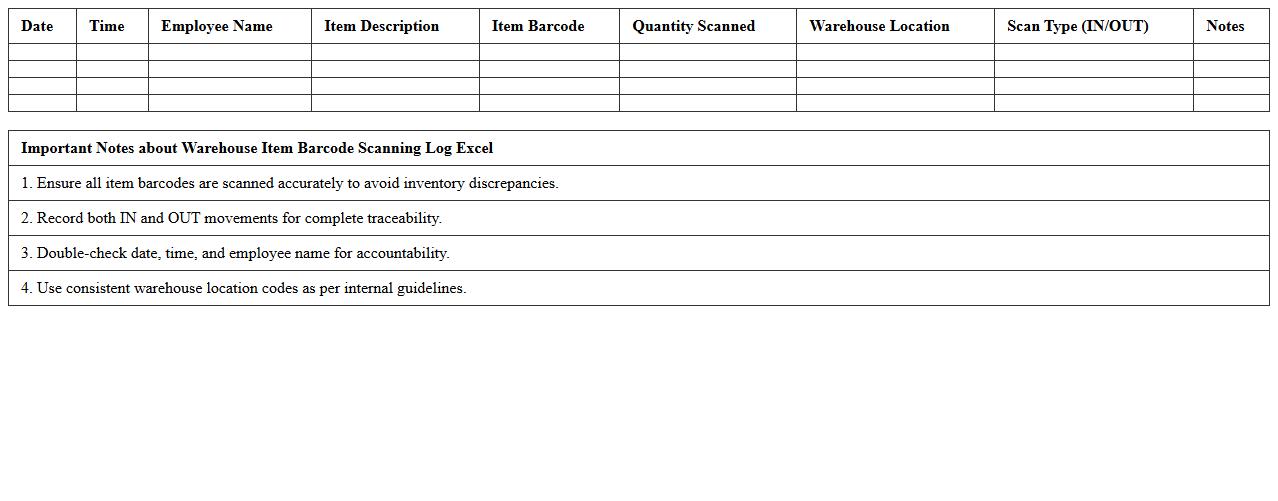
Warehouse Item Barcode Scanning Log Excel
A
Warehouse Item Barcode Scanning Log Excel document records detailed information about scanned items in a warehouse, including item codes, timestamps, scan locations, and operator IDs. This log enables efficient inventory tracking, error reduction, and real-time data analysis for stock management. Using this document enhances operational accuracy, streamlines audits, and supports swift decision-making in supply chain processes.
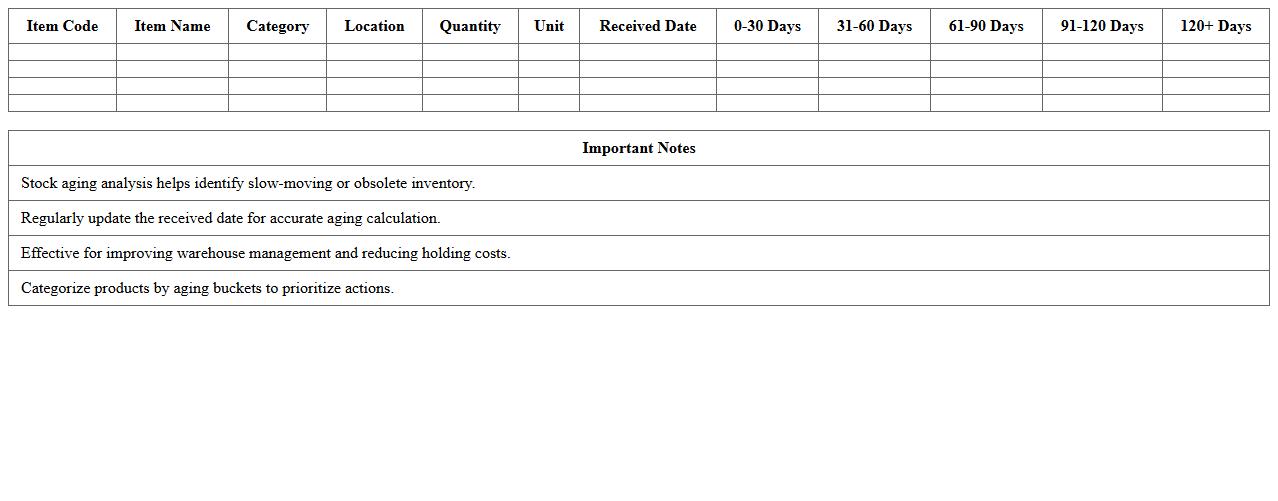
Warehouse Stock Aging Analysis Excel Template
Warehouse Stock Aging Analysis Excel Template is a powerful tool designed to track and analyze the age of inventory items within a warehouse. By categorizing stock according to its storage duration, this template helps identify slow-moving or obsolete products, enabling better inventory management and reducing holding costs. Using this
stock aging analysis template enhances decision-making by improving cash flow and optimizing warehouse space utilization.
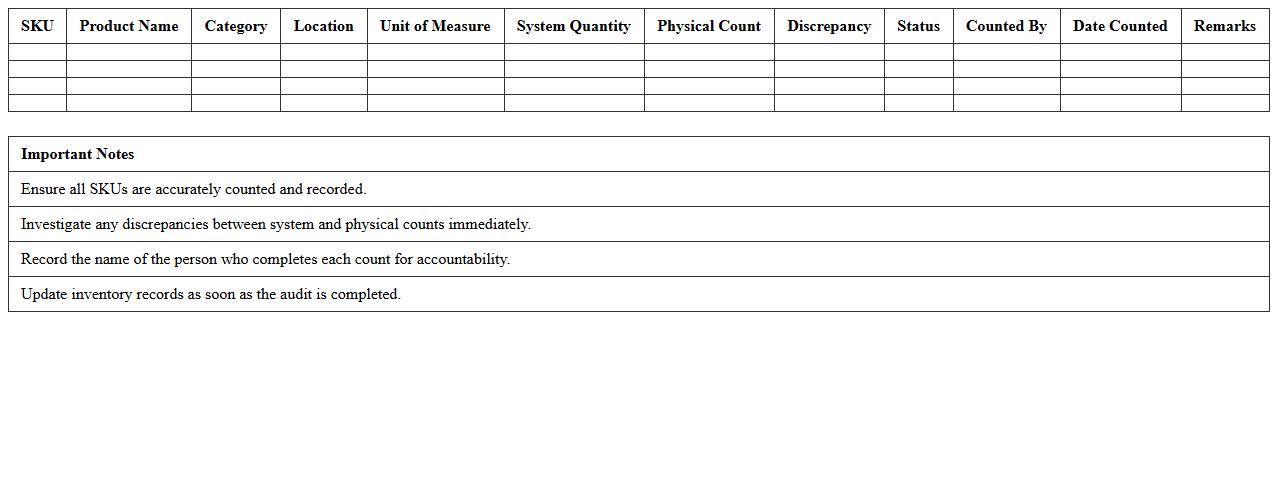
SKU-Based Inventory Audit Checklist Excel Sheet
An
SKU-Based Inventory Audit Checklist Excel Sheet document is a detailed spreadsheet designed to track and verify stock keeping units (SKUs) during inventory audits. It helps businesses systematically organize product data, quantities, and locations, ensuring accurate inventory management and reducing discrepancies. This tool enhances operational efficiency by enabling quick identification of stock issues and supporting data-driven decision-making.
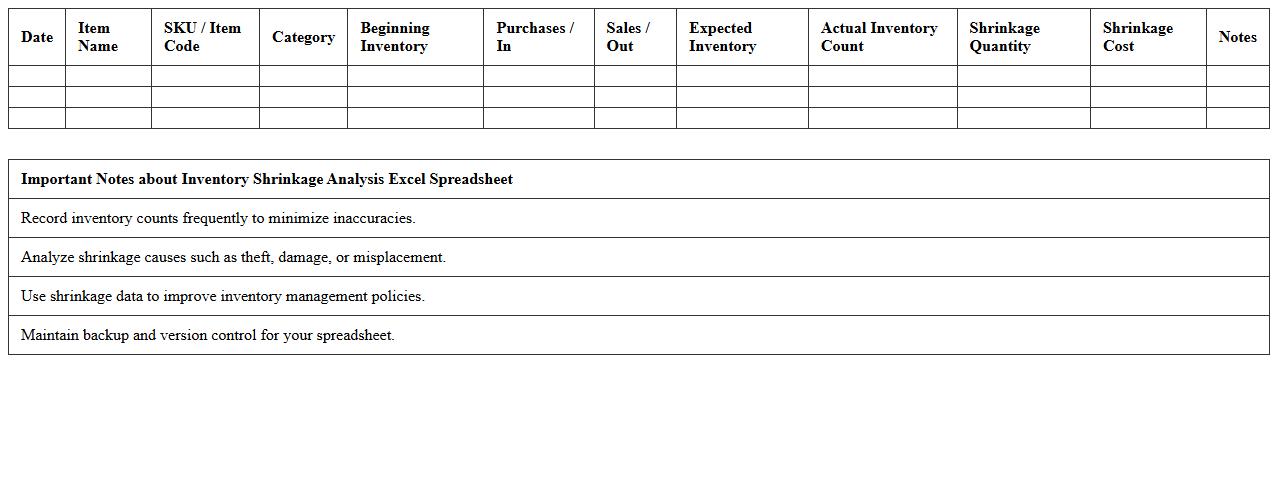
Inventory Shrinkage Analysis Excel Spreadsheet
Inventory Shrinkage Analysis Excel Spreadsheet is a powerful tool designed to track and quantify losses in inventory due to theft, damage, or administrative errors. By providing detailed insights into discrepancies between recorded and actual stock levels, this spreadsheet helps businesses identify shrinkage patterns and implement corrective measures. Using this document ensures better inventory control, reduces financial losses, and improves overall operational efficiency.
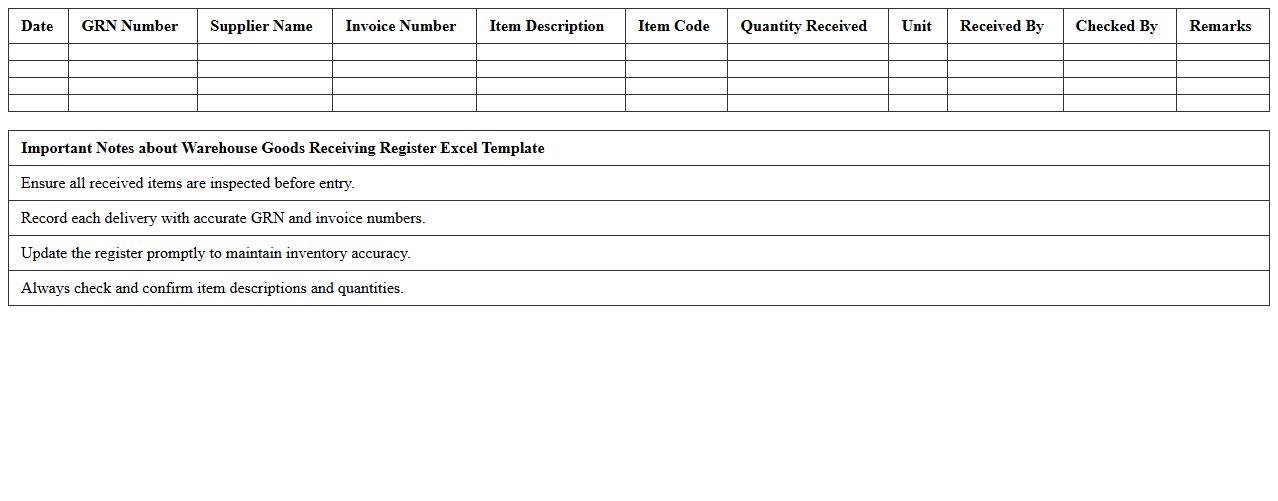
Warehouse Goods Receiving Register Excel Template
The
Warehouse Goods Receiving Register Excel Template is a structured spreadsheet designed to track and document the receipt of inventory in a warehouse efficiently. It records essential details such as item descriptions, quantities, supplier information, and dates of receipt, ensuring accurate inventory management and preventing discrepancies. This template streamlines the goods receiving process, enhances accountability, and facilitates timely updates to inventory systems, improving overall warehouse operations.
How can I automate stock level alerts in the Inventory Management Dashboard Excel for warehouse operations?
To automate stock level alerts, use conditional formatting combined with data validation to highlight low inventory thresholds. Implement VBA macros to send email notifications when stock reaches predefined minimum levels. This automation ensures timely restocking and prevents stockouts in warehouse operations.
What advanced formulas best track SKU movement by location within the dashboard?
Advanced formulas like SUMIFS and INDEX-MATCH enable precise tracking of SKU movement by location. Dynamic arrays, including FILTER and UNIQUE functions, help analyze stock flow across warehouses efficiently. These formulas provide real-time insights into inventory distribution and movement trends.
How do I integrate barcode scanning data into the existing dashboard structure?
Integrate barcode scanning data by linking scanner output directly to designated input cells in Excel. Use Power Query to import and transform barcode data, aligning it with your dashboard's inventory records. This integration streamlines updates and improves data accuracy across the dashboard.
Which pivot table metrics highlight slow-moving inventory in warehouse reports?
Pivot tables can leverage metrics such as average days on hand, sales velocity, and stock turnover rate to identify slow-moving inventory. Filtering by SKU quantity and date ranges provides clear visibility into items with stagnant stock. These insights help warehouse managers optimize inventory levels effectively.
Can user permissions restrict specific worksheet access in the inventory Excel dashboard?
Yes, user permissions can be set via Excel's protection features, allowing restriction of access to specific worksheets. By using password protection and workbook sharing options, sensitive data within the dashboard remains secure. This control enhances data privacy and operational integrity in inventory management.
More Dashboard Excel Templates