The Employee Attendance Dashboard Excel Template for HR Teams provides an efficient way to track and analyze employee attendance data in real-time. It features customizable charts and summaries that help HR professionals monitor absenteeism, leaves, and punctuality trends effectively. This tool enhances workforce management by offering clear visual insights for better decision-making.
Daily Employee Attendance Tracker Excel Template
The
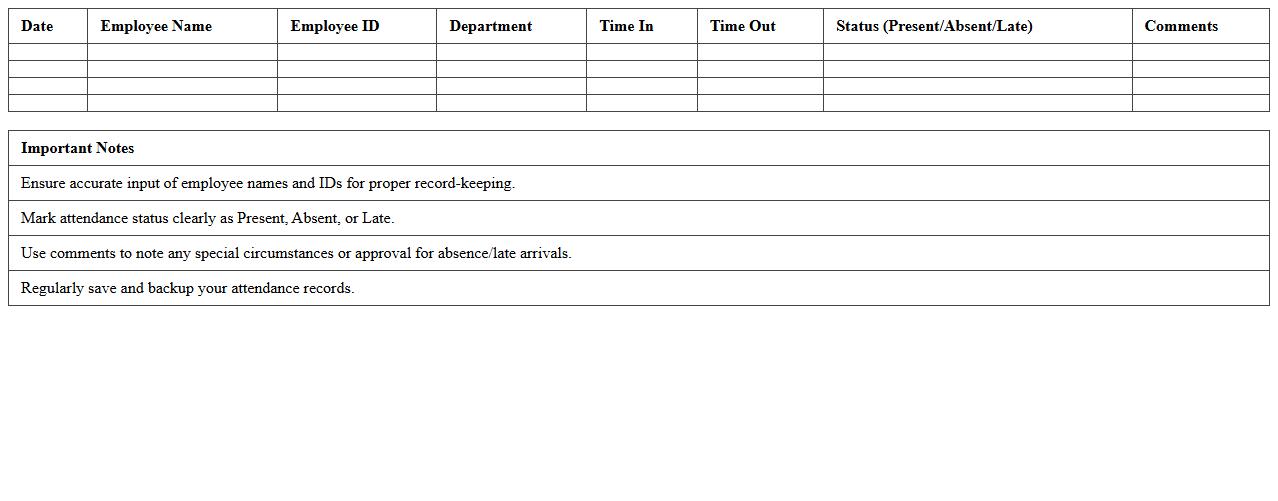
Daily Employee Attendance Tracker Excel Template is a structured spreadsheet designed to record and monitor employee attendance on a daily basis, capturing data such as check-in/out times, absences, and leave statuses. This tool streamlines attendance management by providing clear visibility into workforce presence, enabling efficient payroll processing and compliance with labor regulations. By automating data entry and generating attendance summaries, it enhances productivity and supports accurate record-keeping for HR departments.
Monthly Attendance Summary Dashboard for HR
The
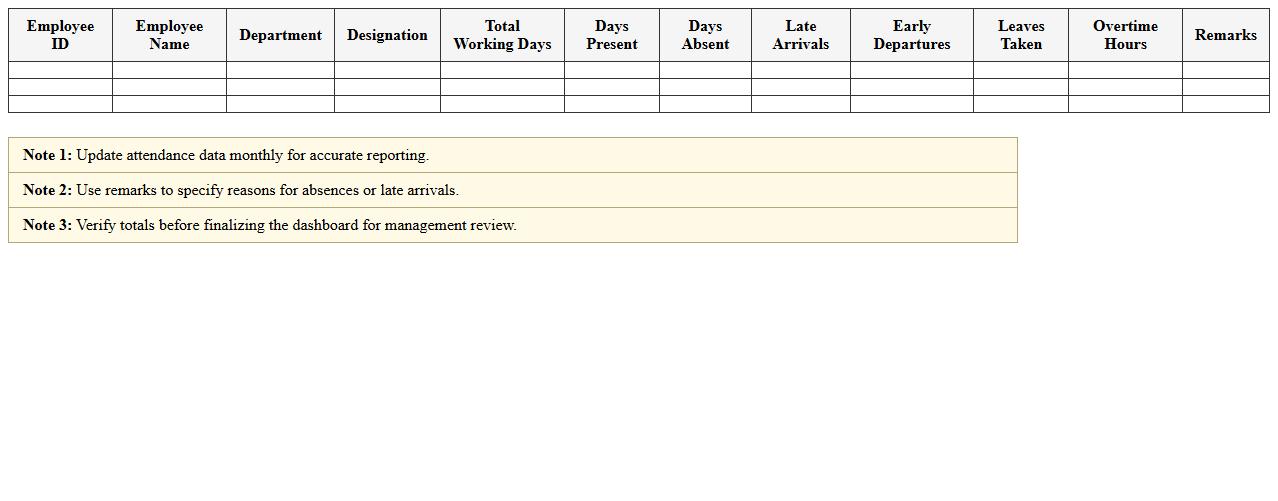
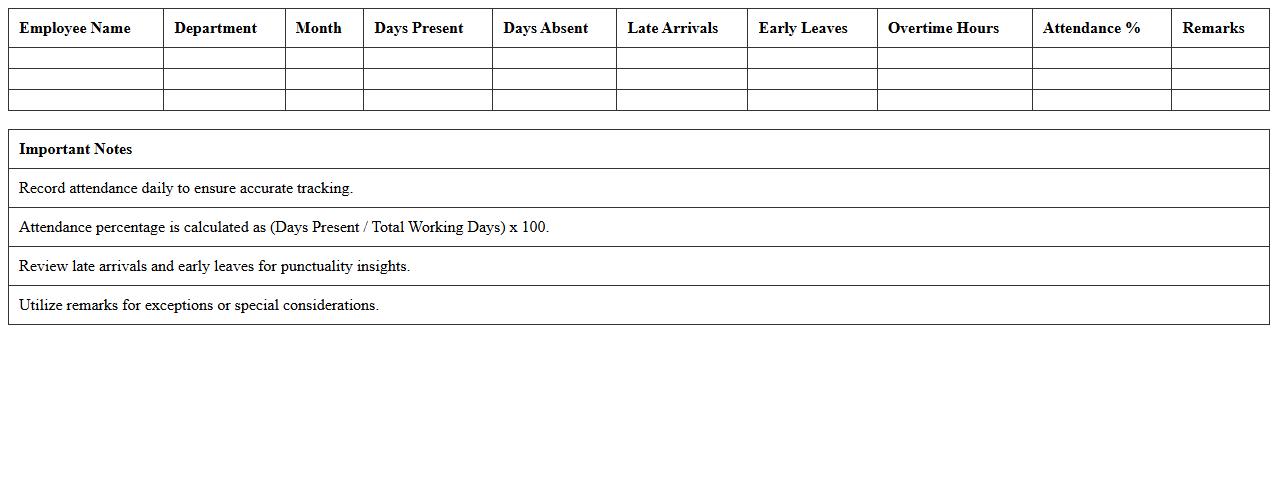
Monthly Attendance Summary Dashboard is a centralized tool that consolidates employee attendance data, providing HR with clear insights into attendance patterns, absenteeism, and punctuality trends. It enhances workforce management by enabling quick identification of attendance irregularities and supports data-driven decisions for improving productivity and compliance. This dashboard streamlines reporting processes, saving time and ensuring accurate records for payroll and performance evaluations.
Employee Leave Management Excel Template
The
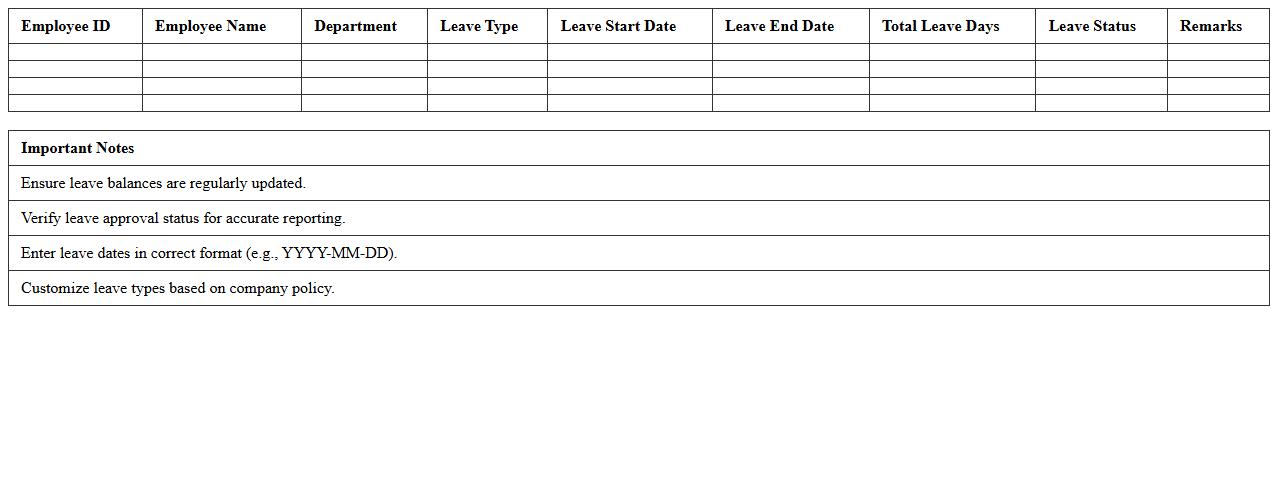
Employee Leave Management Excel Template is a structured spreadsheet designed to track and organize employee leave requests, approvals, and balances efficiently. It streamlines the leave management process by providing clear visibility into leave types, dates, and remaining leave balances, helping HR teams maintain accurate records. This tool enhances productivity by reducing manual errors, improving leave transparency, and ensuring compliance with company leave policies.
Attendance Analytics Excel Dashboard for Human Resources
The
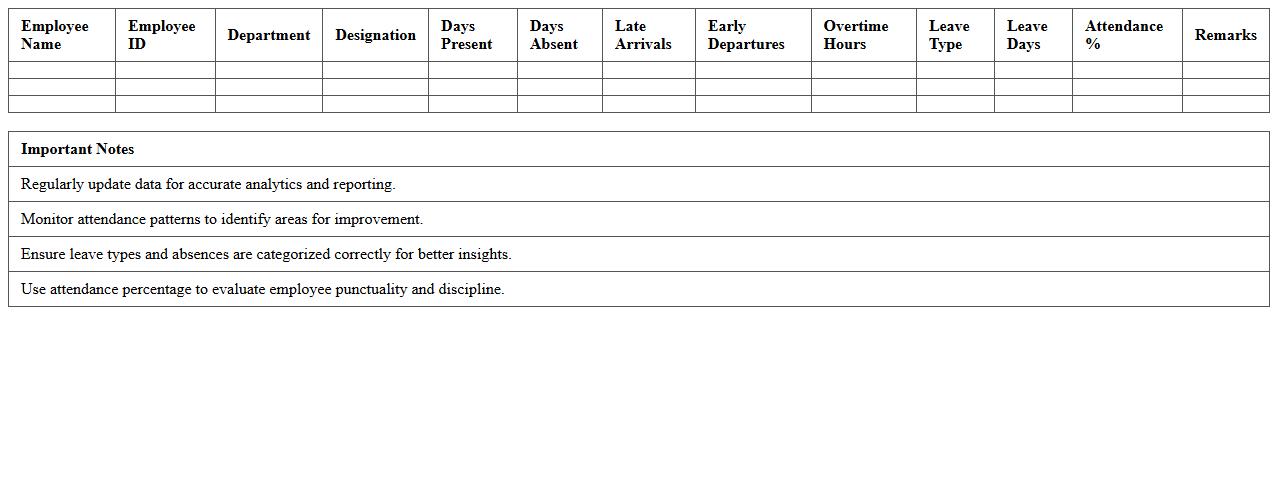
Attendance Analytics Excel Dashboard for Human Resources is a powerful tool designed to track, analyze, and visualize employee attendance data efficiently. It provides detailed insights into patterns such as absenteeism, late arrivals, and overtime, enabling HR professionals to make data-driven decisions to improve workforce management. This dashboard streamlines reporting processes, enhances accuracy, and supports proactive measures to boost productivity and employee engagement.
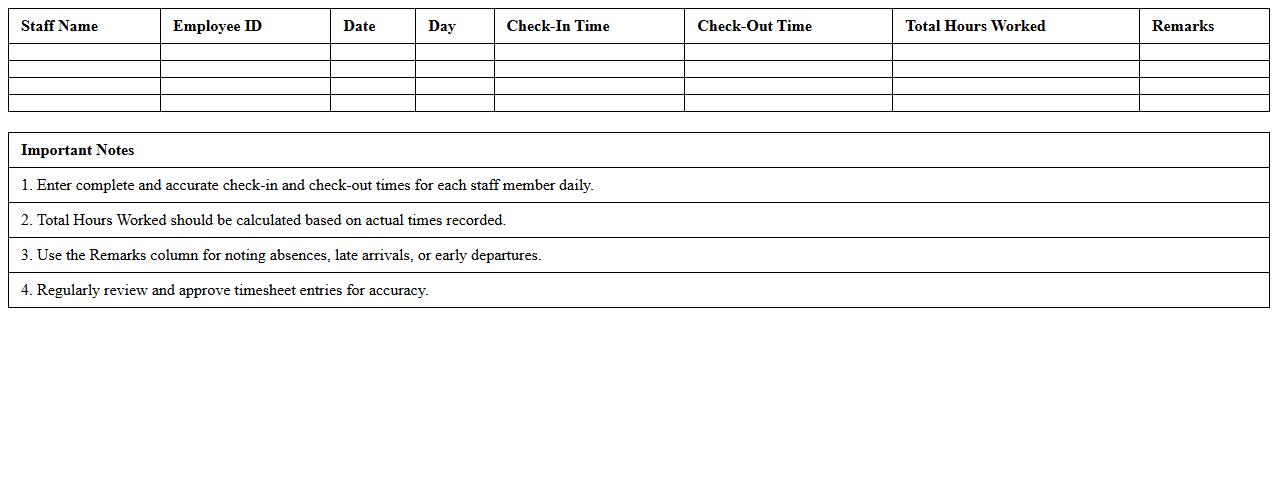
Staff Check-In/Check-Out Timesheet Excel Template
The
Staff Check-In/Check-Out Timesheet Excel Template is a digital tool designed to accurately record employee attendance by tracking their daily check-in and check-out times. It helps businesses monitor working hours, calculate payroll efficiently, and ensure compliance with labor regulations. This template streamlines workforce management, reduces manual errors, and provides clear records for performance analysis and auditing purposes.
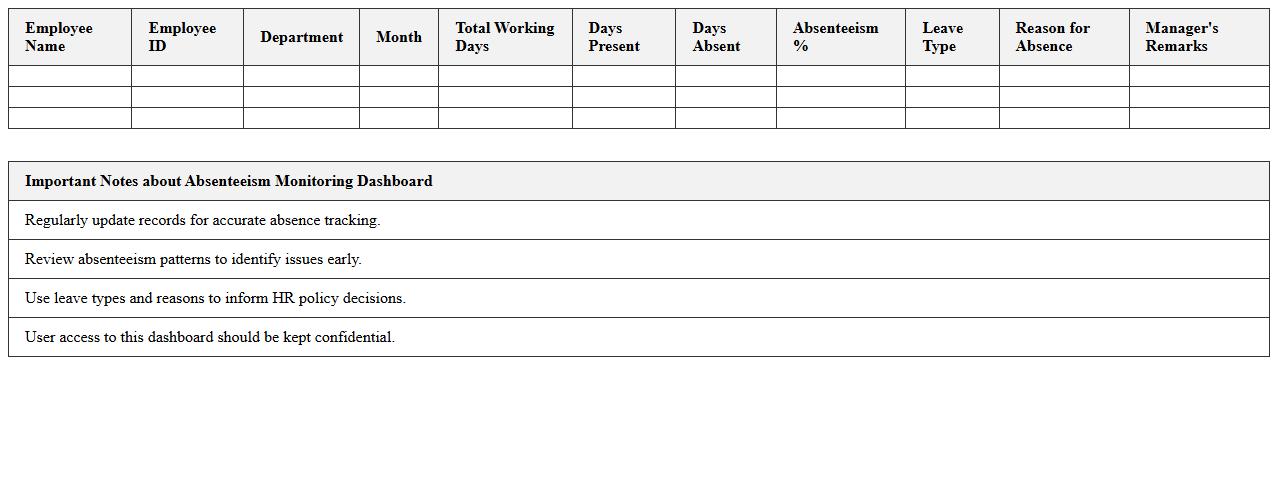
Absenteeism Monitoring Excel Dashboard for HR Teams
The
Absenteeism Monitoring Excel Dashboard for HR Teams is a powerful tool designed to track and analyze employee attendance patterns efficiently. It provides real-time insights into absentee trends, helping HR professionals identify causes, reduce absenteeism rates, and improve workforce productivity. By consolidating data into visual charts and summaries, it supports informed decision-making and strategic planning for employee management.
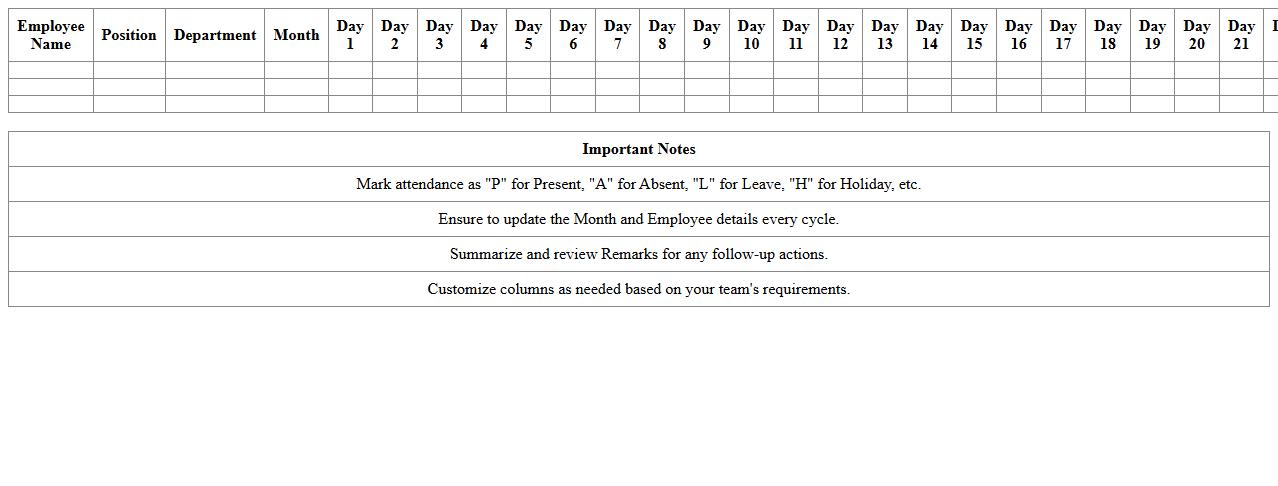
Team Attendance Calendar Excel Spreadsheet
A
Team Attendance Calendar Excel Spreadsheet is a digital tool designed to track and manage the attendance of team members efficiently. It allows for easy recording of absences, late arrivals, and leaves, ensuring accurate monitoring of workforce availability. This spreadsheet enhances productivity by providing clear visibility into attendance patterns, enabling better scheduling and resource allocation.
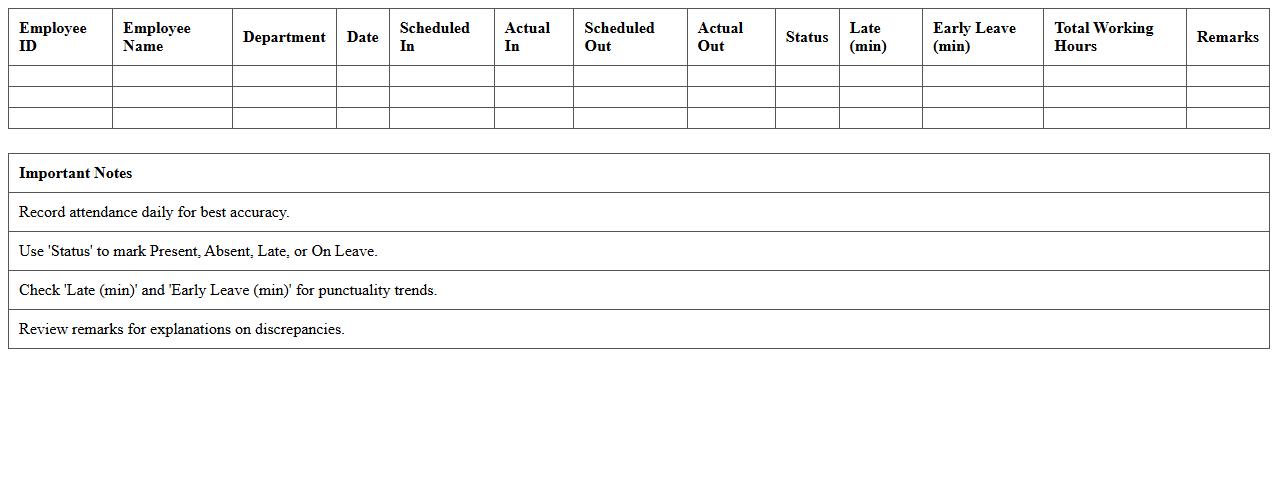
Employee Punctuality & Attendance Report Excel Template
The
Employee Punctuality & Attendance Report Excel Template document is a structured tool designed to track and analyze employees' arrival times and overall attendance patterns consistently. It enables managers to monitor punctuality trends, identify attendance issues, and ensure compliance with company policies effectively. Using this template enhances workforce management by streamlining data collection and supporting informed decision-making based on accurate attendance records.
Overtime and Absence Tracking Dashboard in Excel
An
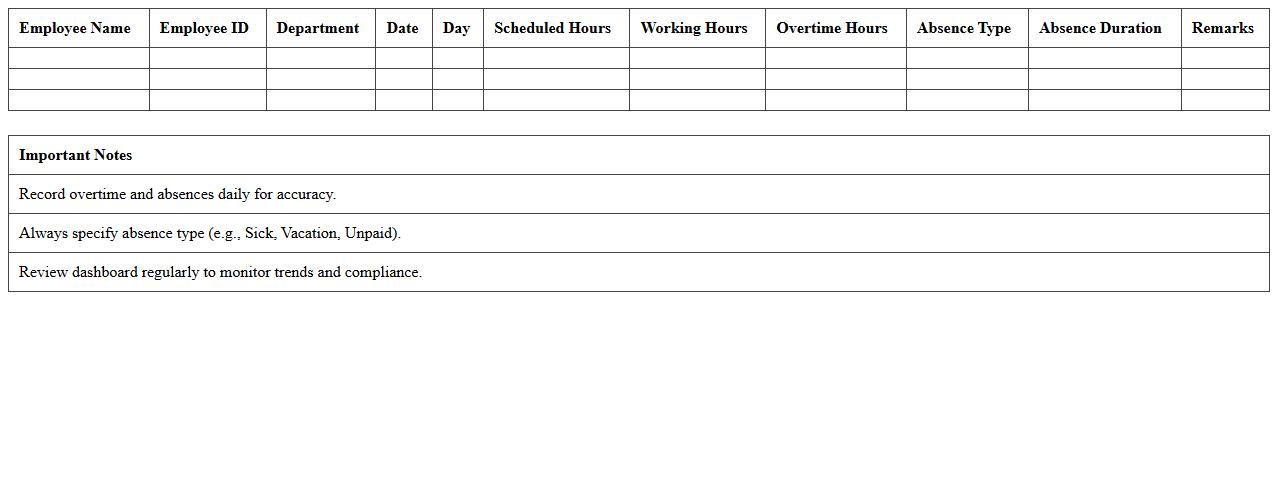
Overtime and Absence Tracking Dashboard in an Excel document is a tool designed to monitor employee work hours, overtime accumulation, and absenteeism patterns visually and systematically. It consolidates data inputs into interactive charts and summaries, enabling managers to quickly identify trends, ensure compliance with labor regulations, and optimize workforce productivity. By providing real-time insights, this dashboard supports efficient decision-making and helps in managing payroll costs effectively.
Employee Attendance Metrics Visual Excel Template
The
Employee Attendance Metrics Visual Excel Template document is a dynamic tool designed to track and analyze workforce attendance patterns efficiently. It helps organizations monitor employee punctuality, absenteeism, and leave trends through clear visual representations such as charts and graphs. By using this template, management can identify attendance issues swiftly, improve workforce productivity, and make informed decisions on staffing and resource allocation.
How can conditional formatting highlight frequent absentees in the Employee Attendance Dashboard Excel?
To highlight frequent absentees, apply conditional formatting rules that target attendance values exceeding a specific threshold. Use formulas like "=COUNTIF(range, "Absent") > X" to identify employees with absences over a defined limit. This visual cue helps quickly spot attendance issues within the Employee Attendance Dashboard.
What formula tracks monthly tardiness trends in employee attendance data?
The formula to track monthly tardiness typically uses the COUNTIFS function, such as "=COUNTIFS(DateRange, ">=start_date", DateRange, "<=end_date", StatusRange, "Late")". This counts instances of "Late" status within a specified period, enabling trend analysis. Incorporating this formula into the dashboard helps monitor punctuality patterns over time.
How does the dashboard integrate leave policy variations for different employee categories?
The dashboard integrates leave policy variations by segmenting data based on employee categories and applying category-specific leave entitlements. Conditional calculations consider these variations to adjust leave balances and eligibility automatically. This ensures accurate leave tracking aligned with organizational policies across diverse employee groups.
Can automated alerts be configured in Excel for unauthorized absences on the dashboard?
Yes, automated alerts can be configured using Excel features like data validation combined with conditional formatting or VBA scripts to flag unauthorized absences. Alerts may include pop-up messages or highlighted cells to promptly notify managers. This automation enhances real-time monitoring and timely intervention on the Employee Attendance Dashboard.
Which pivot table layout best visualizes department-level attendance patterns?
The best pivot table layout places departments in the rows area with attendance metrics, such as absent days or tardies, in the columns and values areas. This layout provides a clear comparative view of attendance patterns across departments. Utilizing filters for time periods further enhances trend analysis and decision-making insights.
More Dashboard Excel Templates