The Recruitment Dashboard Excel Template for Staffing Agencies offers a comprehensive and user-friendly solution to track and manage candidate pipelines, job orders, and client interactions efficiently. It features customizable charts and metrics designed to streamline recruitment processes and improve decision-making. This template enhances productivity by providing real-time insights into staffing performance and key recruitment KPIs.
Applicant Tracking Spreadsheet for Staffing Agencies
An
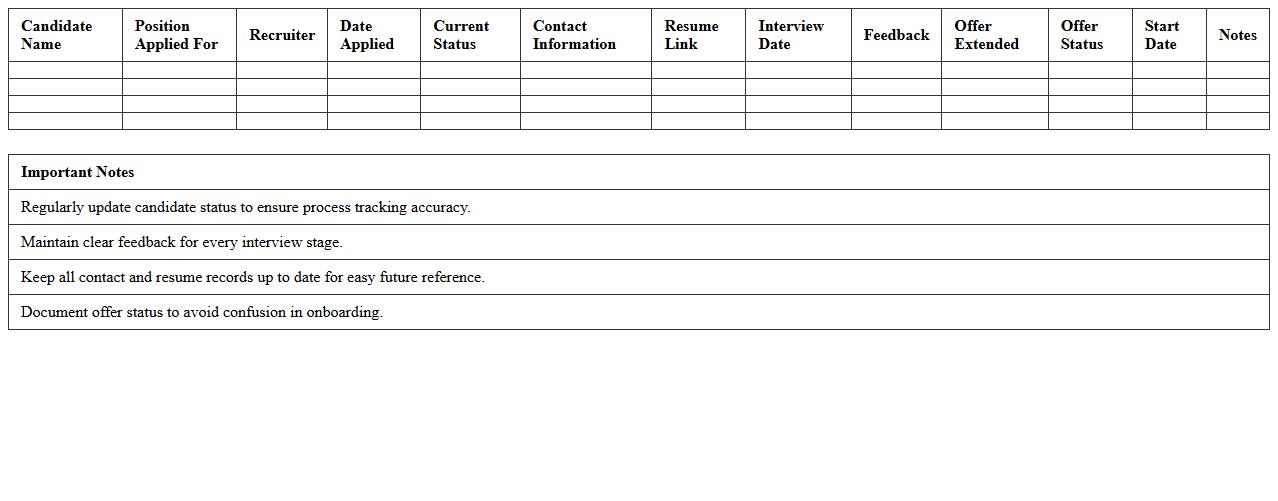
Applicant Tracking Spreadsheet for staffing agencies is a comprehensive tool designed to organize and monitor candidate information throughout the recruitment process. It allows recruiters to efficiently track application status, interview schedules, and candidate feedback in one centralized platform. Utilizing this document enhances data accuracy, streamlines communication, and accelerates the hiring workflow, ultimately improving placement success rates.
Candidate Pipeline Management Excel Template
The
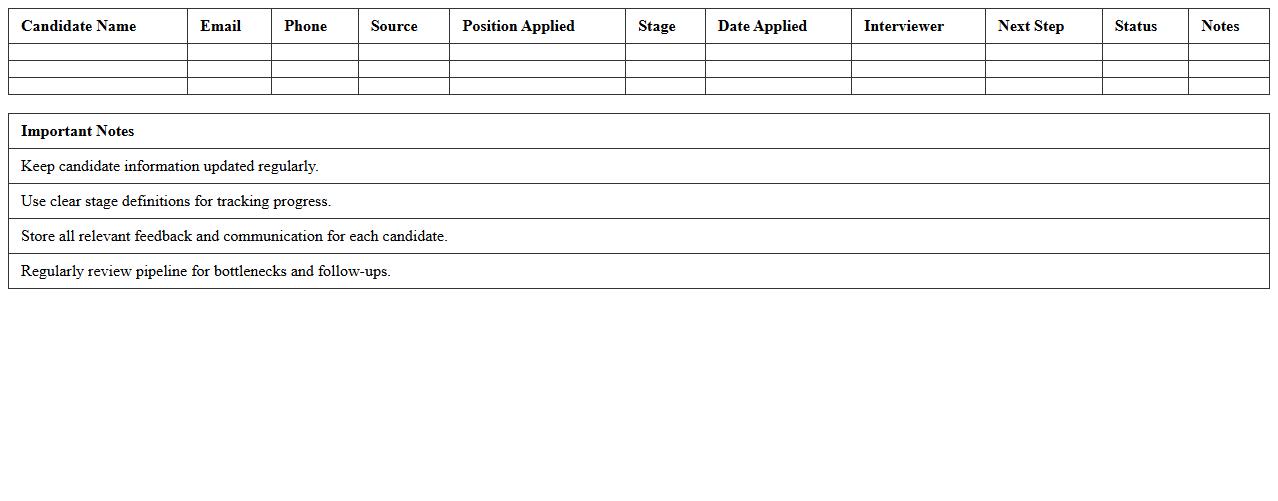
Candidate Pipeline Management Excel Template document is a structured tool designed to organize and track job applicants throughout the recruitment process, ensuring efficient candidate evaluation and selection. It allows HR professionals to monitor application stages, schedule interviews, and manage communication seamlessly in one centralized location. Utilizing this template enhances recruitment workflows, reduces time-to-hire, and supports data-driven decision-making for better talent acquisition outcomes.
Staffing Agency Interview Schedule Tracker
A
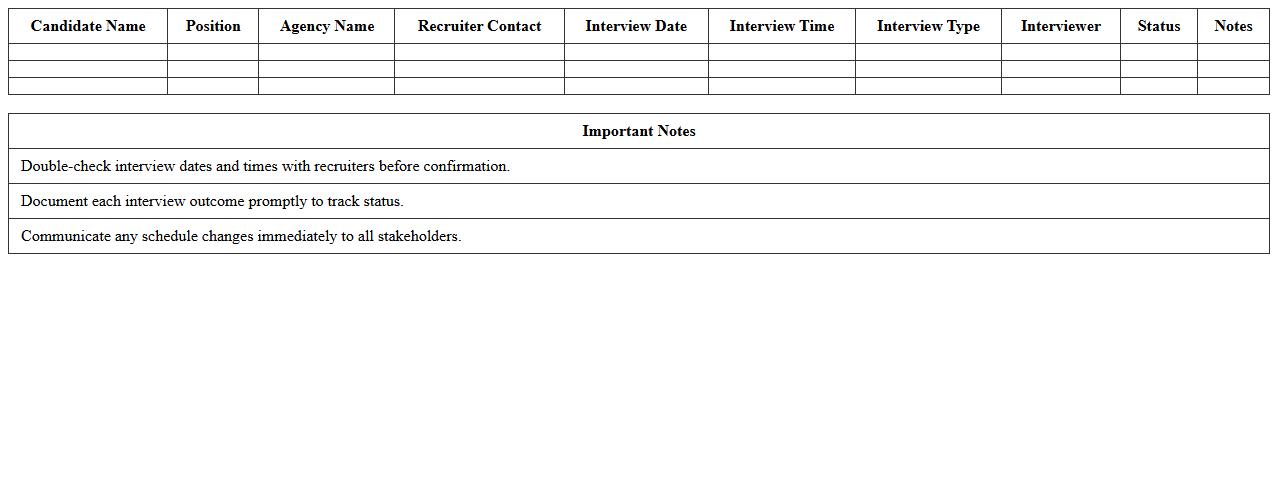
Staffing Agency Interview Schedule Tracker document is a tool designed to organize and monitor interview appointments between candidates and employers efficiently. It helps staffing agencies manage multiple interviews by tracking candidate details, interview dates, times, locations, and feedback in one centralized place. This document enhances communication, reduces scheduling conflicts, and ensures timely follow-ups, streamlining the hiring process for both recruiters and clients.
Recruitment Metrics Dashboard Excel Sheet
A
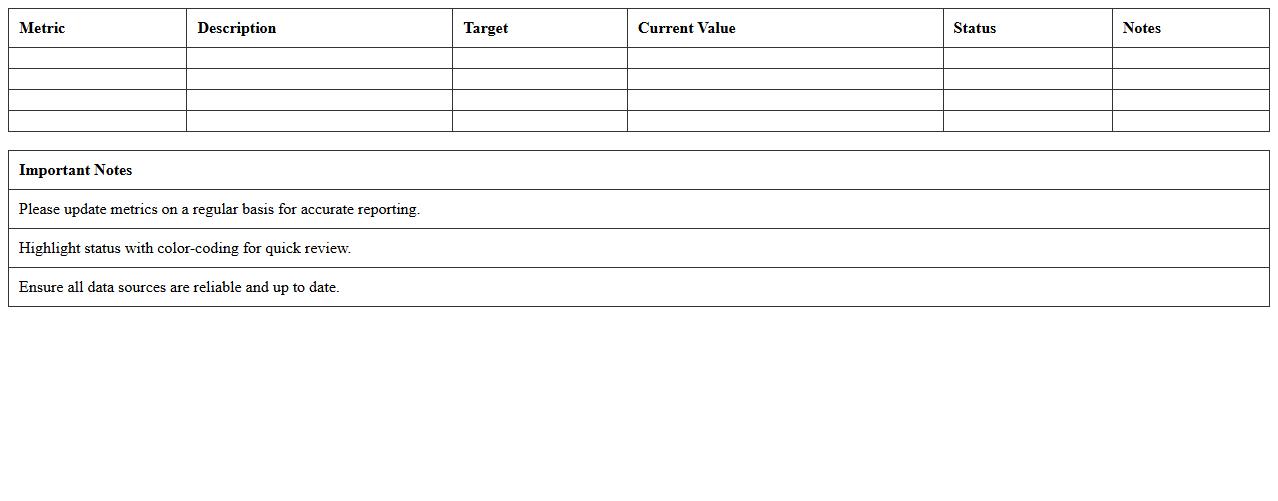
Recruitment Metrics Dashboard Excel Sheet is a powerful tool designed to track, analyze, and visualize key hiring data such as time-to-fill, cost-per-hire, and candidate source effectiveness. This document enables HR professionals to make data-driven decisions by providing clear insights into recruitment processes and identifying bottlenecks. Utilizing this dashboard improves hiring efficiency, optimizes resource allocation, and enhances overall talent acquisition strategies.
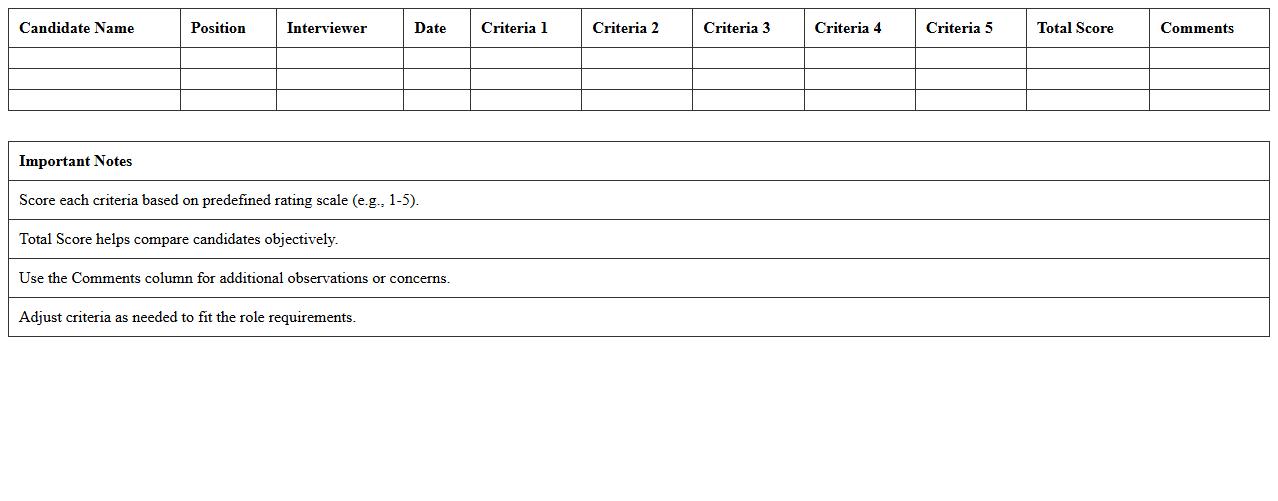
Candidate Evaluation Scoring Template
The
Candidate Evaluation Scoring Template document standardizes the assessment process by providing clear criteria and scoring guidelines to evaluate job applicants objectively. It facilitates consistent comparison of candidates' qualifications, skills, and experiences, enabling hiring teams to make informed decisions based on quantifiable data. Using this template improves recruitment efficiency, reduces bias, and ensures alignment with job requirements and organizational goals.
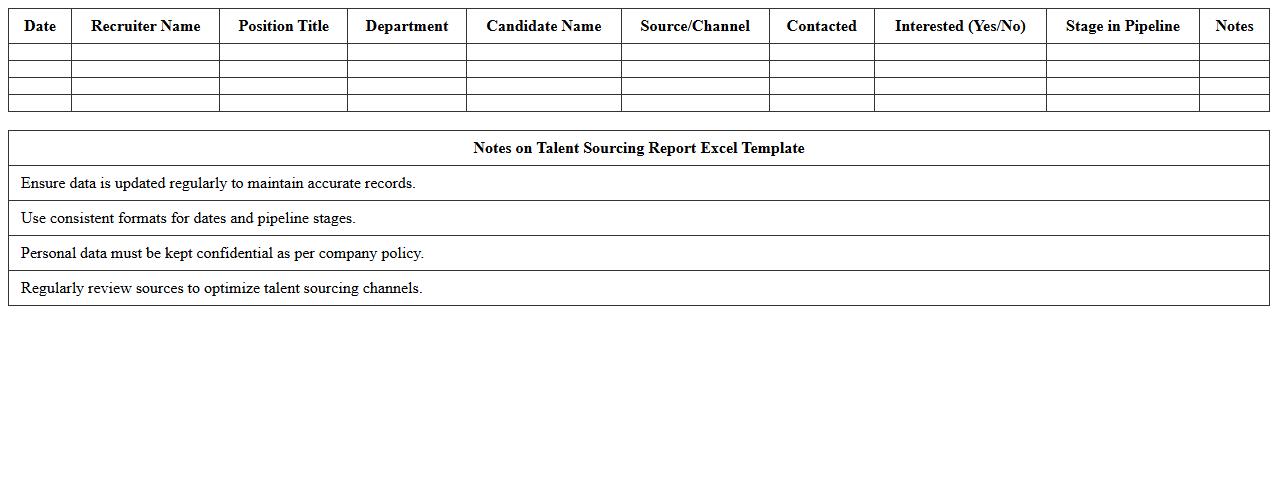
Talent Sourcing Report Excel Template
The
Talent Sourcing Report Excel Template is a structured document designed to track and analyze recruitment activities, candidate pipelines, and sourcing channels effectively. It helps HR professionals and recruiters organize data on applicant sources, time-to-hire metrics, and candidate qualifications to optimize recruitment strategies. Using this template enhances decision-making by providing clear insights into sourcing performance and identifying the most efficient talent acquisition methods.
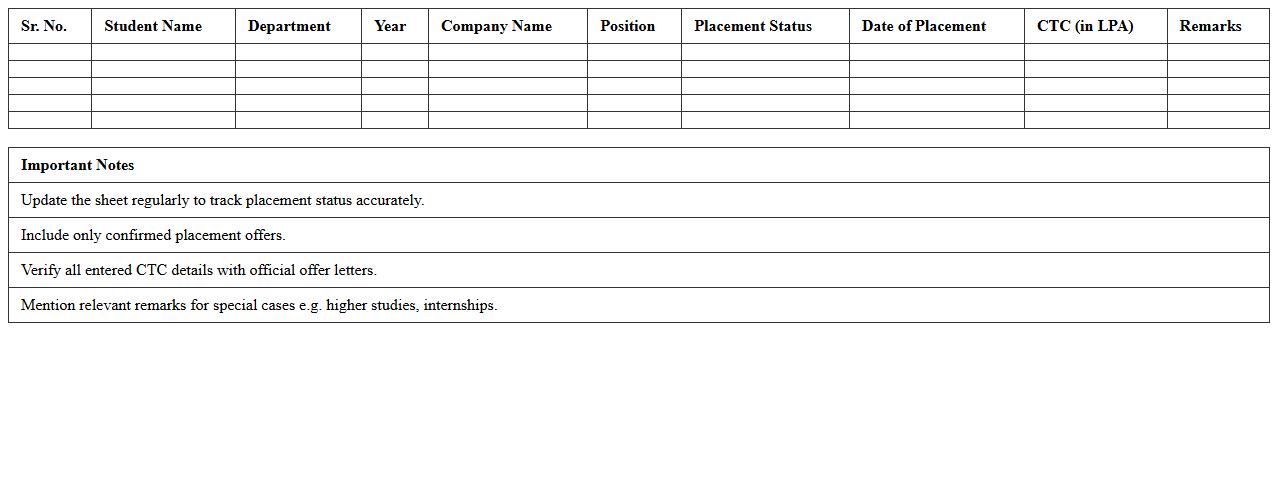
Placement Success Rate Tracker Spreadsheet
The
Placement Success Rate Tracker Spreadsheet document is a powerful tool designed to monitor and analyze the effectiveness of placement strategies by recording key metrics such as candidate application rates, interview outcomes, and job offer percentages. It helps organizations and educational institutions to identify trends, measure performance, and make data-driven decisions to improve recruitment processes. By providing clear insights into success rates, this spreadsheet enhances the ability to optimize resource allocation and improve overall placement efficiency.
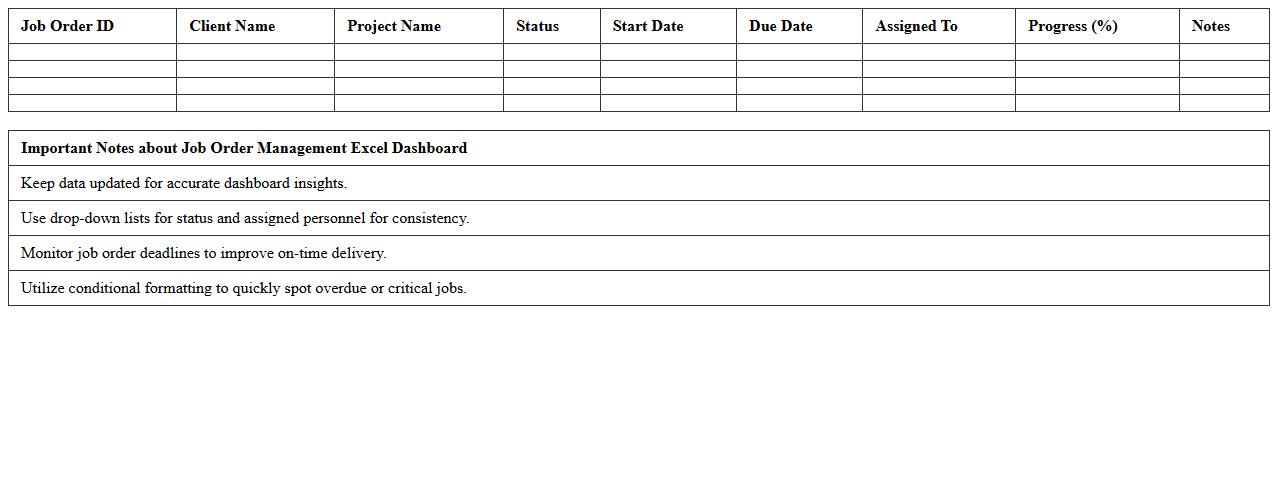
Job Order Management Excel Dashboard
A
Job Order Management Excel Dashboard document provides a centralized platform to track, monitor, and analyze job orders efficiently, offering real-time insights into order status, deadlines, and resource allocation. This tool enhances productivity by organizing data visually, enabling quick decision-making and prioritization of tasks. It also improves communication across teams, reducing errors and delays in job order processing.
Client Vacancy Fulfillment Report Template
The
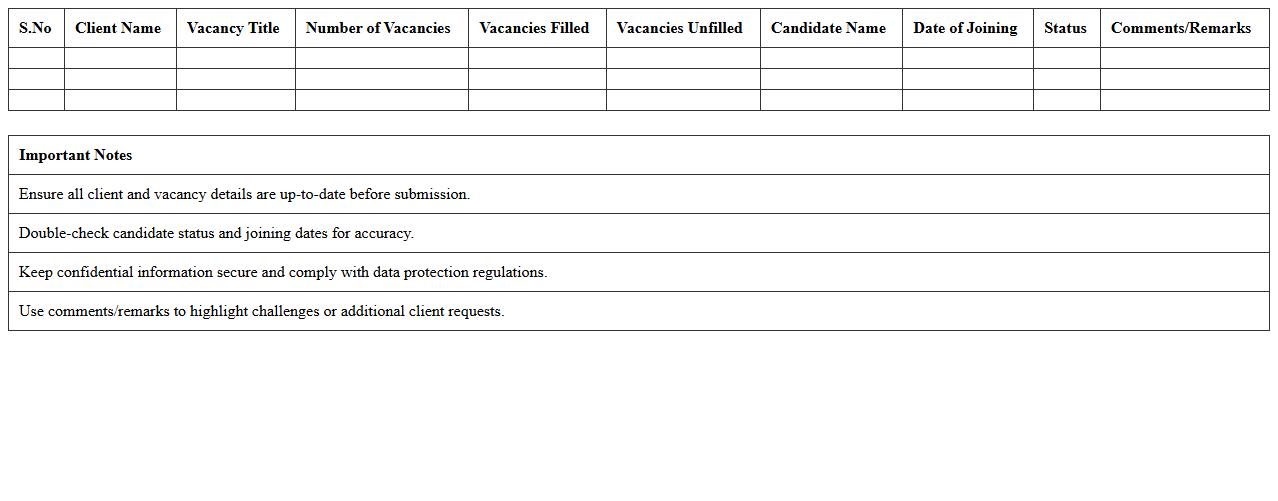
Client Vacancy Fulfillment Report Template document provides a structured format for tracking and analyzing the status of job vacancies filled for clients. It helps organizations monitor recruitment progress, assess workforce requirements, and improve staffing efficiency by detailing key metrics such as vacancy timelines, candidate selection, and fulfillment rates. This report ensures transparency and facilitates data-driven decision-making in talent acquisition processes.
Recruiter Performance Analytics Excel Sheet
The
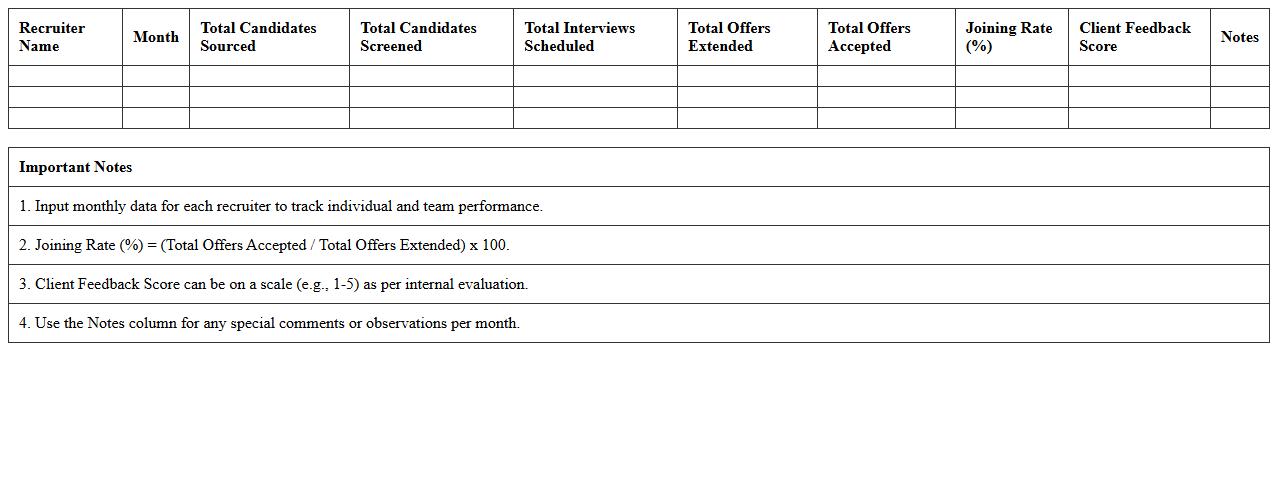
Recruiter Performance Analytics Excel Sheet document tracks key recruitment metrics such as candidate sourcing efficiency, time-to-fill, and hiring conversion rates, enabling data-driven decision-making. It allows HR teams to identify top-performing recruiters, optimize recruitment strategies, and improve overall hiring processes. By consolidating recruitment data in a clear, structured format, this tool enhances productivity and supports workforce planning initiatives.
How does the dashboard track candidate source efficiency in real time?
The dashboard integrates real-time data feeds from multiple sourcing channels to monitor candidate origins. It uses dynamic charts to display the conversion rates of candidates from sources such as job boards, referrals, and social media. This immediate insight helps recruiters optimize their sourcing strategies effectively.
What Excel formulas automate placement status updates?
Excel employs IF, VLOOKUP, and COUNTIF formulas to automatically update placement statuses based on predefined criteria. The IF formula tracks status changes, while VLOOKUP pulls corresponding candidate details dynamically. COUNTIF summarizes status counts, enabling efficient progress monitoring without manual edits.
How are recruiter performance metrics visualized for team comparison?
Recruiter performance metrics are displayed using interactive dashboards that include bar charts, heat maps, and scorecards. These visuals highlight key indicators such as placements, response time, and conversion rates for each recruiter. Such comparative visualizations foster performance transparency and encourage healthy competition among team members.
Can the dashboard filter open job roles by urgency or fill-rate trends?
The dashboard features advanced filtering options allowing users to sort open job roles based on urgency levels and historical fill-rate trends. This helps prioritize critical vacancies by highlighting roles that require immediate attention. Real-time filters ensure recruiters focus on openings that impact business goals most significantly.
What methods are used to monitor offer-to-joining conversion ratios?
Monitoring is carried out via automated tracking systems integrating offer acceptance data with joining records. Statistical formulas calculate conversion ratios, while trend graphs depict fluctuations over time. These methods help identify bottlenecks between offers made and candidates onboarding, enabling targeted intervention.
More Dashboard Excel Templates