The Supply Chain Dashboard Excel Template for Manufacturing Companies offers a comprehensive tool to track inventory levels, monitor supplier performance, and analyze production efficiency in real time. This customizable template enables manufacturers to visualize key metrics through intuitive charts and graphs, improving decision-making and operational transparency. Automating data aggregation from various sources enhances accuracy and saves valuable time for supply chain managers.
Inventory Management Dashboard Excel Template
The
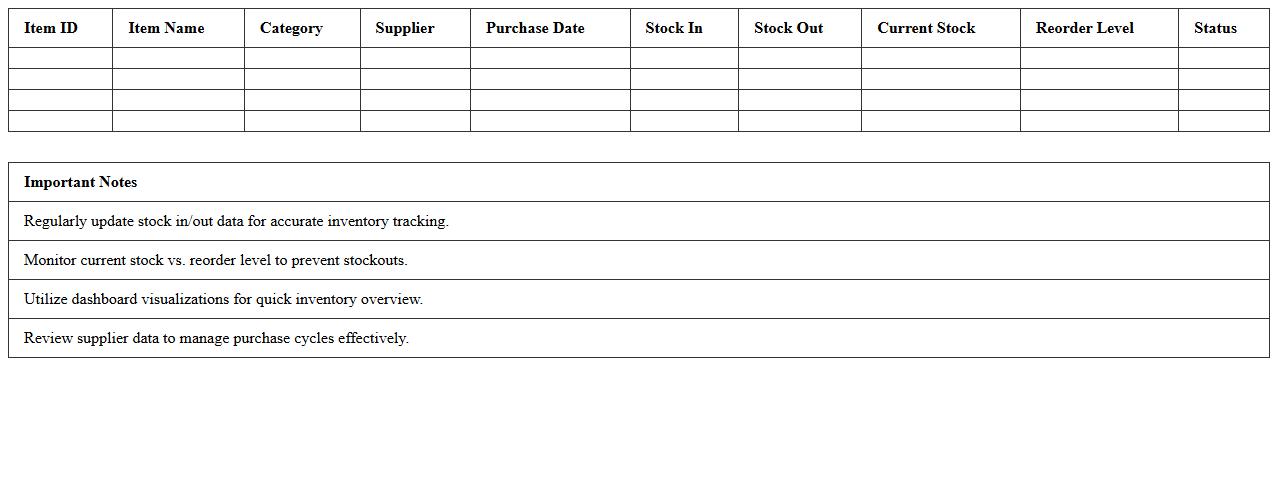
Inventory Management Dashboard Excel Template is a specialized spreadsheet designed to track stock levels, monitor product movement, and analyze inventory performance in real-time. It consolidates essential data such as item quantities, reorder points, and sales trends into interactive charts and tables, allowing businesses to make informed decisions about purchasing and stock control. This tool enhances operational efficiency by reducing stockouts, minimizing excess inventory, and optimizing order management processes.
Supplier Performance Analysis Excel Template
The
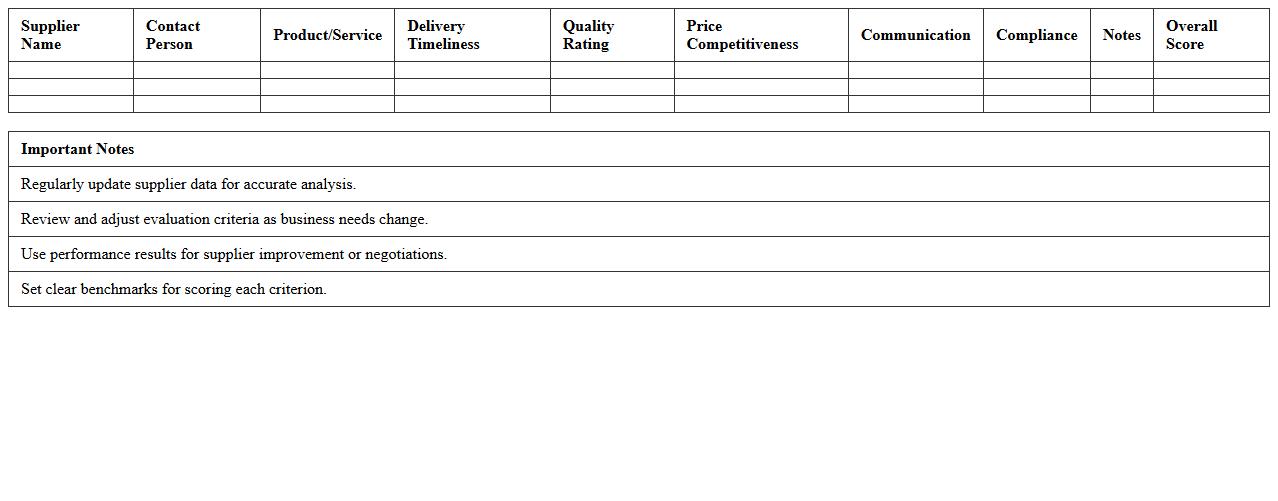
Supplier Performance Analysis Excel Template document is a structured tool designed to evaluate and monitor supplier efficiency, quality, and delivery timelines systematically. It helps businesses track key performance indicators (KPIs) such as defect rates, on-time delivery percentages, and cost compliance, enabling data-driven decisions to optimize procurement strategies. By identifying reliable suppliers and areas needing improvement, the template enhances supply chain management and strengthens vendor relationships.
Production Scheduling Tracker Excel Template
The
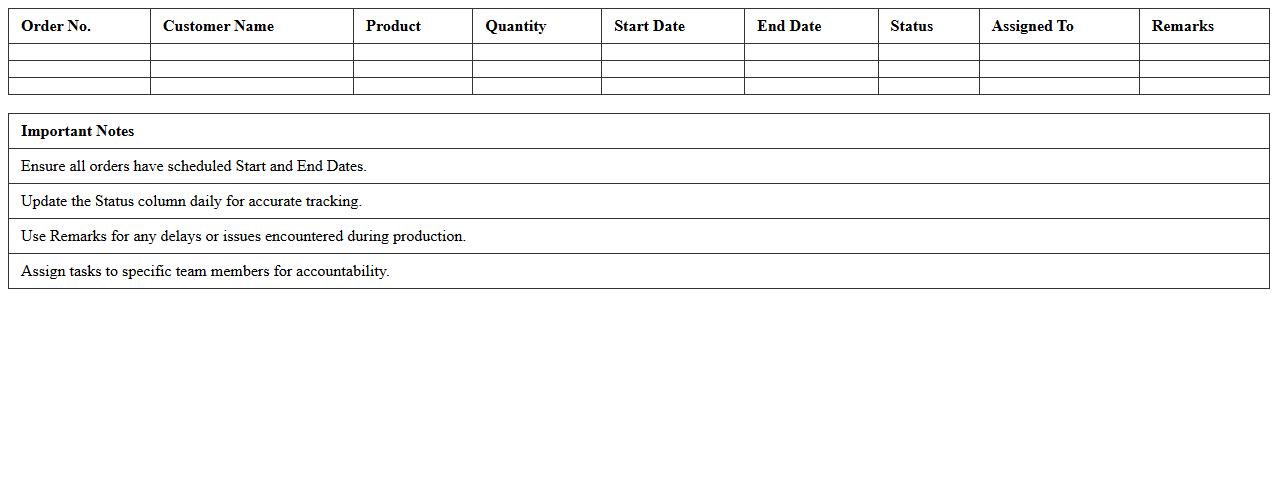
Production Scheduling Tracker Excel Template is a versatile tool designed to organize and monitor manufacturing timelines, resources, and task progress efficiently. It helps optimize workflow by providing clear visibility into production stages, enabling timely adjustments to meet deadlines and reduce bottlenecks. Using this template enhances coordination among teams, improves productivity, and supports data-driven decision-making in production management.
Order Fulfillment Status Dashboard Excel Template
The
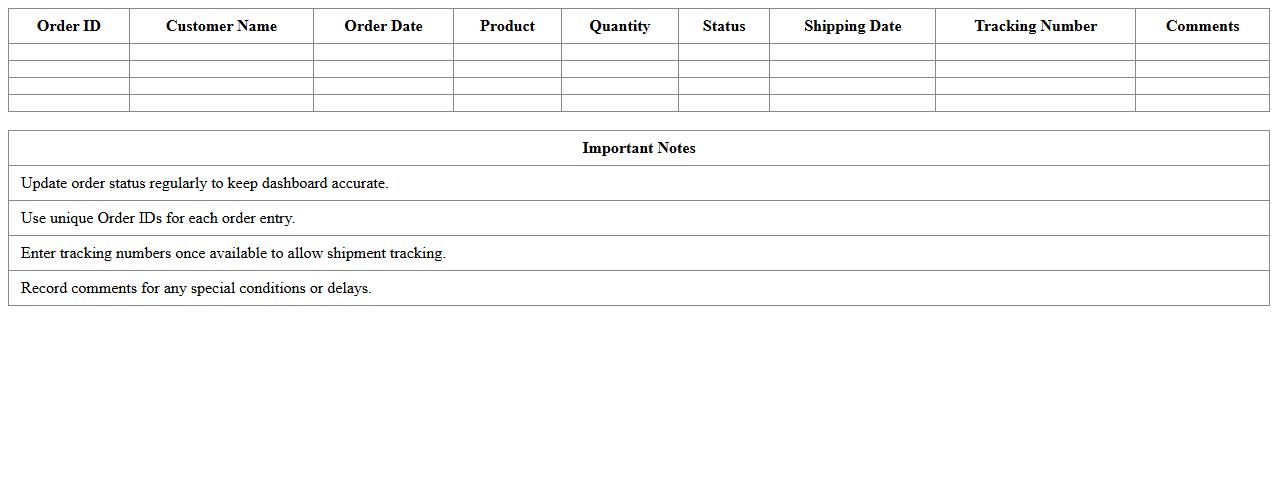
Order Fulfillment Status Dashboard Excel Template is a comprehensive tool designed to track and visualize order processing stages in real-time, enabling businesses to monitor shipment progress, inventory levels, and delivery timelines efficiently. This template helps identify bottlenecks, optimize inventory management, and improve customer satisfaction by providing clear insights into order statuses. Utilizing this dashboard supports informed decision-making and streamlines supply chain operations, leading to enhanced operational efficiency and timely order completion.
Manufacturing Lead Time Monitoring Excel Template
The
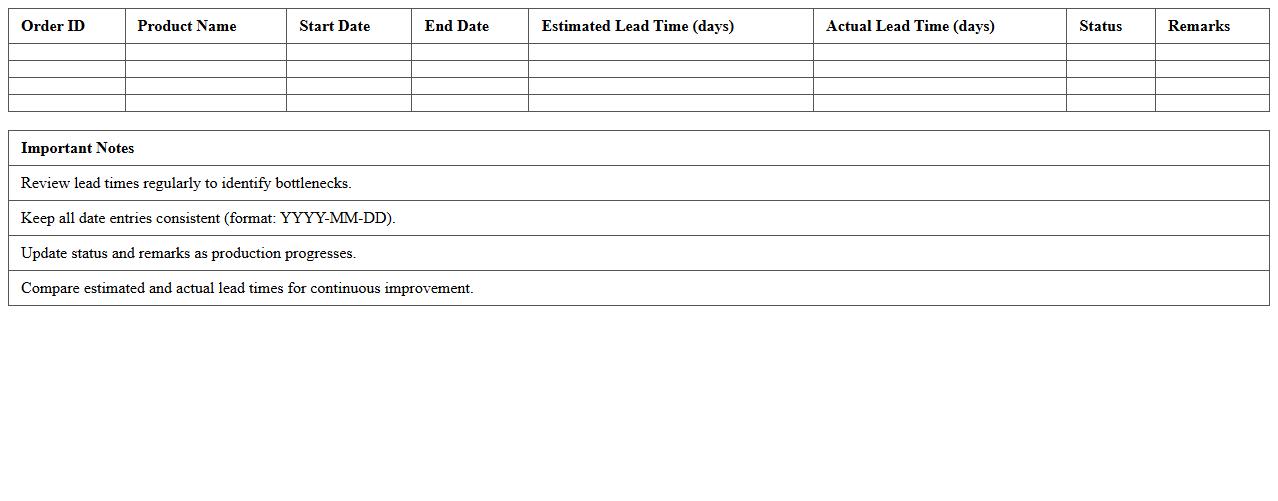
Manufacturing Lead Time Monitoring Excel Template document is a powerful tool designed to track and analyze the time taken for each stage of the manufacturing process. It helps identify bottlenecks, optimize production schedules, and improve overall efficiency by providing clear visibility into lead times. Using this template enables manufacturers to reduce delays, minimize costs, and enhance on-time delivery performance.
Procurement Spend Analysis Excel Template
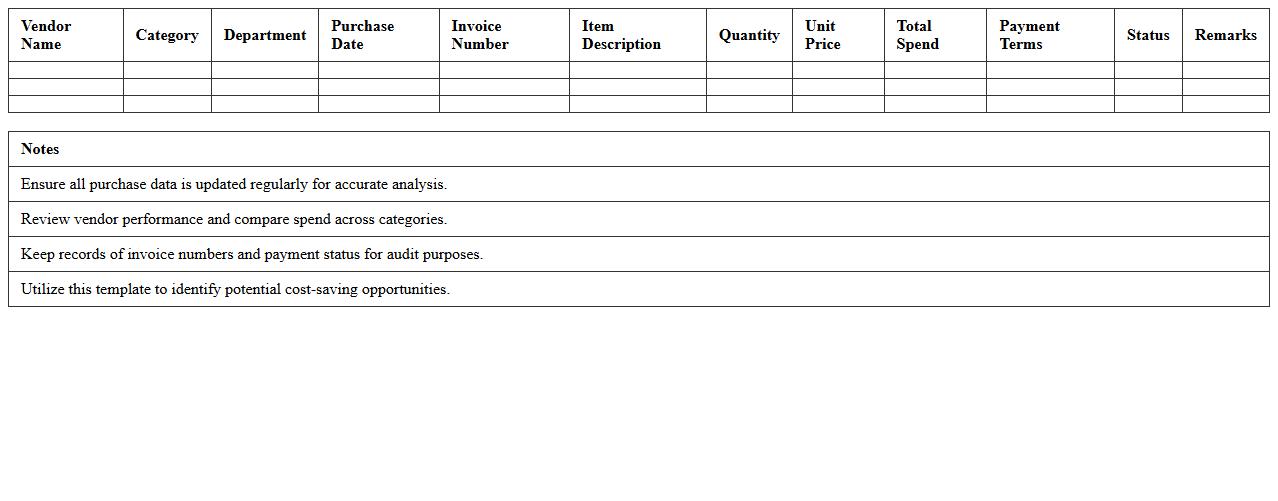
A
Procurement Spend Analysis Excel Template is a structured spreadsheet designed to systematically track, categorize, and analyze an organization's expenditure on goods and services. It enables procurement teams to identify spending patterns, uncover cost-saving opportunities, and improve vendor management by providing clear visibility into procurement data. Utilizing this template helps businesses optimize budgets, enhance negotiation strategies, and foster more efficient purchasing decisions.
Logistics and Delivery Tracking Excel Template
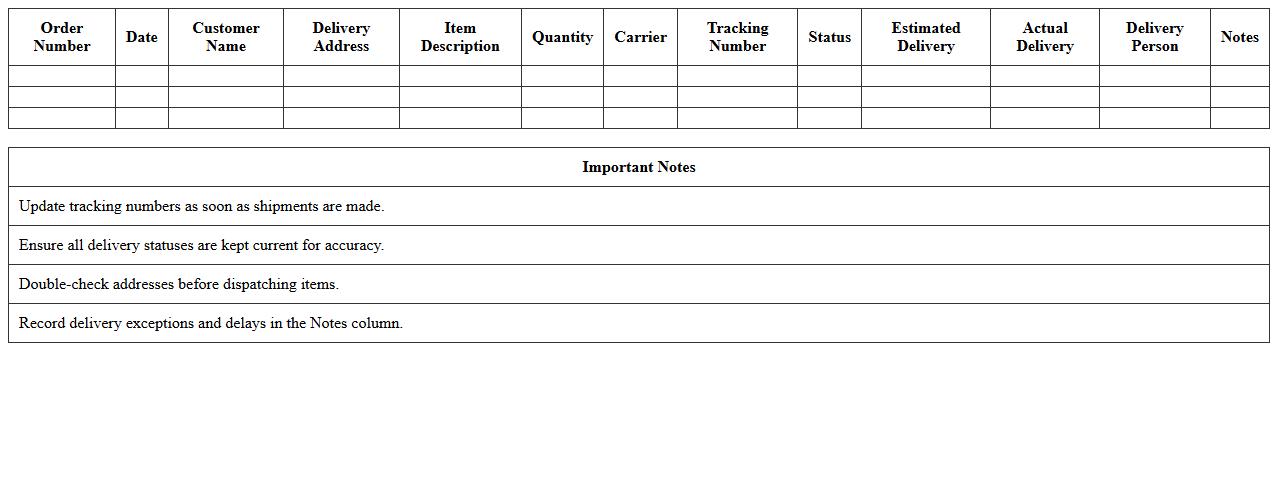
The
Logistics and Delivery Tracking Excel Template document organizes shipment data, delivery schedules, and transportation details in a single, easy-to-use spreadsheet format. It enables users to monitor real-time delivery status, manage inventory movement, and optimize route planning for efficient supply chain operations. This tool reduces errors and enhances decision-making by providing clear visibility into logistics workflows and delivery performance metrics.
Demand Forecasting Dashboard Excel Template
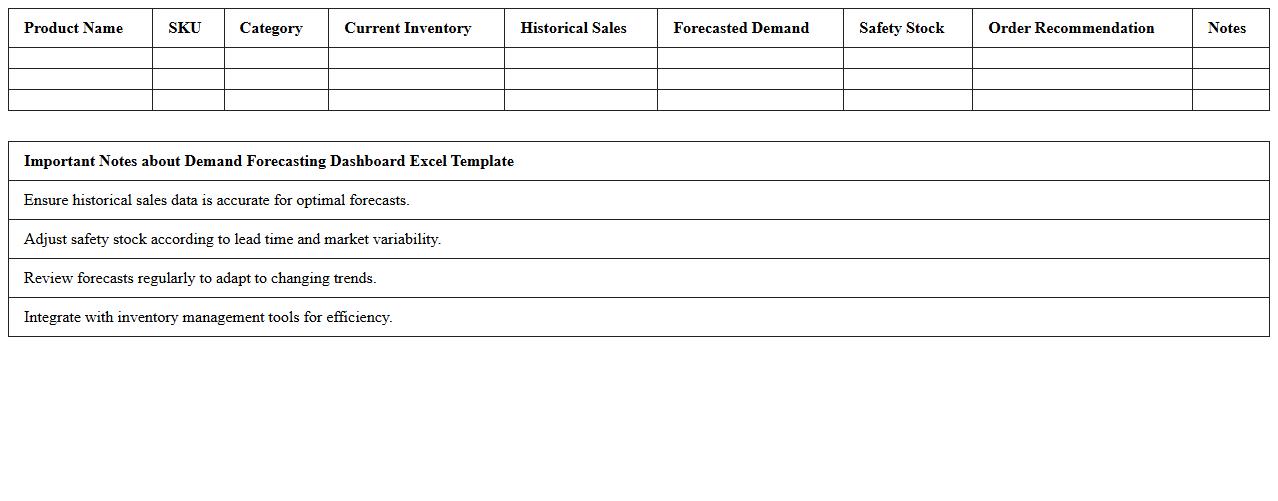
The
Demand Forecasting Dashboard Excel Template is a powerful tool designed to analyze historical sales data and predict future product demand with accuracy. By leveraging advanced Excel functionalities such as pivot tables, charts, and automated calculations, it enables businesses to visualize trends, optimize inventory levels, and improve supply chain efficiency. This template helps reduce stockouts and overstock situations, ultimately enhancing decision-making and profitability.
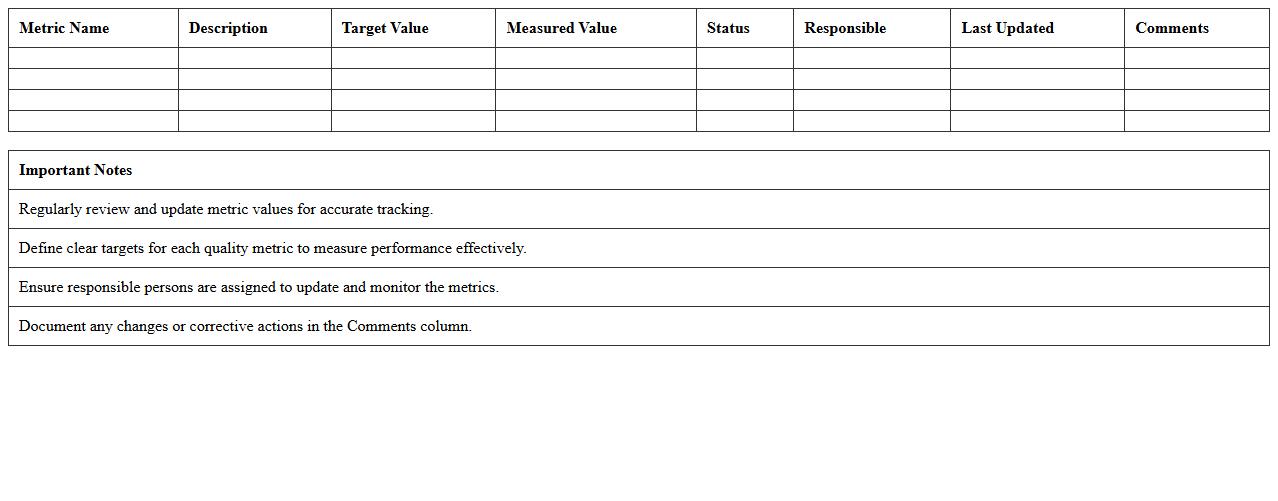
Quality Control Metrics Excel Template
A
Quality Control Metrics Excel Template is a structured spreadsheet used to track, measure, and analyze quality-related data in manufacturing or service processes. It helps organizations monitor defects, compliance rates, and process variations to ensure products meet specified standards. Using this template enhances decision-making by providing clear insights into quality performance trends and areas requiring improvement.
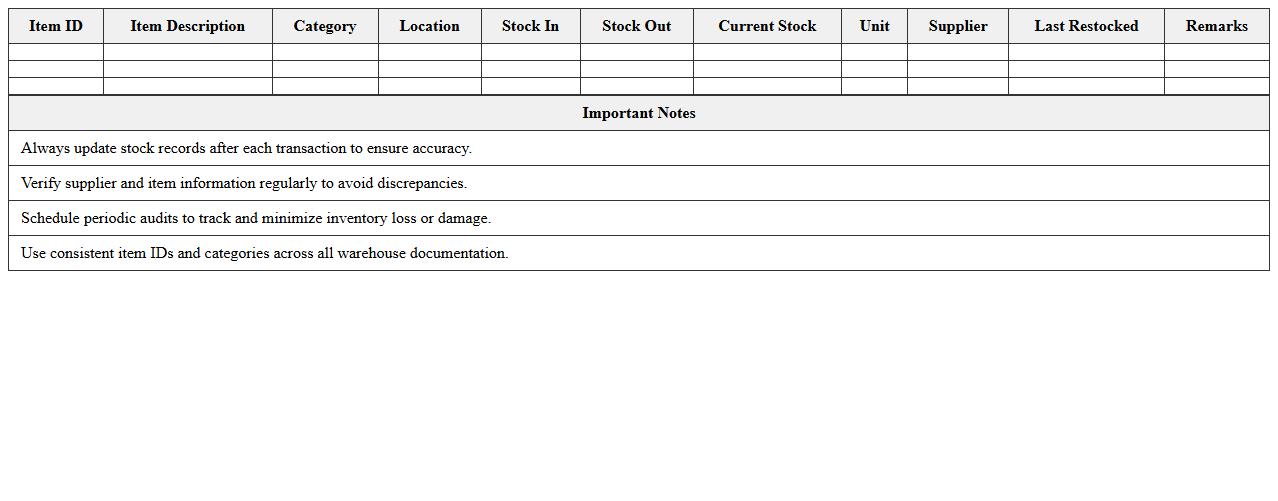
Warehouse Operations Overview Excel Template
The
Warehouse Operations Overview Excel Template document serves as a comprehensive tool to track and manage key warehouse activities such as inventory levels, shipment schedules, and labor productivity. It enables warehouse managers to analyze performance metrics and identify bottlenecks, improving overall efficiency and reducing operational costs. By consolidating critical data in an easy-to-use format, this template supports informed decision-making and streamlined warehouse workflows.
How to automate real-time inventory tracking in a Supply Chain Dashboard Excel for manufacturing?
To automate real-time inventory tracking in Excel, connect your spreadsheet to a data source using Power Query or VBA scripts for dynamic updates. Implement triggers or refresh intervals to ensure inventory levels reflect current stock without manual input. Utilize conditional formatting to highlight low stock and reorder points instantly within your dashboard.
What advanced Excel formulas optimize supplier lead time analysis in manufacturing dashboards?
Advanced formulas like ARRAYFORMULA, INDEX-MATCH-MATCH, and dynamic named ranges enable precise lead time calculations across multiple suppliers. Use the NETWORKDAYS function to account for working days, excluding weekends and holidays for accurate lead time tracking. Combining these formulas with data validation improves your dashboard's analytical depth and usability.
How to visualize production bottlenecks using pivot charts in a supply chain Excel dashboard?
Create pivot tables summarizing production data by stage, time, or machine to identify output slowdowns as bottlenecks. Use pivot charts to visualize these data points dynamically, allowing real-time filtering and deeper insight into underlying issues. Applying slicers and conditional formatting enhances clarity and helps focus on critical production constraints.
Which KPI metrics best measure delivery reliability in a manufacturing Excel dashboard?
Key KPIs like On-Time Delivery Rate (OTD), Delivery Accuracy, and Lead Time Variability provide comprehensive insight into delivery reliability. Tracking these metrics in Excel helps monitor supplier performance and customer satisfaction effectively. Incorporate trend lines and benchmark comparisons within dashboards for actionable delivery insights.
How to integrate IoT device data into an Excel-based manufacturing supply chain dashboard?
Integrate IoT device data with Excel by exporting data streams to CSV or connecting via APIs using Power Query or Microsoft Flow automation tools. This allows real-time data visualization and analysis of machine performance or environmental conditions. Combining IoT inputs with Excel dashboards enhances predictive maintenance and supply chain responsiveness.
More Dashboard Excel Templates