Customer Support Ticket Tracker for Ecommerce Excel Template
The
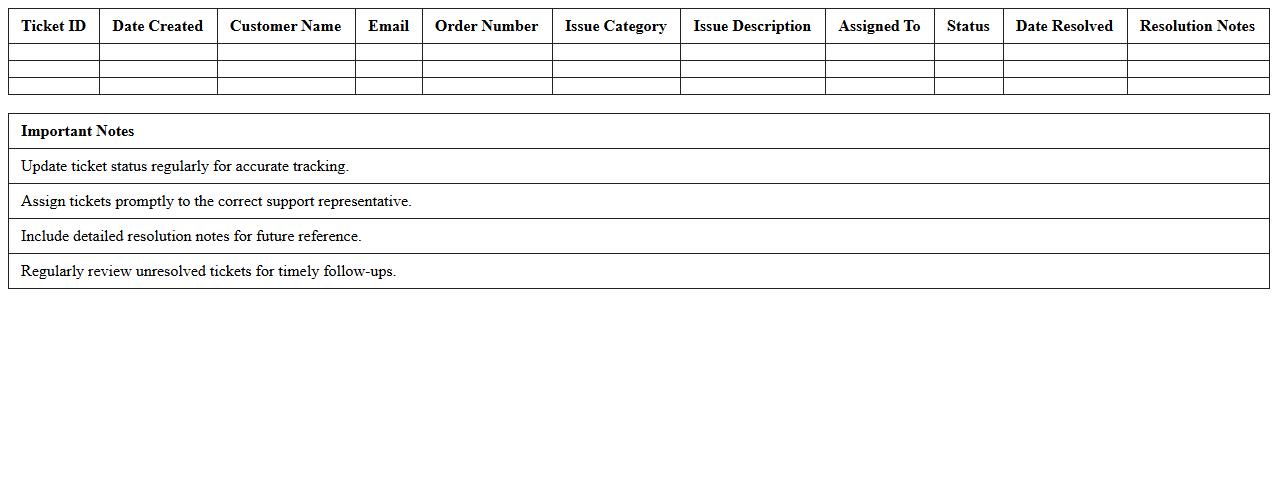
Customer Support Ticket Tracker for Ecommerce Excel Template is a structured spreadsheet designed to record, monitor, and manage customer inquiries and issues efficiently. It enables ecommerce businesses to prioritize tickets based on urgency, track response times, and analyze recurring problems to improve customer satisfaction. By providing a centralized, easy-to-use platform, this template helps streamline support workflows and enhances overall service quality.
Ecommerce Customer Inquiry Log Excel Template
The
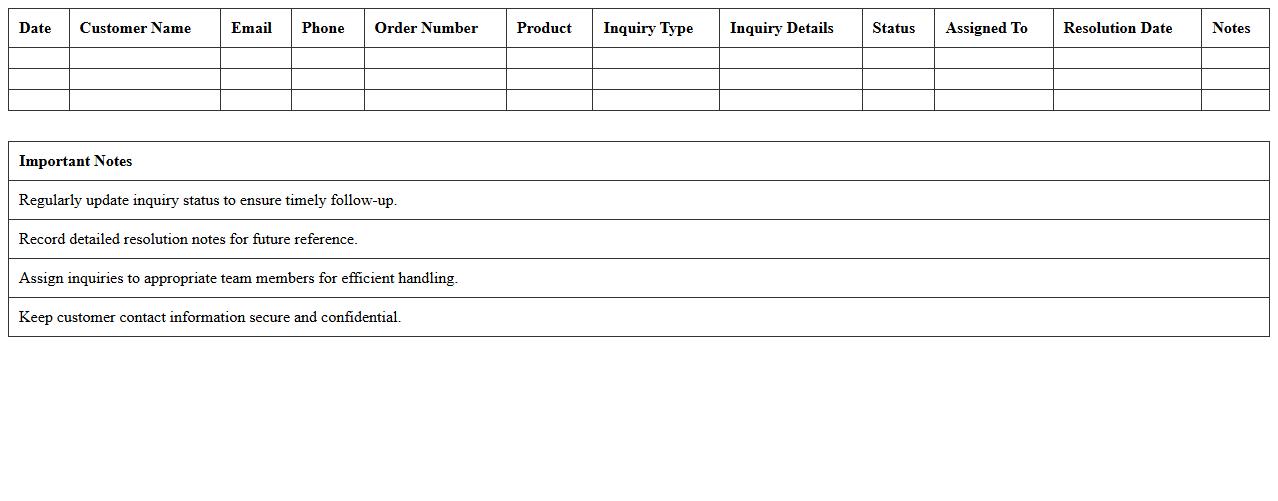
Ecommerce Customer Inquiry Log Excel Template is a structured spreadsheet designed to track and manage customer questions, complaints, and feedback for online businesses. It streamlines the process of organizing inquiry data, enabling efficient follow-up and improved customer service response times. Using this template enhances communication, helps identify common issues, and supports data-driven decisions to boost customer satisfaction and operational efficiency.
Order Issue Resolution Dashboard Excel Template
The
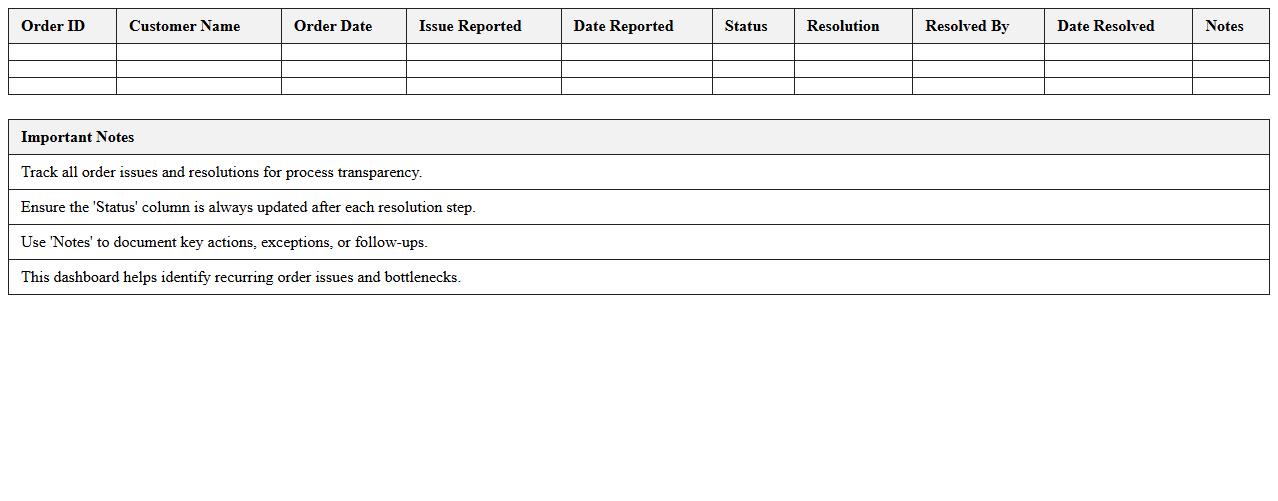
Order Issue Resolution Dashboard Excel Template is a powerful tool designed to track, analyze, and resolve order-related problems efficiently. It consolidates data on order delays, returns, and customer complaints into visual charts and metrics, enabling quick identification of recurring issues. By using this template, businesses enhance decision-making, streamline communication among teams, and improve overall order fulfillment performance.
Ecommerce Support SLA Monitoring Excel Sheet
The
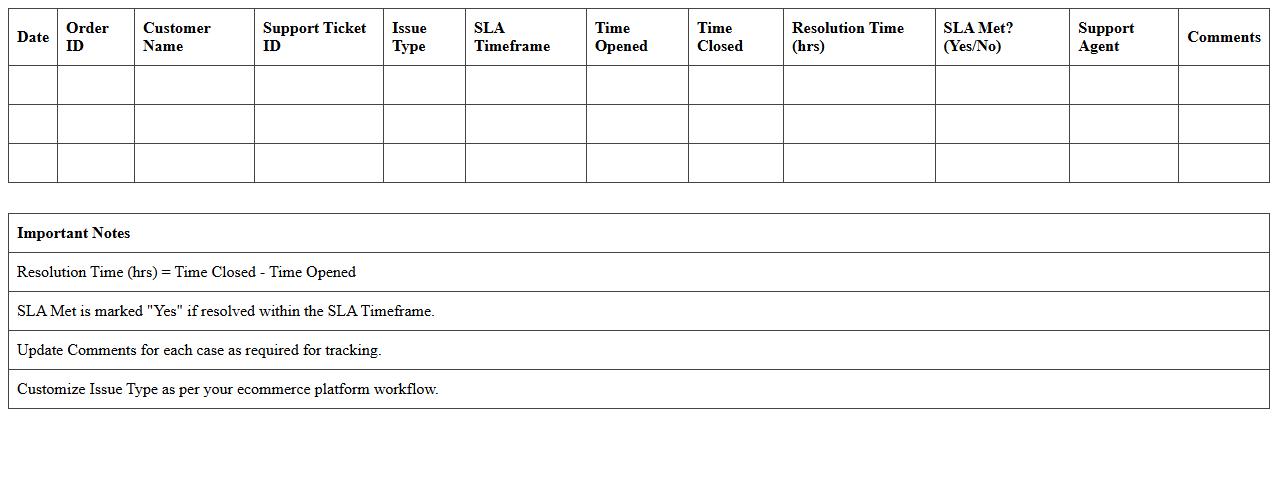
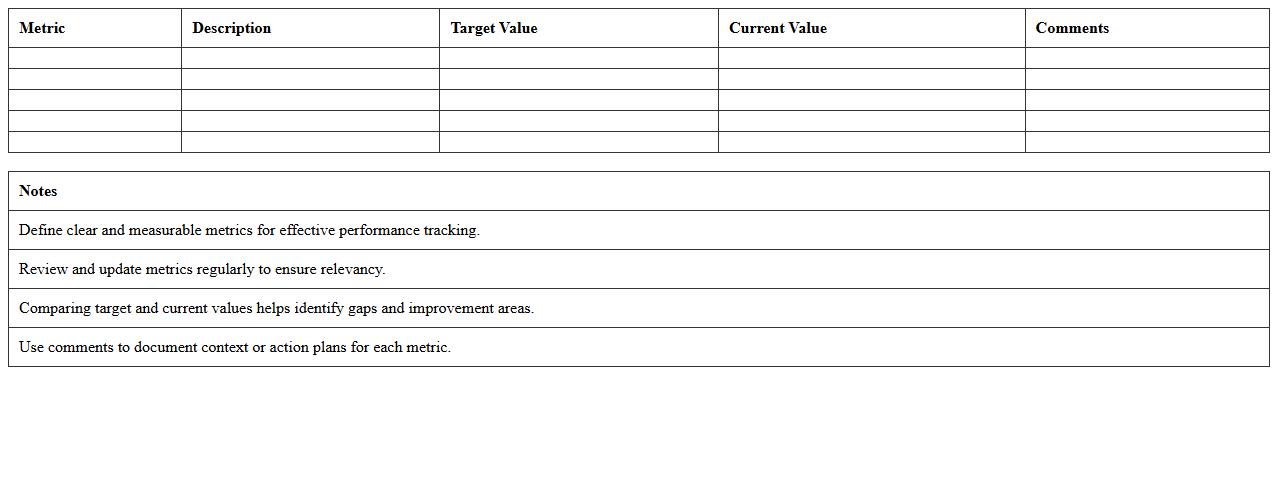
Ecommerce Support SLA Monitoring Excel Sheet document is a structured tool designed to track and evaluate service level agreements (SLAs) related to customer support in ecommerce operations. By systematically recording response times, resolution rates, and compliance metrics, it enables teams to identify performance gaps and ensure adherence to agreed standards. This proactive monitoring facilitates improved customer satisfaction, operational efficiency, and accountability within ecommerce support workflows.
Customer Service Performance Metrics Excel Template
The
Customer Service Performance Metrics Excel Template is a structured tool designed to track and analyze key performance indicators (KPIs) such as response time, resolution rate, and customer satisfaction scores. It enables businesses to monitor team efficiency, identify areas for improvement, and make data-driven decisions to enhance overall customer experience. By providing clear visualizations and organized data, this template streamlines performance assessment and promotes accountability within customer service operations.
Ecommerce Live Chat Support Tracker Excel Template
The
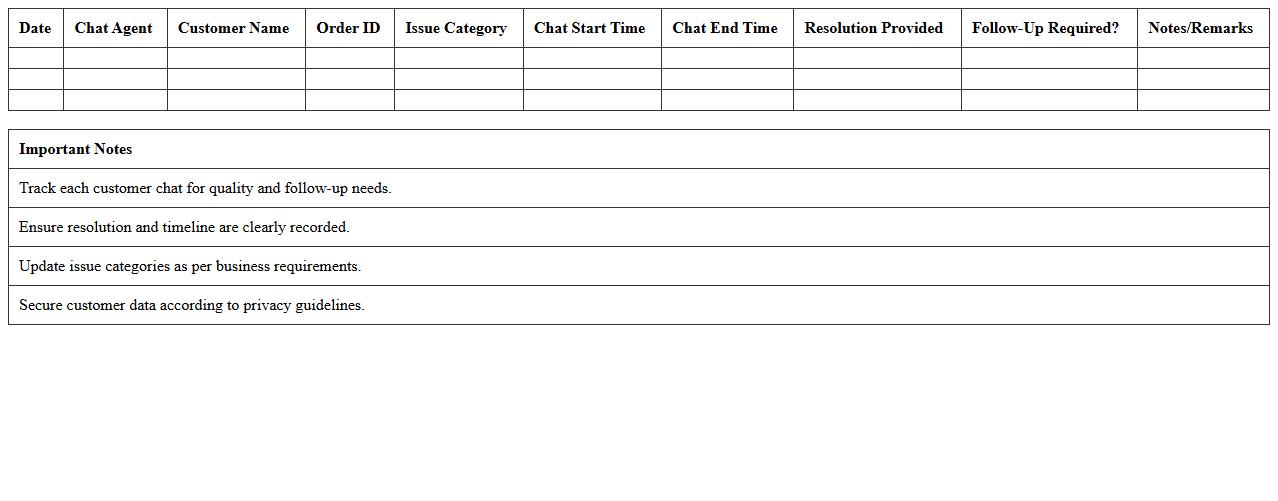
Ecommerce Live Chat Support Tracker Excel Template is a structured spreadsheet designed to monitor and analyze live chat interactions with customers in an ecommerce setting. This tool helps businesses track response times, chat volumes, customer satisfaction scores, and agent performance, enabling data-driven decisions to improve customer service efficiency. Utilizing this template ensures streamlined support operations, enhanced customer engagement, and increased overall sales conversion rates.
Product Return and Refund Tracker for Ecommerce Excel
A
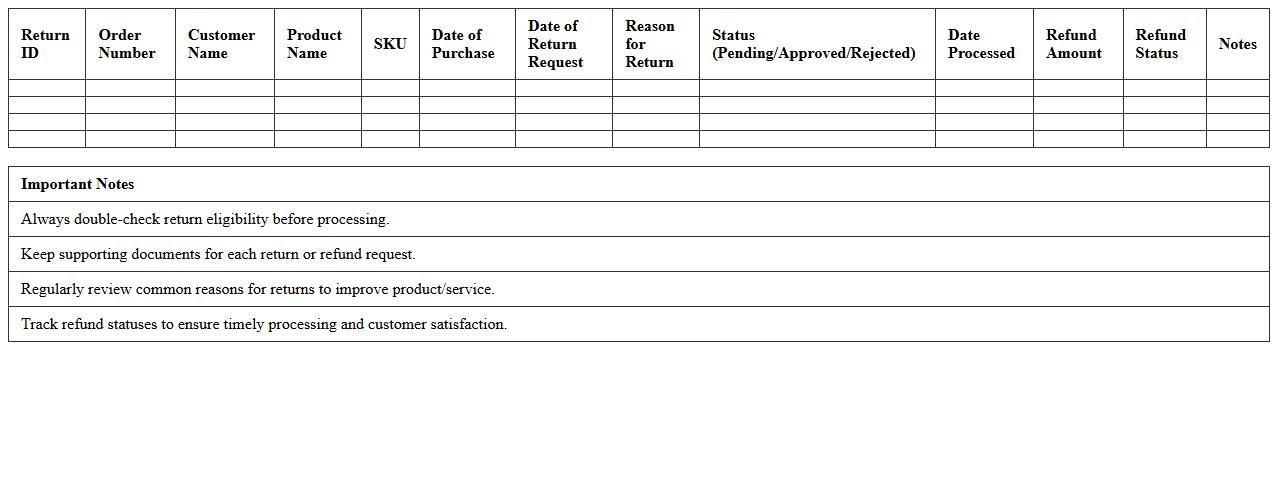
Product Return and Refund Tracker for Ecommerce Excel document is a tool designed to systematically record and manage customer returns and refund requests. It helps ecommerce businesses monitor return reasons, track refund statuses, and analyze patterns to improve product quality and customer satisfaction. Using this tracker enhances operational efficiency by providing clear visibility into returns, reducing losses, and ensuring timely customer service responses.
Ecommerce Support Agent Activity Log Excel Template
The
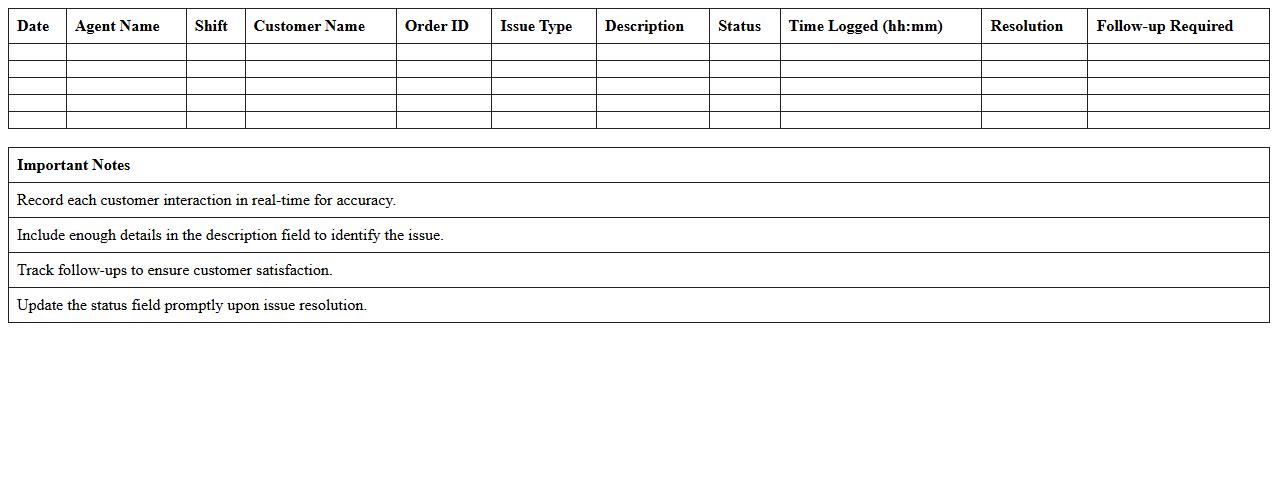
Ecommerce Support Agent Activity Log Excel Template document is a structured tool designed to track and record daily tasks and interactions of customer support agents in an ecommerce setting. It helps organizations monitor agent performance, identify patterns in customer inquiries, and streamline workflow management to enhance overall service quality. Using this template facilitates data-driven decisions, improves accountability, and ensures efficient handling of customer support activities.
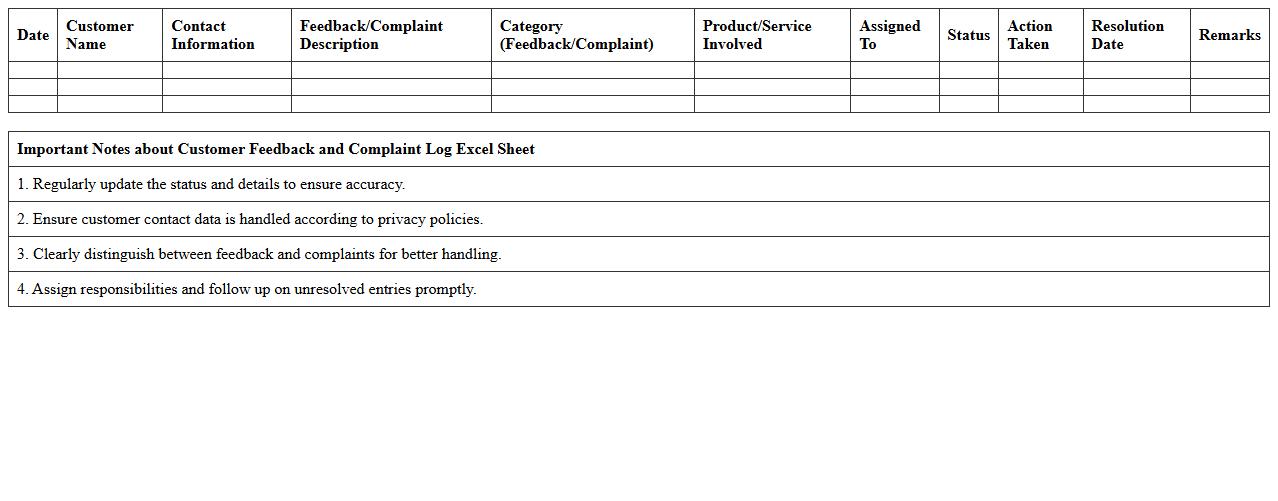
Customer Feedback and Complaint Log Excel Sheet
A
Customer Feedback and Complaint Log Excel Sheet document is a structured tool used to record, track, and analyze customer feedback and complaints systematically. It helps businesses identify recurring issues, measure customer satisfaction, and prioritize areas for improvement by organizing data such as complaint types, resolution status, and response times. Utilizing this log enhances customer service efficiency and supports data-driven decision-making to improve product quality and client relations.
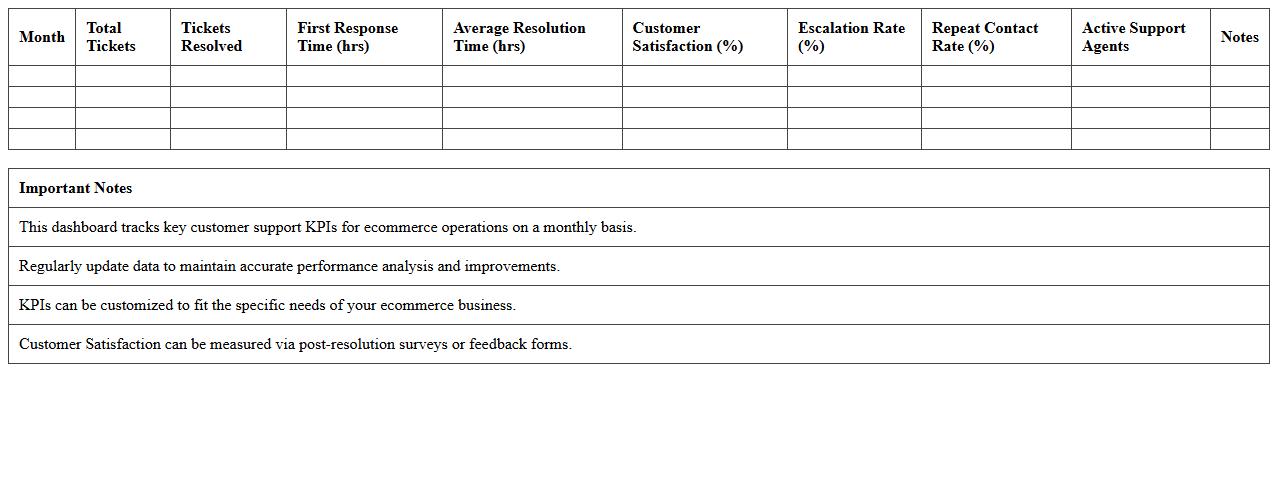
Monthly Ecommerce Customer Support KPI Dashboard Excel Template
The
Monthly Ecommerce Customer Support KPI Dashboard Excel Template is a comprehensive tool designed to track and analyze key performance indicators related to customer service in ecommerce businesses. It provides clear visualizations and organized data on metrics such as response time, resolution rate, customer satisfaction, and ticket volume, enabling efficient monitoring and decision-making. Utilizing this dashboard helps businesses enhance customer support efficiency, improve service quality, and identify areas for continuous improvement.
How can I automate ticket status updates in the Customer Support Dashboard Excel for ecommerce orders?
To automate ticket status updates, use Excel's built-in features like Data Validation and Conditional Formatting to ensure consistency. Implement formulas such as IF and VLOOKUP for dynamic status changes based on ticket progress. Employing macros or Power Automate can further streamline the automation process for real-time updates.
What formulas track average response time for each support agent in the dashboard?
Calculate average response time using the AVERAGEIFS formula to filter times based on agents specifically. Use the formula =AVERAGEIFS(ResponseTimeRange, AgentRange, "AgentName") to get precise metrics. This approach helps in monitoring individual agent performance effectively.
How can I visualize return/refund requests using custom charts in the Excel dashboard?
Create custom charts such as clustered bar or pie charts to represent return and refund requests visually. Use PivotTables to summarize the data before linking it to charts for dynamic updates. Enhancing charts with slicers allows users to filter returns by date, product, or reason easily.
What methods link customer satisfaction survey results to specific orders in the Excel dashboard?
Link customer satisfaction survey results to orders by using unique order IDs as keys between datasets. Utilize Excel's VLOOKUP or INDEX-MATCH functions to merge survey responses with order details. This integration provides comprehensive insights into order-specific customer feedback.
How do I filter and segment support cases by product category within the dashboard?
Apply Excel's Filter or advanced Filter function on the product category column to segment support cases swiftly. Incorporate slicers or dropdown menus for an interactive way to adjust categories in the dashboard. Such filtering enhances analysis by isolating product-specific support trends.