Employee Onboarding Register Excel Template
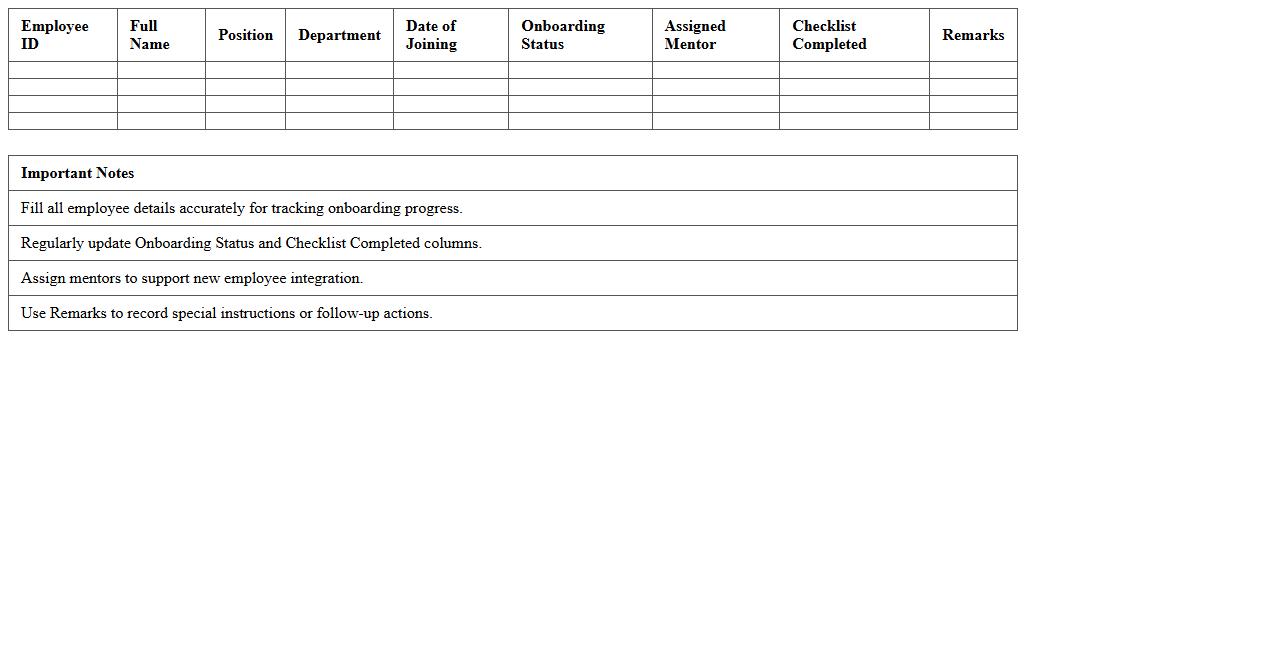
The
Employee Onboarding Register Excel Template document is a structured spreadsheet designed to track the entire onboarding process for new hires, including personal details, orientation schedules, compliance tasks, and training progress. It streamlines data management by centralizing critical information, ensuring consistency, and minimizing errors during employee integration. This template enhances HR efficiency by providing clear visibility into onboarding status, facilitating timely task completion and improving new employee experience.
Employee Attendance Register Excel Template
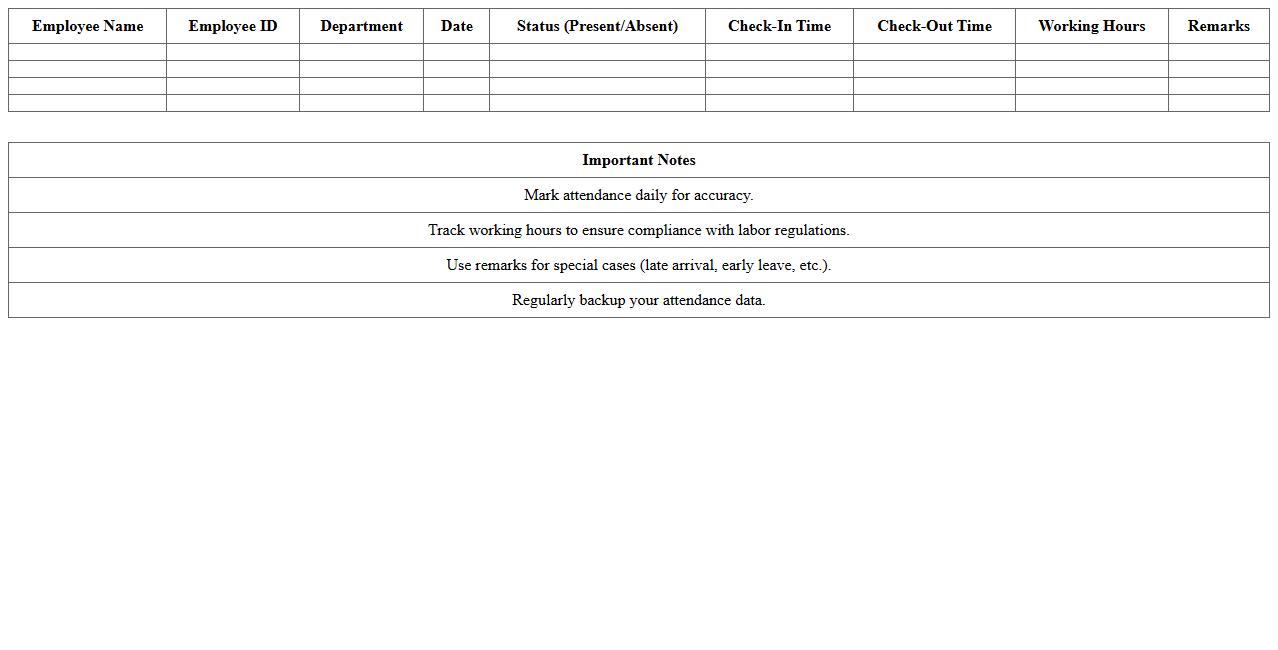
The
Employee Attendance Register Excel Template is a digital document designed to track and monitor employee attendance efficiently. It allows organizations to record daily attendance, calculate work hours, and identify patterns such as absenteeism or tardiness. Utilizing this template enhances workforce management, streamlines payroll processing, and ensures accurate record-keeping for compliance and performance analysis.
Employee Leave Register Excel Template
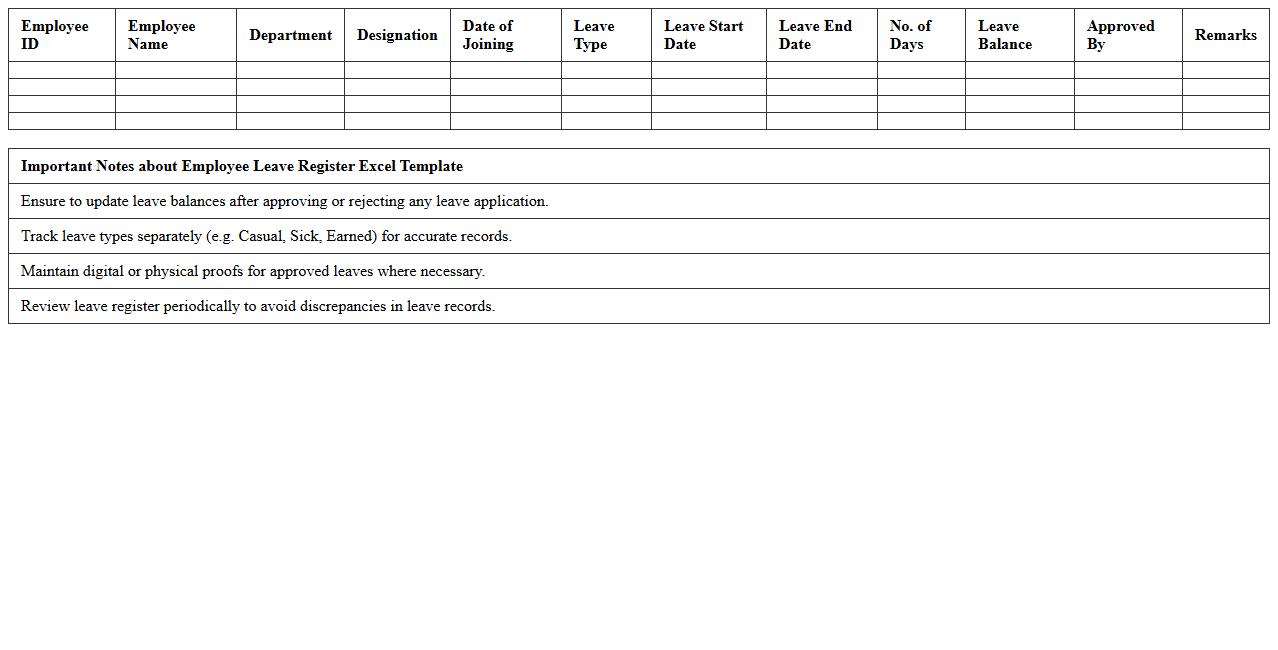
The
Employee Leave Register Excel Template document is a structured spreadsheet designed to track employees' leave records efficiently, including types of leave, dates, and balances. It helps HR departments and managers monitor attendance, manage leave approvals, and ensure compliance with company policies. By using this template, organizations can streamline leave management, reduce errors, and maintain accurate records for payroll and performance evaluations.
Employee Payroll Register Excel Template
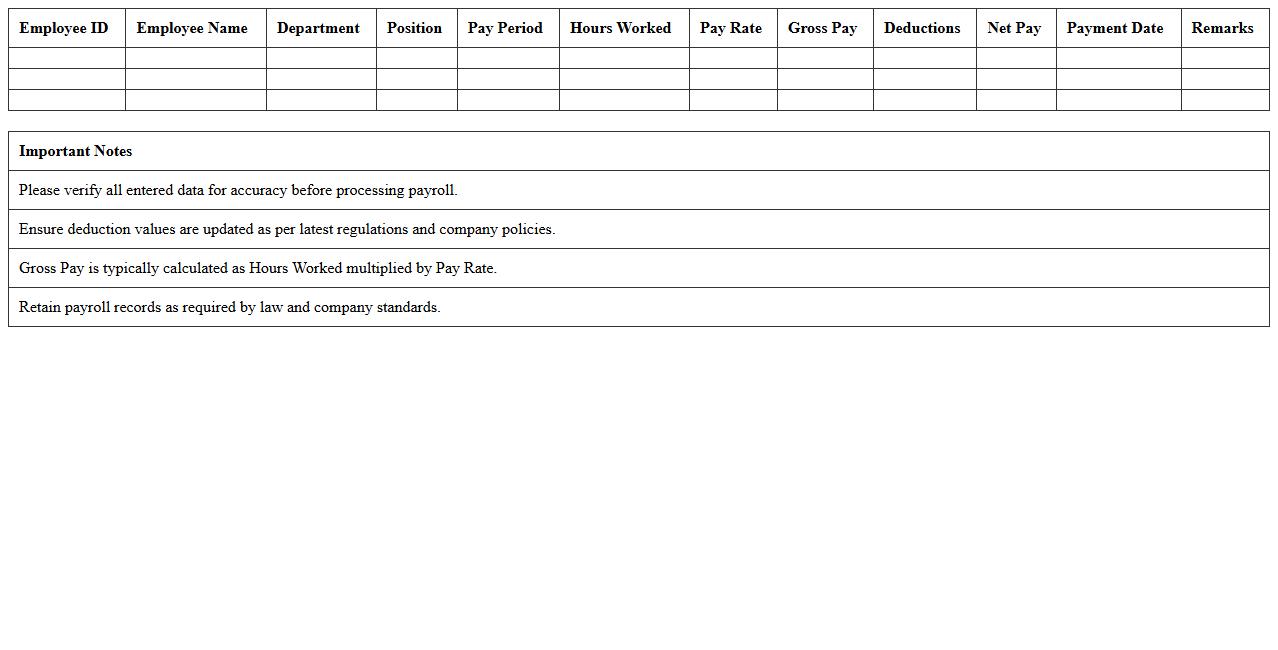
The
Employee Payroll Register Excel Template document is a structured spreadsheet designed to record and track employee payroll details, such as wages, bonuses, deductions, and net pay. This template streamlines payroll management by ensuring accurate calculations and organized records, facilitating compliance with tax regulations and efficient salary disbursement. Using this template improves financial transparency and saves time by automating payroll processes for businesses of all sizes.
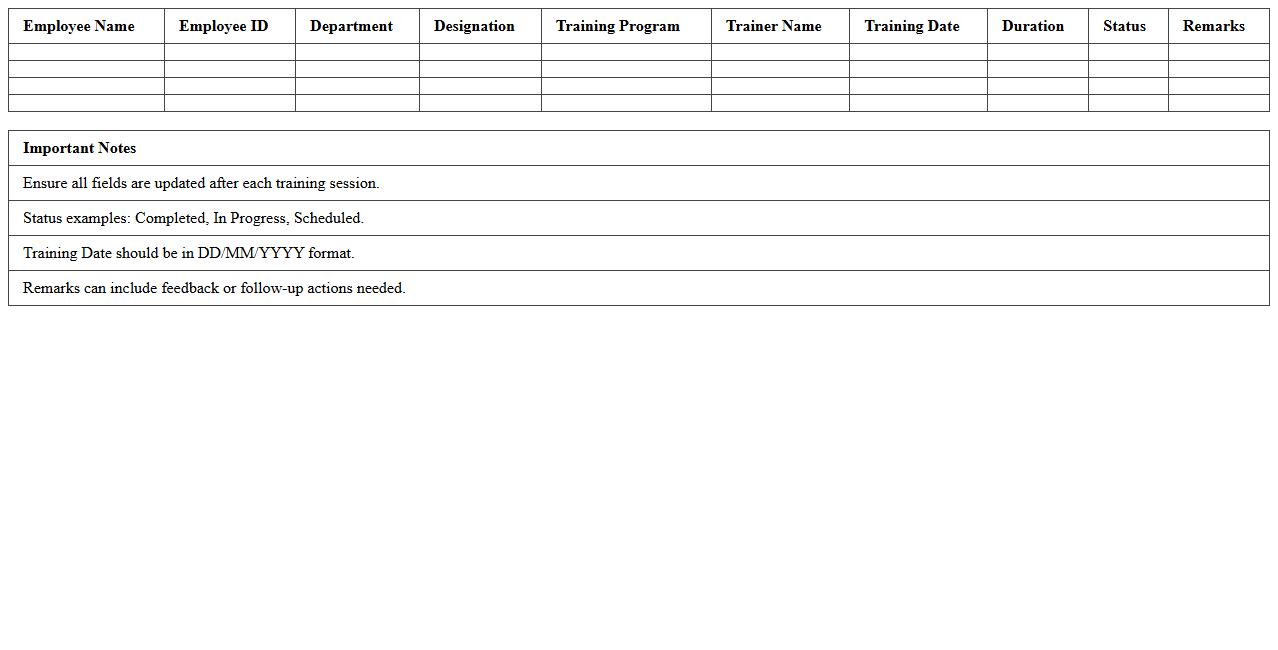
Employee Training Register Excel Template
An
Employee Training Register Excel Template is a structured document designed to track and manage employee training activities efficiently. It records essential data such as training dates, topics covered, employee names, and certification statuses, enabling organizations to ensure compliance and skill development. This tool enhances workforce management by providing clear insights into training progress and identifying gaps for future learning needs.
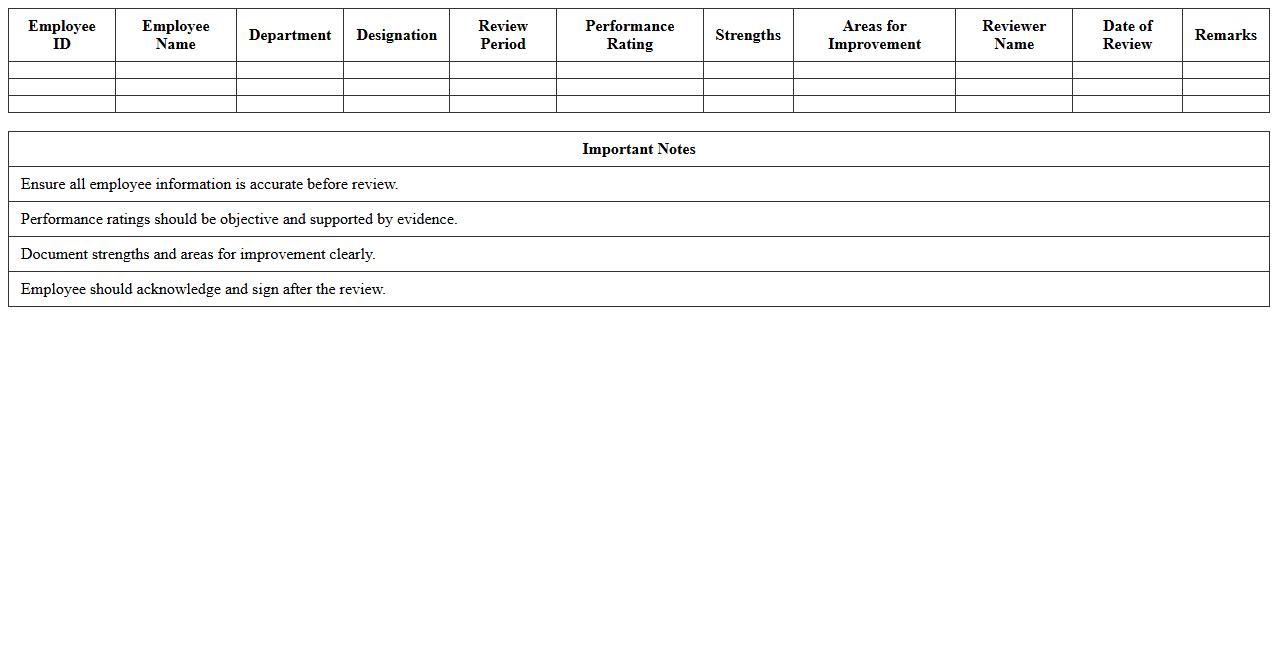
Employee Performance Register Excel Template
The
Employee Performance Register Excel Template is a structured spreadsheet designed to track and evaluate employee performance metrics systematically. It allows managers to record key performance indicators, attendance, and appraisal data, enabling efficient monitoring and comparison over time. This template streamlines performance management processes, promotes data-driven decision-making, and supports consistent employee development strategies.
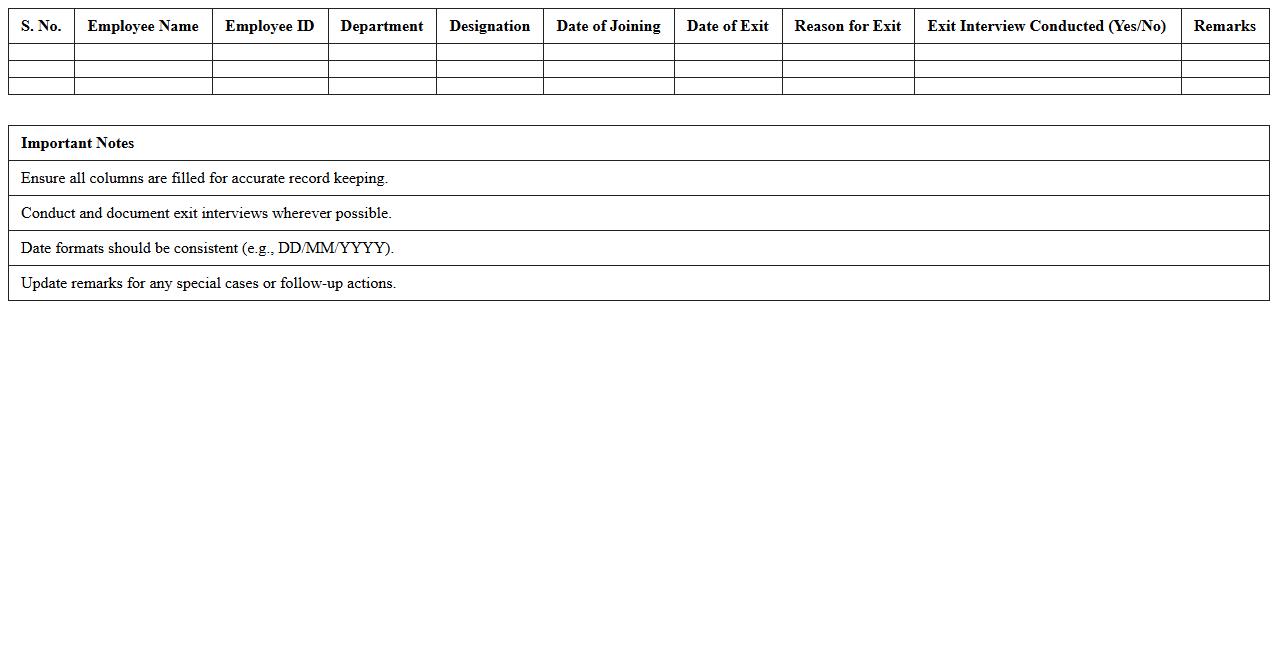
Employee Exit Register Excel Template
The
Employee Exit Register Excel Template document is a structured spreadsheet designed to record detailed information about employees leaving an organization, including exit dates, reasons for departure, and clearance statuses. It serves as an essential tool for HR departments to systematically track exits, ensuring compliance with company policies and facilitating smooth offboarding processes. By maintaining accurate exit data, organizations can analyze turnover trends, improve retention strategies, and maintain comprehensive audit trails for future reference.
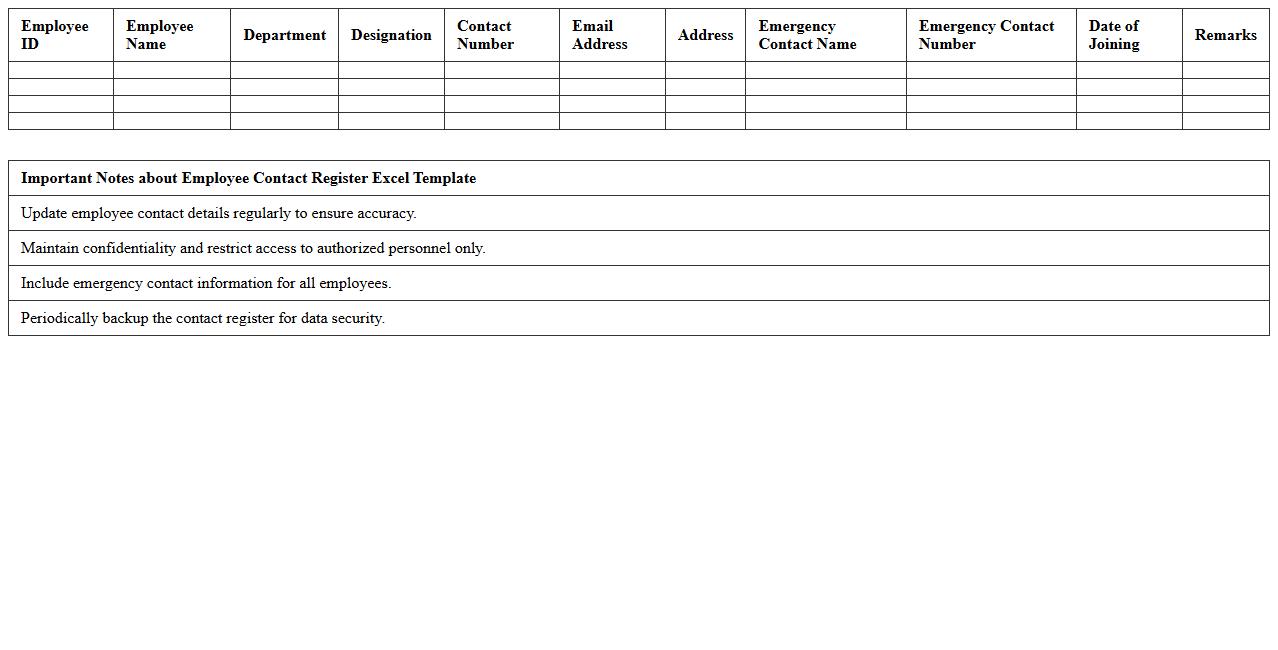
Employee Contact Register Excel Template
The
Employee Contact Register Excel Template is a structured digital document designed to organize and maintain comprehensive details such as names, phone numbers, email addresses, and emergency contacts of all employees within an organization. This template enhances communication efficiency by providing quick access to essential contact information, facilitating seamless coordination during emergencies or routine interactions. Its customizable format allows easy updates and ensures that employee data remains accurate and accessible for HR management and operational needs.
Employee Benefits Register Excel Template
The
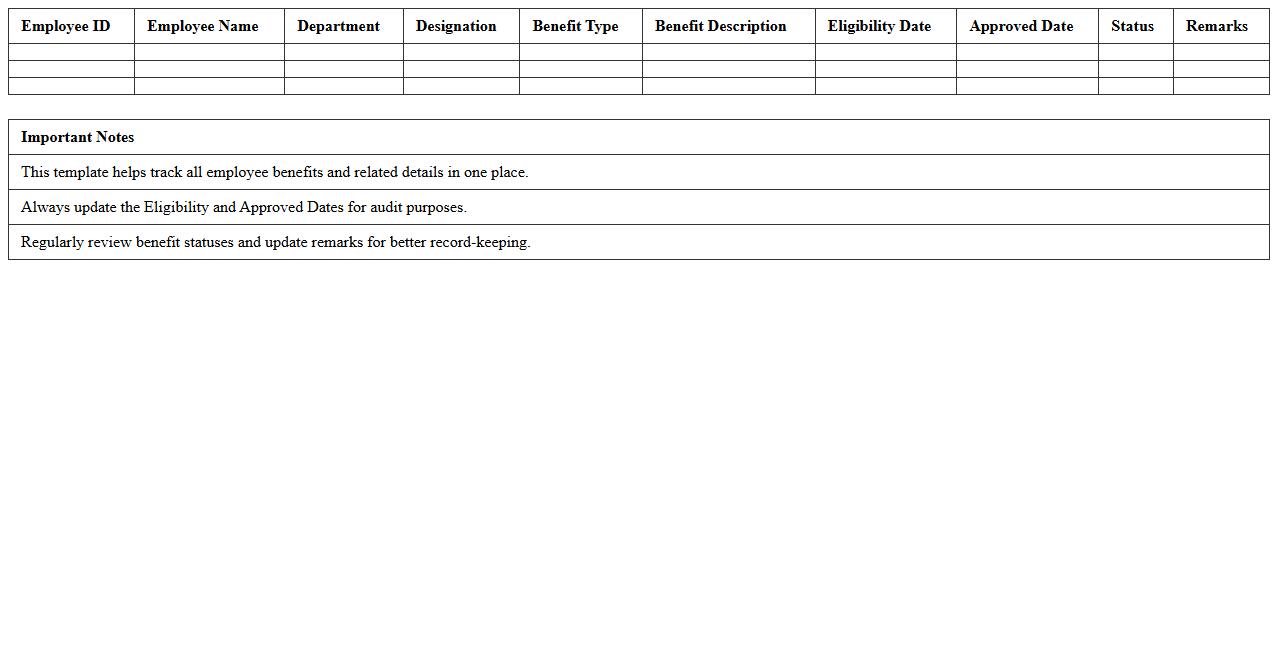
Employee Benefits Register Excel Template is a structured spreadsheet designed to track and manage employee benefits such as health insurance, retirement plans, and paid leaves efficiently. It provides a centralized platform for HR teams to monitor benefit entitlements, usage, and eligibility, ensuring compliance and accuracy in payroll processing. This template enhances organizational transparency, improves data accuracy, and streamlines benefit administration, saving time and reducing errors in employee management.
Employee Promotion Register Excel Template
The
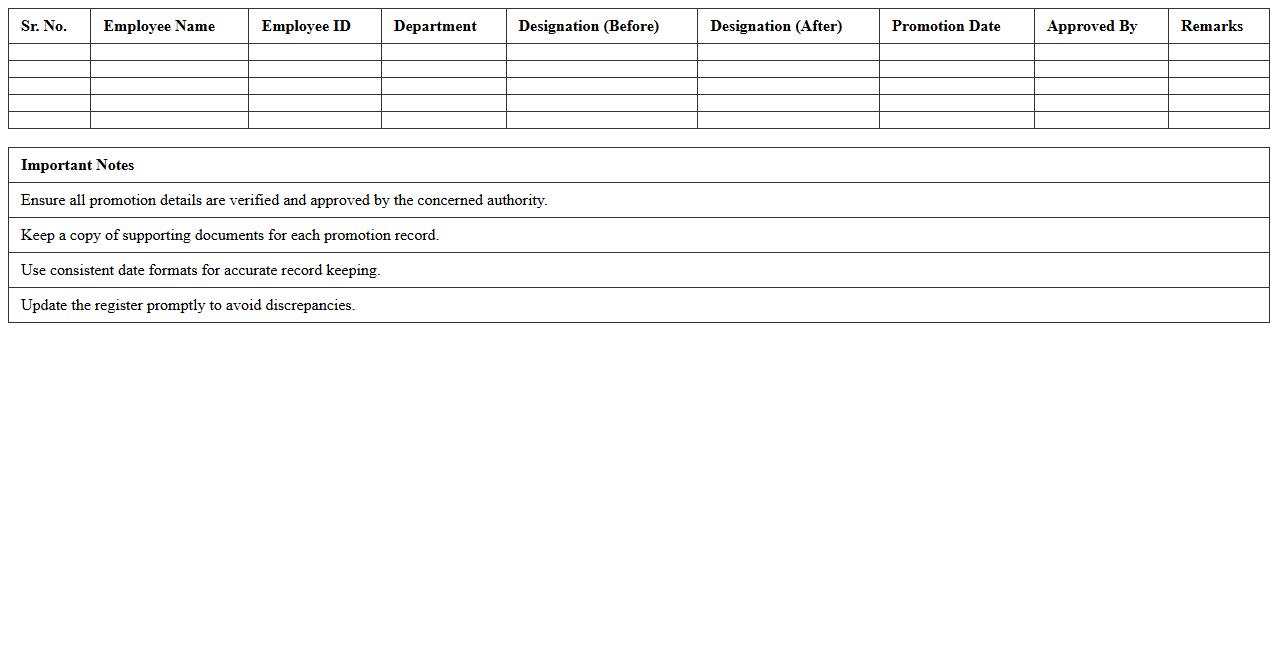
Employee Promotion Register Excel Template document is a structured file designed to systematically record and track employee promotions within an organization. It facilitates efficient management of promotion dates, employee details, new designations, and salary adjustments, ensuring comprehensive and easily accessible records. This template supports HR departments in maintaining transparency, improving decision-making, and streamlining the promotion process for workforce development.
How can I automate employee ID generation in an Employee Register Excel sheet?
To automate employee ID generation, use Excel functions like CONCATENATE or TEXT to create unique IDs based on employee attributes such as joining date and a sequential number. Implement the ROW() function to assign incremental numbers automatically. This ensures every new entry receives a distinct and consistent ID.
What are the best data validation formulas for preventing duplicate entries in employee records?
Use the COUNTIF function within Data Validation rules to restrict duplicate employee records. Set the formula to COUNTIF(range, cell)<=1 to allow only unique entries in key fields like Employee ID or Email. This effectively minimizes errors and maintains data integrity.
How do I create dynamic dropdowns for department selection in the Employee Register Excel?
Create dynamic dropdown lists by defining named ranges with the OFFSET and COUNTA functions. Use the Data Validation feature to link dropdowns to these named ranges so the list updates automatically as departments change. This approach simplifies managing department selections efficiently.
Which Excel functions are optimal for tracking employee onboarding and exit dates?
The NETWORKDAYS and TODAY functions are ideal for monitoring employee onboarding and exit dates. NETWORKDAYS calculates the number of working days between dates, while TODAY helps track tenure dynamically. These functions help maintain accurate and real-time employee date tracking.
How can I secure sensitive employee information within a shared Employee Register spreadsheet?
Protect sensitive employee data by using Excel's sheet protection and workbook encryption features. Limit access via password protection and restrict editing permissions on sensitive columns or sheets. Additionally, utilize Excel's data masking or hidden columns to further safeguard confidential information.