The Sales Performance Dashboard Excel Template for Freelance Consultants provides a streamlined solution to track and analyze sales metrics effectively. It offers customizable charts and data visualization tools designed to help freelancers monitor revenue, client acquisition, and conversion rates efficiently. This template enhances decision-making by presenting clear insights into sales trends and performance indicators.
Monthly Sales Tracker Excel Template for Freelance Consultants
The
Monthly Sales Tracker Excel Template for Freelance Consultants is a comprehensive tool designed to monitor and analyze monthly sales performance effectively. It helps freelance consultants track client transactions, categorize revenue streams, and visualize sales trends to make informed business decisions. Utilizing this template enhances financial organization, improves forecasting accuracy, and supports strategic planning for sustained business growth.
Client-wise Sales Performance Dashboard for Freelancers
A
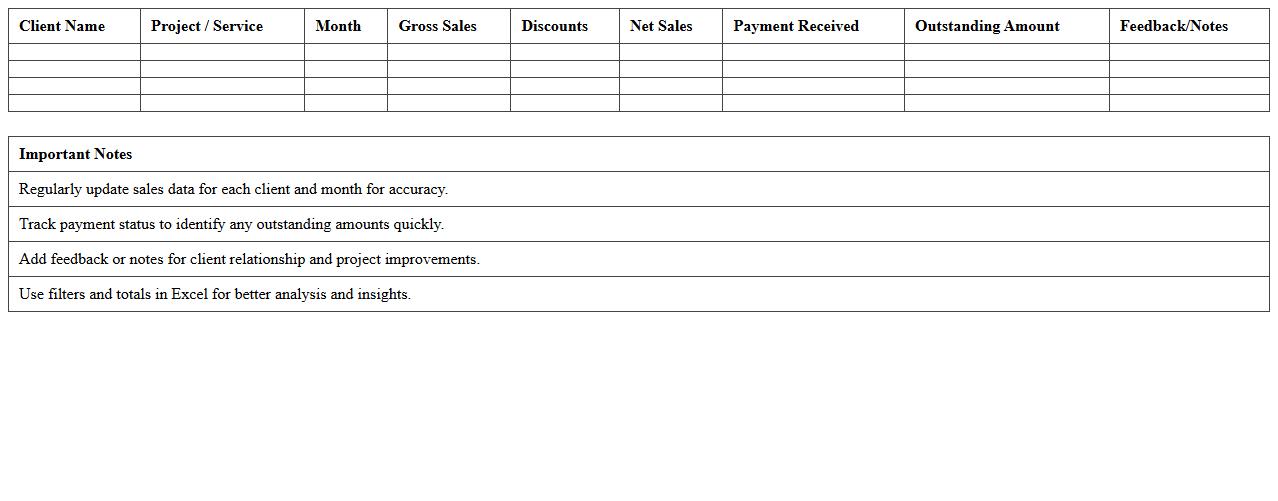
Client-wise Sales Performance Dashboard for Freelancers is a data visualization tool that tracks and analyzes sales metrics segmented by individual clients. It enables freelancers to monitor revenue, client engagement, and project success rates, helping identify high-value clients and areas needing improvement. This dashboard improves decision-making, optimizes sales strategies, and enhances client relationship management to maximize freelance business growth.
Freelance Services Revenue Analysis Excel Sheet
The
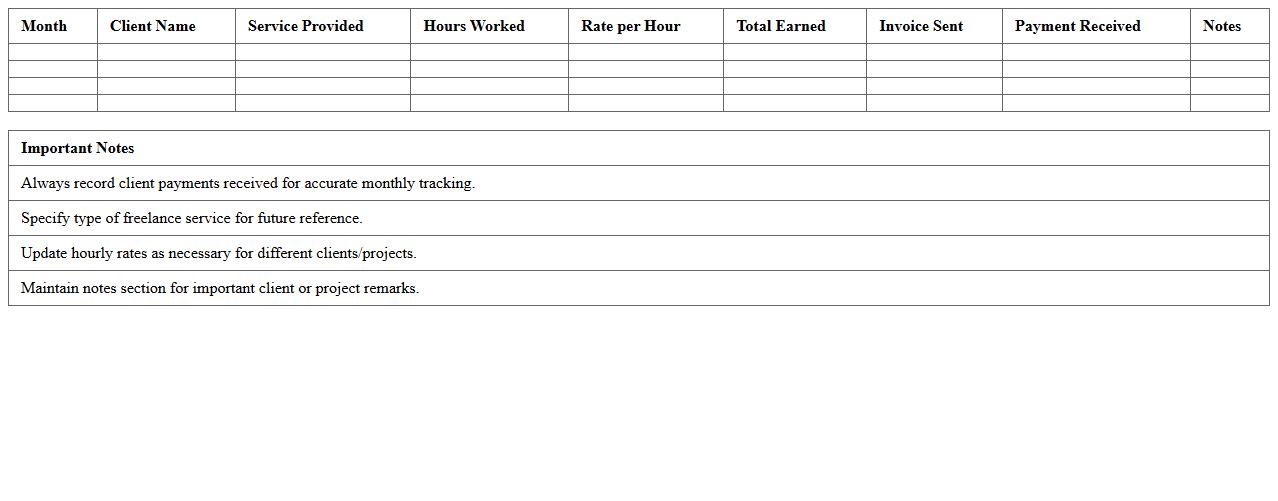
Freelance Services Revenue Analysis Excel Sheet document is a comprehensive tool designed to track and analyze income generated from various freelance projects over time. It helps freelancers monitor monthly earnings, identify top-paying clients, and assess patterns in service demand, enabling informed financial decision-making. Utilizing this sheet improves budgeting accuracy and highlights growth opportunities within the freelance business.
Quarterly Sales Pipeline Tracker for Independent Consultants
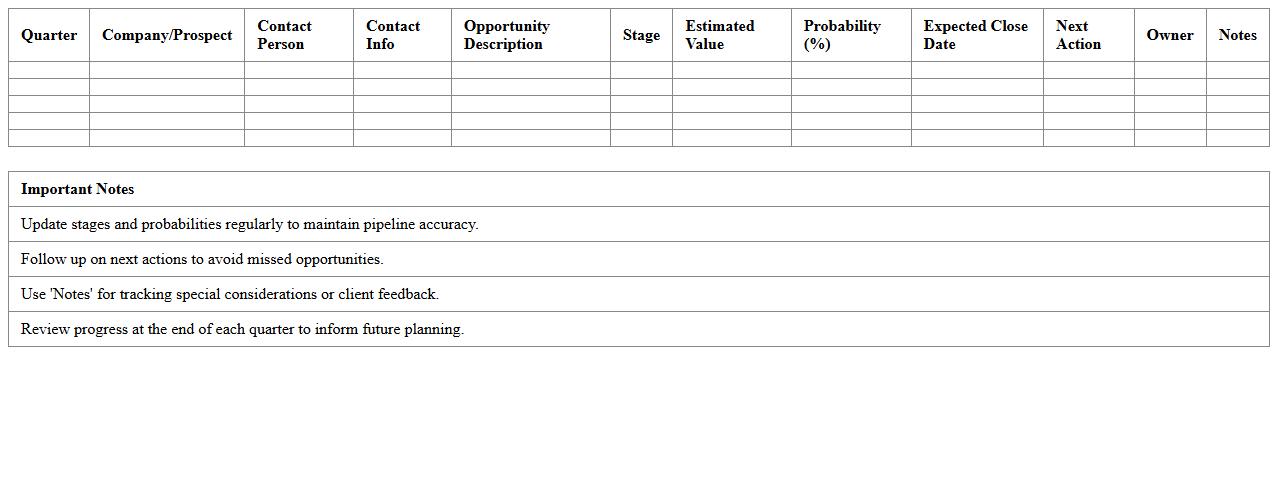
The Quarterly Sales Pipeline Tracker for Independent Consultants is a
strategic tool that enables consultants to monitor and manage their sales opportunities over a three-month period. By organizing leads, prospects, and closed deals, it provides clear visibility into sales performance and future revenue projections. This document supports better decision-making by identifying bottlenecks and helping prioritize efforts to maximize sales growth and client acquisition.
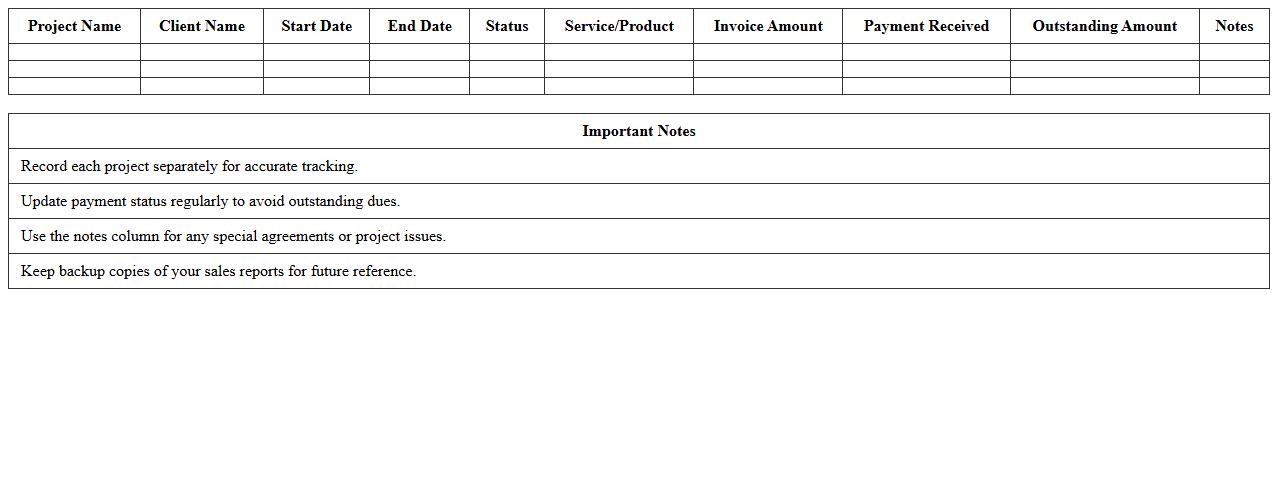
Project-Based Sales Reporting Template for Freelancers
A
Project-Based Sales Reporting Template for Freelancers is a structured document designed to track and analyze sales performance across individual projects. It helps freelancers monitor revenue streams, identify top-performing services, and manage client billing efficiently. Using this template enhances financial organization, supports informed decision-making, and improves overall business growth by providing clear insights into project-specific sales data.
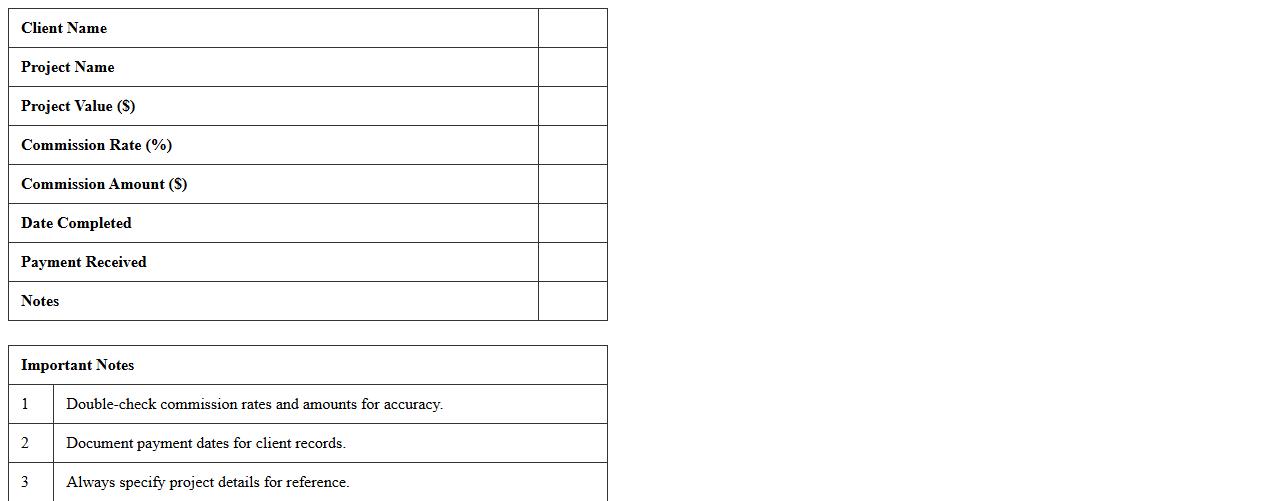
Freelance Consultant Commission Calculator Excel
The
Freelance Consultant Commission Calculator Excel document is a specialized tool designed to accurately calculate commissions for freelance consultants based on various payment structures and project parameters. It streamlines the process of tracking earnings, ensuring precise commission payouts by automatically applying predefined rates and percentage formulas tailored to individual contracts. This calculator enhances financial management, reduces errors, and saves time by providing clear, organized commission data essential for consultants and businesses alike.
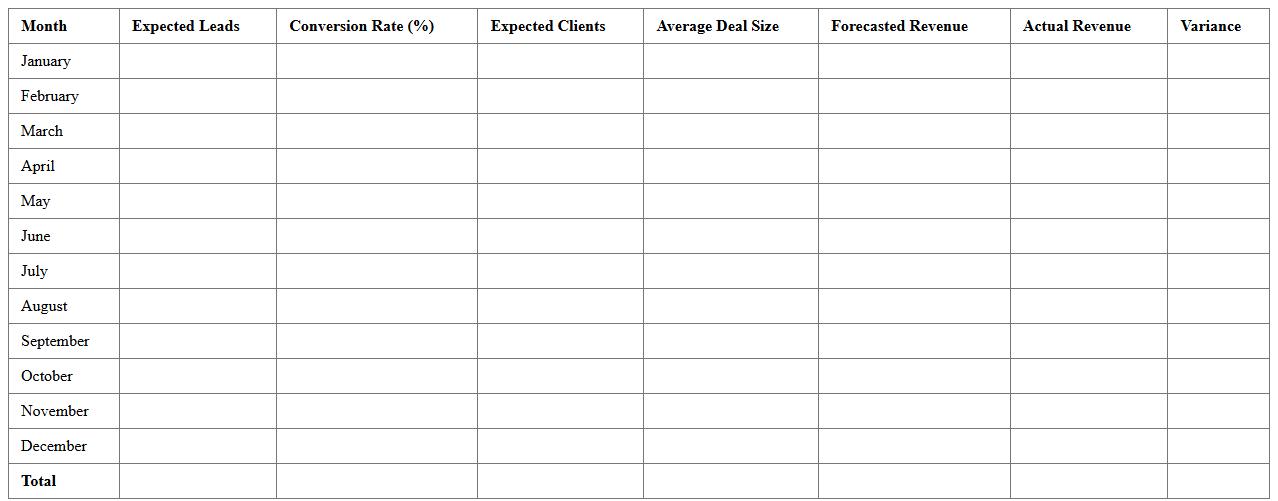
Yearly Sales Forecast Dashboard for Freelance Advisors
The
Yearly Sales Forecast Dashboard for Freelance Advisors is a comprehensive tool that consolidates sales data, market trends, and client insights to predict annual revenue accurately. This dashboard enables advisors to make informed strategic decisions, optimize resource allocation, and set realistic sales targets. By leveraging predictive analytics, it enhances financial planning and helps identify growth opportunities in a competitive freelance market.
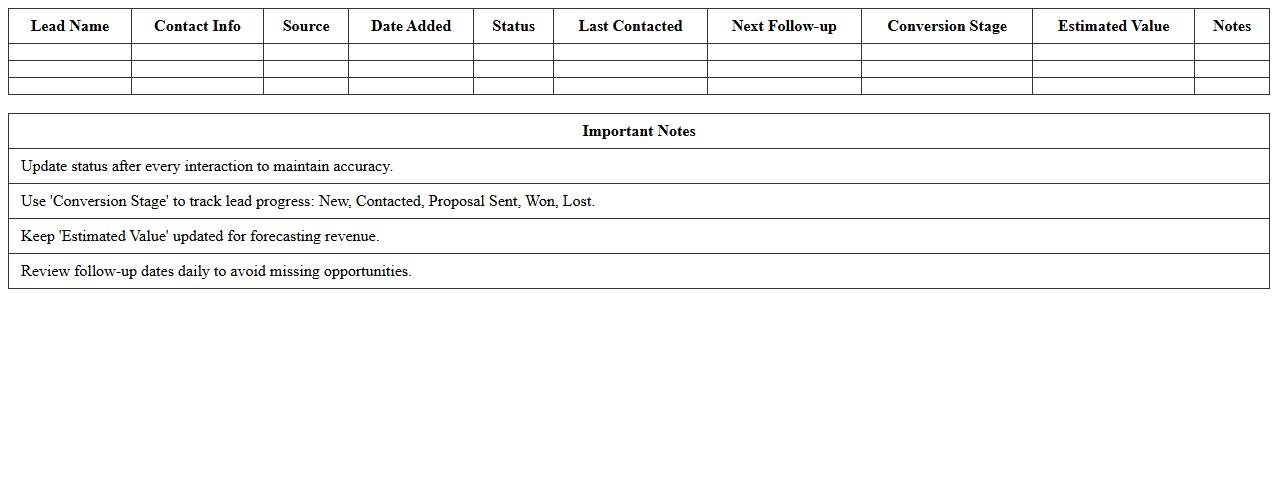
Lead Conversion Tracking Excel for Freelance Sales
Lead Conversion Tracking Excel for Freelance Sales is a
comprehensive spreadsheet tool designed to monitor and analyze the progress of potential clients through the sales funnel. It helps freelancers efficiently track lead sources, conversion rates, and follow-up activities, enabling data-driven decision-making to improve sales performance. By organizing sales data in one place, this tool enhances productivity and helps identify the most profitable lead generation strategies.
Detailed Invoice & Payment Log Excel for Consultants
The
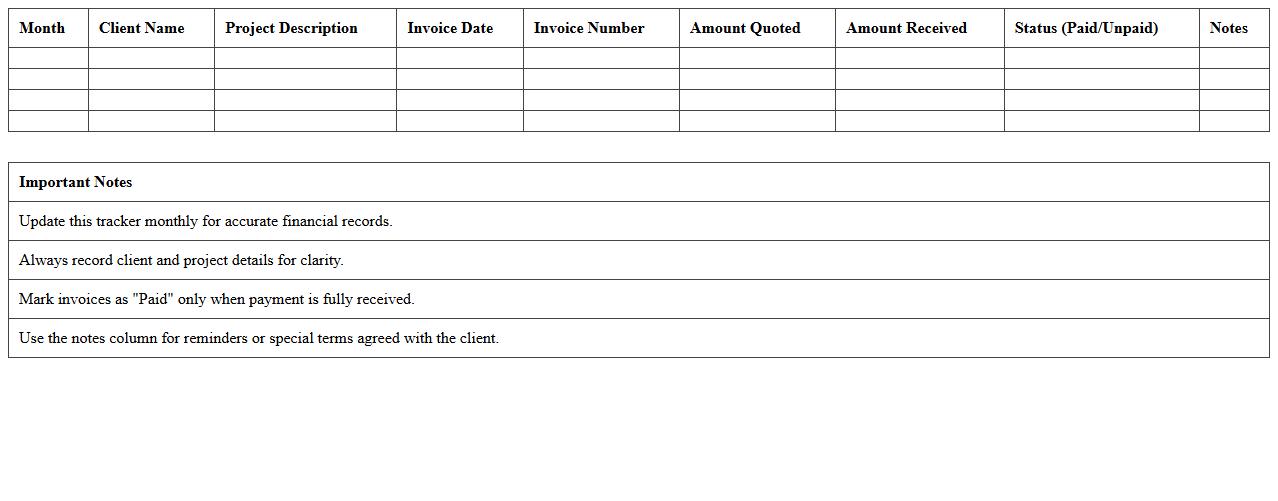
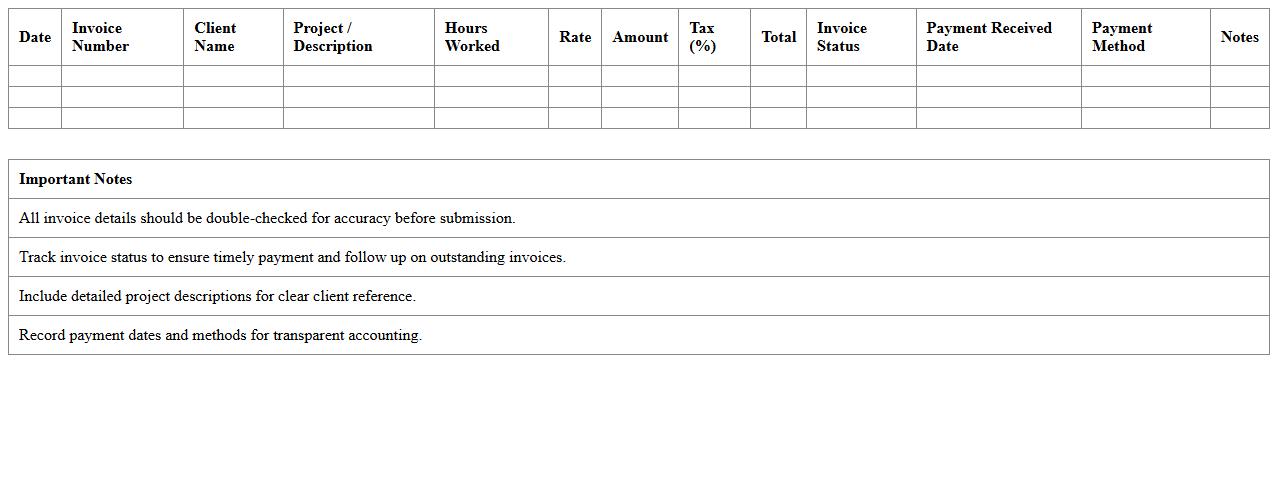
Detailed Invoice & Payment Log Excel for Consultants is a comprehensive spreadsheet designed to track invoicing and payment histories accurately. It allows consultants to organize financial transactions by client, date, amount, and payment status, ensuring clear and efficient financial management. This tool is essential for maintaining transparency, improving cash flow tracking, and simplifying tax preparation or client billing reconciliation.
Freelance Client Retention Performance Dashboard Excel
The
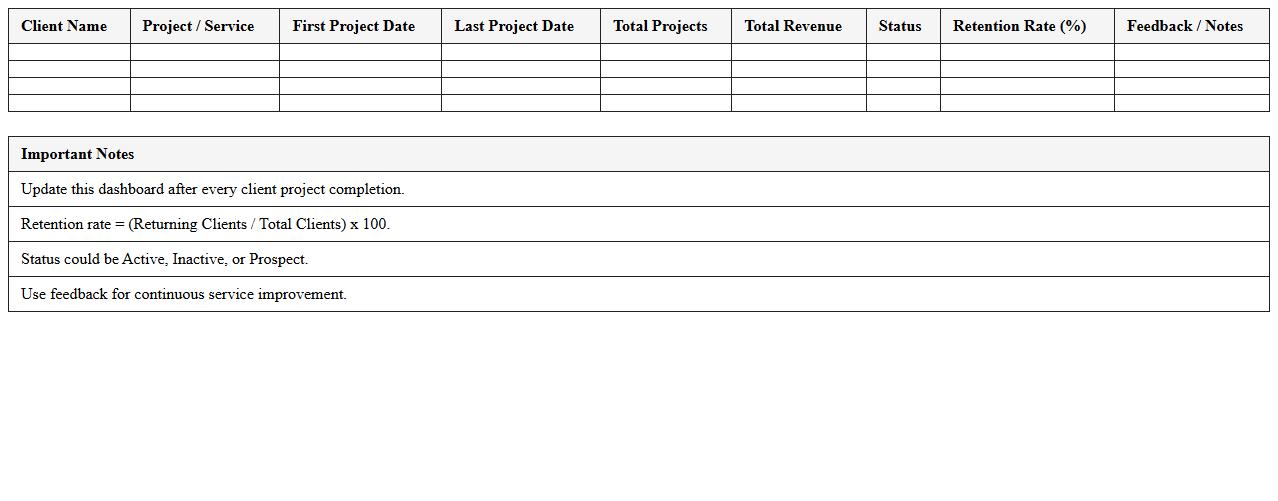
Freelance Client Retention Performance Dashboard Excel document is a comprehensive tool designed to track and analyze client retention metrics for freelance professionals. It helps monitor key performance indicators such as repeat client rate, project completion time, and client satisfaction scores, enabling users to identify trends and improve service quality. By providing clear visualizations and data-driven insights, this dashboard supports strategic decision-making to enhance client loyalty and boost long-term freelance business growth.
How can I automate client-specific sales tracking in the dashboard?
To automate client-specific sales tracking, use dynamic data connections from your CRM or sales software. Implement tools like Power Query or VBA in Excel to update the dashboard in real-time. This approach ensures accurate and up-to-date sales data for each client without manual input.
What KPIs are most relevant for freelance consulting sales analysis?
Key KPIs for freelance consulting include client acquisition rate, average project value, and sales conversion rate. Tracking these metrics provides insight into business growth and revenue performance. Additionally, monitoring client retention and invoice payment timeliness enhances sales forecasting.
How do I segment sales data by consulting project type in Excel?
Segment sales data by using Excel's Pivot Tables to organize and filter projects by type. Incorporate slicers or filters to dynamically view specific project categories. This segmentation simplifies analysis and helps identify trends across different consulting services.
Which Excel formulas best visualize sales conversion rates for freelancers?
Use formulas like =COUNTIFS combined with conversion event criteria to calculate conversion rates precisely. Incorporate =IF statements to handle varying data conditions and ensure accurate metrics. Finally, pair these with charts like funnel or line graphs for clear visualization.
How can I integrate invoice due dates and payments into the dashboard?
Track invoice due dates and payments by linking your accounting data with the dashboard using Excel's VLOOKUP or INDEX-MATCH functions. Automate alerts for overdue invoices with conditional formatting rules. This integration allows seamless monitoring of payment statuses alongside sales metrics.
More Dashboard Excel Templates