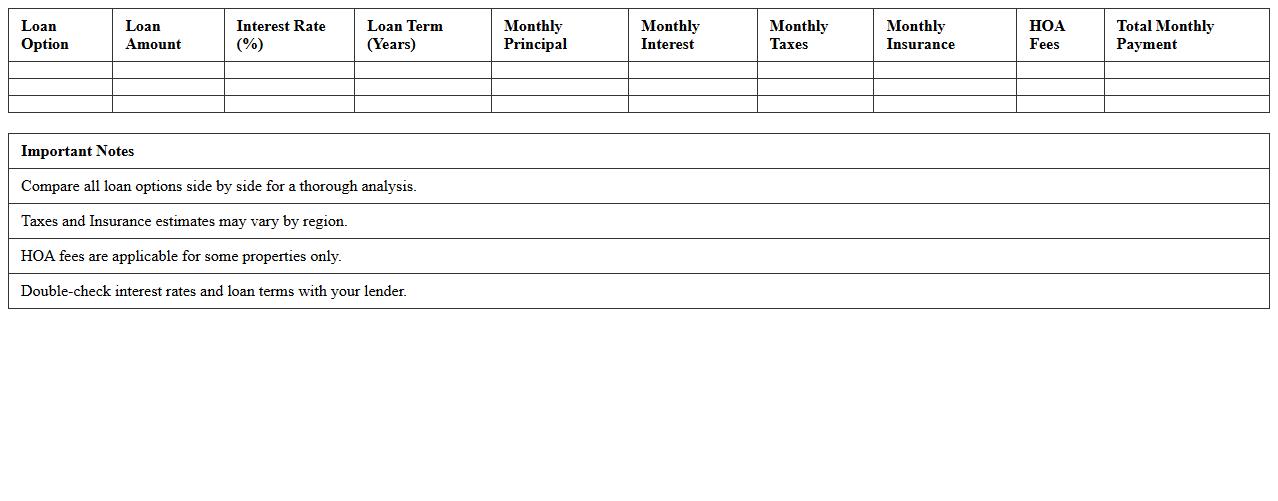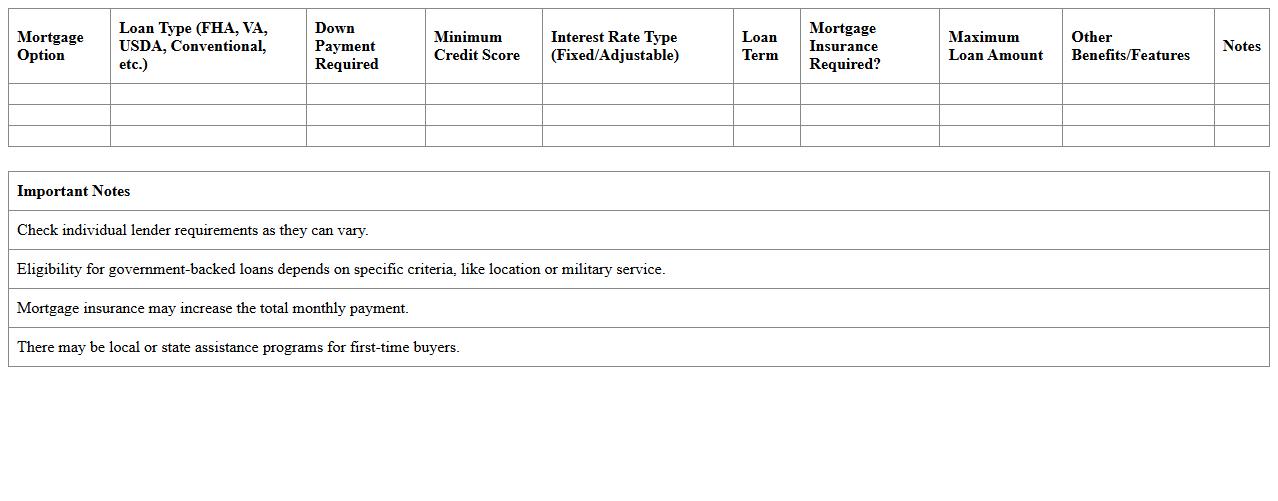
The Mortgage Loan Comparison Excel Template for First-Time Homebuyers provides an easy-to-use tool to evaluate different mortgage options side by side. It helps users analyze interest rates, monthly payments, and loan terms clearly, enabling informed decisions. Designed specifically for first-time buyers, this template simplifies complex financial comparisons.
Fixed vs Adjustable Rate Mortgage Comparison Excel Sheet
A
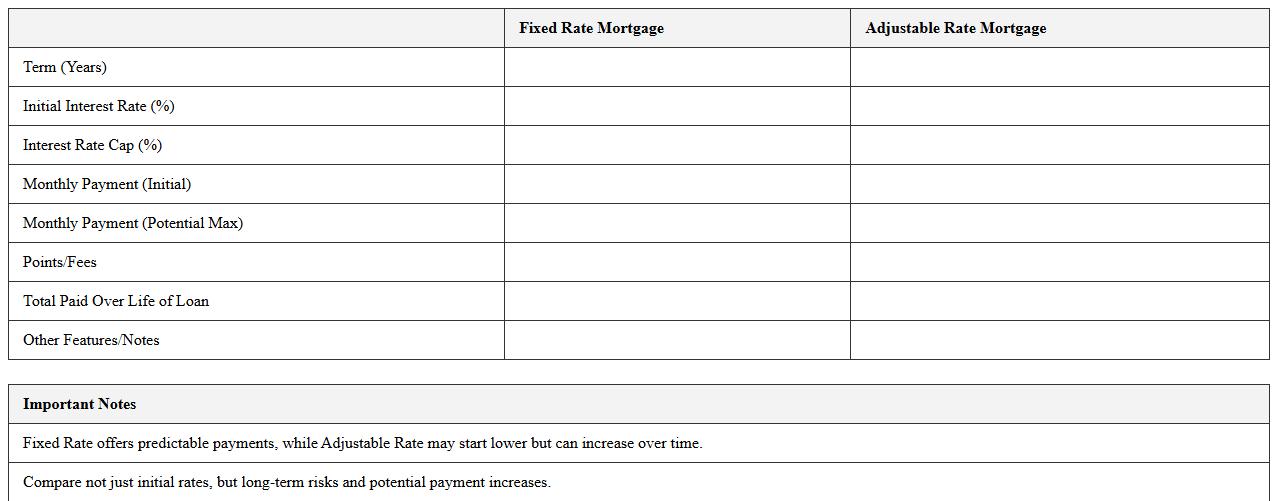
Fixed vs Adjustable Rate Mortgage Comparison Excel Sheet is a tool designed to analyze and compare the costs and benefits of fixed-rate and adjustable-rate mortgage options. It helps users calculate monthly payments, interest over time, and potential savings by adjusting variables such as interest rates and loan terms. This document is useful for making informed decisions by providing a clear, side-by-side financial comparison tailored to individual mortgage scenarios.
FHA vs Conventional Loan Analysis Spreadsheet
An
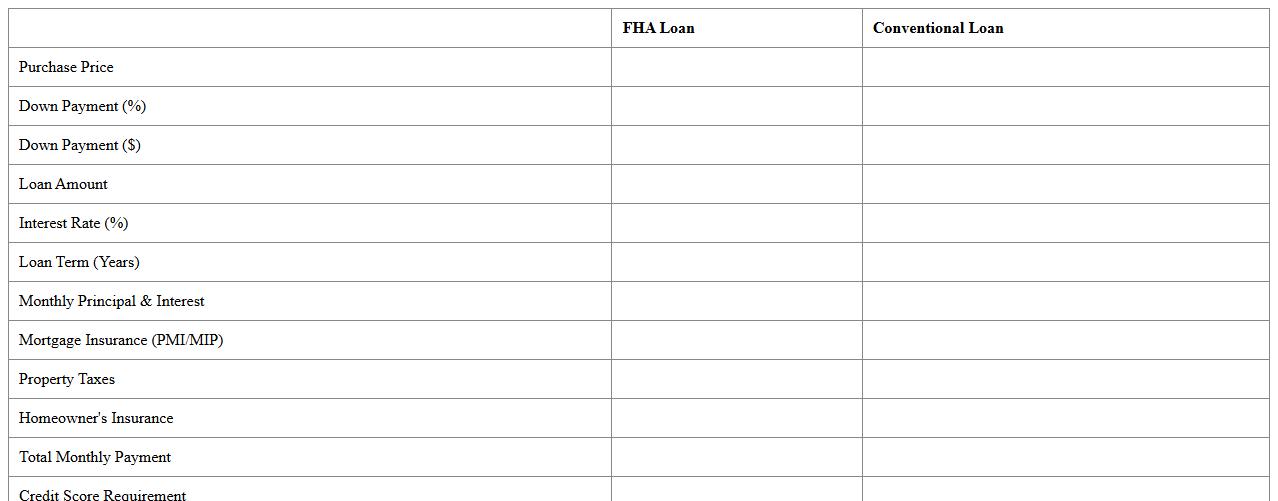
FHA vs Conventional Loan Analysis Spreadsheet is a tool designed to compare key financial aspects of Federal Housing Administration (FHA) loans and conventional mortgages. It provides detailed breakdowns of interest rates, down payment requirements, mortgage insurance costs, and monthly payments, enabling users to make informed decisions based on their financial situation. This spreadsheet is useful for homebuyers and real estate professionals to evaluate loan options and select the most cost-effective financing method.
Mortgage Loan Payment Comparison Tool for Homebuyers
The
Mortgage Loan Payment Comparison Tool for homebuyers is a document designed to help users evaluate different mortgage options by comparing monthly payments, interest rates, loan terms, and total costs. It enables prospective buyers to make informed decisions by clearly illustrating how variations in loan conditions affect affordability and long-term financial commitments. This tool is essential for optimizing mortgage selections, ensuring buyers secure the most cost-effective and suitable financing for their needs.
Interest Rate Scenarios Mortgage Comparison Template
The
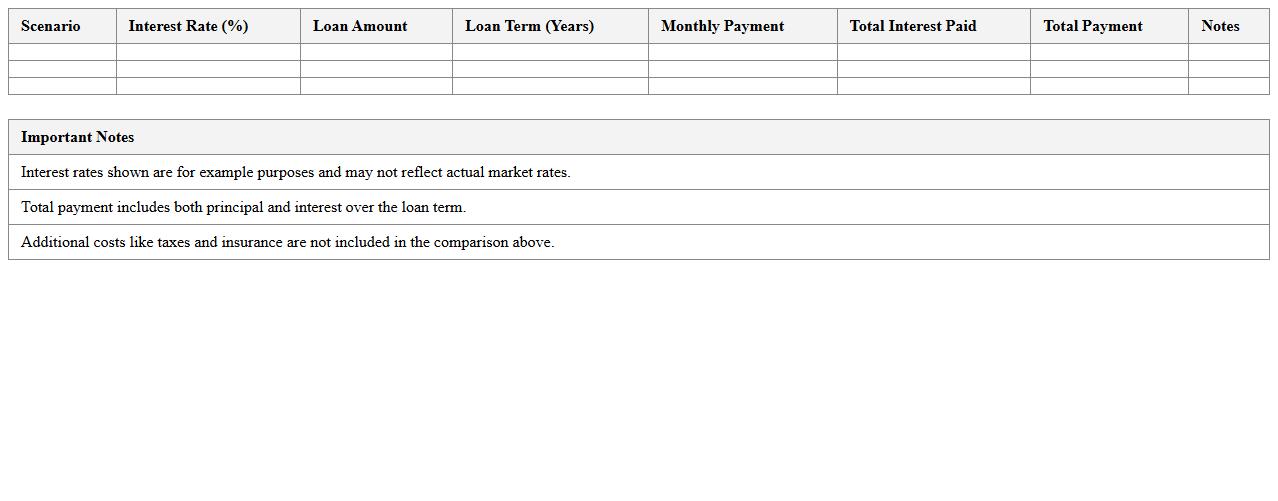
Interest Rate Scenarios Mortgage Comparison Template is a financial tool designed to evaluate different mortgage options by simulating various interest rate environments. It helps users compare monthly payments, total interest costs, and loan terms under multiple scenarios, enabling informed decision-making. This template is valuable for homebuyers and financial advisors to optimize mortgage choices and anticipate future financial impacts.
Home Loan Term Options Comparison Excel Chart
The
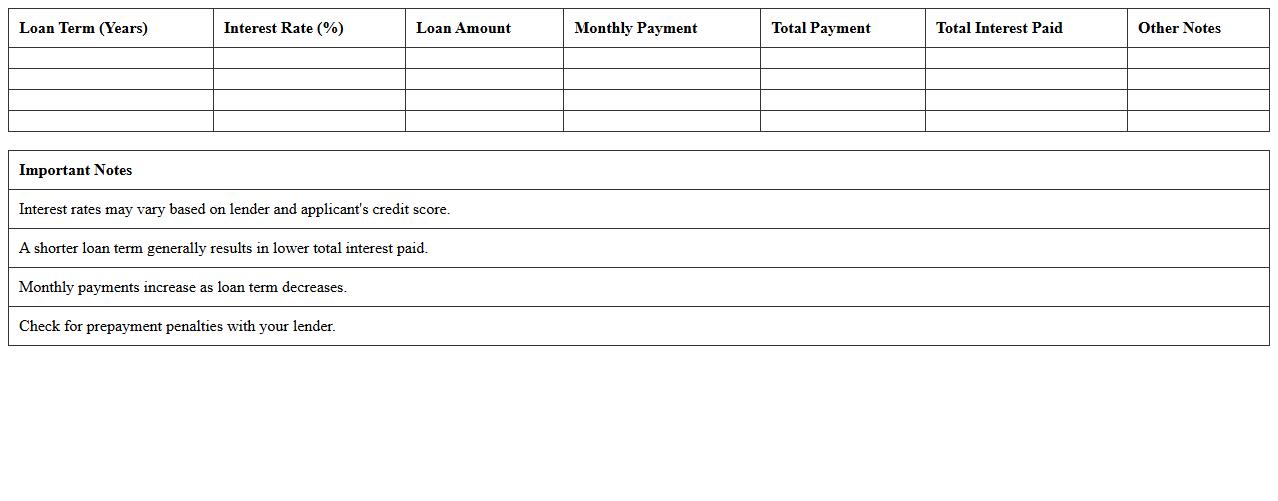
Home Loan Term Options Comparison Excel Chart is a comprehensive tool designed to analyze various tenure choices for mortgage loans, allowing users to compare interest rates, monthly payments, and total repayment amounts effectively. This document helps borrowers make informed decisions by clearly illustrating the financial impact of different loan terms, ensuring optimal budgeting and long-term savings. Utilizing this chart simplifies complex loan data into easily understandable visuals, enhancing clarity and confidence in selecting the best home loan option.
Down Payment Impact Calculator for Mortgage Loans
A
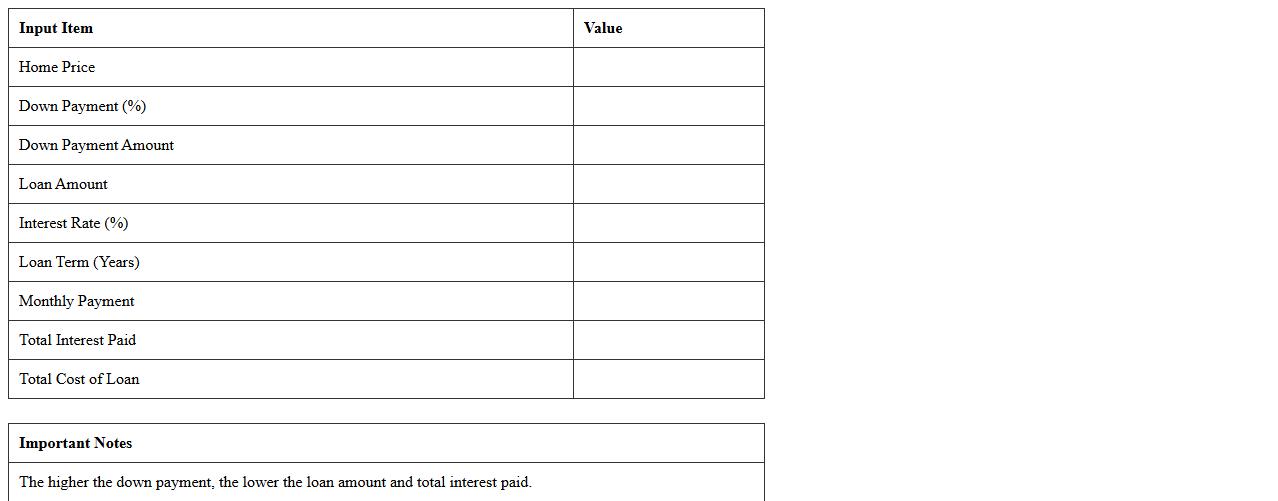
Down Payment Impact Calculator for mortgage loans is a tool that helps potential homebuyers understand how different down payment amounts affect their loan terms, monthly payments, and interest costs. By inputting various down payment values, users can visualize the financial impact on their mortgage and make informed decisions to optimize their budget and loan conditions. This calculator is essential for planning affordability and long-term savings on home financing.
Lender Offer Side-by-Side Evaluation Worksheet
The
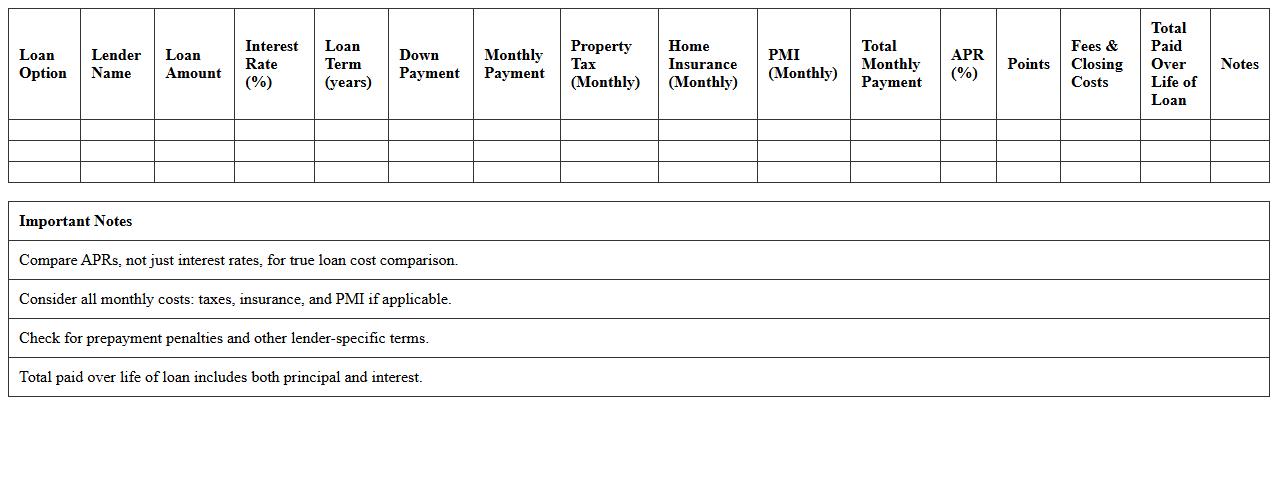
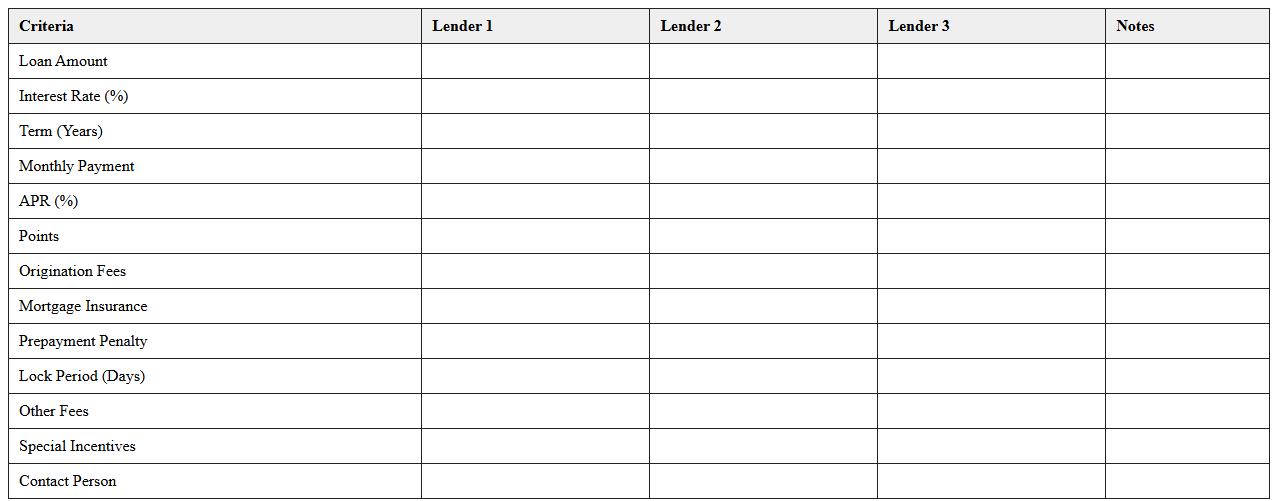
Lender Offer Side-by-Side Evaluation Worksheet document is a crucial tool for comparing multiple loan offers by organizing key terms such as interest rates, fees, repayment schedules, and lender conditions in a clear, structured format. This worksheet enables borrowers to make informed decisions by highlighting differences and similarities among lender proposals, ensuring transparency and aiding in the selection of the most advantageous financing option. Using this document helps streamline the evaluation process, reduce confusion, and improve financial outcomes by providing a comprehensive, easy-to-understand comparison of all lender offers.
Loan Estimate Comparison Matrix for Mortgages
The
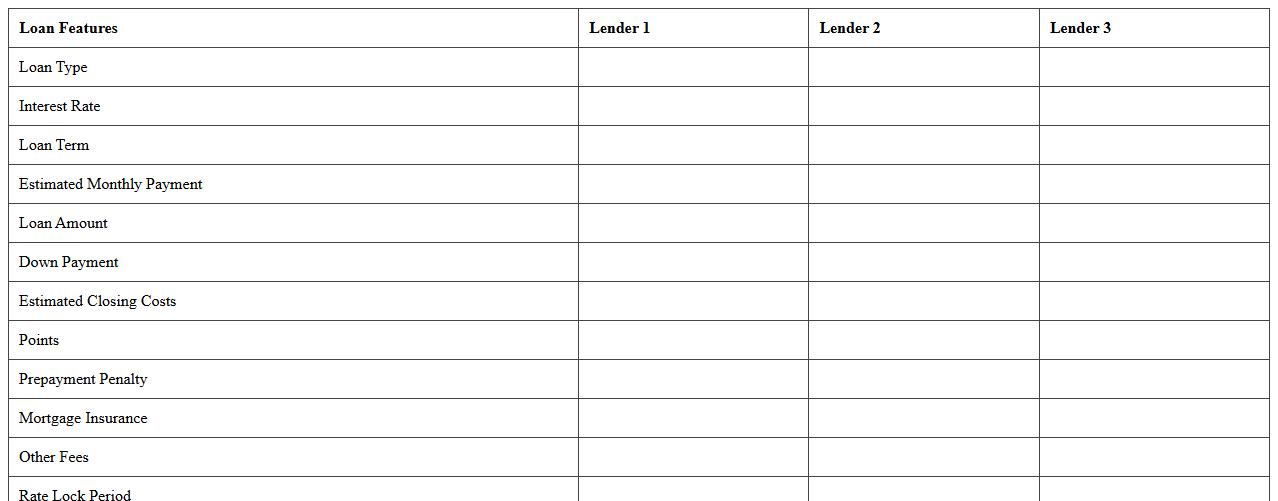
Loan Estimate Comparison Matrix for mortgages is a detailed document that outlines and compares key loan terms, costs, and fees from multiple lenders side-by-side. It helps borrowers easily evaluate interest rates, closing costs, and monthly payments, enabling informed decisions when selecting the best mortgage offer. This matrix reduces complexity by presenting critical data in a clear format, increasing transparency and empowering consumers to choose loans that best fit their financial goals.
Monthly Payment Breakdown Mortgage Comparison Sheet
A
Monthly Payment Breakdown Mortgage Comparison Sheet document itemizes each mortgage option's principal, interest, taxes, and insurance on a monthly basis, allowing clear side-by-side analysis. This detailed comparison empowers borrowers to identify the most affordable and suitable mortgage plan based on comprehensive cost components. Using this sheet helps make informed decisions, potentially saving thousands over the loan term by selecting the optimal mortgage structure.
First-Time Homebuyer Friendly Mortgage Options Template
The
First-Time Homebuyer Friendly Mortgage Options Template document outlines various mortgage plans specifically designed to assist new homebuyers in understanding and comparing loan options tailored to their financial needs. This template is useful for simplifying complex mortgage information, enabling informed decision-making by highlighting key loan features such as interest rates, down payment requirements, and eligibility criteria. Utilizing this document helps streamline the home purchasing process by providing clear, organized data essential for securing the best mortgage suited for first-time buyers.
Which Excel formulas best automate interest rate comparisons for mortgage loans?
Using the PMT function in Excel is essential for calculating the monthly payment based on the loan amount, interest rate, and term. The RATE formula helps in determining the effective interest rate when other inputs like payment and term are known. Additionally, combining IF and MIN functions can automate the comparison by highlighting the lowest interest rate.
How can I visualize amortization schedules in a mortgage loan comparison Excel sheet?
Create a table that lists each payment period with columns for principal, interest, and remaining balance. Use Excel charts like line or bar graphs to plot principal versus interest over time, offering a clear visual representation. Incorporate conditional formatting to dynamically show payment progress and balance reduction throughout the loan term.
What columns should be included in an Excel template for first-time homebuyer mortgage analysis?
Key columns include Loan Amount, Interest Rate, Loan Term, Monthly Payment, and Total Interest Paid. It is important to add columns for down payment, property taxes, and insurance to capture the full cost of homeownership. Include a column for lender fees and closing costs to provide a comprehensive mortgage comparison for first-time buyers.
How do I track and compare lender fees using Mortgage Loan Comparison Excel?
Set up columns specifically for each fee type such as origination fees, appraisal fees, and closing costs. Utilize SUM and AVERAGE functions to calculate total and average lender fees conveniently. Employ conditional formatting to highlight the highest and lowest fees, allowing quick visual comparison among lenders.
Can Excel highlight the lowest monthly payment option for first-time homebuyers automatically?
Yes, by applying the MIN function within conditional formatting rules, Excel can dynamically highlight the lowest monthly payment amount. This automation helps buyers quickly identify the most affordable mortgage option. Using data validation alongside these formulas also ensures only valid payment values are compared accurately.
More Comparison Excel Templates