The Procurement Audit Excel Template for Government Agencies streamlines the review process by organizing purchase data, vendor information, and compliance checkpoints efficiently. This customizable tool helps ensure transparency and accountability in government procurement activities, reducing risks of errors and fraud. With built-in formulas and checkpoints, it simplifies data analysis and supports effective audit reporting.
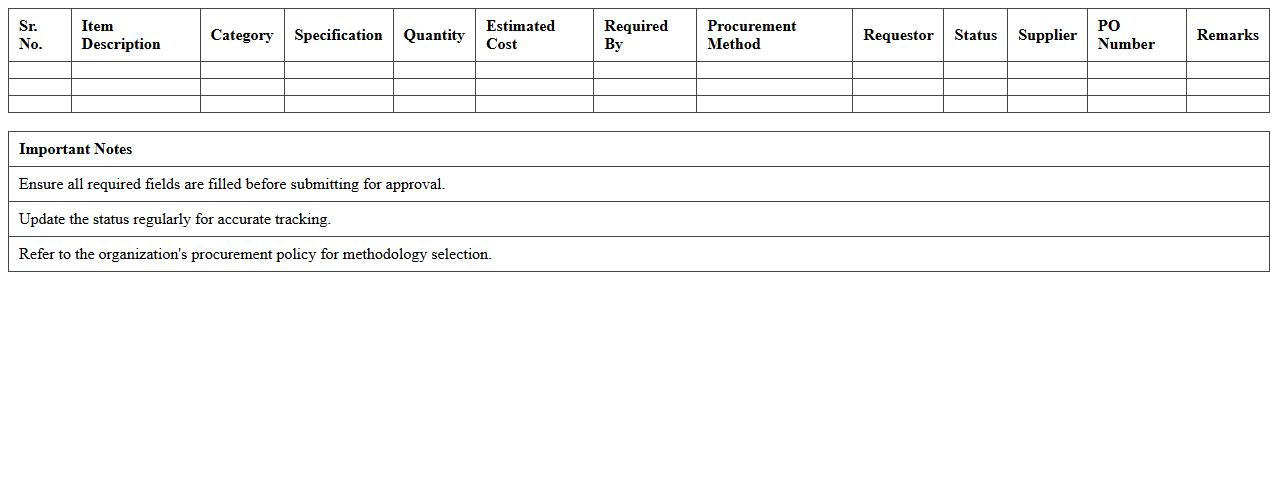
Procurement Planning Tracker Excel Template
The
Procurement Planning Tracker Excel Template is a comprehensive tool designed to organize and monitor procurement activities, helping businesses manage purchase orders, supplier details, and budget allocations efficiently. It streamlines the tracking of procurement timelines and expenses, ensuring timely delivery and cost control. This template enhances decision-making by providing clear visibility into procurement status, improving overall supply chain management and operational efficiency.
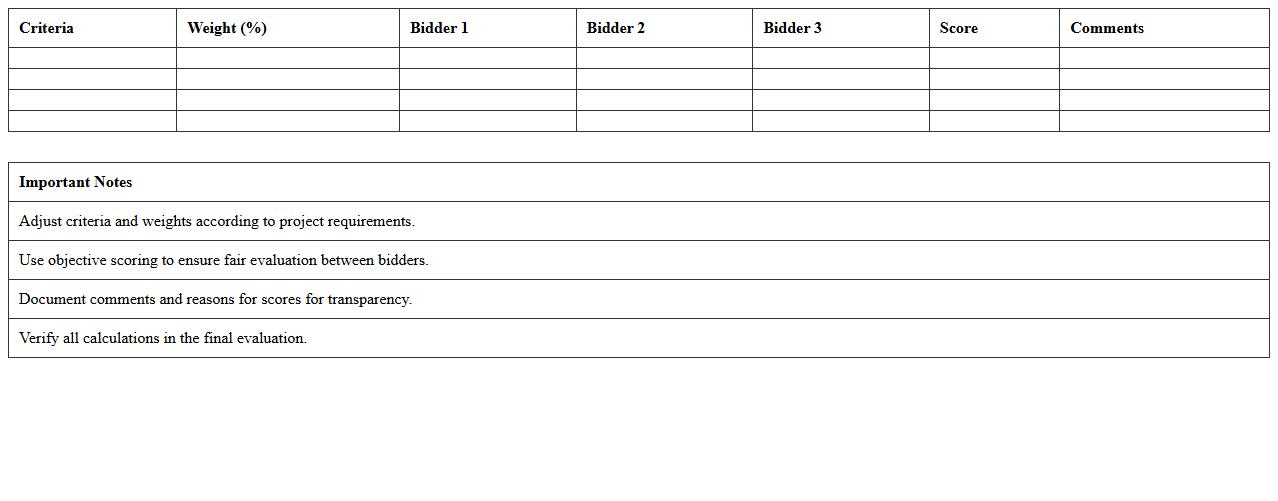
Tender Evaluation Matrix Excel Template
The
Tender Evaluation Matrix Excel Template is a structured tool designed to systematically assess and compare bids received during the tendering process. By assigning weighted scores to specific criteria such as price, quality, and delivery time, it helps organizations make objective decisions based on quantifiable data. This template streamlines the evaluation process, reduces bias, and ensures transparency and compliance in vendor selection.
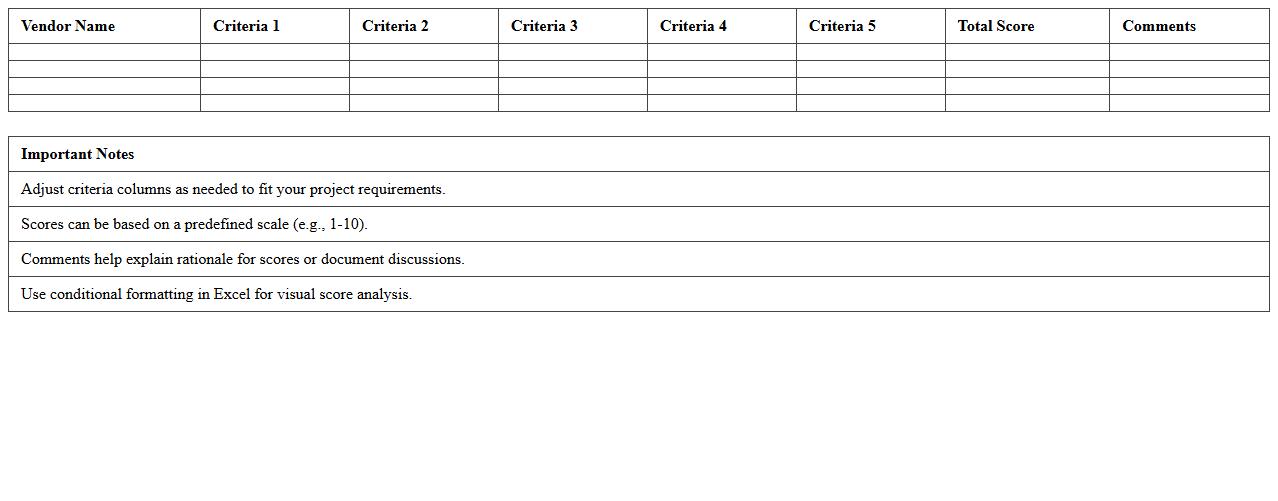
Vendor Selection Scorecard Excel Template
The
Vendor Selection Scorecard Excel Template is a structured tool designed to evaluate and compare potential suppliers based on predefined criteria such as cost, quality, delivery time, and service. This template streamlines the decision-making process by assigning weighted scores to each vendor, ensuring objective and transparent vendor assessment. Using this scorecard helps organizations select the best-fit vendors, optimize procurement efficiency, and improve overall supply chain performance.
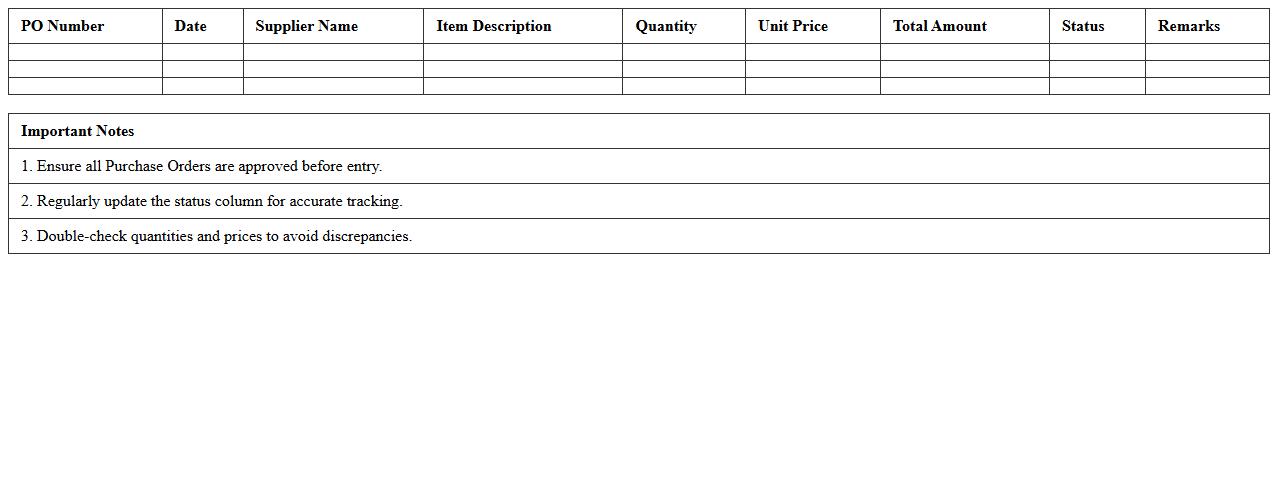
Purchase Order Register Excel Template
The
Purchase Order Register Excel Template is a structured spreadsheet designed to track and manage purchase orders efficiently. It enables businesses to record order details such as supplier information, order dates, item descriptions, quantities, and payment statuses, ensuring accurate financial tracking and inventory control. By centralizing this data, the template helps streamline procurement processes, improves vendor communication, and facilitates audit compliance.
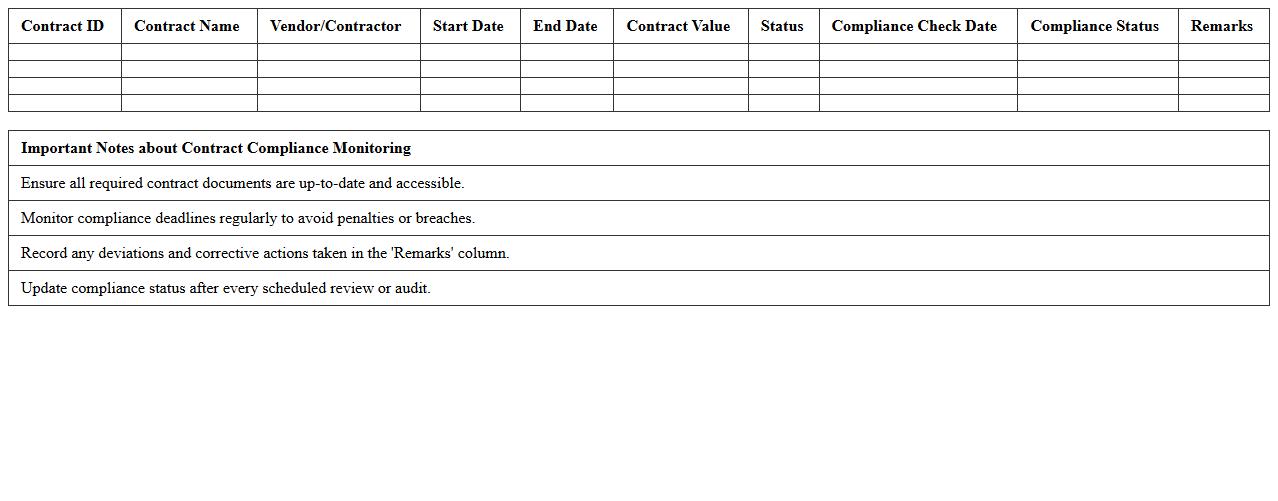
Contract Compliance Monitoring Excel Template
The
Contract Compliance Monitoring Excel Template document is a structured tool designed to track and evaluate adherence to contract terms and obligations efficiently. It allows organizations to systematically record, analyze, and report compliance status, minimizing risks of breaches and ensuring accountability across stakeholders. By using this template, companies can streamline audit processes, improve contract management transparency, and enhance decision-making through real-time insights into compliance metrics.
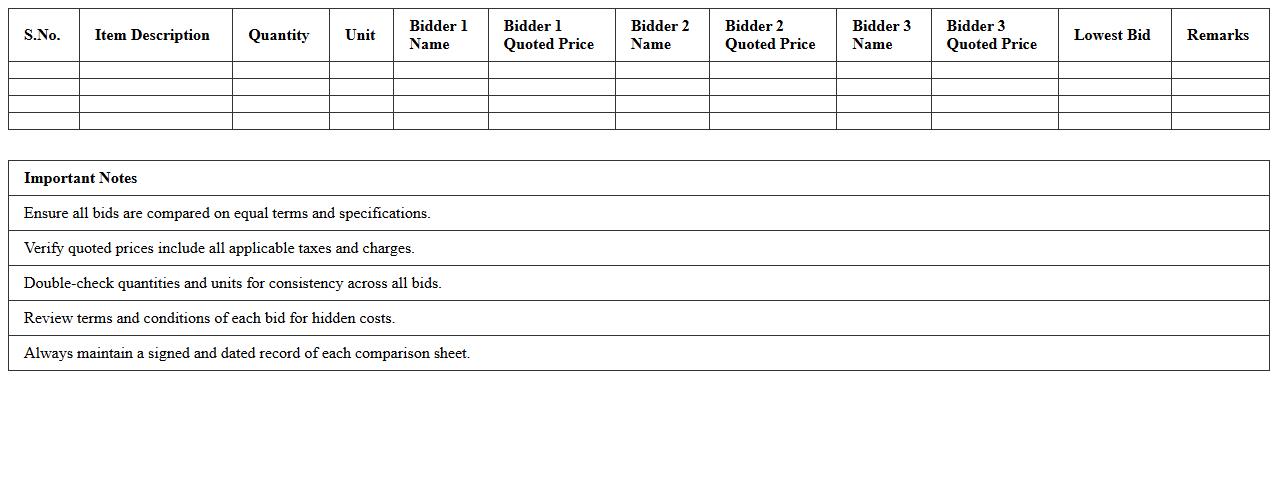
Bid Comparison Sheet Excel Template
A
Bid Comparison Sheet Excel Template is a structured document designed to systematically evaluate multiple vendor proposals based on key criteria such as price, quality, delivery time, and terms. It simplifies decision-making by presenting all bids in a clear, organized format that highlights differences and helps identify the best value offer efficiently. This template is especially useful for procurement teams to ensure transparency and consistency when selecting suppliers.
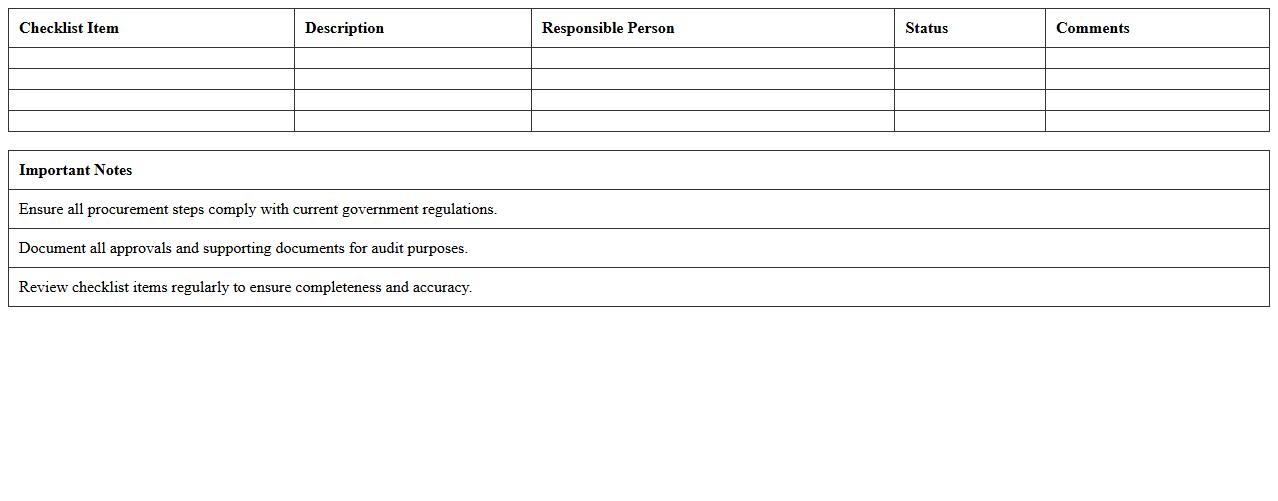
Government Procurement Checklist Excel Template
The
Government Procurement Checklist Excel Template is a detailed spreadsheet designed to streamline and organize the procurement process for government agencies. It helps ensure compliance with regulatory requirements, tracks key procurement milestones, and manages vendor information efficiently. This template improves accuracy, reduces errors, and enhances transparency throughout the purchasing cycle, making it an essential tool for procurement officers.
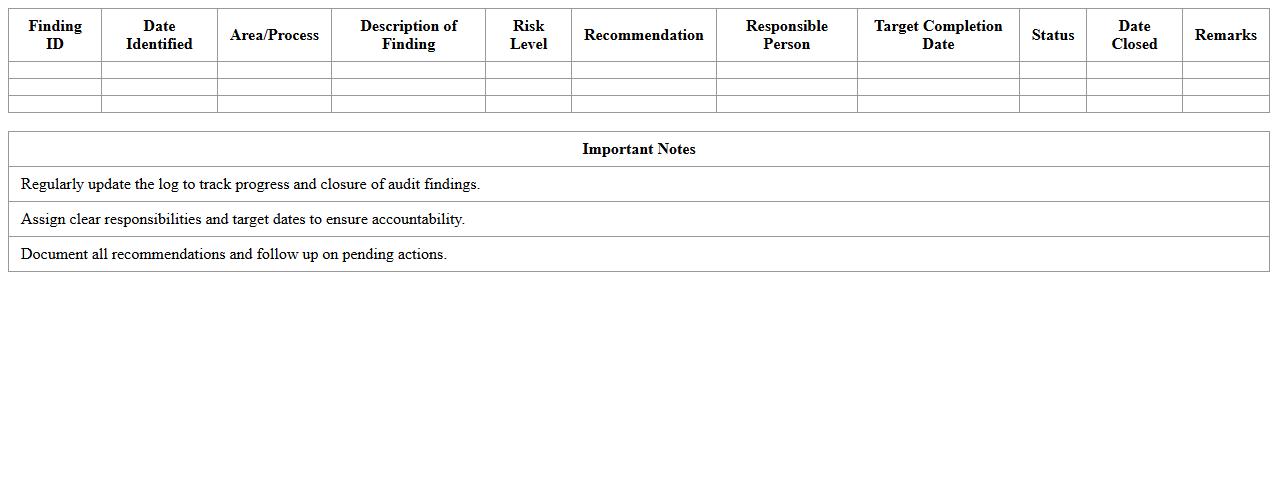
Audit Findings and Recommendations Log Excel Template
The
Audit Findings and Recommendations Log Excel Template is a structured document designed to systematically record audit results, observations, and suggested corrective actions. It enables organizations to efficiently track compliance issues, prioritize risks, and monitor the implementation of audit recommendations over time. By using this template, businesses enhance accountability, improve risk management processes, and ensure timely resolution of audit findings.
Procurement Risk Assessment Matrix Excel Template
The
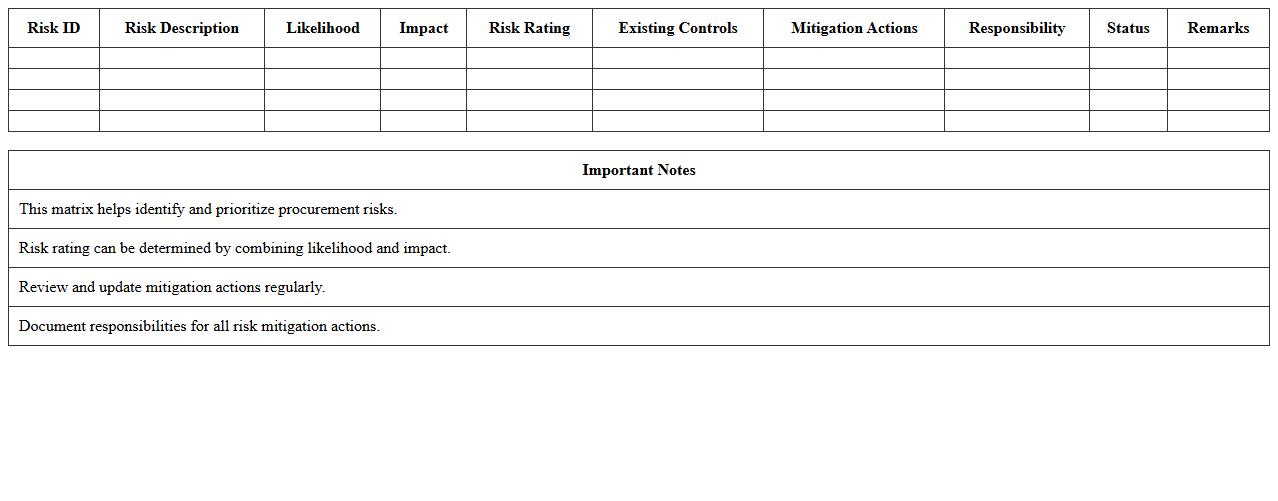
Procurement Risk Assessment Matrix Excel Template document is a structured tool designed to identify, evaluate, and prioritize risks associated with procurement activities. It helps users systematically analyze potential risks by categorizing them based on their likelihood and impact, facilitating informed decision-making. By using this template, organizations can enhance risk mitigation strategies, improve supplier selection, and ensure smoother procurement processes.
Expenditure vs Budget Analysis Excel Template
The
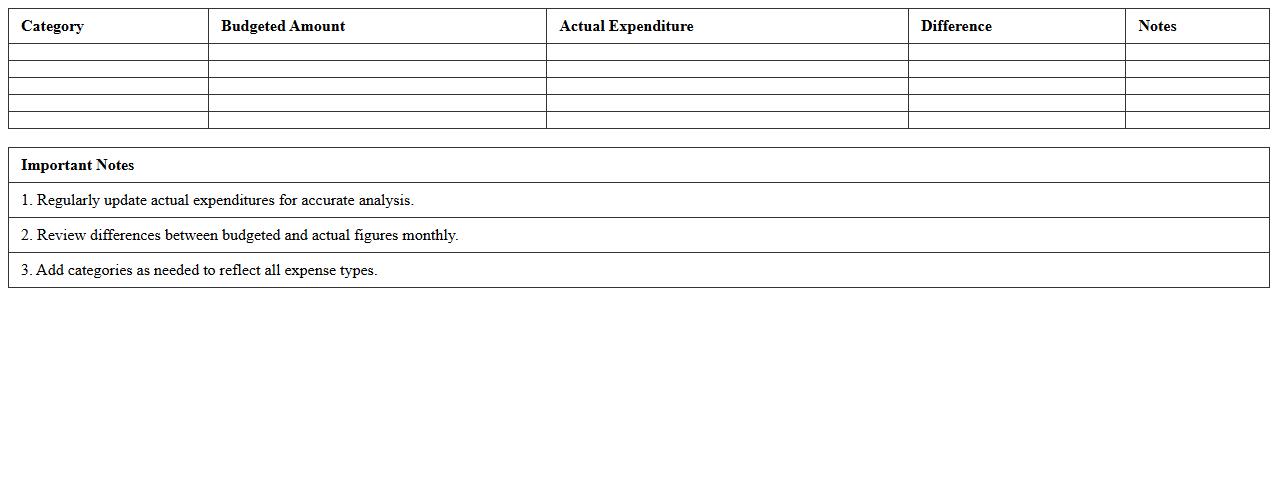
Expenditure vs Budget Analysis Excel Template is a comprehensive tool designed to track and compare actual spending against planned budgets, enabling precise financial management. It provides clear visualizations like charts and tables to identify variances, helping organizations optimize resource allocation and avoid overspending. Using this template enhances decision-making by ensuring budget adherence and promoting transparent financial reporting.
What specific Excel formulas are commonly used in government procurement audit letters?
The VLOOKUP formula is frequently employed to cross-reference vendor data and contract details efficiently. Additionally, the IF function helps auditors identify discrepancies by applying logical conditions to procurement entries. SUMIFS and COUNTIFS are also crucial for summing and counting data based on multiple criteria specific to audit parameters.
How do you track and flag irregular procurement patterns in Excel audit reports?
Conditional formatting is widely used to flag irregular procurement patterns, highlighting anomalies such as duplicate invoices or unusually high expenditures. The combination of formula-driven alerts, like nested IF statements, helps automate detection of outliers. Furthermore, creating a dashboard with charts can visualize trends and pinpoint irregularities effectively.
Which Excel templates are best for summarizing compliance issues in procurement audits?
Templates that feature standardized checklists and audit issue logs provide a clear structure for recording compliance issues. Summary sheets with pre-built pivot tables help consolidate findings across different procurement cycles. Additionally, risk assessment templates tailored to government procurement regulations streamline issue categorization and follow-up actions.
How can pivot tables help analyze supplier data in government procurement audits?
Pivot tables allow auditors to quickly summarize supplier performance metrics such as delivery times and contract compliance rates. They enable dynamic filtering and grouping of procurement data by vendor, contract type, or audit period. This interactive analysis enhances the ability to identify trends and areas needing further scrutiny.
What Excel data validation methods improve accuracy in procurement audit documentation?
Data validation tools like drop-down lists and input restrictions ensure that entries adhere to predefined values, reducing errors. Applying custom formulas in validation rules helps maintain data integrity by preventing incorrect or inconsistent inputs. Additionally, using error alert messages guides users to correct mistakes before saving documentation.
More Audit Excel Templates