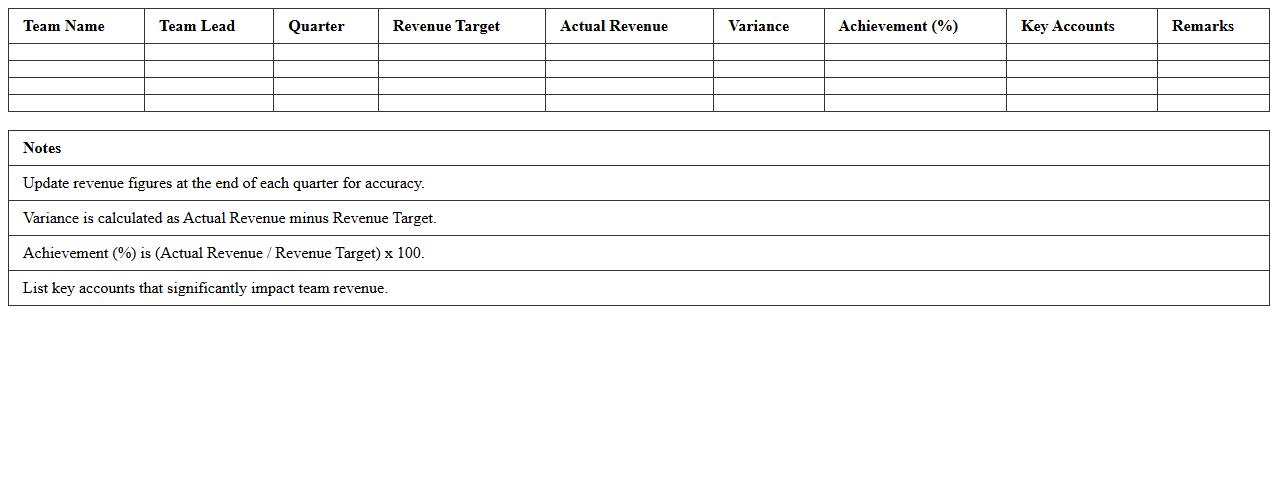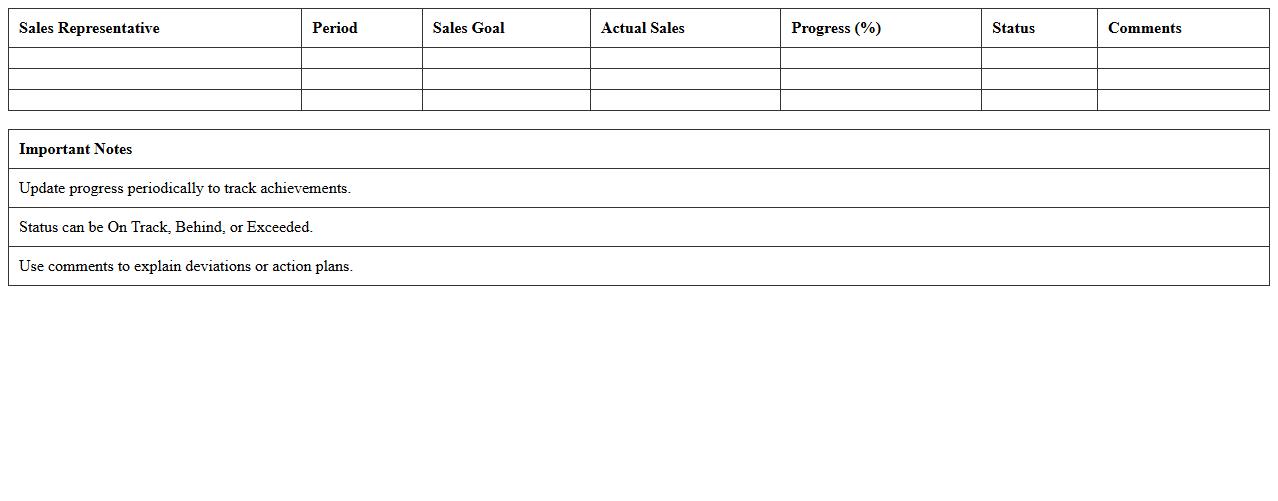
The Sales Team Performance Assessment Excel Template for Sales Managers enables efficient tracking and analysis of individual and team sales metrics. It offers customizable charts and dashboards to visualize performance trends and identify areas for improvement. This tool streamlines data management, helping sales managers drive productivity and achieve targets effectively.
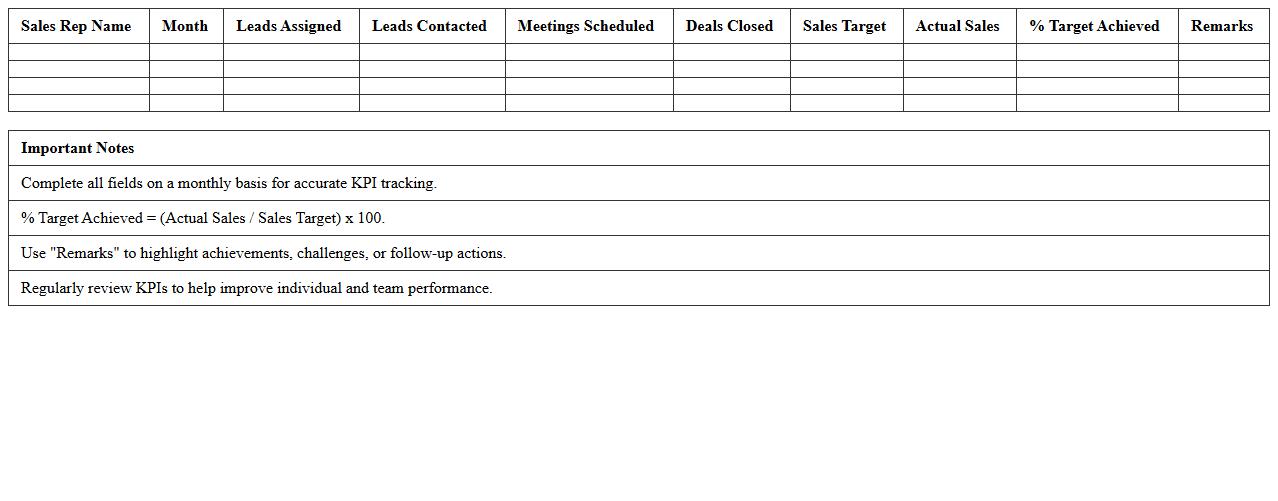
Sales Team KPI Tracking Excel Sheet
A
Sales Team KPI Tracking Excel Sheet is a structured document designed to monitor and analyze key performance indicators such as sales volume, conversion rates, and revenue targets. It empowers managers to identify strengths and weaknesses in sales strategies, ensuring data-driven decisions for improving team productivity. By providing clear visual insights and real-time updates, this tool enhances accountability and aligns team efforts with organizational goals.
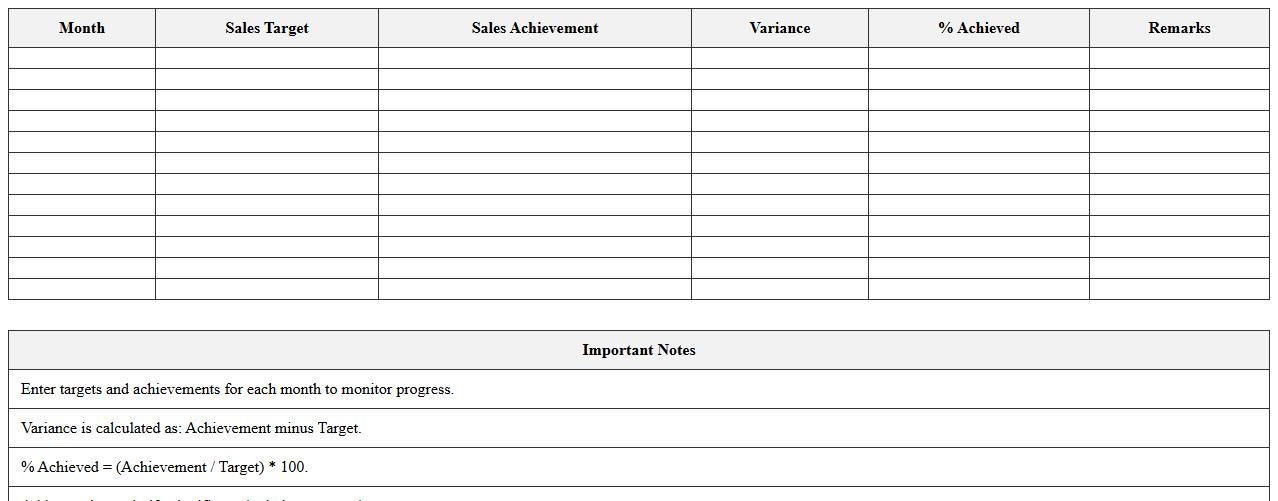
Monthly Sales Target vs Achievement Template
The
Monthly Sales Target vs Achievement Template document is a structured tool that tracks and compares planned sales goals against actual performance within a specific month. It helps sales managers and teams identify trends, measure productivity, and adjust strategies to meet or exceed targets. By providing clear visibility into sales data, this template enhances decision-making and drives continuous improvement in revenue generation.
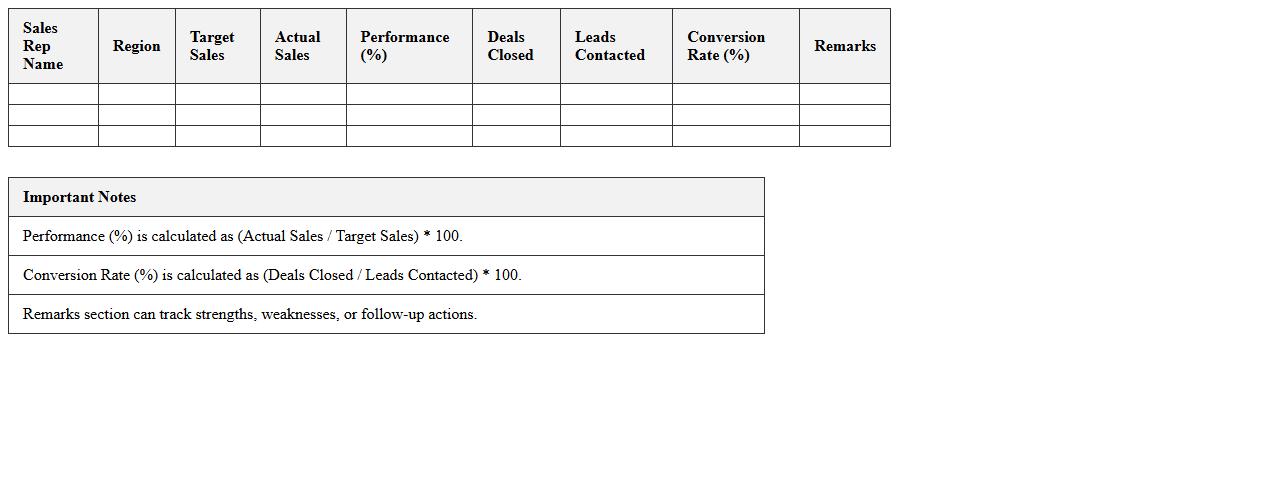
Individual Sales Rep Performance Dashboard
The
Individual Sales Rep Performance Dashboard document provides a detailed analysis of each sales representative's metrics, including sales volume, conversion rates, and customer interactions. This dashboard enables managers to identify strengths and areas for improvement, facilitating targeted coaching and performance optimization. By leveraging this data-driven tool, organizations can enhance overall sales effectiveness and drive revenue growth.
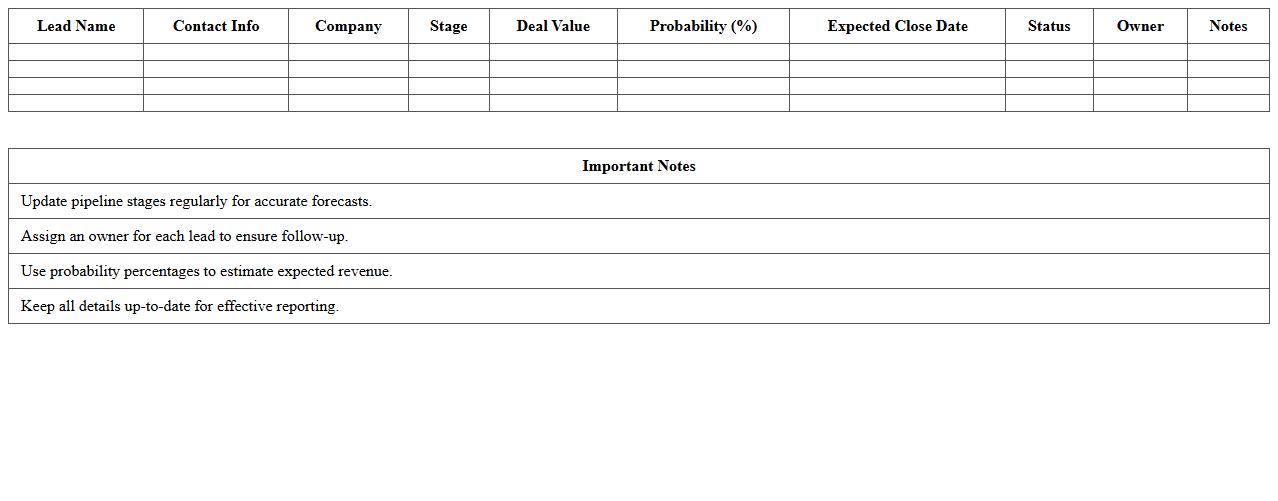
Sales Pipeline Progress Excel Report
The
Sales Pipeline Progress Excel Report document provides a detailed overview of every stage in the sales process, tracking leads from initial contact to deal closure. It is useful for monitoring sales team performance, identifying bottlenecks, and forecasting revenue accurately. Businesses leverage this report to optimize sales strategies and improve conversion rates effectively.
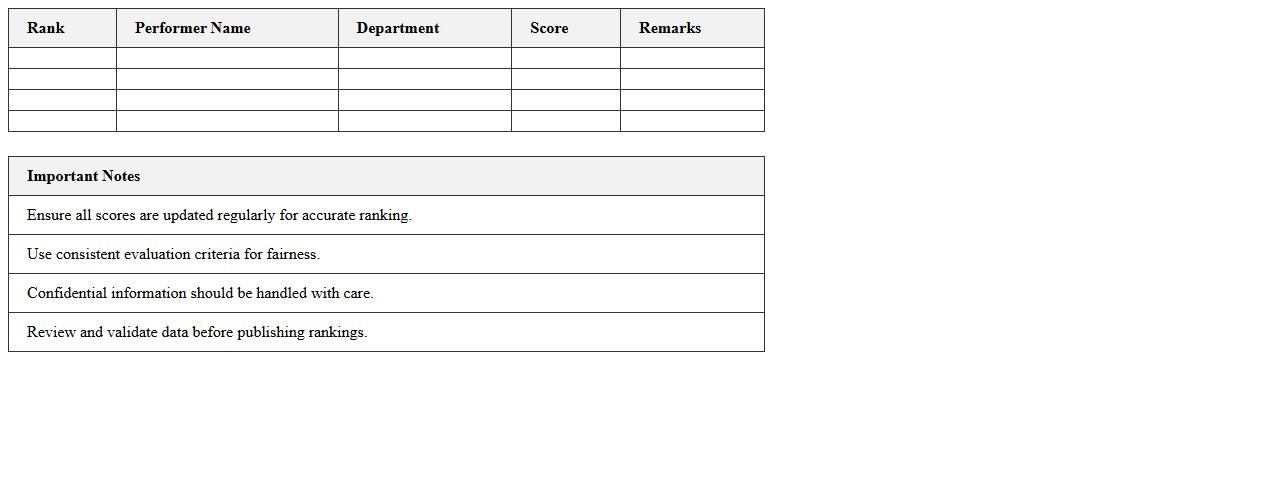
Top Performer Ranking Excel Chart
The
Top Performer Ranking Excel Chart document is a powerful tool designed to visually represent performance metrics across individuals or teams, allowing for clear comparison and analysis. It helps organizations identify high achievers by ranking key performance indicators (KPIs) in a structured and easy-to-interpret format. This chart enhances decision-making by providing actionable insights that drive motivation, reward systems, and strategic planning.
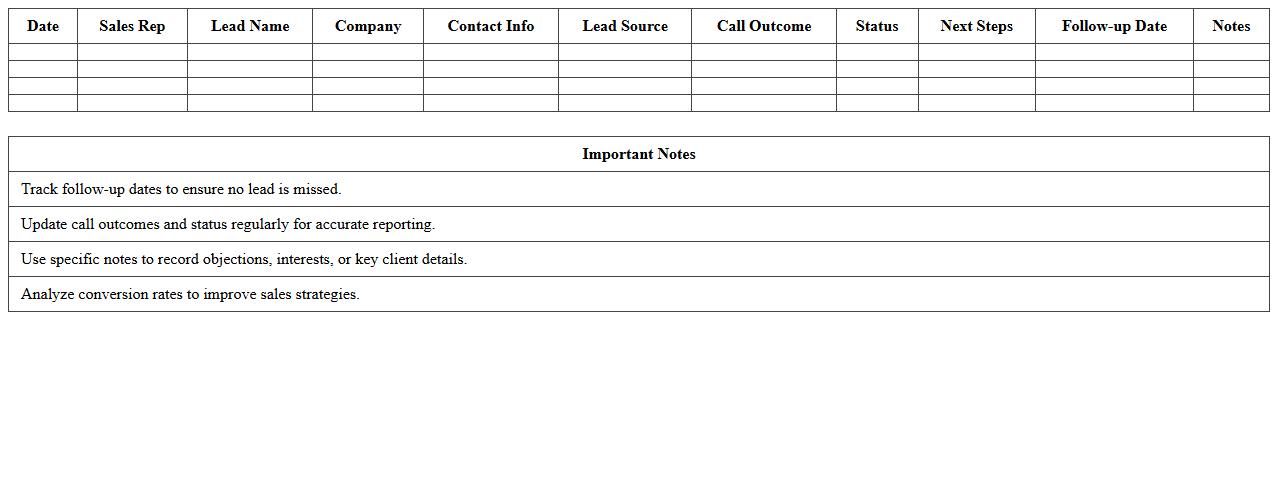
Sales Call and Lead Conversion Tracker
A
Sales Call and Lead Conversion Tracker document is a tool used to systematically record and analyze interactions with potential customers, tracking the progress from initial contact to successful conversion. It helps sales teams monitor call frequency, customer responses, and conversion rates, providing valuable insights for improving sales strategies and increasing revenue. By organizing data on leads and call outcomes, the tracker enhances accountability and enables data-driven decision-making to optimize the sales process.
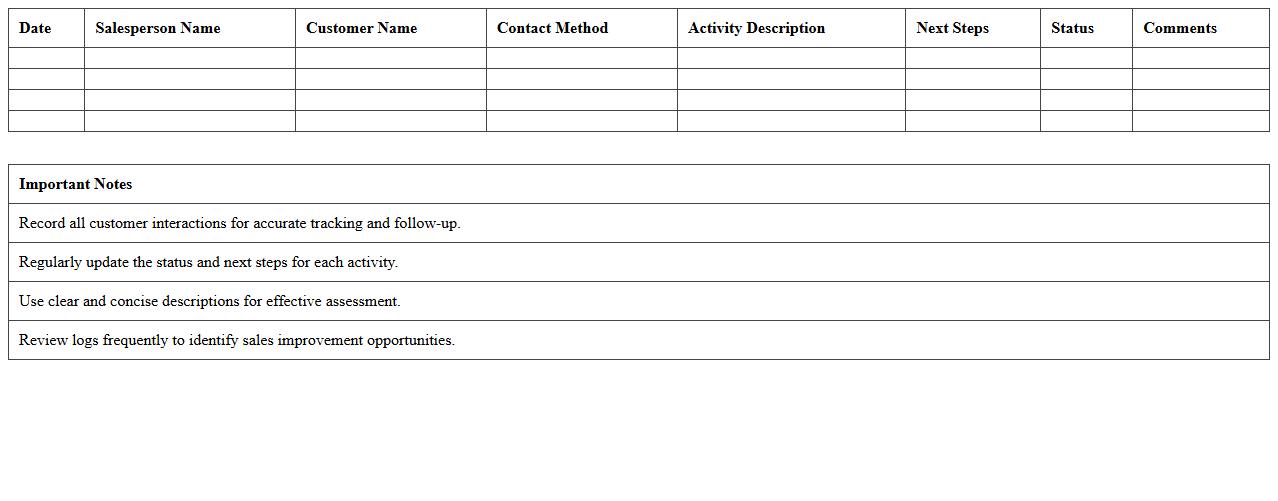
Sales Activity Log and Assessment Sheet
A
Sales Activity Log and Assessment Sheet is a structured document that records daily sales tasks, interactions with clients, and outcomes, enabling systematic tracking of performance. It helps sales teams identify patterns, measure productivity, and assess the effectiveness of strategies through detailed data analysis. This tool enhances accountability, supports data-driven decision-making, and optimizes sales processes for increased revenue generation.
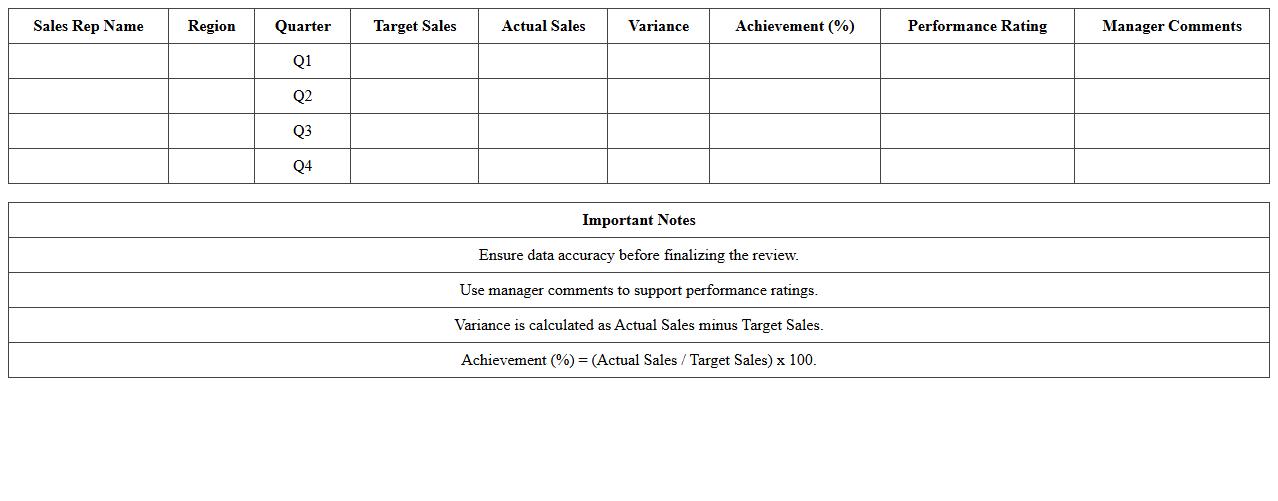
Quarterly Sales Performance Review Template
A
Quarterly Sales Performance Review Template document provides a structured format to evaluate sales metrics, track progress against targets, and analyze trends over each quarter. This template enables sales managers to identify strengths and weaknesses, streamline decision-making, and implement data-driven strategies for improved revenue growth. By standardizing performance reviews, it enhances transparency and facilitates clear communication within sales teams and stakeholders.
Team-Wide Revenue Analysis Spreadsheet
The
Team-Wide Revenue Analysis Spreadsheet document systematically compiles revenue data across all departments, enabling in-depth financial performance tracking and cross-team comparison. It helps identify revenue trends, optimize resource allocation, and support strategic decision-making, ensuring each team's contribution aligns with overall business goals. This organized approach enhances transparency and fosters collaborative efforts to maximize profitability company-wide.
Sales Goals Progress Evaluation Excel
The
Sales Goals Progress Evaluation Excel document is a powerful tool designed to track and analyze sales targets against actual performance data. It helps businesses identify trends, measure individual and team progress, and make data-driven decisions to optimize sales strategies. By providing clear visualizations and real-time updates, this document enhances accountability and drives goal achievement.
How can I track individual sales rep KPIs using this assessment Excel document?
To track individual sales rep KPIs, input each rep's monthly sales data into designated rows. Use separate columns to record specific KPIs like calls made, conversion rates, and revenue generated. This structure allows for easy filtering and performance comparison across all reps.
What formulas calculate team-wide conversion rates in the Sales Performance Assessment?
The team-wide conversion rate is calculated using the formula =SUM(Conversions)/SUM(Leads). This aggregates all individual conversion data to provide a comprehensive rate. Embedding this formula into the summary sheet makes tracking overall team performance seamless.
How to implement weighted scoring for different product lines in the Excel template?
Implement weighted scoring by assigning weights to each product line based on its business priority. Multiply the sales metrics by their respective weights using formulas like =Sales*Weight in individual columns. Summing these weighted scores will give a balanced performance metric.
Which dashboard elements visualize monthly versus quarterly targets in the document?
The dashboard includes bar charts and line graphs that compare monthly sales against quarterly targets. Conditional formatting highlights whether targets are met or missed. Interactive slicers may also allow switching between monthly and quarterly views.
Can the assessment Excel auto-generate performance improvement recommendations?
The Excel document can use conditional formulas and IF statements to trigger automatic recommendations when KPIs fall below thresholds. Custom macros or VBA scripts enhance this by generating detailed improvement suggestions. This automation helps managers quickly identify and address performance gaps.
More Assessment Excel Templates