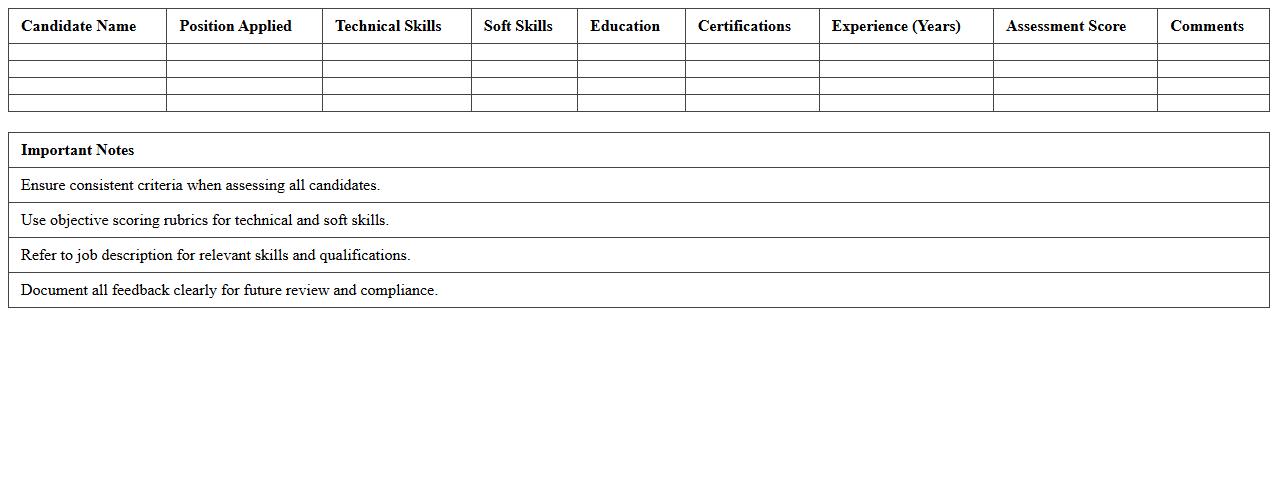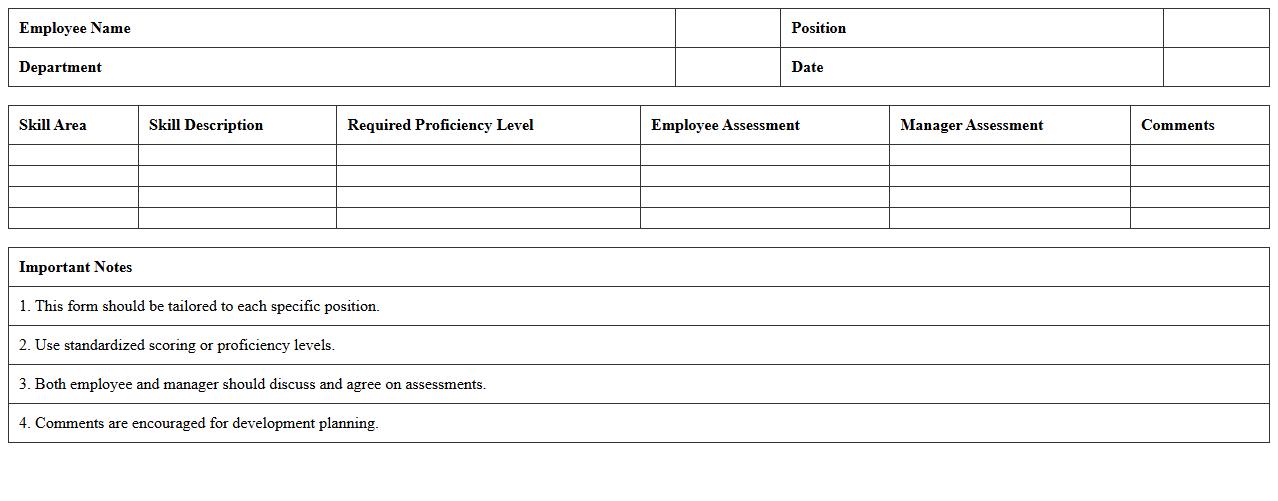
The Skills Assessment Excel Template for Job Applicants provides a structured and easy-to-use format to evaluate candidates' competencies effectively. This template streamlines the hiring process by allowing employers to score and compare essential skills based on predefined criteria. It enhances decision-making by offering clear visual insights into each applicant's strengths and areas for improvement.
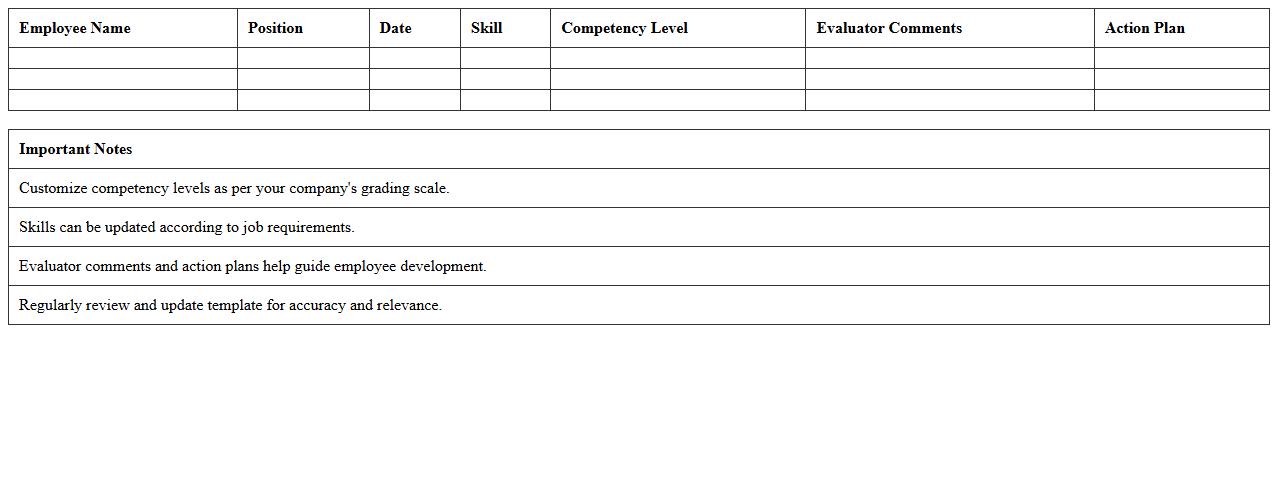
Technical Skills Evaluation Excel Template
The
Technical Skills Evaluation Excel Template document is a structured tool designed to assess and track employees' proficiency in specific technical abilities. It allows managers to systematically rate skills, identify gaps, and plan targeted training programs, enhancing workforce competency. Using this template improves talent management by providing clear, data-driven insights into technical skill levels across teams.
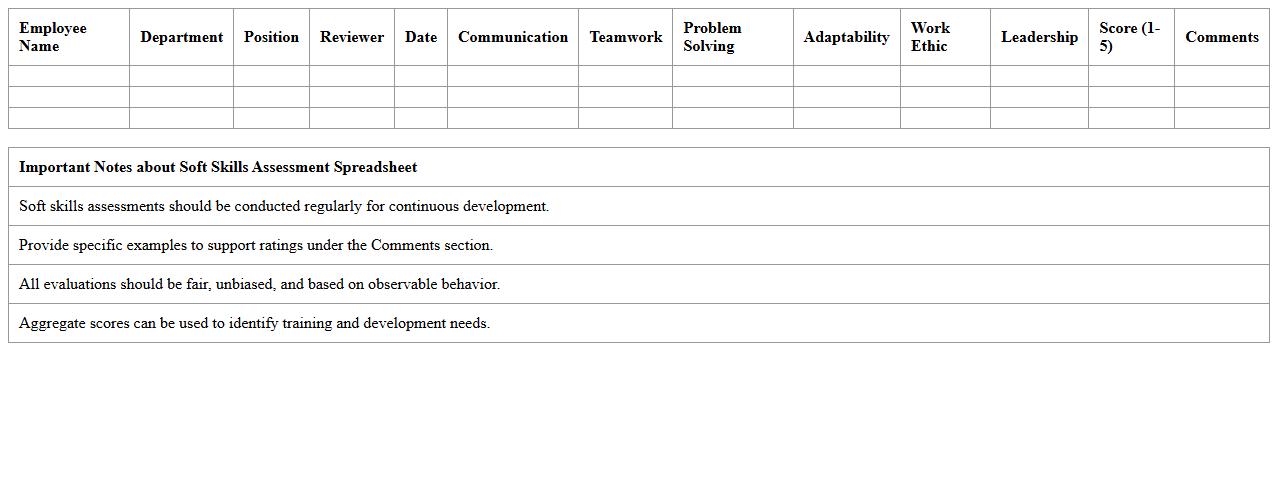
Soft Skills Assessment Spreadsheet
A
Soft Skills Assessment Spreadsheet document is a structured tool designed to evaluate and track an individual's interpersonal and communication abilities, such as teamwork, adaptability, and problem-solving. It enables managers and HR professionals to systematically identify strengths and areas for improvement, facilitating targeted development plans. This document enhances workforce productivity by promoting clear insight into employees' soft skill profiles for better role alignment and training strategies.
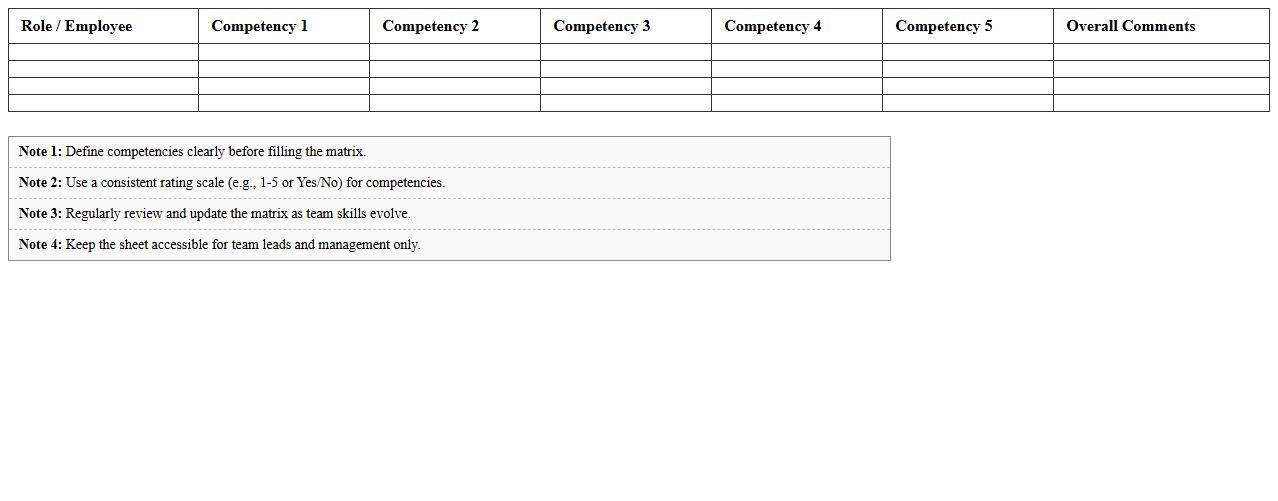
Competency Matrix Excel Sheet
A
Competency Matrix Excel Sheet is a structured document used to evaluate and track the skills and competencies of employees within an organization. It helps identify skill gaps, plan targeted training programs, and align employee capabilities with business goals. By providing a visual overview of proficiency levels across various competencies, it enhances workforce planning and performance management efficiency.
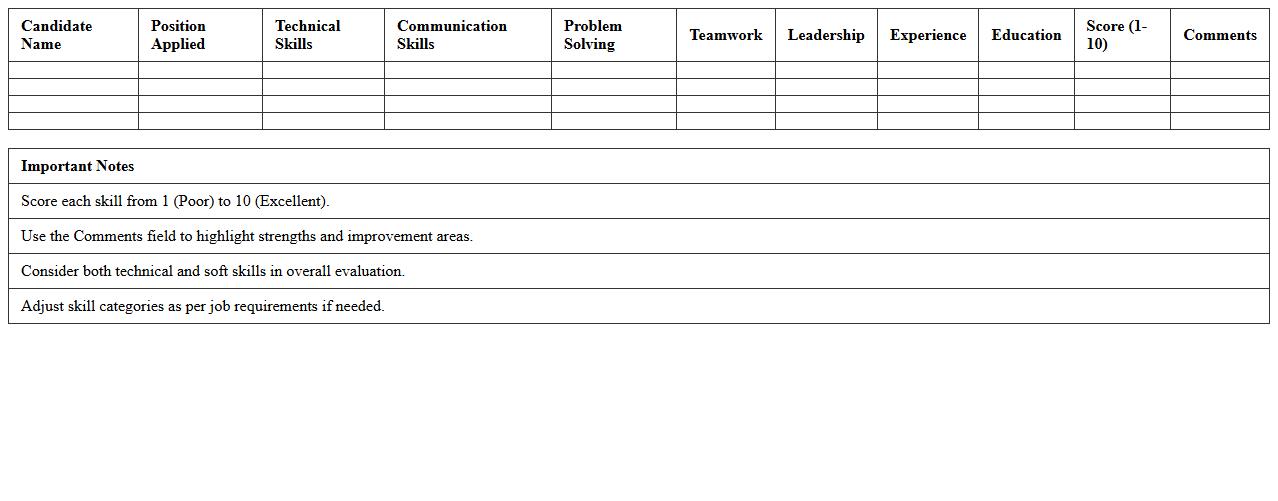
Job Candidate Skills Scoring Template
A
Job Candidate Skills Scoring Template document is a structured tool used to evaluate and compare the qualifications and competencies of job applicants based on predefined criteria. It enables recruiters and hiring managers to assign objective scores to various skills, ensuring a consistent and transparent assessment process. By utilizing this template, organizations can streamline candidate selection, reduce bias, and make data-driven hiring decisions that align with job requirements.
Pre-Employment Skills Comparison Excel
The
Pre-Employment Skills Comparison Excel document serves as a structured tool to evaluate and compare candidates' qualifications against job requirements efficiently. It organizes various skill metrics into a single, easily accessible spreadsheet, enabling hiring managers to identify the best fit objectively. This document enhances recruitment accuracy by highlighting strengths and gaps, facilitating informed decisions that improve talent acquisition outcomes.
Interview Skills Checklist Spreadsheet
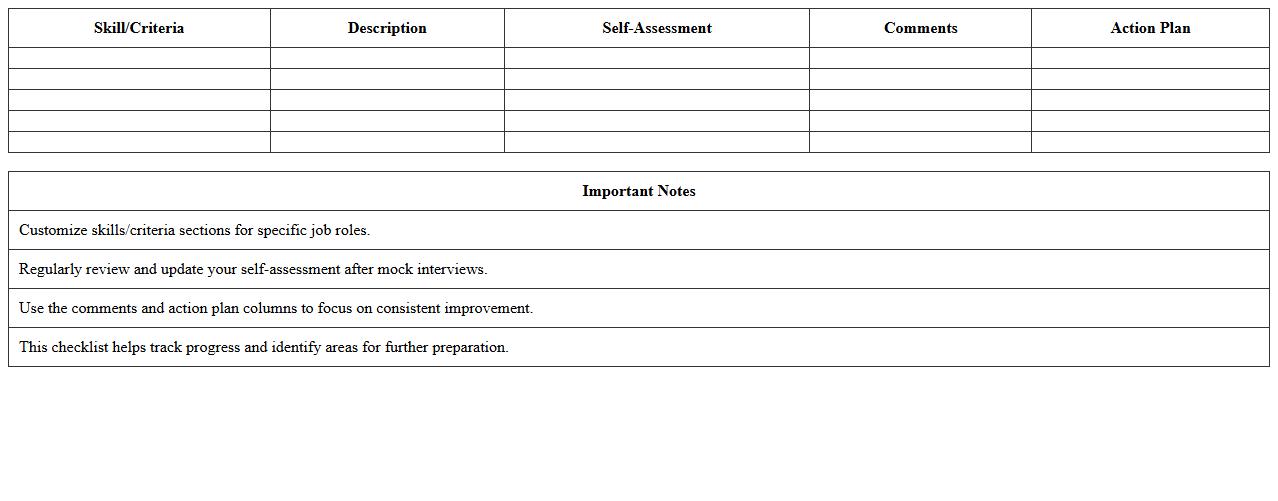
The
Interview Skills Checklist Spreadsheet document is a structured tool designed to track and improve key interview competencies such as communication, body language, and question response effectiveness. It allows users to systematically evaluate their performance across multiple interviews, pinpoint strengths, and identify areas needing improvement. Utilizing this spreadsheet enhances preparation efficiency and increases the likelihood of success in competitive job markets.
Role-Based Skills Gap Analysis Template
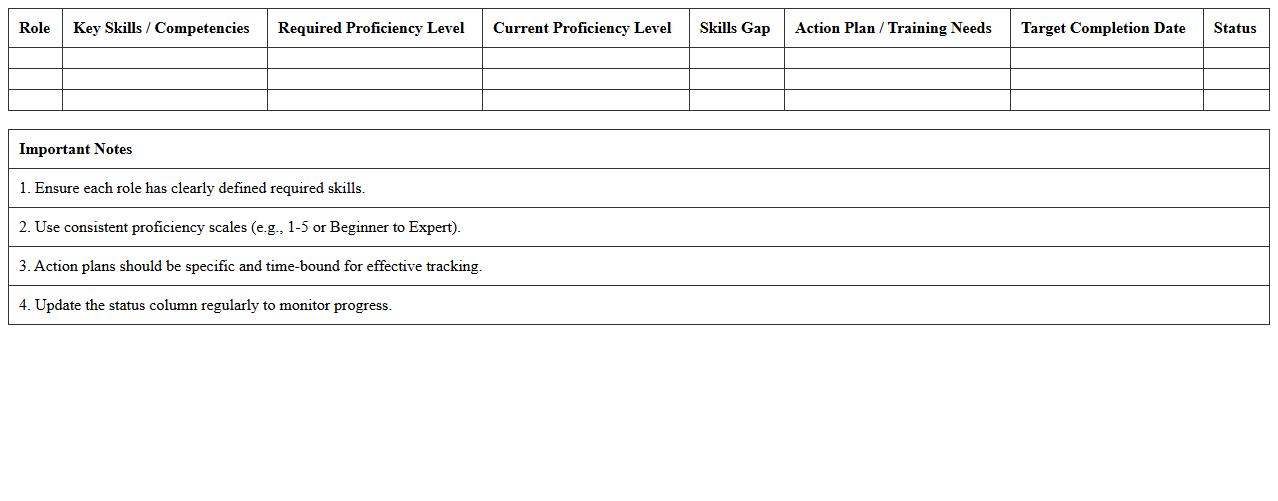
A
Role-Based Skills Gap Analysis Template document identifies the specific skills required for a particular job role and compares them with the current skills of employees. It helps organizations pinpoint areas where training or development is needed to bridge gaps, ensuring employees meet role expectations effectively. Using this template optimizes workforce planning, enhances employee performance, and supports strategic talent management.
Applicant Skill Ranking Excel Sheet
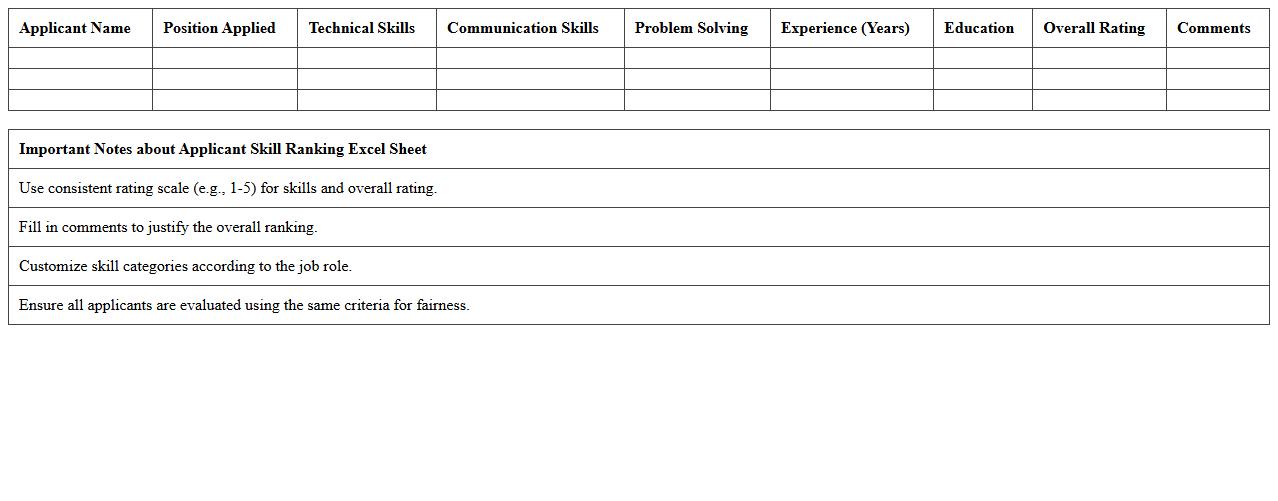
The
Applicant Skill Ranking Excel Sheet is a structured document designed to evaluate and compare candidates based on predefined skill sets and proficiency levels. It allows recruiters and hiring managers to systematically score applicants, ensuring objective and efficient decision-making during the selection process. This tool enhances recruitment accuracy by highlighting the most qualified individuals tailored to specific job requirements.
Position-Specific Skills Assessment Form
The
Position-Specific Skills Assessment Form is a detailed document designed to evaluate the particular skills and competencies required for a specific job role. It helps organizations identify skill gaps, tailor training programs, and ensure candidates or employees meet the essential criteria for effective job performance. Utilizing this form enhances hiring accuracy and supports targeted employee development strategies.
Skills Qualification Checklist Excel Template
The
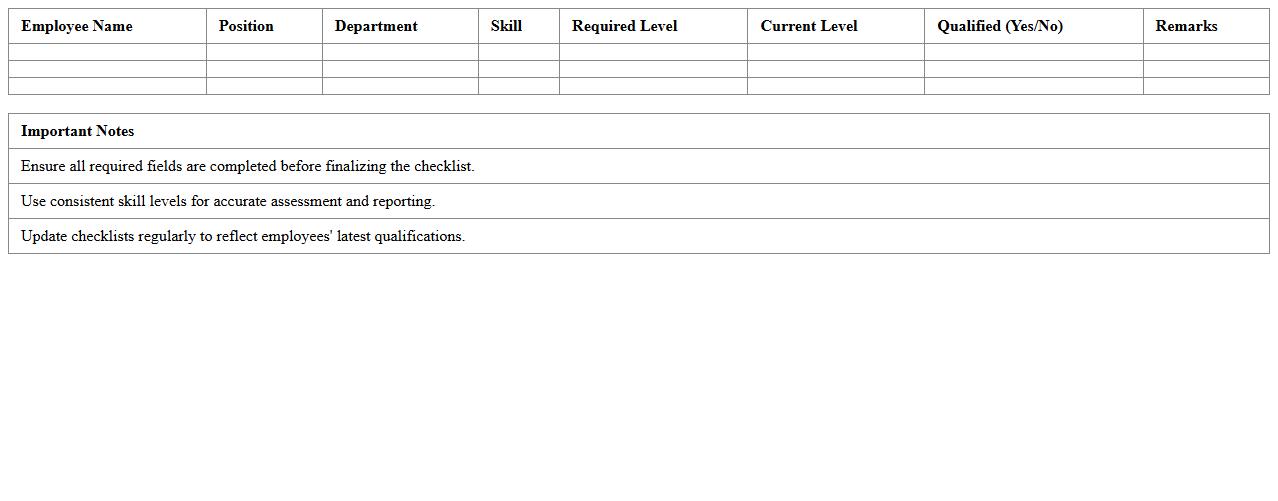
Skills Qualification Checklist Excel Template document is a structured tool designed to systematically track and evaluate individual competencies against required job skills. It allows managers and HR professionals to easily identify skill gaps, plan targeted training, and ensure team members meet organizational standards. Using this template enhances workforce development, improves employee performance management, and streamlines the qualification verification process.
How do you evaluate formula accuracy in applicant-submitted Excel assessment documents?
Evaluating formula accuracy involves verifying that all formulas return correct and expected results based on the provided data. Cross-checking cell references and logical flow ensures the applicant understands formula construction and application. Additionally, testing edge cases helps confirm the robustness of the formulas used.
What advanced Excel functions should job applicants demonstrate in their skills assessment letter?
Applicants should demonstrate proficiency in advanced functions such as INDEX-MATCH, ARRAYFORMULAS, and VLOOKUP/HLOOKUP. Mastery of dynamic functions like XLOOKUP or SUMIFS is also highly valued. These functions reflect their capability to handle complex data retrieval and analysis efficiently.
How is data visualization skill measured in an Excel job application document?
Data visualization skills are assessed based on the use of charts, pivot tables, and conditional formatting to present data clearly and understandably. The choice of visualization should effectively highlight key insights without overwhelming the viewer. Creativity and accuracy in representing trends and comparisons also demonstrate strong visualization proficiency.
What criteria assess automation proficiency (e.g., macros) in Excel skills assessment for applicants?
Automation proficiency is evaluated by the applicant's ability to create and implement macros or VBA scripts that simplify repetitive tasks and improve efficiency. Reviewers look for clean, well-commented code and logical workflow automation. The complexity and practical application of the automation also reflect the candidate's advanced skill level.
Which error-checking methods are important in reviewing Excel skills assessment letters?
Important error-checking methods include usage of Excel's error checking tools, formula auditing, and trace precedents/dependents. Candidates should demonstrate attention to detail by identifying and correcting common formula errors like #DIV/0! or #N/A. Consistent use of validation rules and protection features further confirms thorough error management skills.
More Assessment Excel Templates