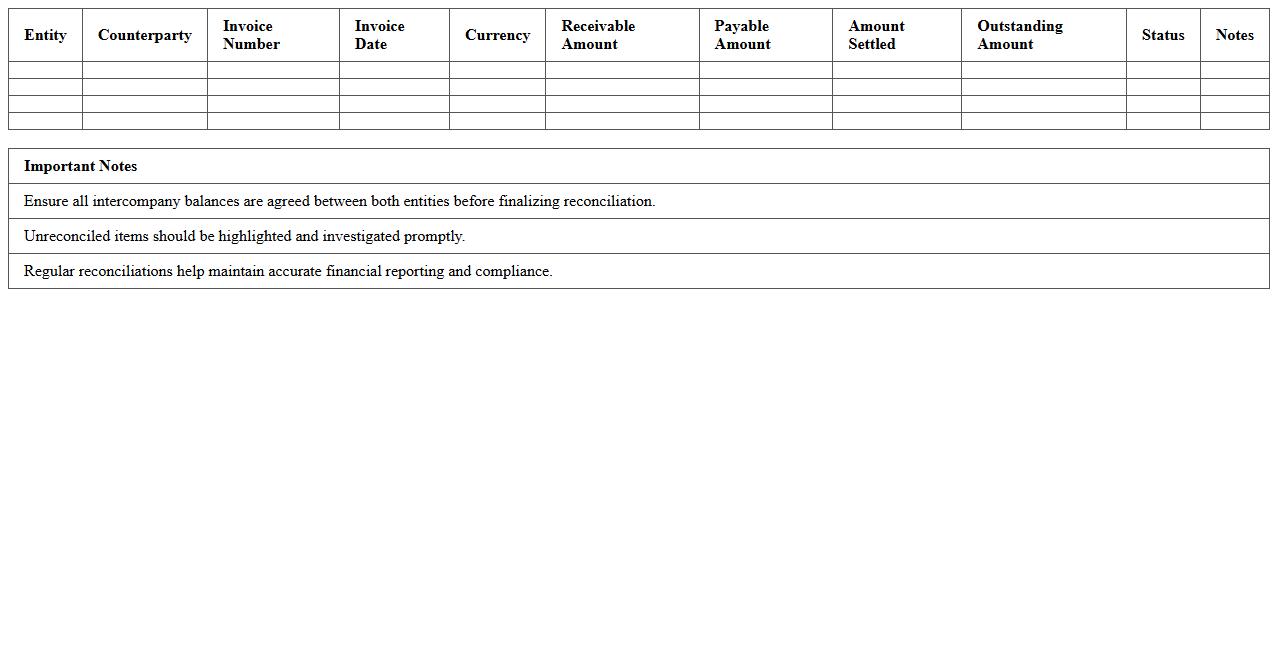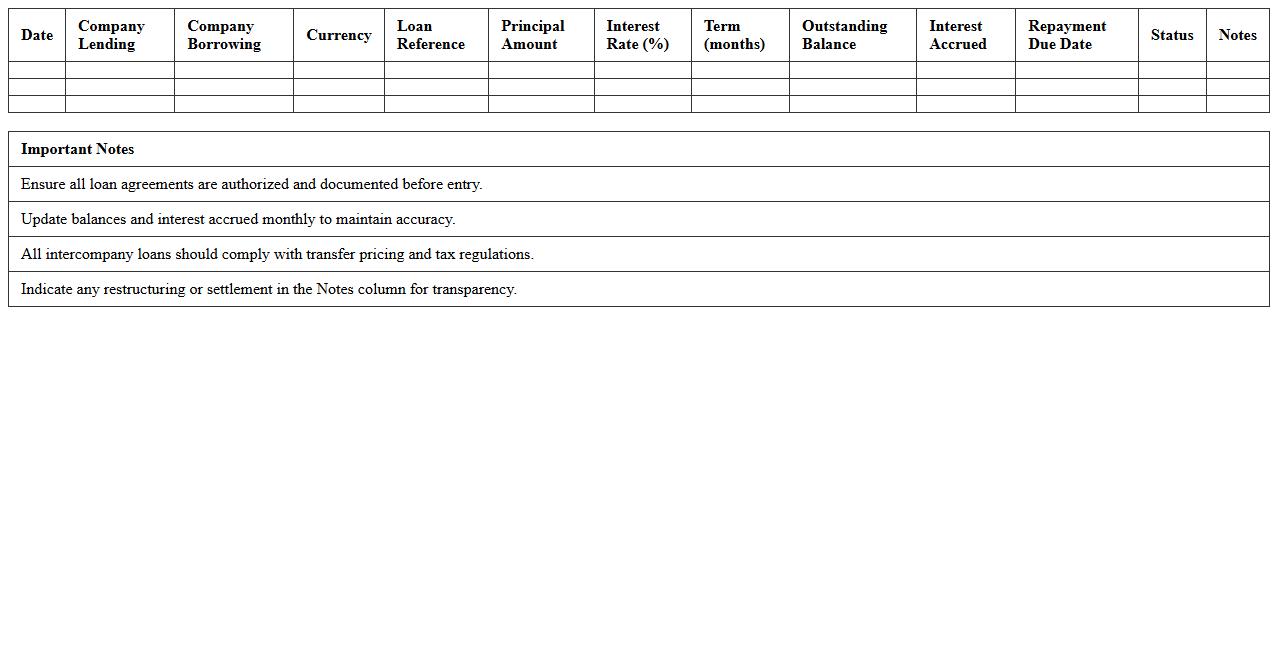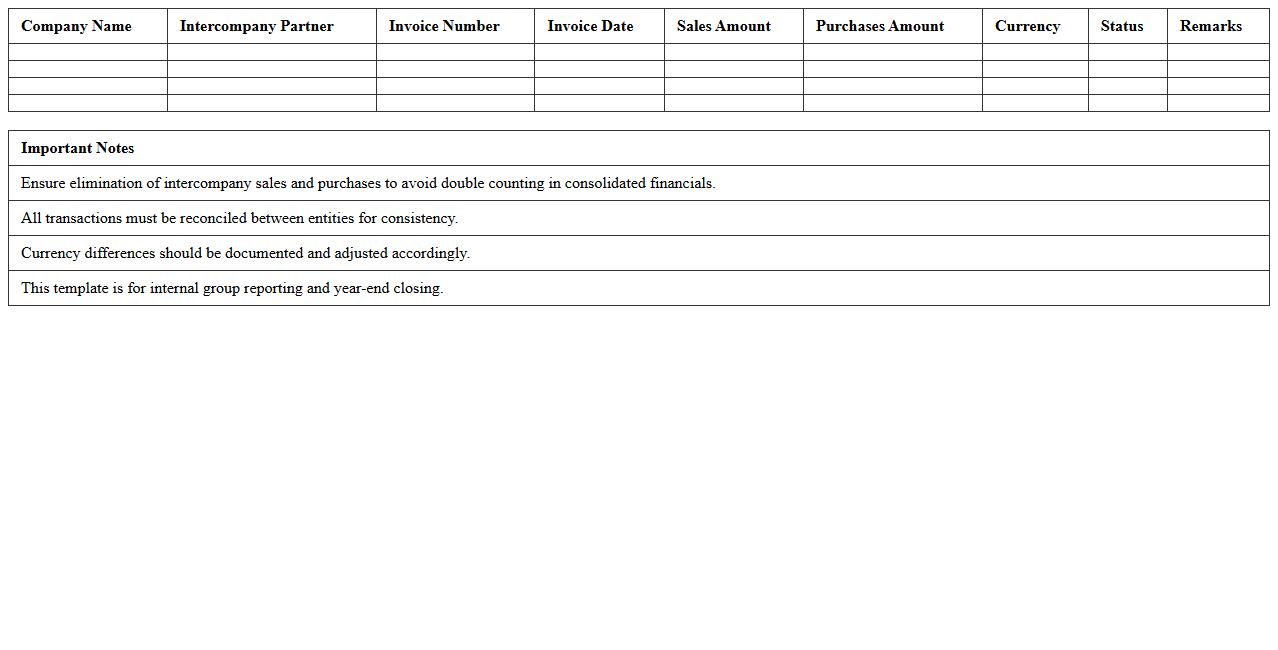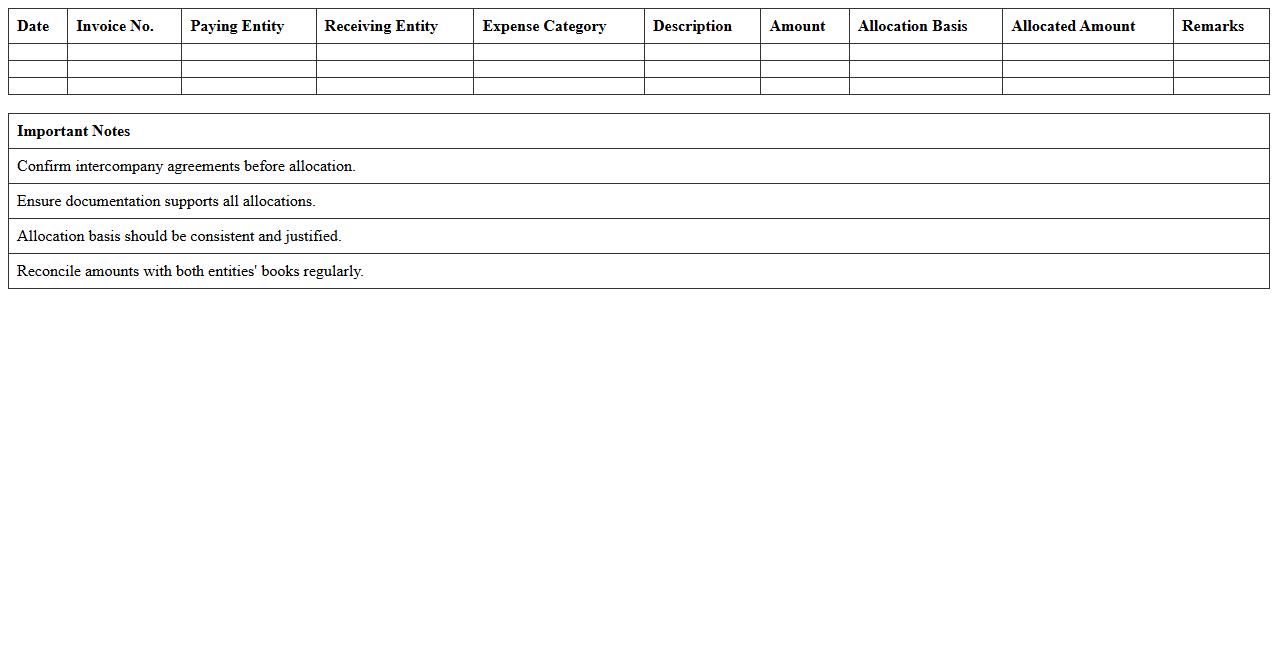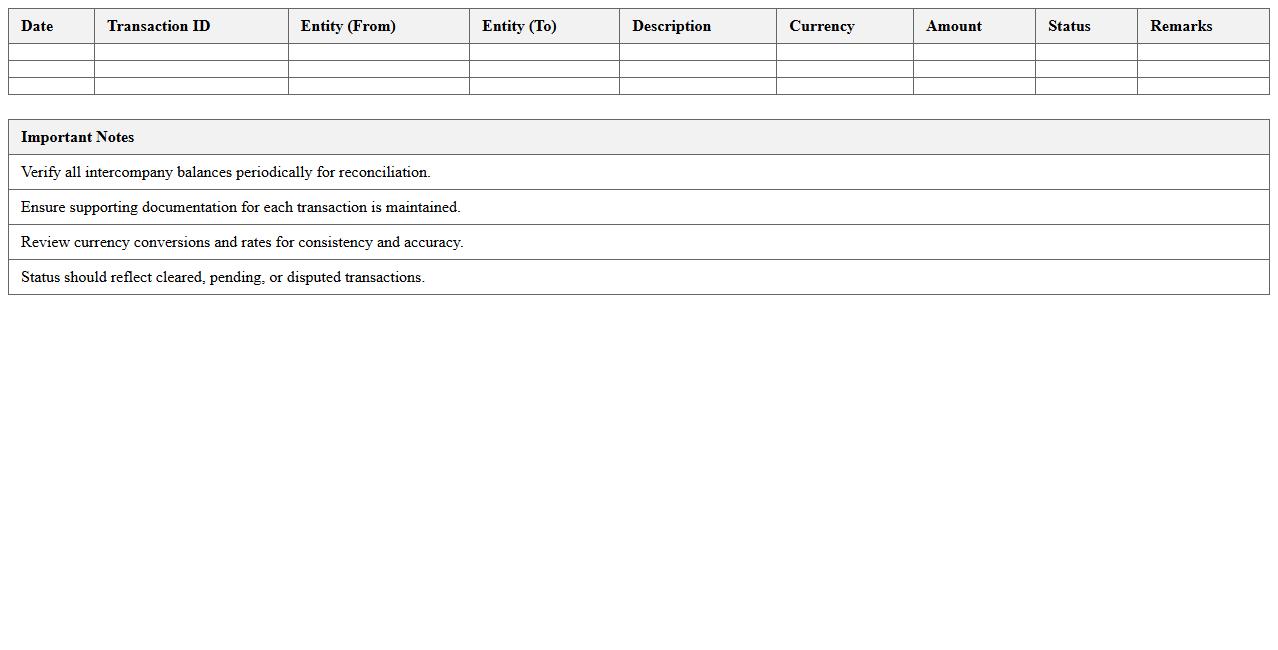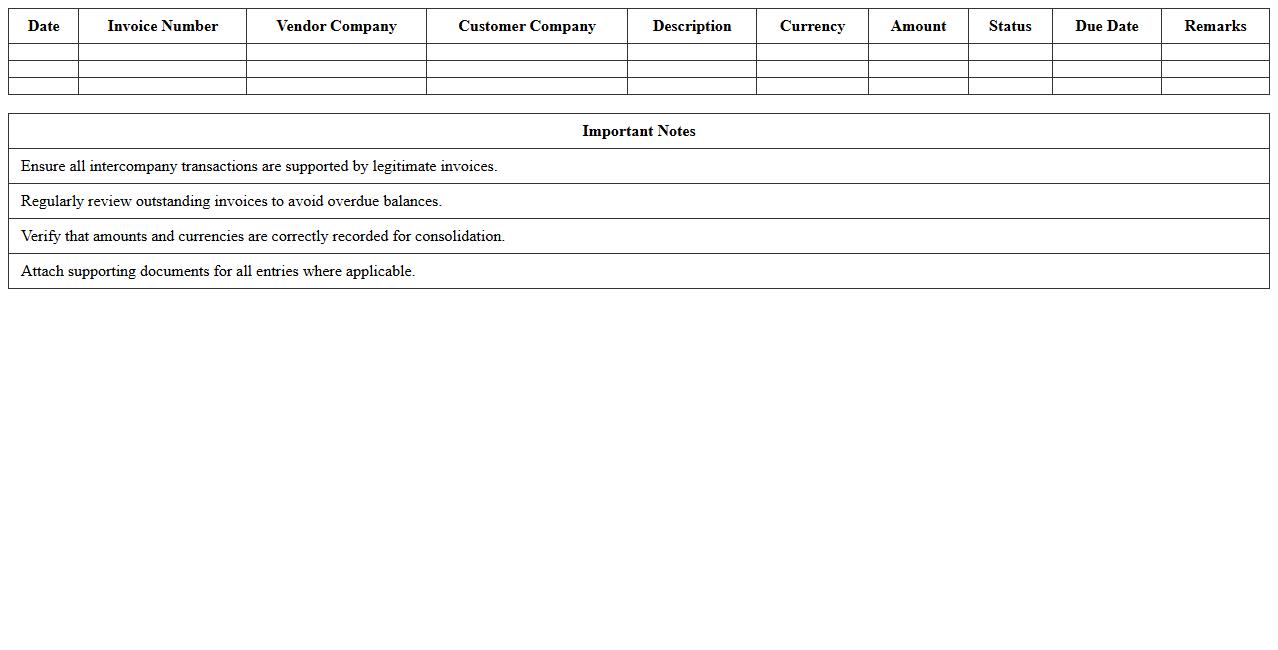
The Intercompany Transaction Statement Excel Template for Holding Companies streamlines the tracking and reconciliation of financial transactions between parent and subsidiary entities. It offers customizable sheets for recording expenses, loans, and revenue transfers, enhancing transparency and accuracy in consolidated financial reporting. This template supports efficient audits and simplifies compliance with regulatory requirements.
Intercompany Receivables and Payables Reconciliation Excel Template
The
Intercompany Receivables and Payables Reconciliation Excel Template document streamlines the process of matching and verifying transactions between related business entities to ensure financial accuracy. It helps organizations identify discrepancies, reduce reconciliation time, and improve intercompany balance accuracy by providing a clear and structured format for data entry and analysis. This template supports efficient financial closing processes and enhances transparency in intercompany financial reporting.
Intercompany Loan Balances Tracking Excel Template
The
Intercompany Loan Balances Tracking Excel Template document is designed to monitor and manage the financial transactions between different entities within the same organization. It organizes loan details, repayment schedules, and outstanding balances, ensuring accurate and transparent intercompany accounting. This template helps prevent discrepancies and facilitates smoother internal audits, improving overall financial control and compliance.
Intercompany Sales and Purchases Statement Excel Template
The
Intercompany Sales and Purchases Statement Excel Template is a comprehensive financial document designed to track and reconcile transactions between related business units within a corporation. It facilitates accurate recording of intercompany sales and purchase activities, ensuring consistency and transparency across departments. This template helps streamline audit processes, improve internal controls, and enhance financial reporting accuracy by consolidating intercompany data into a single, easy-to-analyze format.
Intercompany Expense Allocation Excel Template
The
Intercompany Expense Allocation Excel Template is a specialized spreadsheet designed to streamline and accurately distribute shared expenses across multiple business entities within a corporation. This template enables precise tracking, allocation, and reconciliation of costs such as administrative fees, rent, and utilities among subsidiaries, ensuring compliance with accounting standards and internal controls. By automating complex calculations and consolidating data, it enhances financial transparency, reduces errors, and facilitates efficient report generation for management and audit purposes.
Intercompany Settlement Schedule Excel Template
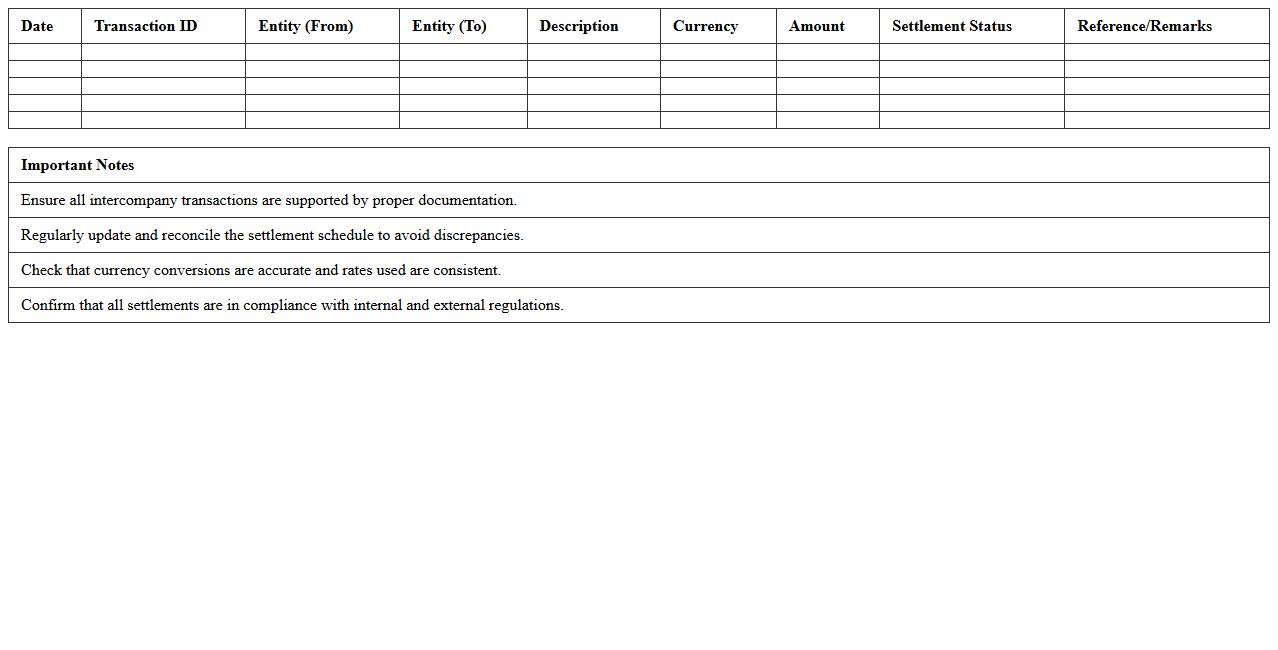
The
Intercompany Settlement Schedule Excel Template document is a structured tool designed to efficiently track and reconcile transactions between related business entities. It streamlines the process of matching intercompany invoices and payments, ensuring accurate financial reporting and reducing discrepancies in consolidated accounts. This template enhances transparency and simplifies the management of intercompany balances, improving overall audit readiness and compliance.
Intercompany Aging Analysis Report Excel Template
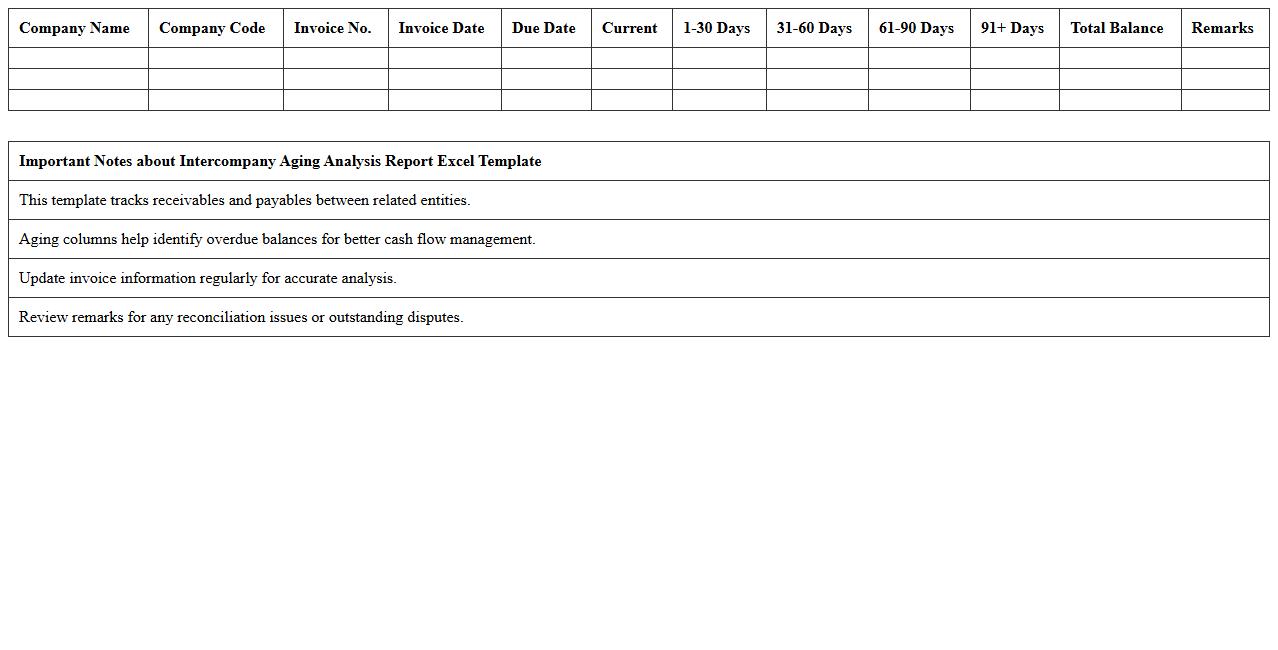
The
Intercompany Aging Analysis Report Excel Template is a structured financial document used to track and manage outstanding balances between related companies within the same organization. This template helps identify overdue intercompany receivables and payables, improving cash flow management and ensuring timely reconciliation of intercompany accounts. By analyzing aging data, businesses can reduce risks related to intercompany disputes and enhance overall financial transparency and control.
Intercompany Transfer Pricing Documentation Excel Template
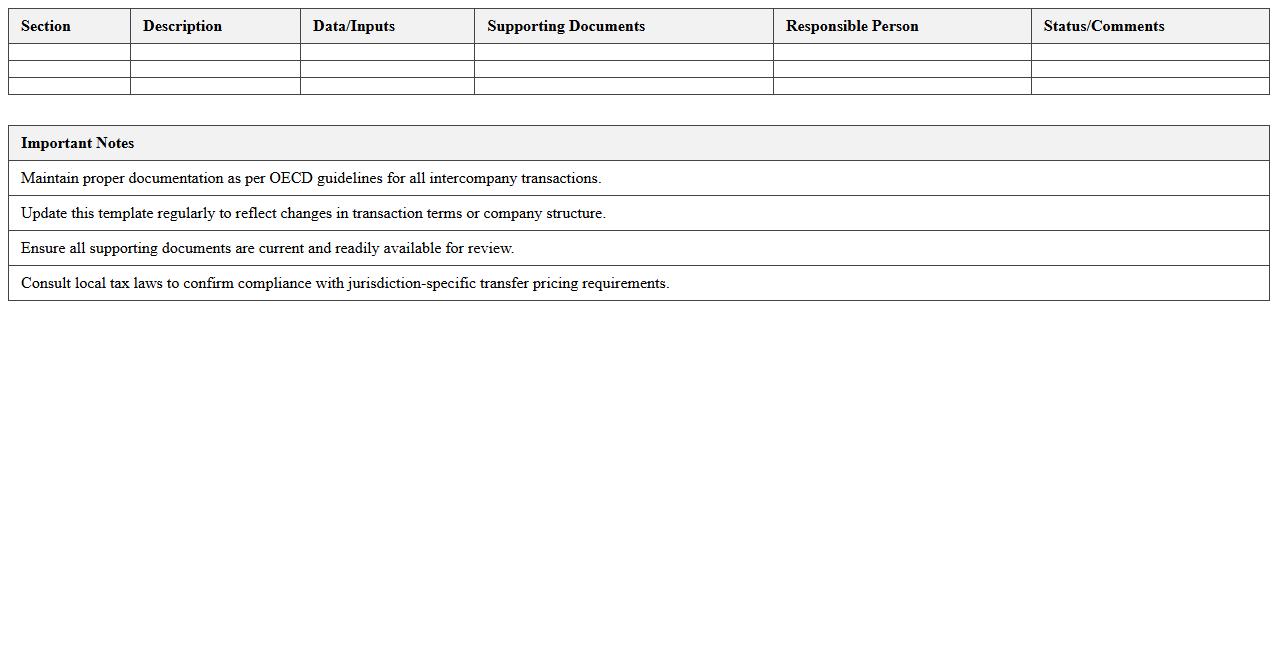
The
Intercompany Transfer Pricing Documentation Excel Template is a structured spreadsheet designed to facilitate the accurate recording and analysis of pricing transactions between related entities within a corporate group. This document helps ensure compliance with global transfer pricing regulations by systematically organizing financial data, price comparability analyses, and documentation required for tax authorities. It streamlines the preparation process, reduces errors, and provides a transparent audit trail that supports defending transfer pricing policies during tax audits.
Intercompany Journal Entry Tracker Excel Template
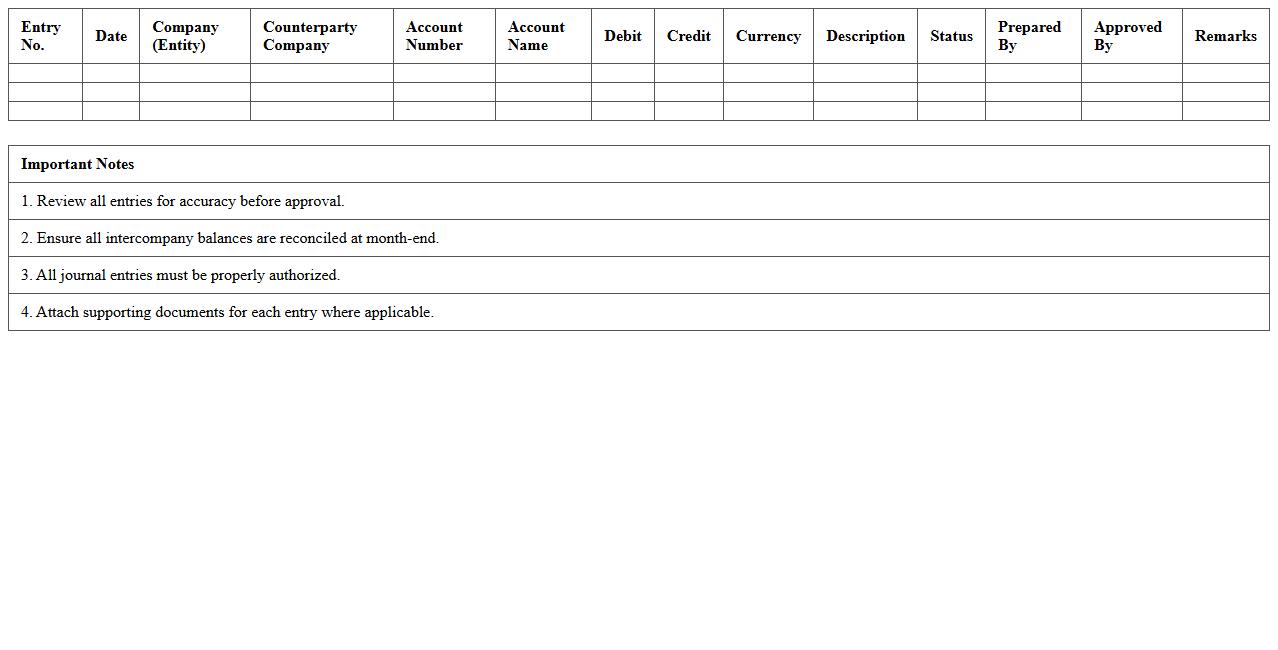
The
Intercompany Journal Entry Tracker Excel Template document is a structured tool designed to record, monitor, and reconcile intercompany transactions efficiently within a corporate group. This template enhances accuracy by centralizing all intercompany journal entries, reducing errors and ensuring compliance with accounting standards. It is useful for streamlining financial reporting, improving audit readiness, and facilitating transparent transaction tracking across multiple subsidiaries.
Intercompany Transactions Ledger Excel Template
The
Intercompany Transactions Ledger Excel Template document is a structured spreadsheet designed to record and track financial transactions between affiliated companies within a corporate group. It streamlines reconciliation by organizing data such as intercompany loans, sales, and expense allocations, ensuring accuracy and consistency across multiple entities. This template improves financial transparency, simplifies audit processes, and enhances compliance with accounting standards for consolidated financial statements.
Intercompany Invoice Register Excel Template
The
Intercompany Invoice Register Excel Template is a structured spreadsheet designed to track and manage invoices exchanged between related business entities within a corporate group. It enhances financial accuracy by consolidating invoice details, payment statuses, and reconciliation data in one accessible file, reducing errors and improving audit readiness. This template streamlines intercompany transactions, simplifies reporting processes, and supports compliance with accounting standards such as IFRS and GAAP.
How to automate intercompany reconciliation in a consolidated Excel statement?
To automate intercompany reconciliation in consolidated Excel statements, begin by creating a centralized data model that consolidates subsidiary transactions. Use Excel features like Power Query and VBA macros to update and reconcile entries dynamically. Automated matching rules between debit and credit entries can significantly reduce manual errors and improve reconciliation speed.
What formulas track currency conversions in intercompany transaction worksheets?
The currency conversion tracking in intercompany transaction worksheets often uses the INDEX and MATCH formula to retrieve exchange rates from a dynamic table. Incorporating the FX rate as a variable in formulas like =OriginalAmount * FXRate ensures accurate conversions. Additionally, using ROUND or ROUNDUP functions helps maintain consistent decimal precision in multi-currency reconciliations.
Which Excel templates best standardize intercompany statements across holding subsidiaries?
Standardizing intercompany statements is best achieved using Excel templates with predefined column headers, formulas, and validation rules. Templates incorporating pivot tables for summarization and dashboards for status tracking enhance clarity and comparability. Excel's built-in collaboration tools like shared workbooks also facilitate synchronized updates across holding subsidiaries.
How do you flag manual adjustment entries in an intercompany Excel sheet?
Manual adjustment entries in intercompany Excel sheets should be flagged using conditional formatting based on a dedicated adjustment flag column. Data validation with dropdown menus helps ensure consistent flagging of manual entries such as "Yes" or "No." Applying a color code or icon set with conditional formatting instantly highlights manual adjustments for auditors and reviewers.
What data validation rules prevent duplication in intercompany transaction logs?
Preventing duplication in intercompany transaction logs requires implementing data validation rules that restrict repeated entries based on unique identifiers like transaction ID or invoice number. Utilizing Excel's custom formula validation with COUNTIF functions can alert users when duplicates exist. Combining these with drop-down lists and mandatory input fields ensures data integrity throughout the reconciliation process.
More Statement Excel Templates