Daily Purchase Entry Tracker for Retail Stores
The
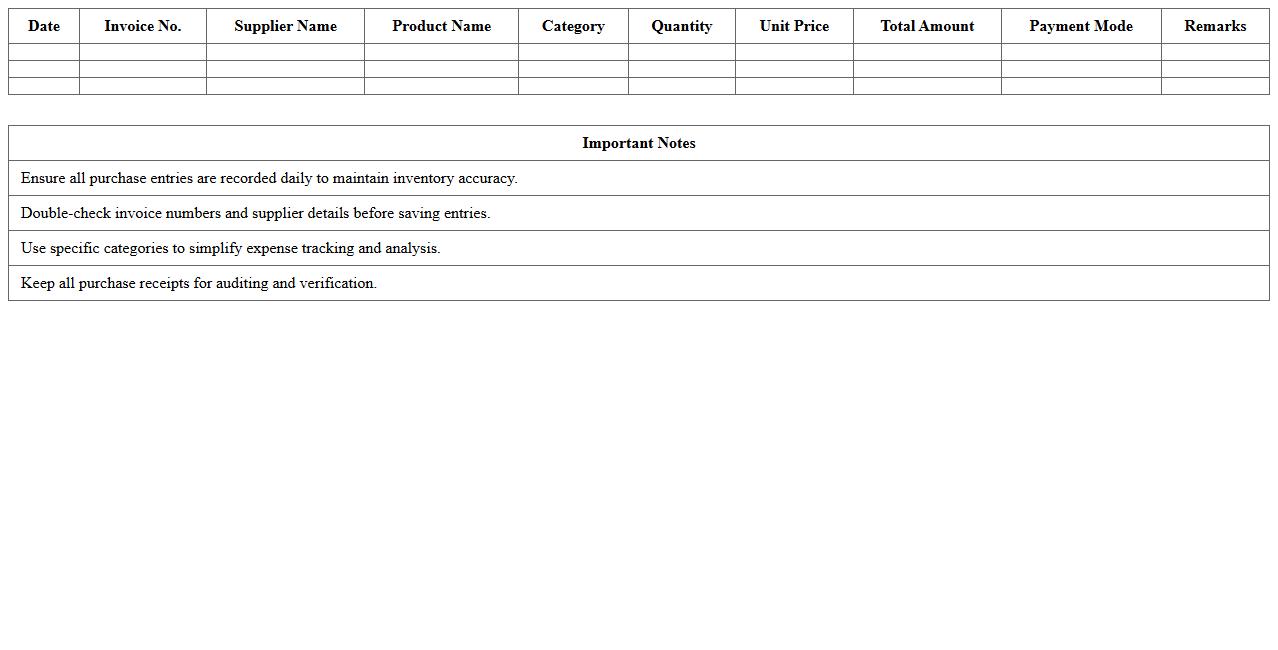
Daily Purchase Entry Tracker for retail stores is a detailed document used to record and monitor all purchase transactions made each day, including supplier names, invoice numbers, quantities, and costs. It provides accurate, real-time data that helps businesses maintain inventory control, track expenses, and analyze purchasing patterns for better financial planning. This tool enhances operational efficiency by enabling retailers to quickly identify discrepancies, manage supplier relationships, and ensure accurate bookkeeping.
Retail Purchase Invoice Record Sheet
A
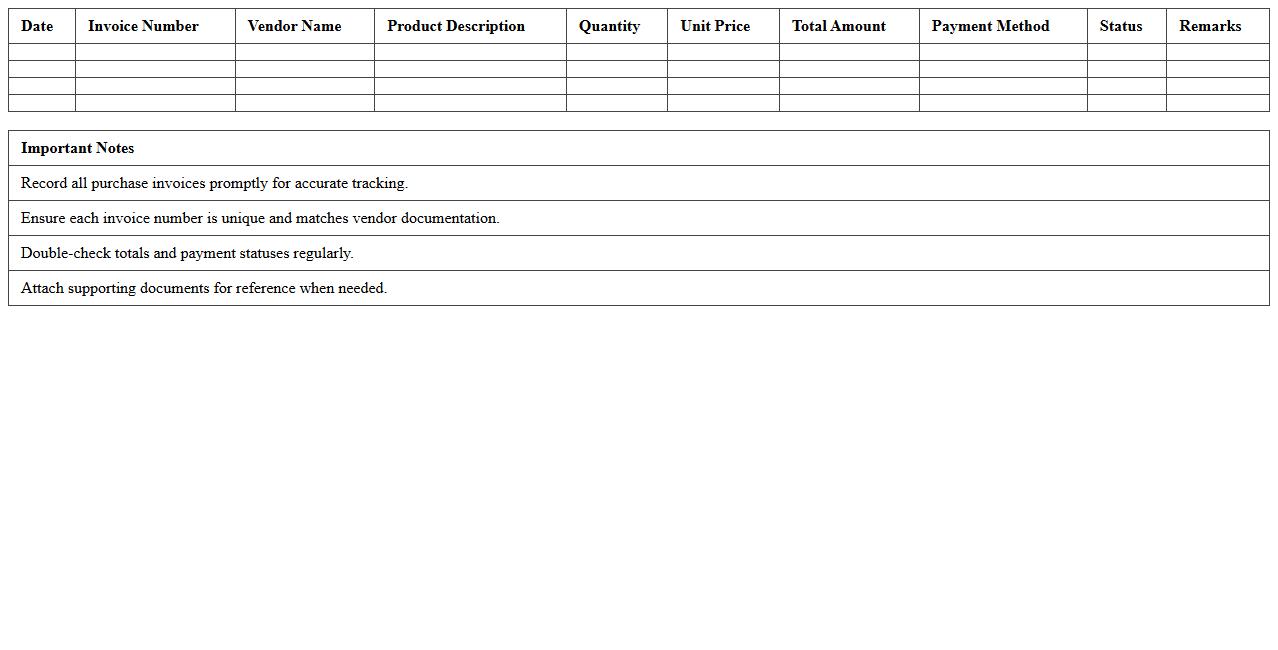
Retail Purchase Invoice Record Sheet is a document used to systematically track and record all purchase invoices within a retail business, ensuring accurate documentation of transactions. This sheet helps maintain organized financial records, facilitates easier auditing, and improves inventory management by linking purchases directly to stock levels. Utilizing this record enhances transparency, reduces errors, and supports efficient cost control and budgeting processes.
Supplier-Wise Purchase Register Template
The
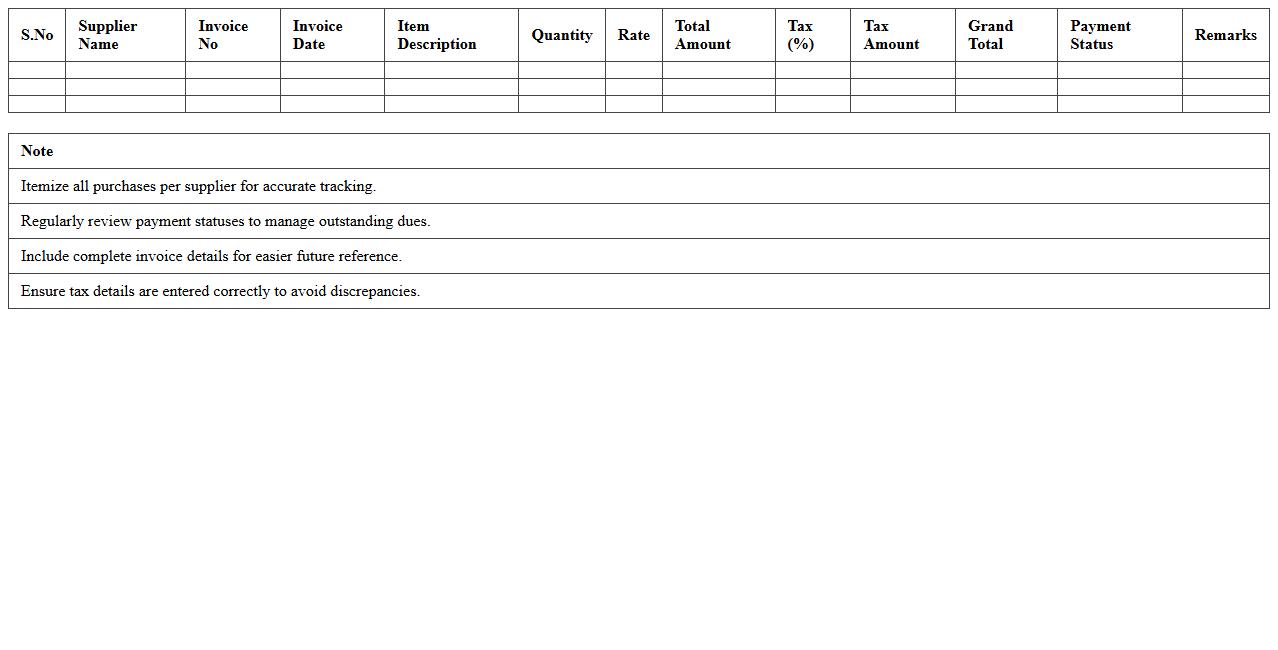
Supplier-Wise Purchase Register Template is a structured document that records all purchase transactions categorized by each supplier, enabling easy tracking of procurement activities. It helps organizations monitor supplier performance, manage payment schedules, and analyze spending patterns, which supports informed decision-making and cost control. Using this template enhances financial transparency and ensures accurate purchase data management for efficient supply chain operations.
Monthly Retail Purchase Summary Excel
The
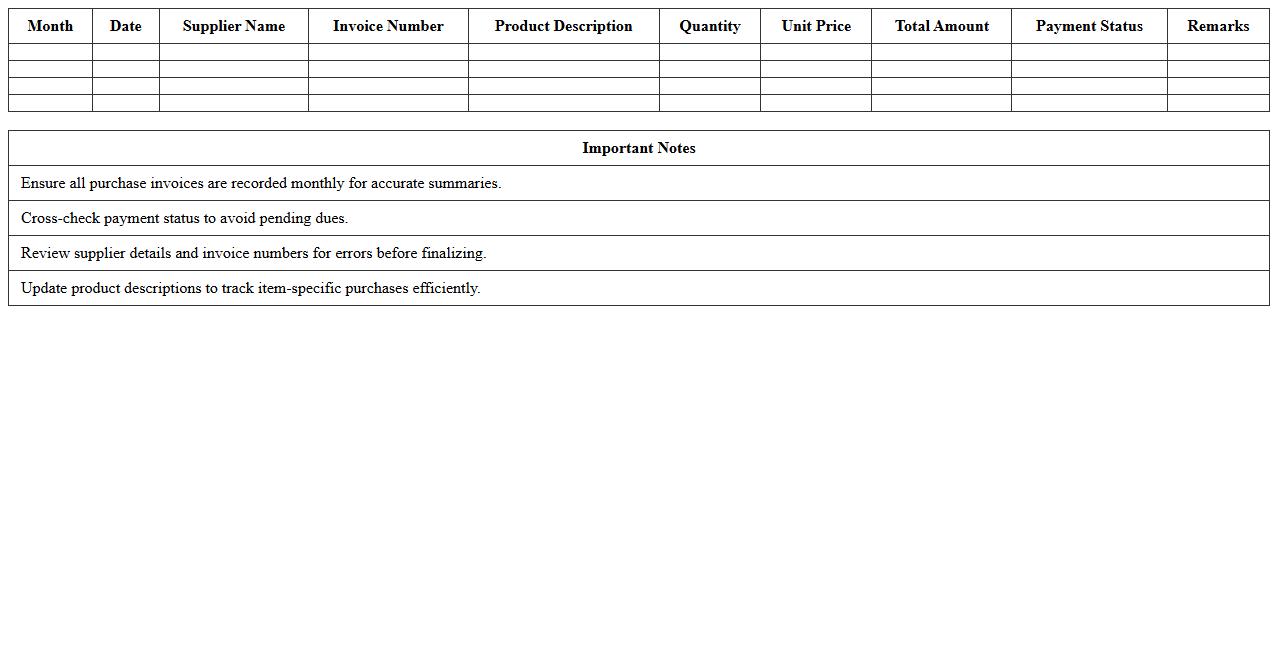
Monthly Retail Purchase Summary Excel document consolidates all retail purchase transactions from a given month into an organized format, featuring essential data points such as purchase dates, vendor names, quantities, unit prices, and total costs. This document is useful for tracking spending patterns, managing inventory replenishment, and analyzing supplier performance over time. By providing a clear overview of monthly retail purchases, businesses can make informed budgeting decisions and optimize operational efficiency.
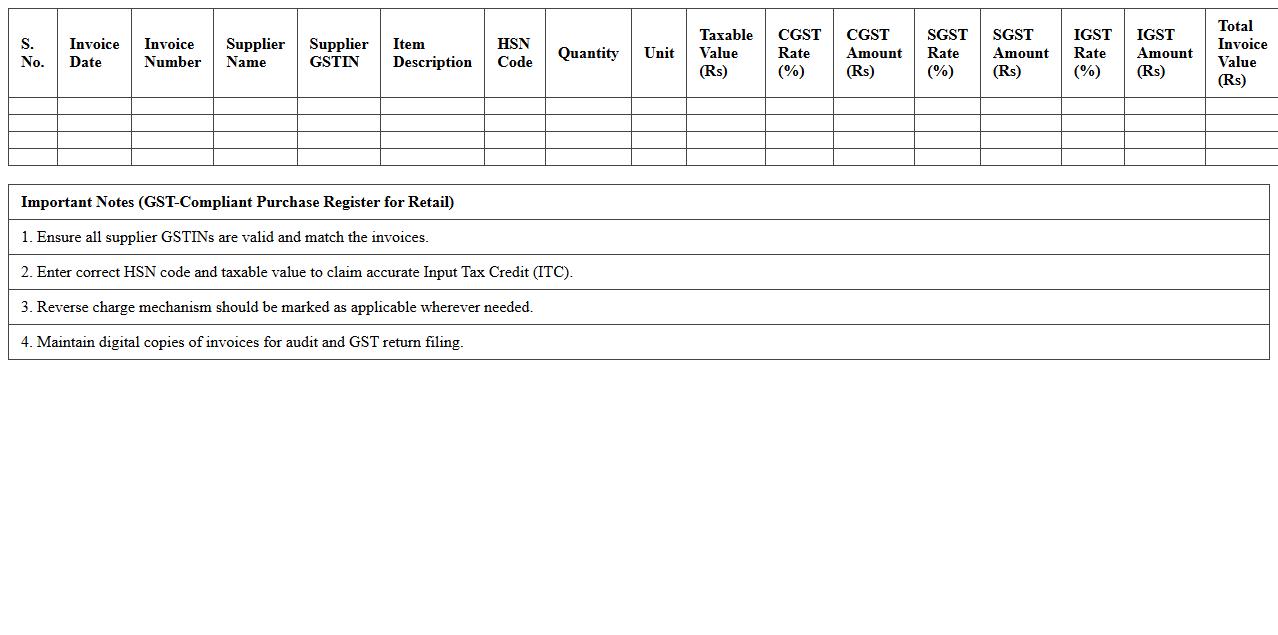
GST-Compliant Purchase Register for Retail
The
GST-Compliant Purchase Register for Retail is a detailed record of all purchases made by a retail business, maintained according to Goods and Services Tax (GST) regulations. It helps ensure accurate tracking of input tax credits by capturing essential invoice details such as supplier information, GSTIN, invoice date, and tax amounts. This document aids in seamless GST return filing, audit readiness, and compliance, reducing errors and penalties for retail businesses.
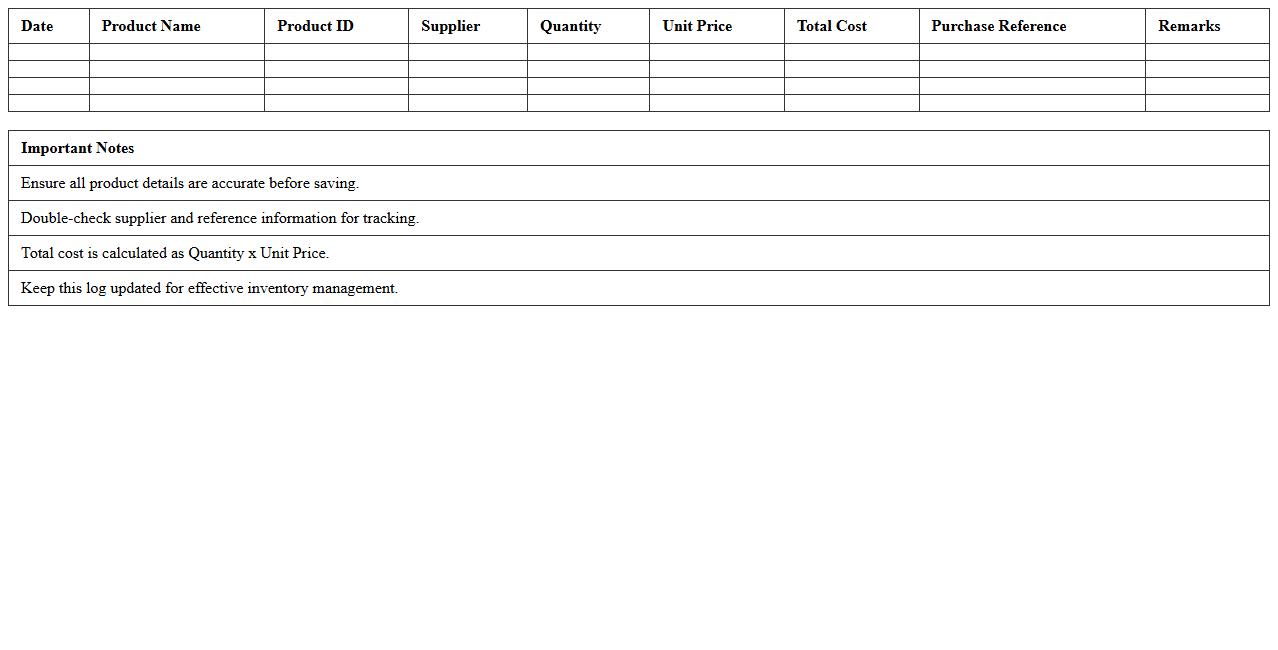
Product-Wise Purchase Log Template
A
Product-Wise Purchase Log Template is a structured document designed to track and record purchases of individual products systematically. It helps monitor purchase quantities, costs, and suppliers, enabling efficient inventory management and financial analysis. Using this template improves accuracy in expense tracking and supports informed decision-making for procurement strategies.
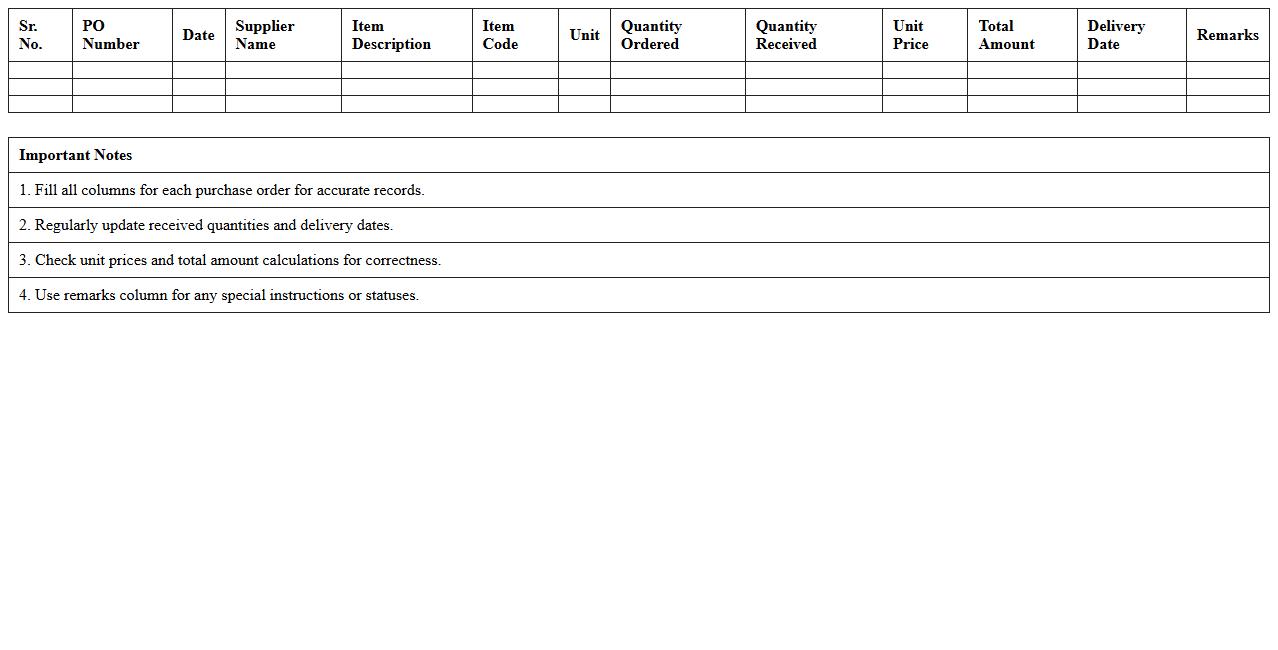
Item Purchase Order Register Sheet
The
Item Purchase Order Register Sheet is a detailed document that records all purchase orders issued for inventory items, including quantities, suppliers, dates, and costs. It helps businesses track procurement activities, monitor order statuses, and maintain accurate inventory records for efficient supply chain management. This register enhances accountability, reduces errors in ordering, and supports timely financial reconciliation.
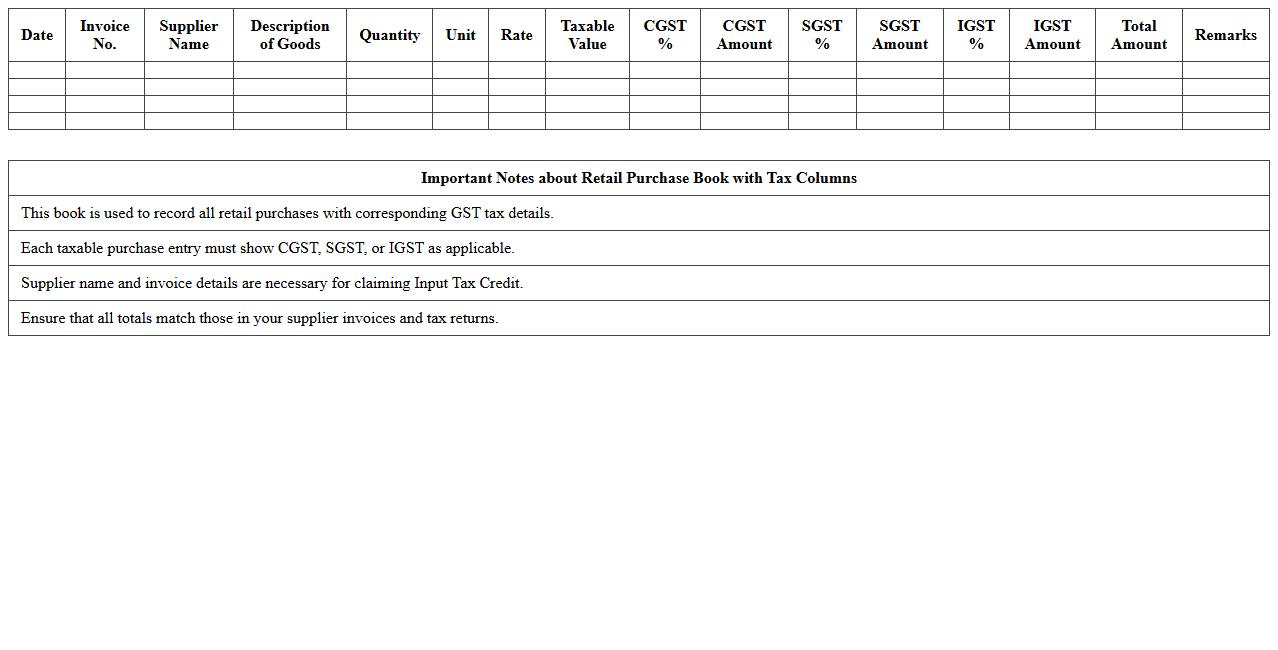
Retail Purchase Book with Tax Columns
The
Retail Purchase Book with Tax Columns document systematically records all retail purchase transactions along with detailed tax information like GST or VAT amounts, enabling accurate tax calculations and compliance. This record helps businesses track input tax credits, simplify audit processes, and maintain transparency in financial reporting. By organizing purchase data alongside tax details, it enhances decision-making and ensures timely tax filings, reducing the risk of penalties.
Purchase Bill Tracker for Retail Outlets
The
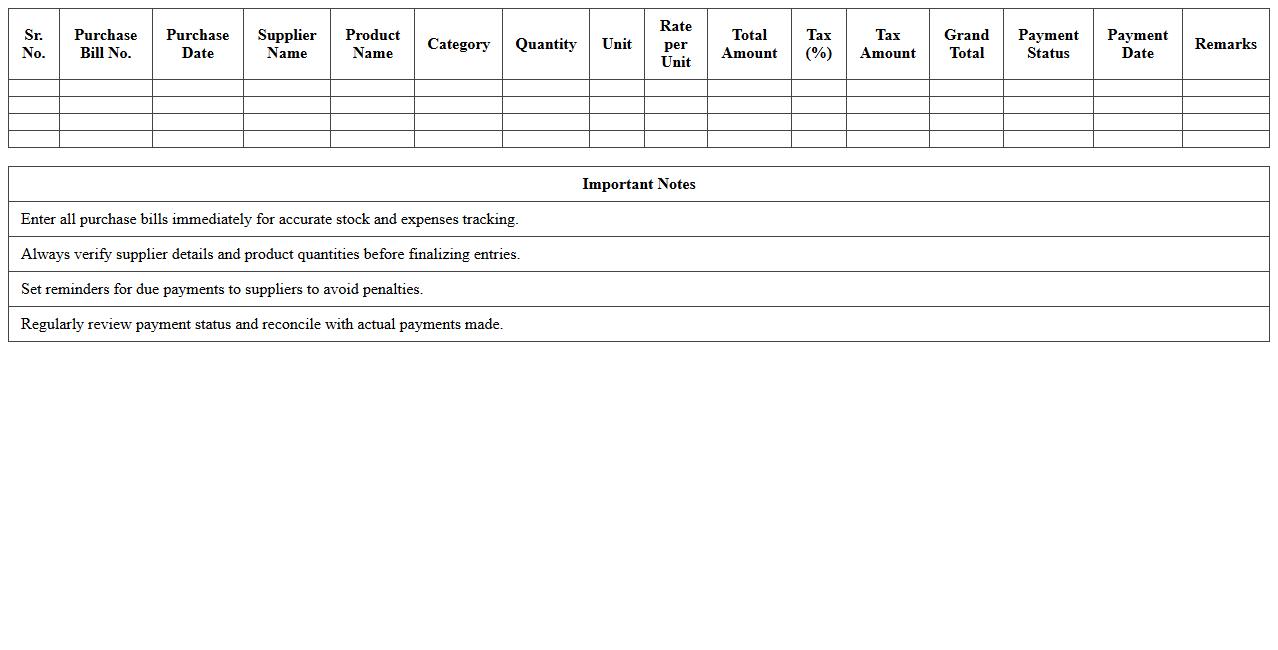
Purchase Bill Tracker for Retail Outlets document is a comprehensive tool designed to record and monitor all purchase transactions systematically, ensuring accurate inventory management and cost control. It helps retail businesses maintain organized records of supplier bills, track payment statuses, and analyze purchasing patterns to optimize procurement decisions. By using this tracker, retailers can reduce errors, prevent payment delays, and enhance financial transparency, leading to improved operational efficiency and profitability.
Yearly Retail Store Procurement Register
The
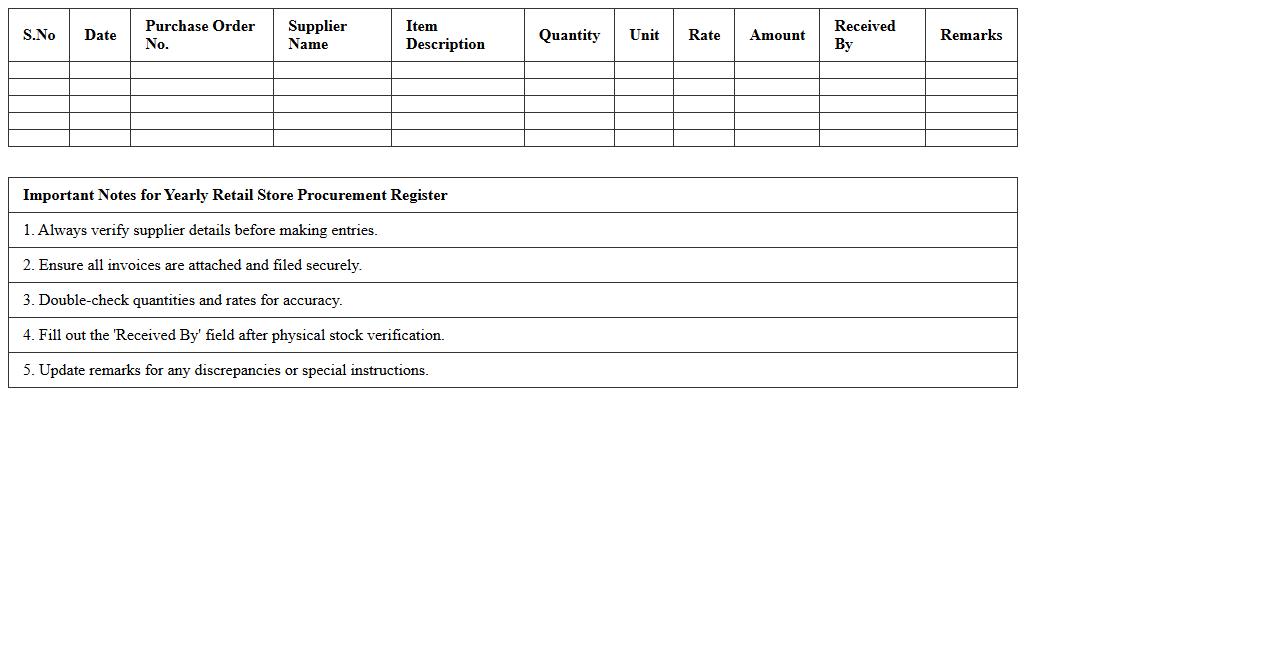
Yearly Retail Store Procurement Register is a comprehensive document that records all purchasing transactions made by a retail store throughout the year. It helps track inventory acquisition, supplier details, cost management, and budgeting accuracy, enabling efficient financial planning and audit compliance. This register is essential for monitoring procurement trends, optimizing stock levels, and ensuring transparency in vendor dealings.
How to automate monthly tax calculations in a purchase register Excel for retail stores?
To automate monthly tax calculations in Excel, use formulas like SUMIFS to aggregate tax amounts based on invoice dates. Incorporate date filters to isolate purchases within each month, ensuring accurate tax totals. Utilize dynamic named ranges or Excel Tables to keep calculations updated with new data entries.
What are the essential columns needed for GST compliance in a purchase register template?
A GST-compliant purchase register must include columns for invoice number, invoice date, supplier GSTIN, and taxable value. Additionally, fields for CGST, SGST, IGST amounts, and HSN codes are critical for complete tax reporting. Properly structured columns ensure seamless GST return filing and audit readiness.
How can I integrate barcode scanning data into a purchase register Excel sheet?
To integrate barcode scanning into Excel, connect a barcode scanner that inputs data directly into designated cells like product codes or SKUs. Using Excel's data validation and lookup functions, scanned barcodes can auto-populate related purchase details. This streamlines data entry and improves accuracy in the purchase register.
What conditional formatting helps flag duplicate invoices in a retail purchase register?
Applying conditional formatting with the formula COUNTIF helps highlight duplicate invoice numbers in purchase registers. Set rules to color-code cells where the invoice number appears more than once, alerting to potential data entry errors. This method supports effective error tracking and compliance assurance.
How to generate supplier-wise purchase summaries using Excel PivotTables from the register?
Create a PivotTable by selecting the purchase register data and choosing supplier names as row labels and sum of purchase values as values. Filter the PivotTable by date to get monthly or quarterly summaries per supplier. PivotTables enable quick visualization and analysis of purchase trends across suppliers.