The Project Ledger Excel Template for Freelancers is designed to help track income, expenses, and project details efficiently. It offers customizable fields for client names, payment status, and deadlines, simplifying financial management. Freelancers can use this tool to maintain organized records and improve cash flow monitoring.
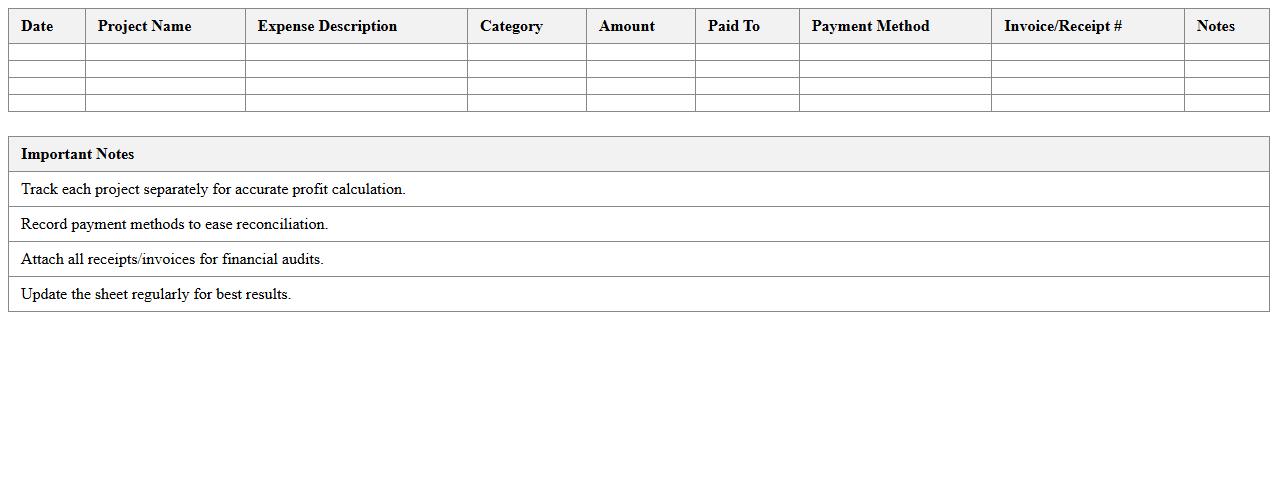
Freelance Project Expense Tracking Excel Sheet
A
Freelance Project Expense Tracking Excel Sheet is a comprehensive document designed to monitor and categorize all expenses related to freelance projects efficiently. It helps freelancers maintain accurate financial records by tracking costs such as materials, software, subcontractors, and travel, enabling better budget management and invoicing accuracy. This tool enhances financial organization, reduces the risk of missed deductions, and supports timely decision-making for improving project profitability.
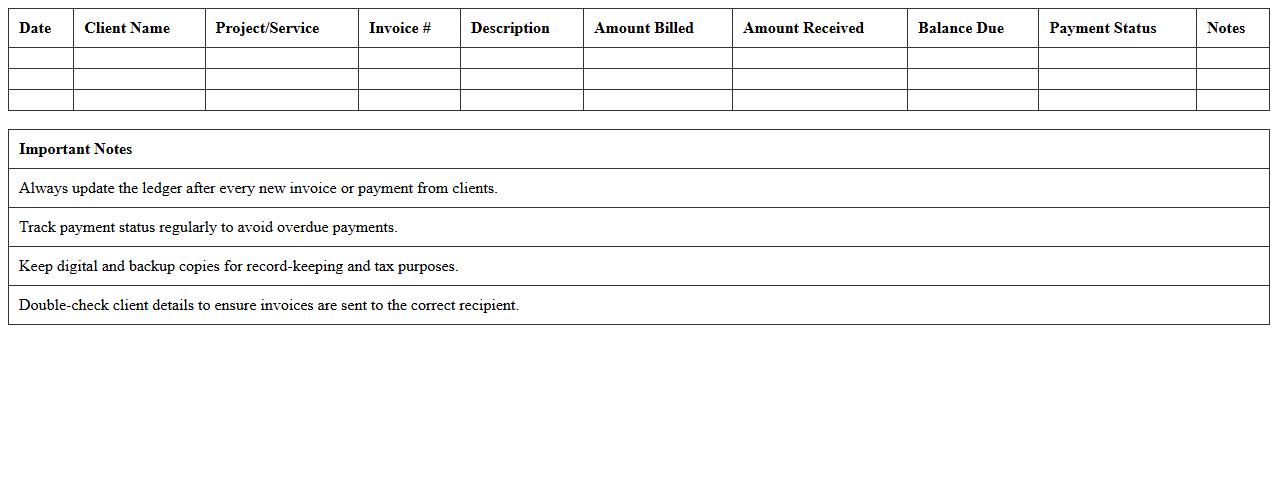
Client Billing Ledger Template for Freelancers
A
Client Billing Ledger Template for Freelancers is a structured document designed to record and track all billing transactions between freelancers and their clients. This template helps maintain clear records of invoices issued, payments received, outstanding balances, and service details, ensuring accurate financial management. Utilizing this template improves organization, facilitates timely payment follow-ups, and simplifies tax reporting for freelancers.
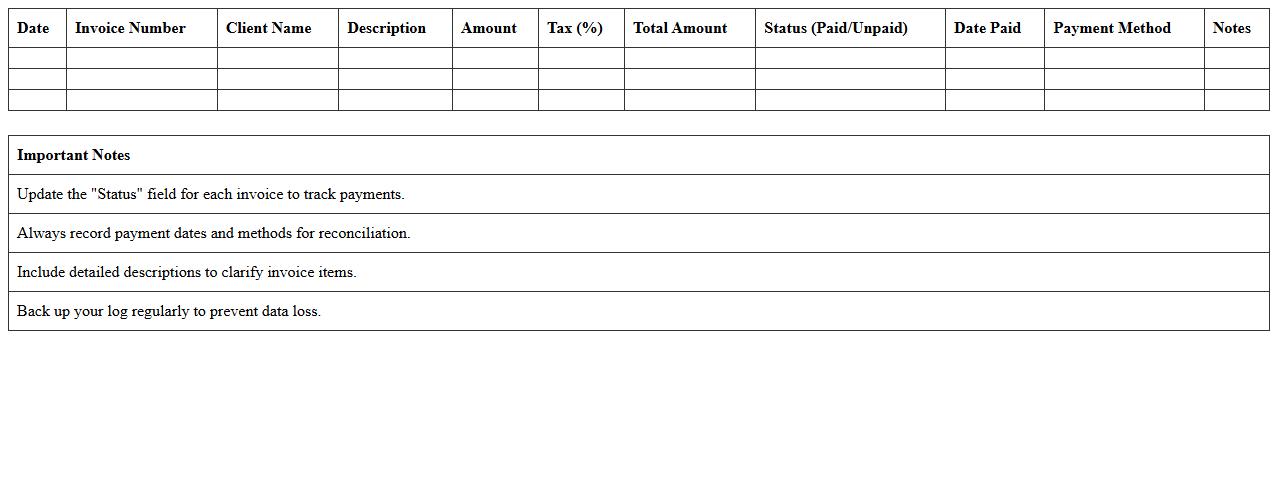
Invoice and Payment Log Excel for Self-Employed
An
Invoice and Payment Log Excel for self-employed individuals is a structured spreadsheet designed to track all invoices issued and payments received over a specific period. It helps manage cash flow by organizing client details, invoice numbers, dates, amounts, and payment statuses in one accessible location. This tool supports accurate financial record-keeping, simplifies tax preparation, and enhances budgeting efficiency.
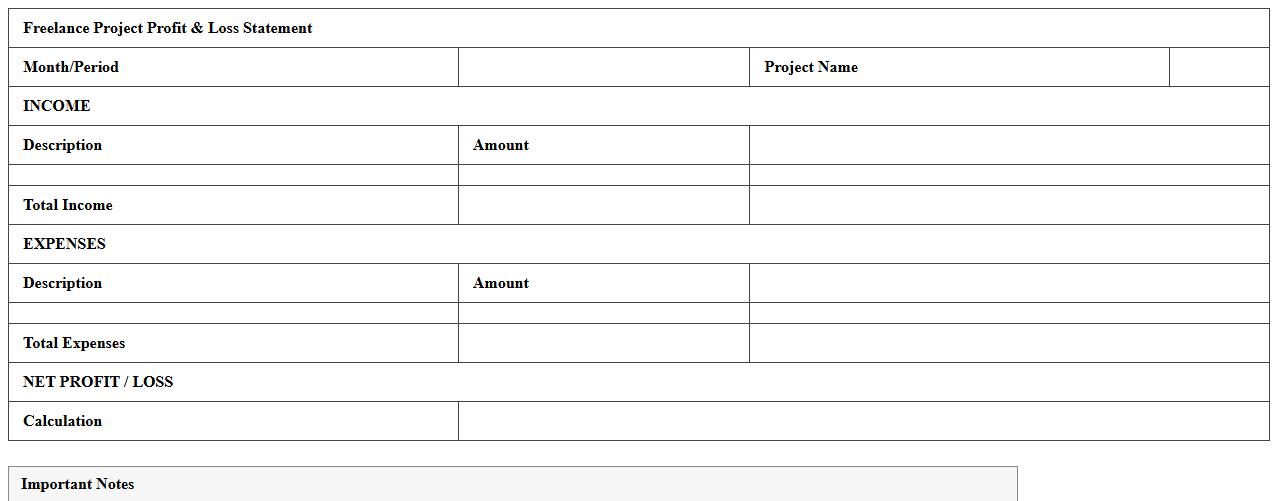
Freelance Project Profit & Loss Statement Template
A
Freelance Project Profit & Loss Statement Template is a financial document designed to help freelancers track income and expenses associated with specific projects, providing a clear overview of profitability. It simplifies financial management by organizing revenue streams, costs, and net profit, enabling more accurate budgeting and informed decision-making. Using this template ensures better project cost control and enhances the ability to assess the financial success of individual freelance engagements.
Time Tracking and Billing Excel for Freelance Work
A
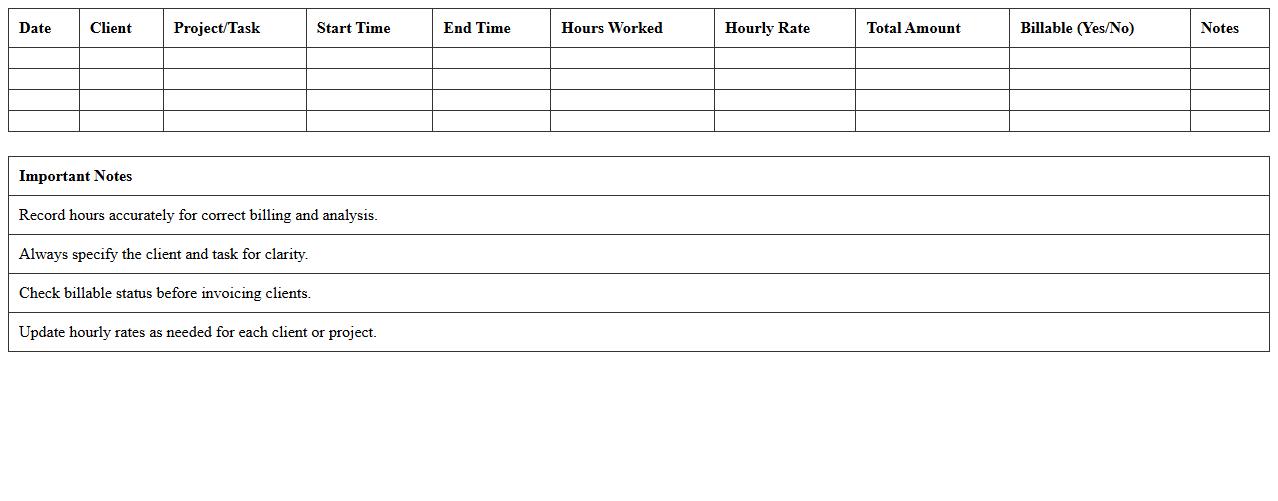
Time Tracking and Billing Excel document for freelance work is a structured spreadsheet designed to record hours worked, project details, and payment calculations efficiently. It helps freelancers organize billable hours, generate accurate invoices, and monitor project progress, ensuring timely compensation and financial clarity. Using this tool enhances productivity by simplifying time management and streamlining the billing process in one easily accessible format.
Freelancer's Project Milestone Ledger Sheet
The
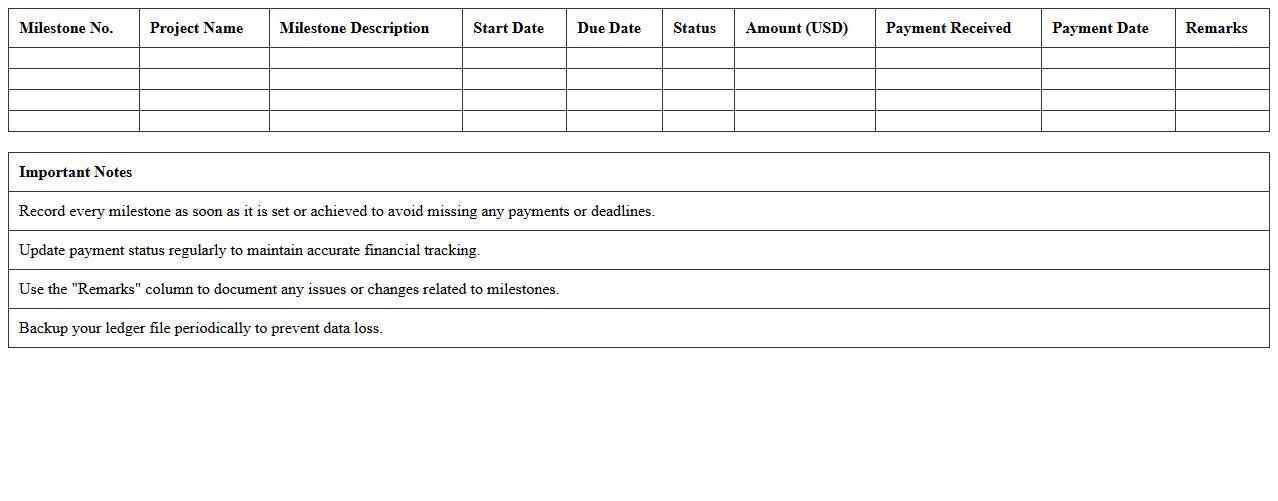
Freelancer's Project Milestone Ledger Sheet is a detailed document that tracks project milestones, payment schedules, and progress updates for freelance projects. It helps maintain clear communication between freelancers and clients by providing a transparent record of completed tasks and corresponding payments. This ledger sheet ensures timely payments and effective project management, reducing disputes and improving overall workflow efficiency.
Income & Expense Tracker Excel for Freelancers
An
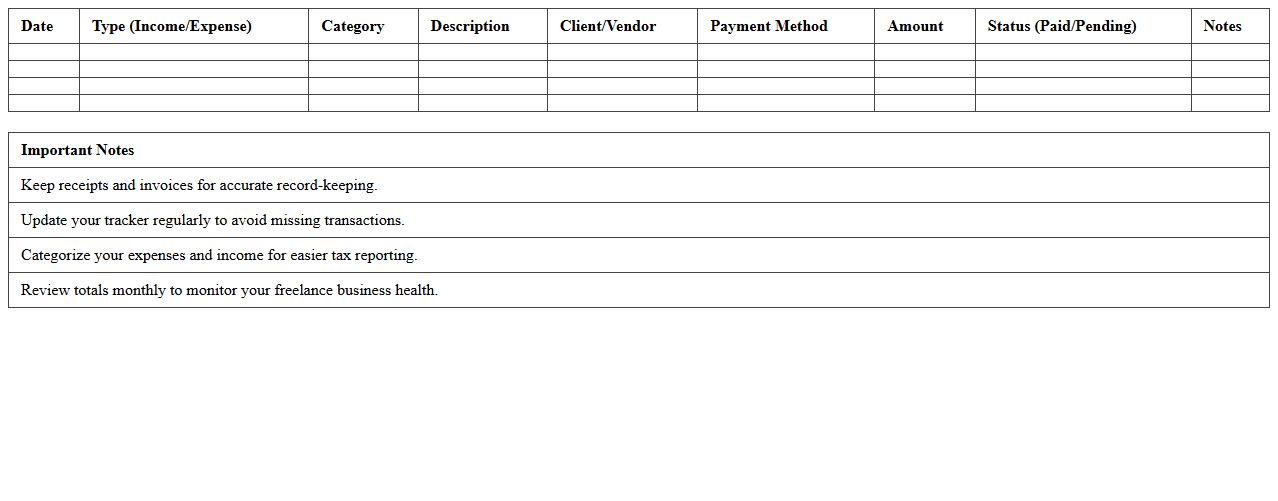
Income & Expense Tracker Excel for Freelancers is a powerful tool designed to help independent professionals organize and monitor their financial transactions efficiently. This document enables clear tracking of earnings, expenses, and net income, simplifying tax preparation and budgeting processes. Freelancers benefit from improved financial management, ensuring better cash flow visibility and informed decision-making.
Freelance Project Portfolio Financial Summary
A
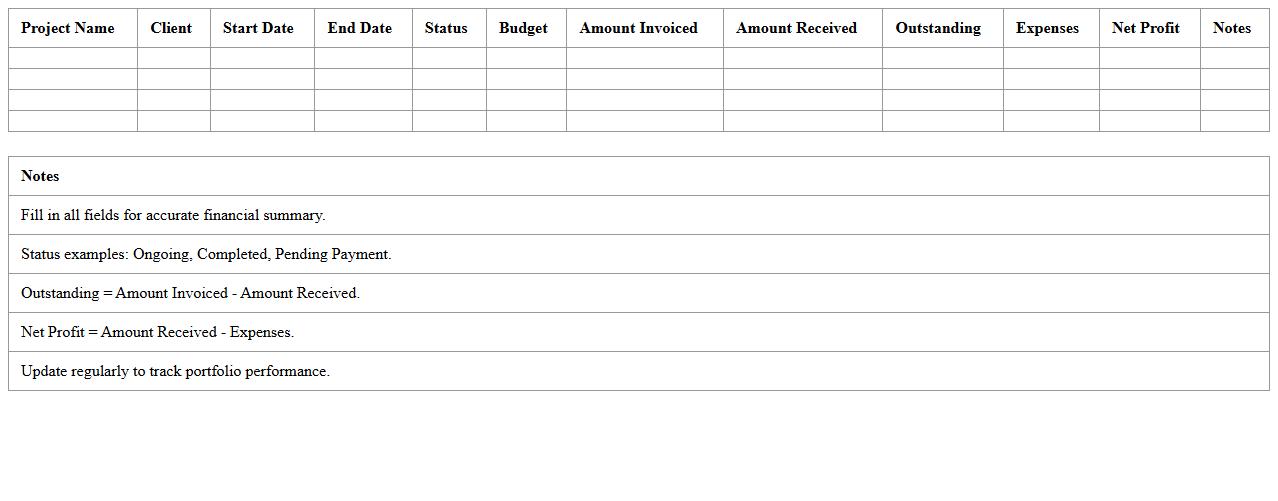
Freelance Project Portfolio Financial Summary document consolidates key financial data from multiple freelance projects, including income, expenses, and profit margins. It provides freelancers with a clear overview of their financial performance, enabling better budgeting, tax preparation, and strategic planning. By tracking individual project earnings and costs, this summary helps optimize resource allocation and enhances decision-making for future freelance opportunities.
Client Project Cost Allocation Excel Template
The
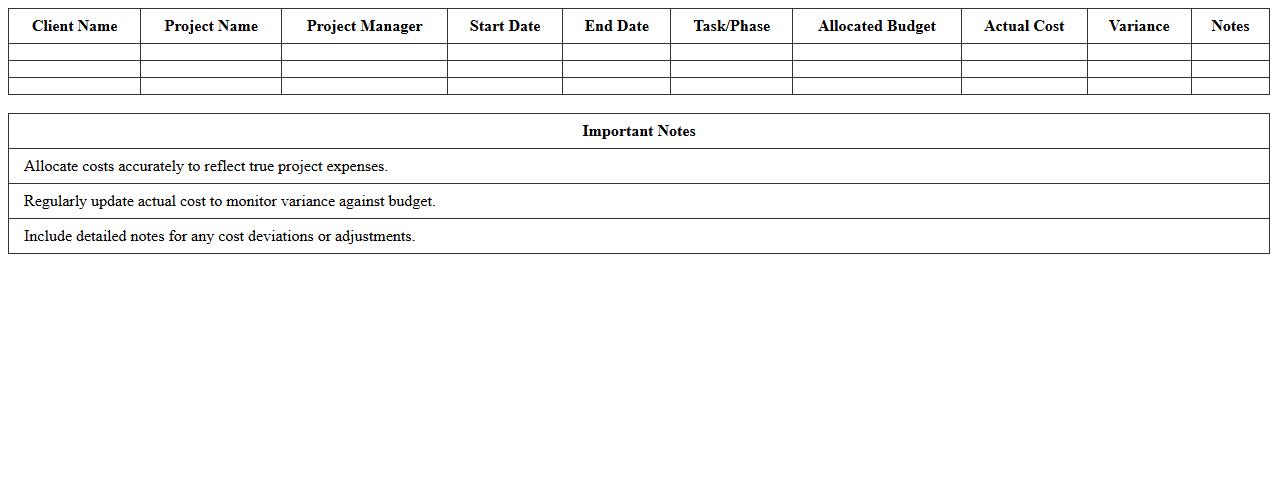
Client Project Cost Allocation Excel Template document is a structured spreadsheet designed to track and allocate expenses across various client projects accurately. It helps businesses manage budgets by categorizing costs, monitoring expenditures, and ensuring transparent financial reporting for each project. Utilizing this template improves resource management, enhances cost control, and facilitates more informed decision-making based on precise financial data.
Project-Based Earnings Log Sheet for Freelancers
A
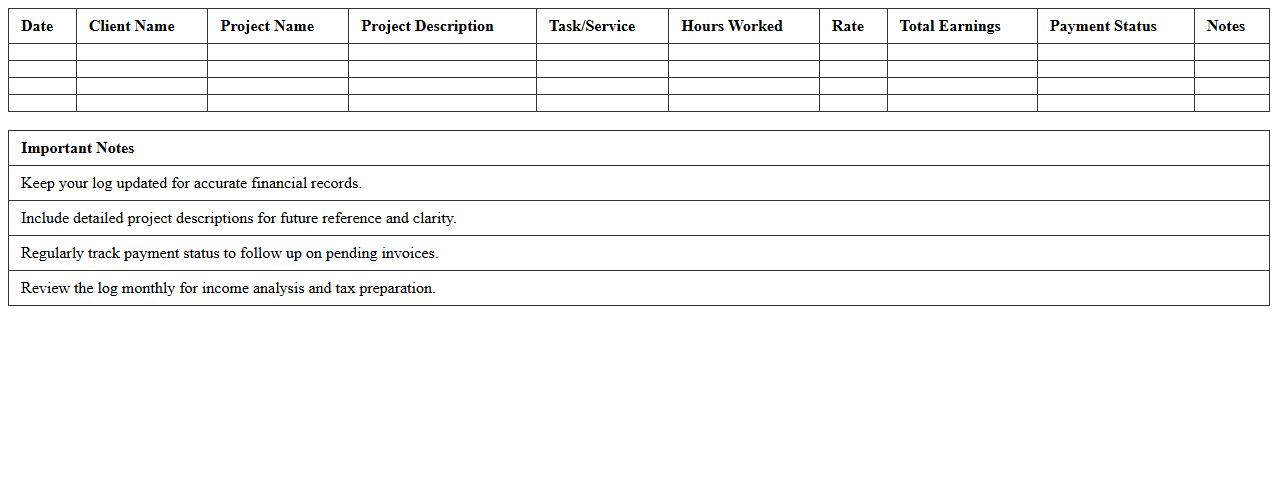
Project-Based Earnings Log Sheet for Freelancers is a detailed document that tracks income generated from individual projects, recording payment dates, client information, project descriptions, and amounts received. This log sheet helps freelancers monitor their cash flow, manage taxes more efficiently, and evaluate the profitability of each project, ensuring accurate financial organization. Using this tool allows professionals to optimize budgeting, streamline invoicing, and maintain clear records for financial reporting and business growth.
How do you customize invoice templates in a Project Ledger Excel for freelance projects?
To customize invoice templates in Project Ledger Excel, start by modifying the header with your branding elements like logos and contact information. Adjust the layout to include essential sections such as project details, billing dates, and payment terms, ensuring clarity for clients. Use Excel's cell formatting and formula features to automatically populate invoice numbers and calculate totals for seamless billing.
What formulas track billable hours versus non-billable tasks in a Freelancer's Project Ledger?
Tracking billable hours versus non-billable tasks can be managed using conditional formulas like IF and SUMIFS in Excel. For example, use SUMIFS to sum hours when the task type is marked as "Billable," distinguishing from "Non-Billable" work. Implementing these formulas ensures accurate calculation of revenue-generating time versus administrative or personal work.
How can you automate expense categorization in a Project Ledger Excel for freelance work?
Automate expense categorization by utilizing Excel's data validation and lookup functions, such as VLOOKUP or XLOOKUP, linked to a predefined category list. Input expense descriptions trigger automatic assignment to categories like travel, supplies, or software. This method reduces manual errors and simplifies expense reporting for freelancers.
What are best practices for client payment tracking within a Freelancer Project Ledger?
Effective client payment tracking involves recording invoice dates, due dates, amounts, and payment statuses clearly in your ledger. Use conditional formatting to highlight overdue payments, allowing quick identification of outstanding balances. Regularly updating this data helps maintain healthy cash flow and strengthens client relationships.
How do you generate profit/loss reports from a Project Ledger Excel tailored for freelancers?
Generating profit/loss reports requires consolidating income from billable hours and project fees, then subtracting categorized expenses using SUM and SUMIF formulas. Create pivot tables or summary sheets to visualize net profit over selected periods. This analysis aids freelancers in understanding financial performance and optimizing project profitability.
More Ledger Excel Templates