The Customer Support Dashboard Excel Template for SaaS Startups provides a comprehensive and easy-to-use tool for tracking customer inquiries, response times, and satisfaction metrics. Designed to enhance team efficiency, it offers visual charts and customizable reports that help identify support trends and improve service quality. This template streamlines data management, enabling SaaS startups to optimize customer experience and retention.
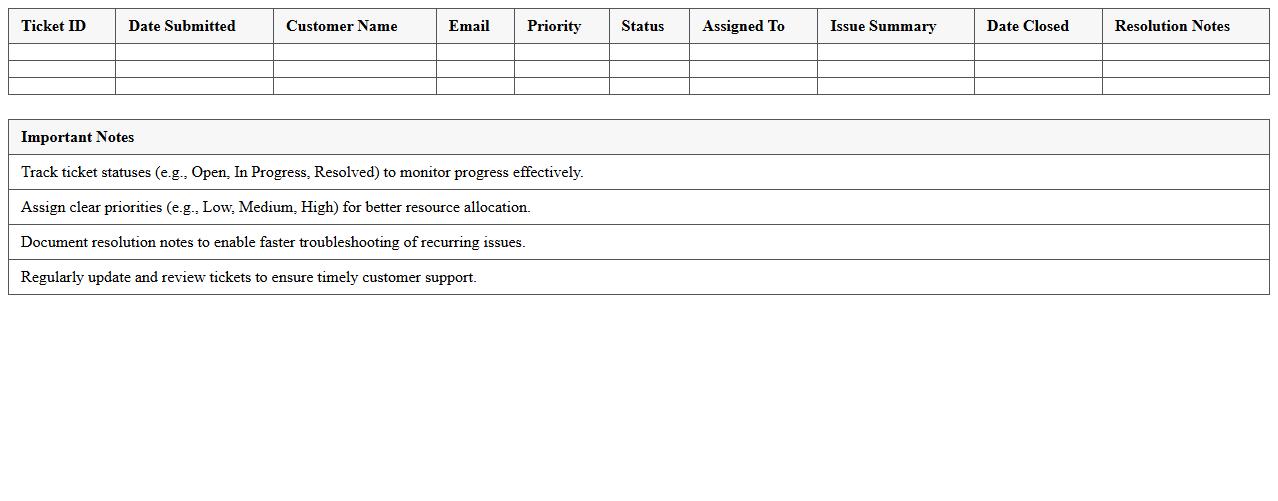
Customer Support Ticket Tracker for SaaS Startups (Excel Template)
The
Customer Support Ticket Tracker for SaaS startups is an Excel template designed to organize and monitor customer service requests efficiently. It helps teams prioritize, assign, and resolve support tickets promptly, improving response times and customer satisfaction. This tool provides valuable insights through tracking metrics like ticket volume, resolution time, and agent performance, enabling startups to optimize their support operations.
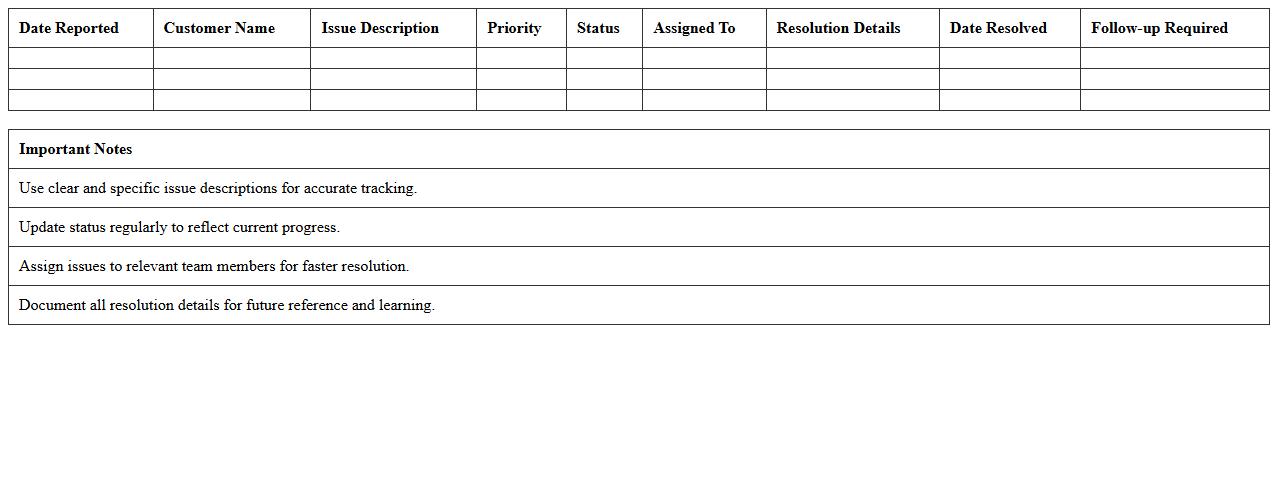
SaaS Customer Issue Resolution Log (Excel Template)
The
SaaS Customer Issue Resolution Log (Excel Template) is a structured tool designed to track, document, and manage customer support tickets and issues efficiently. It helps SaaS companies monitor the status, priority, and resolution timelines of customer problems, ensuring accountability and timely responses. Using this template improves communication within support teams, enhances customer satisfaction, and enables data-driven analysis for ongoing service improvement.
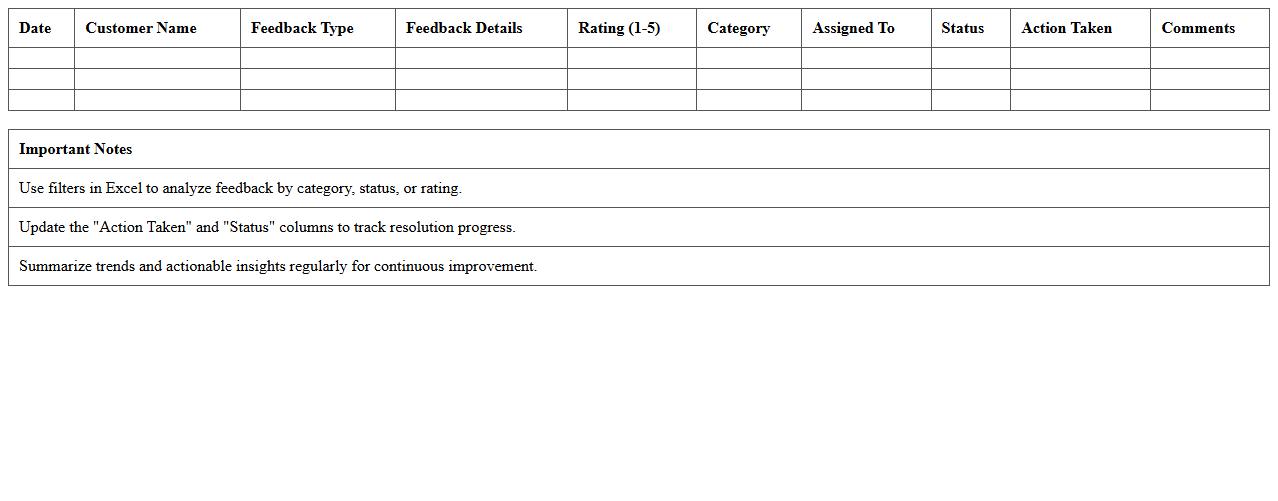
Customer Feedback Analysis Dashboard (Excel Template)
The
Customer Feedback Analysis Dashboard (Excel Template) is a comprehensive tool designed to collect, organize, and visualize customer feedback data efficiently. It enables businesses to identify trends, track customer satisfaction metrics, and pinpoint areas for improvement by transforming raw feedback into actionable insights. This dashboard streamlines decision-making processes and enhances customer experience strategies by providing clear and customizable graphical reports.
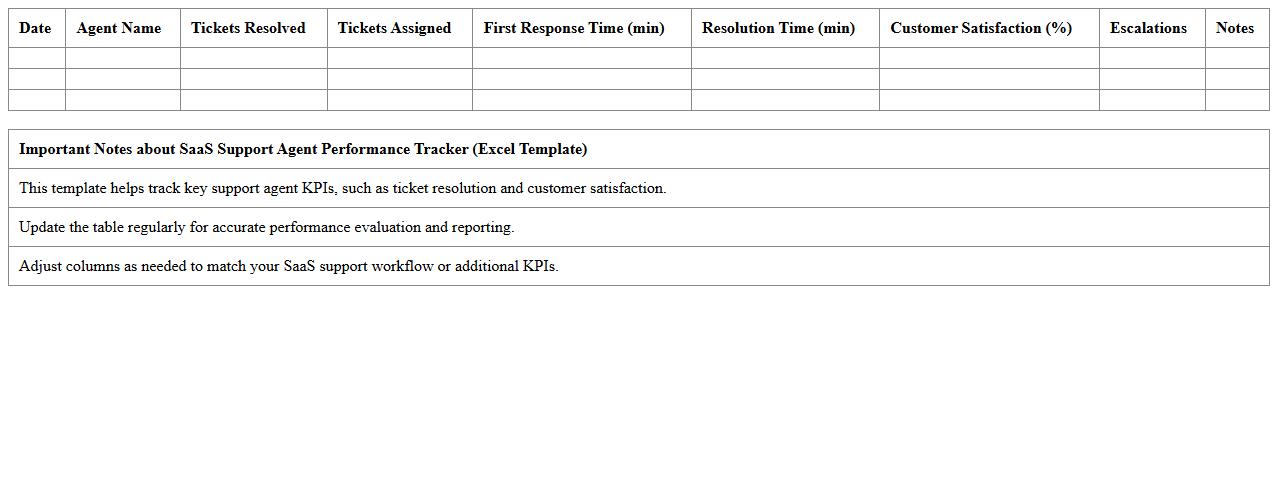
SaaS Support Agent Performance Tracker (Excel Template)
The
SaaS Support Agent Performance Tracker (Excel Template) is a comprehensive tool designed to monitor and evaluate the efficiency of customer support agents in SaaS companies. It consolidates key performance indicators such as response time, resolution rate, and customer satisfaction scores, enabling managers to identify strengths and areas for improvement. Utilizing this template enhances decision-making and optimizes team productivity through data-driven insights.
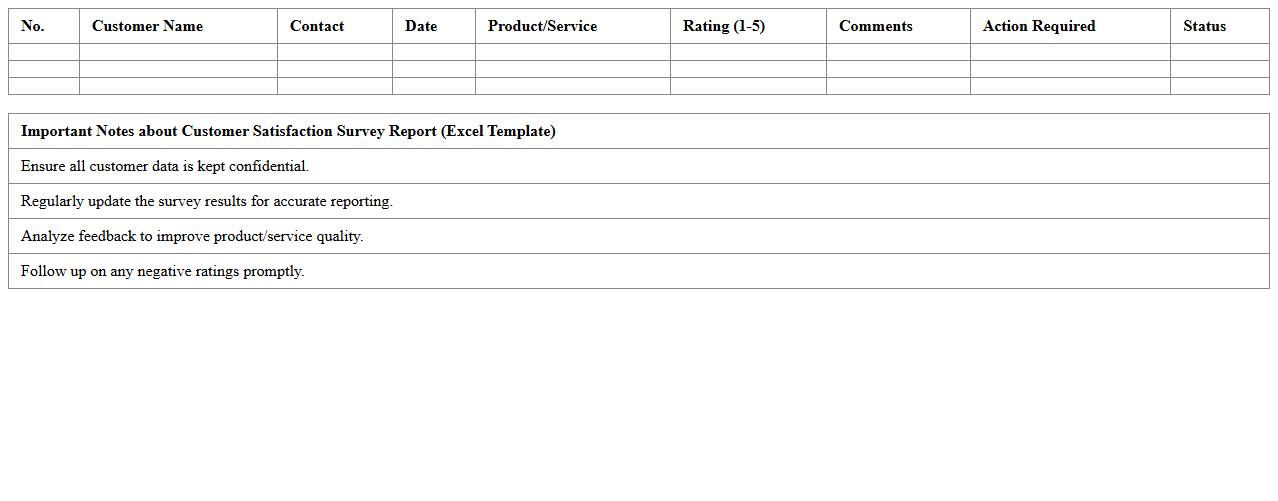
Customer Satisfaction Survey Report (Excel Template)
A
Customer Satisfaction Survey Report (Excel Template) is a structured document designed to collect, organize, and analyze customer feedback efficiently. It helps businesses identify areas of strength and improvement by compiling survey responses into clear charts and summary statistics within Excel. Utilizing this template streamlines data interpretation, enabling informed decisions that enhance customer experience and drive business growth.
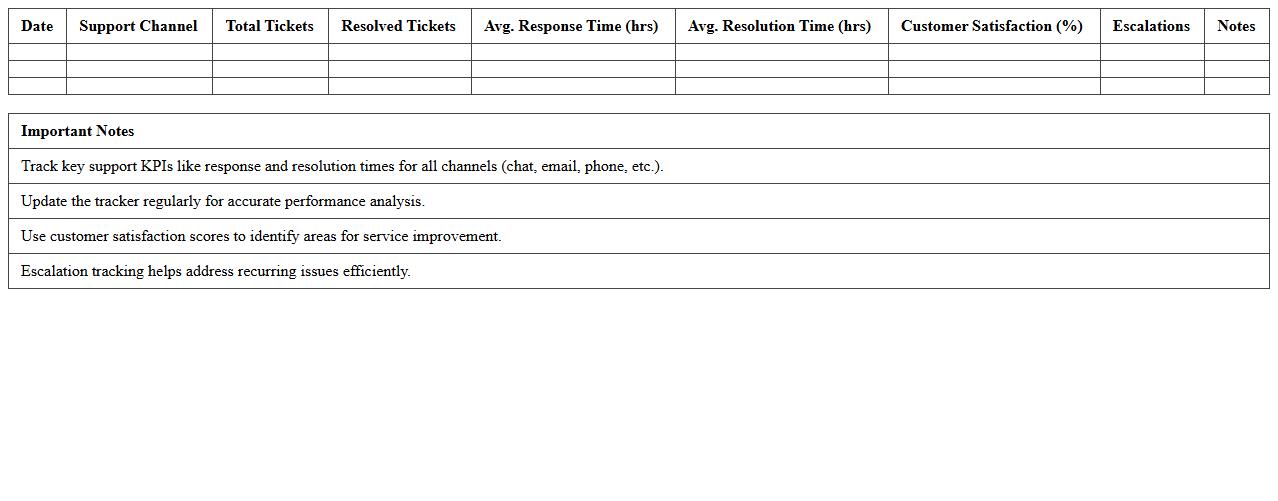
SaaS Support Channel Performance Tracker (Excel Template)
The
SaaS Support Channel Performance Tracker (Excel Template) is a comprehensive tool designed to monitor and analyze key metrics across various customer support channels in a Software as a Service (SaaS) environment. It helps businesses evaluate response times, resolution rates, customer satisfaction scores, and ticket volumes, enabling informed decision-making to enhance support efficiency. By consolidating performance data in one organized spreadsheet, this tracker facilitates continuous improvement and strategic planning for superior customer service delivery.
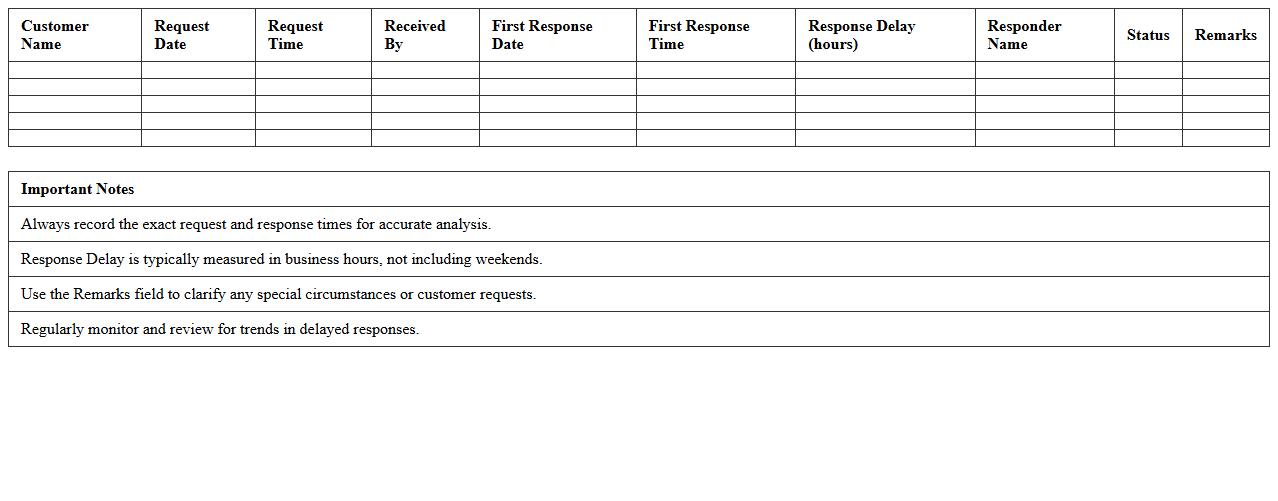
Customer Response Time Analysis Sheet (Excel Template)
The
Customer Response Time Analysis Sheet in Excel is a specialized document designed to track and evaluate the time taken to respond to customer inquiries or issues. It enables businesses to identify patterns or delays in communication, facilitating improved service efficiency and customer satisfaction. By analyzing key metrics such as response times and resolution durations, companies can optimize workflows and enhance overall customer experience.
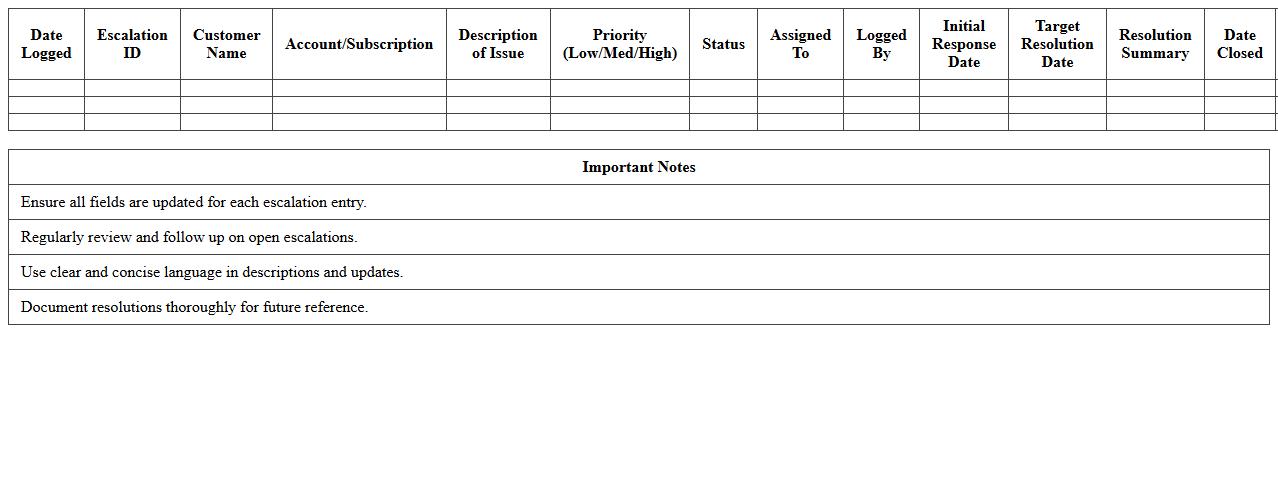
Escalation Management Log for SaaS (Excel Template)
The
Escalation Management Log for SaaS Excel template is a structured document designed to track, manage, and resolve customer issues efficiently within SaaS platforms. It helps teams monitor escalation levels, assign responsible personnel, and record resolution timelines, ensuring transparency and accountability. Utilizing this log improves customer support response times and enhances the overall service quality by systematically addressing critical incidents.
Monthly Support Metrics Overview (Excel Template)
The
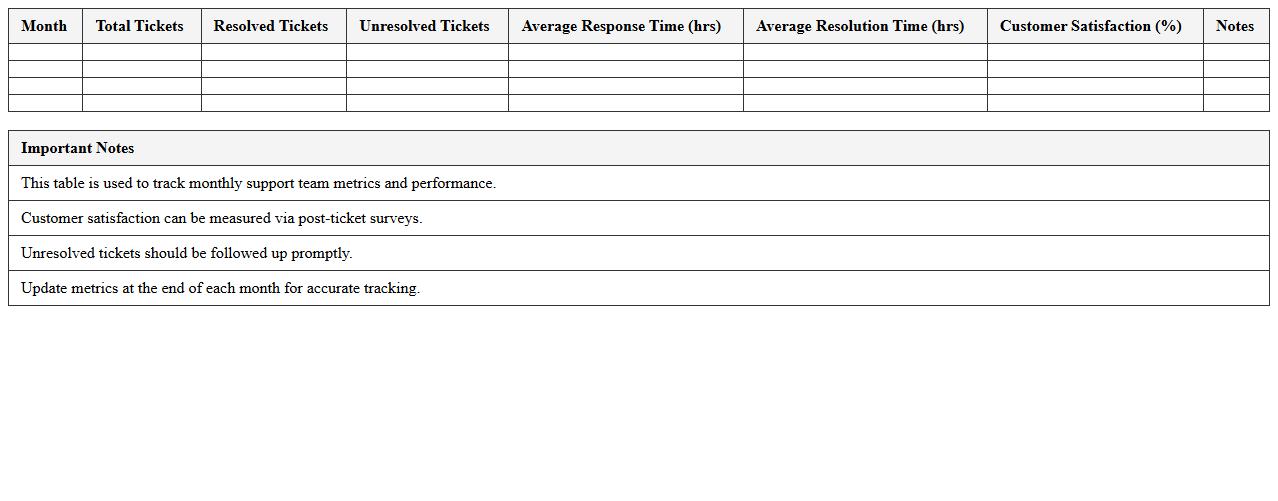
Monthly Support Metrics Overview (Excel Template) is a structured tool designed to track and analyze customer support performance data over time. It consolidates key metrics such as ticket volume, resolution time, customer satisfaction scores, and agent productivity into a single, easy-to-read format. This template helps businesses identify trends, optimize support processes, and make data-driven decisions to enhance overall service quality.
Customer Churn and Retention Tracker (Excel Template)
The
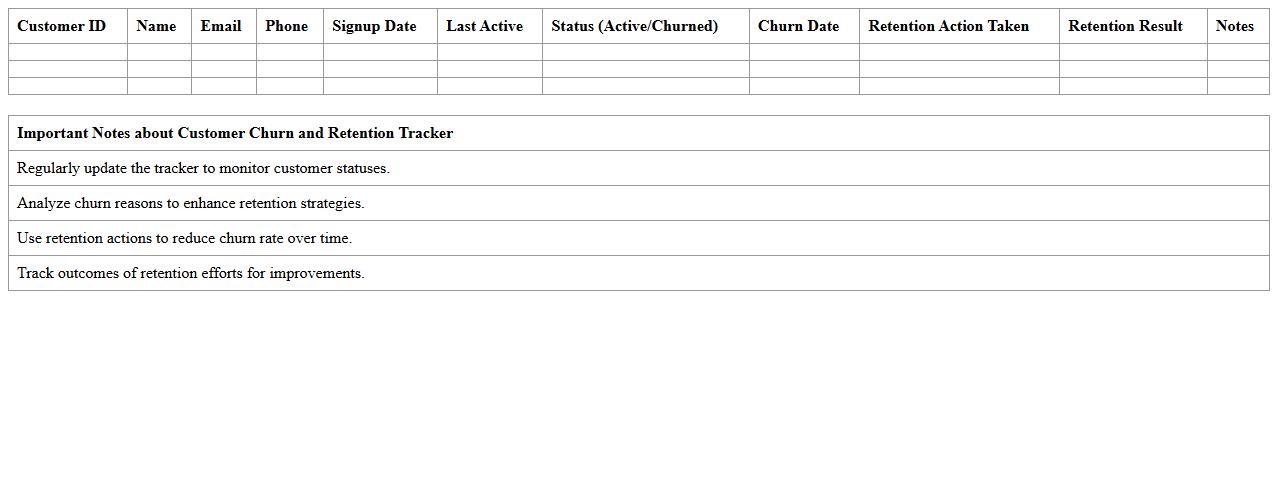
Customer Churn and Retention Tracker (Excel Template) is a powerful tool designed to monitor and analyze customer attrition rates and retention patterns accurately. By organizing customer data and tracking key metrics such as churn rate, retention rate, and customer lifetime value, it enables businesses to identify trends and implement targeted strategies to reduce customer loss. This template enhances decision-making by providing clear insights into customer behavior, helping companies improve loyalty and maximize revenue growth.
How can I automate ticket status updates in my Customer Support Dashboard Excel for SaaS?
To automate ticket status updates, use Excel formulas like IF and VLOOKUP combined with pivot tables for dynamic tracking. You can also employ Excel's Power Query to import and refresh ticket data from external sources automatically. Setting up conditional formatting helps visually distinguish ticket statuses instantly within your dashboard.
What formulas help track average response time per customer segment in Excel?
Calculating average response time per segment requires formulas such as AVERAGEIFS, which allows filtering by multiple conditions like customer segment and date range. Use the NETWORKDAYS function to exclude weekends and get accurate working day response calculations. Combining these with structured tables optimizes your data analysis for precise metrics.
How do I visualize churn risk based on support ticket trends in the dashboard?
Visualizing churn risk involves creating charts like line graphs or heat maps linked to ticket volume and resolution times using Excel's PivotChart feature. Use conditional formatting to highlight spikes in unresolved tickets that may indicate churn risk. Integrating trend analysis through moving averages helps identify patterns impacting customer retention.
Can I integrate NPS feedback directly into the Excel dashboard for SaaS support analysis?
Yes, by importing NPS data through Excel's Power Query or manual CSV imports, you can link feedback scores directly into your dashboard for comprehensive analysis. Use formulas like AVERAGE and COUNTIFS to calculate score distributions and satisfaction trends. Visual elements like bar charts or gauge visuals enhance how NPS insights inform support decisions.
What's the best way to filter unresolved issues by priority and product in my Excel dashboard?
The optimal approach is to create slicers connected to your data tables or pivot tables for interactive filtering by priority and product categories. Use FILTER or advanced pivot table filters to extract only unresolved tickets meeting your criteria. This enables quick, user-friendly access to critical unresolved issues for fast resolution.
More Dashboard Excel Templates