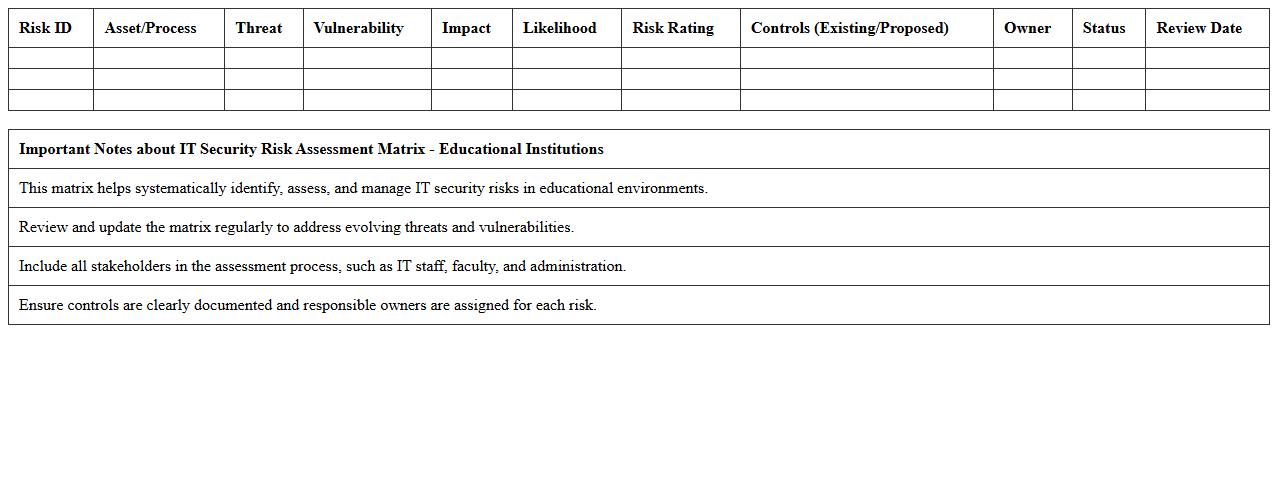
IT Security Risk Assessment Matrix – Educational Institutions
The
IT Security Risk Assessment Matrix for Educational Institutions is a structured tool that identifies, evaluates, and prioritizes potential cybersecurity threats specific to academic environments. This document helps administrators and IT professionals systematically assess vulnerabilities, gauge potential impacts, and implement effective mitigation strategies tailored to protect sensitive student and institutional data. Utilizing this matrix enhances decision-making processes, improves resource allocation for security measures, and strengthens overall information security governance within educational settings.
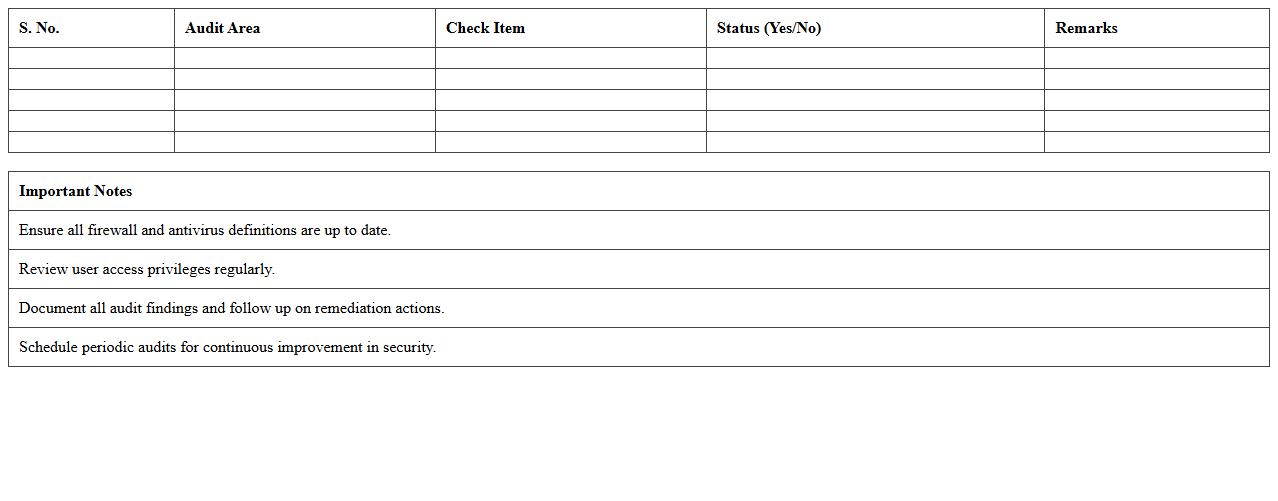
Network Security Audit Checklist – Schools & Colleges
The
Network Security Audit Checklist - Schools & Colleges is a comprehensive document designed to systematically evaluate the security posture of educational institutions' IT networks. It helps identify vulnerabilities, ensure compliance with data protection regulations, and protect sensitive student and staff information from cyber threats. This checklist serves as a practical guide for IT administrators to implement necessary safeguards and maintain a secure digital learning environment.
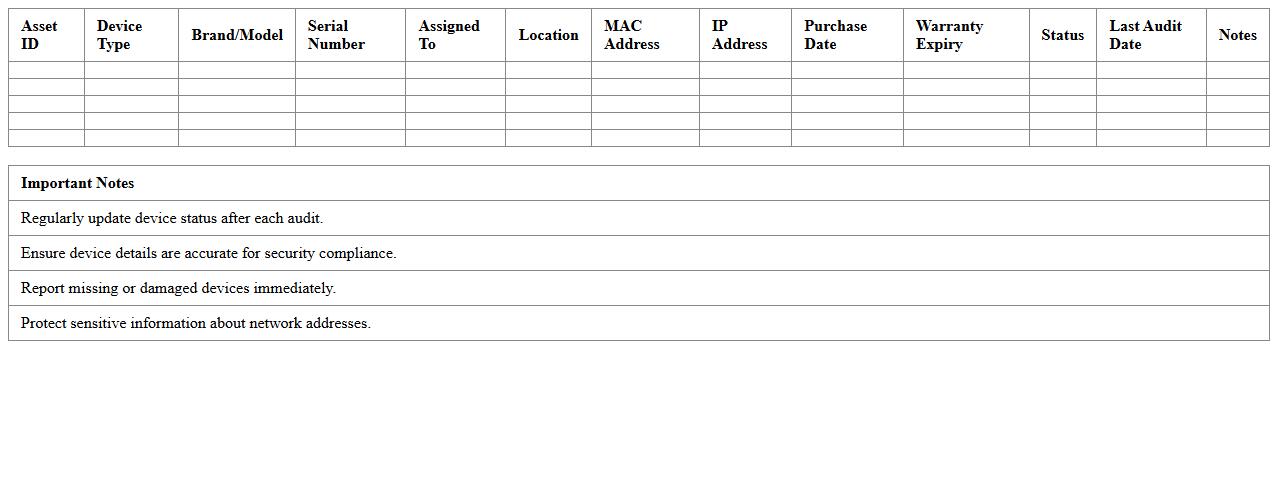
Classroom Device Security Inventory Sheet
A
Classroom Device Security Inventory Sheet is a detailed record that tracks all electronic devices used within an educational environment, including laptops, tablets, and projectors, along with their security status and configurations. This document is essential for managing device accountability, ensuring compliance with security policies, and identifying vulnerabilities to prevent unauthorized access or data breaches. By maintaining an up-to-date inventory, schools can streamline device maintenance, enhance cybersecurity measures, and safeguard sensitive student and staff information effectively.
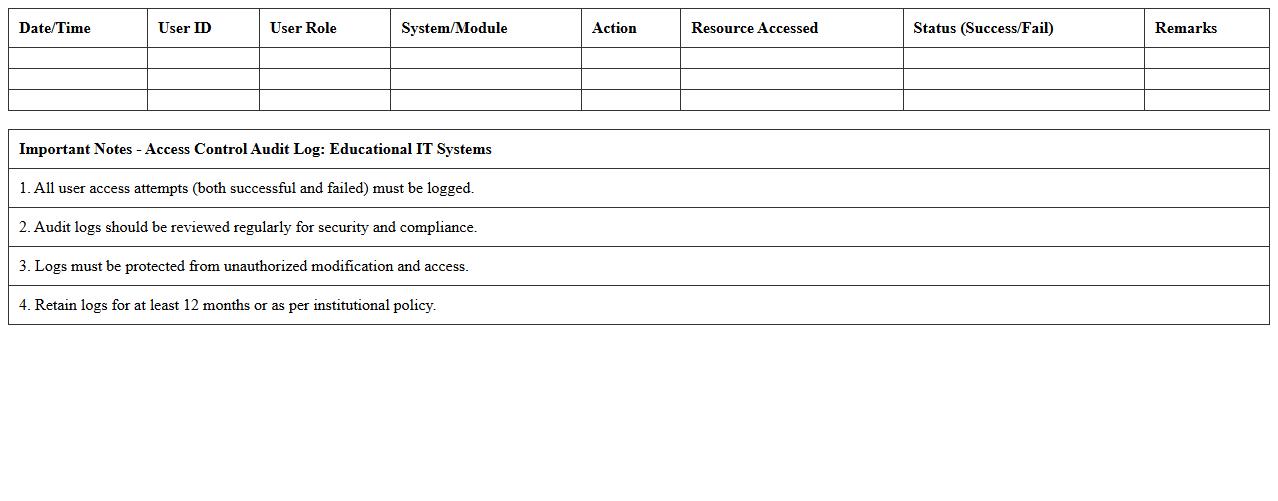
Access Control Audit Log – Educational IT Systems
The
Access Control Audit Log in Educational IT Systems is a detailed record of all user access events, including login attempts, resource usage, and permission changes. This document is crucial for monitoring security, ensuring compliance with institutional policies, and identifying unauthorized access or suspicious activities. By analyzing these logs, administrators can enhance system integrity and protect sensitive educational data from potential breaches.
Cybersecurity Incident Tracking Template – Education Sector
The
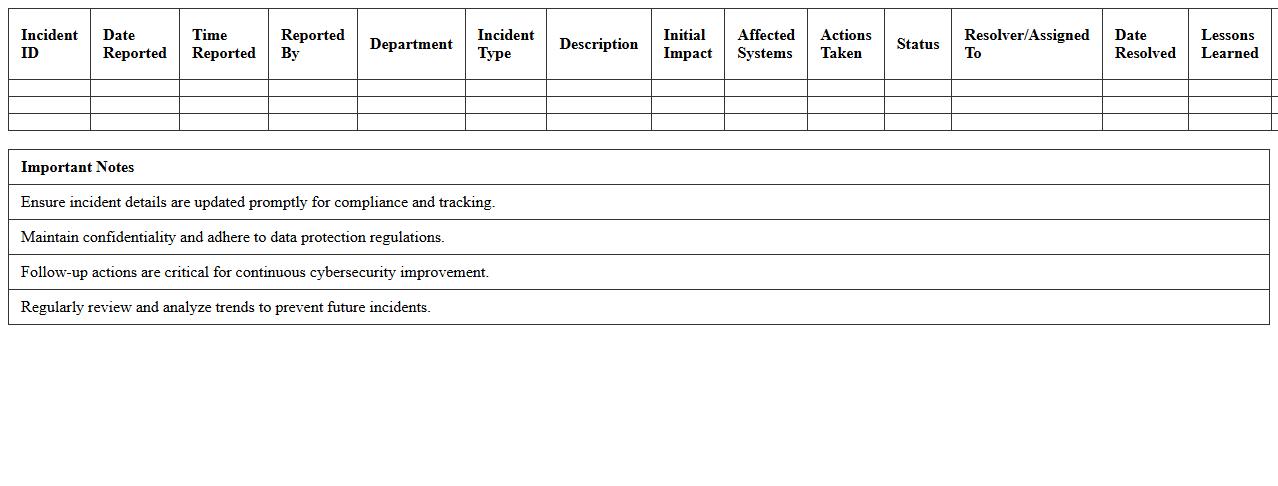
Cybersecurity Incident Tracking Template for the education sector is a structured document designed to log and monitor security breaches, malware attacks, and unauthorized access incidents within educational institutions. It helps in systematically capturing details such as the nature of the incident, affected systems, response actions, and resolution timelines, enabling efficient incident management and compliance with regulatory standards. By using this template, schools and universities can improve their cybersecurity posture, quickly identify recurring threats, and enhance their overall data protection strategies.
Software License Compliance Audit – School IT
A
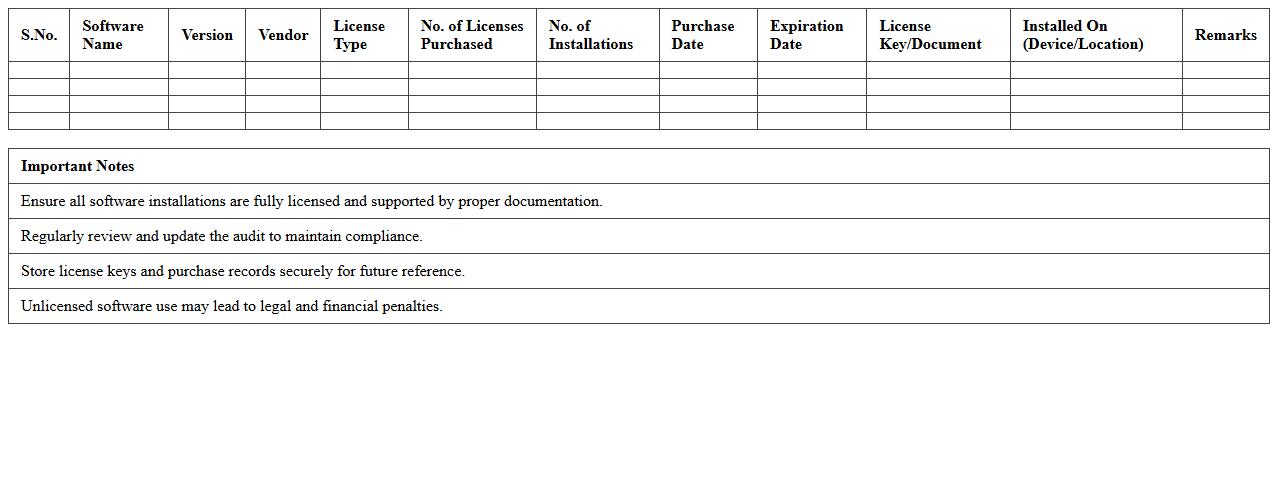
Software License Compliance Audit for School IT is a thorough review process that ensures all software used within an educational institution is properly licensed and legally compliant. This audit helps schools avoid hefty fines, legal penalties, and security risks associated with unlicensed or unauthorized software. By accurately tracking software licenses, schools can optimize IT budgets, improve software management efficiency, and maintain adherence to vendor agreements.
Data Protection Compliance Checklist – Academic Institutions
The
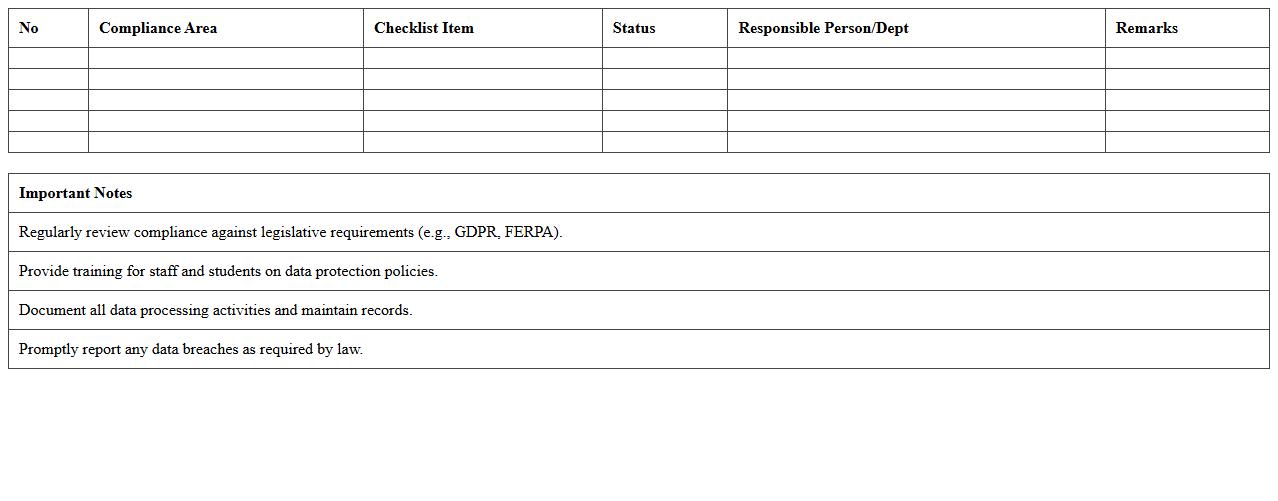
Data Protection Compliance Checklist - Academic Institutions document serves as a comprehensive guide to help educational organizations adhere to data privacy laws such as GDPR and FERPA. It outlines specific measures for securing student records, managing consent, and ensuring lawful data processing, reducing the risk of data breaches and legal penalties. By following this checklist, academic institutions can maintain trust with students and staff while safeguarding sensitive information effectively.
Vulnerability Assessment Record – Campus IT Infrastructure
The
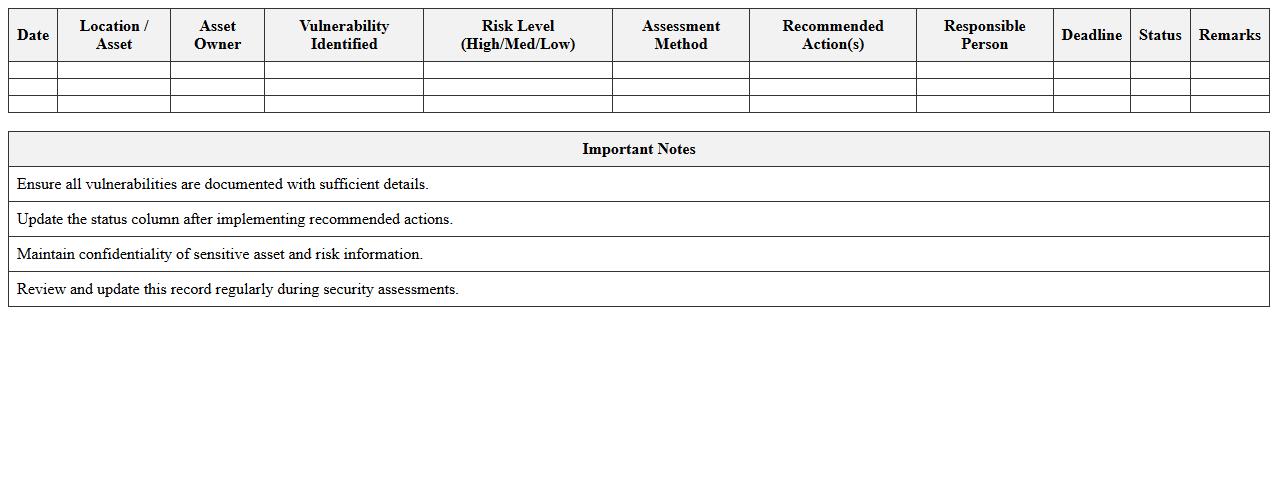
Vulnerability Assessment Record - Campus IT Infrastructure document systematically catalogues identified security weaknesses within the campus network, hardware, and software systems, providing detailed insights into potential risks. It serves as a critical reference tool for IT teams to prioritize remediation efforts, enhance cybersecurity protocols, and maintain compliance with institutional policies and regulatory standards. By regularly updating this record, the campus can proactively mitigate threats, safeguard sensitive data, and ensure uninterrupted academic and administrative operations.
IT Policy & Procedure Audit Tracker – Education
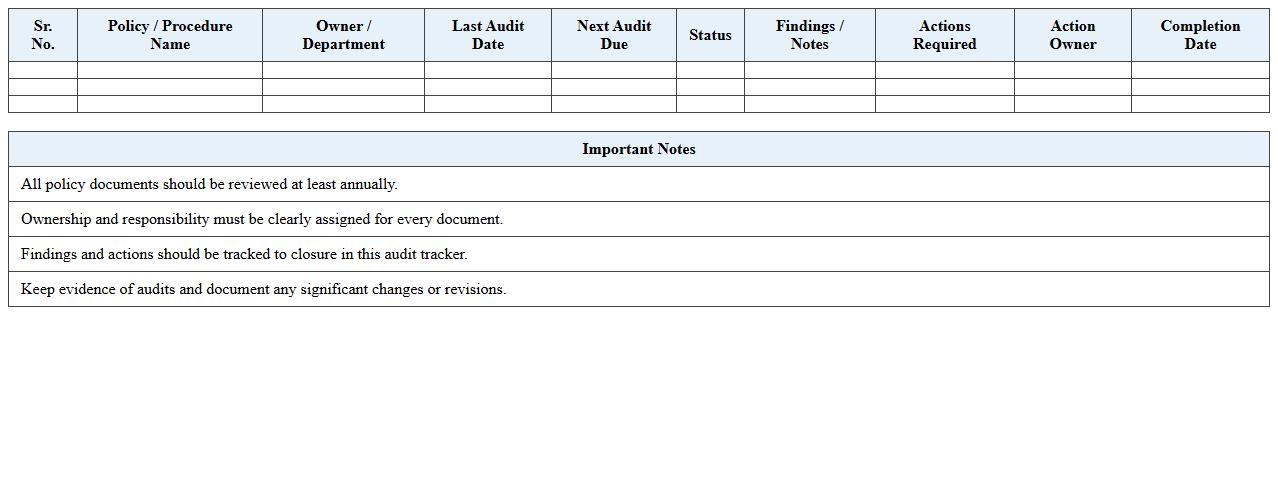
An
IT Policy & Procedure Audit Tracker - Education document systematically records compliance status and audit findings related to IT governance within educational institutions. It enables administrators to monitor adherence to established IT policies, identify gaps, and implement corrective actions efficiently. This tool ensures that educational organizations maintain data security, regulatory compliance, and operational consistency across all IT activities.
User Account Management Audit Sheet – School Networks
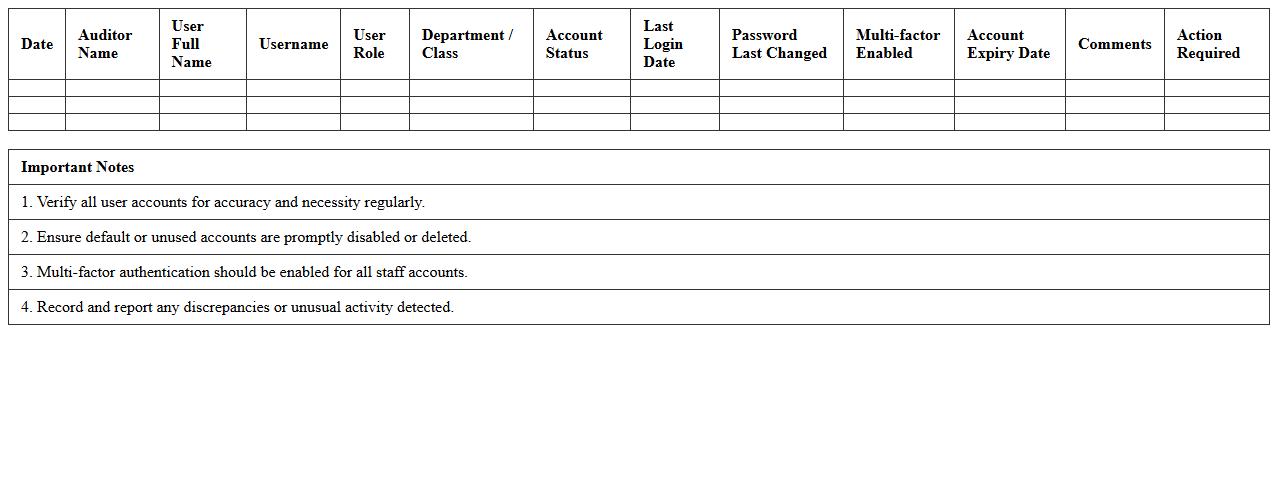
The
User Account Management Audit Sheet - School Networks document systematically tracks and evaluates user access rights, ensuring that only authorized personnel have appropriate permissions within the school's IT infrastructure. It helps identify inactive, duplicate, or unauthorized accounts, reducing security risks and maintaining compliance with data protection policies. By using this audit sheet, schools can enhance network security, streamline account management processes, and protect sensitive student and staff information effectively.
How can macros in the IT Security Audit Excel impact data integrity for school records?
Macros in IT Security Audit Excel spreadsheets can automate data processing, which enhances efficiency and consistency in school records management. However, if not properly programmed, macros may introduce errors or unauthorized changes, compromising data integrity. Ensuring macro security settings and validation helps maintain accurate and reliable school records.
What encryption methods are applied to secure sensitive student data in the audit template?
The audit template typically employs Advanced Encryption Standard (AES) to protect sensitive student information during storage and transmission. AES provides robust, industry-standard encryption that guards against unauthorized access. Using such encryption ensures compliance with data protection regulations and enhances overall security.
Are permission controls implemented to restrict access within the audit spreadsheet?
Permission controls are crucial in the audit spreadsheet to restrict data access to authorized personnel only. Role-based permissions limit the ability to view or modify sensitive information, reducing the risk of insider threats. Implementing these controls ensures that school records remain confidential and tamper-proof.
How does the Excel audit log changes to cybersecurity policies in the institution?
The Excel audit feature records all modifications made to cybersecurity policy documents, capturing details such as user identity, timestamp, and nature of changes. This audit log enhances transparency and accountability, enabling effective tracking of policy updates. Maintaining these logs supports compliance and facilitates audits by internal and external stakeholders.
Which vulnerabilities are prioritized for educational IT systems in the audit checklist?
The audit checklist prioritizes vulnerabilities such as weak password policies, outdated software, and unsecured network access in educational IT systems. Addressing these critical vulnerabilities helps protect student data and ensures a secure learning environment. Regular vulnerability assessments and timely patching are emphasized to mitigate potential risks.