The Sentiment Analysis Excel Template for Customer Feedback streamlines the process of evaluating customer opinions by categorizing responses into positive, negative, and neutral sentiments. This tool leverages built-in formulas and visualization features to provide clear insights into customer satisfaction trends. Businesses can easily identify areas for improvement and enhance their service quality using this comprehensive spreadsheet template.
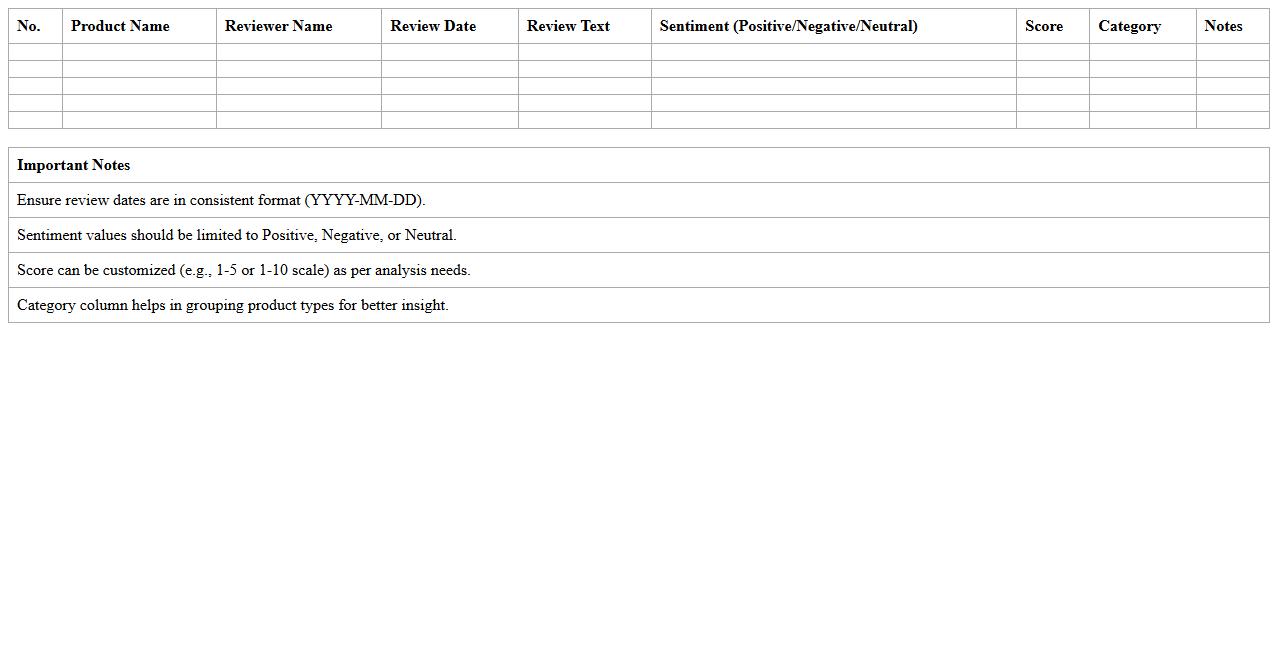
Product Review Sentiment Analysis Excel Template
The
Product Review Sentiment Analysis Excel Template is a powerful tool designed to categorize and analyze customer feedback by measuring positive, negative, and neutral sentiments within product reviews. It enables businesses to identify trends, gauge customer satisfaction, and make data-driven decisions that improve product quality and customer experience. This template is especially useful for marketing teams and product managers looking to extract actionable insights quickly from large volumes of textual review data.
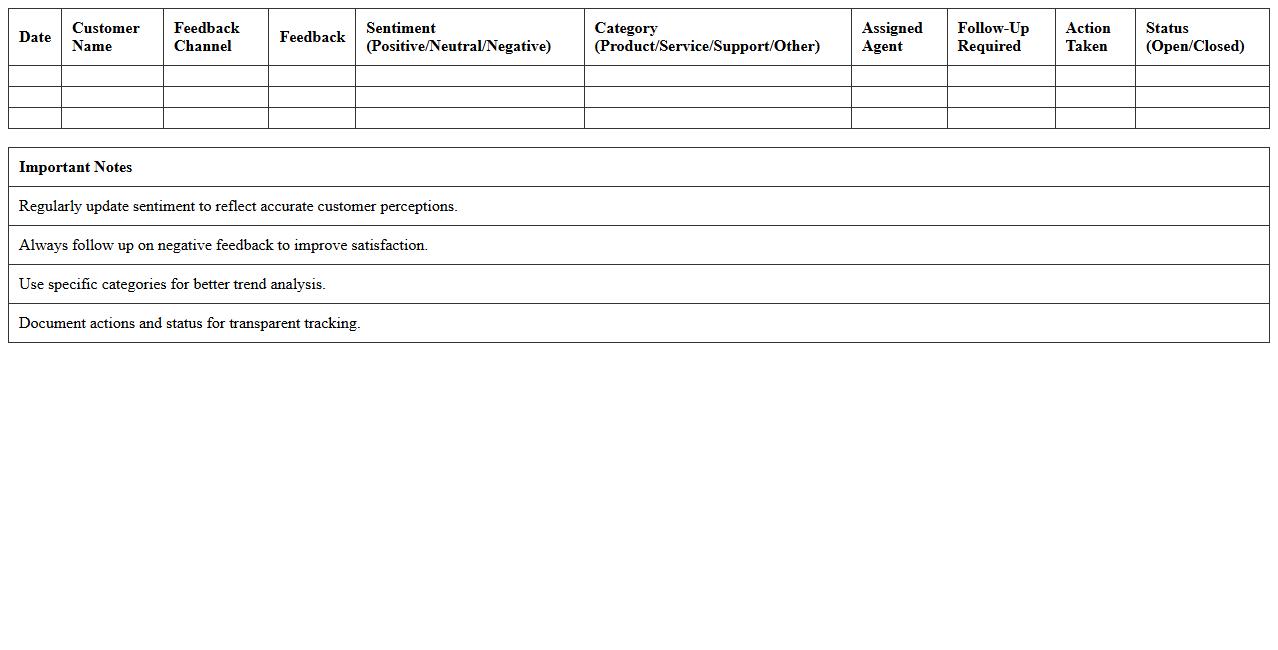
Customer Service Feedback Sentiment Tracker
The
Customer Service Feedback Sentiment Tracker document systematically captures and analyzes customer sentiments derived from feedback across various channels. It enables businesses to identify trends in customer satisfaction, pinpoint areas needing improvement, and enhance overall service quality. By leveraging sentiment insights, companies can make informed decisions that drive customer retention and boost brand loyalty.
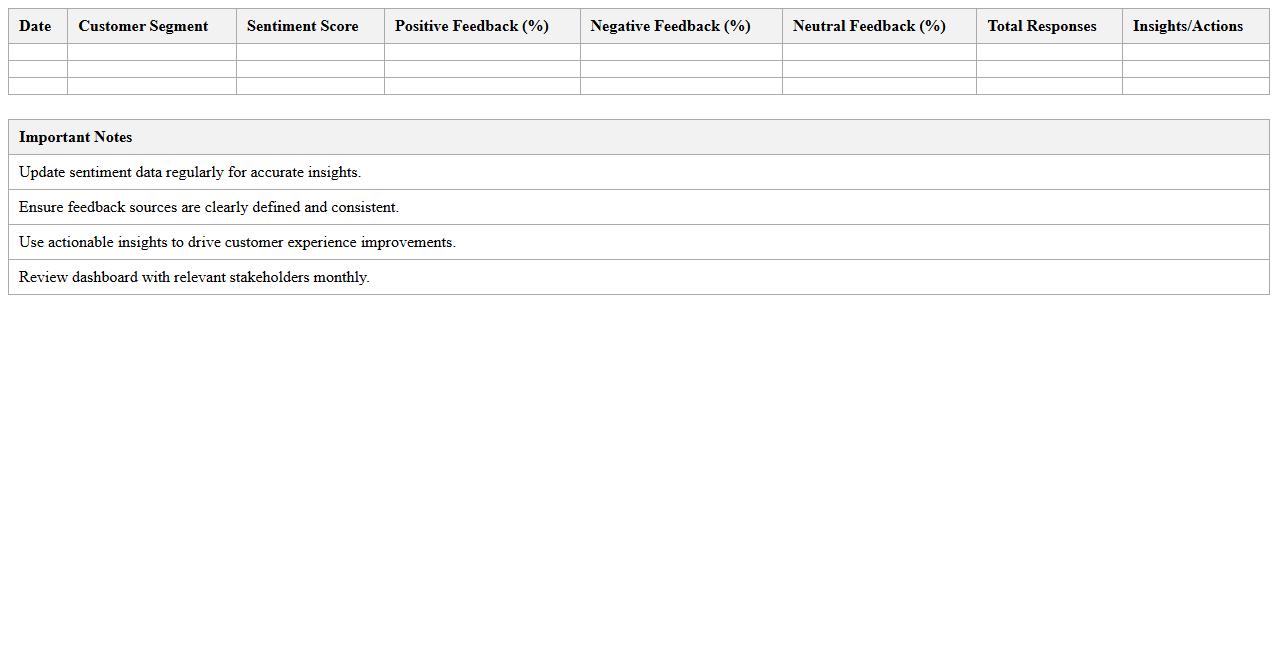
Retail Customer Sentiment Dashboard Excel
The
Retail Customer Sentiment Dashboard Excel document is a powerful tool designed to analyze and visualize customer feedback data from retail environments, enabling businesses to track sentiment trends over time. By aggregating data from surveys, reviews, and social media, it helps identify positive and negative customer experiences, supporting data-driven decision-making to improve service quality and product offerings. Retailers can use this dashboard to pinpoint pain points, monitor customer satisfaction levels, and enhance overall customer engagement strategies effectively.
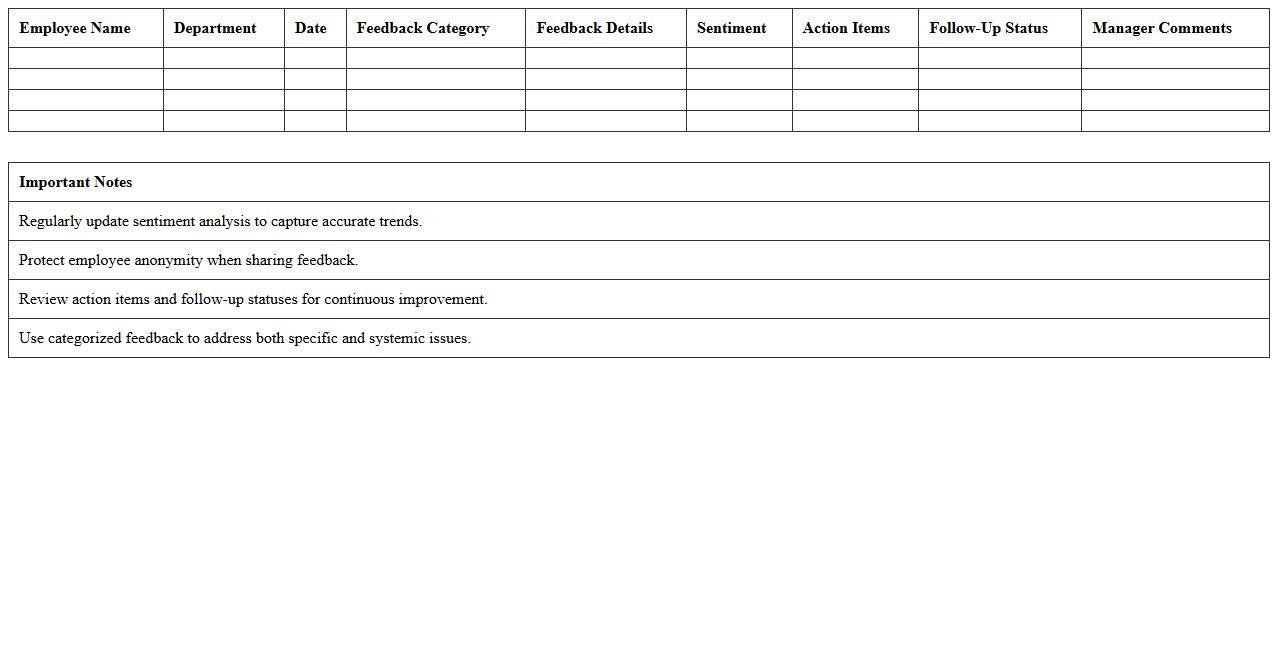
Employee Feedback Sentiment Analysis Spreadsheet
Employee Feedback Sentiment Analysis Spreadsheet is a powerful tool designed to organize and interpret employee opinions by categorizing feedback into positive, neutral, or negative sentiments. This
sentiment analysis enables organizations to identify workplace trends, address employee concerns proactively, and enhance overall job satisfaction. Utilizing this spreadsheet helps HR teams make data-driven decisions that improve company culture and boost employee engagement.
Social Media Sentiment Tracker Excel Template
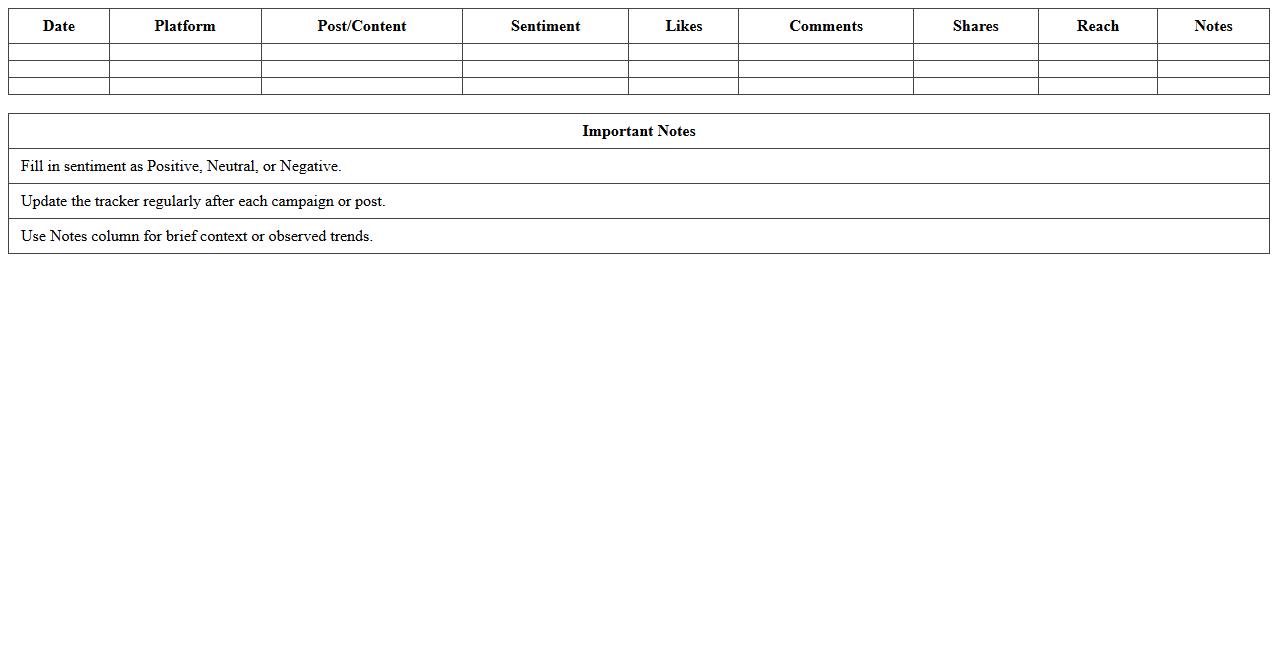
The
Social Media Sentiment Tracker Excel Template is a data analysis tool designed to monitor and measure public opinion across various social media platforms. It captures sentiment scores from user comments, reviews, and posts, providing clear visualization of positive, negative, and neutral feedback trends over time. This template helps businesses and marketers make informed decisions by identifying consumer sentiment patterns and responding proactively to customer needs.
Survey Response Sentiment Analysis Excel Sheet
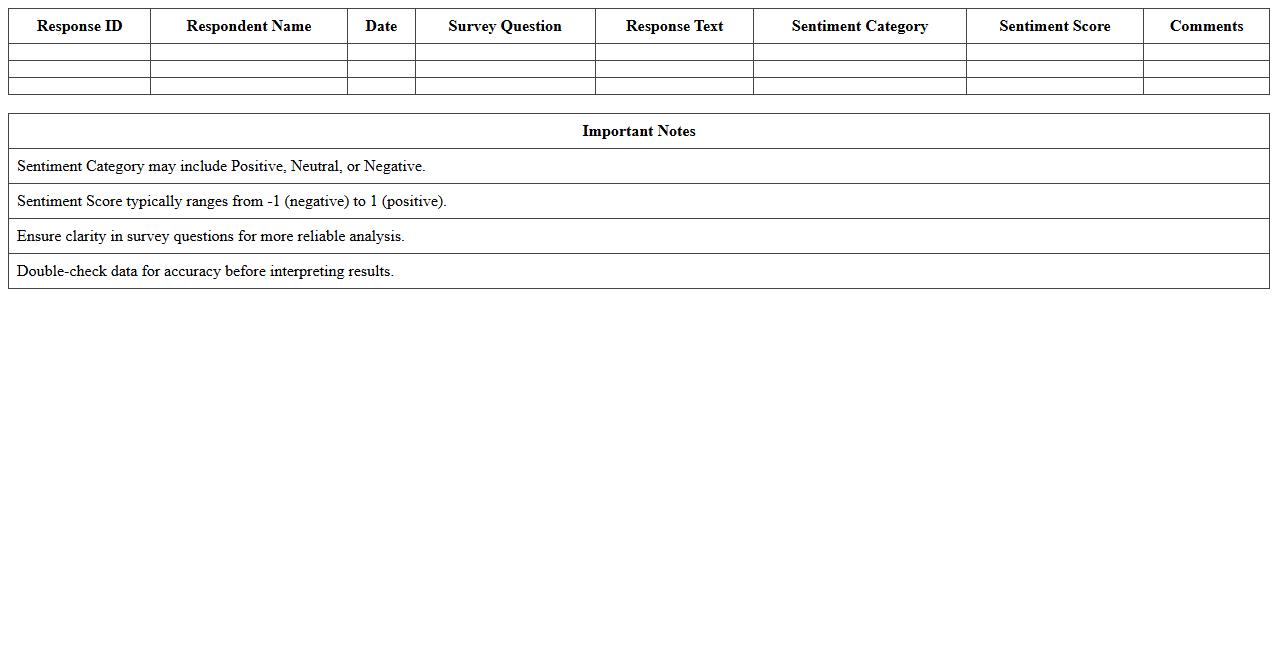
The
Survey Response Sentiment Analysis Excel Sheet document systematically organizes and analyzes textual survey responses by categorizing sentiments into positive, negative, or neutral. This tool helps businesses and researchers identify customer satisfaction trends, improve products or services, and make data-driven decisions. By transforming qualitative feedback into quantifiable insights, it streamlines sentiment tracking and enhances overall understanding of audience emotions.
Net Promoter Score Sentiment Analysis Template
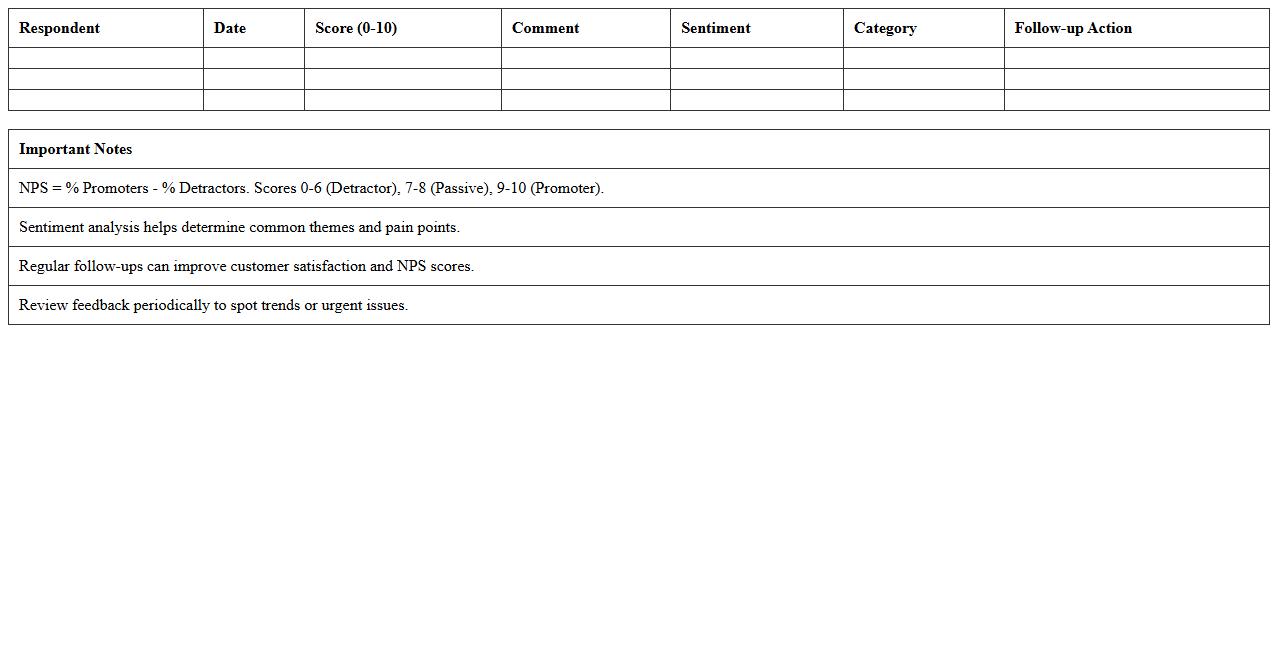
The
Net Promoter Score Sentiment Analysis Template document is designed to systematically evaluate customer feedback by categorizing sentiments linked to NPS scores, enabling businesses to identify promoters, passives, and detractors. This template streamlines the process of analyzing textual responses, transforming qualitative data into actionable insights that enhance customer experience and loyalty strategies. Utilizing this tool helps organizations pinpoint key areas for improvement and measure the effectiveness of customer engagement initiatives.
Call Center Feedback Sentiment Tracker Excel
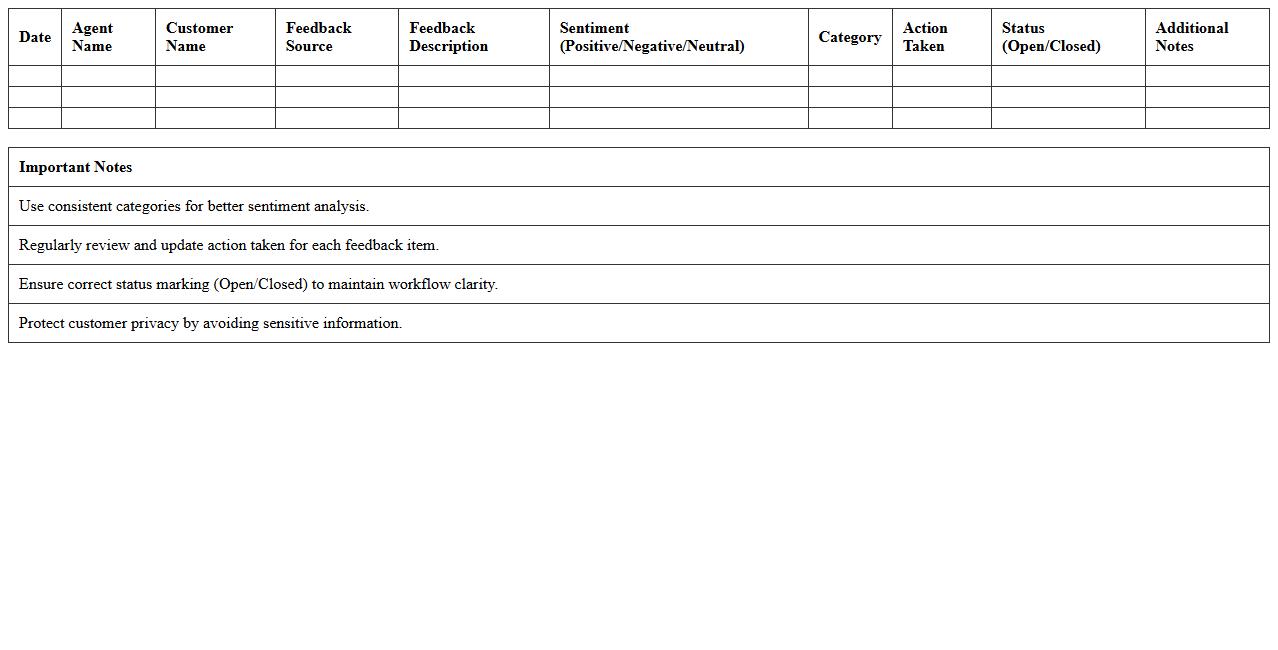
The
Call Center Feedback Sentiment Tracker Excel document is a tool designed to analyze and categorize customer feedback based on sentiment, helping organizations gauge the overall mood of their clients. By converting qualitative feedback into quantitative data, it enables businesses to identify trends, measure customer satisfaction, and pinpoint areas for improvement. This document streamlines the process of sentiment analysis, making it easier for call centers to enhance service quality and boost customer loyalty.
Hospitality Guest Sentiment Analysis Template
The
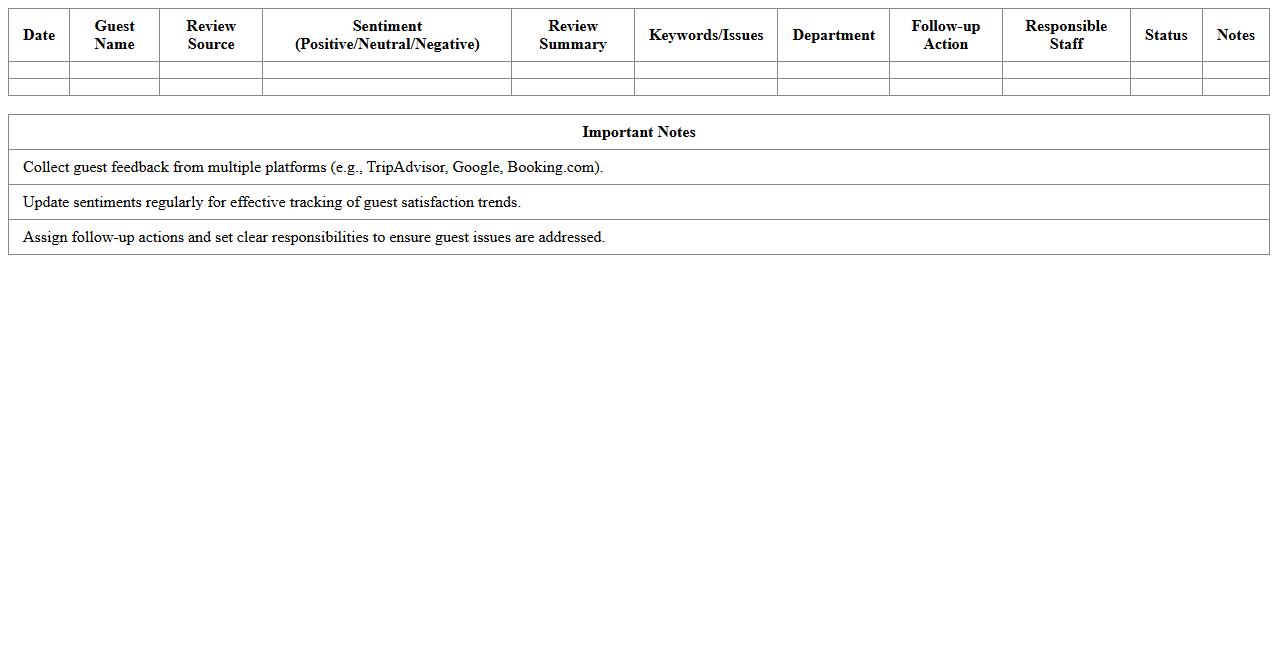
Hospitality Guest Sentiment Analysis Template document is a structured tool designed to collect and analyze customer feedback from various hospitality touchpoints, enabling businesses to gauge guest satisfaction and sentiment accurately. It helps identify trends in guest experiences, highlight areas of improvement, and measure the effectiveness of service enhancements. By systematically interpreting guest emotions and opinions, this template supports data-driven decision-making to elevate service quality and boost overall guest loyalty.
E-commerce Customer Sentiment Excel Tracker
The
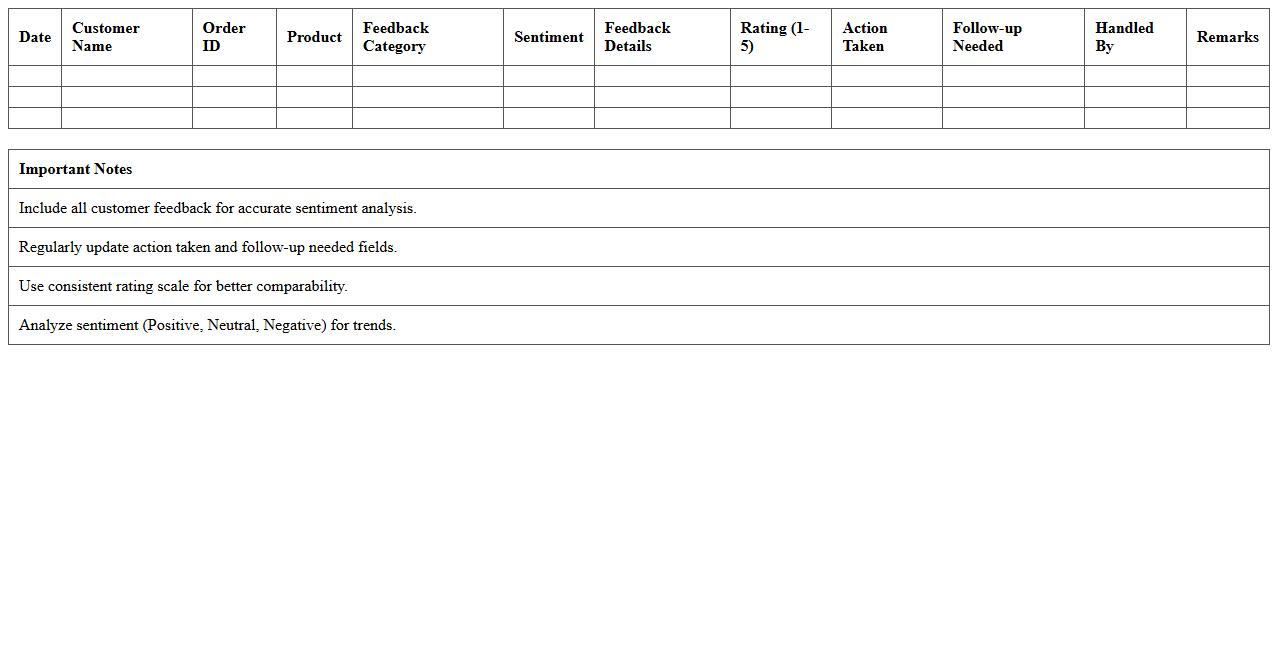
E-commerce Customer Sentiment Excel Tracker is a comprehensive tool designed to systematically collect, analyze, and visualize customer feedback from various sales channels. It helps businesses identify trends in customer satisfaction, pain points, and areas for improvement by quantifying emotional responses and keyword frequency. Utilizing this tracker enables companies to make data-driven decisions that enhance product offerings, optimize marketing strategies, and improve overall customer experience.
How can I automate sentiment scoring for open-text feedback in Excel?
To automate sentiment scoring for open-text feedback in Excel, you can leverage VBA macros or integrate external AI APIs. Using VBA, it's possible to predefine keywords and assign sentiment values, enabling basic automation. For advanced scoring, connecting Excel to cloud-based sentiment analysis services enhances accuracy and scalability.
What Excel formulas best categorize sentiment polarity from customer comments?
Excel formulas like IF, SEARCH, and LEN can help categorize sentiment polarity by detecting positive or negative keywords within comments. Combining functions such as IF with arrays can classify text into positive, neutral, or negative sentiments. However, this rule-based approach may require constant updates to keyword lists for improved reliability.
Which add-ins enable sentiment analysis directly within Excel spreadsheets?
Several Excel add-ins like Microsoft Azure Text Analytics and Power BI AI Insights provide built-in sentiment analysis capabilities. These add-ins can analyze text data directly within your spreadsheet and return polarity scores. Installing them allows seamless integration of advanced natural language processing without leaving Excel.
How do I visualize sentiment trends from customer responses using Excel charts?
To visualize sentiment trends, aggregate sentiment scores over time and utilize Excel charts such as line or column charts. PivotTables combined with slicers help filter data dynamically for deeper trend analysis. Conditional formatting further enhances interpretation by highlighting positive, neutral, and negative sentiment categories visually.
What are effective ways to flag negative sentiment outliers in Excel datasets?
Flagging negative sentiment outliers can be achieved using conditional formatting rules based on sentiment scores falling below a set threshold. Employ Excel's statistical functions, like Z-Score or percentile calculations, to detect unusually negative responses. Highlighting these outliers facilitates quick identification for targeted follow-up actions.
More Analysis Excel Templates