The Salary Report Excel Template for HR Departments streamlines payroll management by organizing employee salary data efficiently. It includes customizable fields for tracking wages, bonuses, deductions, and tax information, enhancing accuracy and compliance. This template helps HR professionals generate detailed salary reports quickly, improving payroll transparency and decision-making.
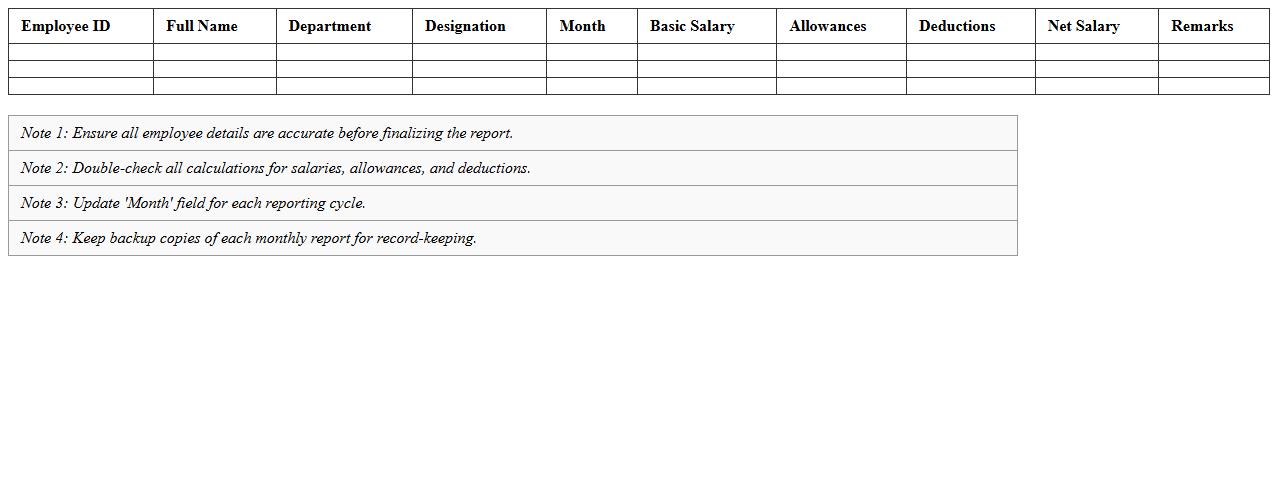
Employee Monthly Salary Report Excel Template
The
Employee Monthly Salary Report Excel Template document is a structured spreadsheet designed to record and calculate employees' monthly wages, deductions, and net pay efficiently. It helps HR professionals and payroll managers track salary payments accurately, ensuring transparency and compliance with company policies and tax regulations. Using this template streamlines payroll processing, reduces errors, and generates clear monthly reports for financial analysis and employee records.
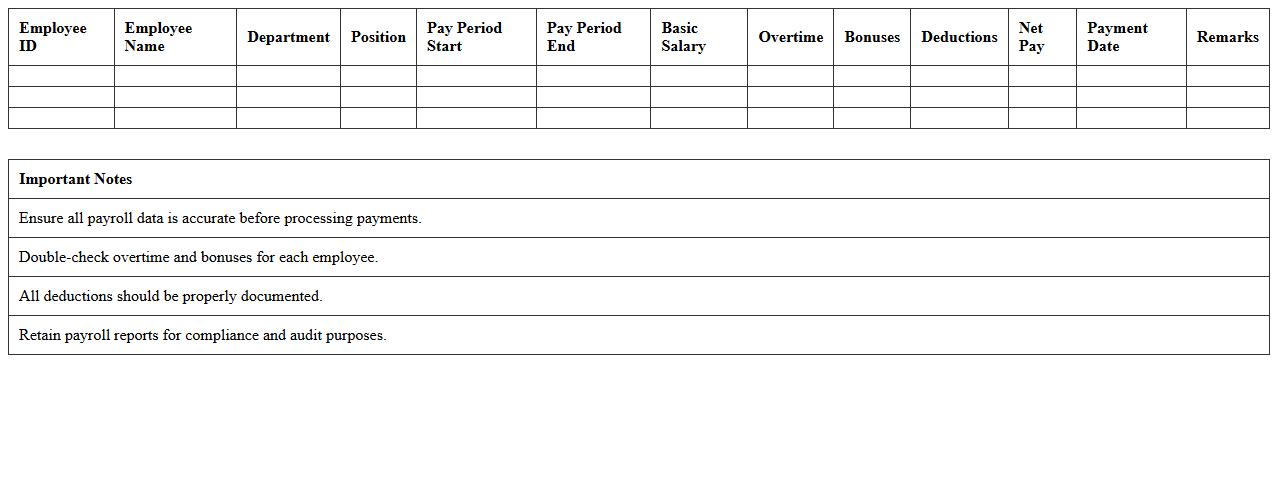
Payroll Summary Report Excel Template
A
Payroll Summary Report Excel Template is a structured document designed to compile and analyze employee salary data, tax deductions, and attendance records efficiently. It facilitates accurate tracking of payroll expenses and streamlines the payroll processing workflow by providing clear, organized summaries. This template helps businesses ensure compliance with tax regulations and simplifies financial reporting for accounting purposes.
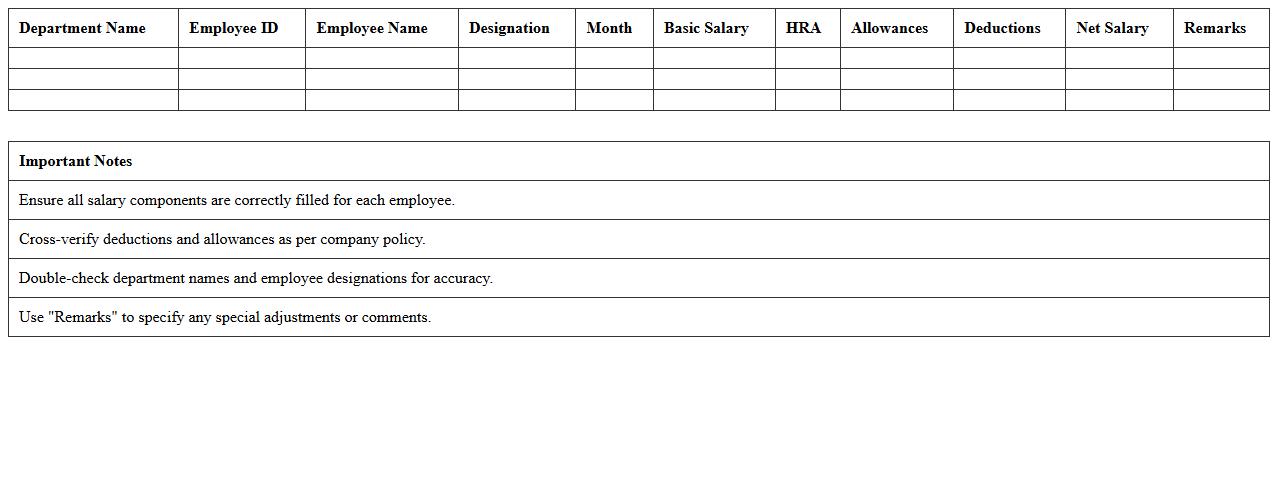
Department-wise Salary Statement Excel Sheet
A
Department-wise Salary Statement Excel Sheet is a detailed document that organizes employee salary information based on their respective departments, enabling precise payroll management and budget tracking. It helps HR and finance teams quickly analyze salary expenditures, identify salary trends, and ensure compliance with compensation policies. This structured format enhances decision-making efficiency and facilitates transparent financial reporting within an organization.
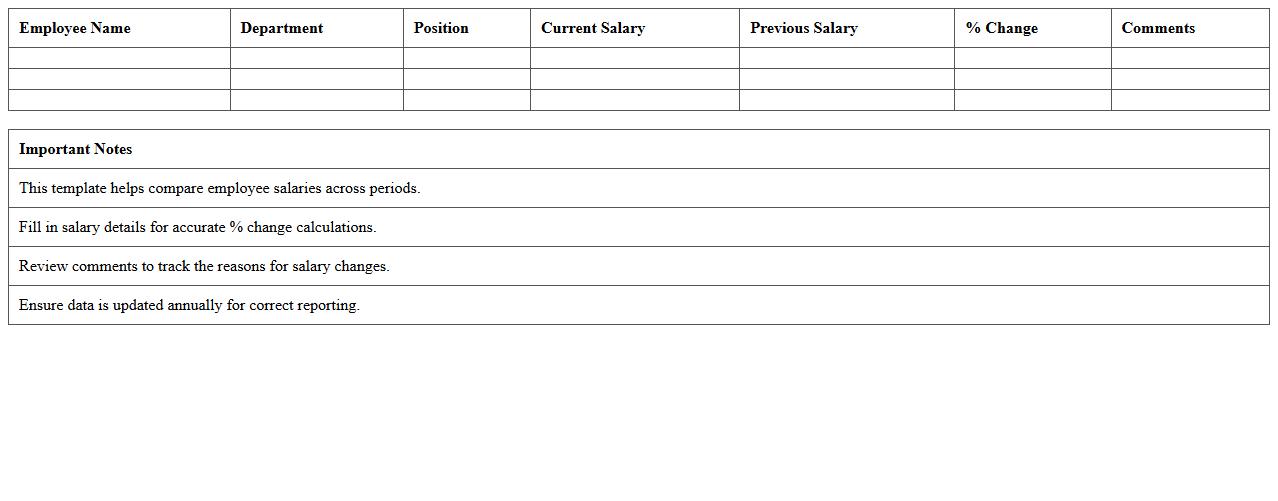
Annual Salary Comparison Report Excel Template
The
Annual Salary Comparison Report Excel Template is a structured document designed to analyze and compare employee salaries across different roles, departments, or industry standards. It helps organizations identify pay disparities, track salary trends, and make informed compensation decisions to ensure competitive and fair employee remuneration. Utilizing this template streamlines salary data management and supports strategic workforce planning by providing clear visualizations and comprehensive salary insights.
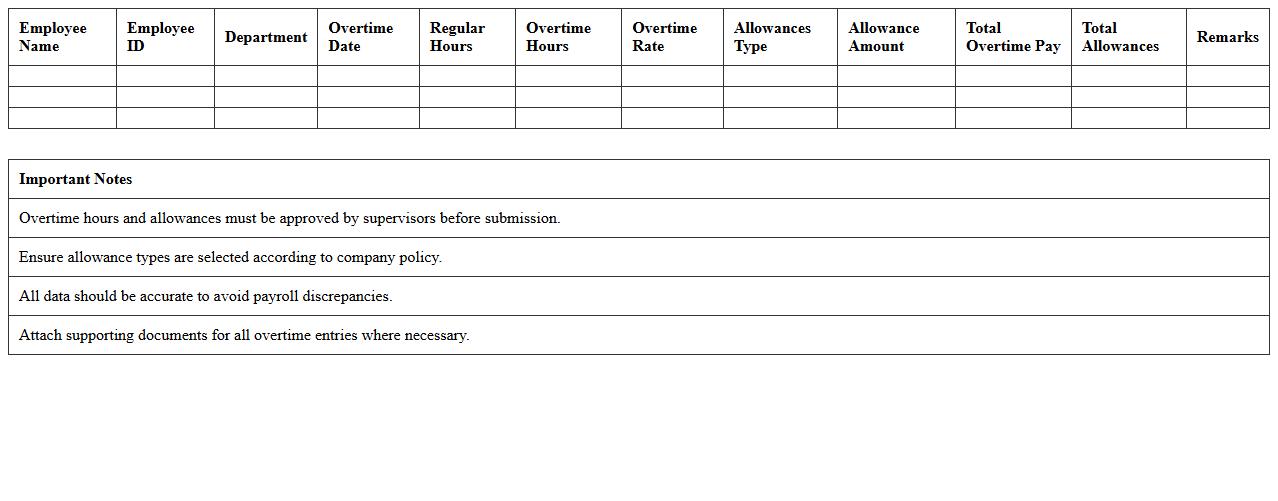
Overtime and Allowances Report Excel Template
The
Overtime and Allowances Report Excel Template is a structured document designed to track employee overtime hours and additional allowances systematically. It helps organizations manage labor costs efficiently by providing clear records for payroll processing and compliance with labor regulations. Using this template enhances accuracy in compensation calculations and simplifies reporting for human resource and finance departments.
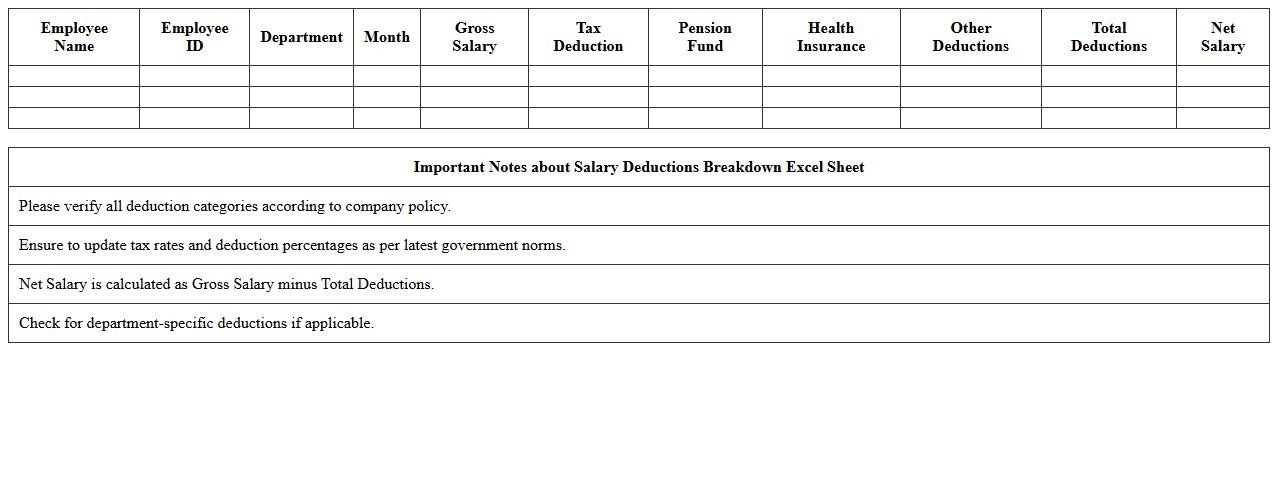
Salary Deductions Breakdown Excel Sheet
A
Salary Deductions Breakdown Excel Sheet document provides a detailed analysis of all deductions made from an employee's gross salary, including taxes, insurance premiums, retirement contributions, and other withholdings. This sheet helps employers and employees clearly understand the exact amounts and categories of deductions, ensuring transparency and accuracy in payroll processing. It is useful for budgeting, financial planning, and compliance with tax regulations, making salary management more efficient and organized.
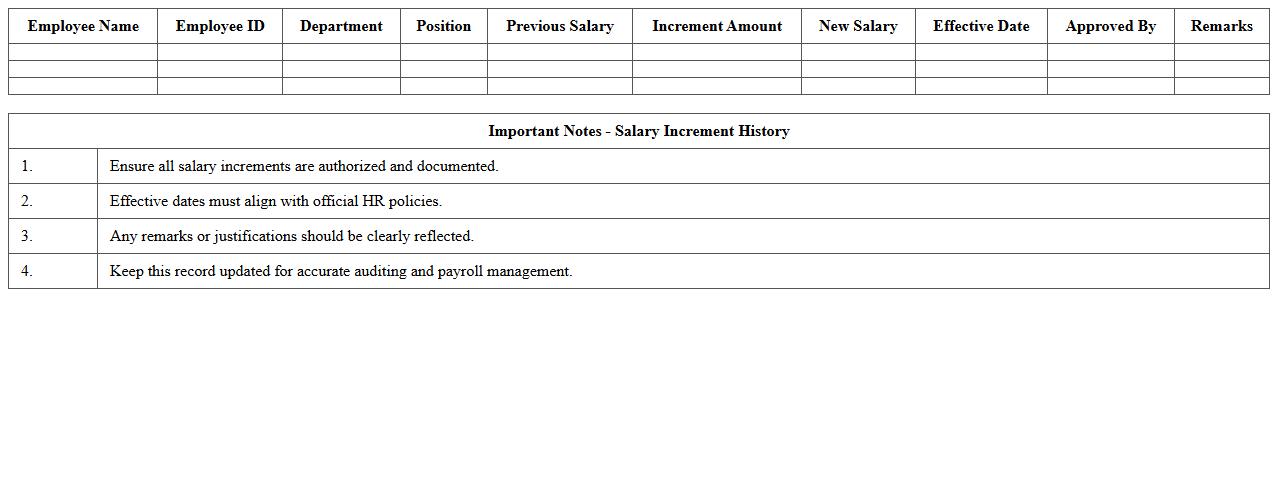
Salary Increment History Excel Report
The
Salary Increment History Excel Report document tracks employee salary changes over time, detailing increments, dates, and percentages. It helps organizations analyze compensation trends, manage budgets effectively, and ensure fairness in pay adjustments. This report supports HR decision-making by providing clear, organized data for performance reviews and financial planning.
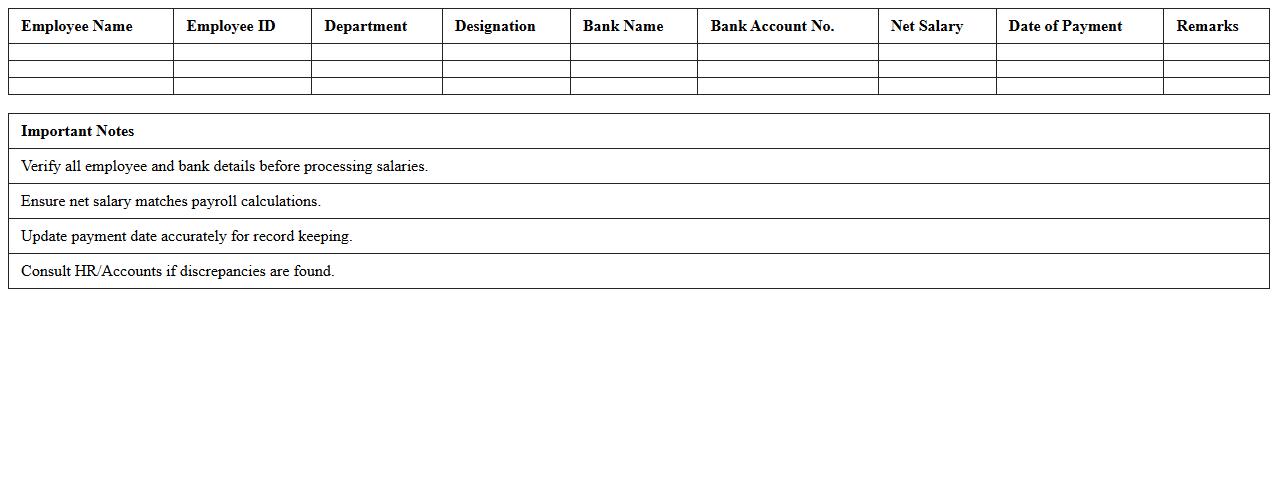
Net Salary Distribution Report Excel Template
The
Net Salary Distribution Report Excel Template is a structured document designed to calculate and visualize employees' take-home pay after deductions like taxes and benefits. This template helps organizations streamline payroll processing by accurately summarizing net salaries, ensuring compliance with financial regulations. Utilizing this report enhances transparency in salary disbursement and simplifies financial record-keeping for HR and accounting departments.
Employee Pay Slip Generation Excel Template
The
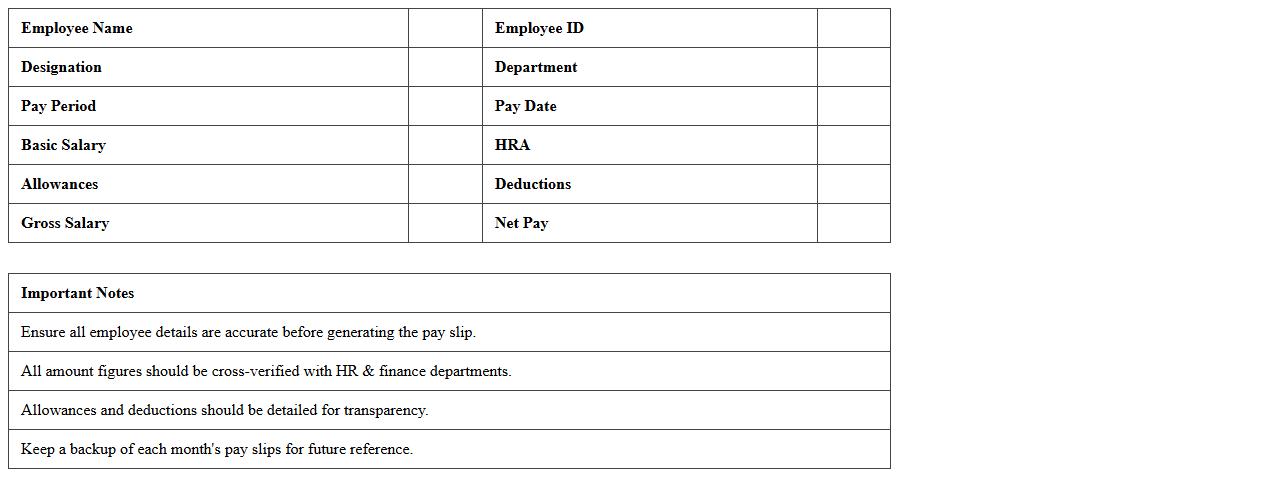
Employee Pay Slip Generation Excel Template document is a structured spreadsheet designed to automate the creation of detailed pay slips for employees. It organizes salary components such as basic pay, allowances, deductions, and taxes, ensuring accurate and consistent payroll processing. This template is useful for businesses by saving time, reducing errors, and maintaining clear records for financial and compliance purposes.
Salary Budget Forecast Excel Spreadsheet
A
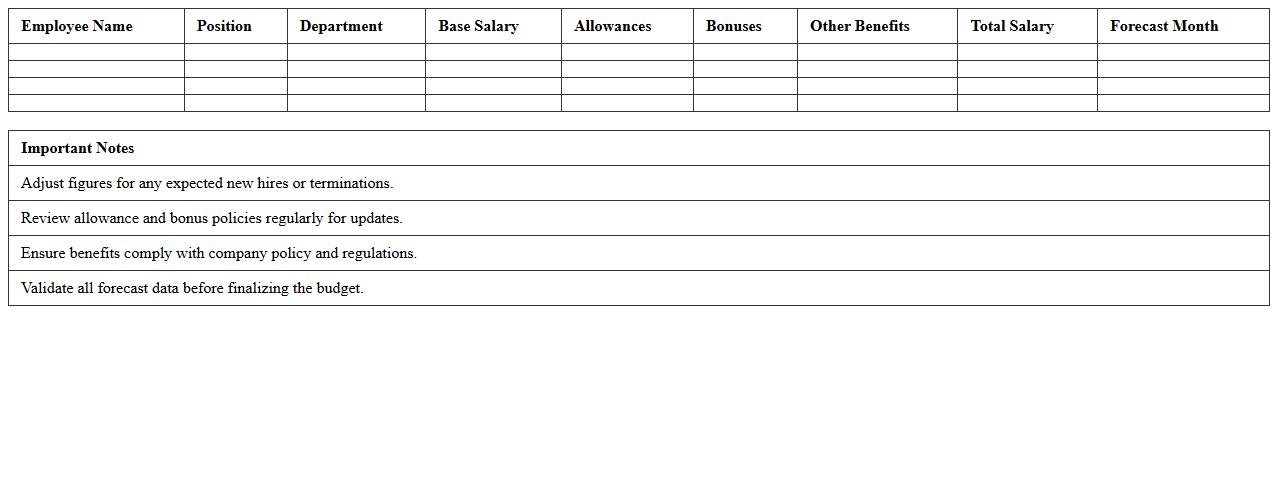
Salary Budget Forecast Excel Spreadsheet is a financial tool designed to project and manage employee salary expenses over a specific period. It helps businesses allocate resources effectively, plan for salary increases, bonuses, and hiring costs, ensuring alignment with overall budget goals. By providing detailed salary forecasts, this spreadsheet supports strategic decision-making and maintains financial stability.
How can HR automate salary report generation in Excel for multiple departments?
HR can use Excel macros to automate salary report generation across multiple departments efficiently. By creating a standardized template and running macros, data consolidation becomes seamless and less prone to errors. Additionally, integrating Excel with Power Query helps pull and refresh department-specific salary data automatically.
Which Excel formulas best track monthly salary adjustments and bonuses?
The SUMIFS formula is essential for calculating total monthly salary adjustments based on specific criteria, such as department or employee ID. Using IF statements combined with VLOOKUP or INDEX-MATCH enables dynamic tracking of bonuses linked to performance or tenure. These formulas ensure precise and up-to-date salary records for each month.
What are key data validation steps for importing employee salary data into Excel?
Implementing data validation rules ensures that salary figures fall within realistic numeric ranges, preventing input errors. Cross-checking imported data with unique employee IDs and mandatory fields like department codes reinforces data integrity. Employing drop-down lists for department names and salary grades standardizes entries and reduces inconsistencies.
How can HR securely share salary Excel reports while protecting sensitive data?
HR should use password protection on Excel files to limit unauthorized access to sensitive salary information. Employing Excel's worksheet-level protection allows specific parts of the report to be locked or hidden from certain users. Additionally, sharing reports through secure platforms with encryption further safeguards confidential employee data.
What Excel templates optimize salary report transparency for annual audits?
Templates featuring structured tables and clear audit trails enhance transparency during salary audits. Incorporating dynamic dashboards with summary statistics and trend charts facilitates quick review by auditors. Using conditional formatting highlights discrepancies or adjustments, ensuring that anomalies are easily detected and verified.
More Report Excel Templates