Home Property Damage Report Excel Template
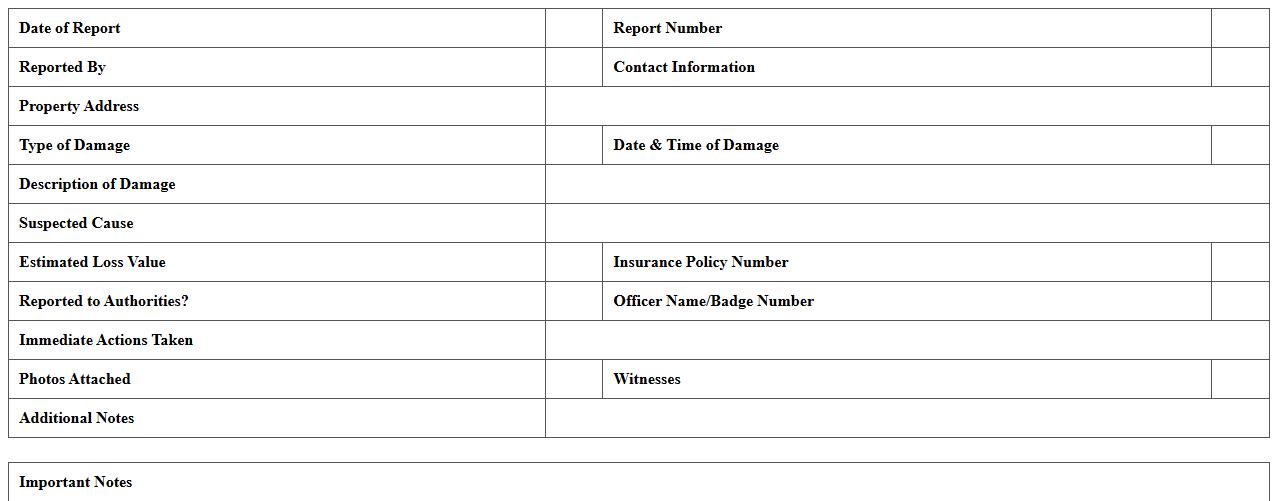
The
Home Property Damage Report Excel Template document is a structured tool designed to record and assess damage to residential properties efficiently. It helps homeowners, insurance agents, and contractors systematically document the extent, type, and cost of damages, facilitating faster claims processing and repair planning. Using this template improves accuracy, organization, and transparency in property damage reporting, ultimately supporting better decision-making and resource management.
Auto Accident Damage Report Excel Sheet
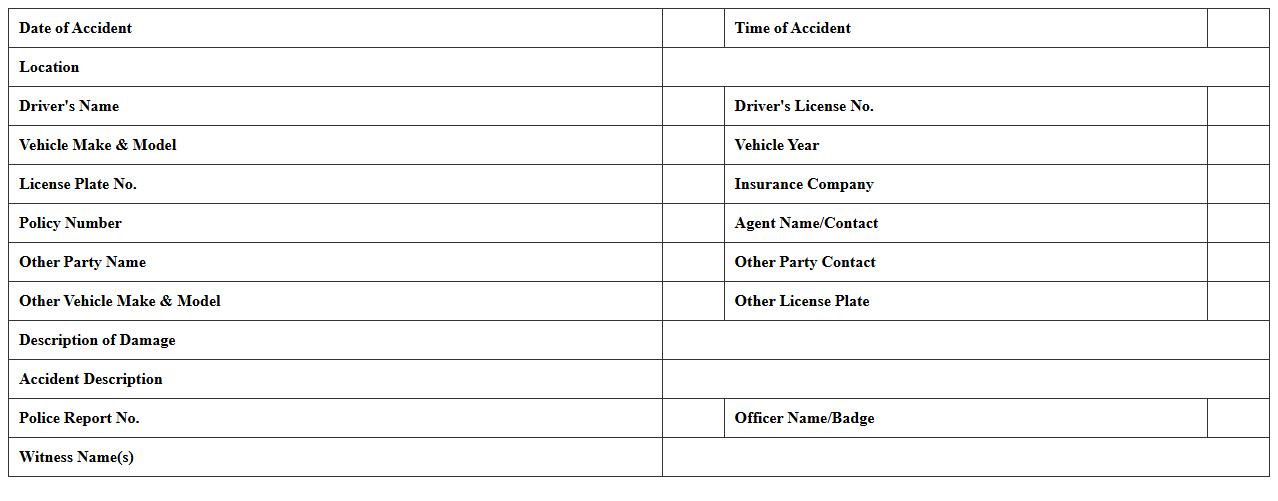
An
Auto Accident Damage Report Excel Sheet is a structured document designed to record detailed information about vehicle damages sustained during an accident. It allows users to systematically input data such as damage type, location, repair costs, and accident specifics, facilitating efficient tracking and assessment. This tool is invaluable for insurance claims, vehicle repair estimates, and legal documentation by providing organized and easily accessible accident damage records.
Storm Damage Insurance Claim Spreadsheet
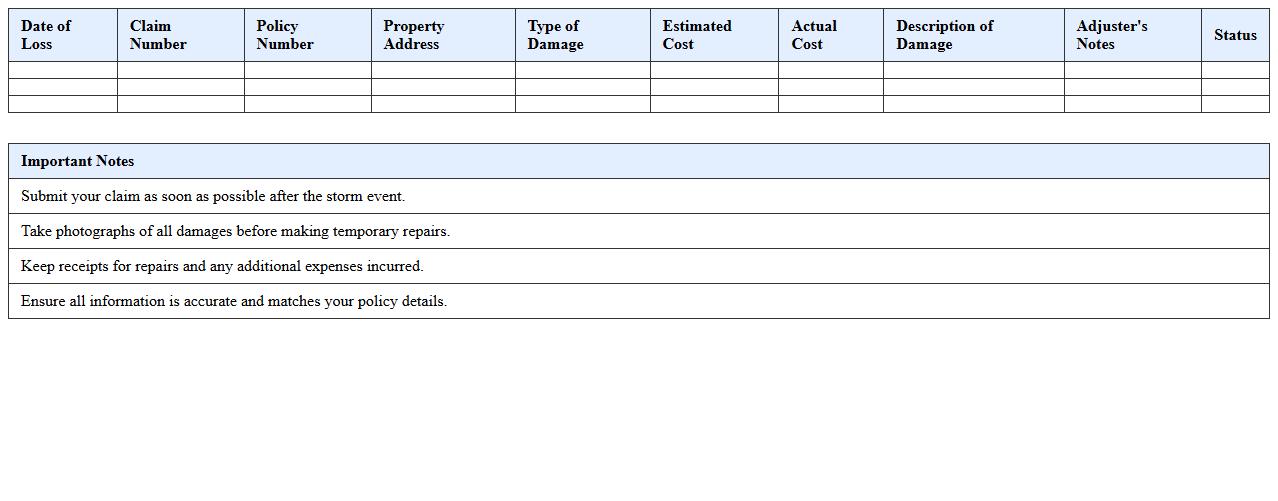
A
Storm Damage Insurance Claim Spreadsheet document organizes and tracks all relevant information related to storm damage insurance claims, including dates, repair costs, and communication with insurers. This spreadsheet streamlines the claims process by providing a clear, detailed overview, helping policyholders manage documentation and deadlines efficiently. It enhances accuracy and clarity, reducing the risk of claim denials or delays due to incomplete or disorganized information.
Fire Damage Insurance Report Excel Form
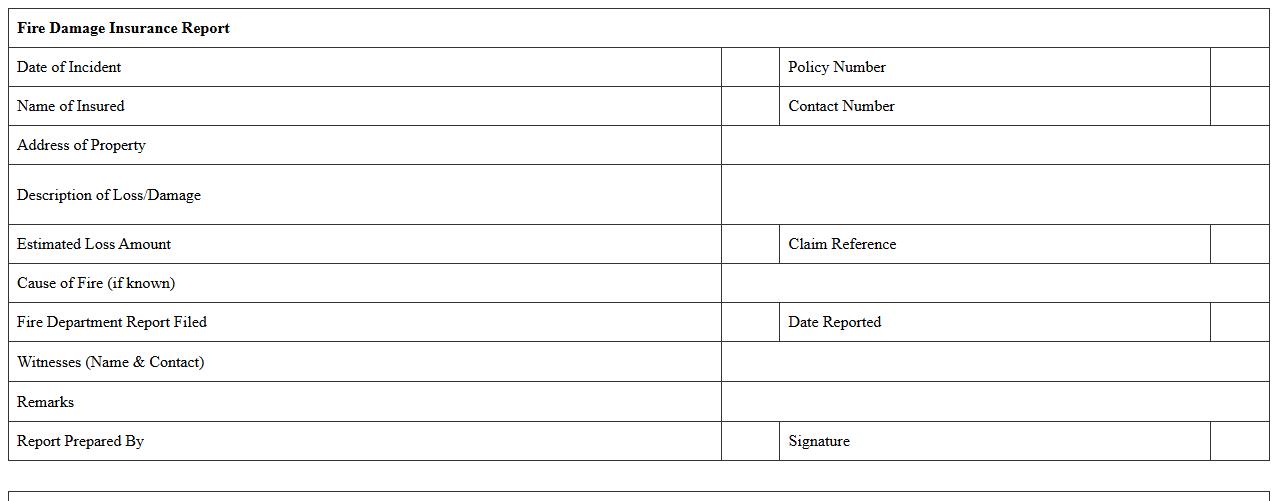
The
Fire Damage Insurance Report Excel Form is a structured document designed to capture detailed information regarding fire-related damages for insurance claims. It enables efficient data entry of property details, extent of damage, and estimated repair costs, streamlining the claim submission process. This form helps policyholders and insurers accurately assess losses, facilitating quicker settlements and minimizing disputes.
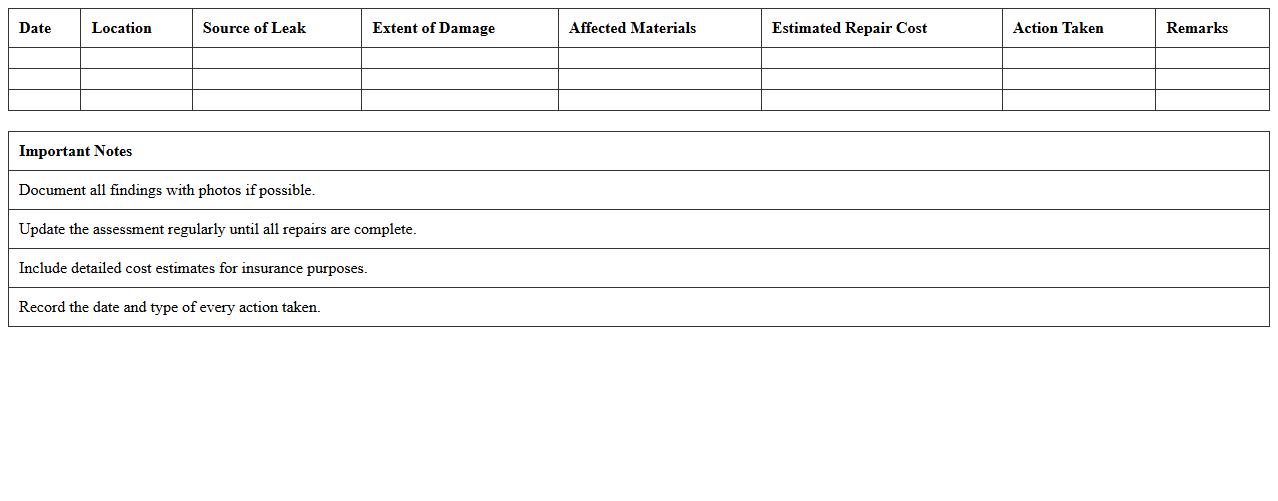
Water Leak Damage Assessment Excel Template
The
Water Leak Damage Assessment Excel Template document serves as a structured tool to systematically evaluate and document the extent of water damage. It allows users to input data such as affected areas, severity of leaks, repair costs, and timelines, enabling accurate damage quantification and streamlined reporting. This template is useful for property managers, insurers, and restoration professionals to make informed decisions and efficiently allocate resources during water damage recovery.
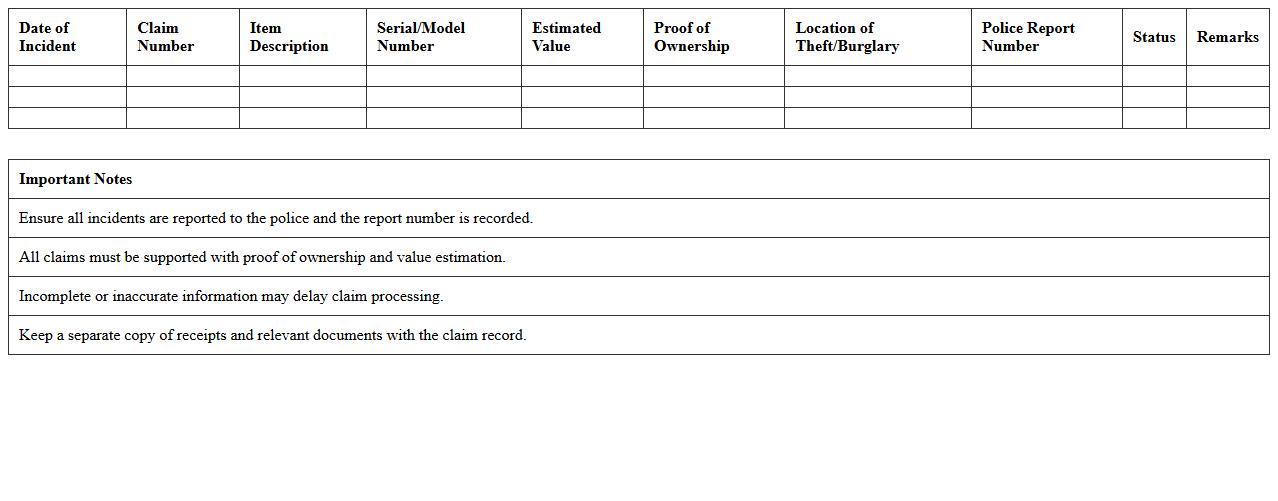
Theft or Burglary Insurance Claim Spreadsheet
A
Theft or Burglary Insurance Claim Spreadsheet document is a structured tool designed to organize and track information related to stolen or burglarized property claims. It helps users record details such as item descriptions, values, purchase dates, and claim statuses, facilitating accurate and efficient submission to insurance companies. This spreadsheet ensures transparency and simplifies the claim process, improving the chances of receiving appropriate compensation.
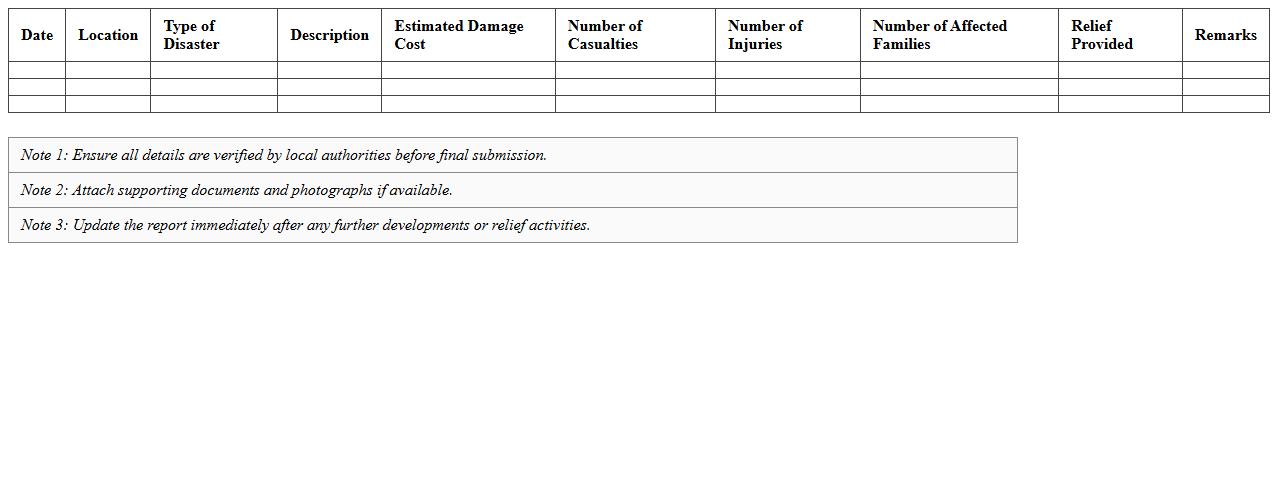
Natural Disaster Damage Report Excel Sheet
A
Natural Disaster Damage Report Excel Sheet document is a structured tool designed to systematically record and analyze the extent of damage caused by natural disasters such as floods, earthquakes, hurricanes, or wildfires. This document helps in organizing critical data including affected areas, property losses, infrastructure damage, and casualty figures, enabling efficient assessment and decision-making for emergency response and recovery efforts. By consolidating accurate information in a clear format, it supports government agencies, relief organizations, and stakeholders in planning resource allocation and evaluating disaster impact effectively.
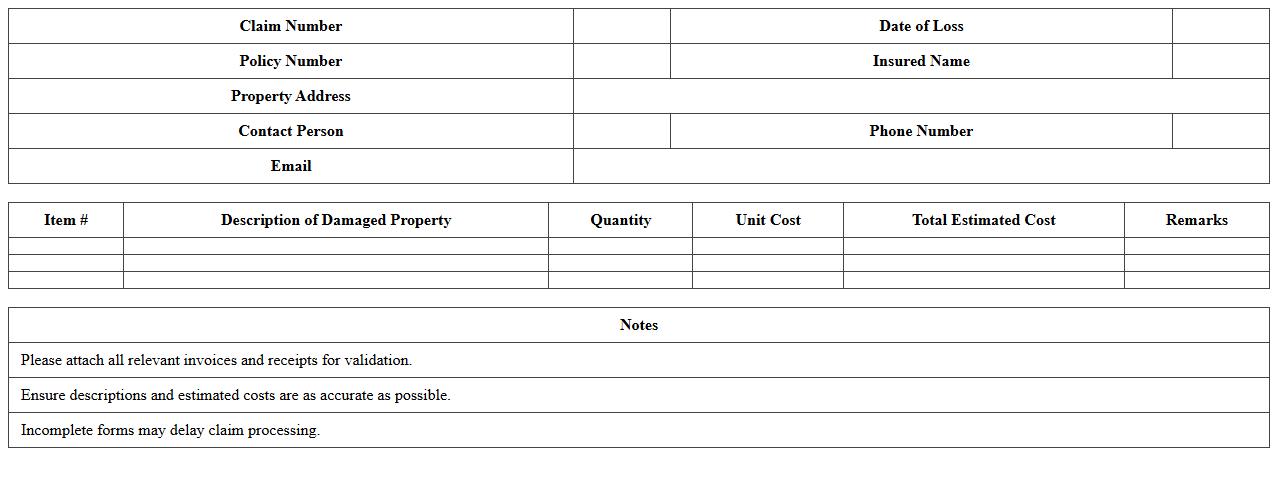
Commercial Property Damage Claim Excel Form
The
Commercial Property Damage Claim Excel Form is a structured spreadsheet designed to document and organize details related to property damage claims efficiently. It captures essential data such as incident descriptions, cost estimates, repair timelines, and insurance information, enabling streamlined communication with insurers and contractors. Using this form helps businesses maintain accurate records, expedite claim processing, and ensure comprehensive coverage of all damage-related expenses.
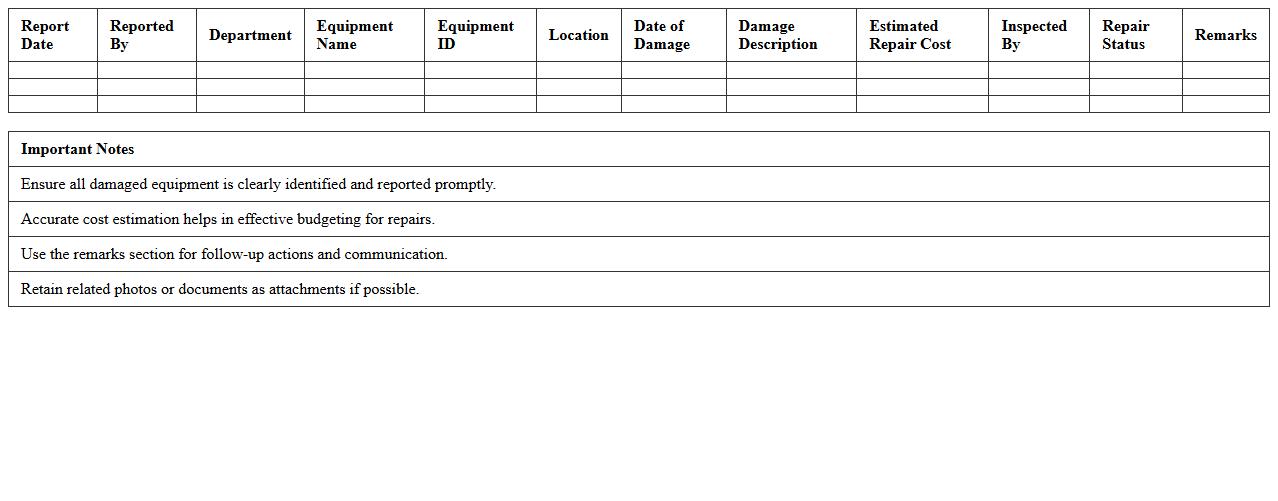
Detailed Equipment Damage Report Excel Template
A
Detailed Equipment Damage Report Excel Template is a structured document designed to systematically record and analyze equipment damage incidents, including specifics such as damage type, cause, repair costs, and downtime. This template facilitates consistent data entry, enabling better tracking of equipment failures and helping identify patterns to improve maintenance strategies. By providing a clear overview of damage occurrences, it aids businesses in minimizing repair expenses and enhancing operational efficiency.
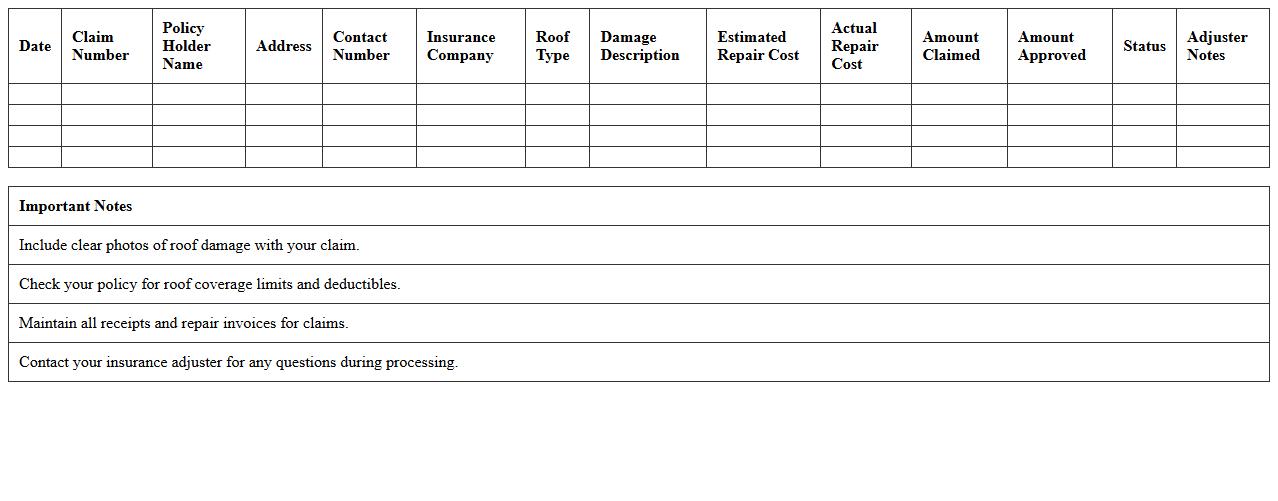
Roof Damage Insurance Claim Excel Spreadsheet
A
Roof Damage Insurance Claim Excel Spreadsheet document is a structured tool designed to systematically record and calculate all expenses related to roof damage insurance claims. It allows users to input details such as repair costs, materials, labor, and depreciation, ensuring accurate and organized claim submissions. This spreadsheet streamlines the claims process by providing a clear, detailed overview that supports quicker approval and reimbursement from insurance providers.
What essential data fields should a Damage Report Excel include for insurance claims?
An effective Damage Report Excel must have claimant information including name and contact details for identification purposes. It should also contain detailed incident descriptions, date and location to clarify the context of the claim. Additionally, precise damage valuation fields are necessary to quantify the loss accurately for the insurer.
How can you automate photo evidence linking in a Damage Report Excel sheet?
Automation of photo evidence linking can be achieved using hyperlinks that connect file paths or URLs directly within the Excel cells. Embedding VBA scripts can further improve this by attaching images dynamically to corresponding report entries. This ensures quick access and verification of visual proof associated with each claim.
What formulas help calculate total claim value in an insurance Damage Report Excel?
Formulas like =SUM() aggregate multiple damage cost inputs to calculate the total claim value efficiently. Using =IF() statements helps apply conditional assessments such as deductibles or partial coverages. Combining =VLOOKUP() with cost data can also automate referencing standard repair or replacement prices.
How should you categorize incident types for faster insurance processing in Excel?
Incident types should be classified into clear, standardized categories such as vehicle damage, property loss, or personal injury for streamlined filtering. Utilizing dropdown lists via data validation ensures consistent categorization across entries. This organized approach speeds up sorting and analyzing claims during processing.
Which Excel data validation rules minimize errors in damage claim entries?
Implementing list-based validation restricts entries to predefined options, reducing input mistakes. Applying date validations ensures correct temporal data for incident dates, preventing future or invalid dates. Additionally, setting numeric range limits on cost fields prevents unrealistic claims and maintains data integrity.