Package Delivery Tracking Excel Template
A
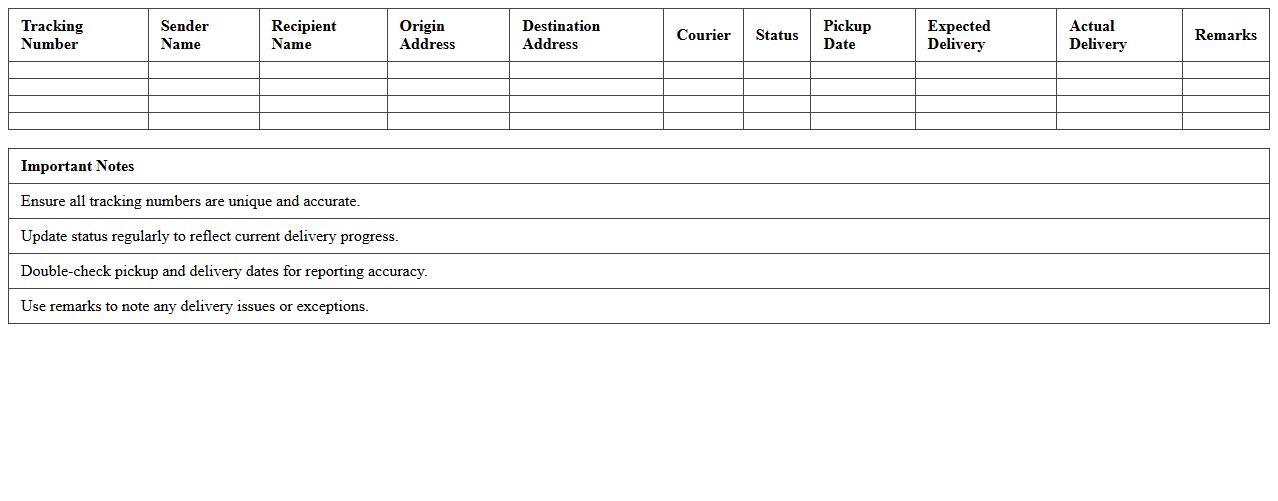
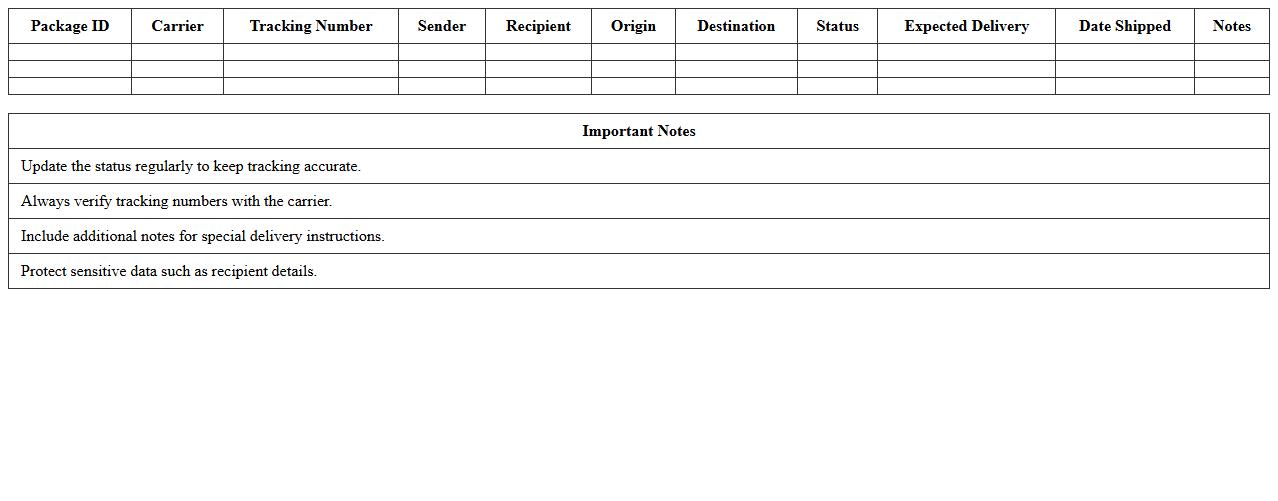
Package Delivery Tracking Excel Template is a structured spreadsheet designed to record and monitor the status of shipments efficiently. It helps users organize shipment details, including tracking numbers, delivery dates, carrier information, and shipment status, in a clear and accessible format. By using this template, businesses and individuals can streamline logistics management, improve delivery accuracy, and enhance communication between senders and recipients.
Shipment Status Report Excel Spreadsheet
A
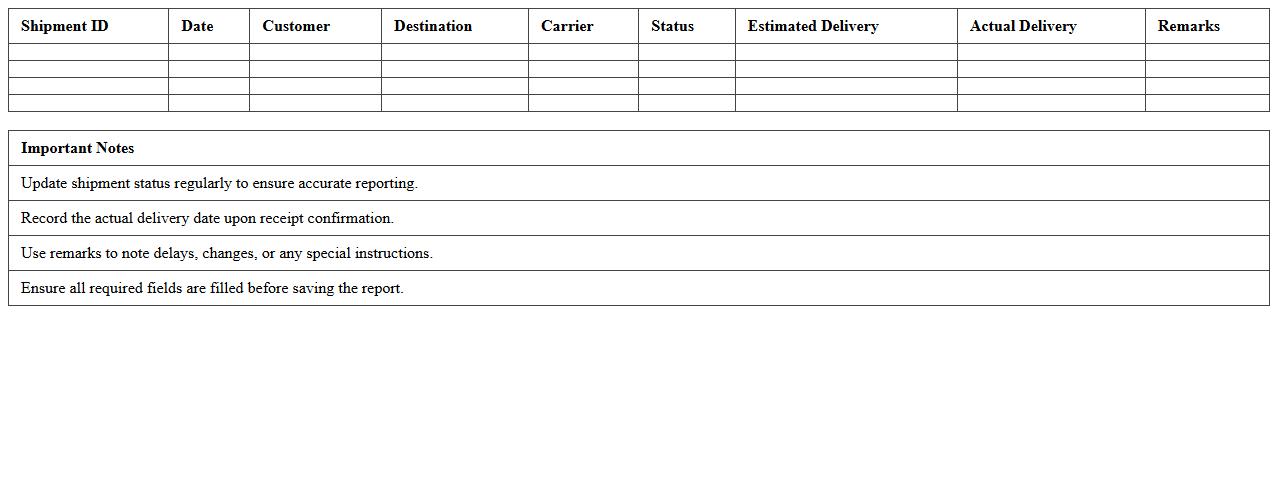
Shipment Status Report Excel Spreadsheet is a detailed document that tracks the progress of shipments by recording information such as shipment dates, carrier details, delivery status, and tracking numbers. It helps businesses monitor the movement of goods in real-time, ensuring timely deliveries and identifying any delays or issues promptly. Using this spreadsheet enhances supply chain visibility, improves communication between logistics teams and clients, and supports data-driven decision-making for efficient shipment management.
Courier Parcel Delivery Log Sheet
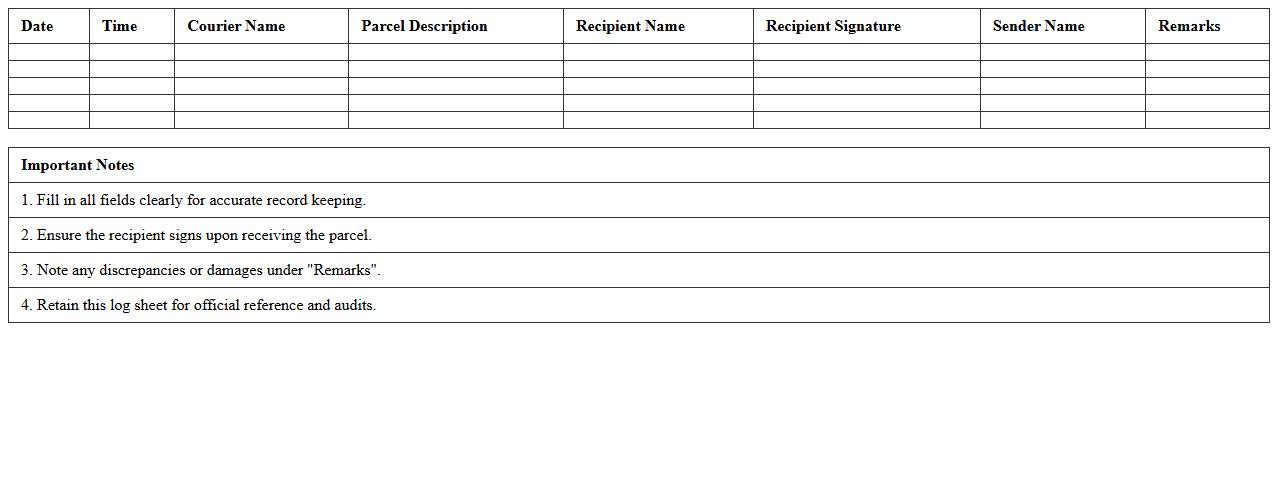
The
Courier Parcel Delivery Log Sheet is a detailed document used to record the dispatch and receipt of parcels by courier services, ensuring accurate tracking of shipments. It helps organizations maintain accountability, monitor delivery statuses, and resolve disputes by documenting essential information such as sender and recipient details, parcel descriptions, and delivery timestamps. This log sheet enhances operational efficiency and transparency in logistics management, reducing the risk of lost or delayed parcels.
Daily Delivery Summary Excel Template
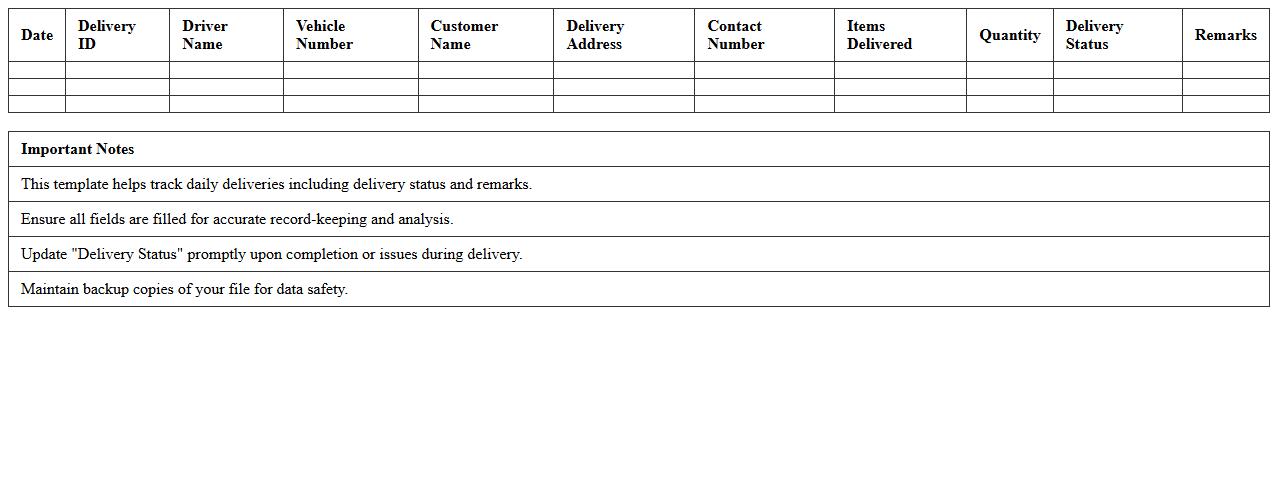
The
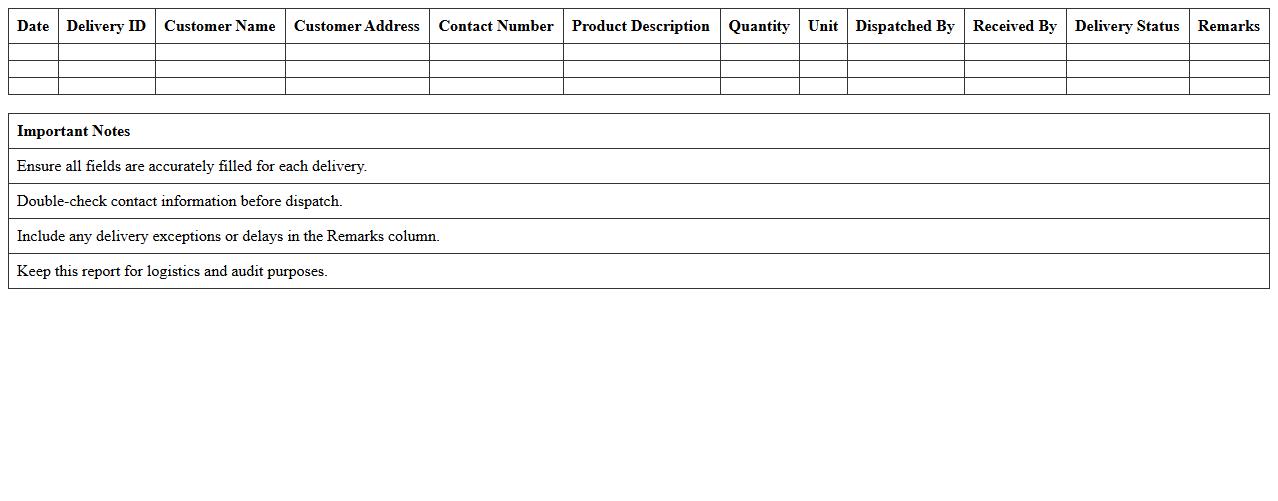
Daily Delivery Summary Excel Template is a structured spreadsheet designed to track and organize delivery data on a daily basis, including details such as delivery dates, item descriptions, quantities, and recipient information. This document enhances operational efficiency by providing a clear overview of daily shipments, enabling businesses to monitor delivery performance and identify bottlenecks quickly. By maintaining accurate records, it supports timely reporting, inventory management, and improved customer satisfaction through better logistics control.
Courier Service Proof of Delivery Form
A
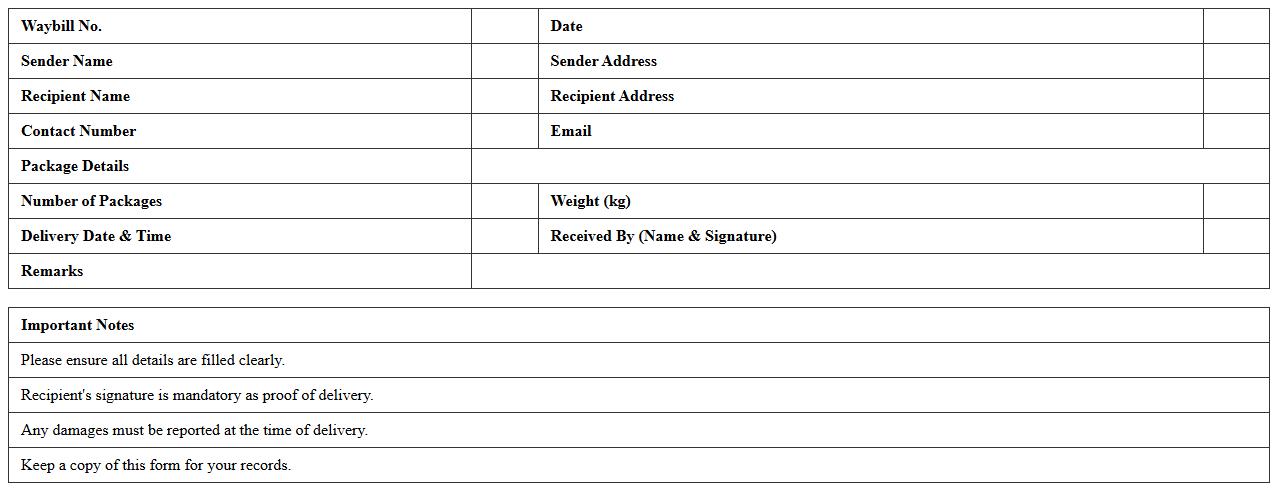
Courier Service Proof of Delivery Form is a vital document confirming the recipient has received the package, including details like delivery date, time, and recipient's signature. This form helps ensure accountability and transparency between the sender, courier, and receiver by providing verifiable evidence of successful delivery. It also aids in resolving disputes, tracking shipments, and maintaining accurate records for logistical and customer service purposes.
Dispatch and Delivery Record Excel Sheet
A
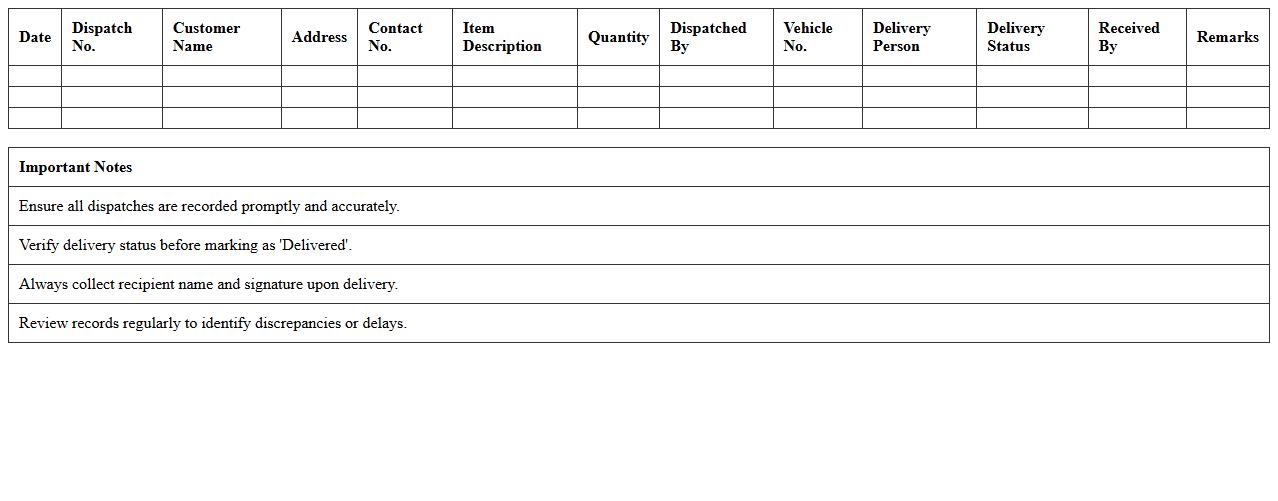
Dispatch and Delivery Record Excel Sheet is a structured document used to track the shipping and receipt of goods, capturing essential details such as dispatch dates, delivery statuses, product quantities, and recipient information. This sheet enhances operational efficiency by providing real-time visibility into the logistics process, enabling accurate record-keeping and timely follow-ups. It is instrumental for inventory management, ensuring accountability and reducing errors in the supply chain.
Excel Template for Tracking Courier Shipments
An
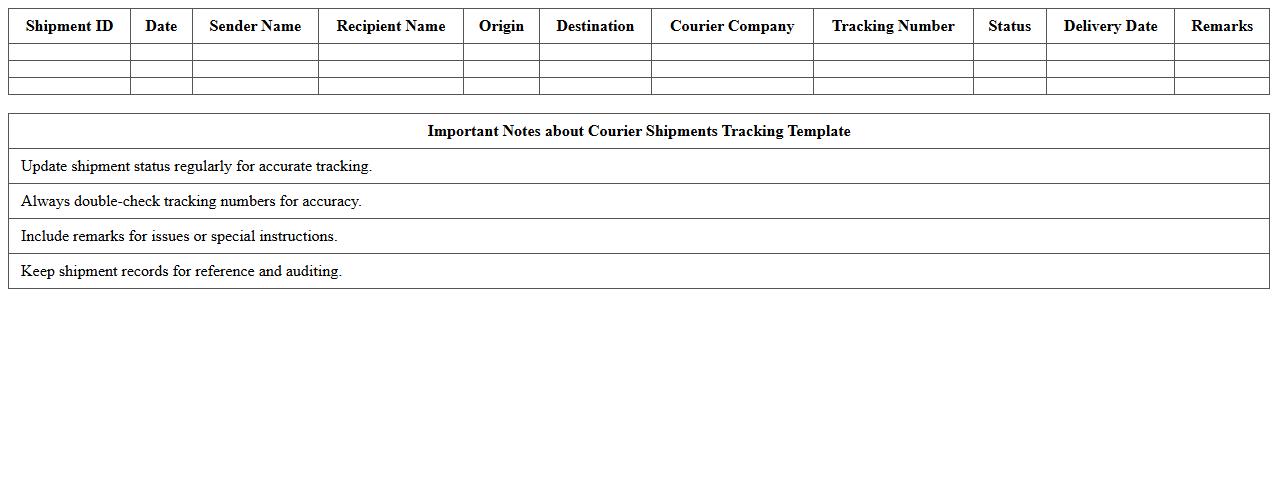
Excel Template for Tracking Courier Shipments is a structured spreadsheet designed to monitor and manage the status of packages throughout the delivery process. It allows users to record shipment details, track progress by different courier services, and update delivery statuses in real-time, enhancing operational efficiency. This tool is invaluable for businesses seeking to streamline logistics, reduce delivery errors, and provide accurate information to customers.
Logistics Delivery Report Excel Format
The
Logistics Delivery Report Excel Format is a structured spreadsheet template designed to record, track, and analyze delivery details such as shipment dates, carrier information, delivery status, and recipient data. This document streamlines logistics management by providing clear visibility into delivery timelines, identifying delays, and optimizing route efficiency. Utilizing this format improves accuracy in reporting, enhances communication between supply chain stakeholders, and supports data-driven decision making for operational improvements.
Multiple Package Delivery Tracking Template
The
Multiple Package Delivery Tracking Template document is a structured tool designed to monitor the status and details of several shipments simultaneously, helping to organize tracking numbers, delivery dates, carrier information, and recipient addresses in one centralized location. It streamlines logistics management by providing real-time updates and reducing errors related to lost or delayed packages. This template is essential for businesses and individuals aiming to improve efficiency, enhance communication with customers, and maintain accurate delivery records.
Route-wise Delivery Performance Report Excel
The
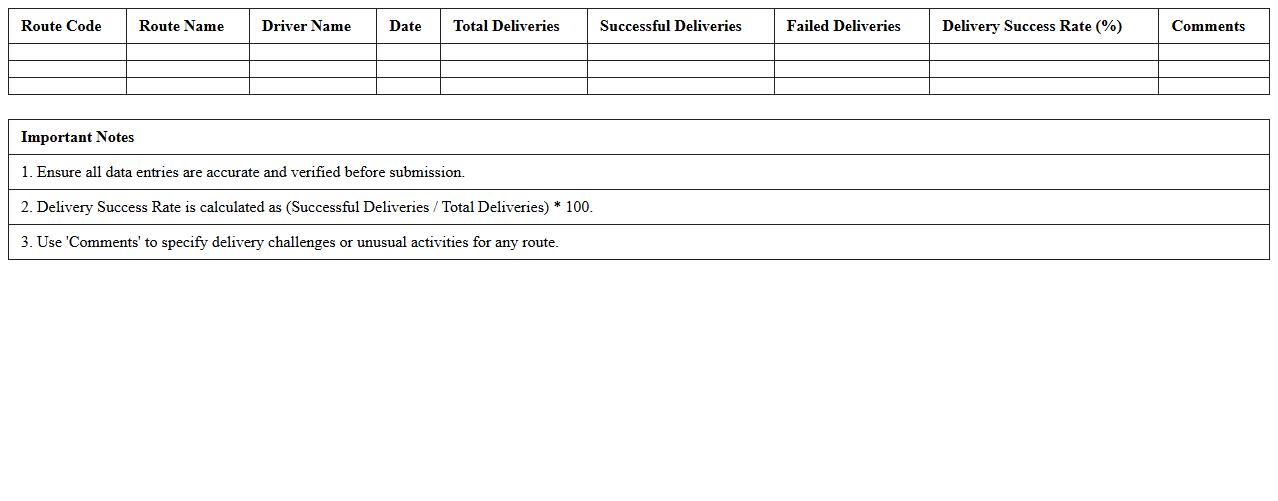
Route-wise Delivery Performance Report Excel document provides detailed insights into the efficiency and timeliness of deliveries across various routes. It helps identify patterns in delays, optimize delivery schedules, and improve logistical planning by analyzing key performance indicators such as delivery times, frequency, and success rates per route. Utilizing this report enhances resource allocation, reduces operational costs, and ensures higher customer satisfaction through better delivery management.
How can automated Excel macros streamline delivery report generation for courier services?
Automated Excel macros significantly reduce manual data entry by executing repetitive tasks with a single click. They ensure consistent formatting and accurate calculations, which enhance overall report reliability. This automation speeds up the generation process, allowing courier services to deliver timely and professional reports.
What key fields should a courier delivery report Excel template include for compliance tracking?
An effective courier delivery report template must include tracking number, delivery status, recipient signature, and timestamps for accurate compliance monitoring. Additional fields like delivery location, courier ID, and package condition help in comprehensive audit trails. These key data points ensure strict adherence to service standards and regulatory requirements.
How do you integrate barcode scanning data into Excel delivery reports for real-time updates?
Integrating barcode scanning data involves using compatible scanners linked with Excel via VBA macros or third-party add-ins. This setup allows real-time entry of package details directly into delivery report sheets, minimizing errors. Automated updates improve accuracy and provide instant visibility of shipment status within Excel.
What are best practices for visualizing delivery performance metrics in Excel dashboards?
Effective visualization uses clear charts, pivot tables, and conditional formatting to highlight key performance indicators such as delivery times and success rates. Dashboards should be concise and interactive to enable quick insights into trends and bottlenecks. Utilizing dynamic data filtering enhances user experience by focusing on relevant delivery segments.
How can Excel delivery reports be securely shared with clients to ensure data privacy?
To maintain data privacy, delivery reports should be password-protected and encrypted before sharing with clients. Using secure platforms such as OneDrive or SharePoint with access controls further safeguards data transmission. Additionally, limiting sensitive information to authorized recipients helps comply with privacy regulations.