Patient Visit Summary Excel Template
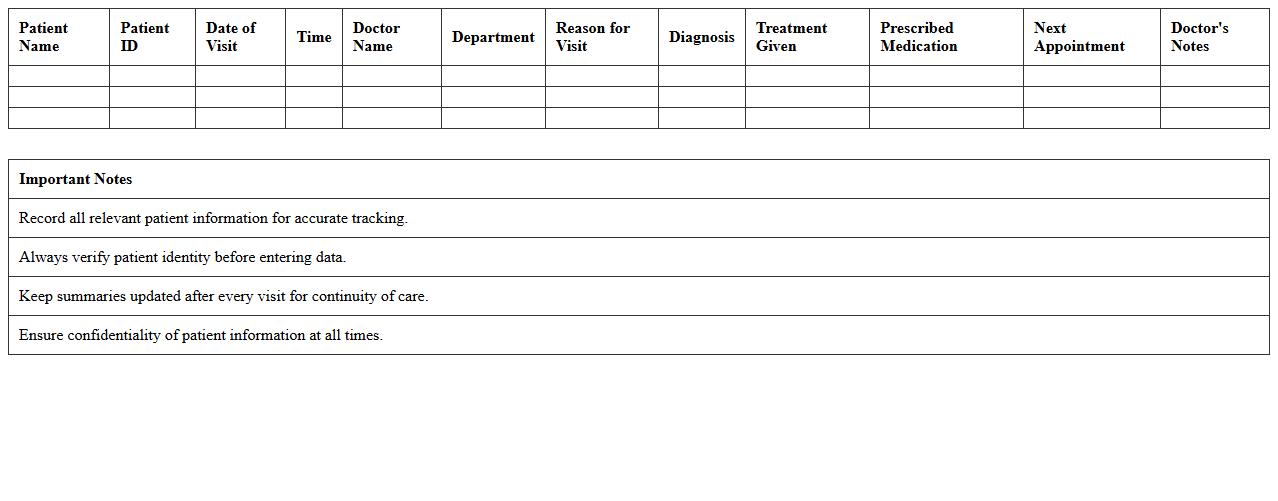
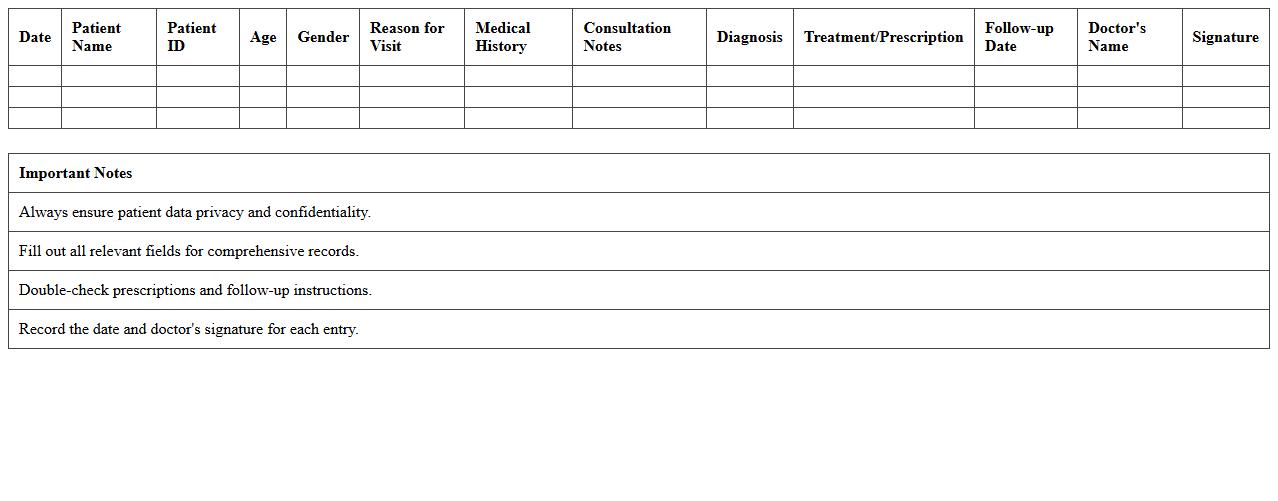
The
Patient Visit Summary Excel Template is a structured document designed to record and organize key patient visit information, including medical history, treatments, and diagnoses. This template streamlines data entry, improves record accuracy, and facilitates quick access to patient details, enhancing clinical decision-making. Healthcare providers benefit from its ease of use, enabling efficient patient management and improved communication.
Clinical Test Results Excel Template
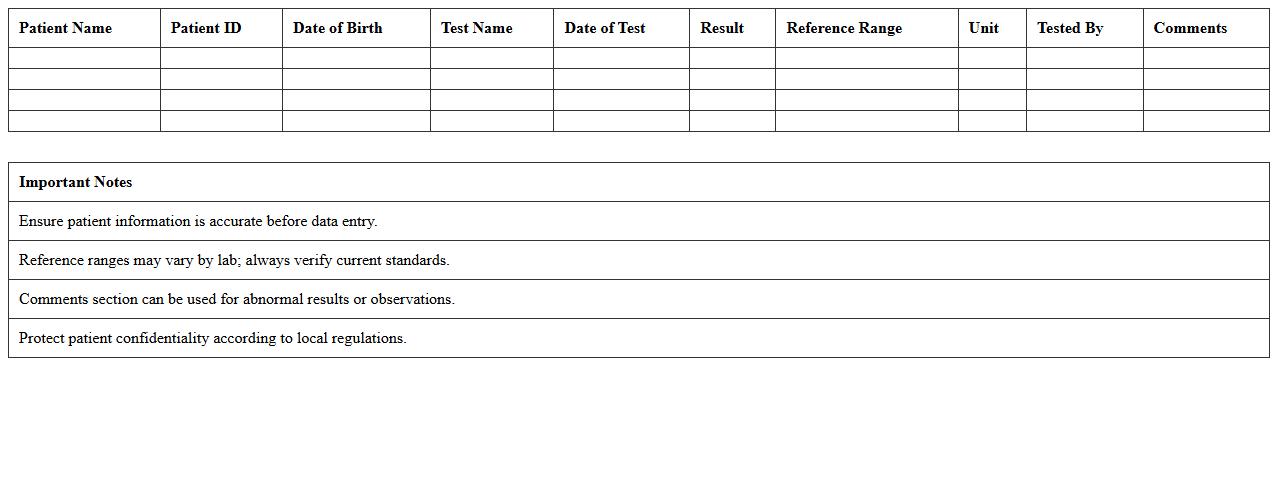
The
Clinical Test Results Excel Template is a structured spreadsheet designed to record, organize, and analyze patient test data efficiently. It streamlines data entry for various clinical parameters, enabling healthcare professionals to track trends, compare results, and generate reports with ease. This template enhances accuracy and accessibility, supporting timely decision-making and improved patient care outcomes.
Outpatient Medical Report Excel Template
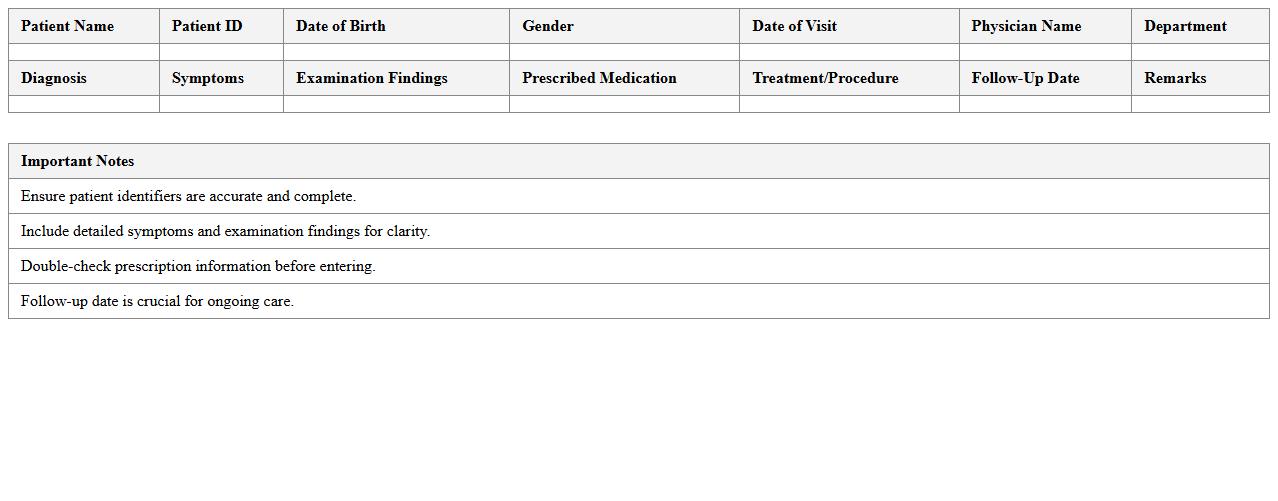
The
Outpatient Medical Report Excel Template is a structured document designed to record and organize patient visit information, including personal details, diagnosis, treatment plans, and follow-up schedules. It streamlines data entry, ensuring accuracy and easy access to medical records for healthcare providers. This template enhances patient management efficiency by facilitating quick analysis, reporting, and tracking of outpatient care outcomes.
Medical Diagnosis Record Excel Template
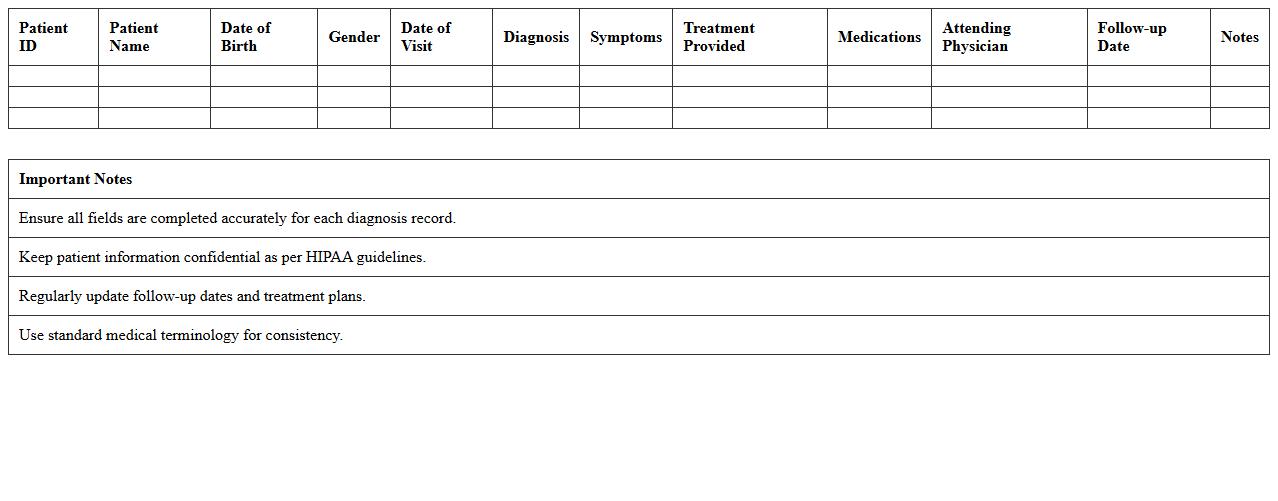
A
Medical Diagnosis Record Excel Template is a structured spreadsheet designed to systematically capture and organize patient diagnosis data, including symptoms, test results, and prescribed treatments. This template enhances accuracy and efficiency by enabling healthcare professionals to track patient histories and identify patterns over time. Utilizing this tool improves healthcare management, supports data analysis for research, and facilitates seamless sharing of vital medical information among practitioners.
Doctor Consultation Notes Excel Template
The
Doctor Consultation Notes Excel Template is a structured digital tool designed to record medical consultation details efficiently, including patient symptoms, diagnosis, treatment plans, and follow-up instructions. This template helps healthcare professionals maintain organized and easily accessible records, facilitating accurate tracking of patient history and improving communication among medical staff. Utilizing this document enhances data consistency, saves time on documentation, and supports better patient care management.
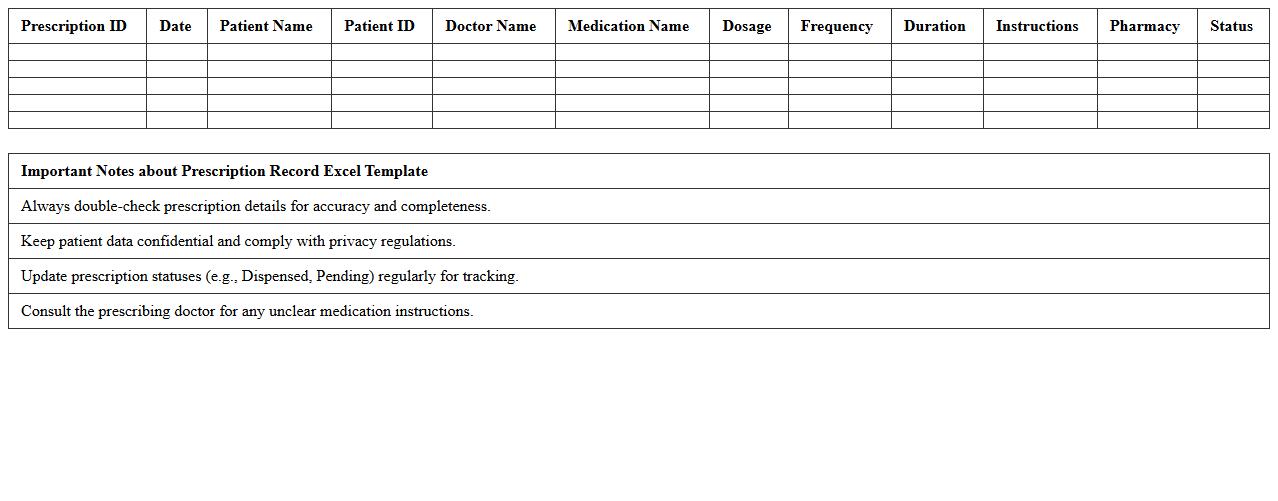
Prescription Record Excel Template
A
Prescription Record Excel Template is a digital tool designed to organize and manage patient prescription information efficiently. It helps healthcare providers track medication names, dosages, prescribing doctors, and refill dates, ensuring accuracy and preventing errors. This template enhances record-keeping by streamlining data entry, improving accessibility, and supporting timely medical decisions.
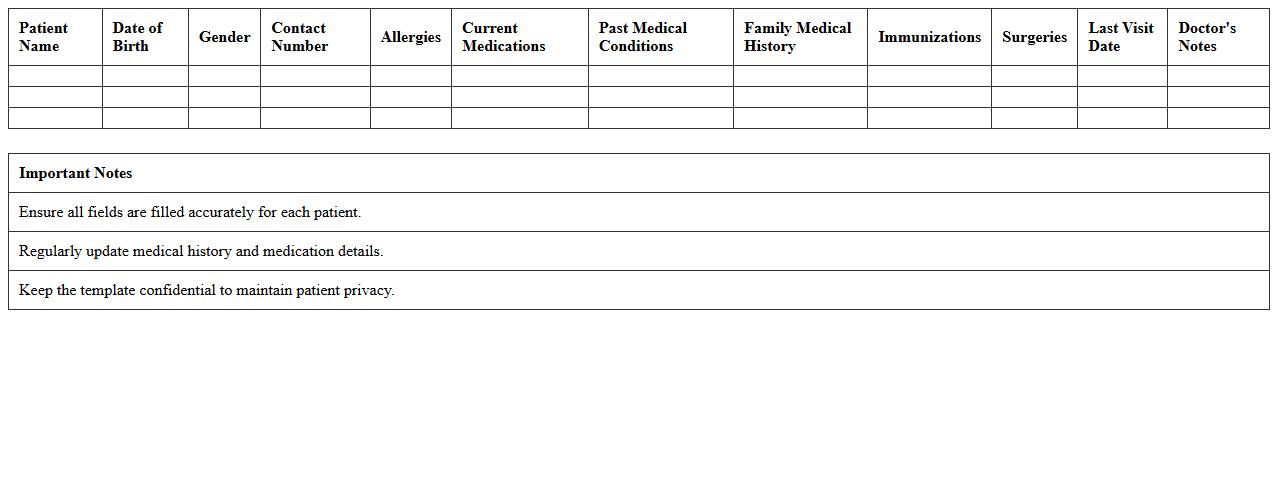
Patient Medical History Excel Template
A
Patient Medical History Excel Template is a structured document designed to record and organize comprehensive patient health information, including past illnesses, treatments, allergies, and medication details. This template helps healthcare professionals efficiently track medical histories, improving diagnostic accuracy and personalized care planning. Using this tool ensures that critical health data is easily accessible, reducing errors and facilitating better communication among medical teams.
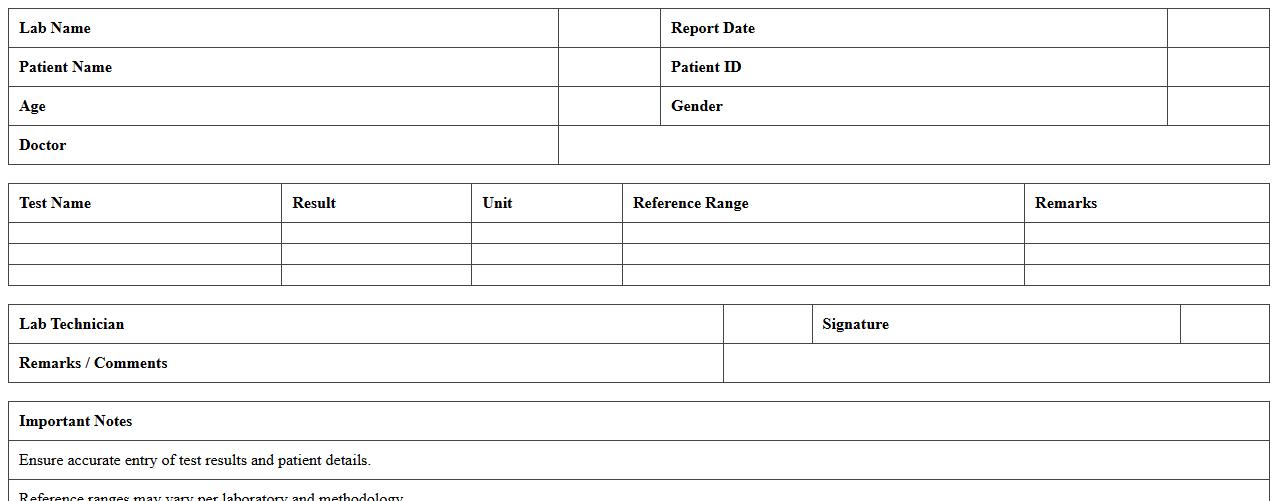
Lab Investigation Report Excel Template
The
Lab Investigation Report Excel Template is a structured spreadsheet designed to organize and analyze laboratory test data efficiently. It allows users to input test results, track sample details, and generate clear reports for accurate interpretation and decision-making. This template enhances productivity by minimizing errors and streamlining the documentation process in scientific and medical investigations.
Inpatient Discharge Summary Excel Template
The
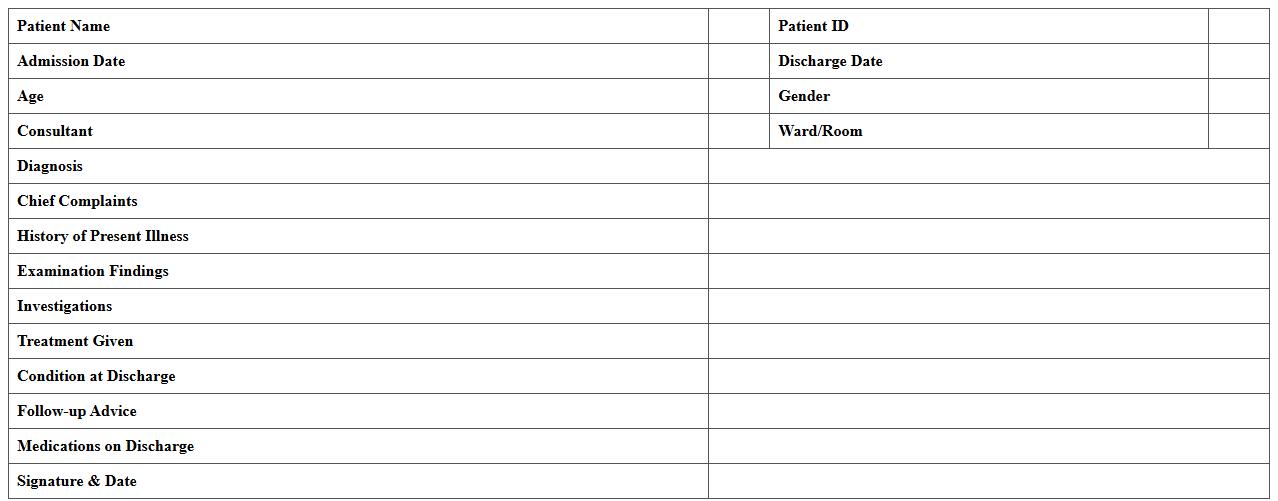
Inpatient Discharge Summary Excel Template is a structured document designed to systematically record patient details, diagnoses, treatments, and discharge instructions for hospitalized patients. It streamlines the process of compiling critical medical information, ensuring accuracy and consistency across records. Healthcare providers benefit by improving communication, facilitating patient care continuity, and enhancing administrative efficiency.
Treatment Progress Tracking Excel Template
A
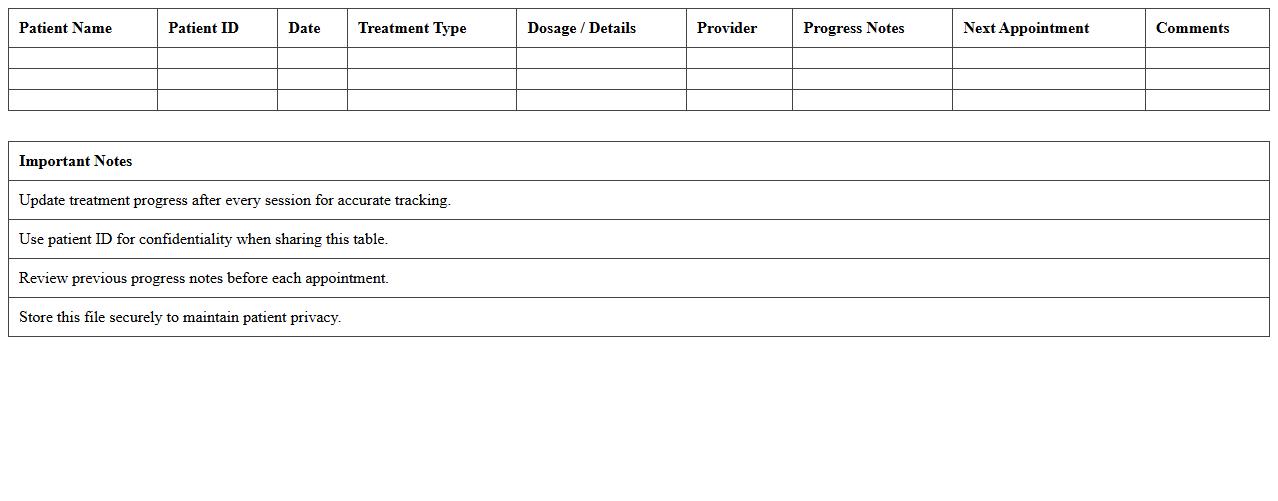
Treatment Progress Tracking Excel Template is a structured document designed to monitor and record patient treatment details, including session dates, medication dosages, and symptom improvements. It helps healthcare providers analyze trends over time, ensuring effective adjustments to therapy plans and enhancing patient outcomes. This template streamlines data management, improving accuracy and efficiency in clinical decision-making processes.
How do you automate ICD-10 code integration in medical report Excel templates?
Automating ICD-10 code integration in Excel involves linking medical report templates to a dynamic ICD-10 code database. You can use data validation lists and lookup formulas such as VLOOKUP or INDEX-MATCH to pull relevant codes automatically. This ensures accurate coding and saves time by reducing manual entry errors in reports.
What Excel formulas best track patient follow-up dates in medical documentation?
The most effective formulas for tracking patient follow-up dates include DATE, IF, and conditional formatting to highlight upcoming appointments. Using the TODAY() function helps calculate the number of days until the next follow-up, enabling proactive patient management. Combining these with alerts through conditional formatting ensures timely and organized follow-up tracking.
How can you securely share Excel-based medical reports while maintaining HIPAA compliance?
To maintain HIPAA compliance when sharing Excel-based medical reports, encrypt files with strong passwords and use authorized secure file-sharing platforms. Ensure that all patient identifiers are anonymized or removed unless the recipient is authorized to access the data. Additionally, implement access controls and audit trails to monitor who opens or modifies sensitive medical reports.
What is the most effective way to visualize lab result trends in Excel for clinical reporting?
The best way to visualize lab result trends in Excel is by using line charts or scatter plots with trendlines for continuous data monitoring. Incorporate conditional formatting to highlight abnormal values and employ pivot tables to summarize results by patient or time period. These visual tools enhance clinical decision-making by clearly illustrating patterns and deviations in lab results.
Which Excel tools help detect data entry errors in healthcare clinic medical reports?
Excel tools like Data Validation, Conditional Formatting, and the IFERROR function are essential for detecting data entry errors in medical reports. Data Validation restricts incorrect inputs, while Conditional Formatting flags inconsistencies or outliers automatically. Using these tools together increases data accuracy and reliability in healthcare documentation.