Patient Sample Tracking Register Excel Template
The
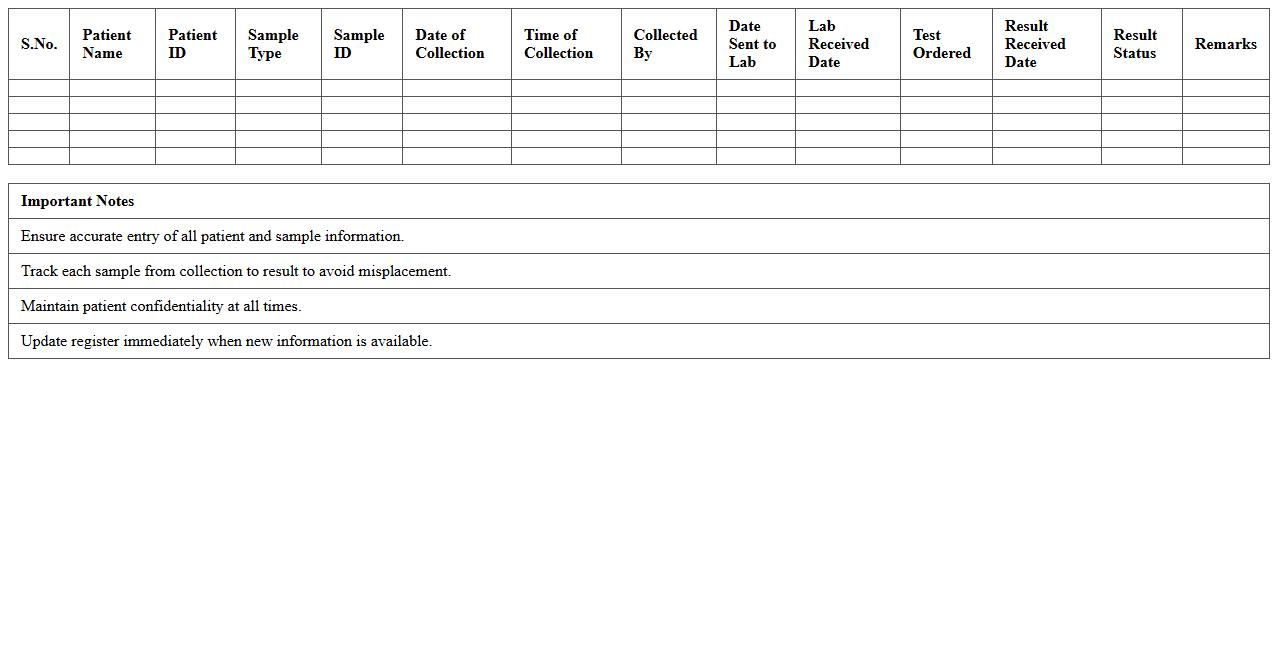
Patient Sample Tracking Register Excel Template is a comprehensive tool designed to record and monitor patient specimen details efficiently. It enables healthcare professionals to track sample collection dates, types, test statuses, and results in a structured format, reducing errors and improving data accessibility. Utilizing this template enhances laboratory workflow management, ensures timely processing of patient samples, and supports accurate reporting for better clinical decision-making.
Clinical Lab Specimen Log Excel Sheet
The
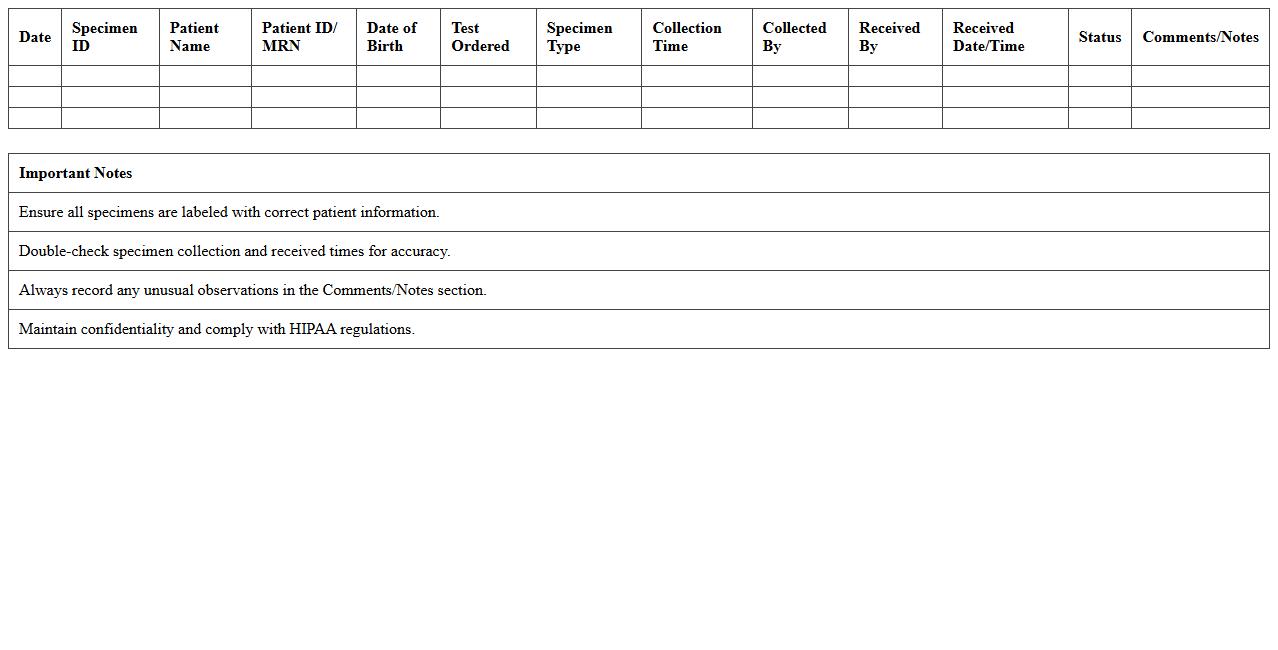
Clinical Lab Specimen Log Excel Sheet is a structured document designed to record and track patient specimens collected in a clinical laboratory setting. It organizes critical information such as specimen ID, collection date and time, type of test required, and status of analysis, ensuring accurate specimen management and traceability. This log improves lab efficiency, minimizes errors, and facilitates compliance with regulatory standards by maintaining detailed, accessible records of all specimens processed.
Biological Sample Inventory Excel Template
A
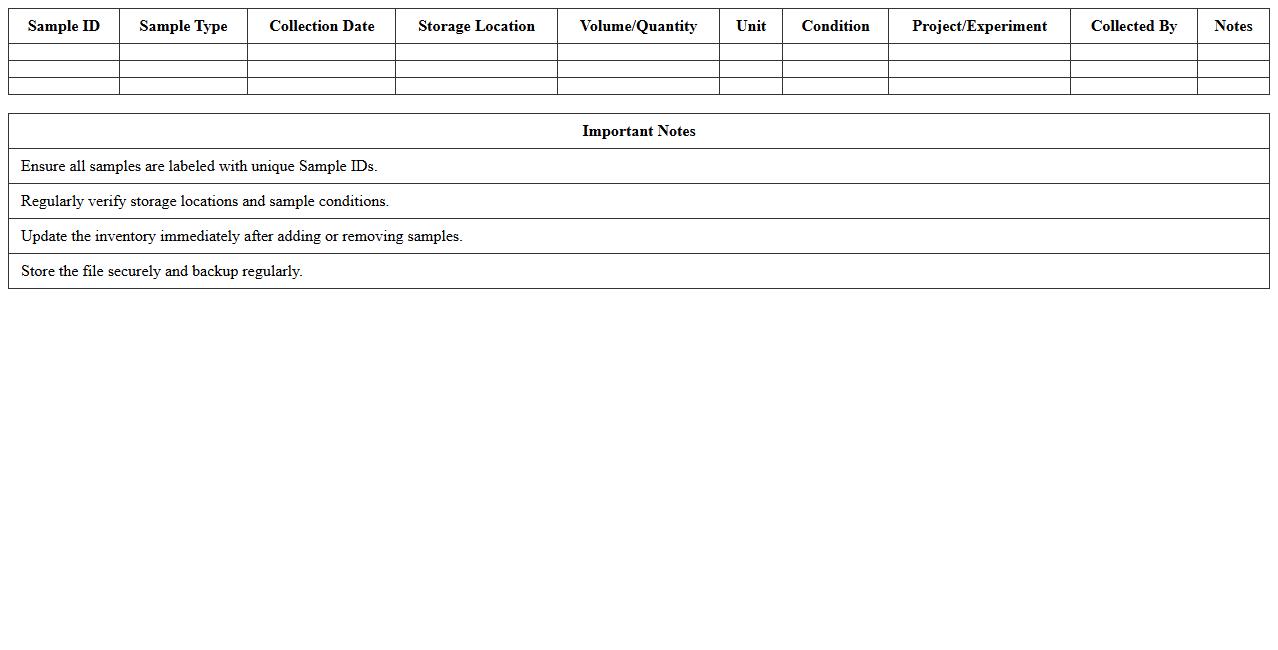
Biological Sample Inventory Excel Template is a structured document designed to systematically record and track biological specimens such as tissues, blood samples, and DNA extracts. It allows researchers and laboratory personnel to manage critical data including sample types, collection dates, storage locations, and usage history, enhancing accuracy and traceability. This template improves workflow efficiency, ensures compliance with regulatory standards, and facilitates quick retrieval of sample information for ongoing experiments or audits.
Pathology Laboratory Sample Register Spreadsheet
The
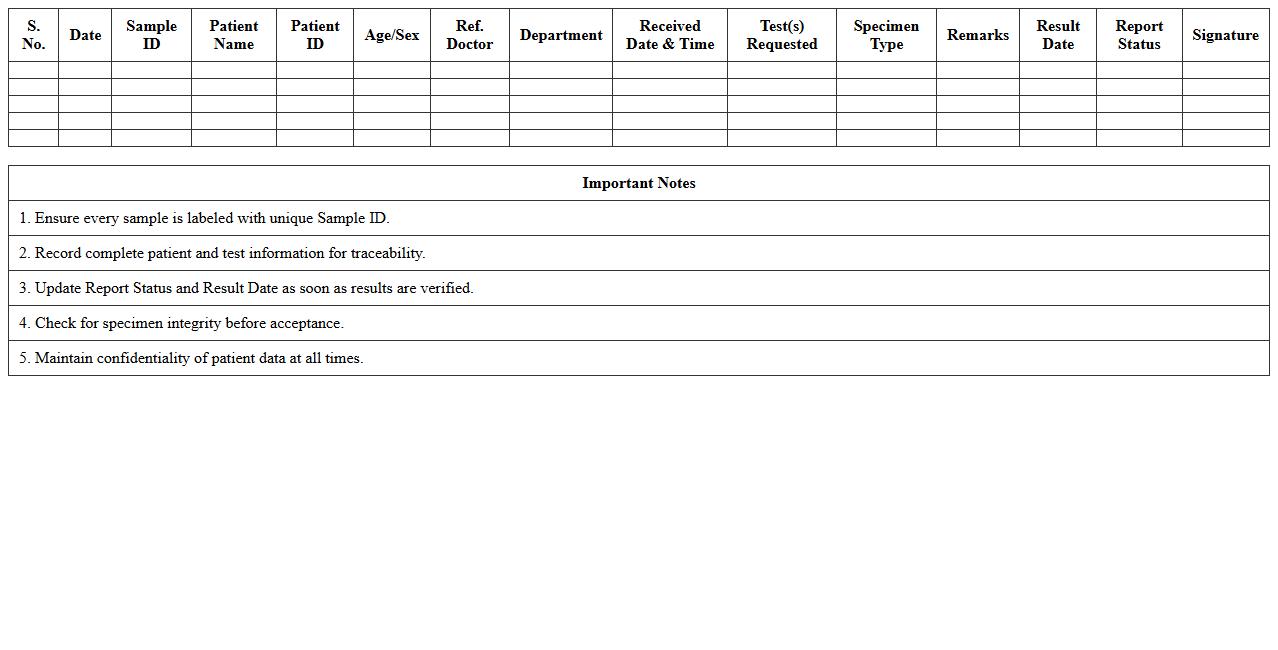
Pathology Laboratory Sample Register Spreadsheet document is a structured digital tool used to systematically record and track patient samples collected for pathological analysis. It enhances accuracy in sample identification, ensures traceability throughout the testing process, and minimizes errors in data management. This spreadsheet improves laboratory efficiency by facilitating quick access to sample information and supporting compliance with regulatory standards.
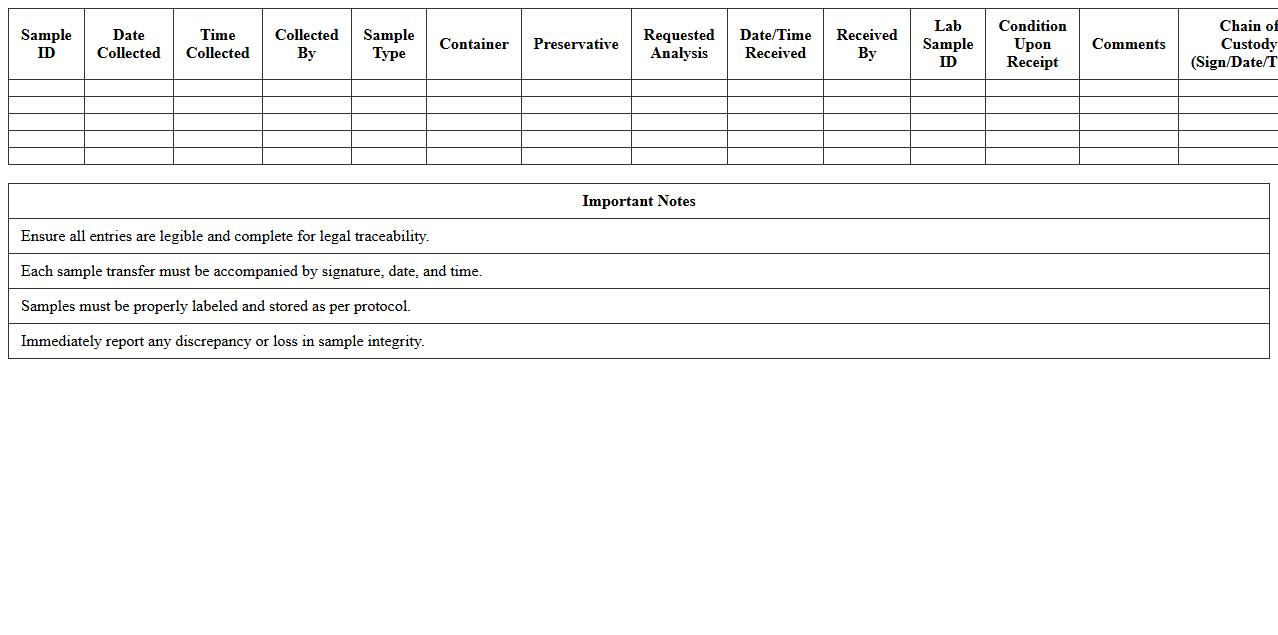
Laboratory Sample Chain of Custody Excel Log
A
Laboratory Sample Chain of Custody Excel Log document is a detailed record that tracks the transfer and handling of laboratory samples from collection to analysis, ensuring traceability and accountability. This log meticulously documents each individual who accesses the sample, the date and time of transfer, and the condition of the sample, minimizing the risk of contamination or tampering. Maintaining this organized record enhances data integrity, supports compliance with regulatory standards, and facilitates efficient sample management in laboratory environments.
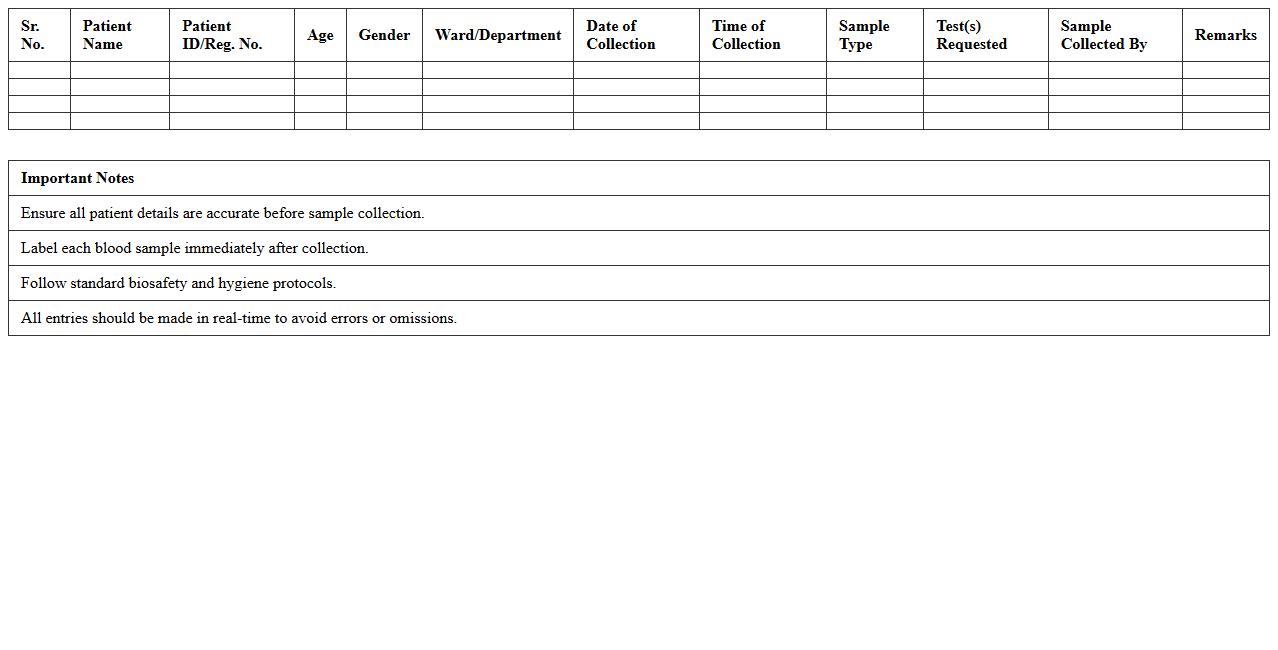
Blood Sample Collection Register Excel Format
The
Blood Sample Collection Register Excel Format document is a structured template designed to systematically record details of blood sample collections, including patient information, sample IDs, collection dates, and test types. This format enhances accuracy and organization, enabling healthcare providers and laboratories to track samples efficiently and reduce errors. It streamlines data management, facilitates quick retrieval of patient records, and supports better communication between medical staff.
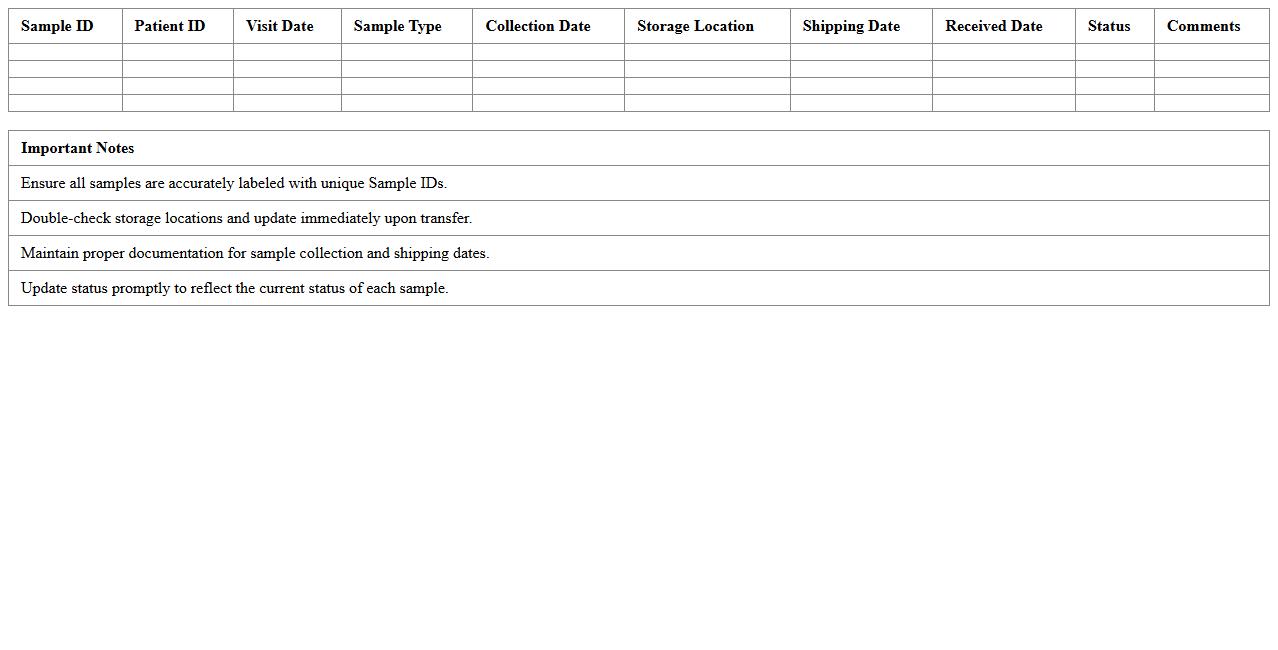
Clinical Trials Sample Management Excel Sheet
A
Clinical Trials Sample Management Excel Sheet is a structured document designed to track and organize biological samples collected during clinical research. It enables efficient monitoring of sample types, storage locations, collection dates, and shipment details, ensuring data accuracy and regulatory compliance. This tool streamlines workflow, reduces errors, and enhances sample traceability throughout the clinical trial process.
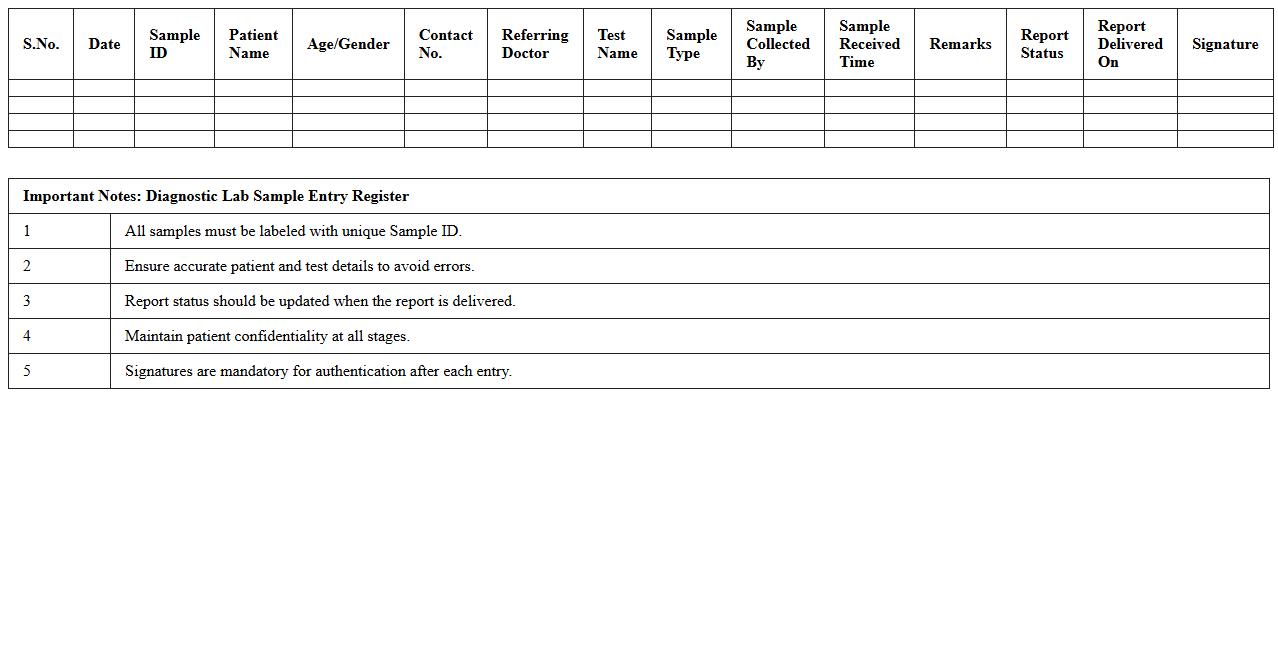
Diagnostic Lab Sample Entry Register Excel
A
Diagnostic Lab Sample Entry Register Excel document is a digital tool designed to systematically record and track patient samples received in a diagnostic laboratory. It helps maintain organized data including sample ID, patient details, test types, and dates of collection, ensuring accuracy and traceability throughout the testing process. This register enhances workflow efficiency, reduces errors, and supports compliance with regulatory standards by providing a clear, searchable record of all sample entries.
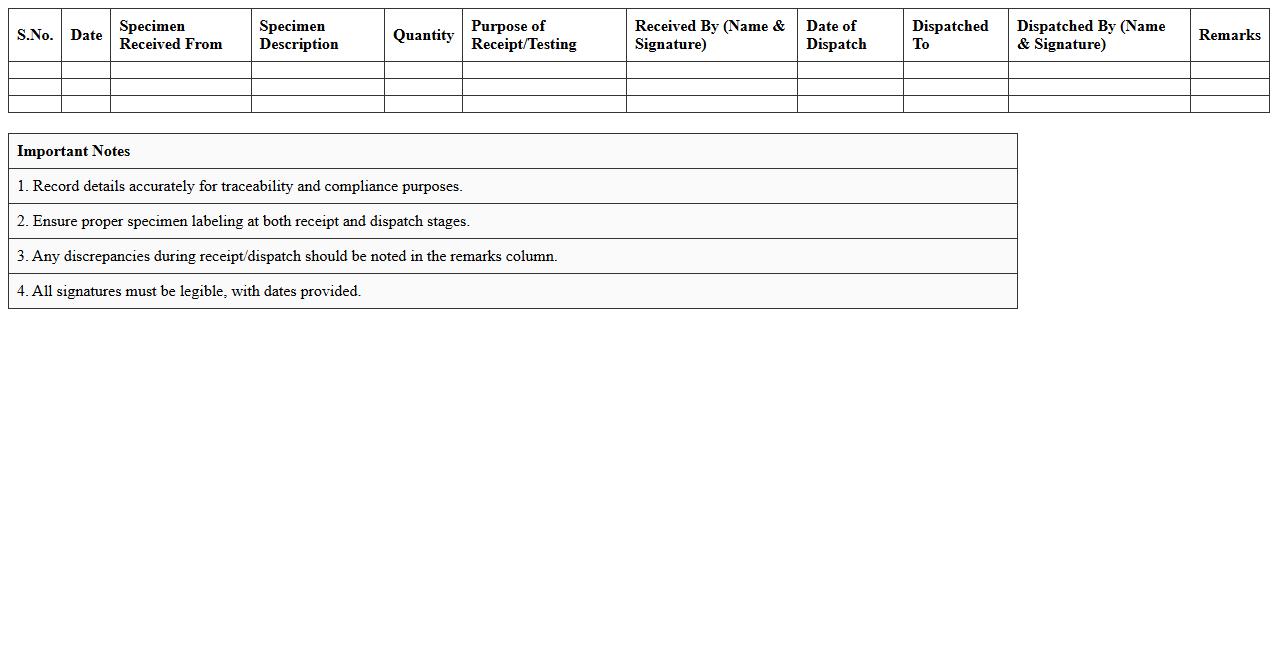
Specimen Receipt and Dispatch Register Excel Template
The
Specimen Receipt and Dispatch Register Excel Template document is a structured tool designed to track the detailed records of specimens received and dispatched in laboratories or medical facilities. This template ensures accurate logging of sample details, dates, and responsible personnel, facilitating efficient inventory management and traceability. It is useful for maintaining compliance with regulatory standards, minimizing errors in specimen handling, and enhancing overall operational workflow in diagnostic services.
Laboratory Test Sample Identification Log Excel
The
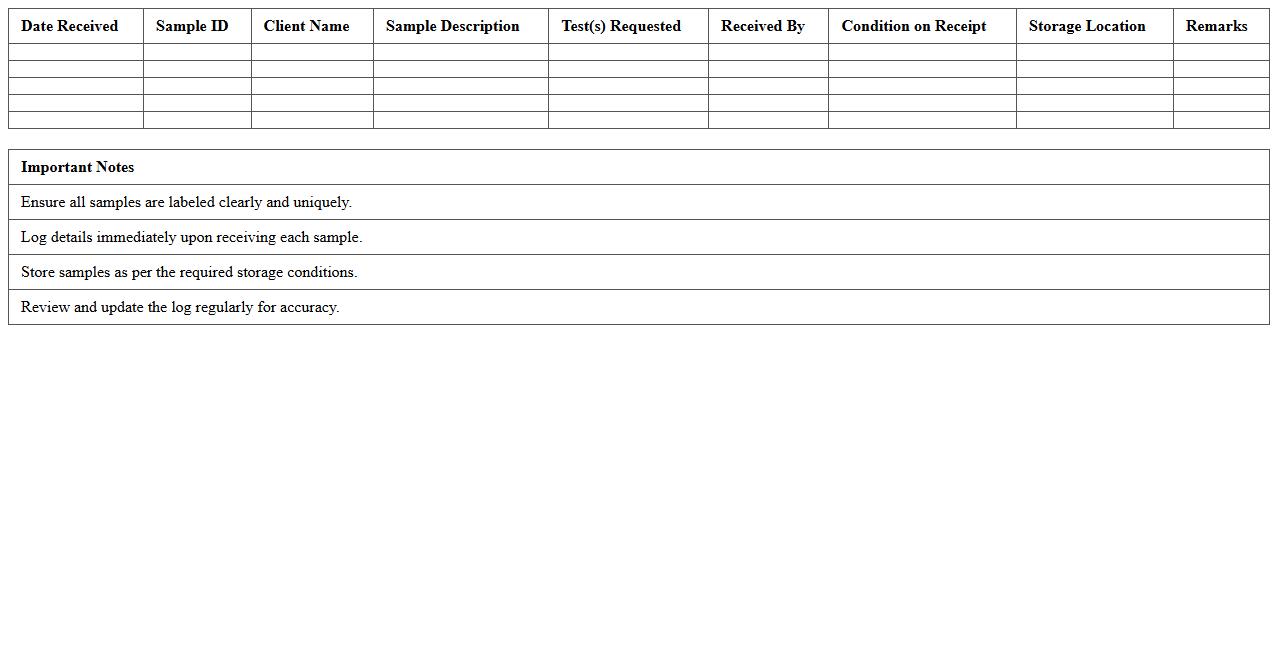
Laboratory Test Sample Identification Log Excel document is a structured spreadsheet used to accurately record and track samples throughout the testing process. It helps maintain sample integrity by logging essential details such as sample ID, collection date, test type, and analyst information, ensuring traceability and reducing errors. This document facilitates efficient data management, compliance with regulatory standards, and quick retrieval of sample information for reporting and analysis.
How do you standardize test result entries in a Laboratory Register Excel for compliance audits?
To standardize test result entries in a Laboratory Register Excel, use consistent data entry formats, such as dropdown lists for test outcomes and predefined units. Implement data validation rules to restrict entries to acceptable values and avoid discrepancies. Maintaining a uniform template improves accuracy and simplifies compliance audits by ensuring data consistency.
Which Excel formula automates calculation of daily sample turnaround times in clinical lab registers?
Use the formula =IF(ISBLANK(CompletedDate), "", CompletedDate - ReceivedDate) to calculate daily sample turnaround times automatically in Excel. This formula subtracts the received date from the completed date, giving the exact duration in days. Applying this across rows helps track test processing efficiency in clinical lab registers.
What data validation methods ensure accurate patient identifiers in a lab register spreadsheet?
Implement data validation techniques such as restricting patient ID inputs to specific formats using custom formulas or regular expressions. Use dropdown menus for predefined patient lists to minimize typographical errors and duplicate entries. Additionally, employ unique value checks to prevent duplicate patient identifiers, enhancing data integrity.
How can conditional formatting highlight abnormal test results in a clinical lab register Excel sheet?
Apply conditional formatting rules that highlight cells exceeding defined normal ranges or thresholds, using color scales or icon sets. Custom formulas can flag abnormal test values dynamically, making it easier to identify outliers at a glance. This visual aid improves quality control and expedites clinical review processes.
What template structure best supports multi-department test tracking in clinical laboratory registers?
A template with separate departmental columns and standardized sample ID rows enables efficient multi-department tracking. Incorporate filters and pivot tables for easy data segmentation and reporting by each department. This structured approach ensures clear visibility of cross-department workflows and facilitates comprehensive laboratory management.