The Inventory Replenishment Plan Excel Template for E-commerce Stores streamlines stock management by forecasting demand and tracking reorder levels efficiently. Designed to prevent stockouts and overstock situations, this template helps maintain optimal inventory levels tailored specifically for online retailers. Automated calculations and visual dashboards enhance decision-making, boosting overall operational efficiency.
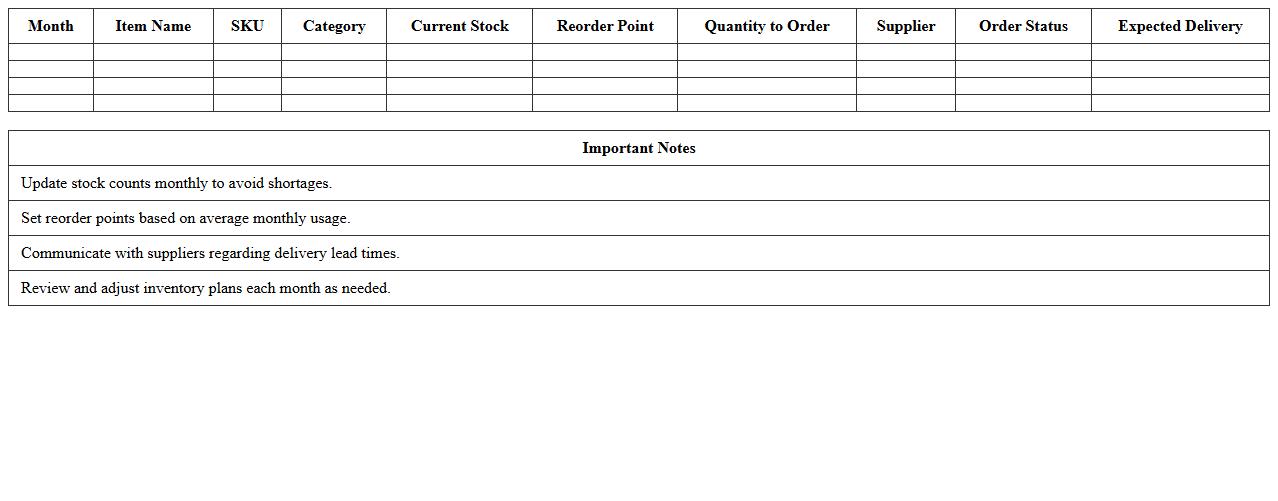
Monthly Inventory Restock Planner Excel Template
The
Monthly Inventory Restock Planner Excel Template is a dynamic spreadsheet designed to efficiently track stock levels and forecast restocking needs based on historical sales data. This tool helps businesses prevent stockouts and overstock situations by providing clear visuals and formulas for reorder points and quantities. Utilizing this template optimizes inventory management, reduces carrying costs, and ensures product availability aligns with customer demand.
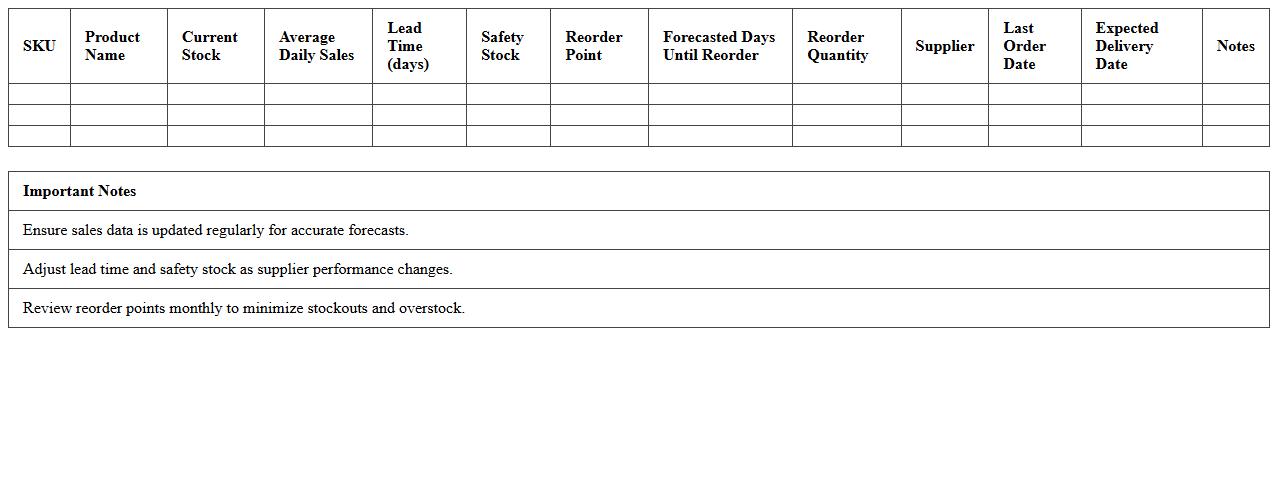
Automated E-commerce Reorder Forecast Sheet
The
Automated E-commerce Reorder Forecast Sheet is a document designed to predict inventory needs by analyzing sales data, seasonal trends, and current stock levels. It helps businesses optimize stock replenishment, reduce overstock and stockouts, and improve cash flow management. By automating reorder forecasts, companies save time and enhance decision-making accuracy for supply chain efficiency.
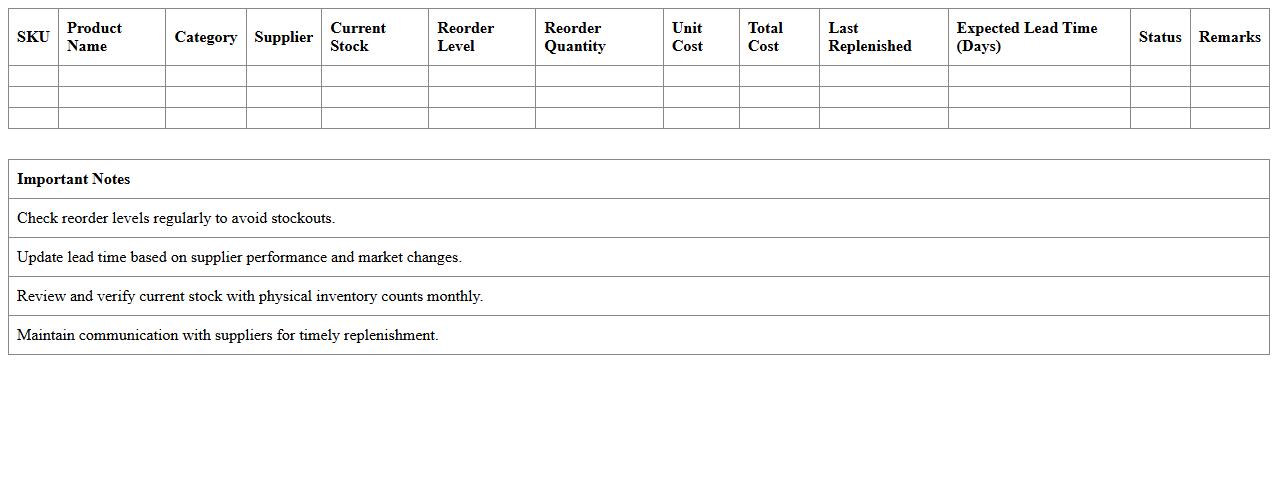
SKU-Level Stock Replenishment Checklist
SKU-Level Stock Replenishment Checklist is a detailed document that outlines specific inventory management steps focused on each Stock Keeping Unit (SKU) to ensure accurate and timely replenishment. This checklist helps businesses maintain optimal stock levels, prevent stockouts, and reduce overstock situations by tracking demand patterns and reorder points for individual SKUs. Using this tool enhances supply chain efficiency, improves customer satisfaction, and supports data-driven decision-making in inventory control processes.
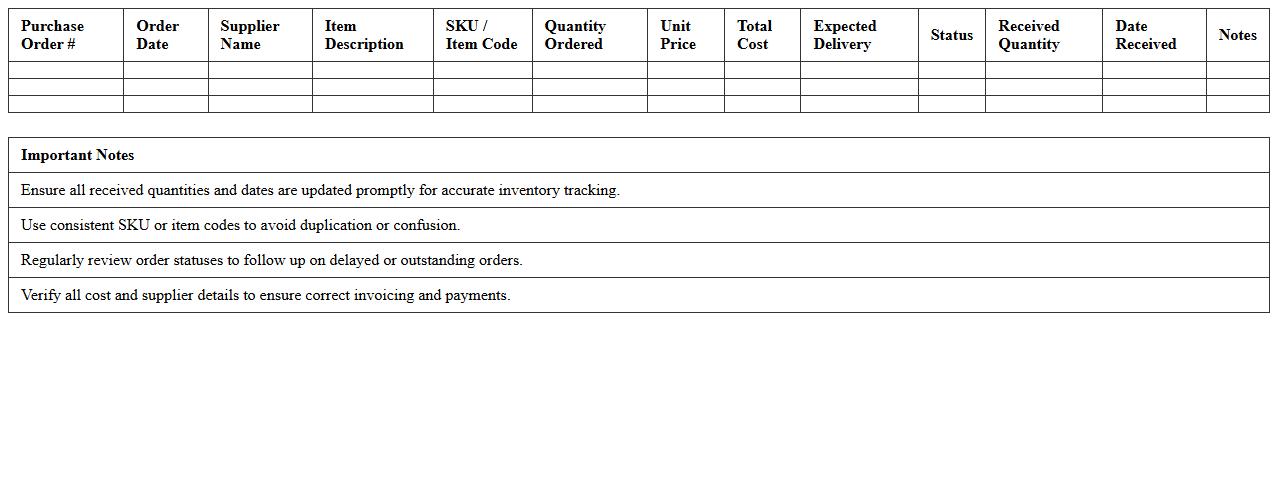
Inventory Purchase Order Tracker Spreadsheet
An
Inventory Purchase Order Tracker Spreadsheet is a digital tool designed to monitor and manage purchase orders related to inventory efficiently. It helps businesses maintain accurate records of order status, quantities, delivery dates, and supplier information, reducing errors and improving procurement visibility. By streamlining inventory tracking, the spreadsheet enhances inventory control, prevents stockouts, and supports timely decision-making for replenishment.
Warehouse Item Refill Plan Excel Sheet
The
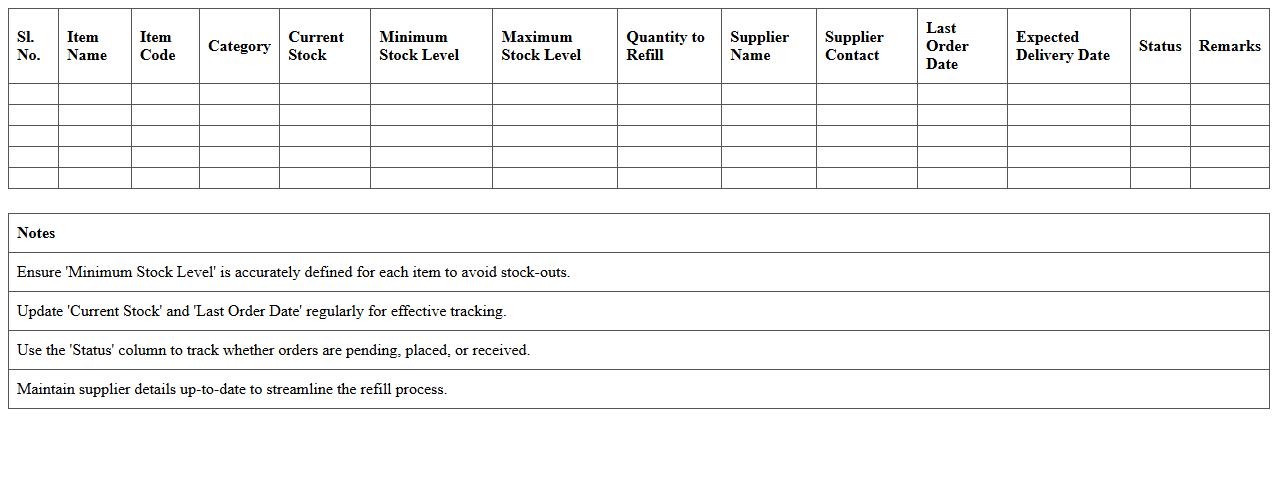
Warehouse Item Refill Plan Excel Sheet document is a strategic tool designed to track inventory levels and forecast replenishment needs efficiently. It enables businesses to maintain optimal stock by automating reorder points, calculating lead times, and minimizing stockouts or overstock situations. Using this sheet enhances supply chain management by providing clear visibility into inventory turnover, demand patterns, and restocking schedules.
E-commerce Inventory Turnover Calculation Template
An
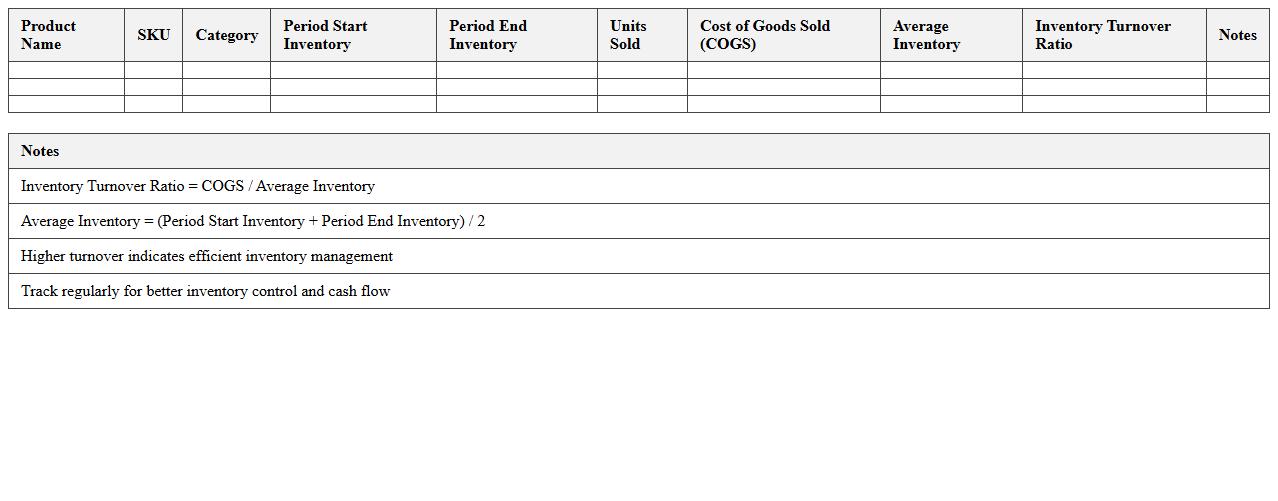
E-commerce Inventory Turnover Calculation Template document is a tool designed to help online retailers measure the efficiency of their inventory management by calculating how often stock is sold and replaced over a specific period. This calculation assists businesses in identifying product demand trends, optimizing stock levels, and minimizing holding costs. Using this template ensures accurate tracking of inventory performance, leading to better financial forecasting and improved cash flow management.
Safety Stock and Lead Time Management Template
A
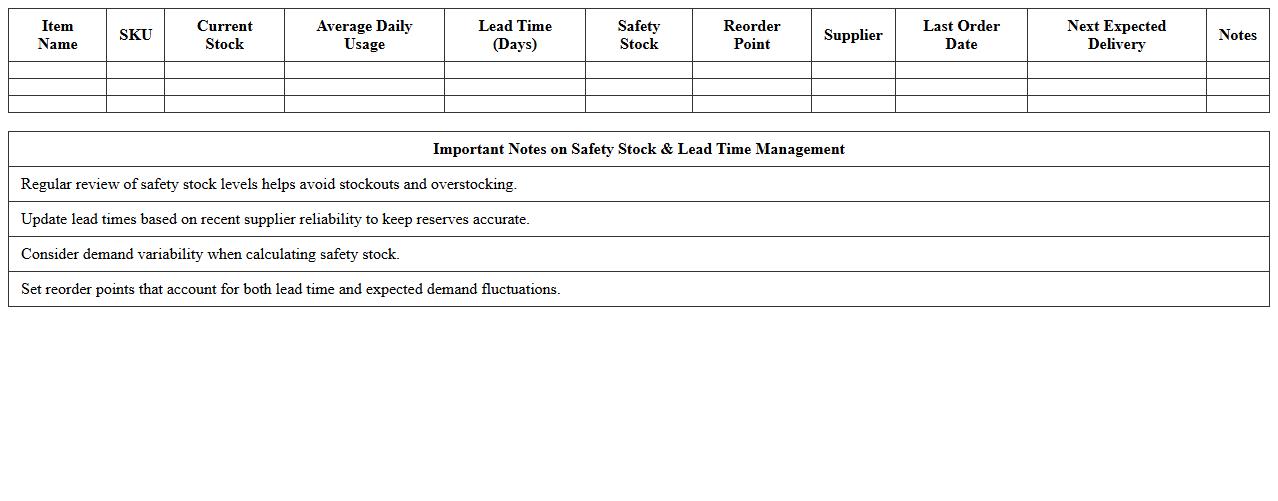
Safety Stock and Lead Time Management Template document is a vital tool for tracking inventory buffer levels and monitoring supplier lead times to prevent stockouts and delays. It helps businesses maintain optimal inventory by calculating safety stock based on demand variability and supply chain uncertainties, ensuring smooth operations. Using this template improves demand forecasting accuracy, enhances supply chain efficiency, and supports informed decision-making for inventory replenishment.
Supplier Replenishment Scheduling Worksheet
The
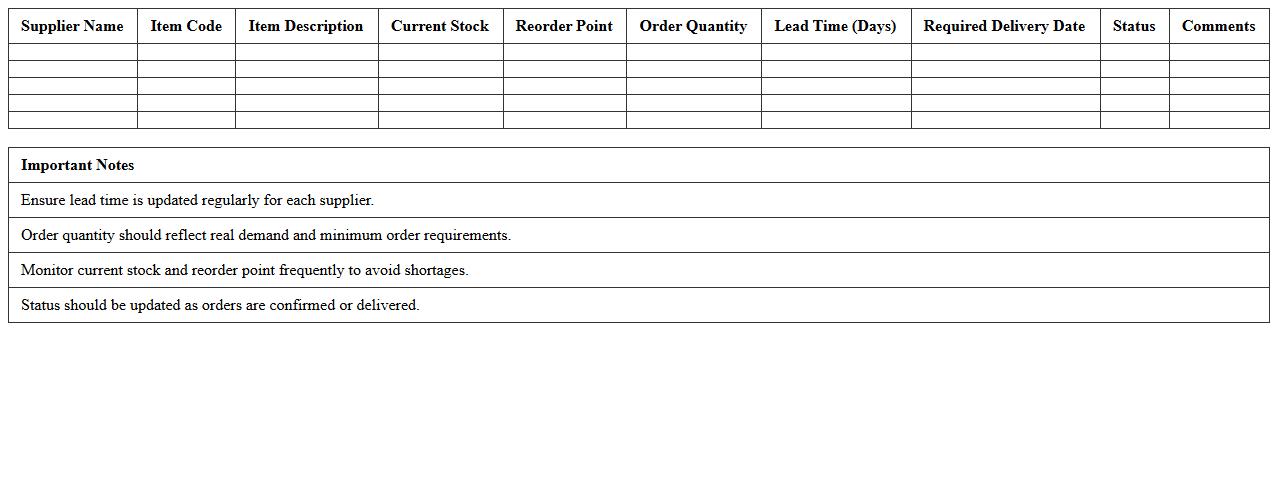
Supplier Replenishment Scheduling Worksheet is a document designed to coordinate and plan inventory restocking activities with suppliers, ensuring optimal stock levels are maintained. It helps businesses track order quantities, delivery dates, and lead times, enabling efficient management of supply chain operations. By using this worksheet, companies can minimize stockouts, reduce excess inventory, and improve overall procurement accuracy.
Demand-Driven Inventory Replenishment Matrix
The
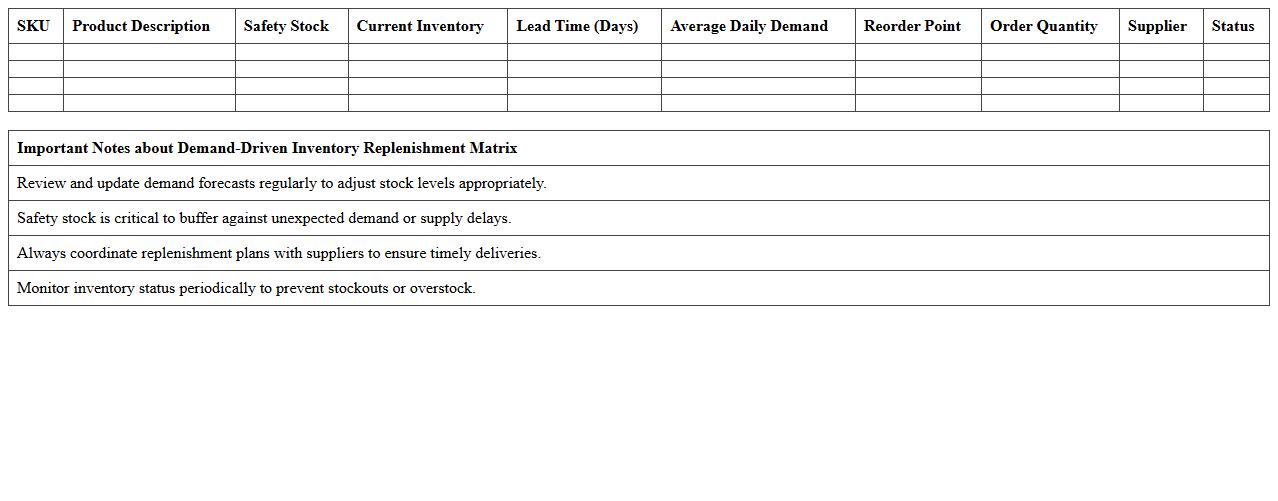
Demand-Driven Inventory Replenishment Matrix document is a strategic tool designed to align inventory levels with actual customer demand, reducing stockouts and minimizing excess inventory. It systematically categorizes products based on demand variability and lead time, enabling precise replenishment triggers for each item. This matrix improves supply chain efficiency by optimizing order quantities and timing, ultimately enhancing service levels and reducing carrying costs.
Multi-Channel Stock Replenishment Log Excel Template
The
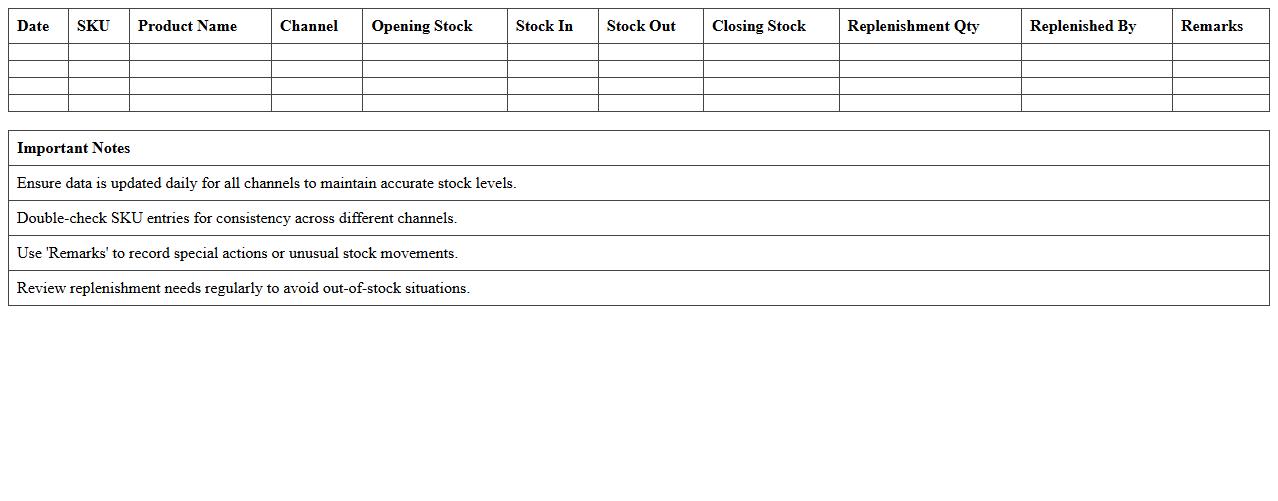
Multi-Channel Stock Replenishment Log Excel Template is a structured tool designed to track inventory levels across various sales channels, ensuring timely restocking and preventing stockouts. It helps businesses synchronize supply data, forecast demand, and maintain optimal stock quantities by consolidating information from multiple platforms. This log enhances inventory management efficiency, reduces manual errors, and supports better decision-making for procurement and sales strategies.
How does the Excel template calculate optimal reorder points for SKUs in e-commerce inventory?
The Excel template calculates the optimal reorder points using historical sales data and lead time estimates to maintain stock levels without causing overstock or stockouts. It factors in average demand, variability, and supplier lead time to compute the reorder threshold. This dynamic calculation helps ensure that SKUs are replenished right before inventory hits critical lows.
Can the replenishment plan integrate real-time sales data for automatic stock updates?
Yes, the replenishment plan supports integration with real-time sales data through Excel data connections or APIs. This enables automatic stock level updates, allowing for timely adjustments to reorder quantities. By connecting live sales feeds, the inventory plan remains accurate and responsive to market demand fluctuations.
Which formula is used to predict lead time demand variability in the spreadsheet?
The spreadsheet typically uses the standard deviation formula of demand during lead time to predict variability. This formula calculates the uncertainty in demand, helping to set safety stock levels within the reorder point calculation. Accurately estimating lead time demand variability is crucial for minimizing stockouts while avoiding excess inventory.
How does the document handle seasonal fluctuations in inventory planning?
The document manages seasonal fluctuations by incorporating past seasonal sales trends into demand forecasts. It adjusts reorder points and safety stock levels based on periodic demand spikes or drops. This approach ensures inventory remains aligned with seasonal customer buying patterns and avoids supply disruptions.
Is there a built-in alert system for low-stock thresholds within the Excel plan?
Yes, the Excel plan includes a built-in alert system that highlights SKUs approaching low-stock thresholds using conditional formatting or notification rules. These alerts prompt timely replenishment actions to prevent stockouts. This automatic notification mechanism enhances inventory control and operational efficiency.
More Plan Excel Templates