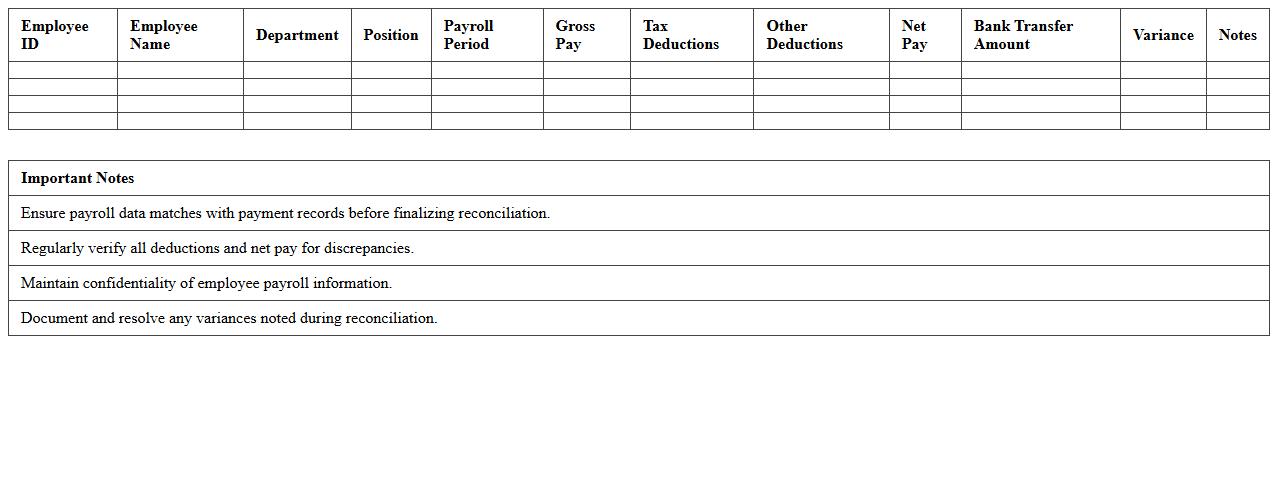
Employee Payroll Reconciliation Spreadsheet
An
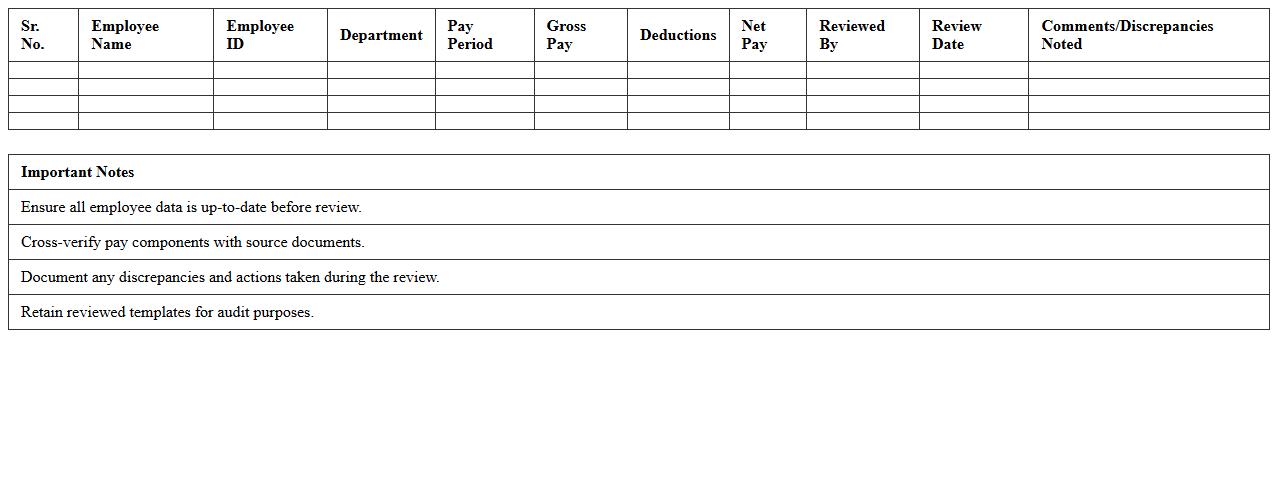
Employee Payroll Reconciliation Spreadsheet is a detailed financial document used to track and verify employee payroll data against company records, ensuring accuracy in salary payments, tax deductions, and benefits. This spreadsheet helps identify discrepancies, prevent errors, and maintain compliance with tax regulations and labor laws. By streamlining payroll audits, it enhances financial transparency and supports efficient payroll management within an organization.
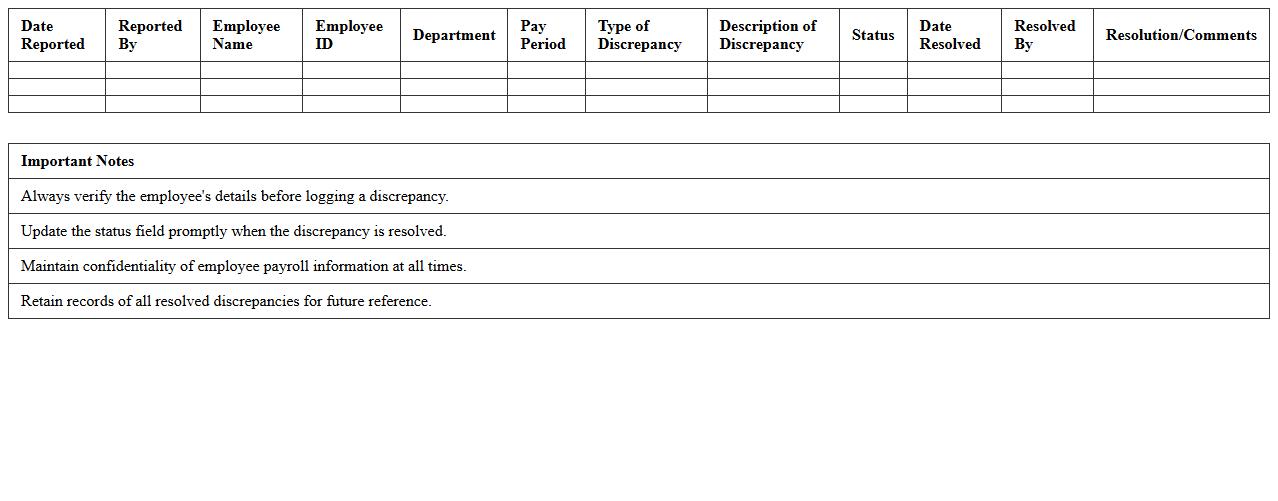
HR Payroll Discrepancy Tracking Log
The
HR Payroll Discrepancy Tracking Log document is a systematic record used to identify, document, and resolve inconsistencies in employee payroll data. It helps HR departments monitor errors such as incorrect salary payments, tax deductions, and benefit calculations, ensuring accuracy and compliance with compensation policies. This log improves payroll accuracy, streamlines audit processes, and enhances employee trust by facilitating timely correction of payment issues.
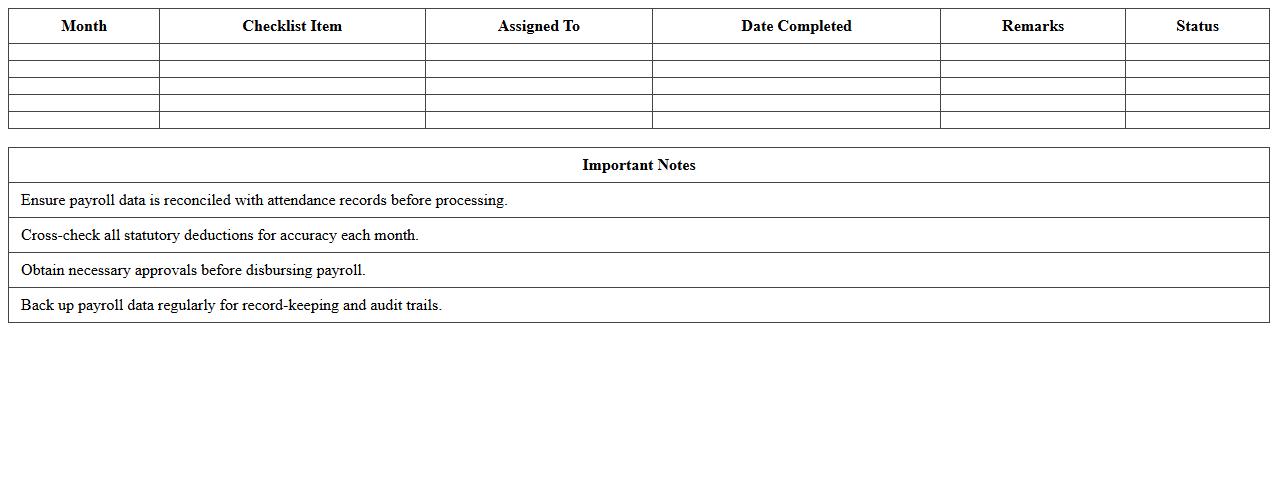
Monthly Payroll Audit Checklist Template
A
Monthly Payroll Audit Checklist Template document systematically guides the verification of payroll data to ensure accuracy and compliance with tax laws and labor regulations. It identifies discrepancies in employee wages, deductions, and benefits, helping prevent costly errors and potential legal penalties. This tool enhances payroll management efficiency, promotes financial transparency, and supports timely corrective actions for payroll processing.
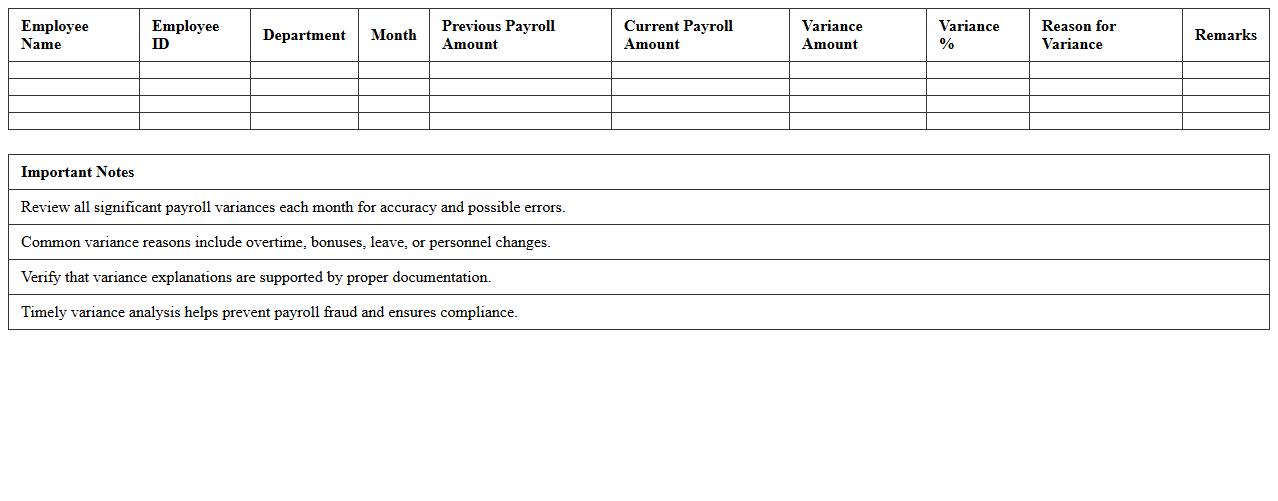
Payroll Variance Analysis Excel Sheet
A
Payroll Variance Analysis Excel Sheet is a tool used to compare actual payroll expenses against budgeted figures, helping organizations identify discrepancies and control labor costs. It enables detailed tracking of wage differences, overtime variations, and benefit expenses, allowing managers to make informed financial decisions. This document enhances budget accuracy, financial accountability, and optimizes payroll management processes.
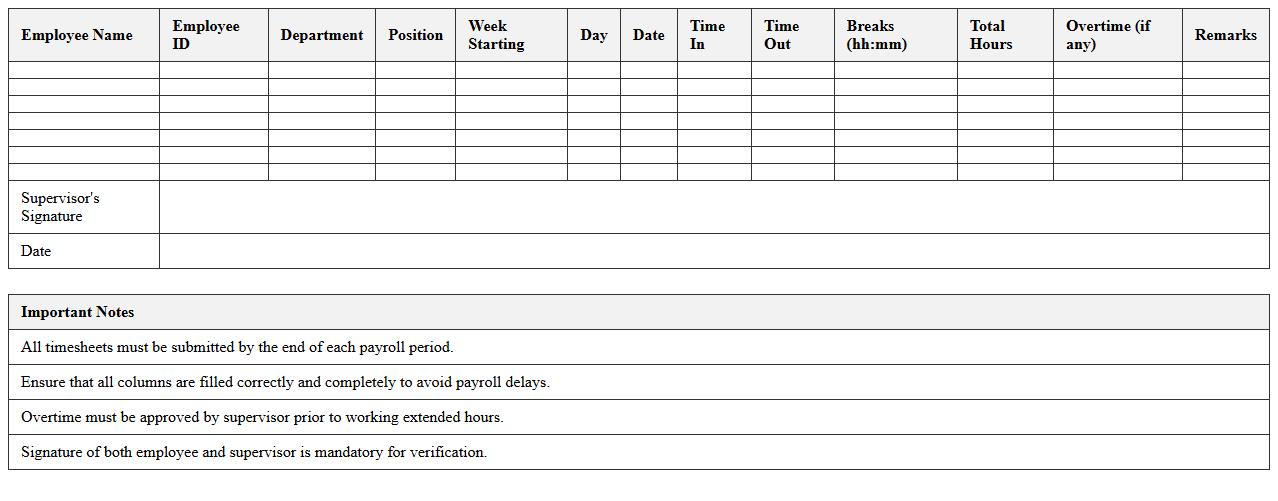
Staff Timesheet & Payroll Verification Template
The
Staff Timesheet & Payroll Verification Template document is a structured tool designed to record employee working hours and verify payroll accuracy. It ensures that labor costs are tracked precisely, reducing errors and discrepancies in salary payments. This template streamlines payroll processing, enhances transparency, and supports compliance with labor regulations.
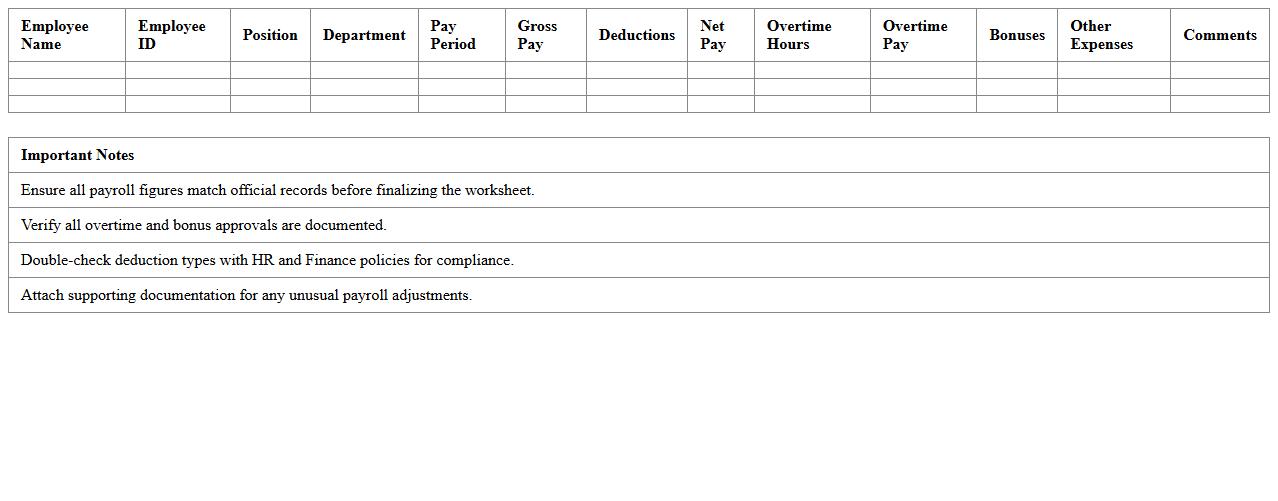
Payroll Expense Audit Worksheet
A
Payroll Expense Audit Worksheet is a detailed document used to review and verify payroll records, ensuring accuracy in employee compensation, tax withholdings, and benefit deductions. It helps identify discrepancies or errors in payroll processing, which can prevent financial losses and ensure compliance with labor laws and tax regulations. Organizations use this worksheet to maintain transparent financial reporting and improve internal controls over payroll management.
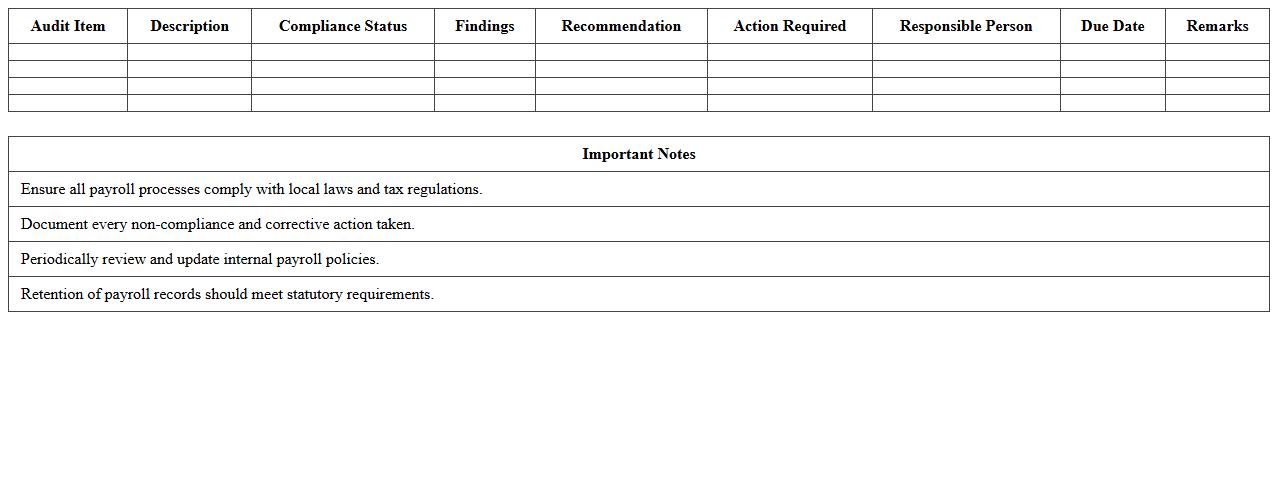
HR Payroll Compliance Audit Report
The
HR Payroll Compliance Audit Report document systematically evaluates an organization's payroll processes to ensure adherence to legal regulations, tax codes, and employment laws. It identifies discrepancies, potential risks, and areas of non-compliance, helping organizations avoid penalties and safeguard employee rights. This report is essential for maintaining accurate payroll records, improving internal controls, and supporting regulatory audits.
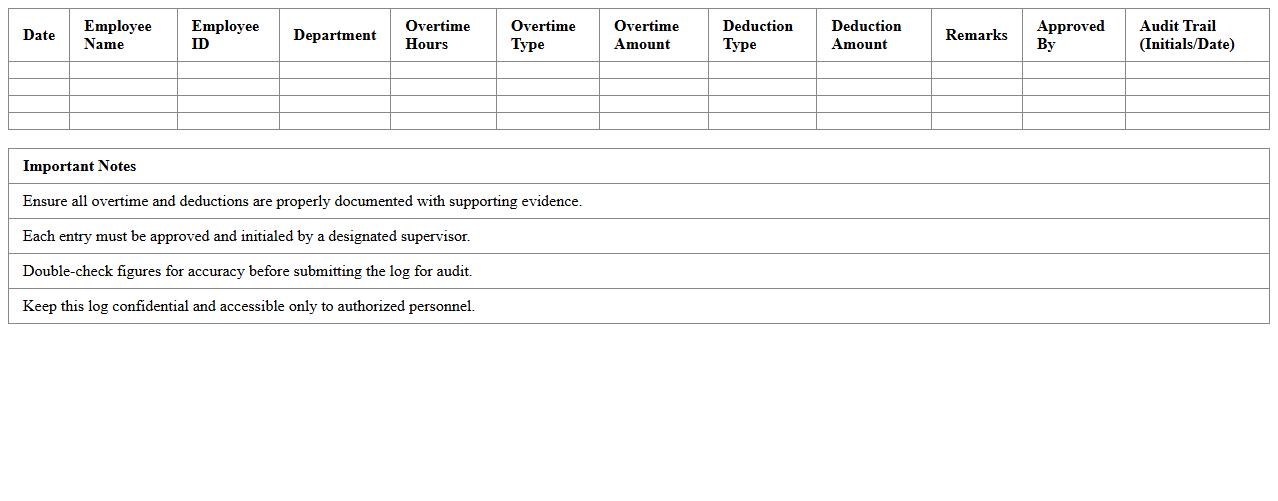
Overtime & Deductions Payroll Audit Log
The
Overtime & Deductions Payroll Audit Log document records detailed entries of all overtime hours worked and deductions made in employee payroll, ensuring accuracy and transparency. It helps organizations track discrepancies, verify compliance with labor laws, and supports efficient payroll management by providing a clear audit trail. This log is essential for preventing payroll errors, resolving disputes, and maintaining financial integrity within HR and accounting departments.
Payroll Data Accuracy Review Template
The
Payroll Data Accuracy Review Template is a structured document designed to systematically verify and validate payroll information, ensuring all employee compensation details are precise and compliant with company policies and legal requirements. This template helps organizations identify discrepancies, reduce errors in salary calculations, tax deductions, and benefit allocations, thereby preventing costly payroll mistakes and enhancing overall financial integrity. By using this tool, businesses can streamline payroll audits, improve data consistency, and support accurate financial reporting.
Payroll Records Audit Trail Spreadsheet
A
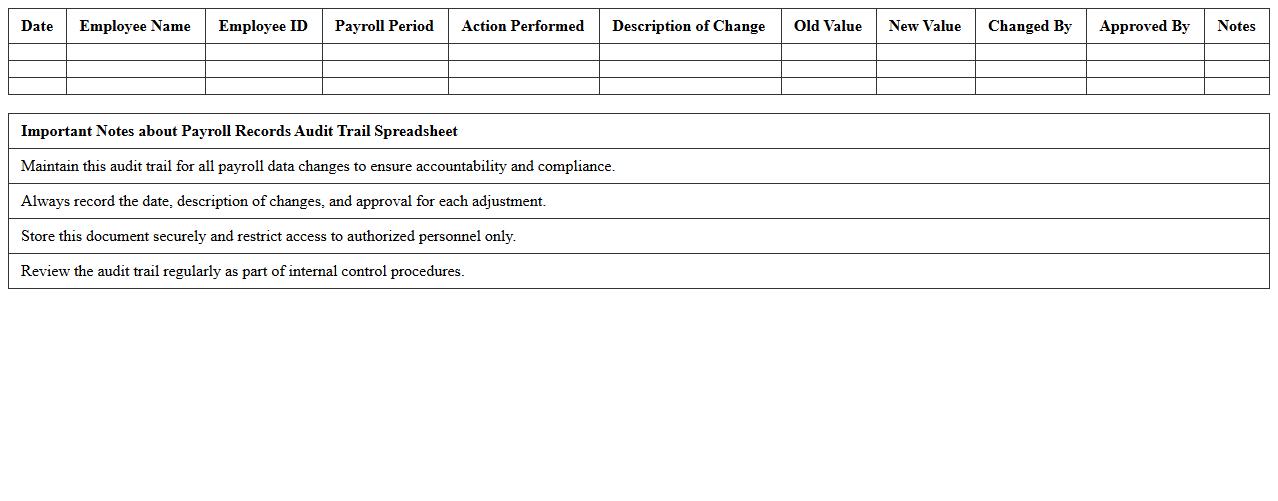
Payroll Records Audit Trail Spreadsheet document systematically tracks all payroll transactions, including employee hours, salaries, deductions, and adjustments, ensuring accuracy and compliance with financial regulations. This spreadsheet enhances transparency by providing a detailed log of changes and authorizations, which helps detect discrepancies and prevent fraud. Organizations benefit from streamlined payroll audits, improved record-keeping accuracy, and efficient payroll management processes through its use.
What Excel formulas best automate payroll discrepancy detection in annual audits?
Automating payroll discrepancy detection in Excel primarily involves using formulas such as SUMIF, VLOOKUP, and IFERROR to cross-check payroll data against expected values. The SUMIF formula helps identify anomalies by summing discrepancies based on specific criteria like employee IDs or pay periods. Combining these formulas allows auditors to quickly flag inconsistencies without manual intervention.
How can pivot tables in Payroll Audit Excel reveal overtime anomalies?
Pivot tables are essential for summarizing large payroll datasets efficiently, enabling auditors to detect unusual overtime patterns. By grouping data by employee and date, pivot tables can highlight cases where overtime exceeds company policies or previous trends. These insights aid in identifying potential payroll fraud or errors requiring further investigation.
Which conditional formatting rules highlight missing employee records in payroll data?
Using conditional formatting rules such as highlighting blank cells or mismatched IDs quickly points to missing employee data in payroll spreadsheets. Rules like "Format only cells that contain" can be set to flag empty employee number fields or inconsistent payroll entries. This visual cue simplifies the process of locating and correcting incomplete records for audit accuracy.
What are effective Excel templates for summarizing payroll audit findings for HR reports?
Effective Excel templates for payroll audit summaries typically include dashboard layouts with charts, pivot tables, and key metrics like total discrepancies and overtime deviations. These templates visually communicate audit results, making it easier for HR teams to understand and act on findings. Ready-made audit report templates save time while ensuring consistent, professional documentation.
How can Excel track historical payroll adjustments for compliance reviews?
Excel can track historical payroll adjustments using version control sheets along with formulas like INDEX and MATCH to record and retrieve changes over time. Maintaining a detailed log of amendments supports compliance by providing an auditable trail of payroll corrections and authorizations. This systematic tracking enhances transparency and accountability during regulatory audits.