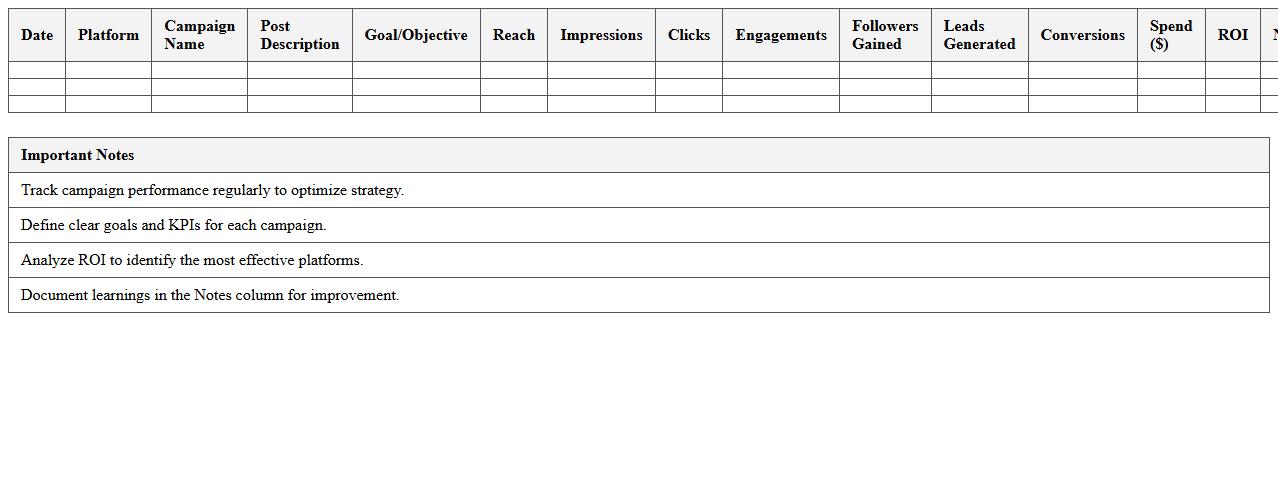
Social Media Campaign Performance Tracker Excel Template
The
Social Media Campaign Performance Tracker Excel Template is a structured spreadsheet designed to monitor, analyze, and visualize key metrics from social media campaigns such as engagement rates, click-throughs, and conversions. It enables marketers to track progress over time, measure ROI, and make data-driven adjustments to optimize campaign results. Using this template streamlines reporting, improves decision-making, and enhances overall social media strategy effectiveness.
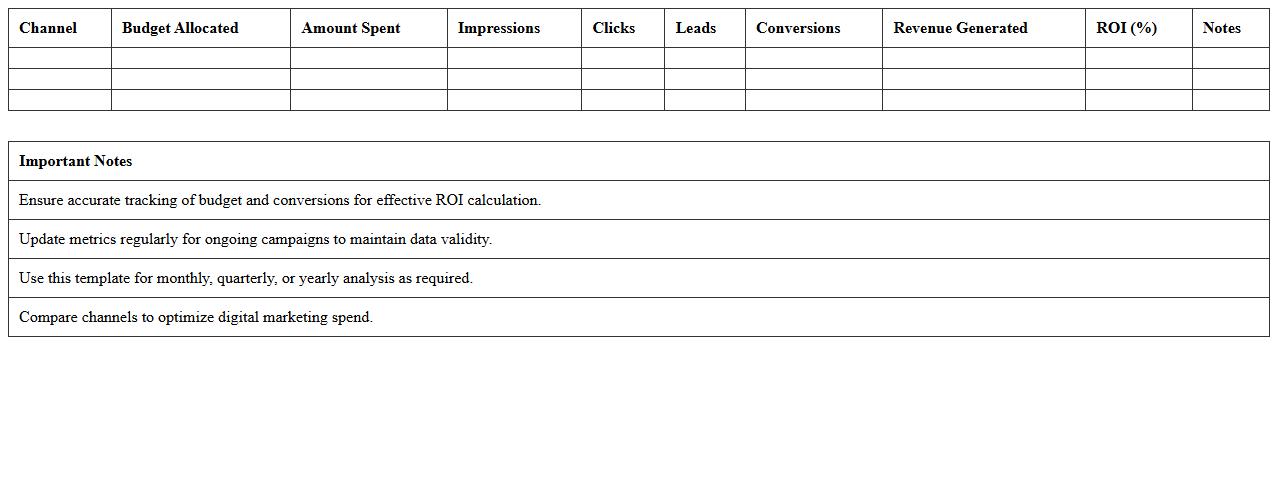
Digital Marketing ROI Analysis Excel Template
The
Digital Marketing ROI Analysis Excel Template document is a powerful tool designed to track and evaluate the return on investment from various digital marketing campaigns. It enables marketers to input key metrics such as ad spend, leads generated, and conversion rates, providing clear insights into the effectiveness and profitability of marketing efforts. By using this template, businesses can make data-driven decisions, optimize budget allocation, and improve overall campaign performance.
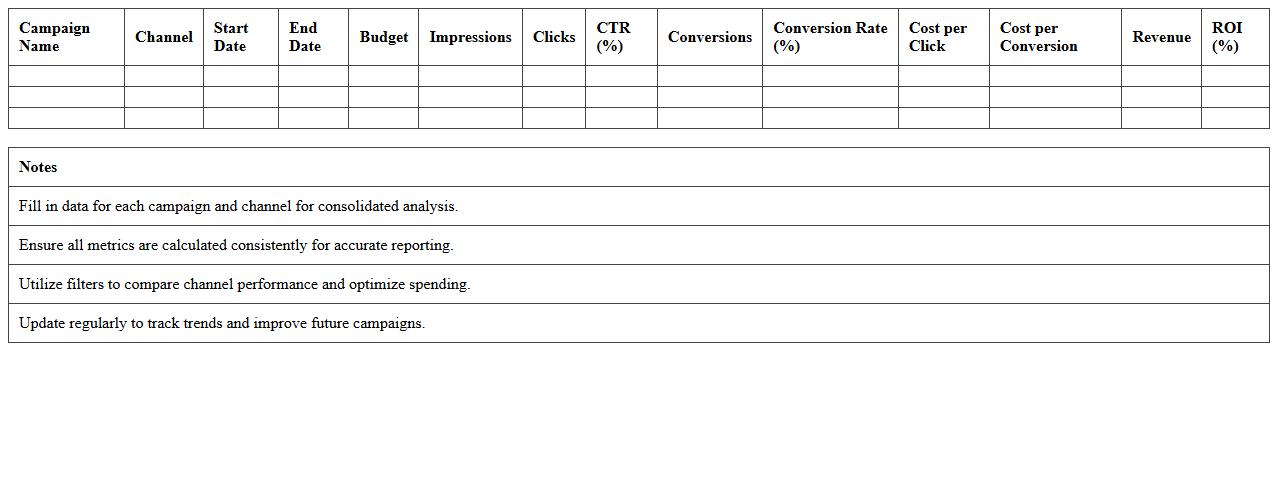
Multi-Channel Campaign Reporting Excel Template
The
Multi-Channel Campaign Reporting Excel Template document consolidates data from various marketing channels into a single, easily analyzable format. It enables marketers to track performance metrics, compare campaign effectiveness, and identify trends across platforms such as email, social media, and paid advertising. This template streamlines reporting processes, saving time and improving decision-making through clear visualizations and organized data.
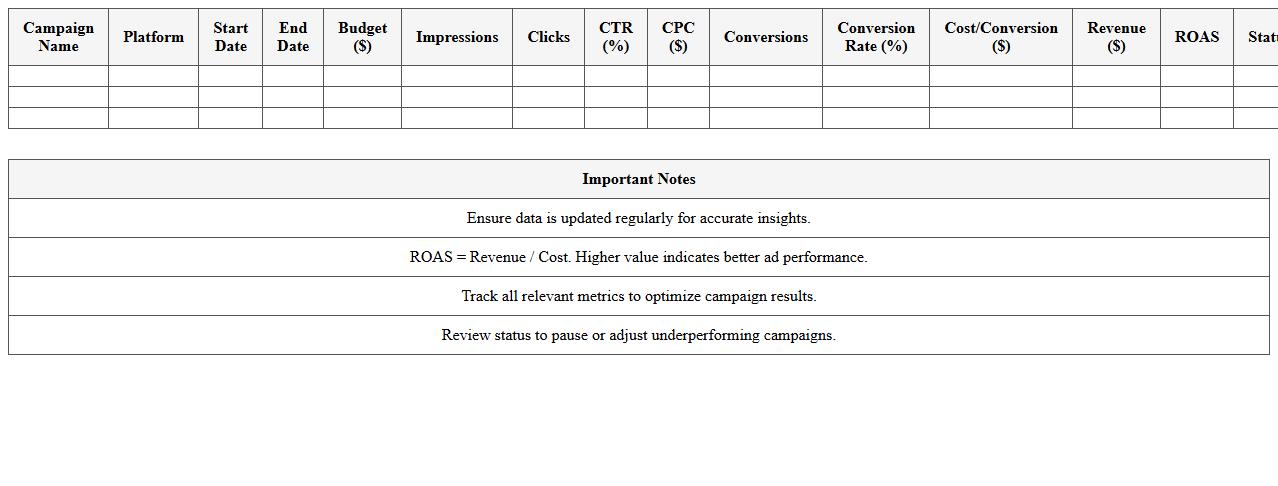
Paid Ads Campaign Metrics Dashboard Excel Template
The
Paid Ads Campaign Metrics Dashboard Excel Template is a powerful tool designed to track, analyze, and visualize key performance indicators (KPIs) of paid advertising campaigns in one consolidated view. It enables marketers to monitor metrics such as click-through rates, conversion rates, cost per acquisition, and return on ad spend with accuracy and efficiency. This template helps optimize budget allocation, identify successful strategies, and improve overall campaign performance by providing actionable insights through customizable charts and data summaries.
Email Marketing Results Assessment Excel Template
The
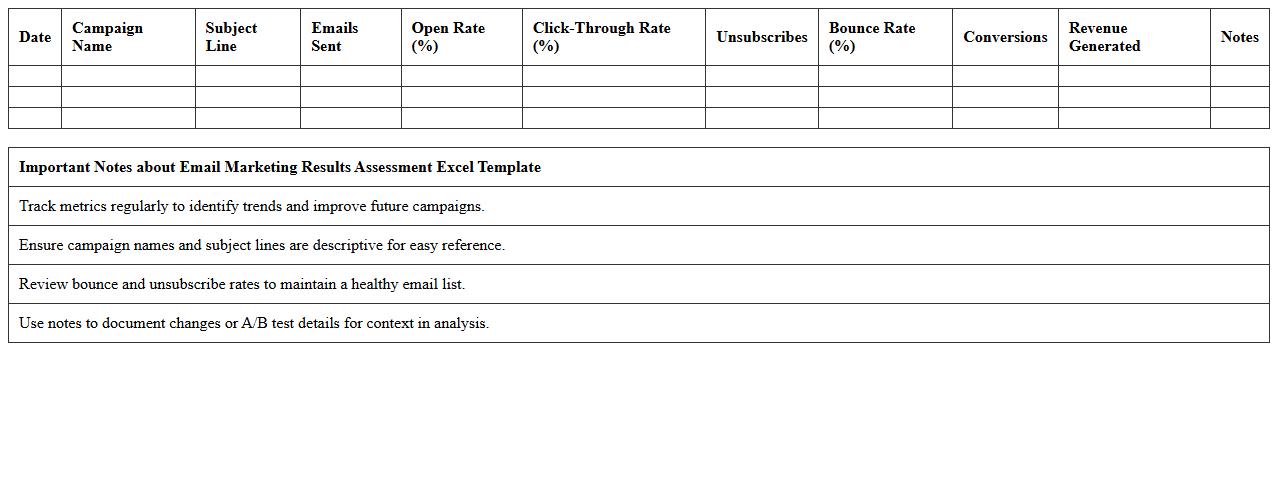
Email Marketing Results Assessment Excel Template is a powerful tool designed to analyze and track the performance of email campaigns efficiently. It helps users measure key metrics such as open rates, click-through rates, conversion rates, and ROI, enabling data-driven decisions. By centralizing campaign data in a structured format, this template streamlines reporting and optimizes future email marketing strategies.
Influencer Campaign Effectiveness Tracker Excel Template
The
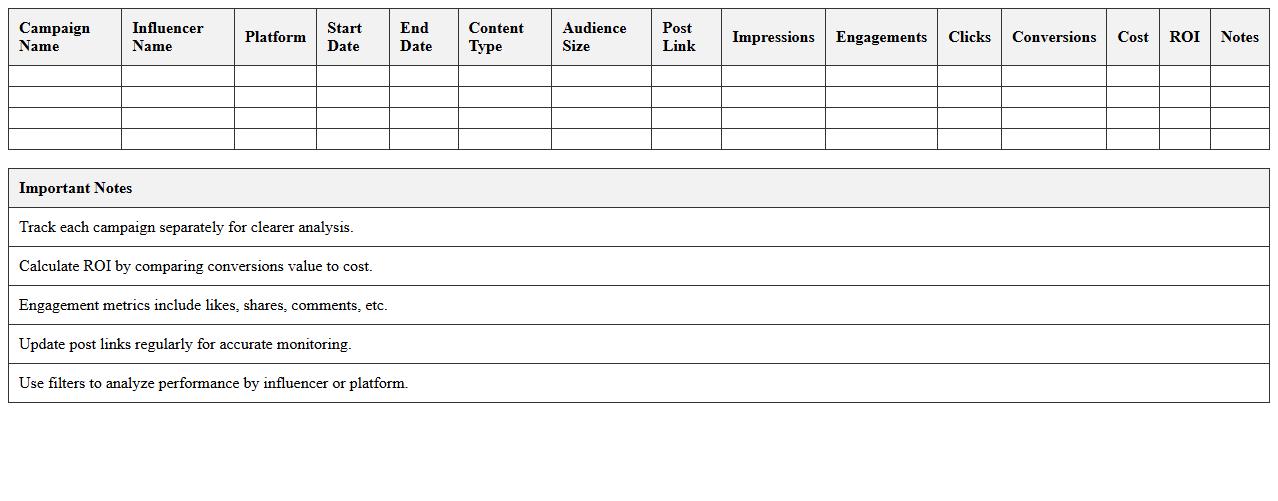
Influencer Campaign Effectiveness Tracker Excel Template is a comprehensive tool designed to monitor and analyze the performance of influencer marketing campaigns by organizing key metrics such as engagement rates, follower growth, and conversion data. It enables marketers to assess the ROI of each influencer partnership, track budget allocation, and identify the most impactful influencers for future campaigns. This template streamlines data management, making it easier to optimize strategies and enhance overall marketing effectiveness.
Content Marketing Campaign Evaluation Excel Template
The
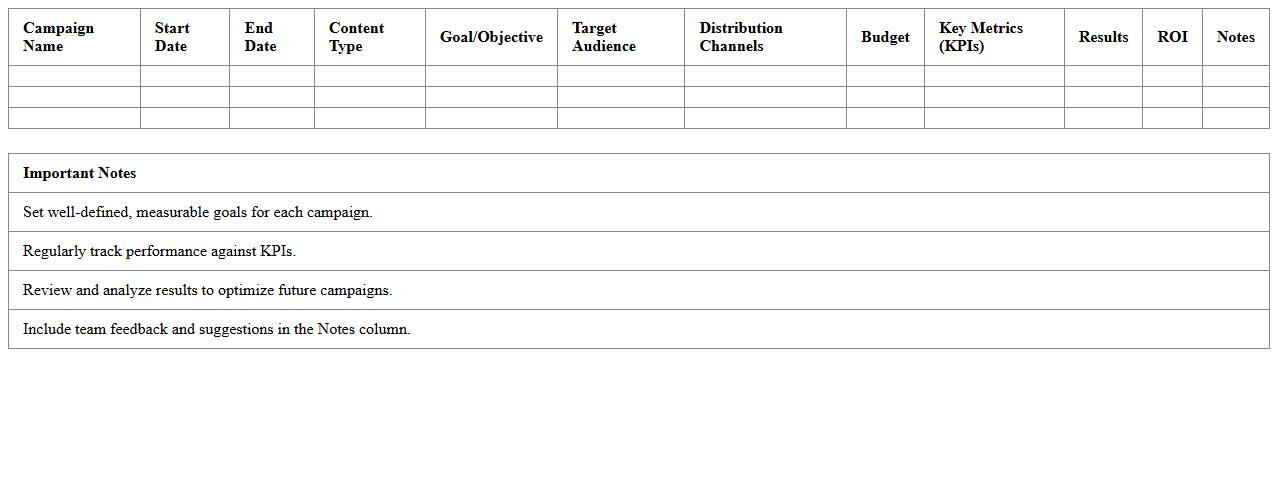
Content Marketing Campaign Evaluation Excel Template is a structured spreadsheet designed to track, analyze, and measure the performance of content marketing efforts. It allows marketers to input key metrics such as engagement rates, conversion data, and ROI, providing a clear overview of campaign effectiveness. Using this template helps optimize future strategies by identifying successful tactics and areas needing improvement.
Marketing Funnel Conversion Analysis Excel Template
The
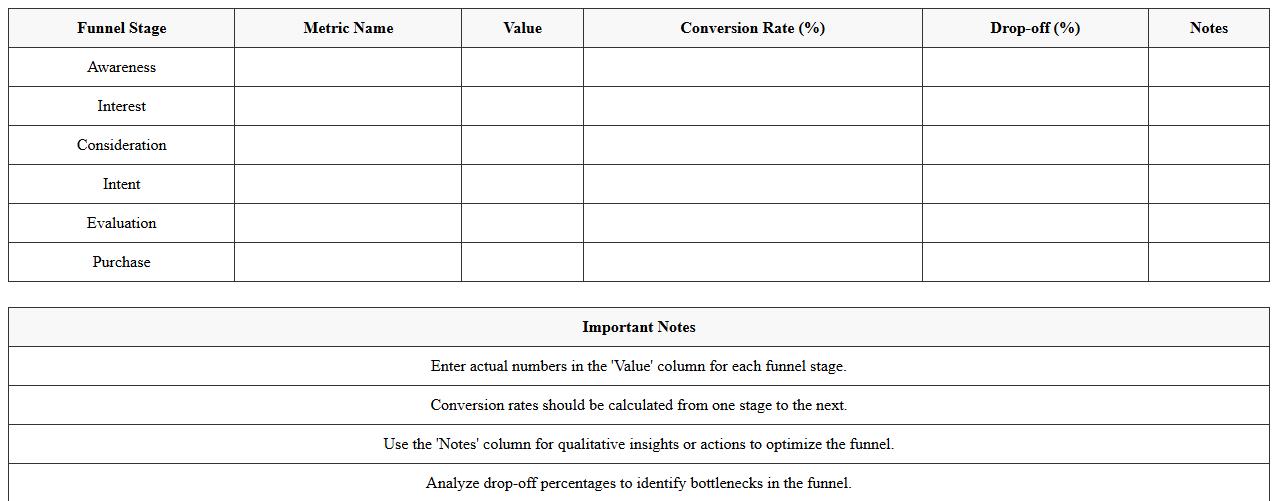
Marketing Funnel Conversion Analysis Excel Template is a structured spreadsheet designed to track and analyze customer behavior at each stage of the marketing funnel, from awareness to conversion. It helps businesses identify bottlenecks, optimize marketing strategies, and improve conversion rates by providing clear visualization and data-driven insights. Utilizing this template enables efficient monitoring of campaign performance and allocation of resources to maximize return on investment.
Cross-Channel Campaign Budget Tracking Excel Template
The
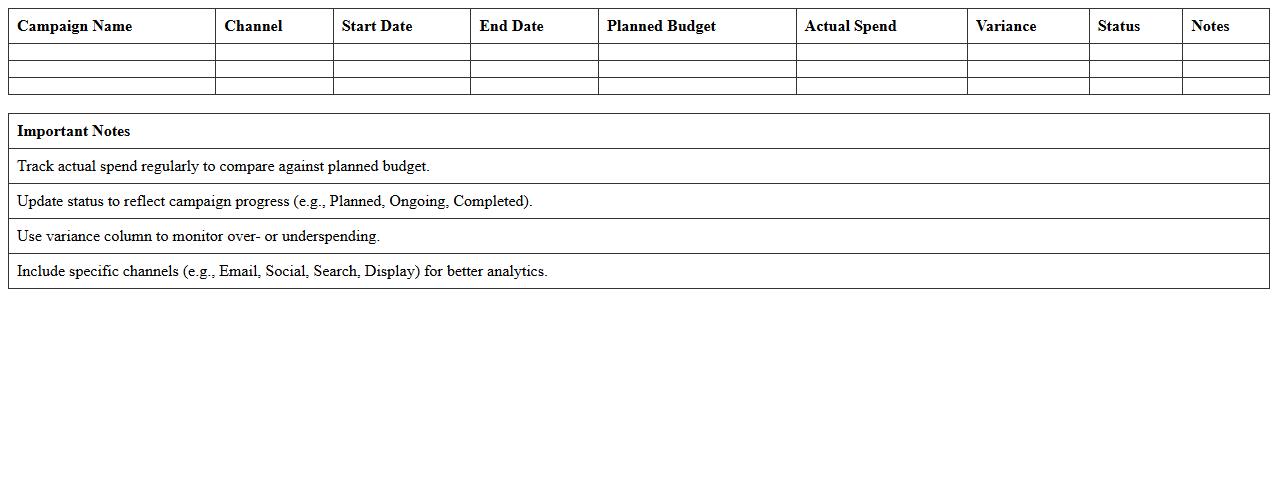
Cross-Channel Campaign Budget Tracking Excel Template is a powerful tool designed to monitor and manage advertising expenses across multiple marketing channels in a unified spreadsheet format. It helps marketers allocate funds efficiently, track budget utilization in real-time, and optimize spending by providing clear visibility into campaign performance metrics from platforms like social media, email, and search ads. This template streamlines budget oversight, reduces overspending risks, and supports data-driven decision-making for maximizing return on investment.
Campaign KPI Progress Assessment Excel Template
The
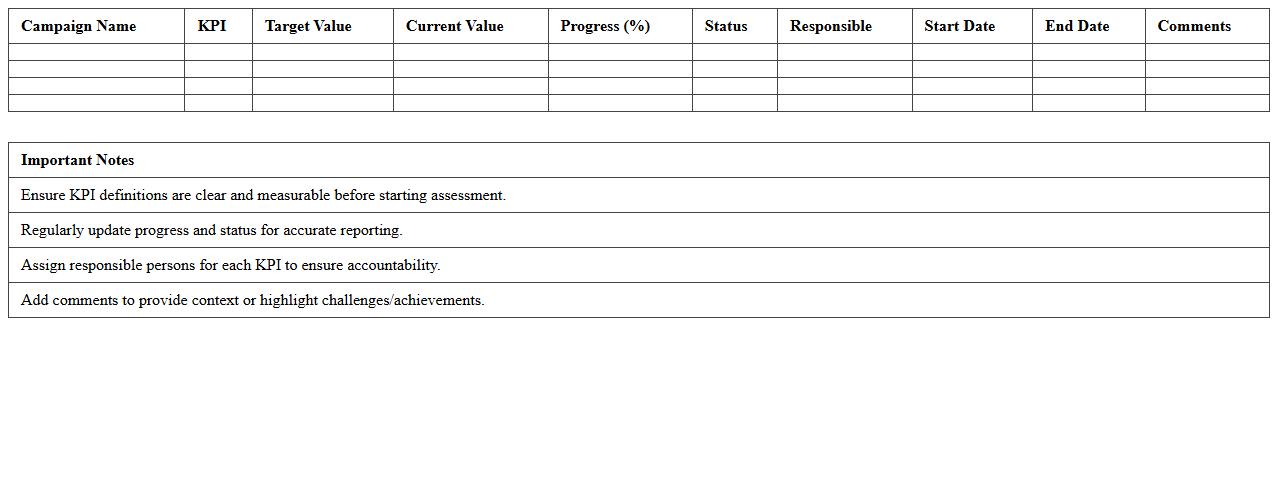
Campaign KPI Progress Assessment Excel Template document is designed to track and measure the performance of marketing campaigns against key performance indicators (KPIs). It enables teams to visualize progress, identify trends, and make data-driven decisions by consolidating campaign metrics such as conversion rates, click-through rates, and ROI in one place. This template streamlines reporting, improves accountability, and enhances strategic planning for successful campaign management.
How do you track multi-channel campaign KPIs in the Marketing Campaign Assessment Excel for agencies?
Multi-channel KPI tracking is implemented through dynamic dashboards that consolidate metrics from all channels in one view. Each channel's data is imported and organized by date, campaign, and performance indicators for clear comparison. This allows agencies to monitor and optimize campaign performance across platforms efficiently.
What formulas assess ROI by campaign segment in your assessment Excel?
The ROI for each campaign segment is calculated using the formula (Revenue - Cost) / Cost, embedded in Excel to automatically update with input costs and revenues. Segmentation is managed with SUMIFS and FILTER functions to isolate data by campaign type and channel. This structure helps agencies identify the most profitable segments in real-time.
How is client feedback integrated into the campaign evaluation section?
Client feedback is captured via integrated forms or direct input fields within the Excel dashboard, linked to specific campaigns for contextual analysis. Comments and ratings are summarized to influence qualitative assessment alongside quantitative metrics. This integration ensures that client insights directly impact the overall campaign evaluation process.
Which data visualization tools are embedded for agency performance comparison?
Embedded tools include pivot charts, line graphs, and heat maps that provide clear visual comparisons of agency metrics over time. These visual elements are designed to highlight trends, performance gaps, and areas for improvement across agencies. They enhance decision-making by presenting complex data in an accessible format.
How do you standardize lead source attribution within the assessment template?
Lead source attribution is standardized using a predefined list of sources combined with drop-down menus and consistent naming conventions. The template employs VLOOKUP or XLOOKUP functions to map lead data accurately to each source category. This method ensures uniform tracking and reporting across all campaigns and agencies.