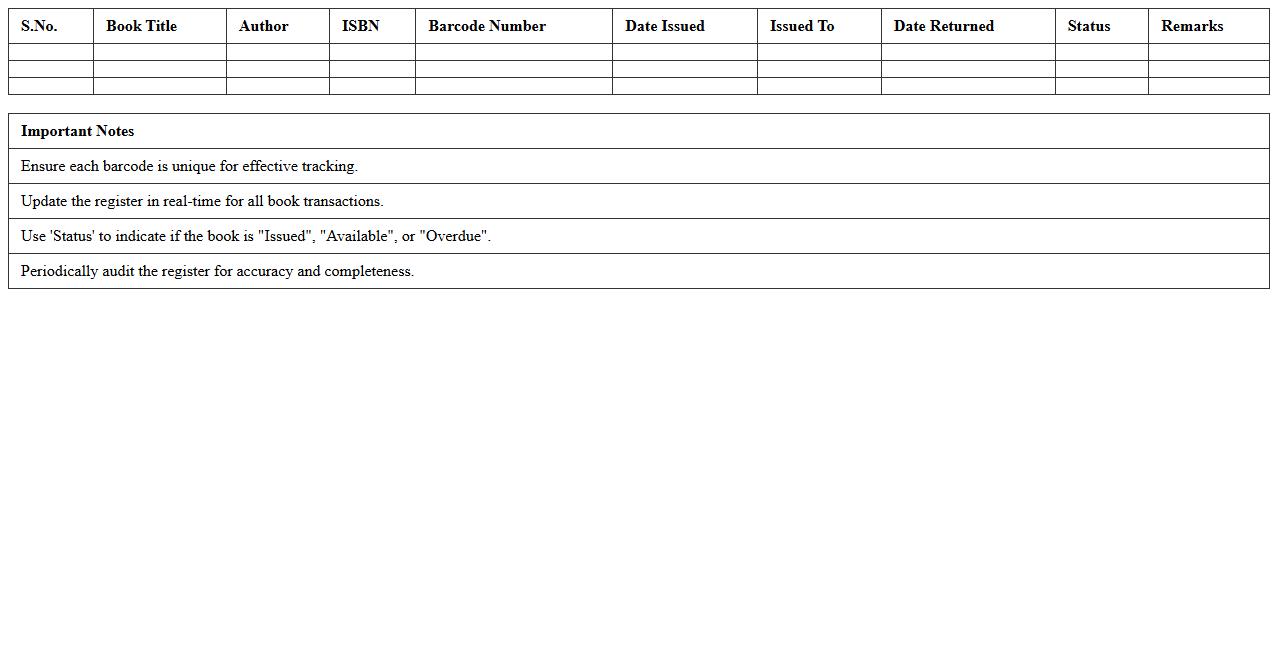
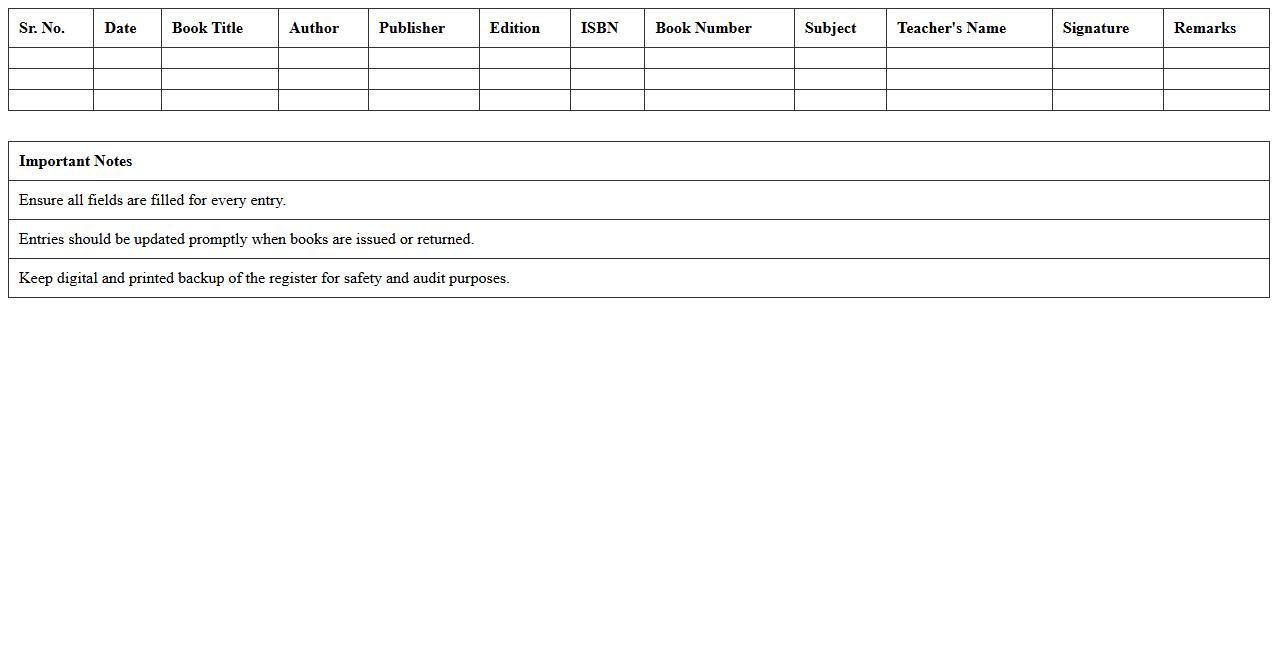
The Book Register Excel Template for School Libraries offers an organized way to track book inventory, borrower details, and issue dates efficiently. This user-friendly template simplifies library management by providing columns for book titles, authors, accession numbers, and return deadlines. Ideal for schools, it helps maintain records accurately and ensures smooth library operations.
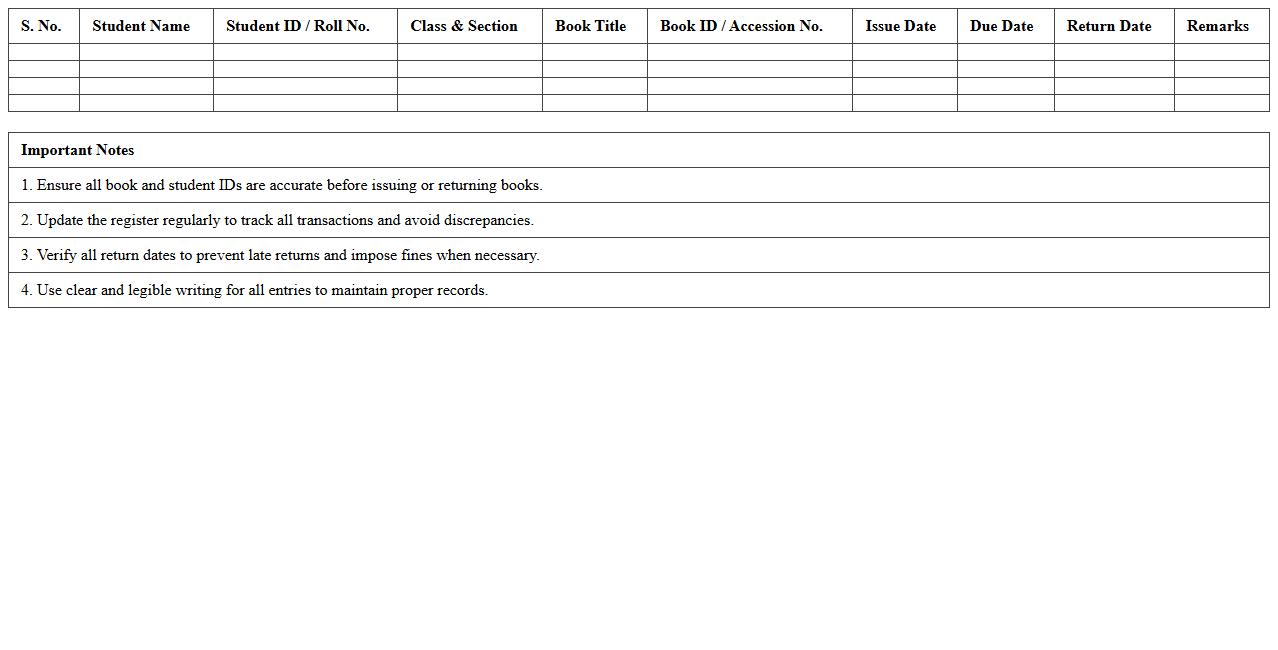
Student Book Issue Register Excel Template
The
Student Book Issue Register Excel Template document is a structured digital tool designed to systematically record and track the issuance and return of books to students. It helps educational institutions maintain accurate records of book distribution dates, due dates, student details, and book conditions, minimizing the risk of loss or damage. Utilizing this template streamlines library management processes, enhances accountability, and ensures efficient monitoring of the borrowing activity.
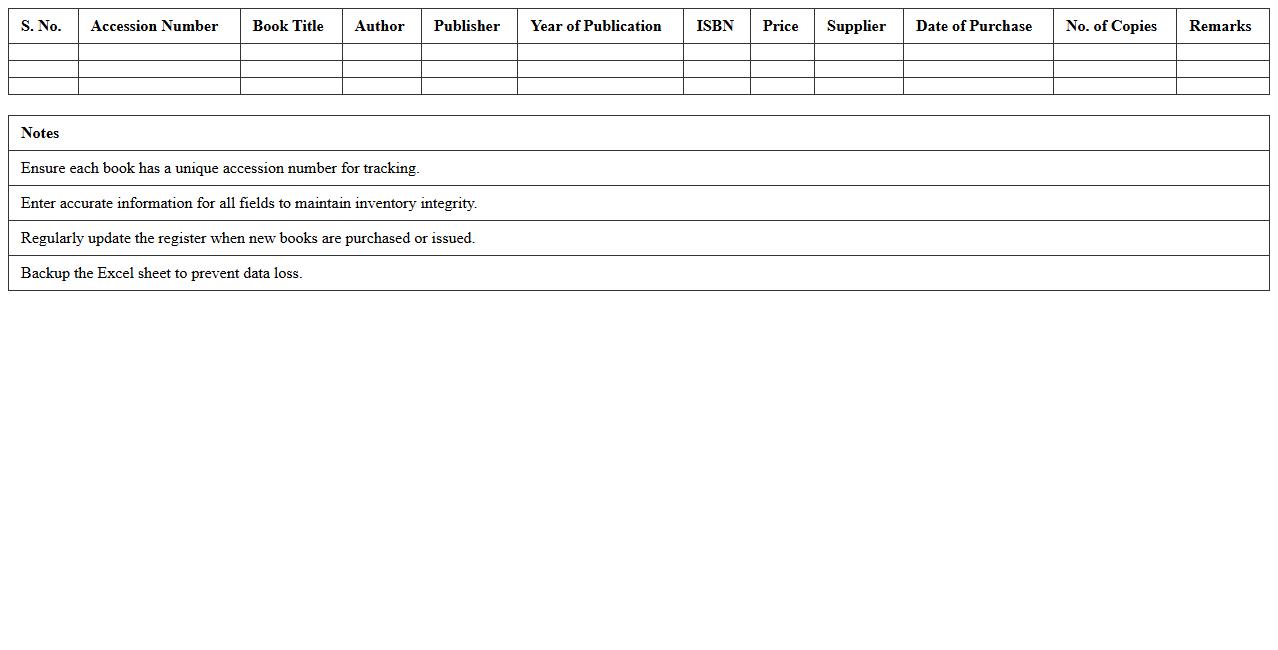
Library Book Stock Register Excel Sheet
A
Library Book Stock Register Excel Sheet document is a digital tool designed to systematically record and manage the inventory of books in a library using Microsoft Excel. It helps track details such as book titles, authors, publication dates, availability status, and borrower information, enabling efficient monitoring and quick retrieval of data. This organized approach reduces manual errors, saves time, and ensures accurate stock management for effective library administration.
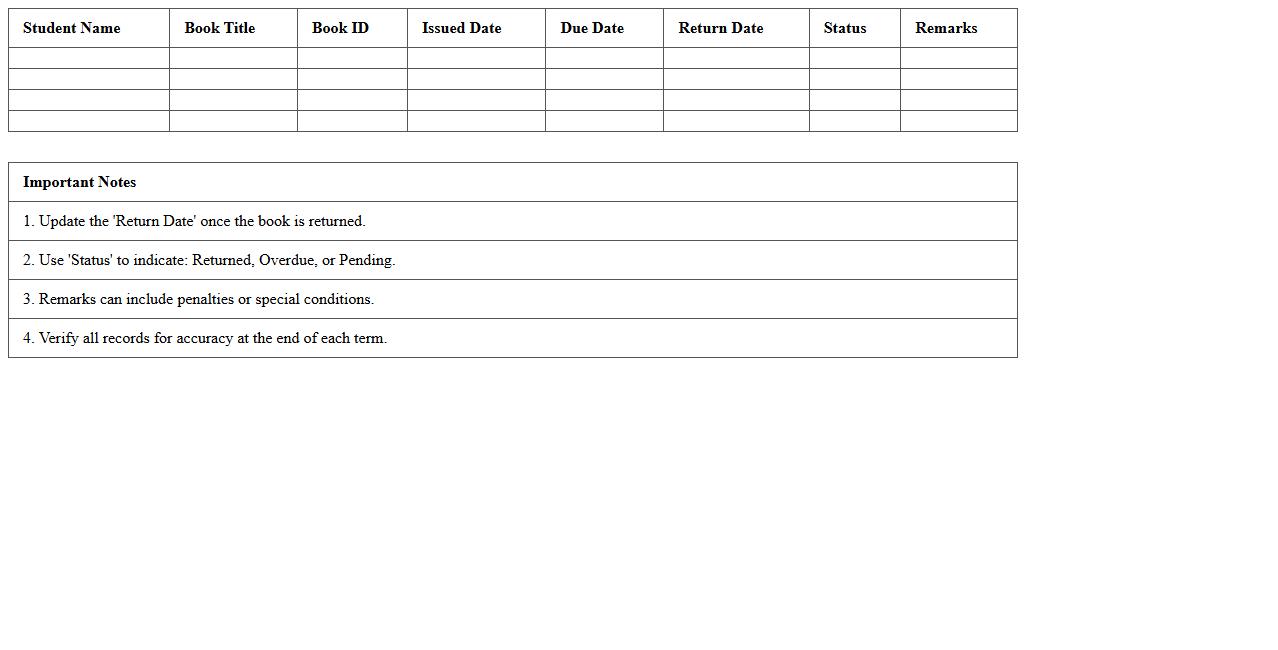
Book Return Schedule Excel Template
A
Book Return Schedule Excel Template is a structured document designed to help individuals or libraries track the due dates and status of borrowed books efficiently. It enables users to organize return dates, borrower details, and reminders in one place, reducing the risk of overdue penalties and improving time management. This template streamlines the book lending process by providing clear visibility into upcoming returns and facilitating timely follow-ups.
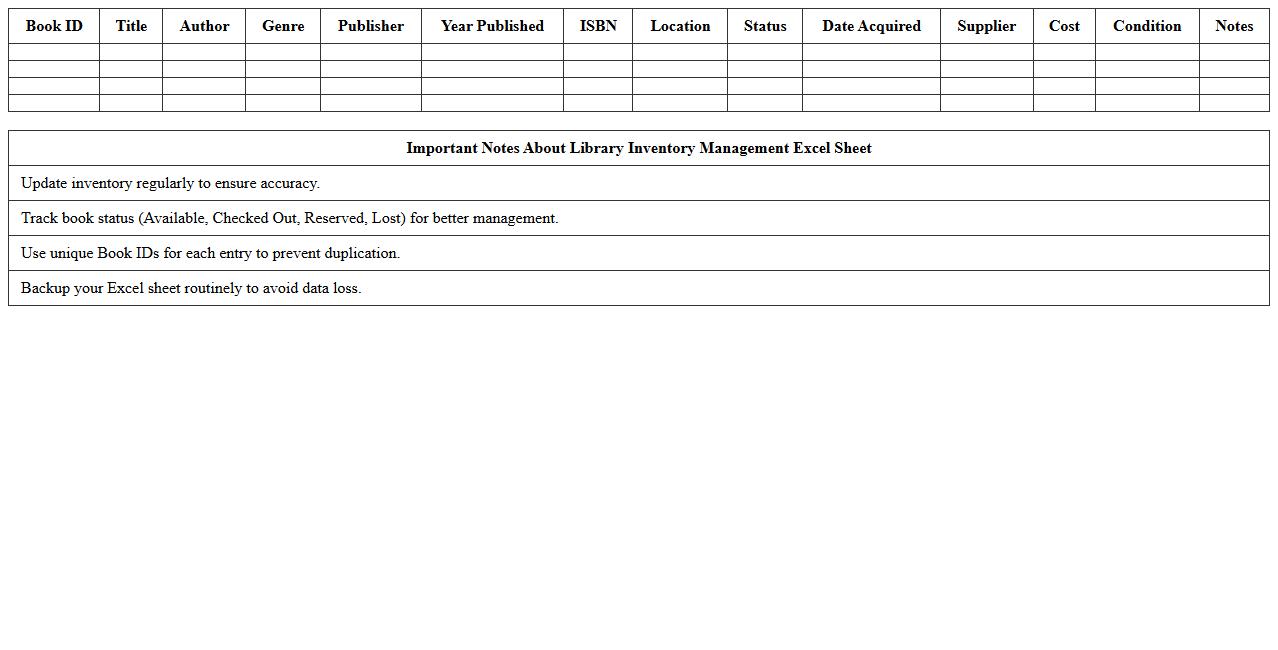
Library Inventory Management Excel Sheet
A
Library Inventory Management Excel Sheet is a structured digital document designed to track and organize library resources such as books, journals, and multimedia. It enables efficient monitoring of stock levels, book locations, and lending records, reducing manual errors and saving time. By providing quick access to current inventory data, this tool supports better decision-making and resource allocation in library management.
Lost and Damaged Books Register Excel
The
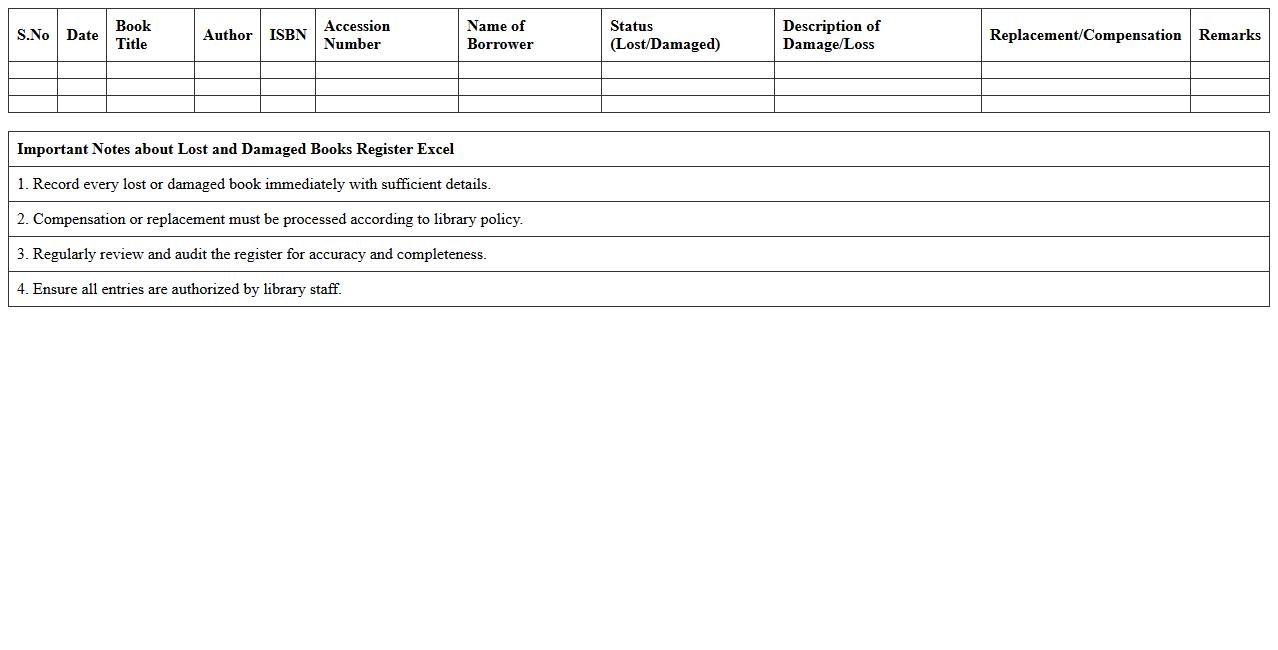
Lost and Damaged Books Register Excel document is a detailed spreadsheet designed to track the status of books that are lost or damaged within a library or inventory system. It provides essential data fields such as book title, author, date reported lost or damaged, replacement cost, and resolution status, enabling efficient monitoring and accountability. This register helps organizations minimize financial losses, streamline book replacement processes, and maintain accurate inventory records for better resource management.
Book Purchase and Acquisition Register Excel
A
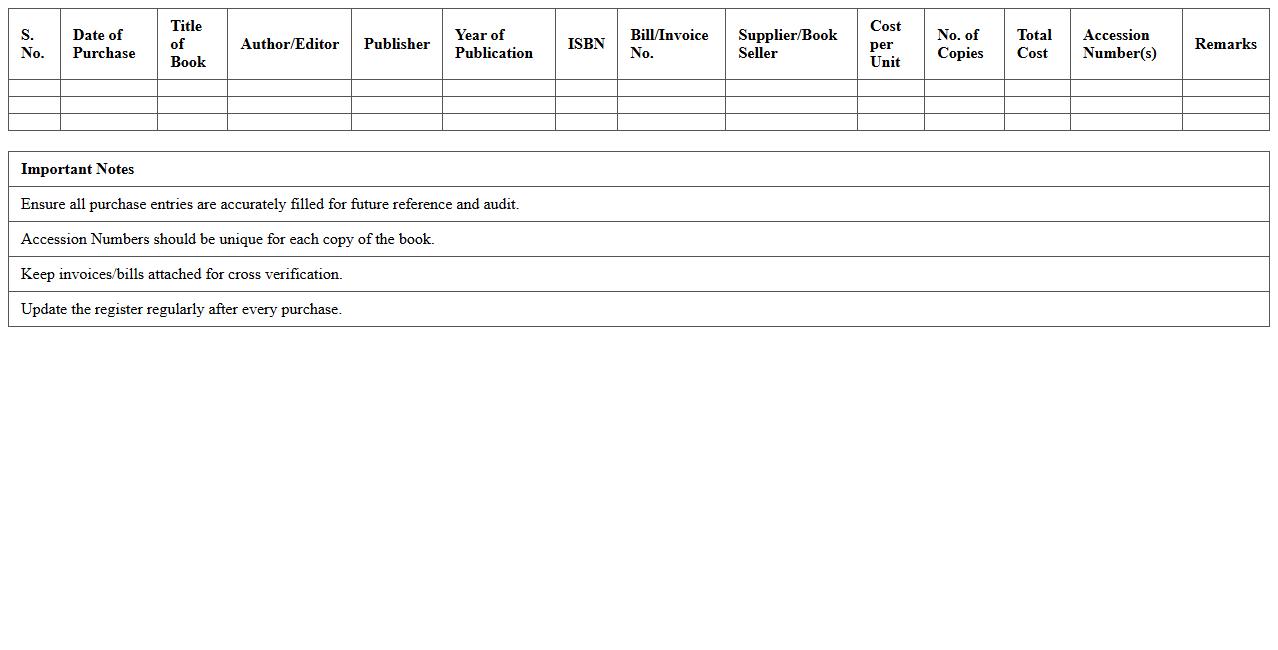
Book Purchase and Acquisition Register Excel document is a structured spreadsheet designed to track and manage all book purchases and acquisitions within an organization or library. It organizes essential data such as book titles, authors, purchase dates, vendors, costs, and inventory status, facilitating efficient record-keeping and budget monitoring. This register enhances accountability, streamlines procurement processes, and aids in maintaining an up-to-date catalog for informed decision-making.
Library Membership Register Excel Template
A
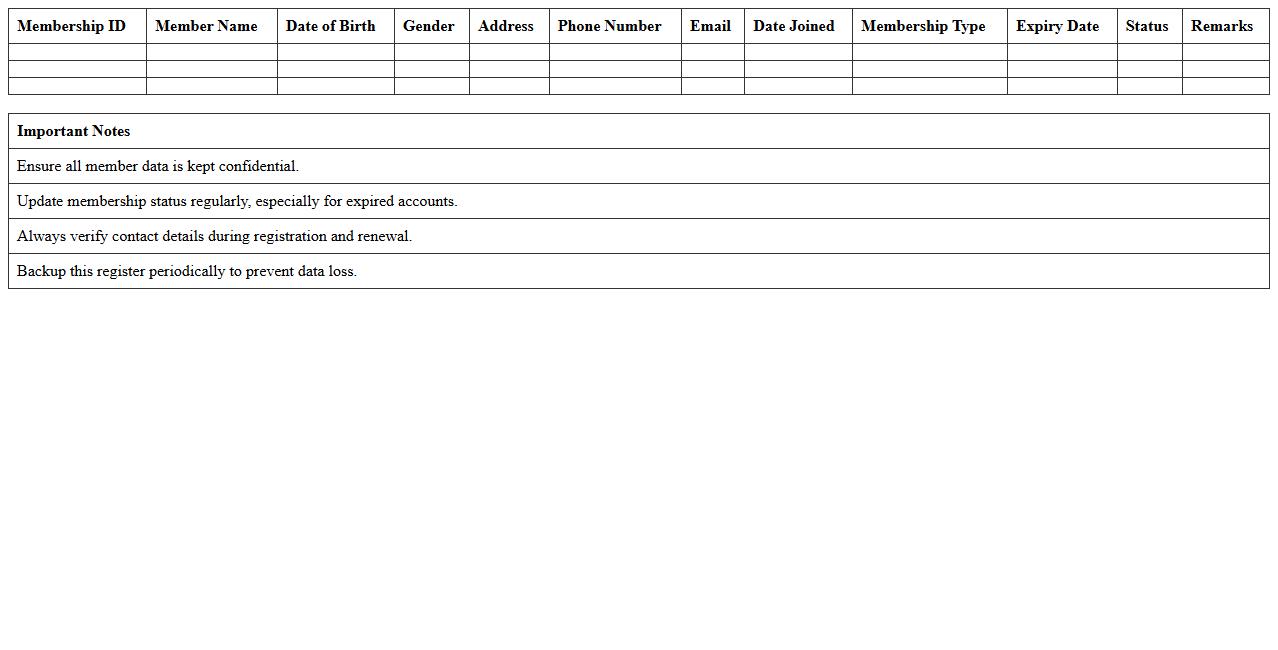
Library Membership Register Excel Template is a digital tool designed to organize and maintain detailed records of library members, including personal information, membership status, and borrowing history. This template streamlines the management process by enabling easy data entry, sorting, and updating of member details, improving efficiency and accuracy in library administration. It proves invaluable for libraries of all sizes by facilitating quick access to member data, tracking membership renewals, and enhancing overall user management systems.
Daily Book Circulation Record Excel Sheet
A
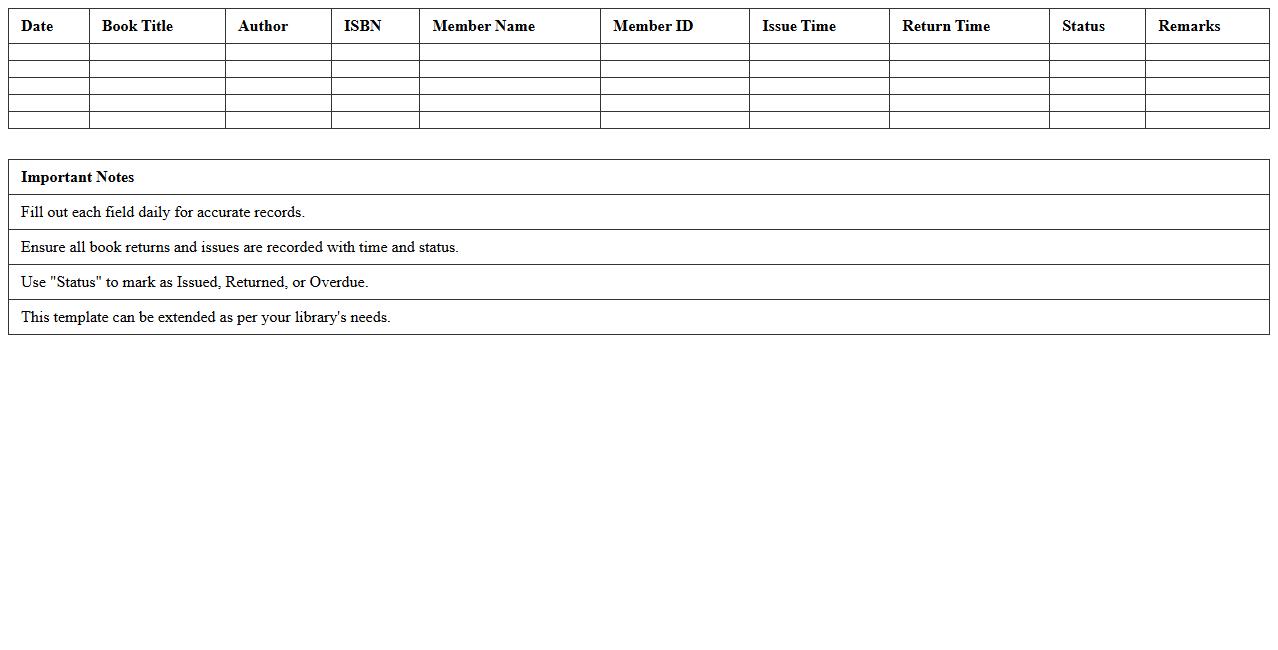
Daily Book Circulation Record Excel Sheet document is a structured spreadsheet used to track the lending and return of books on a daily basis within libraries or bookstores. It helps maintain accurate records of each transaction, including borrower details, issue dates, and return deadlines, ensuring efficient management of inventory. This tool improves accountability, reduces data errors, and streamlines the process of monitoring book circulation trends for better resource planning.
Book Barcode Tracking Register Excel
A
Book Barcode Tracking Register Excel document is a digital tool designed to organize and monitor books using unique barcode identifiers, facilitating efficient inventory management. This register enables quick scanning and recording of book details, reducing manual errors and saving time in library or bookstore operations. By maintaining real-time tracking of book availability and movement, it enhances accountability and improves overall resource management.
Teacher Reference Books Register Excel Template
The
Teacher Reference Books Register Excel Template document is a structured tool designed to organize and track educational resources and reference books used by teachers. It helps in maintaining a detailed inventory with categories such as book titles, authors, publication dates, and usage status, ensuring easy accessibility and efficient management. This template improves resource allocation, supports curriculum planning, and facilitates quick retrieval of reference materials for enhanced teaching effectiveness.
How to automate accession number generation in Book Register Excel for school libraries?
To automate accession number generation in Excel, use the CONCATENATE or TEXT functions combined with a sequential number generator. For example, use =CONCATENATE("ACC-", TEXT(ROW()-1, "0000")) to create unique accession numbers incrementally. Always lock the formula to avoid accidental edits and maintain consistency.
What formula tracks overdue books in Book Register Excel templates for library management?
The overdue tracking formula uses IF and TODAY functions to compare current date with due date. Example: =IF(TODAY() > DueDate, "Overdue", "On Time") highlights books not returned on time. Conditional formatting can visually flag overdue books for quicker identification.
How can barcodes be integrated with Book Register Excel sheets for faster library check-outs?
Barcodes can be integrated by first generating barcode images through third-party fonts or add-ins within Excel. Use a barcode font like Code128 to convert accession numbers into scannable codes directly in cells. Library staff can then scan these codes using barcode scanners linked to the Excel workbook for efficient check-outs.
Which Excel data validation rules prevent duplicate book entries in school Book Register?
To prevent duplicate book entries, apply Data Validation with a custom formula such as =COUNTIF($A$2:$A$100, A2)=1 referencing the unique identifier column. This restricts entry of repeated accession numbers or ISBNs. Users receive an alert if they attempt to enter duplicates, maintaining data integrity.
How to generate student-wise borrowing history from a Book Register Excel for library audits?
Generate student-wise borrowing history by using the FILTER or PivotTable features in Excel categorized by student names or IDs. This extracts all borrow records per student efficiently for audit purposes. Adding slicers or timeline filters enhances dynamic viewing and report generation.