Social Media Content Calendar Excel Template
A
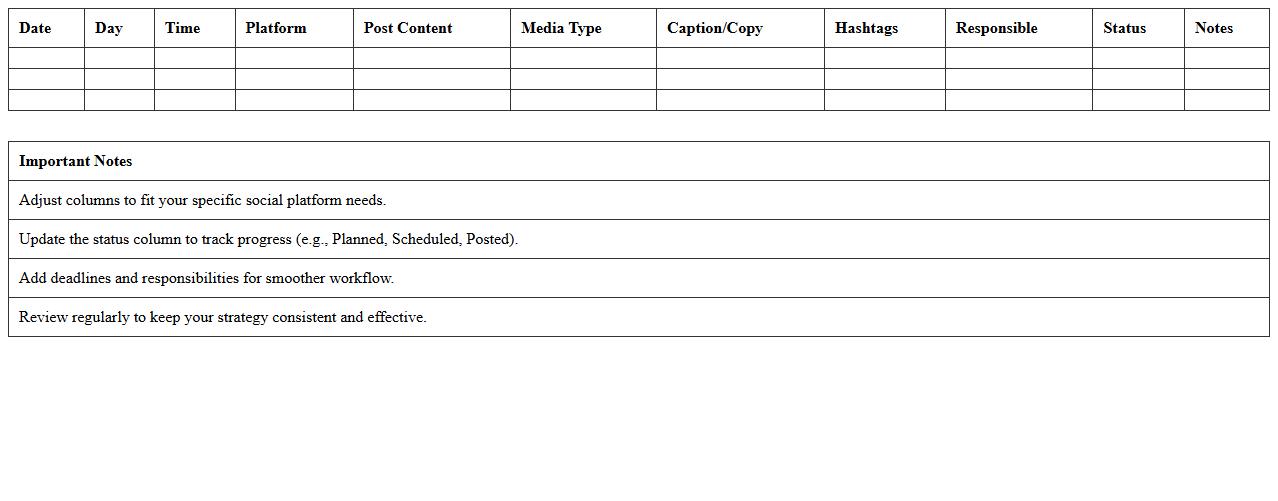
Social Media Content Calendar Excel Template is a structured spreadsheet designed to organize, schedule, and track social media posts across various platforms. It helps streamline content planning by allowing users to visualize posting dates, content themes, and campaign timelines all in one place, improving consistency and engagement. By using this template, businesses and marketers can optimize their social media strategy, enhance collaboration, and measure performance efficiently.
Social Media Campaign Performance Tracker
A
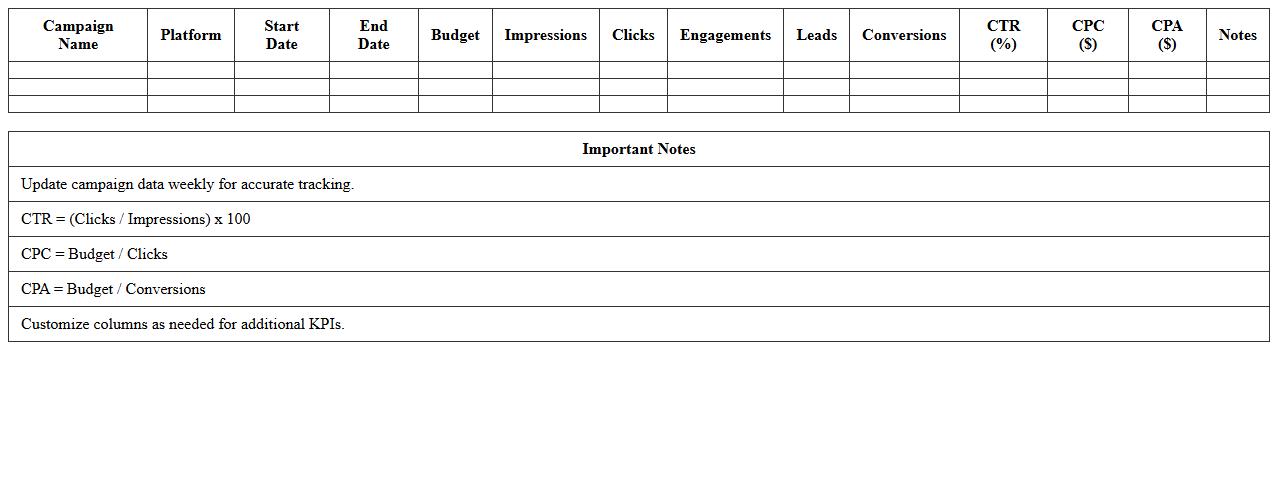
Social Media Campaign Performance Tracker document systematically records key metrics such as engagement rates, click-through rates, and conversion data for various social media campaigns. It enables marketers to analyze campaign effectiveness, identify high-performing content, and make data-driven decisions to optimize future strategies. By centralizing performance data, this document helps enhance ROI and streamline reporting processes.
Influencer Collaboration Planning Spreadsheet
An
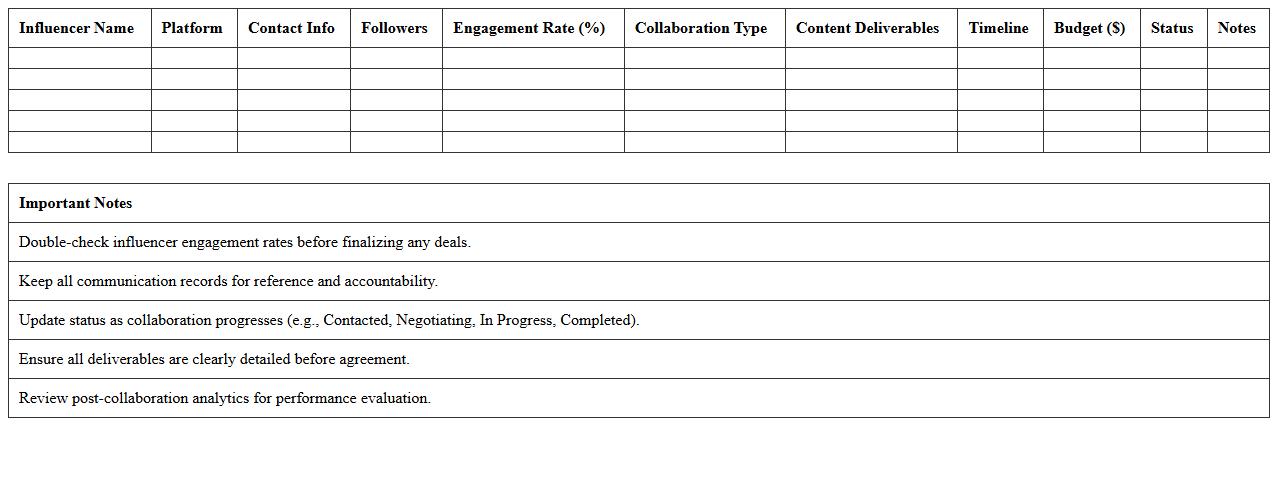
Influencer Collaboration Planning Spreadsheet is a strategic tool designed to organize and track influencer partnerships efficiently. It allows brands to manage campaign timelines, budget allocations, and performance metrics in one centralized document. By providing a clear overview of collaboration details, this spreadsheet enhances communication, ensures accountability, and optimizes influencer marketing outcomes.
Paid Ad Campaign Budget Tracker Excel
A
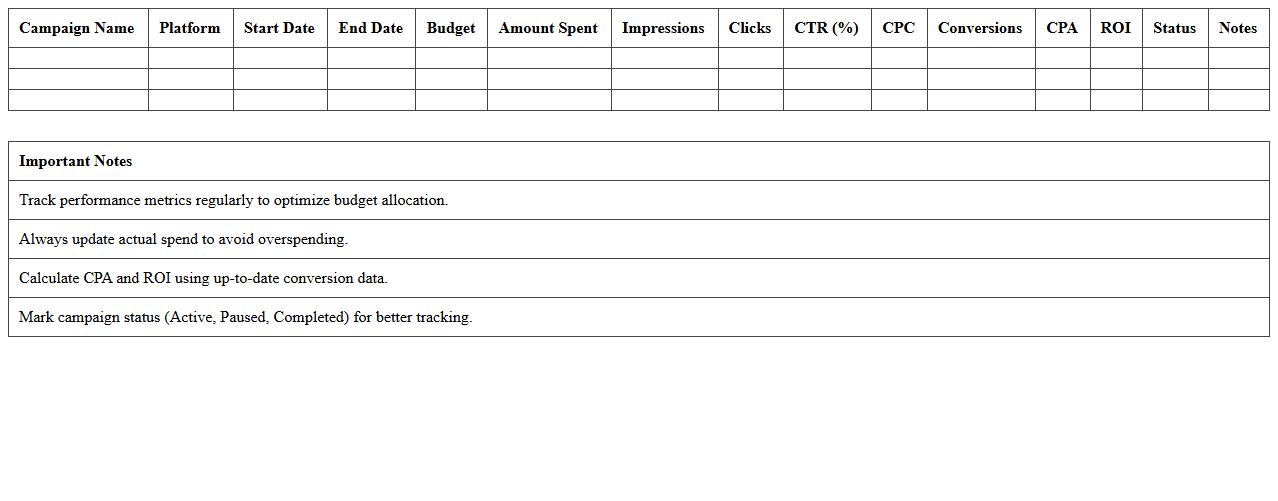
Paid Ad Campaign Budget Tracker Excel document helps monitor and manage expenditures across multiple advertising platforms, ensuring campaigns stay within budget. It provides detailed insights into spending patterns, ROI, and performance metrics, allowing marketers to optimize their ad spend effectively. By streamlining budget tracking, this tool enhances financial control and decision-making in digital marketing efforts.
Social Media Post Engagement Log
A
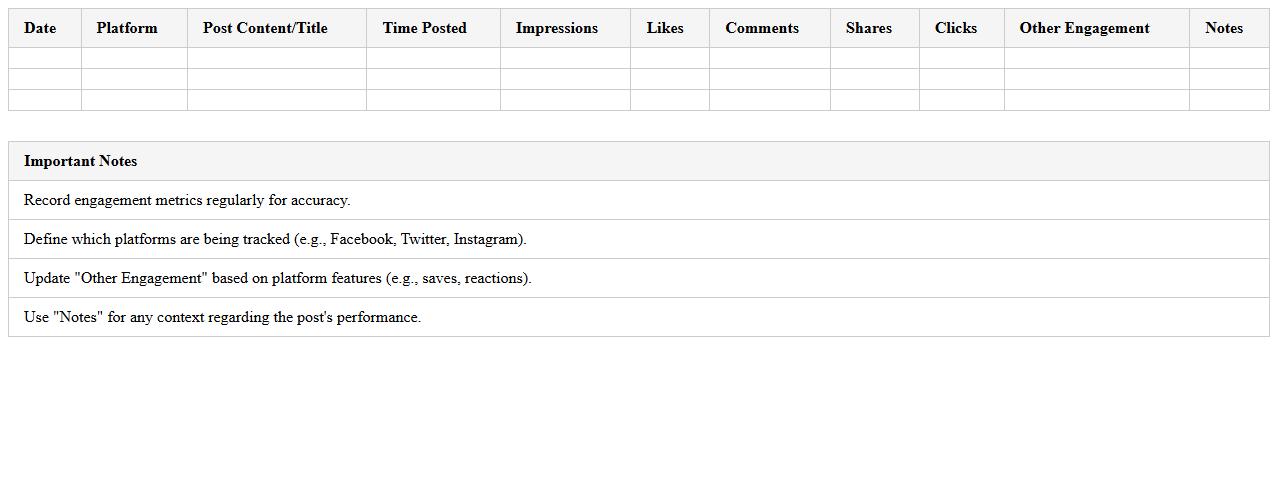
Social Media Post Engagement Log document records interactions such as likes, comments, shares, and impressions for each post across platforms. This data helps identify high-performing content and optimize posting strategies by analyzing audience behavior and engagement patterns. Tracking these metrics consistently enables informed decisions to increase reach, improve user interaction, and boost overall social media effectiveness.
Weekly Social Media Metrics Dashboard
The
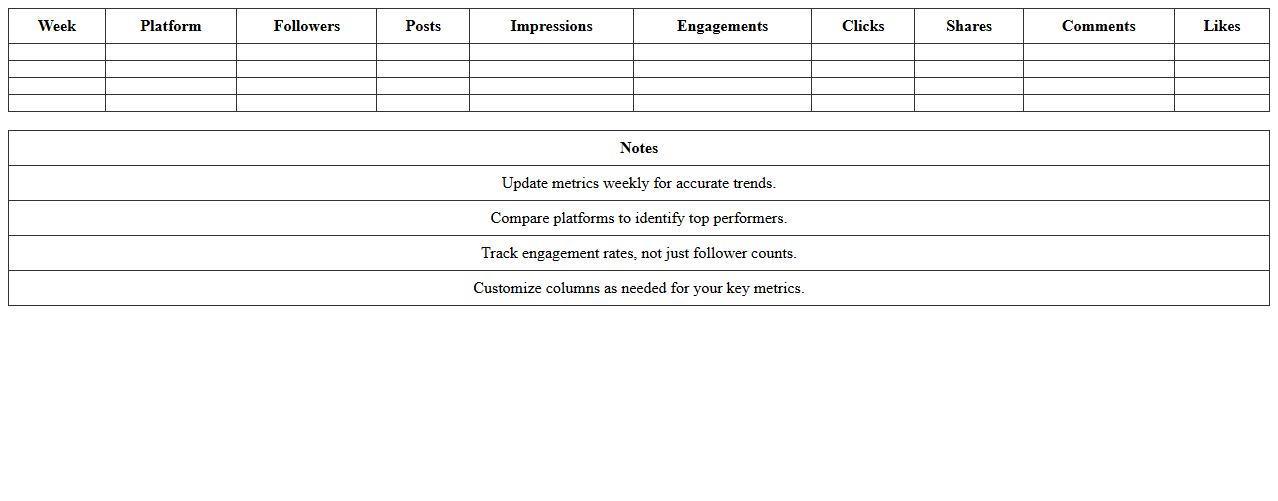
Weekly Social Media Metrics Dashboard document consolidates essential data such as engagement rates, follower growth, post reach, and click-through rates into a single, easy-to-read format. It allows marketing teams to monitor performance trends, identify successful campaigns, and make data-driven decisions to optimize social media strategies. By regularly tracking these metrics, businesses can enhance audience targeting, improve content relevance, and increase ROI on social media investments.
Cross-Channel Social Media Analytics Sheet
The
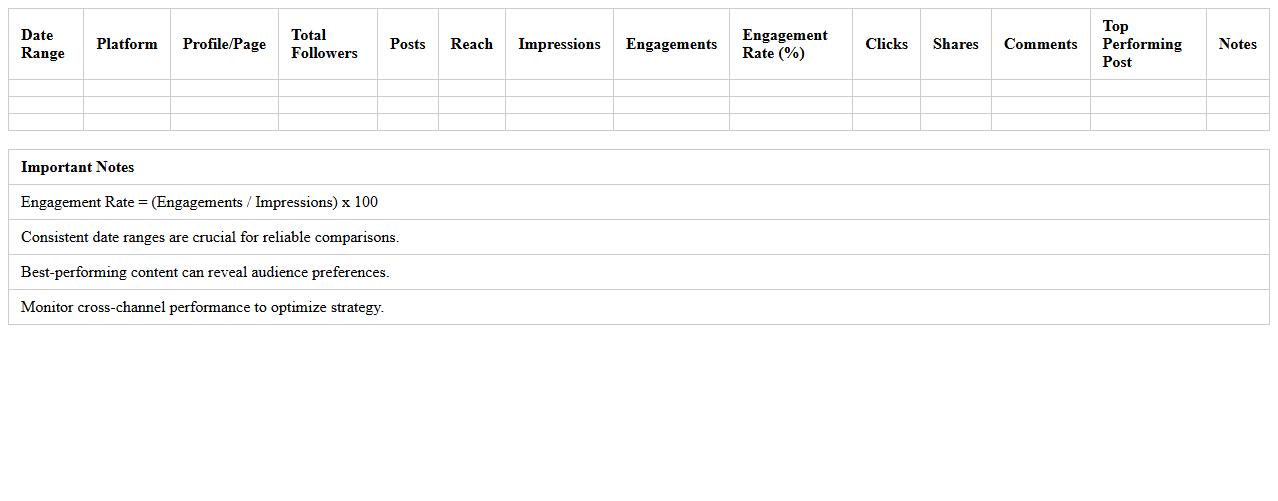
Cross-Channel Social Media Analytics Sheet is a comprehensive document designed to consolidate data from multiple social media platforms into a single, organized format for easy comparison and analysis. It enables marketers and analysts to track key performance indicators (KPIs) such as engagement rates, reach, follower growth, and conversion metrics across channels like Facebook, Instagram, Twitter, and LinkedIn. By providing a holistic view of social media performance, this sheet helps optimize marketing strategies, allocate resources efficiently, and enhance overall campaign effectiveness.
Social Media Hashtag Performance Template
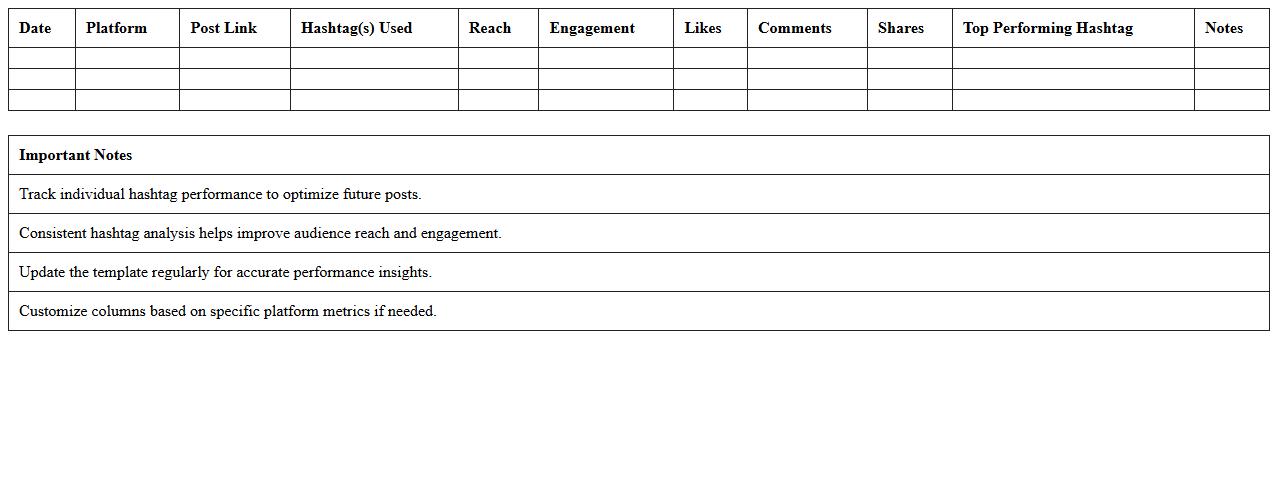
The Social Media Hashtag Performance Template is a structured document designed to track and analyze the effectiveness of hashtags across various social media platforms. It provides vital metrics such as engagement rates, reach, and click-throughs, enabling marketers to identify high-performing hashtags and optimize content strategies. By leveraging this
data-driven framework, businesses can improve audience targeting and enhance overall social media campaign effectiveness.
Social Media Campaign ROI Calculator Excel
The
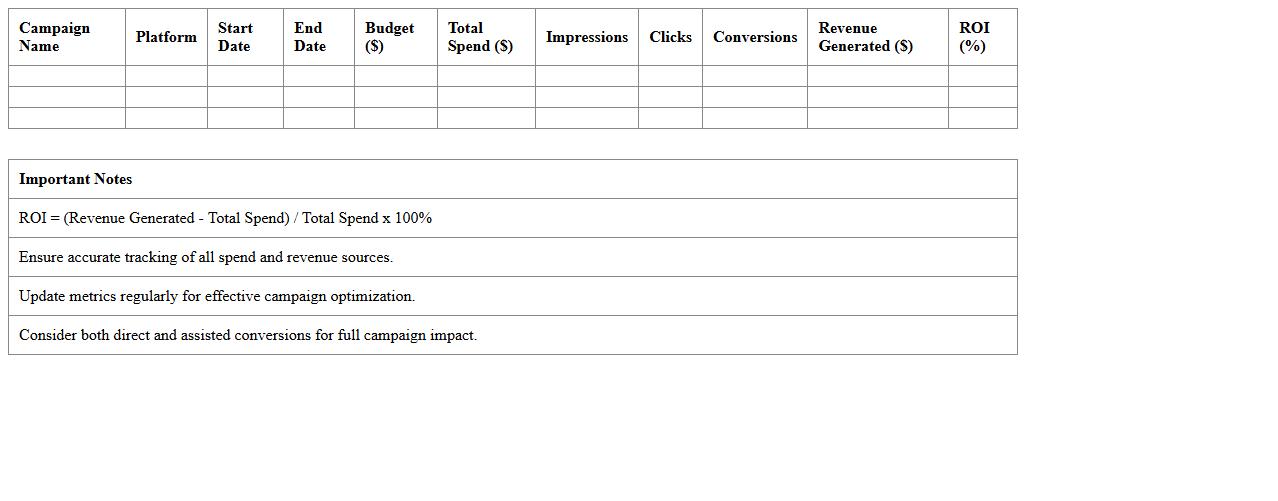
Social Media Campaign ROI Calculator Excel document is a powerful tool designed to measure the return on investment from social media marketing efforts by calculating revenue generated against campaign costs. It helps businesses analyze the effectiveness of different platforms and strategies by providing clear, data-driven insights into engagement, conversion rates, and overall profitability. Utilizing this calculator enables marketers to optimize budgets, improve campaign performance, and demonstrate the financial impact of social media activities.
Social Media Scheduling and Approval Tracker
A
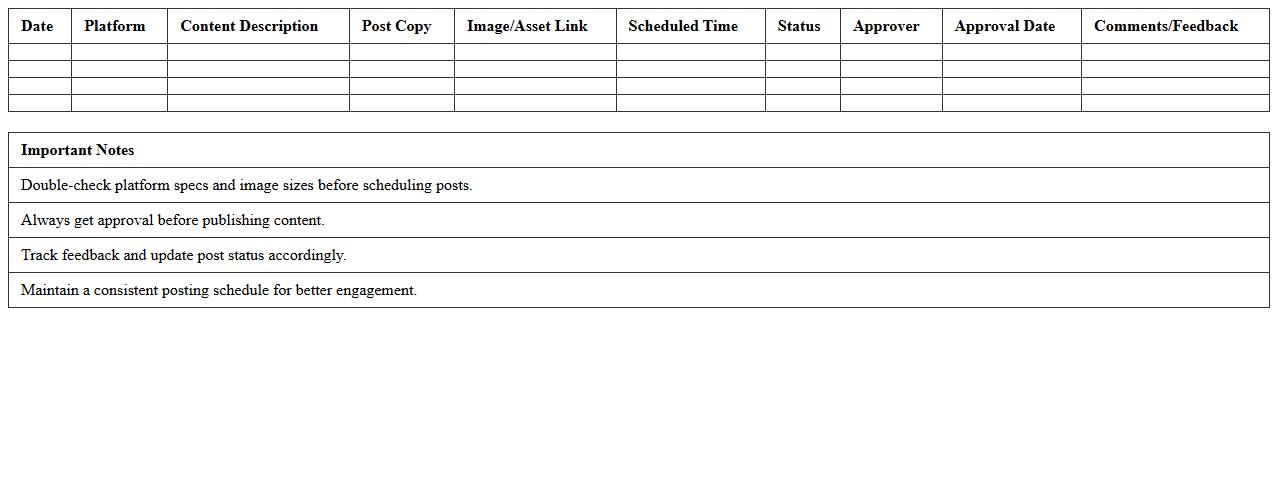
Social Media Scheduling and Approval Tracker document is a tool designed to organize and streamline the planning, scheduling, and approval process of social media content. It helps teams maintain consistency by tracking deadlines, assigned tasks, and content status, ensuring timely posts aligned with marketing goals. This document enhances collaboration, reduces errors, and accelerates the workflow, ultimately improving the efficiency and effectiveness of social media campaigns.
How can I automate influencer performance tracking in my Social Media Campaign Record Excel?
To automate influencer performance tracking, use Excel tables combined with dynamic formulas like SUMIFS and COUNTIFS. Integrate data imports from social media platforms via Power Query for real-time updates. Consider adding macros or VBA scripts to streamline repetitive tracking tasks.
What are the best formulas for calculating ROI per platform in my campaign spreadsheet?
Calculating ROI requires the formula (Revenue - Cost) / Cost for each platform, implemented using simple arithmetic formulas in Excel. Use SUMPRODUCT to aggregate revenue and costs across campaigns efficiently. Make sure to reference platform-specific columns to get accurate ROI insights.
Which columns should I include to monitor UTM parameters across campaign records?
Essential columns for UTM parameter monitoring include utm_source, utm_medium, utm_campaign, utm_term, and utm_content. These fields help segment traffic sources and ensure precise campaign attribution in your Excel records. Including these columns allows better filtering and analysis of user acquisition channels.
How do I visualize weekly engagement trends using pivot charts within Excel?
Create a PivotTable summarizing engagement metrics grouped by week, then insert a PivotChart for visualization. Use the date field to group by "Week" for meaningful trend analysis. Applying slicers enhances interactivity to focus on specific influencers or platforms dynamically.
What's an efficient way to flag underperforming posts using conditional formatting?
Use conditional formatting rules based on engagement thresholds like likes, shares, or comments to highlight underperforming posts. Set up color scales or icon sets to visually flag posts below designated performance benchmarks. This method provides instant visual cues for quick decision-making.