A Security Risk Assessment Excel Template for IT Systems helps organizations systematically identify, evaluate, and prioritize potential security threats. This template provides a structured format to document vulnerabilities, assess their impact, and implement mitigation strategies. It streamlines risk management by offering clear visualization and easy customization for various IT environments.
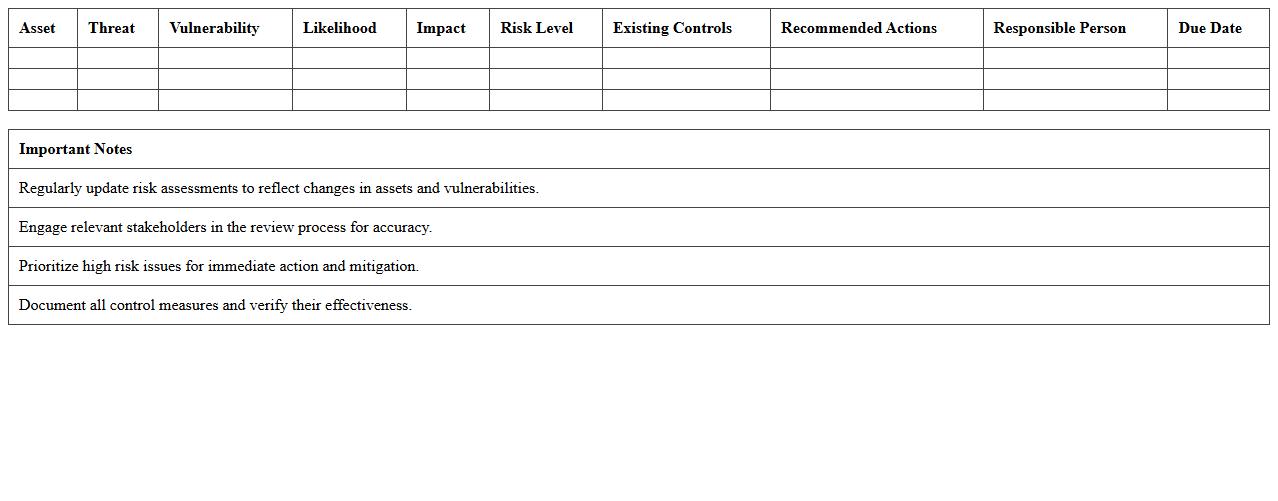
IT System Threat Assessment Excel Template
The
IT System Threat Assessment Excel Template is a structured document designed to identify, evaluate, and prioritize potential security risks within an organization's IT infrastructure. It enables systematic tracking of vulnerabilities, threat sources, and impact levels, facilitating informed decision-making for risk mitigation. Utilizing this template improves the efficiency of security audits and enhances the overall cybersecurity posture by ensuring comprehensive threat analysis.
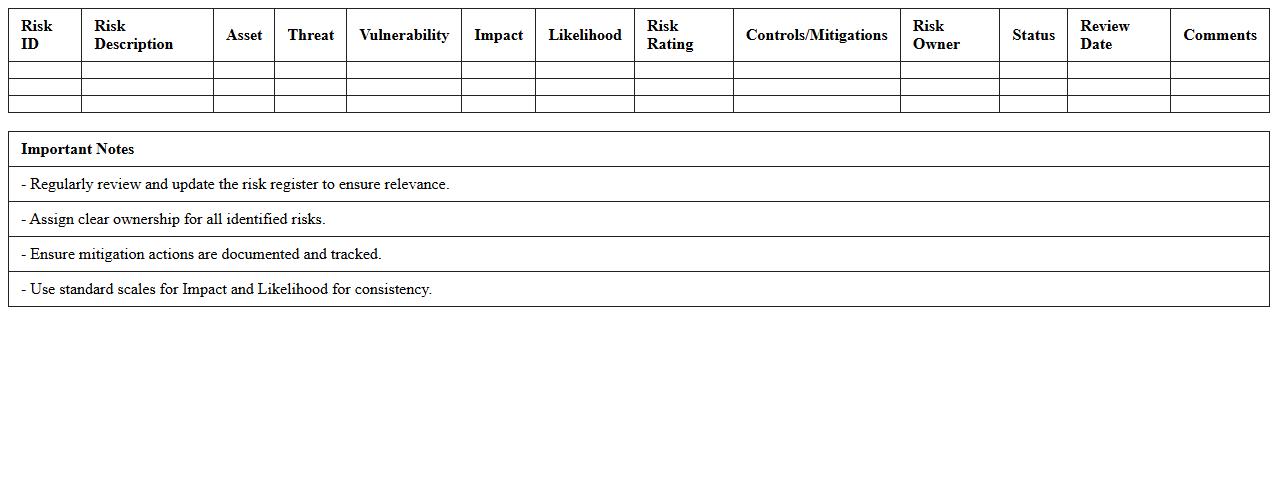
Information Security Risk Register Excel Sheet
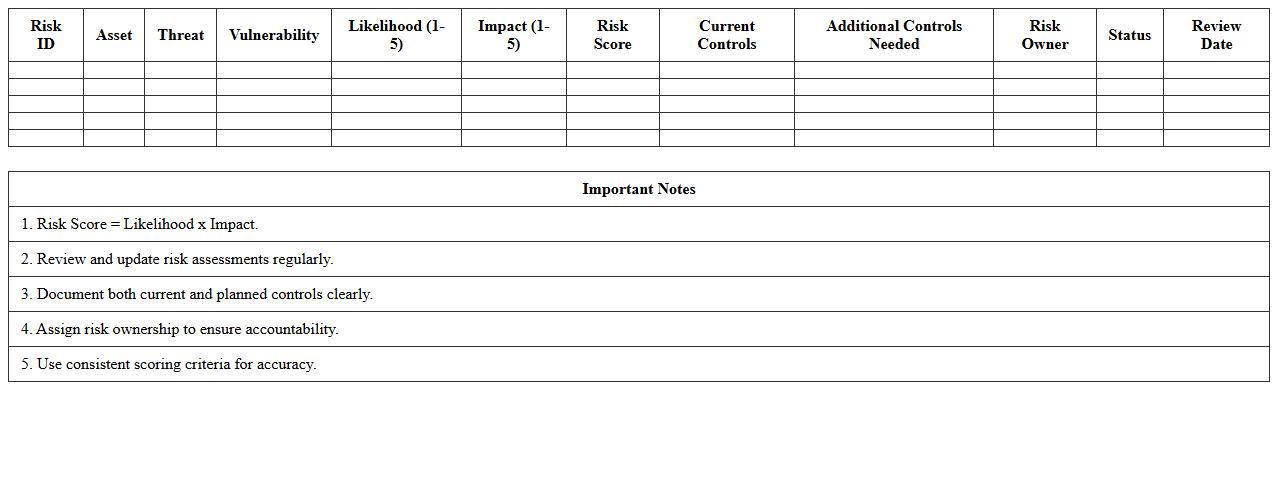
An
Information Security Risk Register Excel Sheet is a structured document used to identify, assess, and track security risks within an organization. It helps in systematically recording potential threats, vulnerabilities, risk impact, and mitigation actions, enabling effective risk management and compliance monitoring. This tool enhances decision-making by providing clear visibility into security posture and prioritizing resources to address the most critical information security risks.
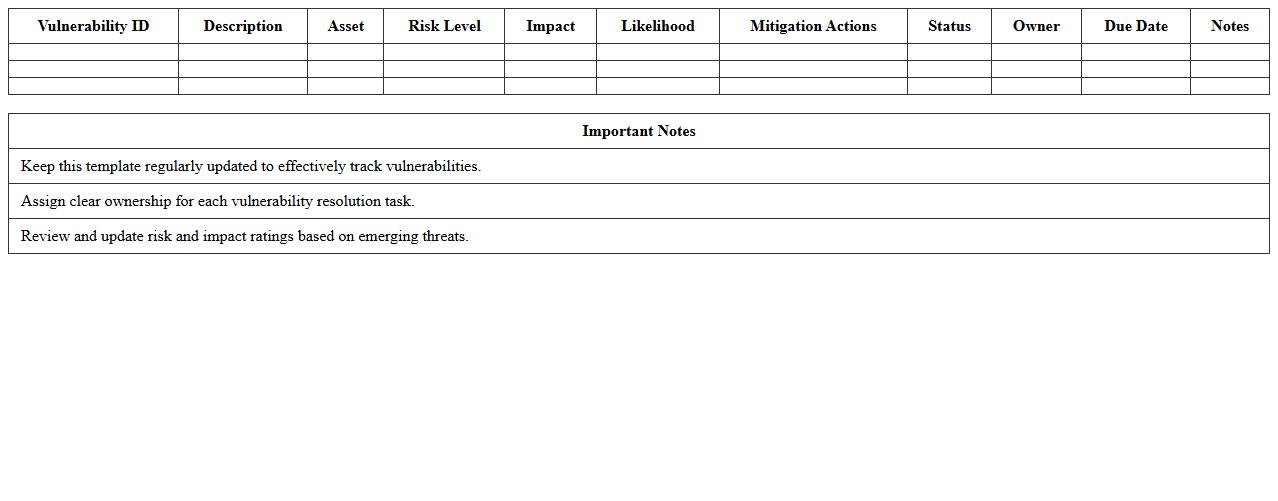
Cybersecurity Vulnerability Analysis Excel Template
The
Cybersecurity Vulnerability Analysis Excel Template document is a structured tool designed to identify, assess, and prioritize security weaknesses within an organization's IT infrastructure. It helps cybersecurity professionals systematically document vulnerabilities, evaluate their impact and risk levels, and track remediation efforts in a clear, organized manner. Using this template improves risk management efficiency, supports compliance audits, and enhances overall cybersecurity posture by enabling data-driven decision-making.
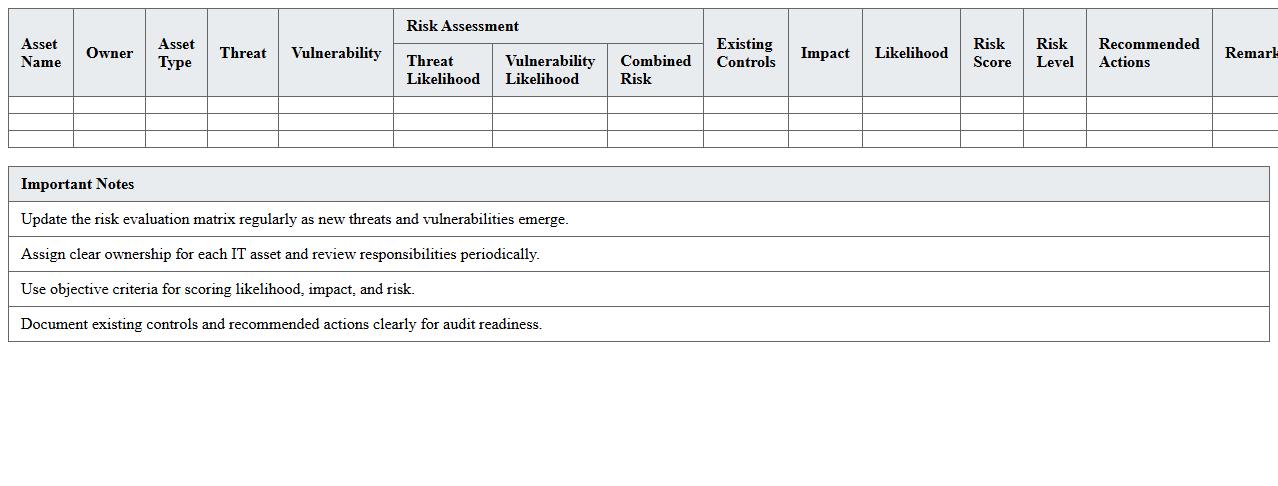
IT Asset Risk Evaluation Matrix Excel
The
IT Asset Risk Evaluation Matrix Excel document is a structured tool designed to identify, assess, and prioritize risks associated with IT assets by evaluating factors such as asset value, vulnerability, and impact. This matrix helps organizations systematically quantify potential threats and allocate resources effectively to mitigate risks, enhancing overall cybersecurity posture. By providing a clear visual representation of risk levels, it supports informed decision-making and improves risk management strategies.
Security Control Gap Analysis Excel Spreadsheet
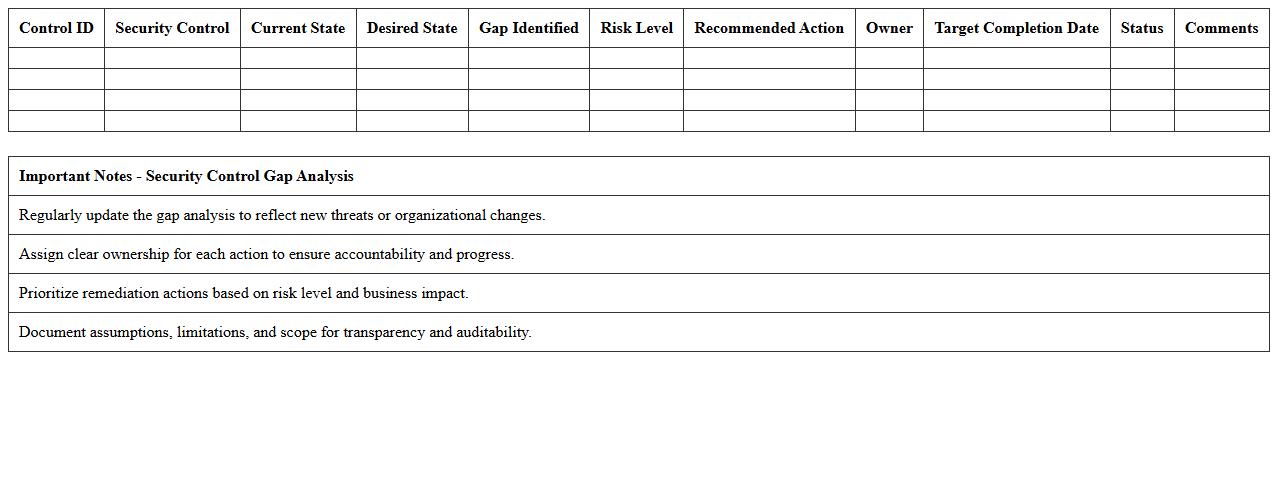
A
Security Control Gap Analysis Excel Spreadsheet document systematically identifies and evaluates deficiencies between existing security controls and desired security standards or policies. It enables organizations to pinpoint vulnerabilities, prioritize remediation efforts, and allocate resources effectively to bolster their cybersecurity posture. Utilizing this tool ensures continuous improvement by tracking compliance progress and facilitating risk management strategies.
IT Security Incident Tracking Excel Log
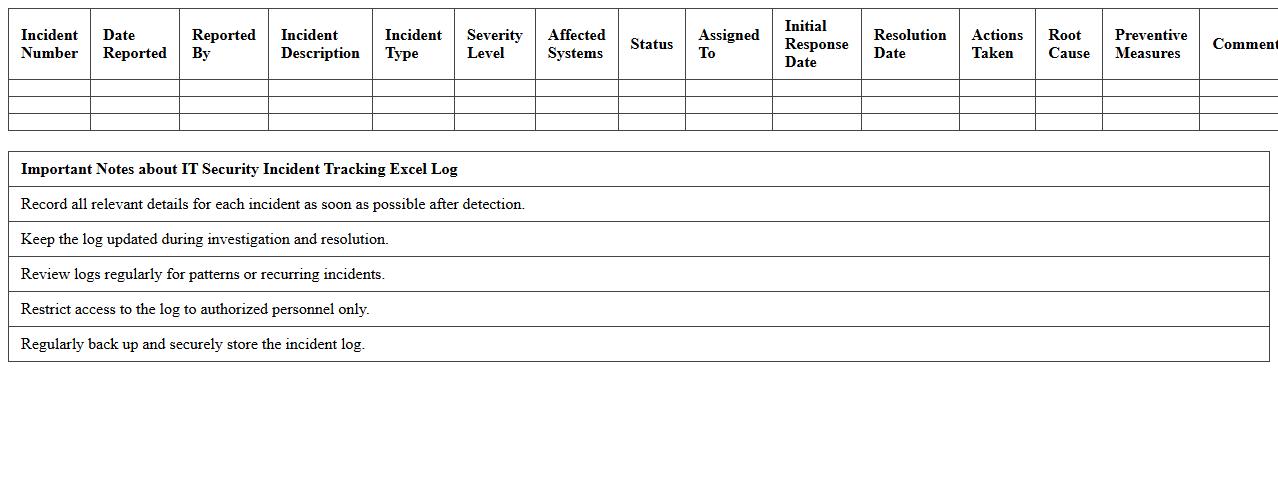
An
IT Security Incident Tracking Excel Log document is a structured spreadsheet designed to record, monitor, and analyze security incidents within an organization's IT environment. It helps in maintaining detailed records of incidents such as breaches, malware infections, or unauthorized access attempts, enabling efficient tracking and response. This log supports risk management by identifying recurring vulnerabilities and improving incident resolution times through organized data.
Data Breach Impact Assessment Excel Template
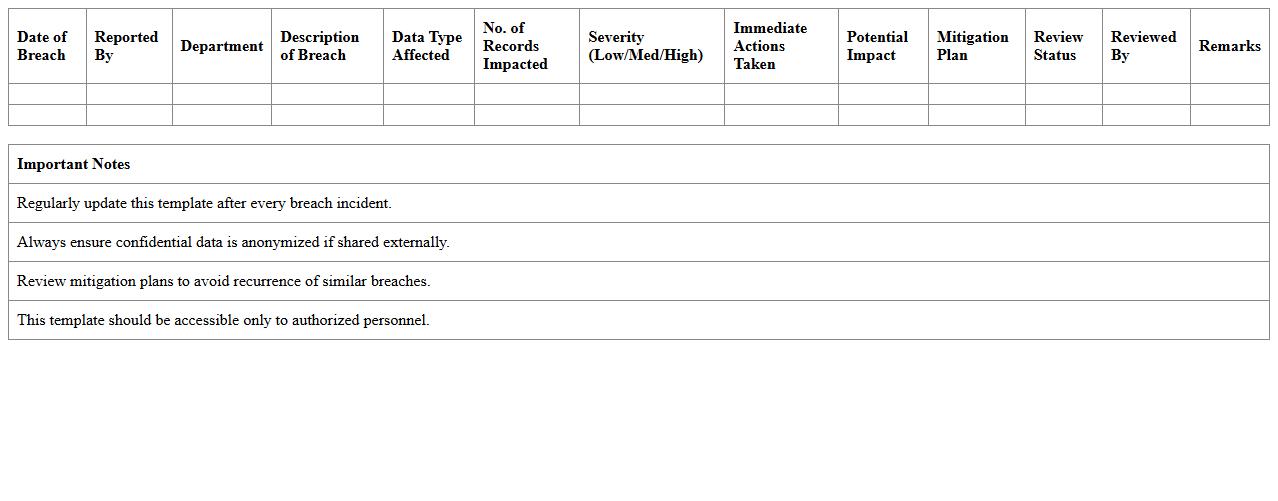
The
Data Breach Impact Assessment Excel Template document serves as a structured tool to evaluate the consequences of a data breach on an organization. It helps identify affected data categories, estimate financial losses, and assess regulatory implications, enabling informed decision-making for risk mitigation. This template streamlines the analysis process, ensuring comprehensive and consistent assessment crucial for compliance and incident response planning.
Network Security Risk Scoring Excel Sheet
A
Network Security Risk Scoring Excel Sheet document is a tool designed to evaluate and quantify potential security threats within a network by assigning risk scores based on vulnerability assessments and asset criticality. It helps organizations prioritize security measures by clearly identifying high-risk areas that require immediate attention, improving resource allocation and risk mitigation strategies. By maintaining a structured and visual representation of network risks, this Excel sheet facilitates informed decision-making to enhance overall cybersecurity posture.
Application Security Assessment Excel Checklist
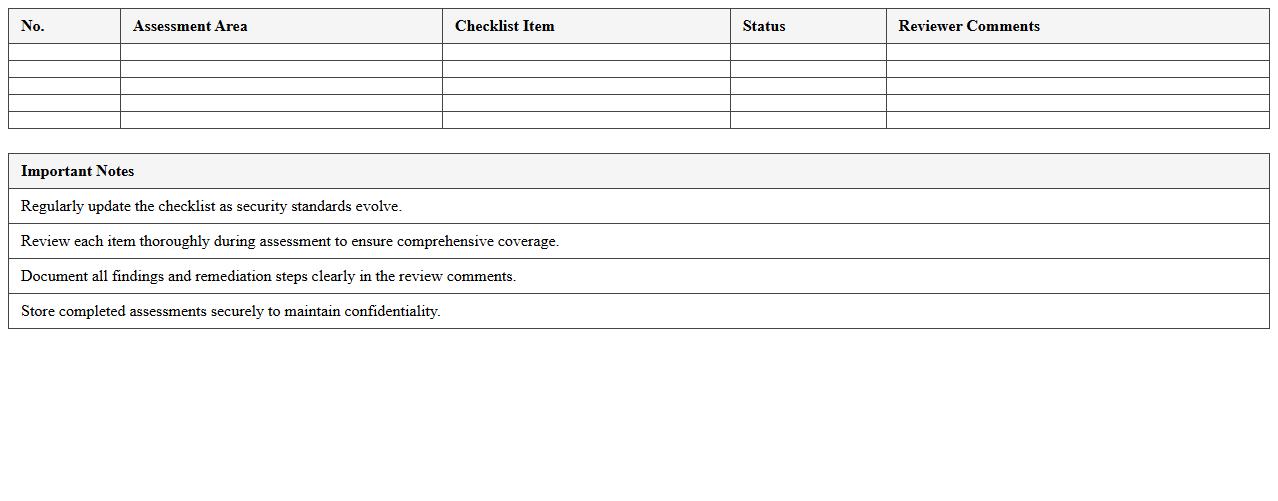
The
Application Security Assessment Excel Checklist document is a structured tool designed to systematically evaluate the security posture of software applications by listing key security controls and testing criteria. It helps teams identify vulnerabilities, ensure compliance with security standards, and track remediation efforts efficiently throughout the development lifecycle. By using this checklist, organizations can reduce risk exposure, improve application security, and maintain a consistent audit trail for security assessments.
IT Compliance Audit Risk Mapping Excel Template
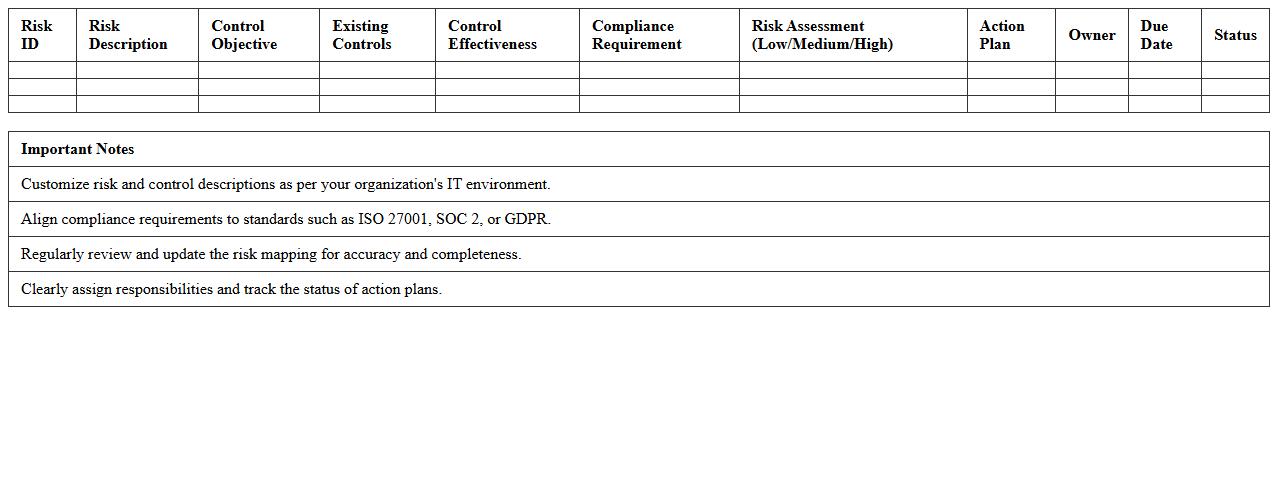
The
IT Compliance Audit Risk Mapping Excel Template is a structured document designed to identify, assess, and prioritize risks associated with IT compliance requirements. It helps organizations systematically align audit findings with specific regulatory standards and internal policies, ensuring thorough risk management. This template enables efficient tracking of compliance gaps and facilitates informed decision-making for mitigating IT audit risks.
Key Formulas Used in Security Risk Assessment Excel Template for IT Systems
The Excel template utilizes risk scoring formulas combining likelihood and impact values to quantify threat severity. Weighted averages and lookup functions like VLOOKUP are used to retrieve risk ratings from predefined matrices. Conditional formatting formulas highlight high-risk items for easy identification.
How the Excel Sheet Categorizes and Prioritizes IT Security Threats and Vulnerabilities
Threats and vulnerabilities are categorized using dropdown lists linked to standardized threat and vulnerability types. The sheet prioritizes risks by calculating risk scores based on likelihood and impact, presenting them in descending order. Color-coded risk levels visually emphasize the highest priority items for mitigation.
Columns Tracking Mitigation Measures and Responsible Personnel
The template includes dedicated columns labeled Mitigation Actions to detail specific control measures. Another key column tracks Responsible Personnel assigned to implement and monitor these actions. Additional status columns monitor progress and compliance with the mitigation plan.
Linking Asset Inventory to Risk Scoring Within Excel Assessment
Each asset in the inventory is assigned a unique identifier linked to risk entries via lookup formulas. Asset criticality scores feed into the risk scoring matrix to reflect their importance to business functions. This linkage ensures that risk assessments consider both vulnerability and asset value for comprehensive analysis.
Method Used to Calculate Residual Risk After Controls Are Applied
The spreadsheet calculates residual risk by adjusting initial risk scores with control effectiveness ratings using multiplicative reduction formulas. These formulas subtract or reduce the likelihood and impact based on implemented mitigation controls. The resulting residual risk scores help determine remaining exposure and guide further action.
More Assessment Excel Templates