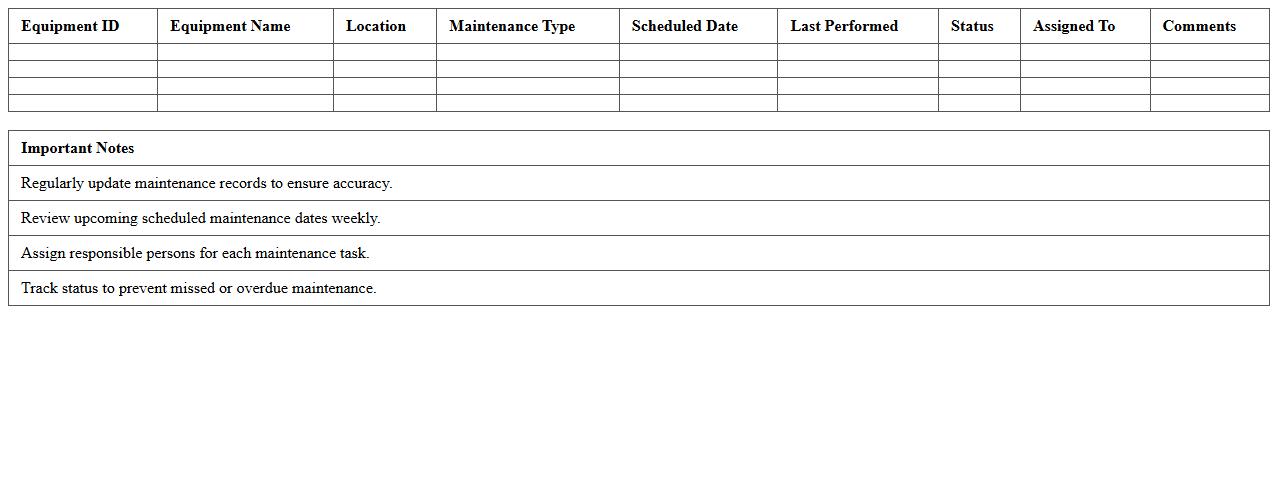
The Equipment Maintenance Schedule Excel Template for Facility Managers streamlines tracking and managing routine inspections, repairs, and service dates for all equipment. It enhances operational efficiency by ensuring timely maintenance, reducing downtime, and extending equipment lifespan. This easy-to-use template provides customizable fields for asset details, maintenance tasks, and scheduling alerts.
Preventive Maintenance Tracker Excel Template
A
Preventive Maintenance Tracker Excel Template is a structured spreadsheet designed to schedule, monitor, and record maintenance tasks for equipment and machinery. It helps organizations reduce downtime, extend asset lifespan, and ensure timely inspections by providing clear visibility into upcoming and overdue maintenance activities. Using this template enhances operational efficiency and supports proactive management of maintenance resources.
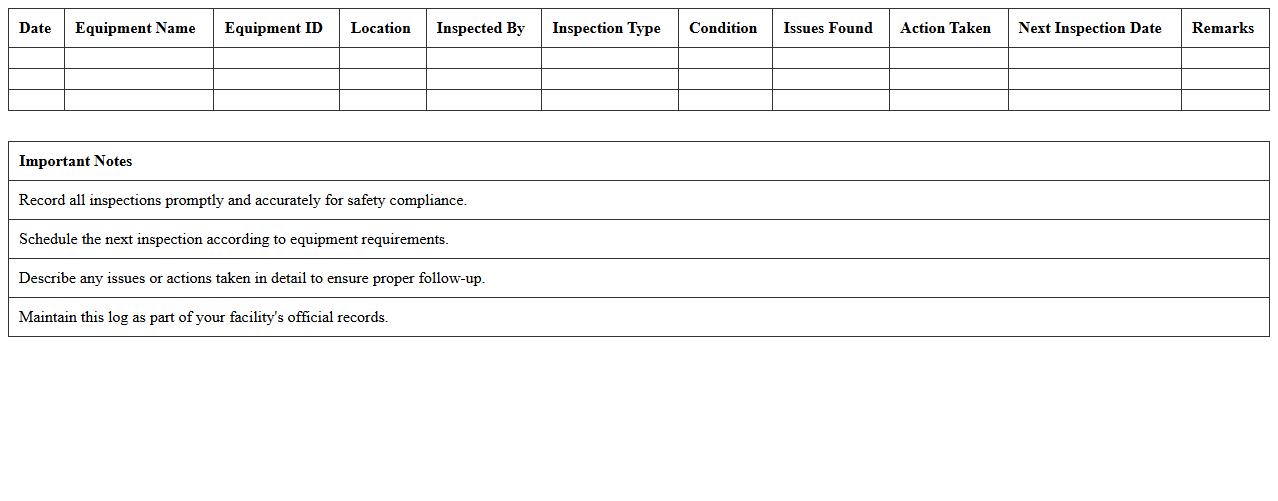
Facility Equipment Inspection Log Excel Sheet
A
Facility Equipment Inspection Log Excel Sheet is a detailed document used to record and track the condition, maintenance, and inspection status of equipment within a facility. It helps ensure compliance with safety standards, identify potential issues early, and maintain operational efficiency by providing a centralized, easy-to-update record of all equipment inspections. This tool is essential for preventive maintenance scheduling and improving asset longevity.
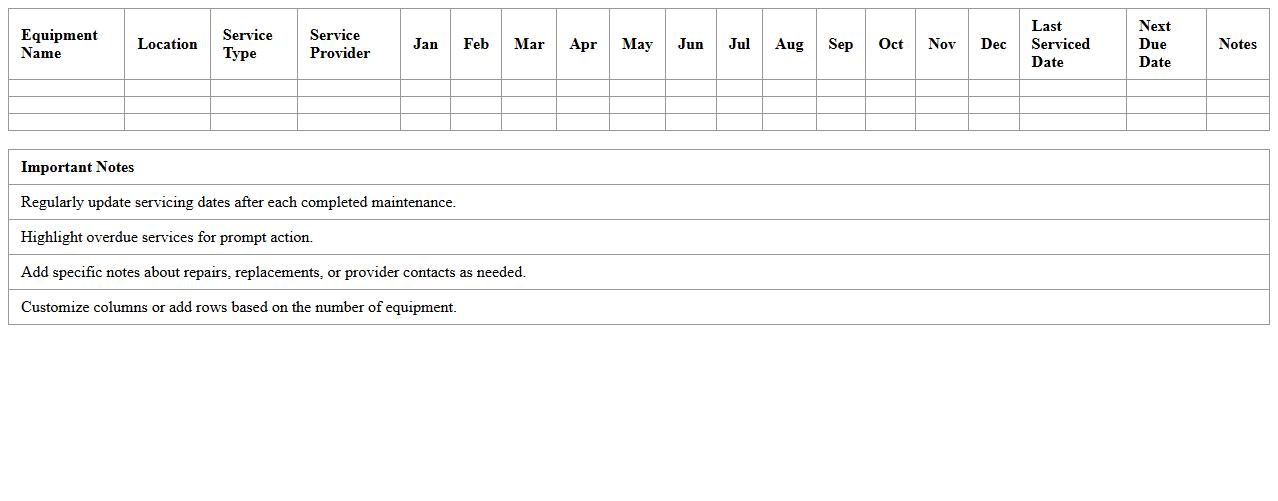
Annual Equipment Service Calendar Spreadsheet
An
Annual Equipment Service Calendar Spreadsheet is a structured document designed to track and schedule maintenance activities for various equipment throughout the year. It helps organizations ensure timely servicing, reduce downtime, and extend the lifespan of critical machinery by providing clear visibility into upcoming maintenance tasks and deadlines. This tool enhances operational efficiency by organizing service dates, responsible personnel, and specific maintenance requirements in one accessible format.
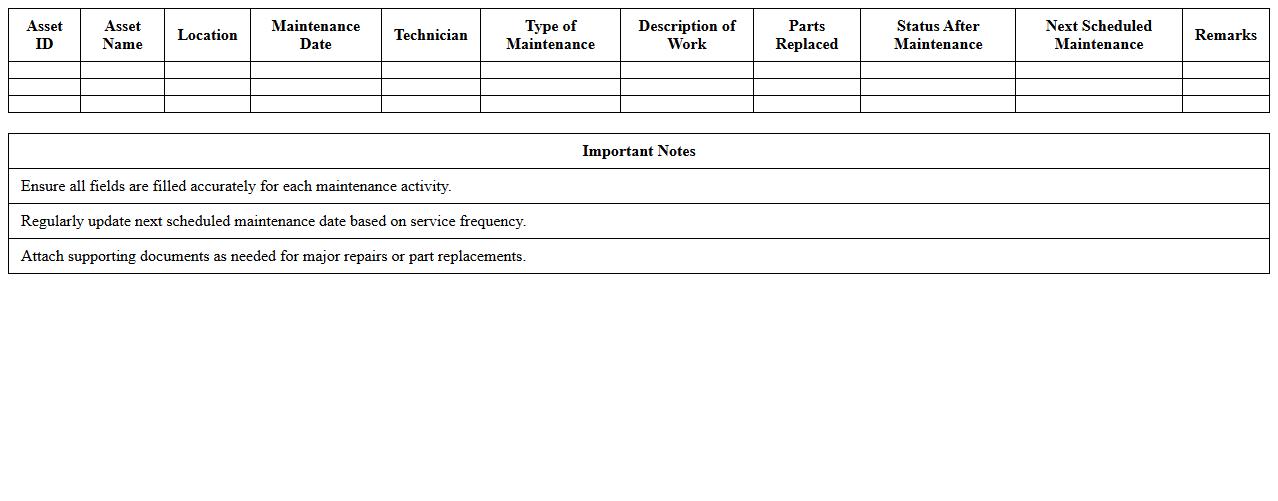
Asset Maintenance History Record Template
An
Asset Maintenance History Record Template is a structured document designed to systematically track and document all maintenance activities performed on assets over time. It helps organizations monitor equipment performance, schedule preventive maintenance, and identify recurring issues to reduce downtime and extend asset lifespan. Utilizing this template enhances maintenance efficiency, supports compliance with safety standards, and improves decision-making regarding asset management and budget allocation.
Maintenance Work Order Scheduler in Excel
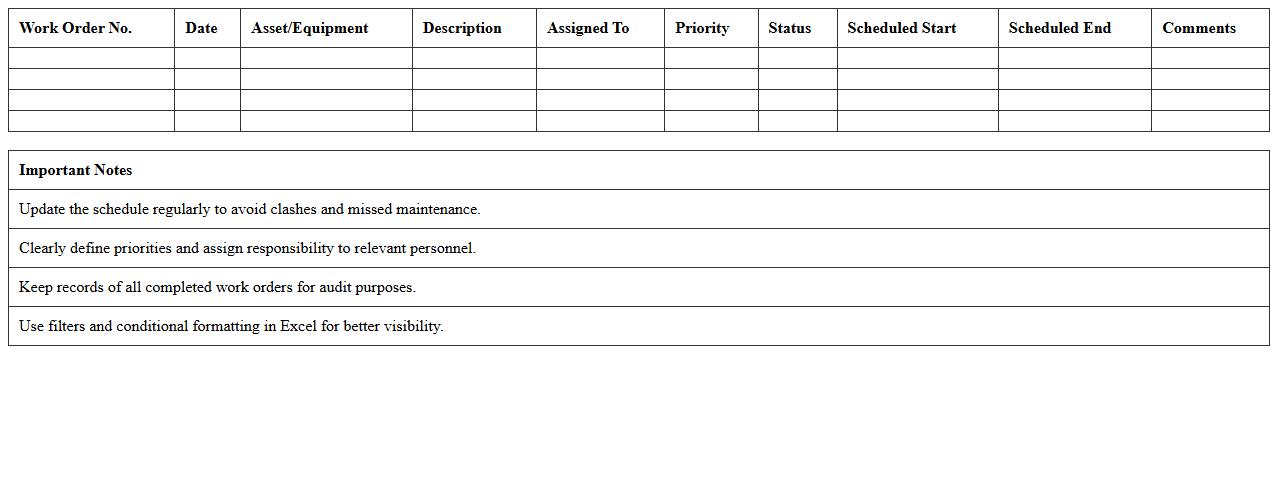
A
Maintenance Work Order Scheduler in an Excel document is a tool designed to organize, track, and prioritize maintenance tasks efficiently. It enables users to allocate resources, set deadlines, and monitor the progress of work orders, ensuring timely completion and reducing downtime. This scheduler helps improve operational efficiency by providing clear visibility into scheduled maintenance activities and facilitating better planning and coordination.
Facility Downtime Log and Tracker Template
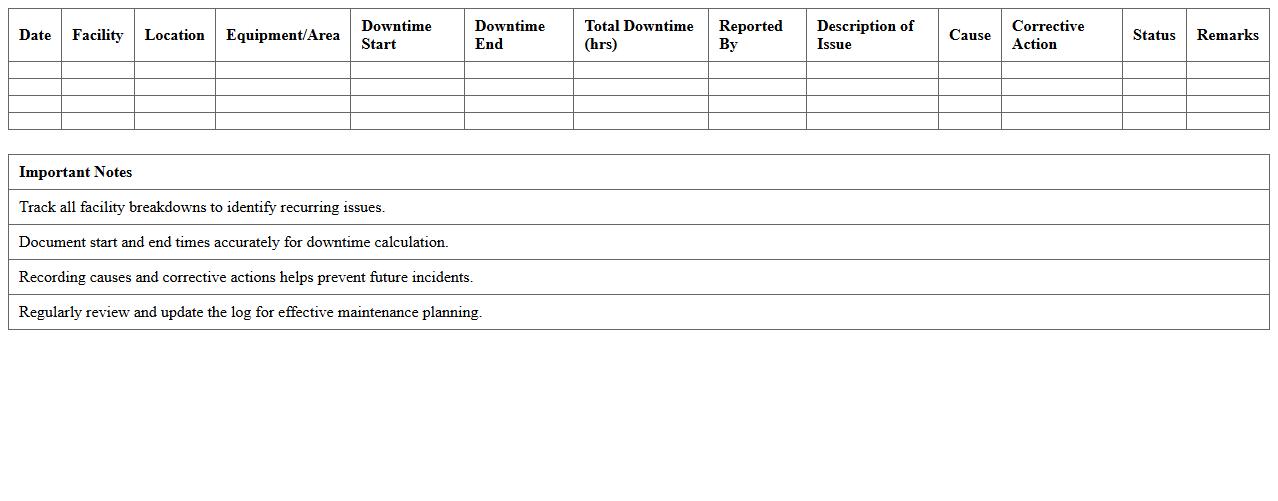
A
Facility Downtime Log and Tracker Template document is a structured tool designed to record and monitor periods when facility operations are halted due to maintenance, equipment failure, or other disruptions. It helps organizations systematically track downtime incidents, analyze causes, and measure the impact on productivity and costs. This template supports proactive maintenance planning, enhances operational efficiency, and reduces unexpected downtime by providing clear insights into recurring issues.
Equipment Repair and Service Log Excel
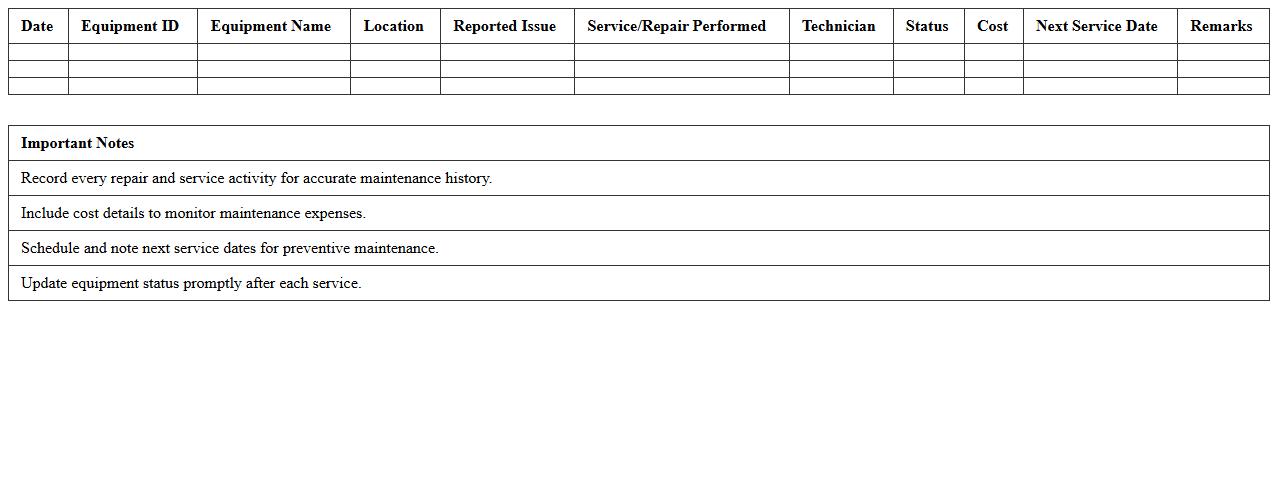
An
Equipment Repair and Service Log Excel document systematically tracks maintenance activities, repair dates, and equipment details, ensuring organized and accessible records. It enhances operational efficiency by providing a clear history of equipment performance, facilitating timely repairs, and minimizing downtime. This log aids in budgeting for maintenance costs and supports compliance with industry safety standards.
Facility Asset Preventive Care Checklist
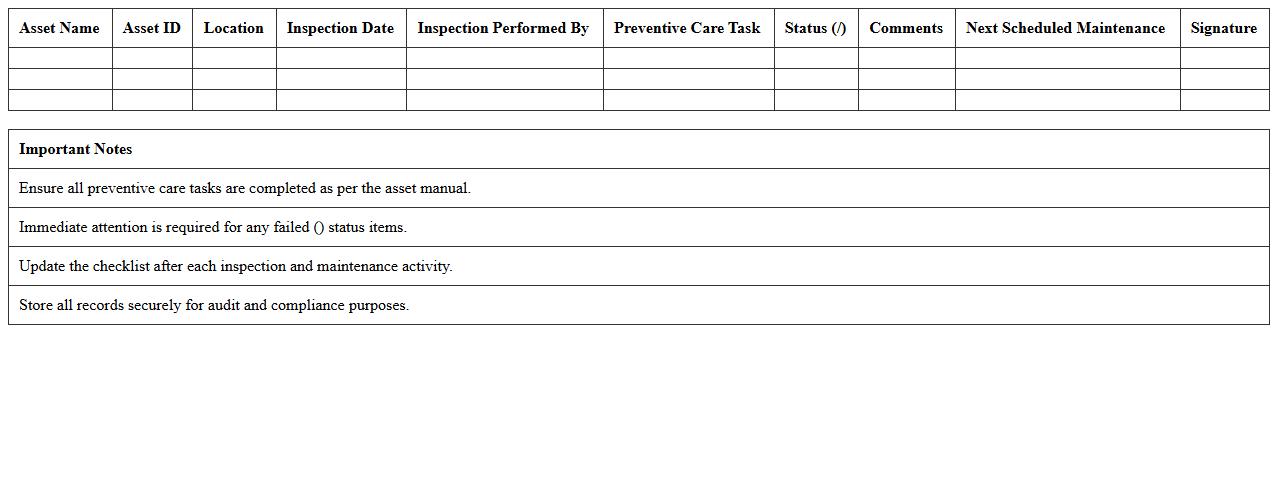
A
Facility Asset Preventive Care Checklist document outlines scheduled maintenance tasks designed to ensure optimal performance and longevity of physical assets within a facility. It helps in systematically monitoring equipment condition, reducing unexpected breakdowns, and minimizing costly repairs by promoting timely inspections and servicing. Utilizing this checklist enhances operational efficiency and supports compliance with safety and regulatory standards.
Maintenance Cost Tracking Spreadsheet
A
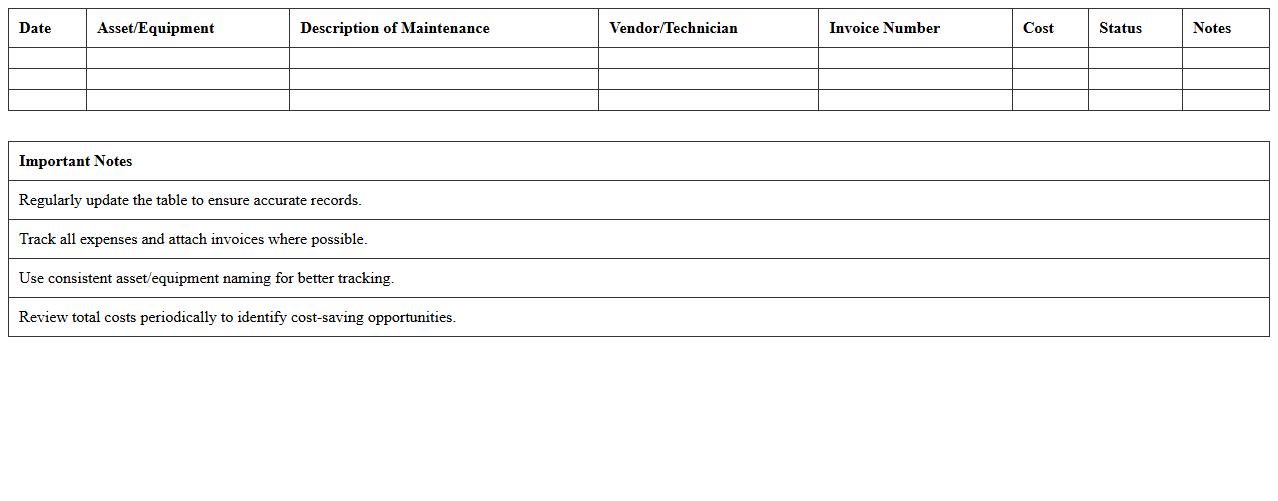
Maintenance Cost Tracking Spreadsheet is a tool designed to record, organize, and analyze expenses related to equipment upkeep, repairs, and preventive maintenance. It helps businesses monitor spending patterns, identify cost-saving opportunities, and plan budgets more effectively by providing clear visibility into maintenance financial data. Using this spreadsheet enhances operational efficiency and supports informed decision-making regarding asset management.
Equipment Replacement Planning Excel Template
The
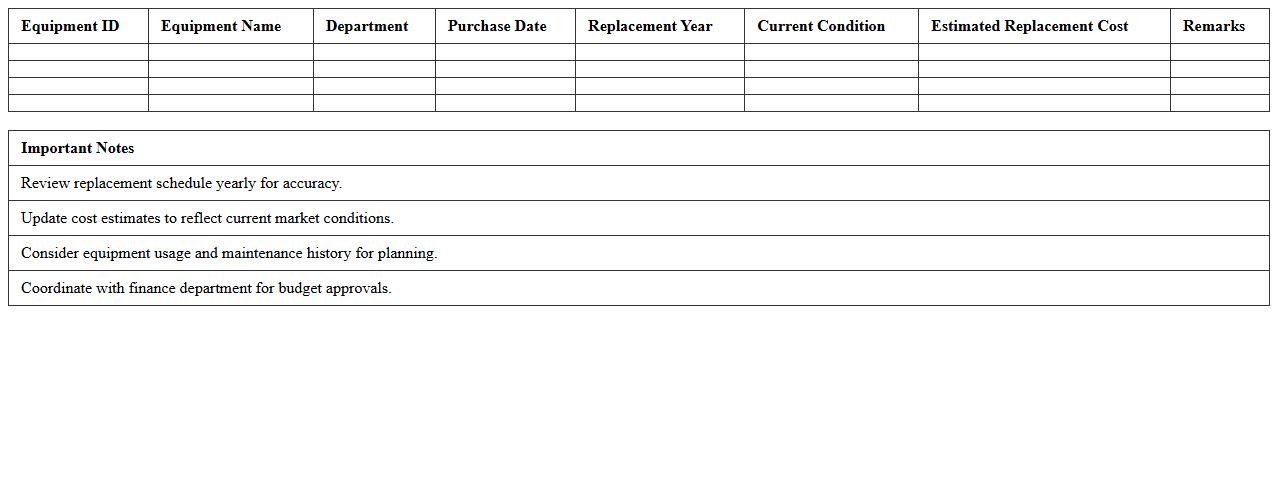
Equipment Replacement Planning Excel Template document is a structured spreadsheet used to track, analyze, and forecast the optimal timing for replacing machinery and equipment. It helps organizations minimize downtime, budget accurately for future capital expenditures, and extend asset lifecycles by objectively assessing operational costs and depreciation. This tool enhances decision-making by providing clear visual data on equipment condition, maintenance schedules, and replacement priorities.
How can I automate preventive maintenance alerts in an Equipment Maintenance Schedule Excel sheet?
To automate preventive maintenance alerts, you can use conditional formatting combined with the TODAY() function to highlight upcoming maintenance dates. Setting up formulas that calculate the next service due date based on the last maintenance allows timely notifications. Additionally, using Excel's built-in notification features or integrating with Outlook can enhance alert mechanisms.
Which Excel formulas are best for tracking equipment downtime and repair frequency?
Key formulas like =SUMIFS() and =COUNTIFS() are essential for tracking equipment downtime and repair frequency. These allow you to sum total downtime hours or count repair incidents based on specific criteria, such as equipment ID or date range. Incorporating IF() and NETWORKDAYS() can further refine your tracking by assessing operational days versus downtime.
What column headers optimize data analysis for facility asset maintenance history?
Optimized column headers include Equipment ID, Maintenance Date, Maintenance Type, Downtime Duration, and Technician Name. These headers provide a structured overview to quickly filter and analyze maintenance history data. Additional headers like Parts Replaced and Service Cost improve financial and operational insights.
How do I integrate barcoding systems with an Excel-based maintenance schedule?
Integrating a barcoding system with Excel involves scanning equipment barcodes to input data directly into the spreadsheet using barcode scanners configured as keyboard inputs. Utilizing VBA macros or Power Query can automate data capture and update maintenance records seamlessly. This approach increases accuracy and accelerates equipment tracking within the maintenance schedule.
What's the best method to forecast equipment replacement needs using Excel trends?
Using Excel's TREND() function or linear regression through Analysis ToolPak helps predict equipment replacement needs based on historical maintenance and failure data. Creating charts with moving averages and trendlines offers visual representation for better decision-making. Combining these trends with cost and lifecycle data yields effective replacement forecasting models.
More Schedule Excel Templates