Material Cost Ledger Excel Template for Construction
The
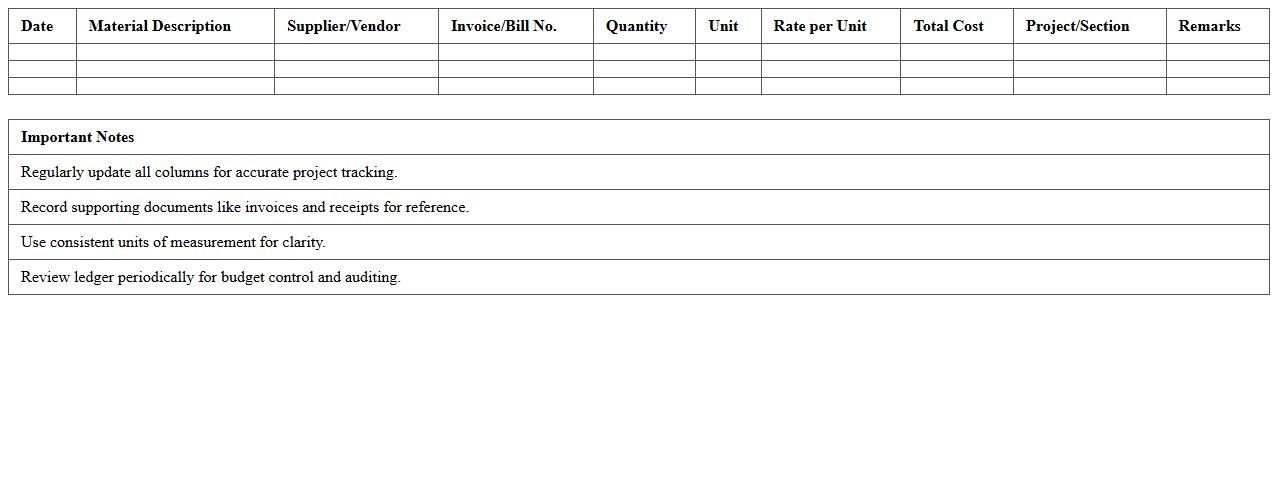
Material Cost Ledger Excel Template for construction is a specialized spreadsheet designed to track and manage all material expenses throughout a construction project. It provides detailed records of quantities, unit prices, suppliers, and total costs, enabling precise budgeting and cost control. Using this template helps construction managers minimize wastage, ensure accurate financial reporting, and improve overall project profitability.
Labor Expense Tracking Ledger Excel
A
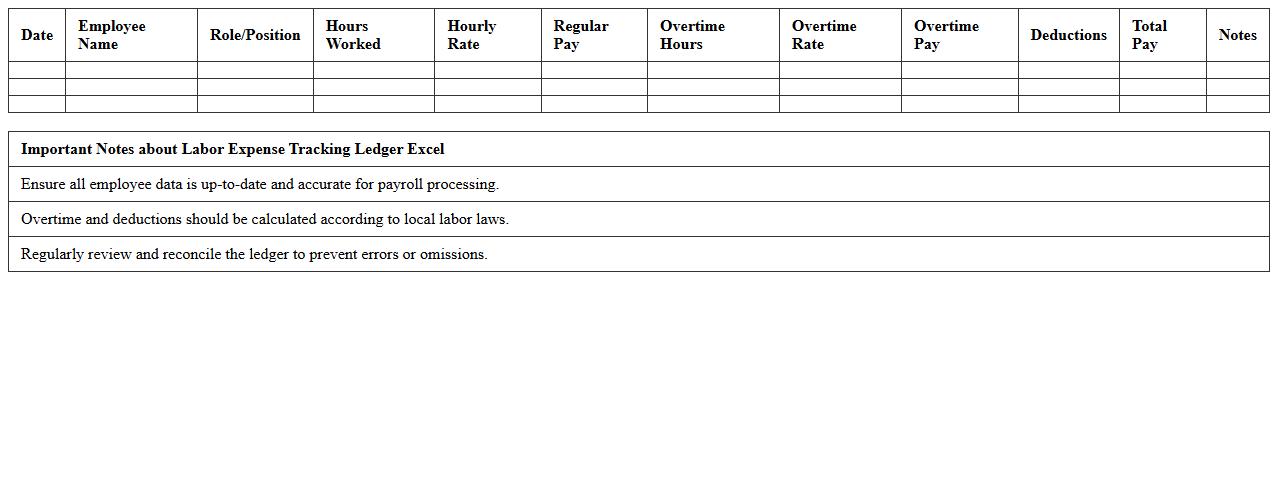
Labor Expense Tracking Ledger Excel document is a structured spreadsheet designed to record, monitor, and analyze employee labor costs, including wages, overtime, and benefits. It helps businesses maintain accurate financial records, optimize payroll budgets, and improve project cost management through clear categorization of labor expenses. By using this tool, companies gain better insight into labor cost trends and ensure compliance with budgetary constraints.
Subcontractor Payment Ledger Excel Template
The
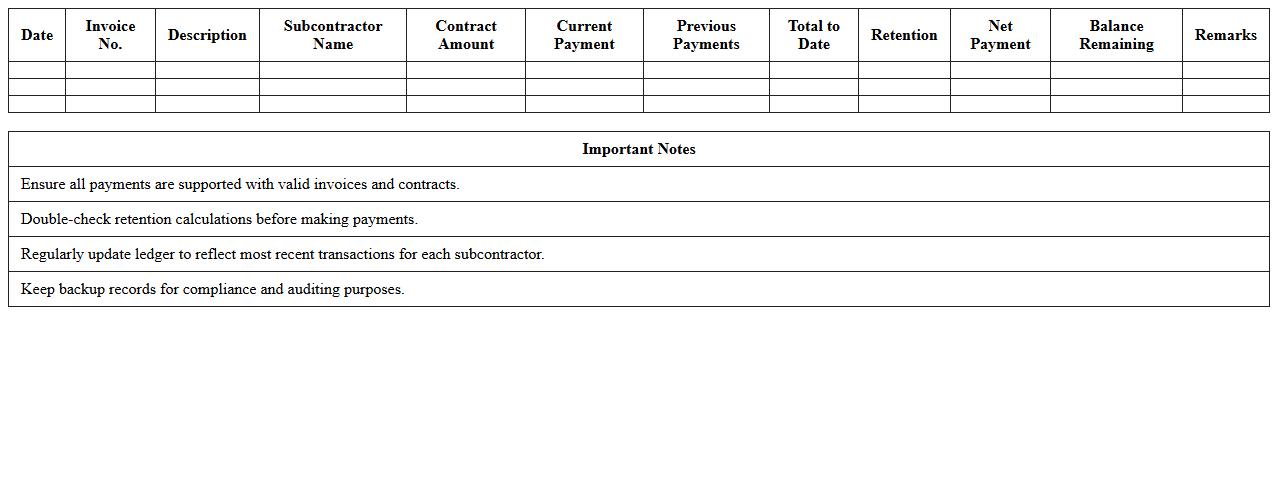
Subcontractor Payment Ledger Excel Template is a structured document designed to track and record all payments made to subcontractors, ensuring clear financial accountability throughout a project. It helps project managers and contractors maintain organized payment histories, monitor outstanding balances, and avoid payment discrepancies. This template streamlines financial management by providing detailed records that support budgeting, auditing, and timely payment processing.
Equipment Rental Ledger Excel Sheet
An
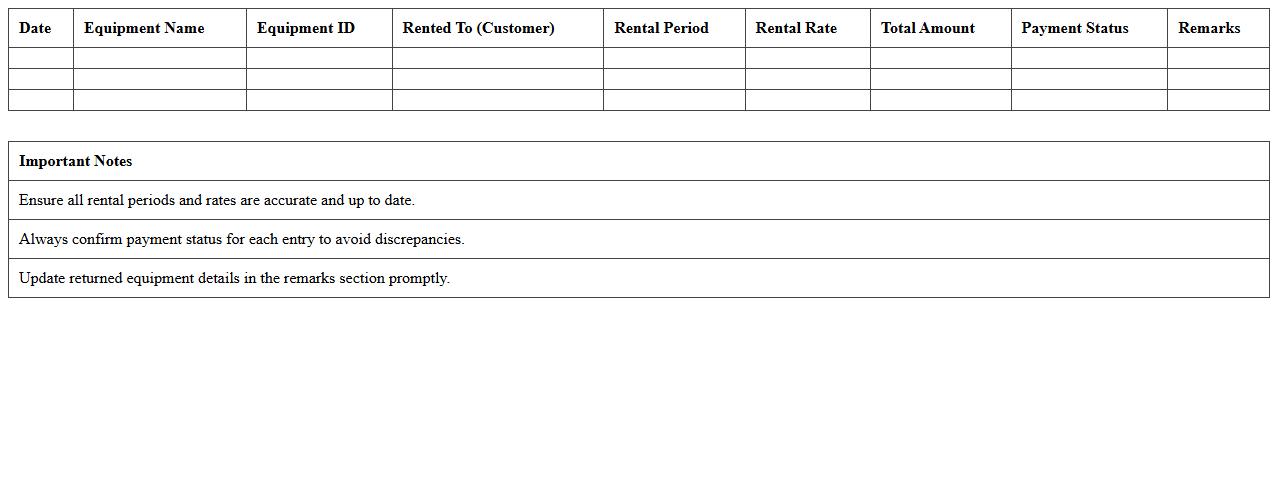
Equipment Rental Ledger Excel Sheet is a structured document designed to track the rental details of equipment, including item descriptions, rental dates, customer information, and payment status. It streamlines financial management and inventory control by providing clear visibility on equipment usage and outstanding balances. This tool is essential for businesses to maintain organized records, improve billing accuracy, and enhance operational efficiency in equipment rental services.
Project Phase Expenditure Ledger Excel
The
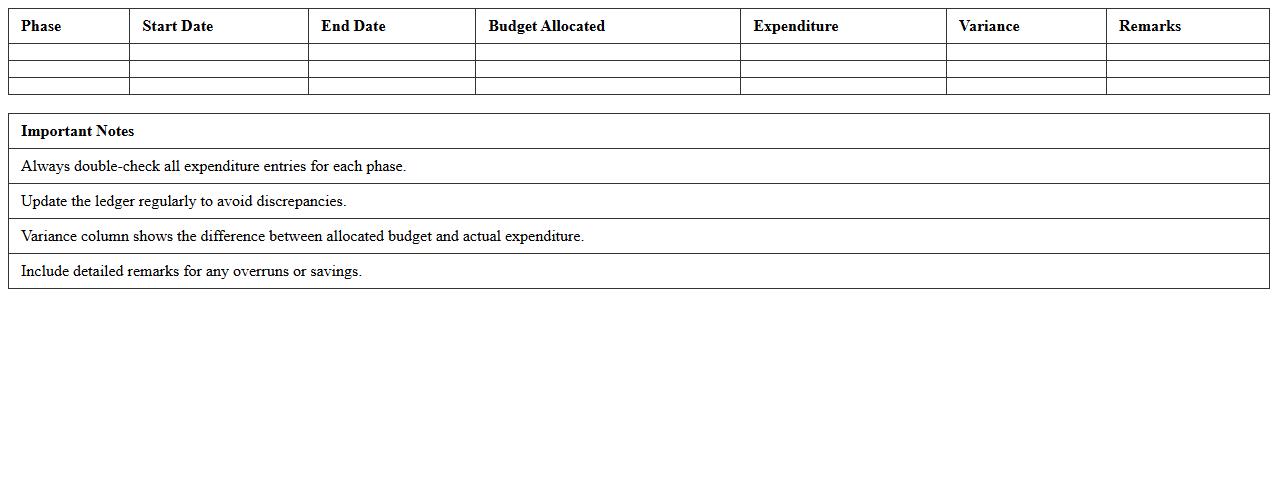
Project Phase Expenditure Ledger Excel document is a detailed financial tracking tool that records expenses across different stages of a project, enabling precise budget management and forecasting. It is useful for monitoring cost allocations, identifying overspending trends, and ensuring timely adjustments to maintain financial control. This ledger enhances transparency and accountability by providing a clear, organized overview of phase-wise expenditures for stakeholders and project managers.
Change Order Tracking Ledger Excel Template
A
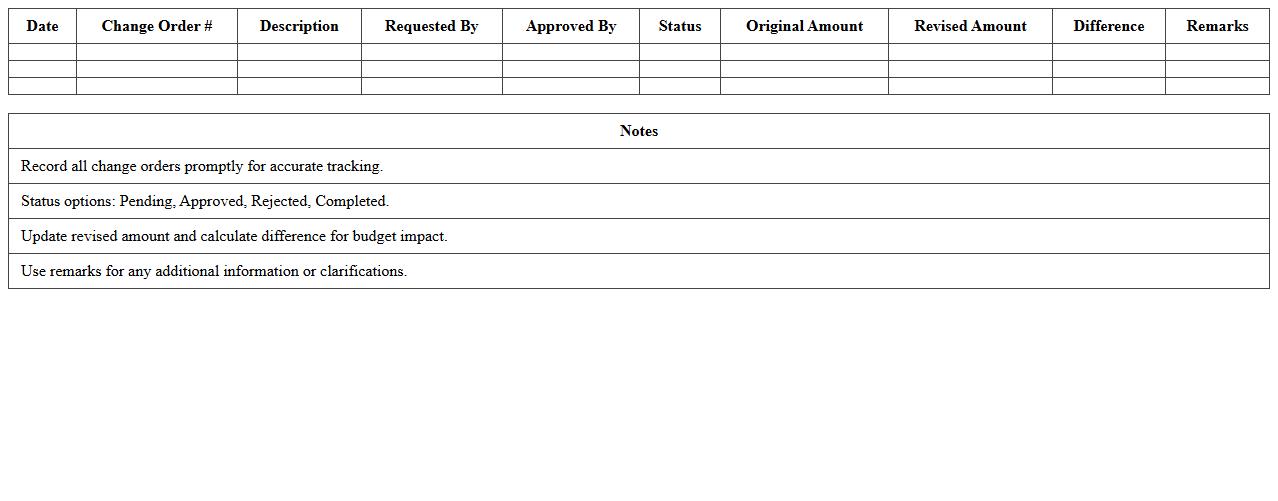
Change Order Tracking Ledger Excel Template is a structured spreadsheet designed to monitor and record all modifications made to project scopes, costs, and timelines. It enables project managers and contractors to maintain clear documentation of change requests, approval statuses, and financial impacts, ensuring transparency and control. Utilizing this template improves project accountability, prevents budget overruns, and streamlines communication among stakeholders.
Construction Site Miscellaneous Expenses Ledger Excel
The
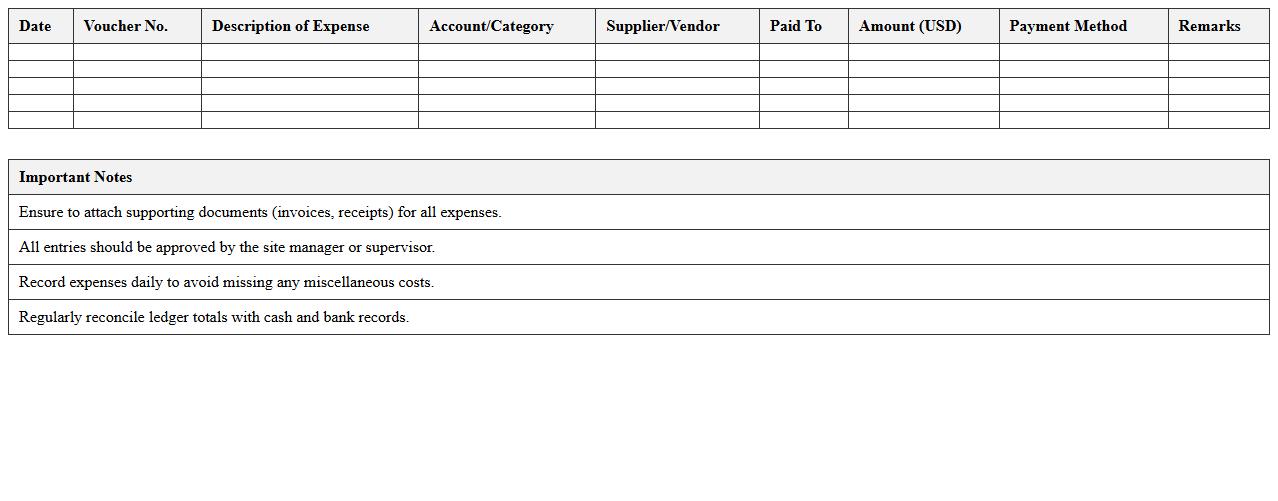
Construction Site Miscellaneous Expenses Ledger Excel document is a comprehensive tool designed to track and record all incidental costs incurred on a construction site, such as small equipment purchases, transportation fees, and unexpected repairs. It enables project managers and accountants to maintain accurate financial control by categorizing expenses, ensuring transparency, and facilitating timely budget adjustments. Utilizing this ledger helps in minimizing financial discrepancies, improving cost-efficiency, and supporting informed decision-making throughout the construction project lifecycle.
Client Billing Ledger Excel Template
The
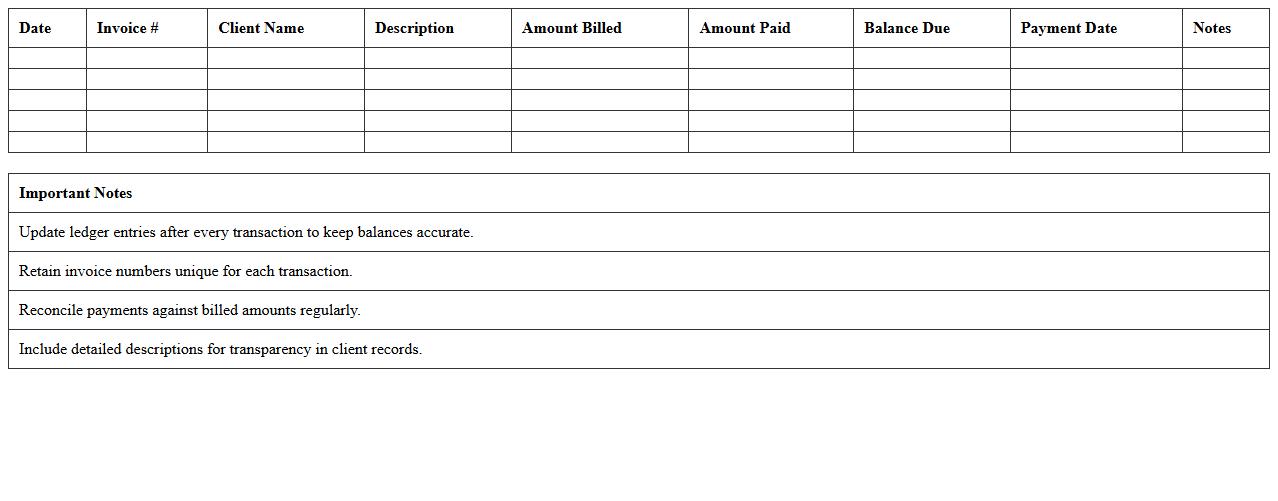
Client Billing Ledger Excel Template document is a structured spreadsheet designed to track and manage all client billing transactions efficiently. It helps businesses maintain detailed records of invoices, payments, outstanding balances, and billing dates, ensuring accurate financial management. By organizing billing data in a clear and accessible format, this template streamlines the billing process, reduces errors, and improves cash flow monitoring.
Construction Retention Ledger Excel Sheet
A
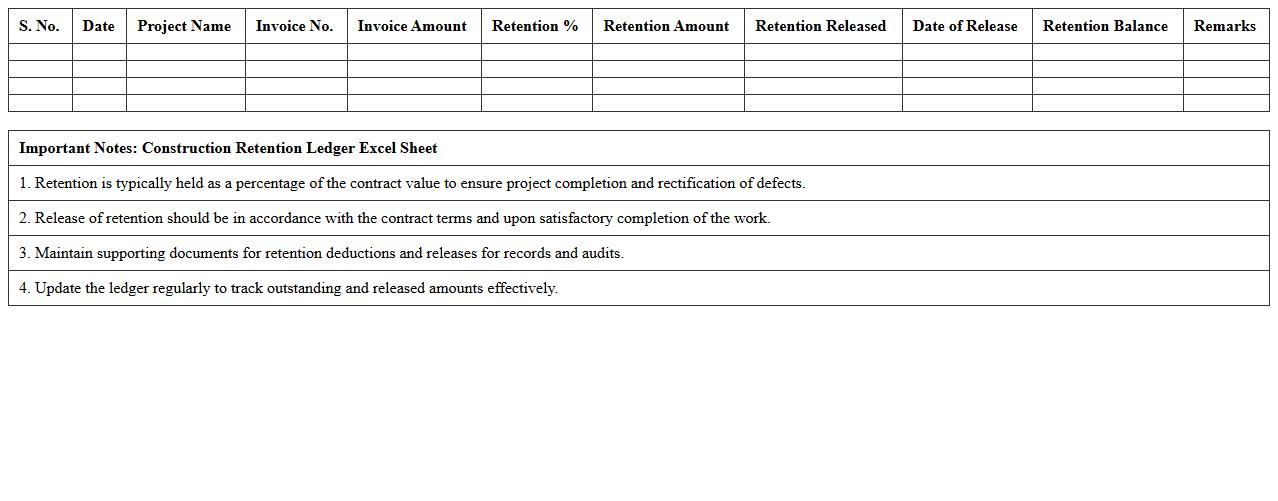
Construction Retention Ledger Excel Sheet is a financial document used to track retention amounts withheld from contractors or subcontractors until project completion. It helps ensure accurate record-keeping of retention funds, payment dates, and release schedules, promoting transparency and effective cash flow management. This tool simplifies auditing and dispute resolution by providing a clear, organized overview of all retention transactions throughout the construction project lifecycle.
Vendor Invoice Ledger Excel for Construction
The
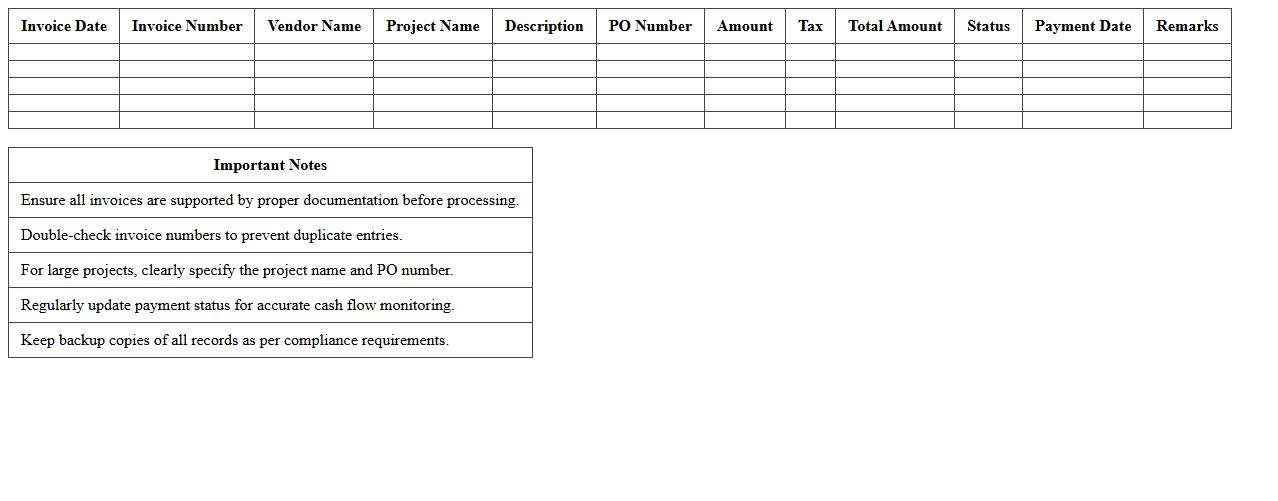
Vendor Invoice Ledger Excel for construction is a specialized spreadsheet designed to track and manage vendor invoices, payments, and outstanding balances within construction projects. It facilitates accurate financial oversight by organizing invoice dates, amounts, payment statuses, and vendor details, enabling streamlined budget management and cash flow tracking. Using this ledger improves accountability, reduces errors in payment processing, and enhances project cost control.
How can a Ledger Excel track subcontractor payments in construction projects?
A Ledger Excel can track subcontractor payments by listing each subcontractor's details, payment schedules, and amounts. It allows easy monitoring of due dates, paid amounts, and outstanding balances to ensure timely settlements. Using filters and conditional formatting highlights overdue payments, improving financial control.
What formulas automate material cost entries in a Construction Project Ledger?
Formulas like =SUMIF and =VLOOKUP automate the calculation of material costs by matching materials and their prices from reference tables. Using =SUMPRODUCT can also total quantities multiplied by unit costs for precise cost tracking. These formulas reduce manual entry errors and speed up cost updates.
How to structure work progress billing in a Ledger Excel template?
A work progress billing structure should include columns for work description, percentage completed, billed amount, and payment status in the Ledger Excel. Linking the percentage completion to billing calculations automates invoice amounts based on progress. This systematic approach ensures accurate and transparent billing for ongoing projects.
What columns should be included for retention tracking in construction Ledgers?
Retention tracking columns must include retention percentage, withheld amount, release date, and payment status for effective management. These columns help monitor funds withheld as security until project milestones or completion criteria are met. Including these details ensures clarity on retention balances and payment schedules.
How to link change orders to expense logs in a Construction Project Ledger Excel?
Change orders can be linked to expense logs by assigning unique IDs that connect modifications to specific cost entries. Using formulas like =INDEX and =MATCH links expenses directly to corresponding change orders for clarity. This integration improves tracking of additional costs and project budget adjustments.