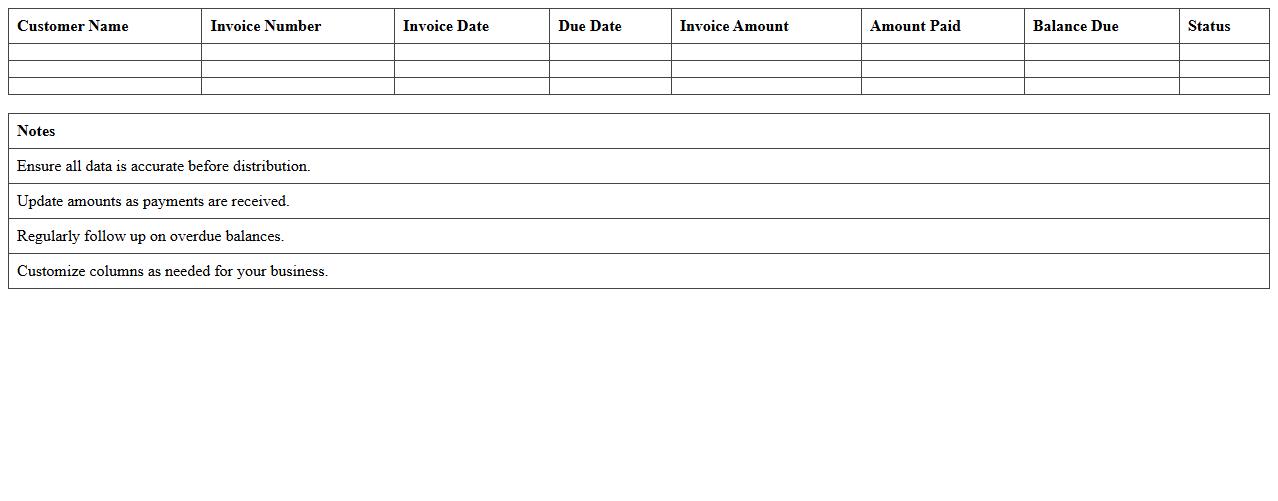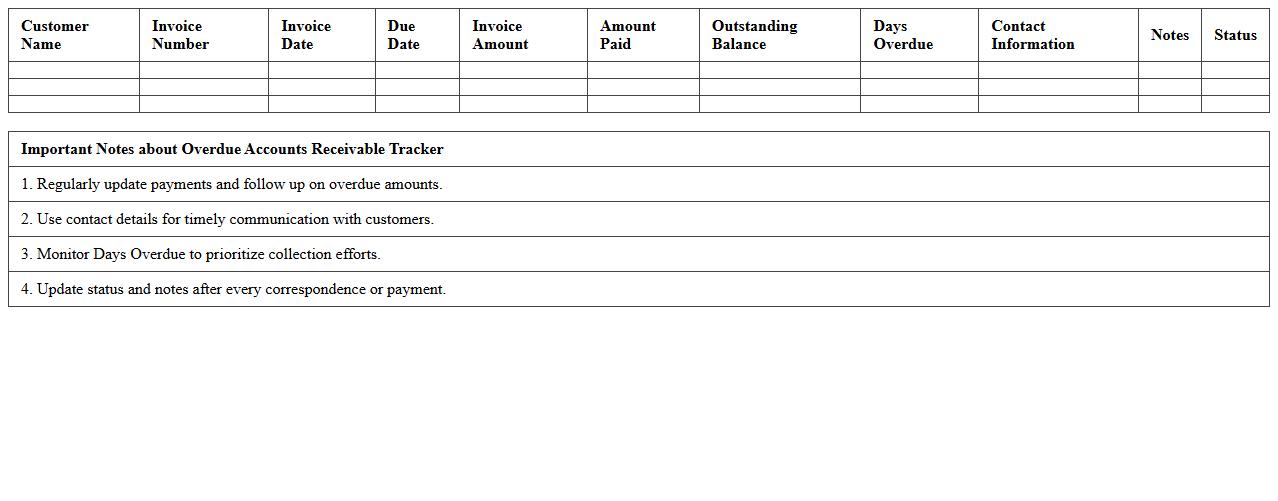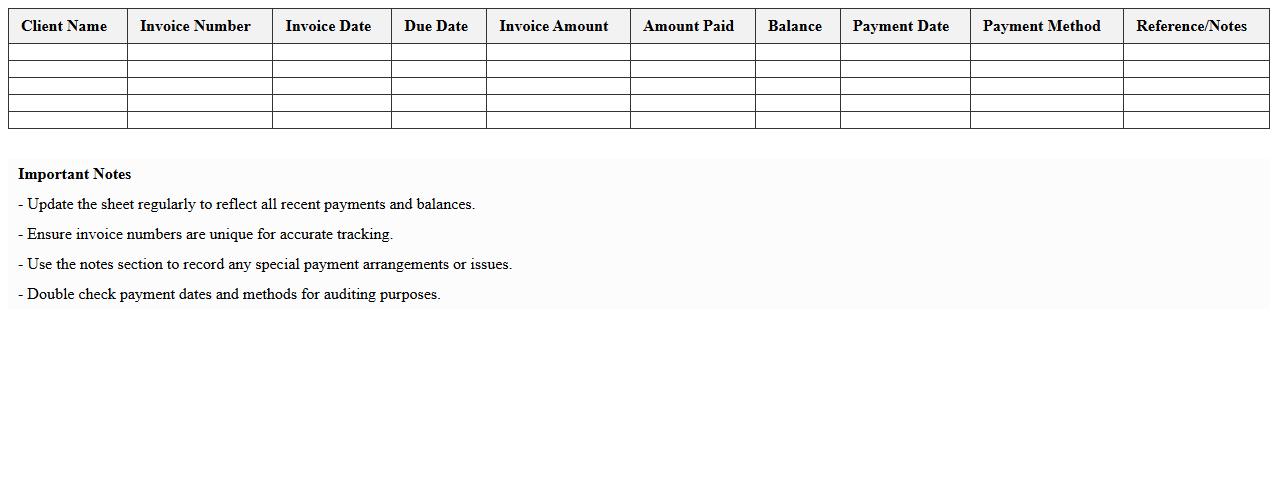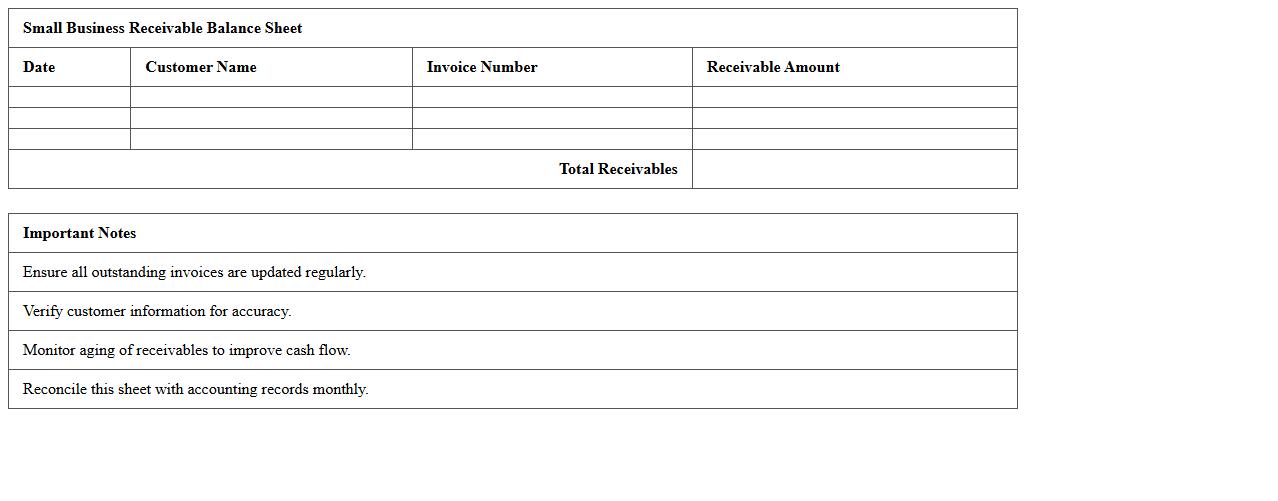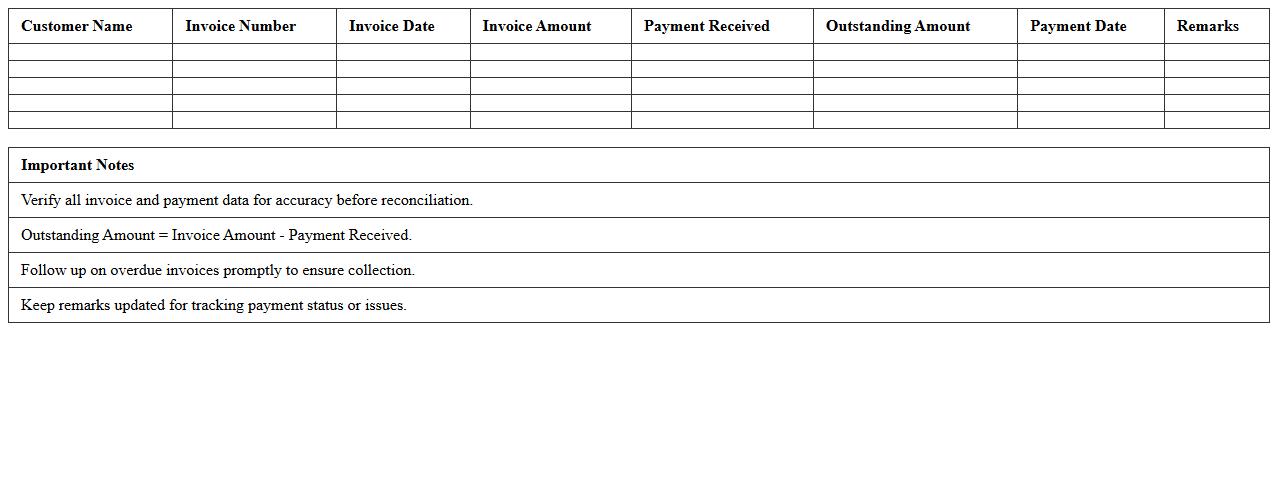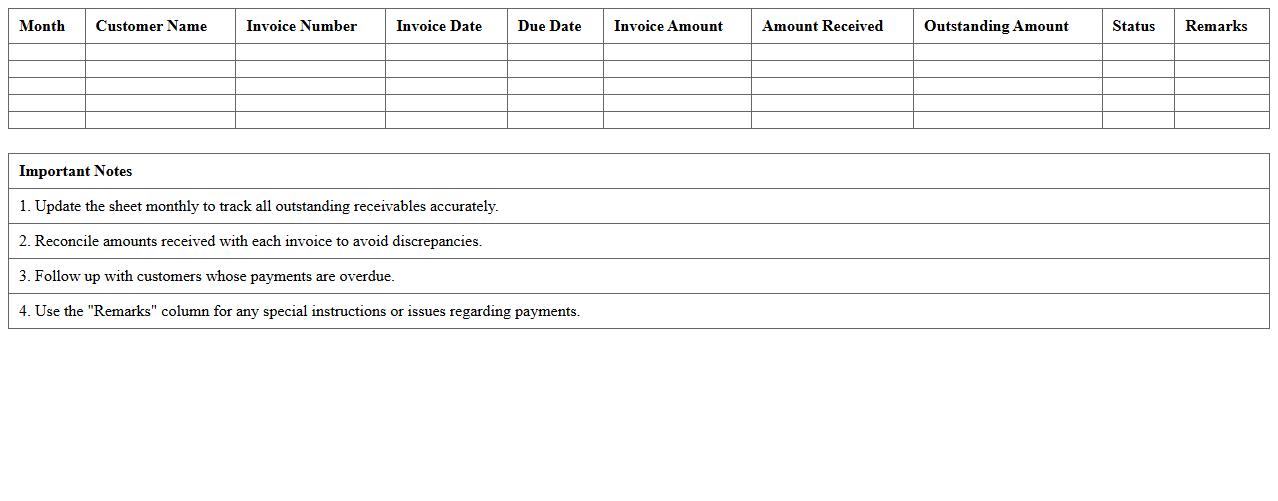
The Accounts Receivable Ledger Excel Template for Small Businesses streamlines tracking outstanding invoices and payments, ensuring accurate cash flow management. Its user-friendly design allows businesses to monitor customer balances, due dates, and payment statuses efficiently. Customizable features help small businesses maintain organized financial records and improve collections.
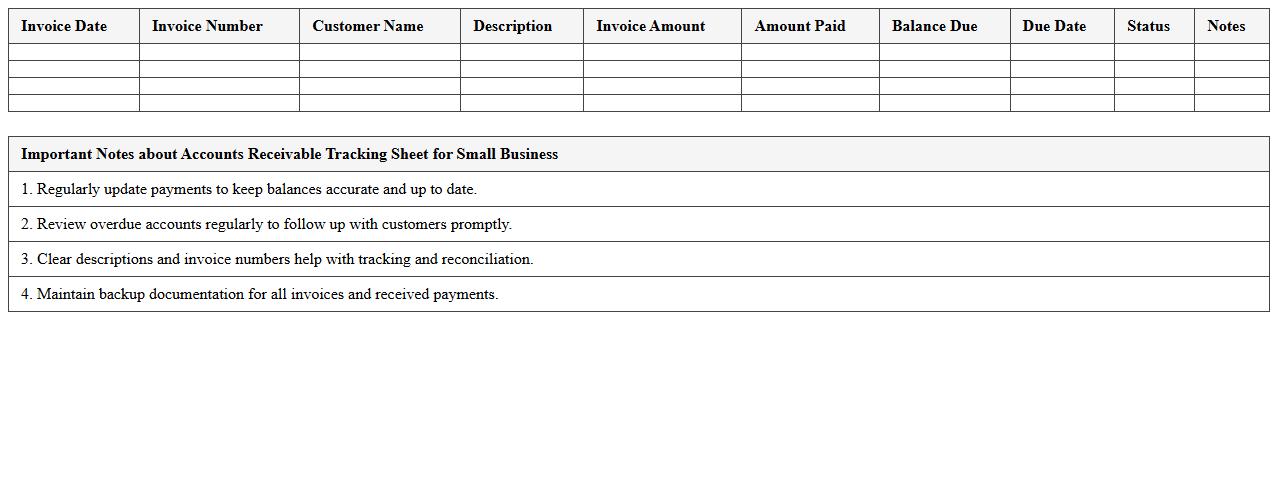
Accounts Receivable Tracking Sheet for Small Business
An
Accounts Receivable Tracking Sheet for small business is a document designed to monitor outstanding invoices and payments owed by customers. It helps improve cash flow management by providing a clear overview of due dates, payment statuses, and aging invoices, enabling timely follow-ups. This tool reduces the risk of bad debt and supports efficient financial planning by ensuring businesses stay on top of their receivables.
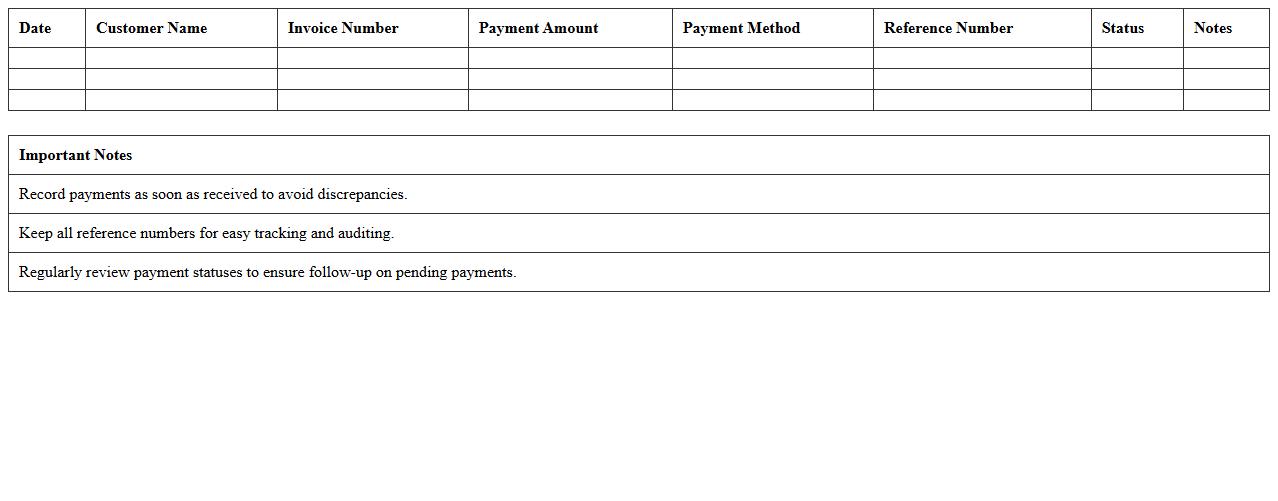
Customer Payment Log Excel Template
A
Customer Payment Log Excel Template is a structured spreadsheet designed to record and track customer payments systematically. It helps businesses maintain accurate financial records by logging payment dates, amounts, methods, and outstanding balances, ensuring timely follow-ups and improved cash flow management. Using this template enhances organization, reduces errors, and simplifies auditing processes for smoother financial operations.
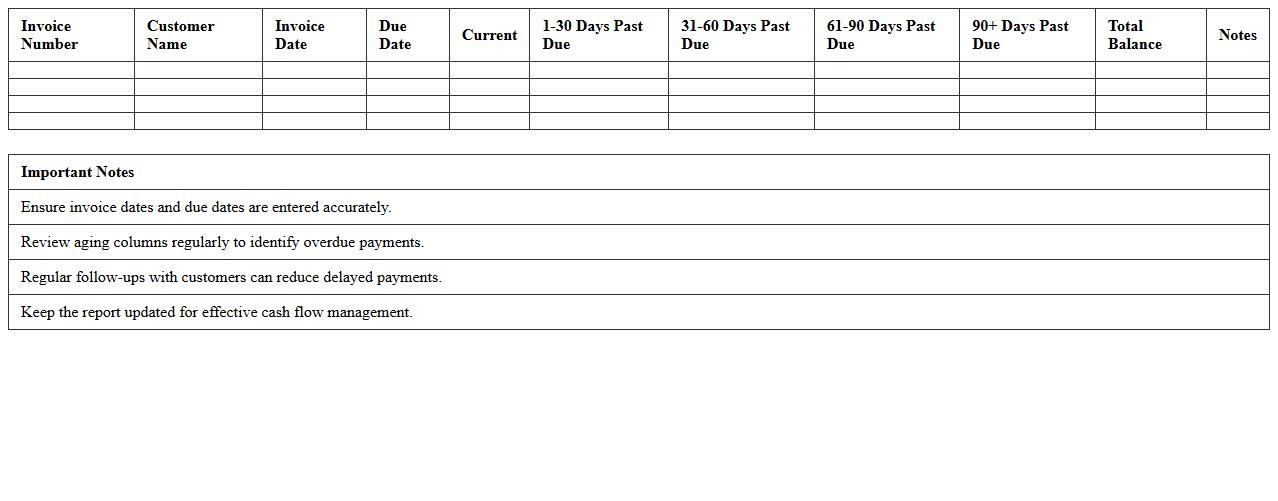
Small Business Invoice Aging Report Template
The
Small Business Invoice Aging Report Template is a financial document that categorizes outstanding invoices based on their due dates, helping businesses track unpaid customer bills efficiently. It highlights aging periods such as current, 30, 60, and 90 days past due, enabling timely follow-ups on overdue payments. This template enhances cash flow management and improves accounts receivable processes by providing clear visibility into payment statuses.
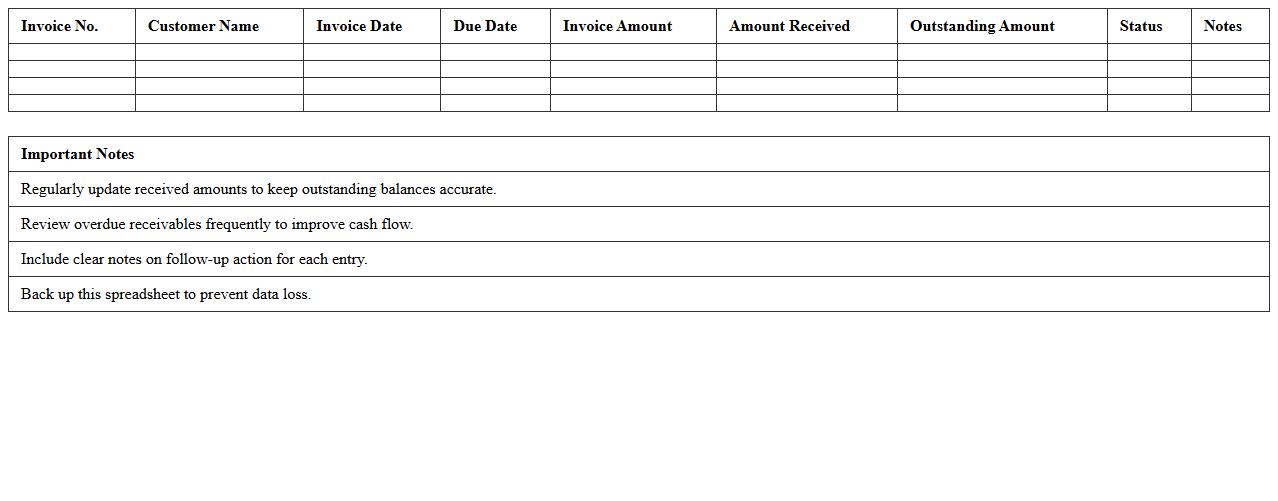
Receivables Management Spreadsheet
A
Receivables Management Spreadsheet is a tool designed to track and manage accounts receivable effectively, ensuring timely collection of outstanding payments. It organizes customer invoices, due dates, and payment statuses, helping businesses maintain accurate cash flow projections and reduce the risk of bad debts. Using this document enhances financial control, improves collection efficiency, and supports informed decision-making in credit management.
Simple AR Statement Excel Template
The
Simple AR Statement Excel Template is a structured spreadsheet designed to track accounts receivable efficiently, allowing businesses to monitor outstanding invoices and payment statuses in one place. It helps streamline financial management by providing clear visibility into customer balances, due dates, and aging reports, facilitating timely follow-ups and improved cash flow. Using this template supports accurate record-keeping and enhances decision-making by consolidating crucial receivables data into an easy-to-analyze format.
Overdue Accounts Receivable Tracker
An
Overdue Accounts Receivable Tracker document is a tool used to monitor unpaid invoices and outstanding payments from customers beyond their due dates. It provides a clear overview of overdue balances, payment statuses, and aging reports, enabling businesses to identify delinquent accounts promptly. This tracker supports improved cash flow management and helps prioritize collection efforts efficiently.
Client Invoice Payment Record Sheet
A
Client Invoice Payment Record Sheet is a document that systematically tracks payments received from clients against issued invoices. It helps businesses maintain accurate financial records, ensuring timely reconciliation of accounts and reducing discrepancies in billing. This record sheet enhances cash flow management by providing clear insights into outstanding payments and client payment history.
Small Business Receivable Balance Sheet
A
Small Business Receivable Balance Sheet document records the amounts owed to a business by its customers, detailing outstanding invoices and payment terms. It is essential for monitoring cash flow, assessing financial health, and making informed credit decisions. Utilizing this document helps businesses manage liquidity and plan for growth effectively.
AR Reconciliation Excel Template
The
AR Reconciliation Excel Template is a structured spreadsheet designed to help businesses systematically compare and verify accounts receivable balances against customer statements or ledger entries. It streamlines the identification of discrepancies, ensuring accurate financial records and facilitating timely collection processes. This template enhances financial accuracy and improves cash flow management by providing a clear and organized method for tracking outstanding invoices.
Monthly Accounts Receivable Summary Sheet
The
Monthly Accounts Receivable Summary Sheet is a financial document that consolidates all outstanding customer invoices and payments due within a specific month, providing a clear overview of the company's credit sales and expected cash inflows. This sheet helps businesses track payment statuses, identify overdue accounts, and manage cash flow efficiently by highlighting pending receivables. Utilizing this summary enhances financial planning accuracy and supports timely follow-ups with customers to maintain healthy liquidity.
How can I automate overdue invoice tracking in an Accounts Receivable Ledger Excel template?
You can automate overdue invoice tracking by using conditional formatting combined with date formulas like TODAY(). Set rules to highlight invoices that surpass their due date, making late payments immediately visible. Additionally, creating a dynamic dashboard with filters will help you monitor overdue invoices efficiently.
What formulas calculate aging periods for receivables in Excel?
The essential formula for calculating aging periods is the difference between the invoice date and the current date, typically using =TODAY() - InvoiceDate. You can categorize these into buckets (e.g., 0-30, 31-60, 61-90 days) using nested IF or SWITCH functions. These formulas help in segmenting receivables based on their aging for better management.
How do I link customer payments to specific invoices in my small business AR ledger?
Linking customer payments to invoices involves using unique invoice numbers as keys in both payment and invoice tables. Utilizing VLOOKUP or INDEX-MATCH functions enables automatic matching of payments to corresponding invoices. This ensures accurate tracking of outstanding balances in your AR ledger.
Which Excel features help flag high-risk accounts in an Accounts Receivable spreadsheet?
Conditional formatting plays a vital role in flagging high-risk accounts by highlighting overdue or large outstanding amounts. Data validation and filters assist in isolating accounts nearing credit limits or with repeated late payments. Using Excel's built-in alert rules enhances risk management within your spreadsheet.
What pivot table layouts best visualize outstanding balances by client?
Pivot tables that summarize outstanding balances by client with rows as client names and values as total amount due provide clear insights. Adding date fields to columns helps view aging segments side by side, improving visual analysis. Including slicers or filters enables easy exploration of client balances for decision-making.
More Ledger Excel Templates