The Budget Planning Excel Template for Small Businesses offers an efficient way to track expenses, forecast revenues, and manage cash flow with ease. Designed for simplicity and customization, it helps small business owners stay organized and make informed financial decisions. This template includes pre-built formulas and charts to visualize budget performance and identify cost-saving opportunities.
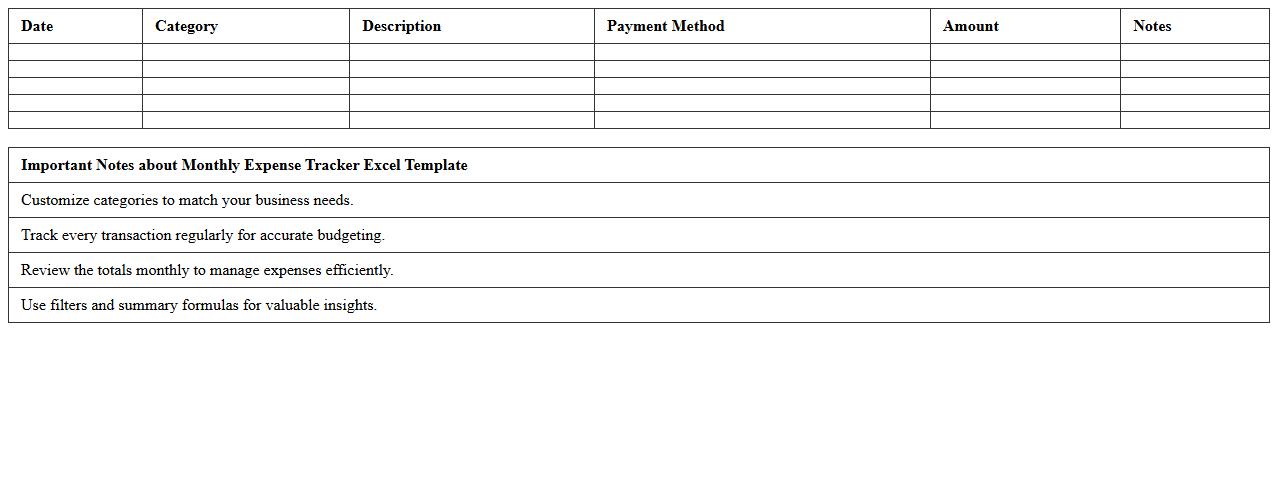
Monthly Expense Tracker Excel Template for Small Business Budget Planning
The
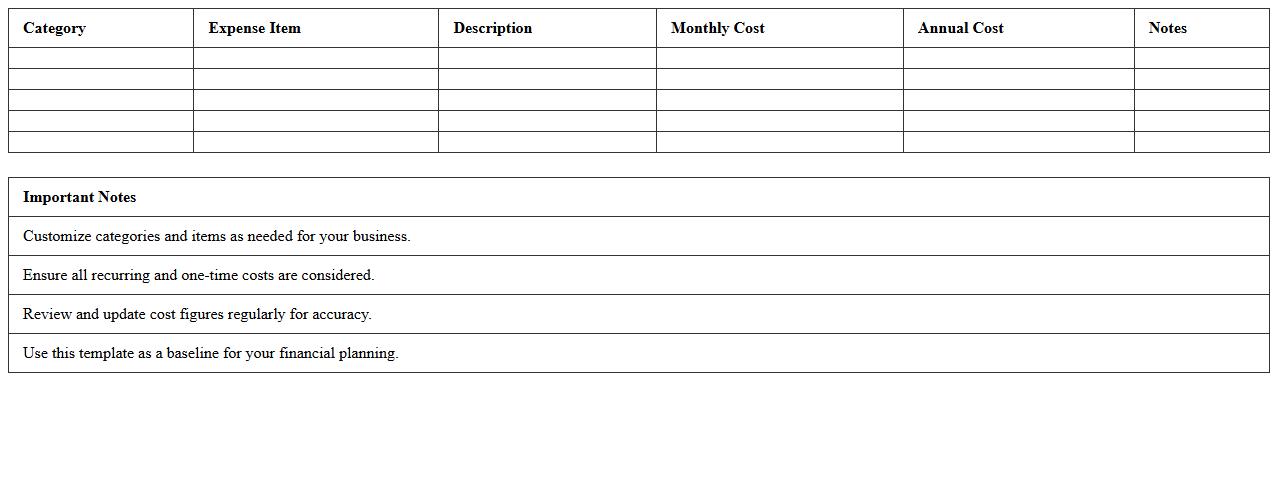
Monthly Expense Tracker Excel Template is a structured spreadsheet designed to help small businesses systematically record and monitor their monthly expenditures. It streamlines budget planning by categorizing costs, enabling clearer financial analysis and aiding in identifying overspending areas. Utilizing this tool enhances cash flow management and supports informed decision-making for sustainable business growth.
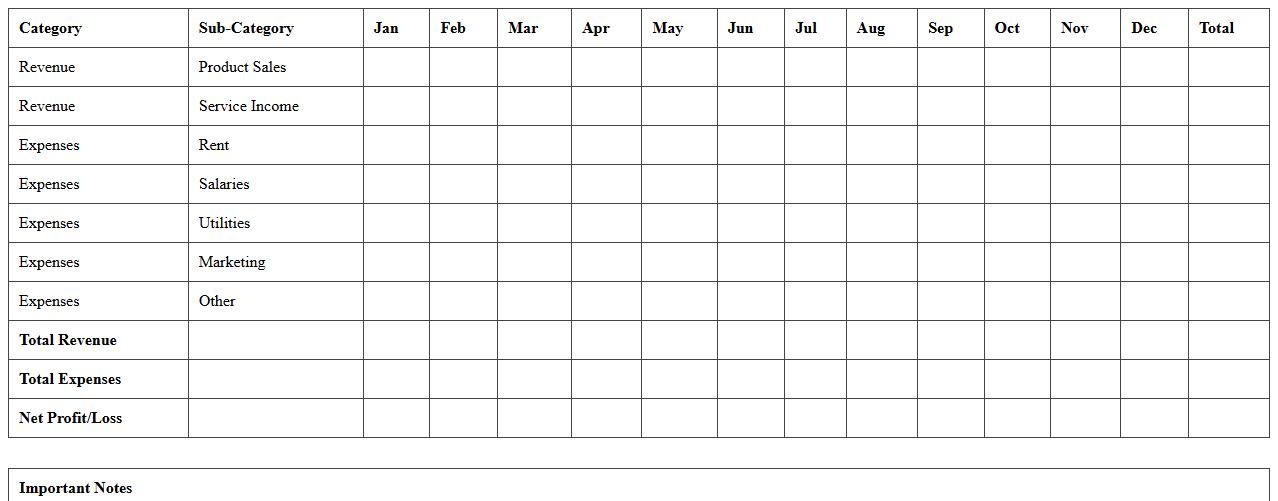
Annual Budget Forecast Excel Template for Small Businesses
The
Annual Budget Forecast Excel Template for Small Businesses is a powerful financial planning tool designed to help small enterprises project their income, expenses, and cash flow throughout the year. This template enables business owners to allocate resources efficiently, identify potential financial shortfalls, and make informed decisions to sustain growth and profitability. Using this forecast model, small businesses can monitor performance against budgeted targets and adjust strategies proactively for better financial management.
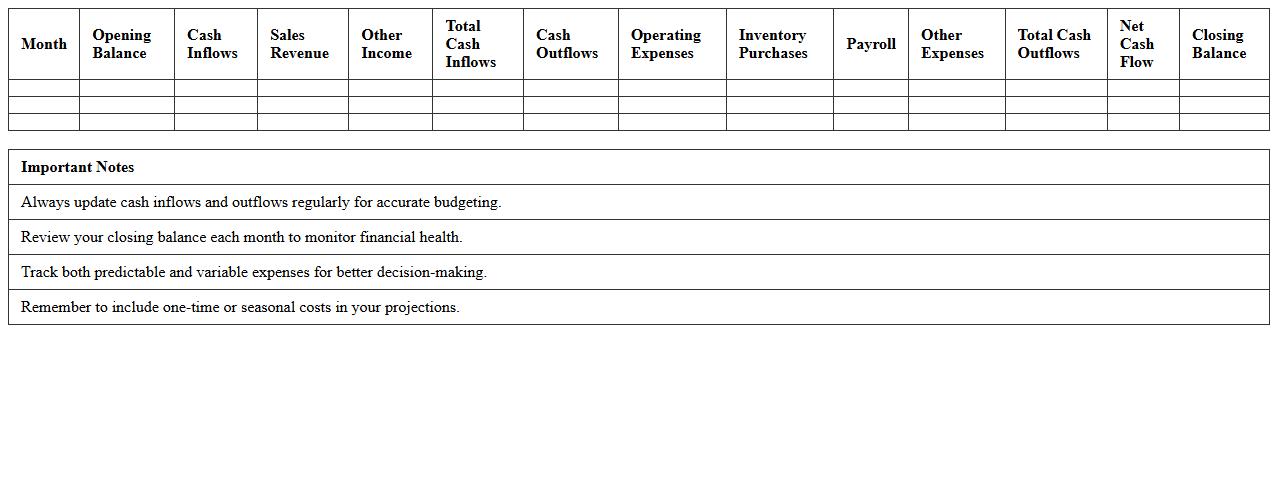
Cash Flow Management Excel Template for Small Business Budgeting
The
Cash Flow Management Excel Template for small business budgeting is a comprehensive tool designed to track income and expenses, ensuring accurate forecasting and financial stability. It helps businesses monitor liquidity by organizing cash inflows and outflows, enabling timely decision-making and effective resource allocation. Utilizing this template improves budget accuracy, prevents cash shortages, and supports long-term growth through enhanced financial control.
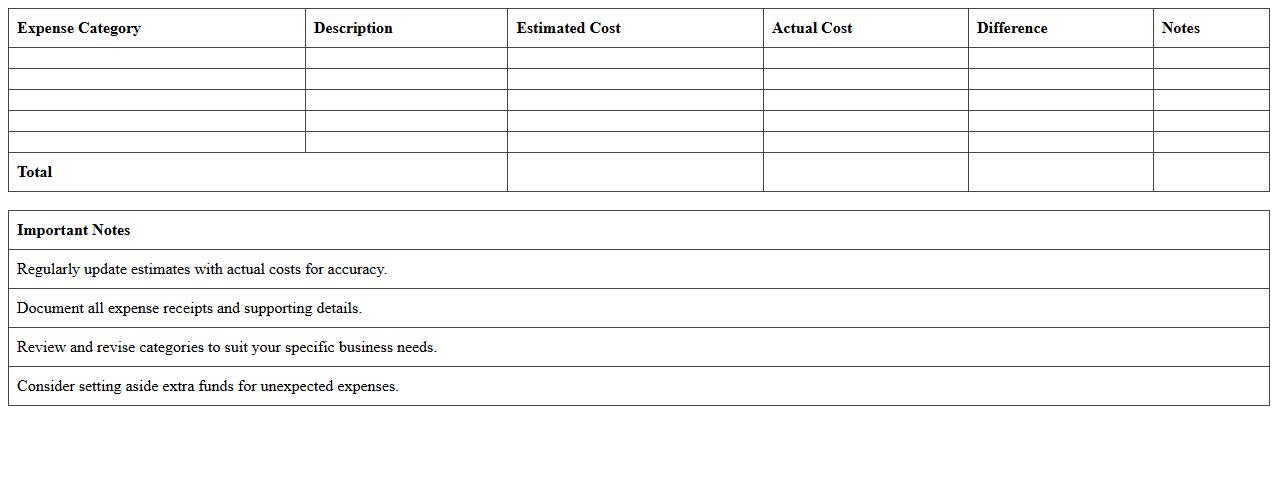
Start-Up Expense Budget Excel Spreadsheet for Small Businesses
The
Start-Up Expense Budget Excel Spreadsheet for small businesses is a comprehensive financial planning tool designed to track and manage initial costs such as equipment, permits, marketing, and operational expenses. This document helps entrepreneurs organize and forecast their budget accurately, ensuring they allocate funds effectively to avoid overspending. By using this spreadsheet, small business owners can maintain clear visibility of their financial commitments during the critical start-up phase, enabling better decision-making and financial control.
Income and Expense Statement Excel Template for Small Business
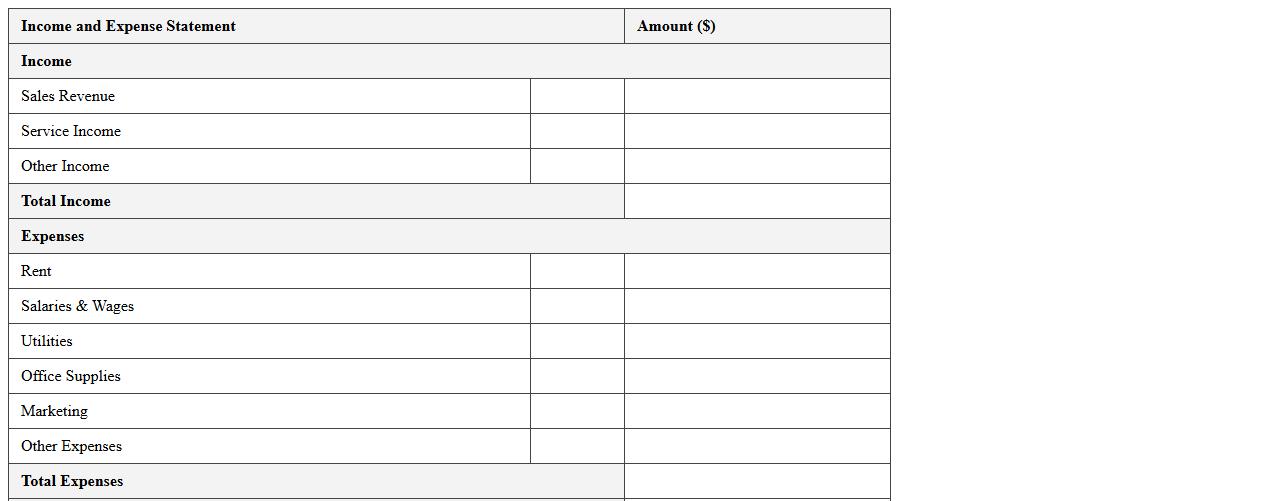
An
Income and Expense Statement Excel Template for small businesses is a structured spreadsheet that tracks revenues and expenditures over specific periods, aiding in clear financial analysis. This document helps business owners monitor cash flow, identify spending patterns, and make informed budgeting decisions essential for profitability. Utilizing this template streamlines financial recordkeeping, enabling efficient tax preparation and compliance with accounting standards.
Departmental Budget Allocation Excel Template for Small Enterprises
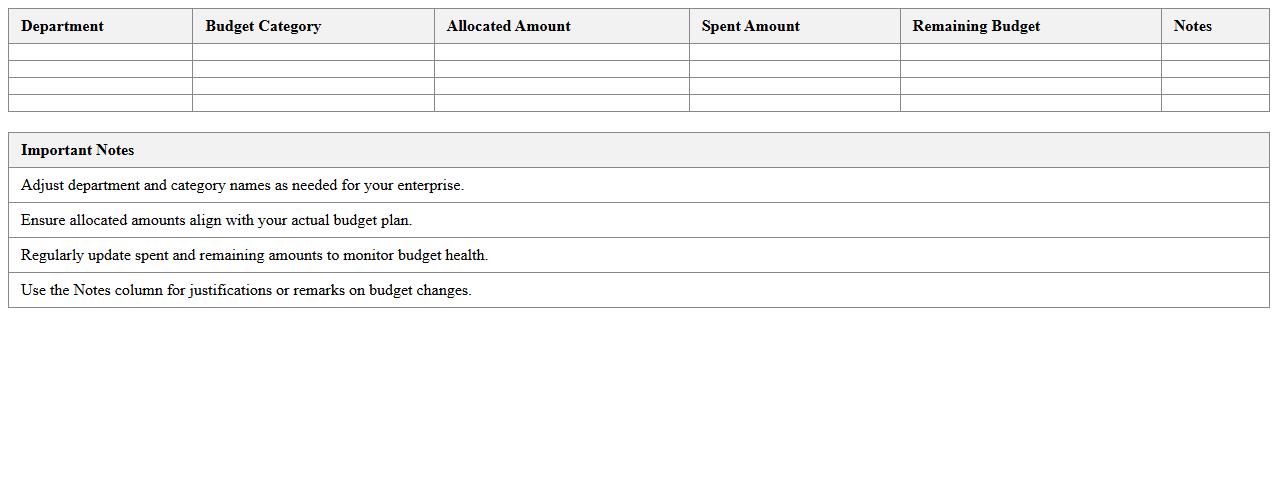
The
Departmental Budget Allocation Excel Template for small enterprises is a comprehensive tool designed to organize and manage financial resources across various departments efficiently. It enables businesses to track expenses, set budget limits, and forecast future financial needs, ensuring optimal allocation of funds. Using this template helps small enterprises maintain financial discipline, improve cost control, and enhance decision-making based on accurate budget insights.
Sales and Revenue Budget Planning Excel Template for SMBs
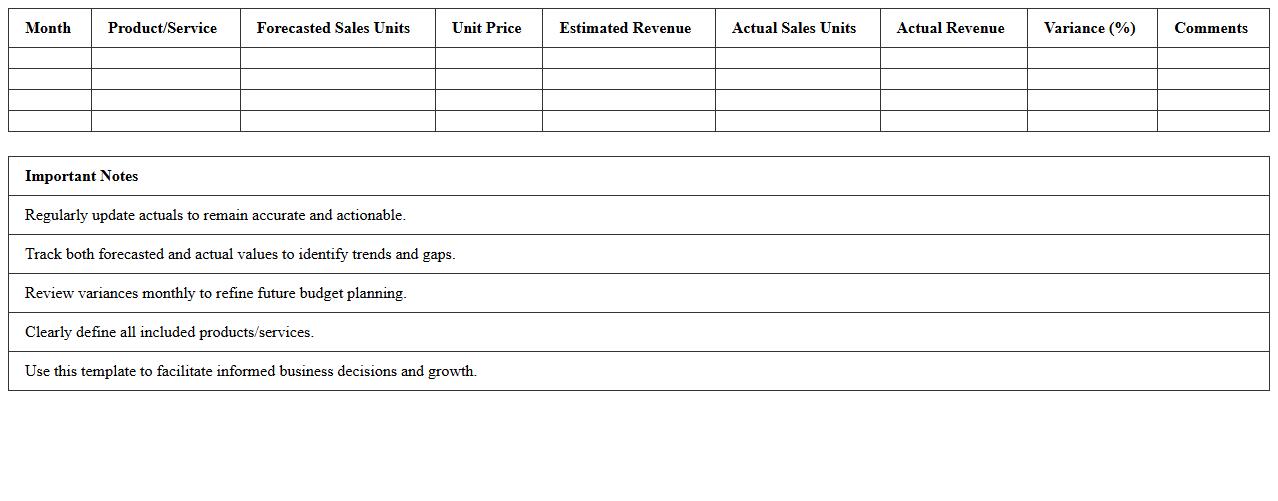
The
Sales and Revenue Budget Planning Excel Template for SMBs is a structured financial tool designed to forecast and track sales performance alongside revenue targets efficiently. It enables small and medium-sized businesses to organize monthly and annual sales projections, monitor income streams, and optimize budgeting by identifying trends and gaps. Utilizing this template improves decision-making, clarifies financial goals, and supports strategic planning by providing clear, customizable data visualization and analysis capabilities.
Projected vs Actual Budget Comparison Excel Template for Small Business
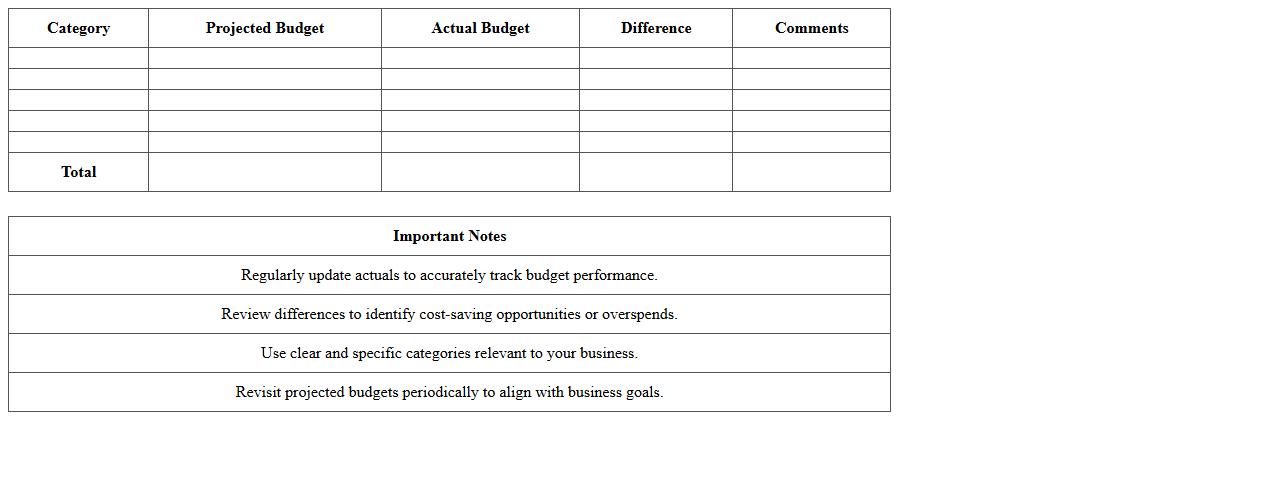
The
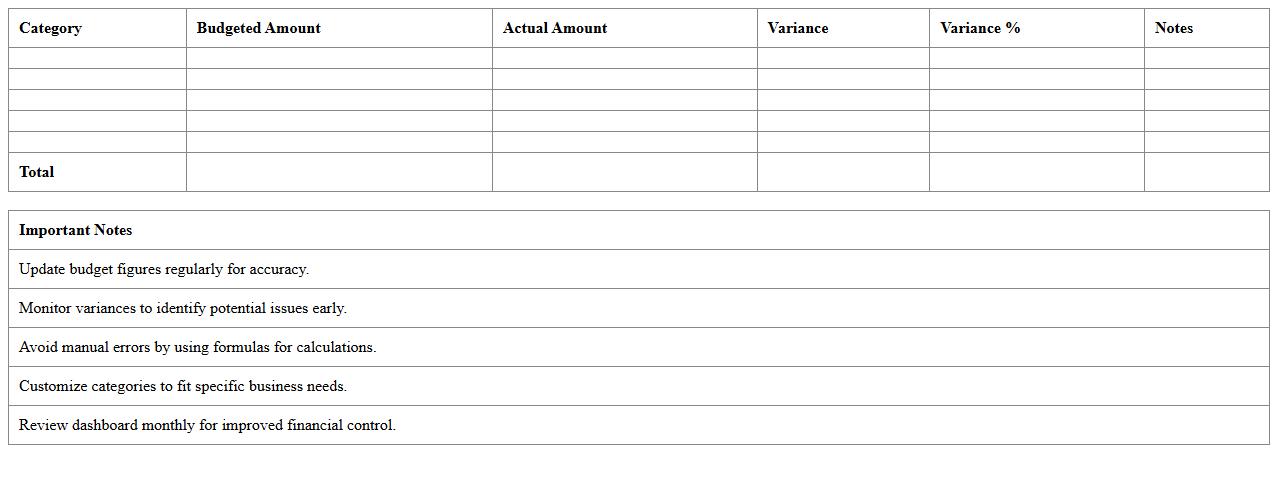
Projected vs Actual Budget Comparison Excel Template for small businesses is a financial tool designed to track and analyze the differences between forecasted expenditures and real spending. It helps business owners monitor budget performance, identify variances, and make data-driven decisions to optimize cash flow and resource allocation. By providing clear visualizations of budget adherence, this template supports effective financial planning and ensures that small businesses maintain control over their financial health.
Operational Cost Breakdown Excel Template for Small Business Budgeting
The
Operational Cost Breakdown Excel Template for Small Business Budgeting is a structured spreadsheet designed to organize and analyze all daily expenses related to running a business. It helps track fixed and variable costs such as rent, utilities, salaries, and supplies, enabling accurate financial forecasting and resource allocation. Using this template improves budgeting efficiency, identifies cost-saving opportunities, and supports informed decision-making to maintain profitability.
Budget Summary Dashboard Excel Template for Small Business Owners
The
Budget Summary Dashboard Excel Template for small business owners is a comprehensive tool designed to consolidate financial data, track expenses, and monitor revenue streams in one easy-to-navigate spreadsheet. It enables users to visualize budget performance through charts and summary tables, helping identify spending patterns and areas for cost optimization. This template supports informed decision-making by providing real-time insights into the business's financial health, ultimately enhancing budget management and financial planning efficiency.
What Excel formulas best automate expense tracking for small business budgets?
Using the SUMIF formula helps automatically total expenses based on category or date, improving organization. The VLOOKUP function is essential for matching expense data from multiple sheets or categories. Additionally, the IFERROR formula ensures your expense tracking remains accurate by handling any data entry errors gracefully.
How to structure a monthly vs. annual budget sheet for micro-enterprises?
A monthly budget sheet should include detailed income and expense categories to track cash flow closely. The annual budget sheet consolidates monthly data for a comprehensive yearly financial overview and helps identify long-term trends. Using consistent categories and linking monthly sheets to an annual summary ensures seamless data aggregation.
Which Excel templates optimize cash flow forecasting for startups?
Cash flow forecast templates with prebuilt formulas for inflows and outflows speed up the financial planning process. Beware of templates that include customizable assumptions for sales growth, expenses, and funding stages. Look for templates that support monthly and quarterly views to provide both detailed and big-picture insights.
What pivot tables simplify revenue analysis in small business budgeting?
Pivot tables that summarize revenue by product, region, or time period allow for quick analysis and trend discovery. Using filters and slicers enhances interactive data exploration and decision making. Pivot tables can also be combined with charts to visualize revenue performance effectively.
How to set up real-time alerts for budget overruns in Excel?
Use conditional formatting to highlight cells exceeding budget limits automatically. Combine this with data validation rules and formulas like IF to trigger warnings or messages. For more advanced alerts, Excel's integration with Power Automate can send real-time notifications via email or Teams based on budget criteria.
More Budget Excel Templates