IT Hardware Asset Inventory Tracker Spreadsheet
An
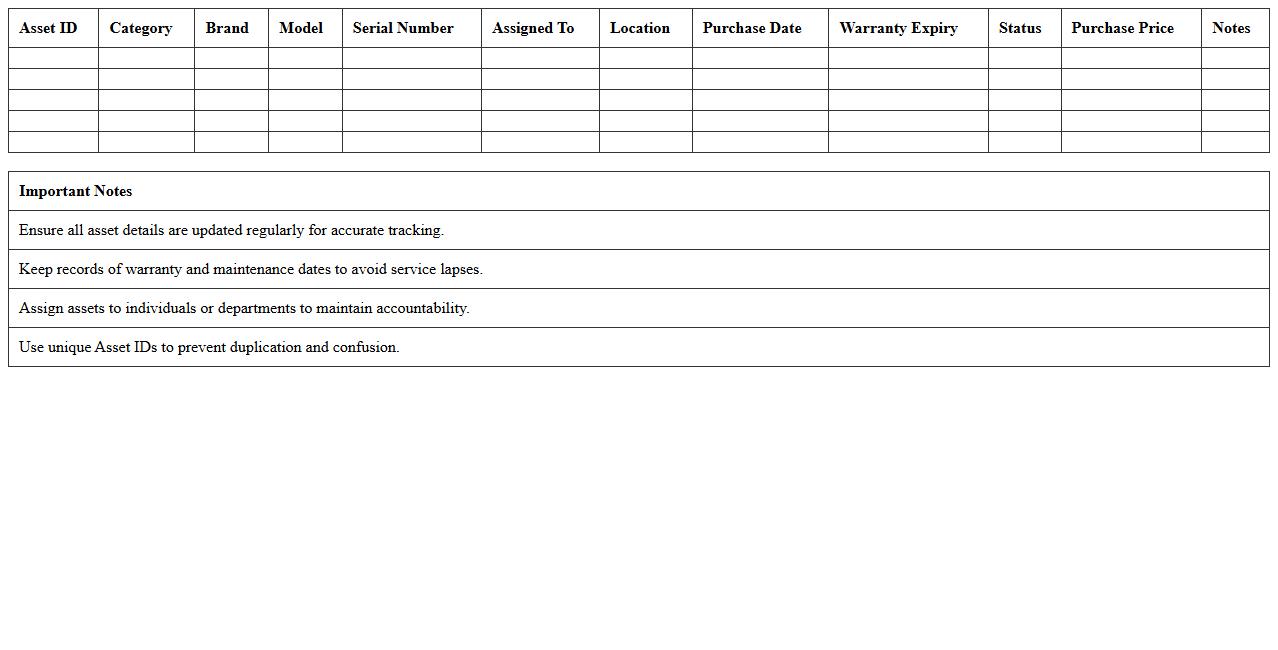
IT Hardware Asset Inventory Tracker Spreadsheet document systematically records details of all hardware assets within an organization, including serial numbers, purchase dates, locations, and maintenance status. It enables efficient asset management by providing a centralized view to monitor equipment lifecycles, optimize resource allocation, and reduce losses or theft. This spreadsheet supports budgeting and compliance efforts by ensuring accurate and up-to-date records are readily accessible.
Computer Equipment Asset Management Excel Sheet
A
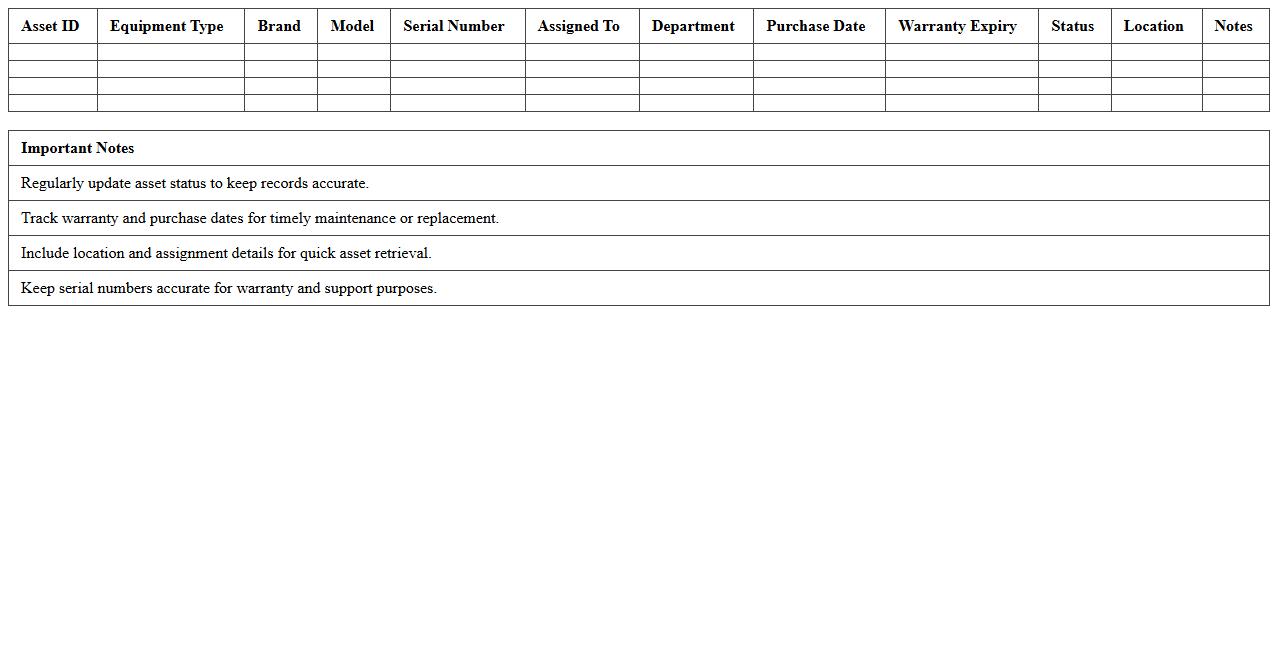
Computer Equipment Asset Management Excel Sheet is a structured document designed to track and organize all computer hardware assets within an organization, including details such as purchase dates, serial numbers, warranty periods, and current status. This tool enhances inventory accuracy, streamlines maintenance scheduling, and helps in budgeting by providing clear insights into asset lifecycles and depreciation. Efficient management of computer equipment reduces downtime, prevents asset loss, and ensures compliance with IT policies.
Network Device Tracking Log Template
A
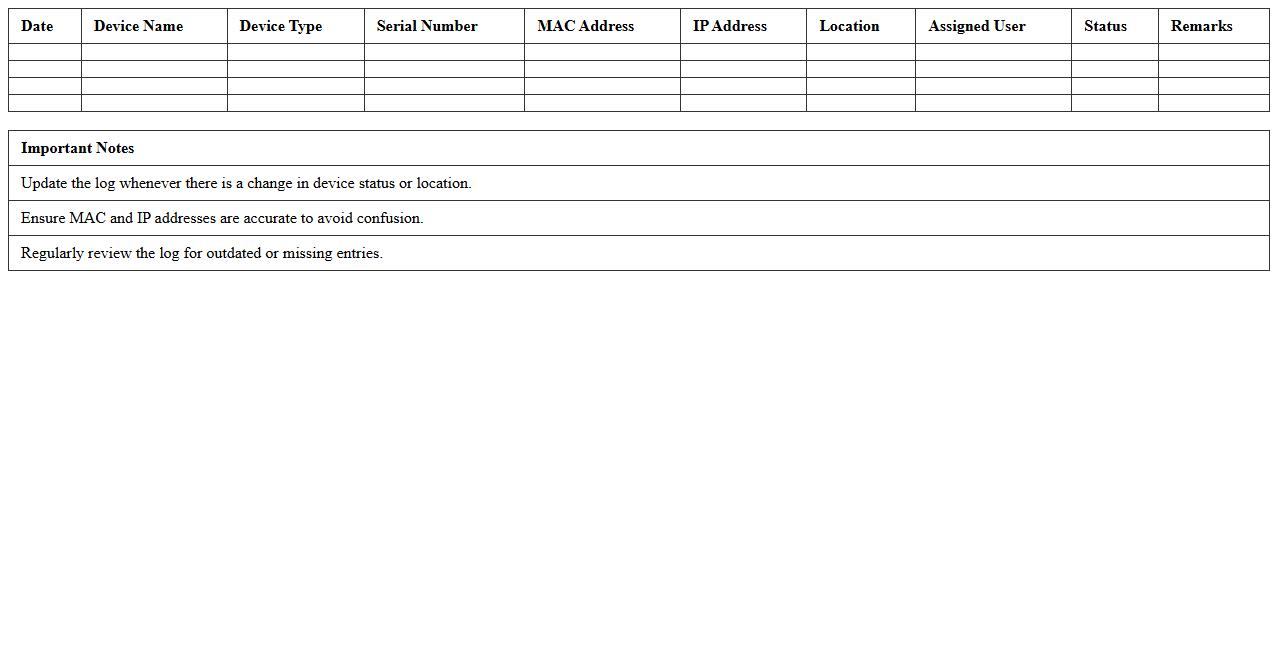
Network Device Tracking Log Template document is a structured tool used to monitor and record detailed information about network devices, including their IP addresses, MAC addresses, locations, statuses, and maintenance history. This template helps network administrators maintain an organized inventory, facilitating easier troubleshooting, asset management, and security compliance. By providing a centralized record, it enhances transparency and efficiency in managing complex network infrastructures.
Software License Asset Register Excel File
A
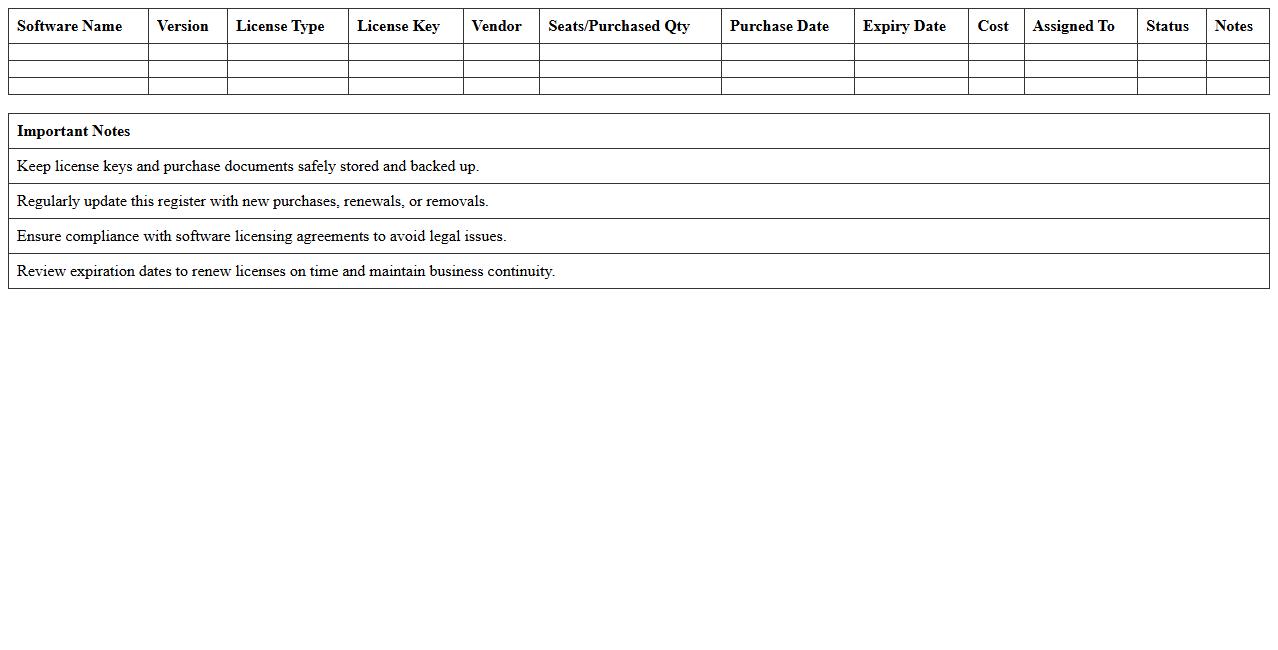
Software License Asset Register Excel File document is a comprehensive spreadsheet that tracks and manages software licenses owned by an organization, including details such as license types, purchase dates, expiration, and compliance status. This document ensures effective asset management by providing clear visibility into software usage and preventing legal risks associated with unlicensed software. It is useful for maintaining accurate inventory, optimizing license renewals, and controlling IT expenses.
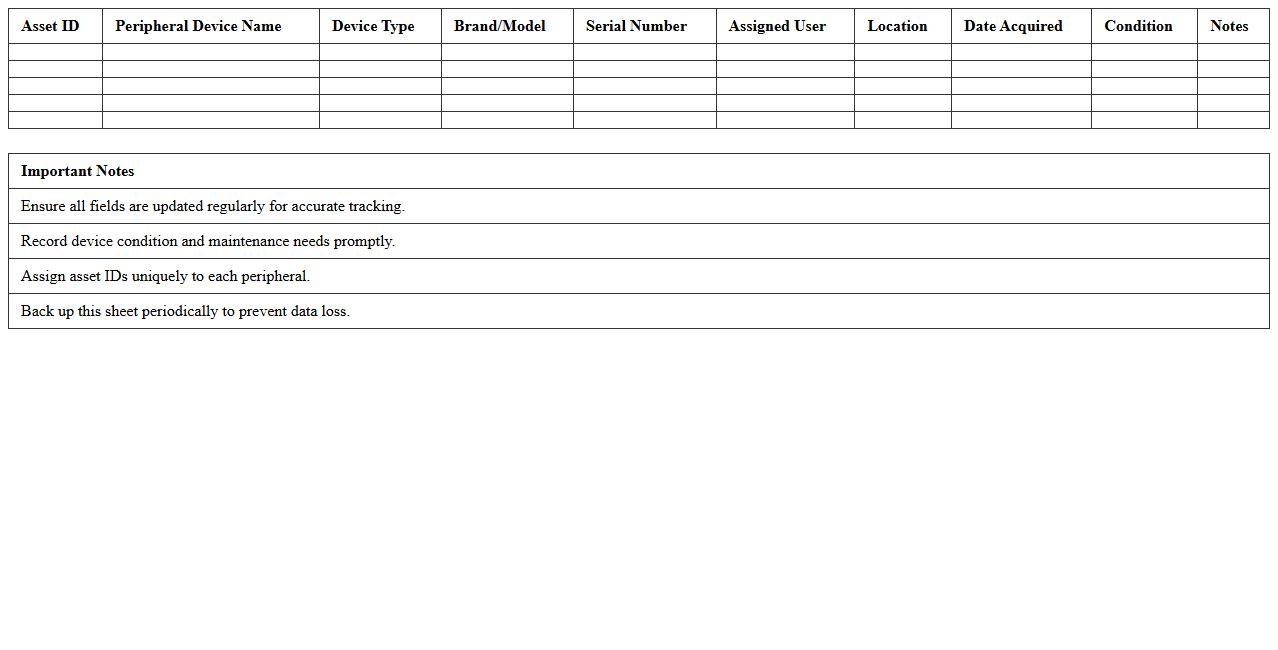
Peripheral Devices Asset Checklist Excel
The
Peripheral Devices Asset Checklist Excel document serves as a comprehensive tool to track and manage all external hardware connected to computers, such as keyboards, mice, printers, and monitors. It helps organizations maintain an accurate inventory, facilitates timely maintenance, and ensures accountability by logging device details, condition, and assigned users. Using this checklist optimizes asset management, reduces losses, and supports efficient IT support operations.
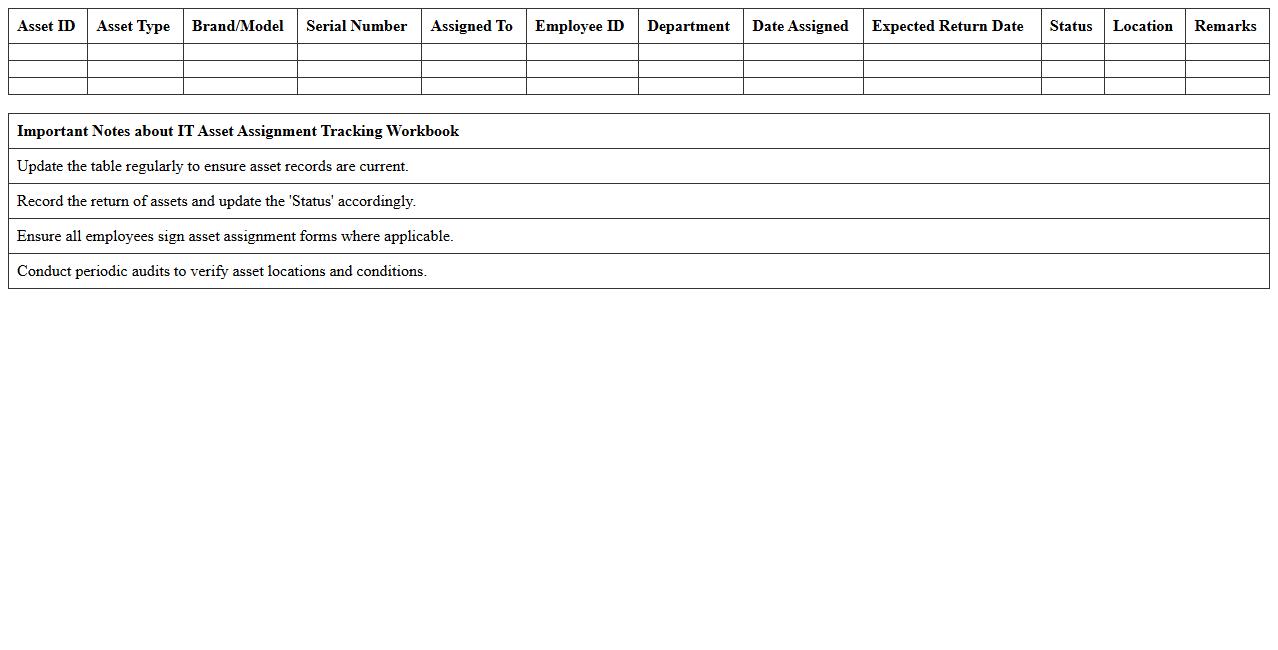
IT Asset Assignment Tracking Workbook
The
IT Asset Assignment Tracking Workbook dokument serves as a centralized tool to monitor the allocation and usage of IT assets within an organization. It helps maintain accurate records of who is responsible for each asset, reducing loss and ensuring timely maintenance or upgrades. By providing real-time visibility into asset assignments, this workbook enhances accountability and streamlines IT resource management.
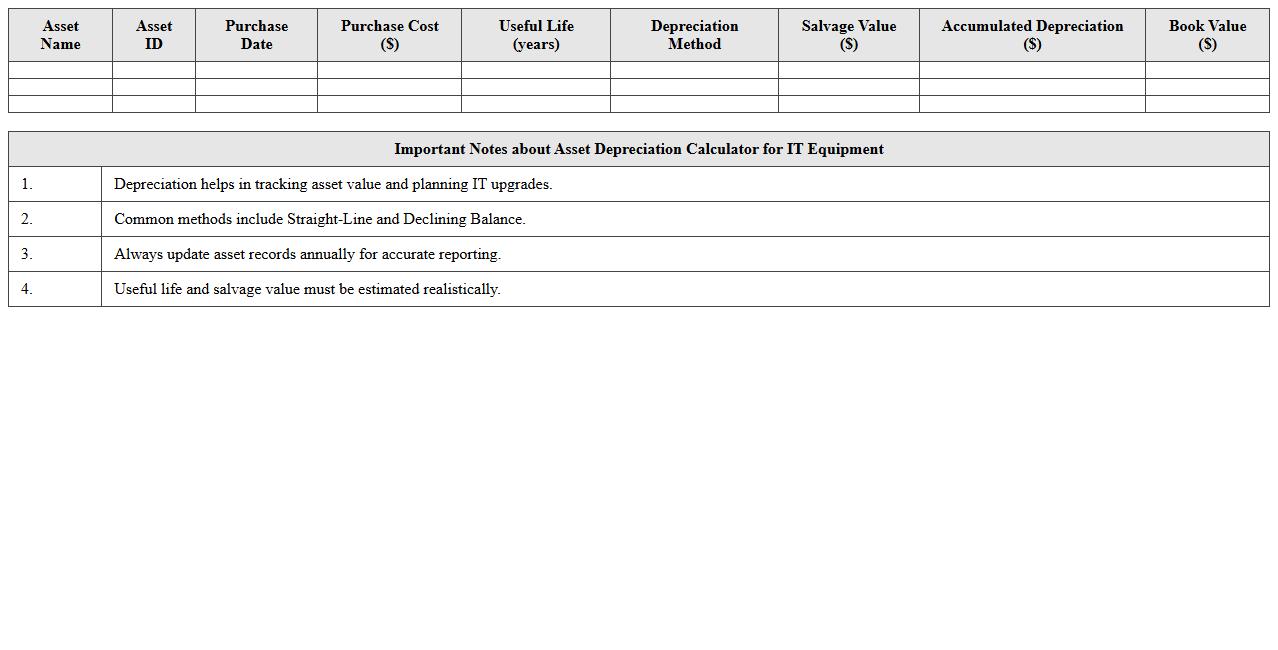
Asset Depreciation Calculator for IT Equipment
An
Asset Depreciation Calculator for IT Equipment is a specialized tool designed to estimate the depreciation value of technology assets over time, factoring in purchase price, useful life, and depreciation methods like straight-line or declining balance. This document guides users through accurately calculating the declining worth of devices such as computers, servers, and networking hardware, aiding in effective financial reporting and budgeting. By leveraging this calculator, organizations ensure compliance with accounting standards and optimize capital expenditure tracking for IT investments.
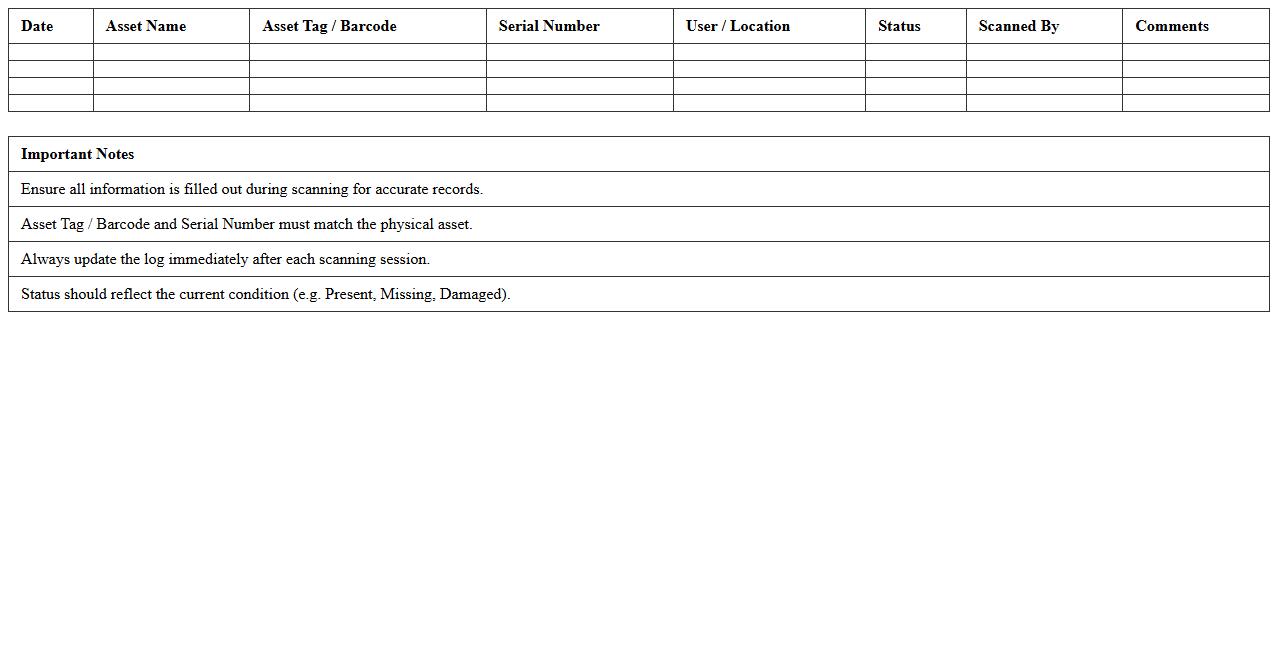
IT Asset Barcode Scanning Log Excel
The
IT Asset Barcode Scanning Log Excel document is a structured spreadsheet designed to record and track IT assets using barcode technology. It helps organizations efficiently manage inventory by capturing detailed information such as asset IDs, scanning dates, locations, and conditions, ensuring accurate and real-time updates. This tool enhances accountability, reduces asset loss, and streamlines audits through its organized and easily accessible data format.
Lost and Found IT Asset Register Template
A
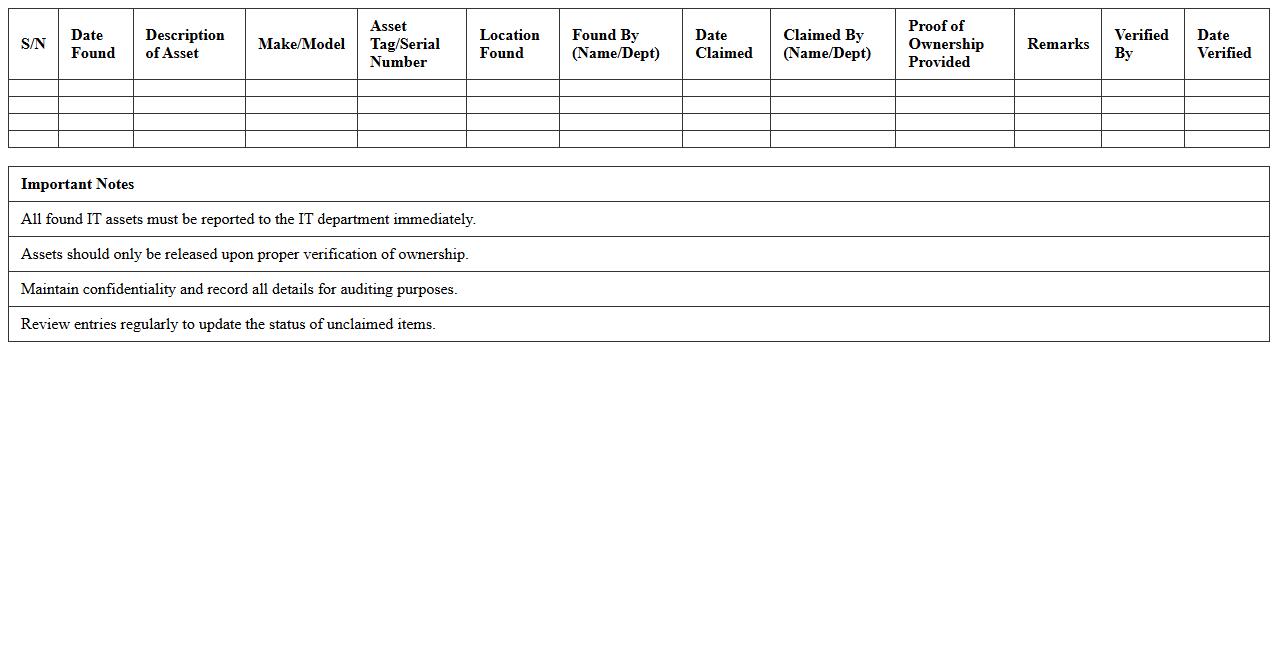
Lost and Found IT Asset Register Template document is a structured record-keeping tool designed to track misplaced, recovered, or returned IT equipment within an organization. This template enhances asset management by providing detailed information such as asset identification, loss date, location, and recovery status, helping prevent loss-related financial impacts. It streamlines the inventory control process, improves accountability, and supports timely recovery of valuable IT resources.
IT Department Asset Maintenance Schedule Sheet
The
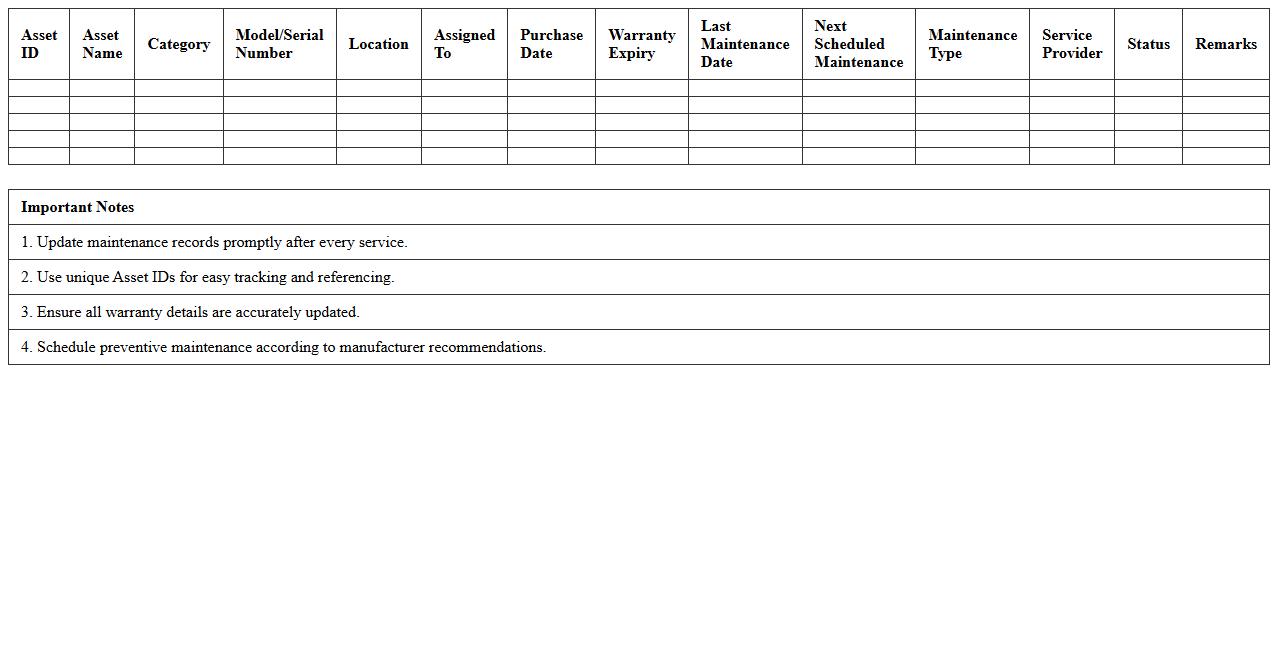
IT Department Asset Maintenance Schedule Sheet document is a comprehensive record that tracks the maintenance dates, tasks, and status of all IT equipment and software assets. It helps ensure timely servicing, reduces equipment downtime, and extends the lifespan of critical technology resources. By organizing maintenance activities systematically, this schedule improves asset reliability and supports budget planning for repairs and replacements.
What formula can auto-calculate asset depreciation in an Excel tracker for IT equipment?
To auto-calculate asset depreciation, use the Excel formula like =SLN(cost, salvage, life), which calculates straight-line depreciation. This function helps track the reduction in asset value based on its initial cost, salvage value, and useful life. Using this formula ensures your depreciation schedule is updated automatically in your IT equipment tracker.
How can conditional formatting highlight overdue asset returns in the spreadsheet?
Apply conditional formatting rules using a formula such as =TODAY() > return_date to flag overdue asset returns. This highlights cells dynamically when the current date surpasses the asset return date. This visual alert optimizes your spreadsheet for quick identification of late asset returns.
Which Excel functions help link asset assignments to employee records efficiently?
The VLOOKUP or XLOOKUP functions are efficient for linking asset assignments to employee records. These functions retrieve matching employee details based on asset ID or assigned user. Integrating these lookups creates a dynamic and accurate connection between assets and personnel.
What method can restrict data entry to approved asset categories only?
Implement Data Validation with a dropdown list referencing approved asset categories to restrict entry. This method ensures only predefined categories can be selected, maintaining data integrity. Using data validation prevents errors and standardizes asset category selection.
How can Excel automate alerts for upcoming IT asset warranty expirations?
Use conditional formatting combined with a formula like =AND(warranty_end > TODAY(), warranty_end <= TODAY()+30) to highlight soon-to-expire warranties. This setup triggers automatic visual alerts when warranty expiry is near. It proactively helps manage warranty renewals and support planning.