Class Attendance Roster Excel Template
A
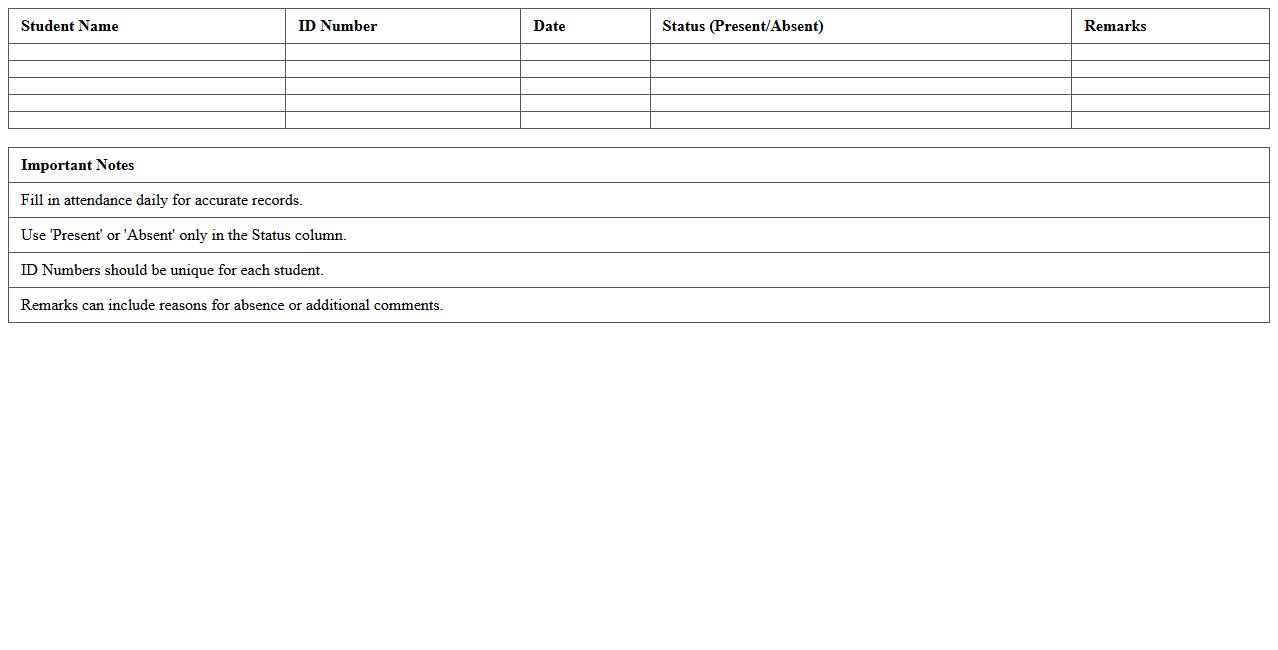
Class Attendance Roster Excel Template is a digital spreadsheet designed to record and track student attendance efficiently. It helps educators maintain organized data by listing student names, dates, and attendance status, enabling easy monitoring of attendance patterns and timely identification of absences. This tool simplifies attendance management, reduces errors, and saves time compared to manual record-keeping methods.
Student Assignment Tracker Excel Template
The
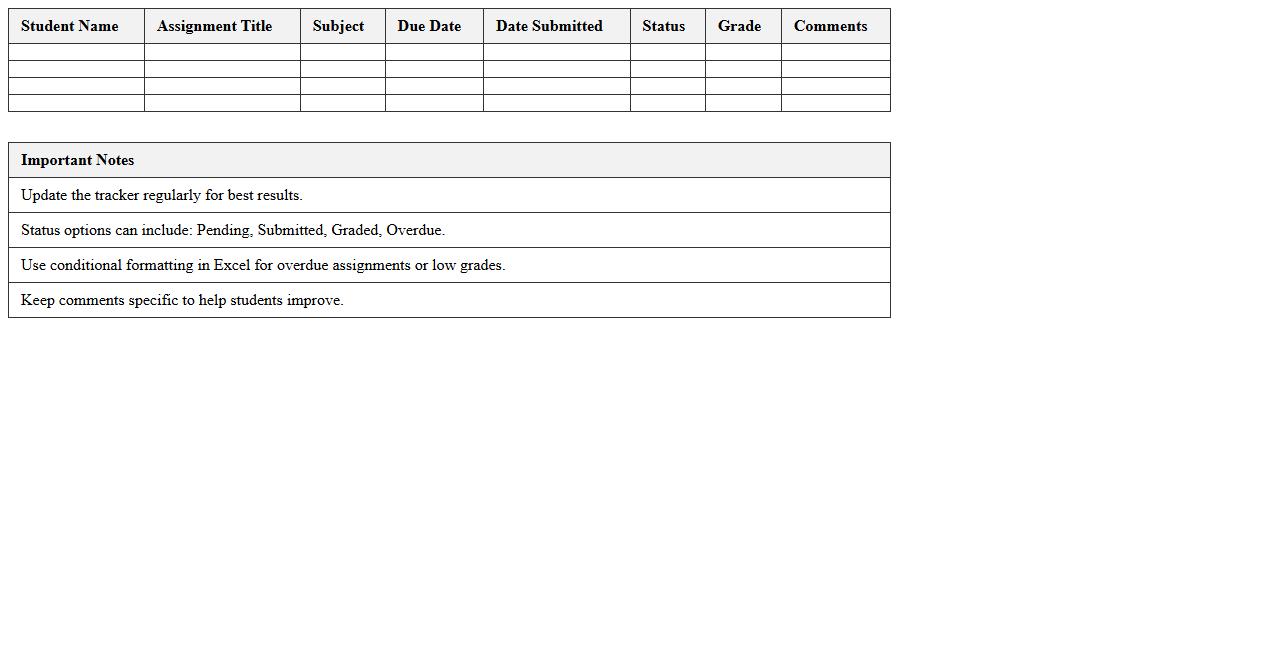
Student Assignment Tracker Excel Template is a digital tool designed to organize and monitor student assignments efficiently, enabling educators and students to keep track of submission dates, assignment status, and grades. This template streamlines workflow by providing a clear overview of pending, completed, and overdue tasks, facilitating better time management and accountability. By using this tracker, users can enhance productivity, ensure timely completion of assignments, and improve academic performance through structured data management.
Weekly Lesson Plan Roster Excel Template
The
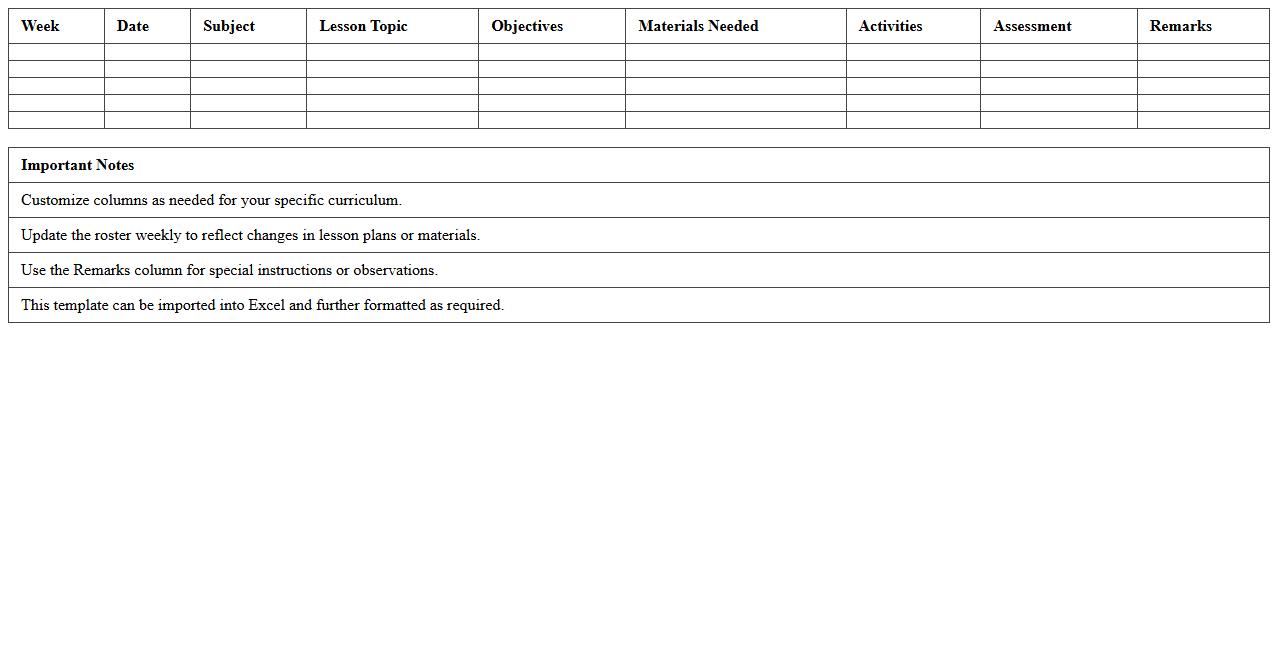
Weekly Lesson Plan Roster Excel Template is a structured document designed to organize and schedule lesson plans for educators efficiently. It allows teachers to plan daily activities, track subjects, and manage time slots systematically, ensuring balanced and comprehensive coverage of the curriculum. This template streamlines lesson preparation, enhances classroom management, and aids in monitoring progress over each week.
Substitute Teacher Roster Excel Template
The
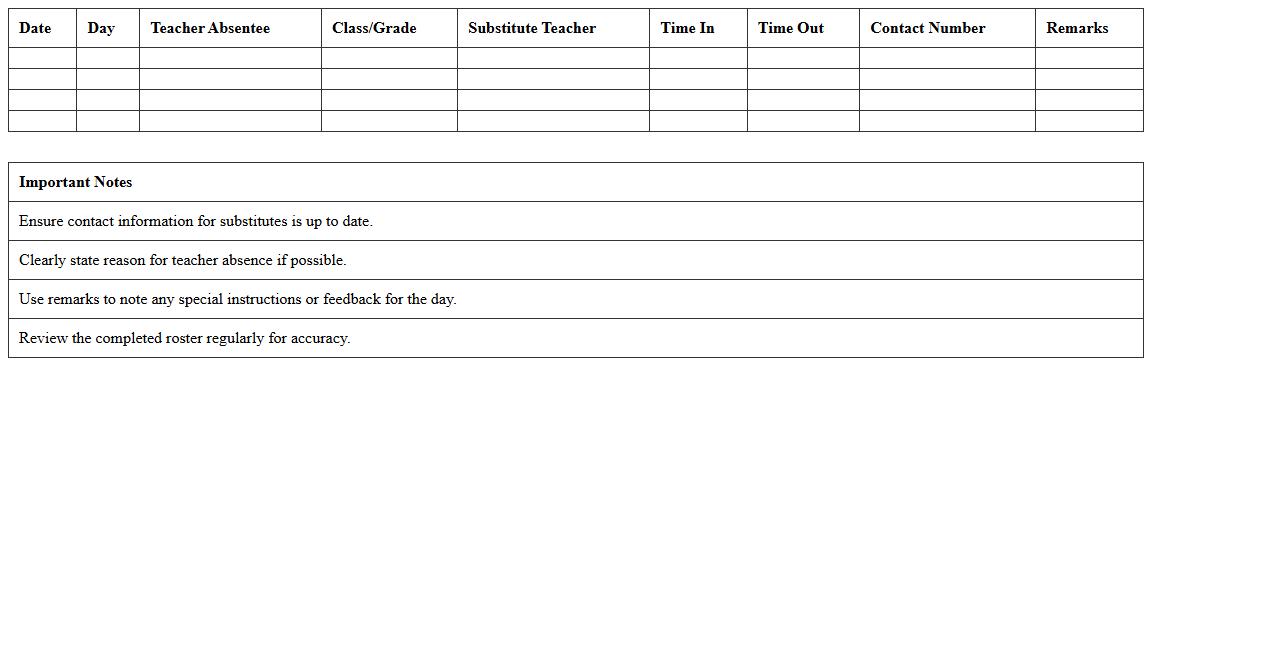
Substitute Teacher Roster Excel Template is a structured spreadsheet designed to organize and manage substitute teacher assignments efficiently. It allows administrators to track availability, schedules, and contact information, ensuring timely placement and clear communication. Using this template reduces scheduling conflicts and streamlines workforce management in educational institutions.
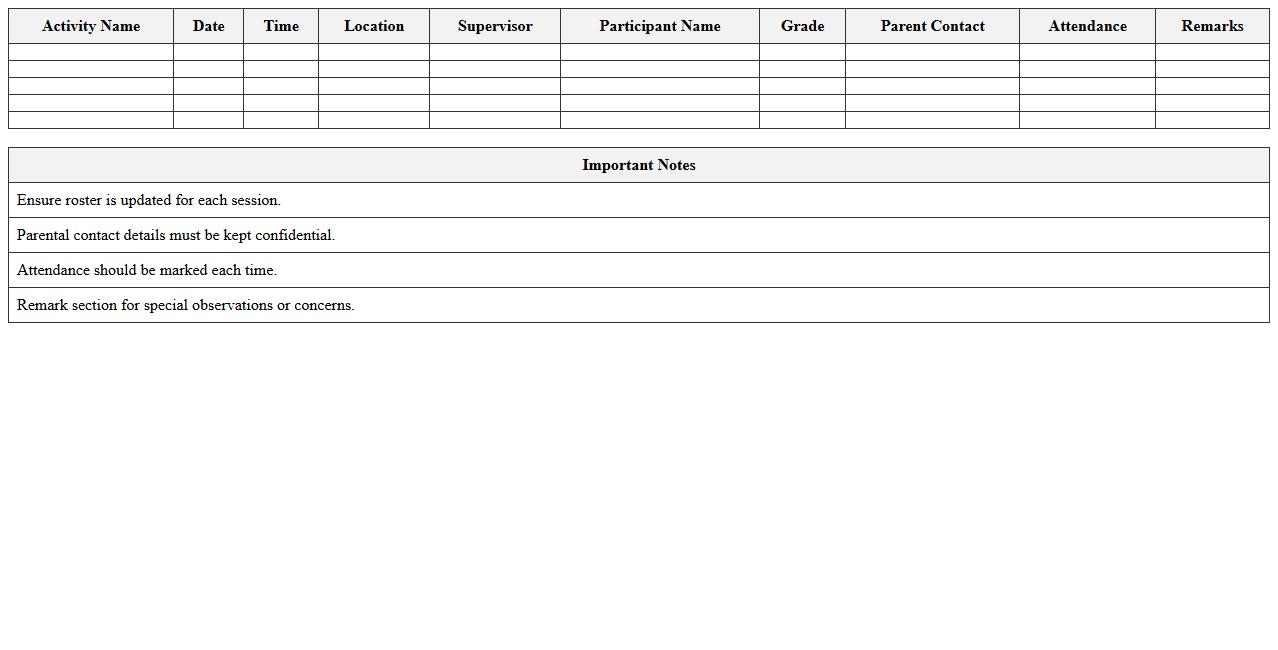
Extracurricular Activity Roster Excel Template
The
Extracurricular Activity Roster Excel Template is a structured spreadsheet designed to organize and manage student participation in various extracurricular activities efficiently. It allows educators and administrators to track attendance, monitor involvement, and maintain contact details in a centralized, easy-to-update format. This template enhances coordination and communication, ensuring seamless management of extracurricular programs within schools or organizations.
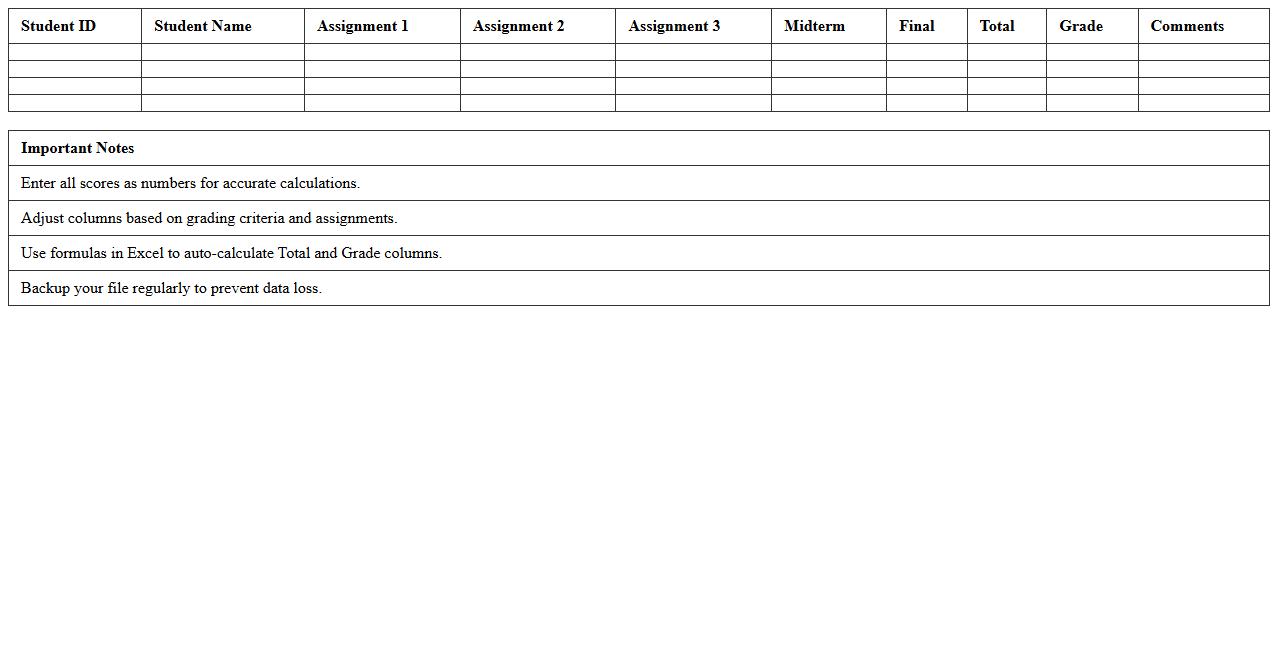
Gradebook Roster Excel Template
The
Gradebook Roster Excel Template is a structured spreadsheet designed to record, organize, and calculate students' grades efficiently. It streamlines tracking academic performance by automatically totaling scores and generating averages, saving educators significant time on manual calculations. This template enhances data accuracy and simplifies the process of monitoring student progress throughout the academic term.
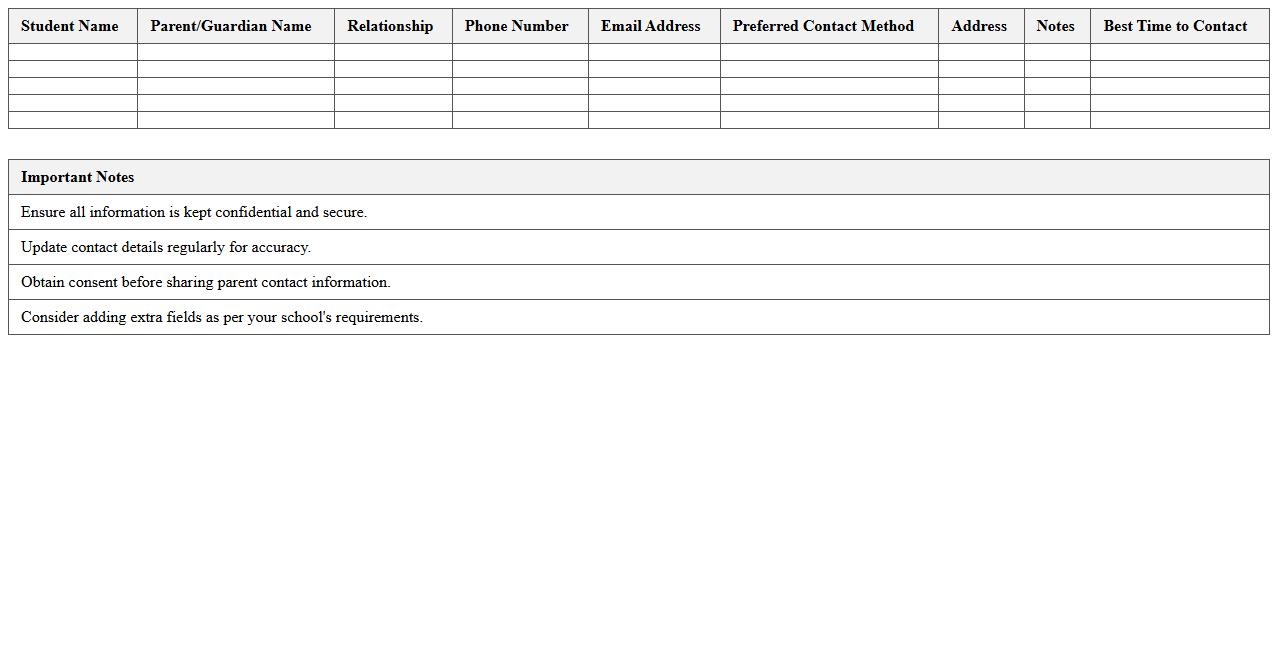
Parent Contact Roster Excel Template
The
Parent Contact Roster Excel Template is a structured spreadsheet designed to organize and maintain detailed contact information of parents, including names, phone numbers, email addresses, and emergency contacts. This template enhances communication efficiency for schools, daycare centers, and extracurricular programs by providing quick access to essential parent data during events, meetings, or emergencies. Utilizing this tool streamlines administrative tasks, fosters timely communication, and supports effective parent engagement.
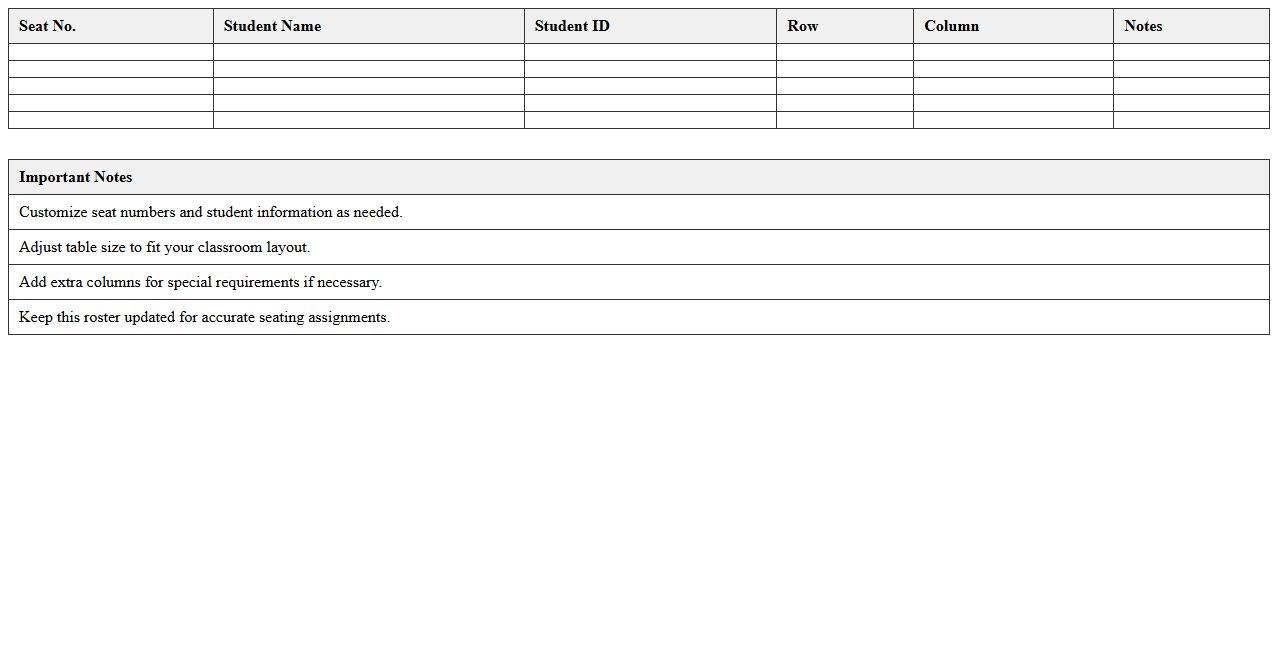
Classroom Seating Chart Roster Excel Template
The
Classroom Seating Chart Roster Excel Template is a structured spreadsheet designed to organize student seating arrangements and attendance records efficiently. It allows teachers to visualize classroom layouts, track student information, and manage seating changes seamlessly, enhancing classroom management. This template significantly saves time and improves accuracy in maintaining student rosters and optimizing learning environments.
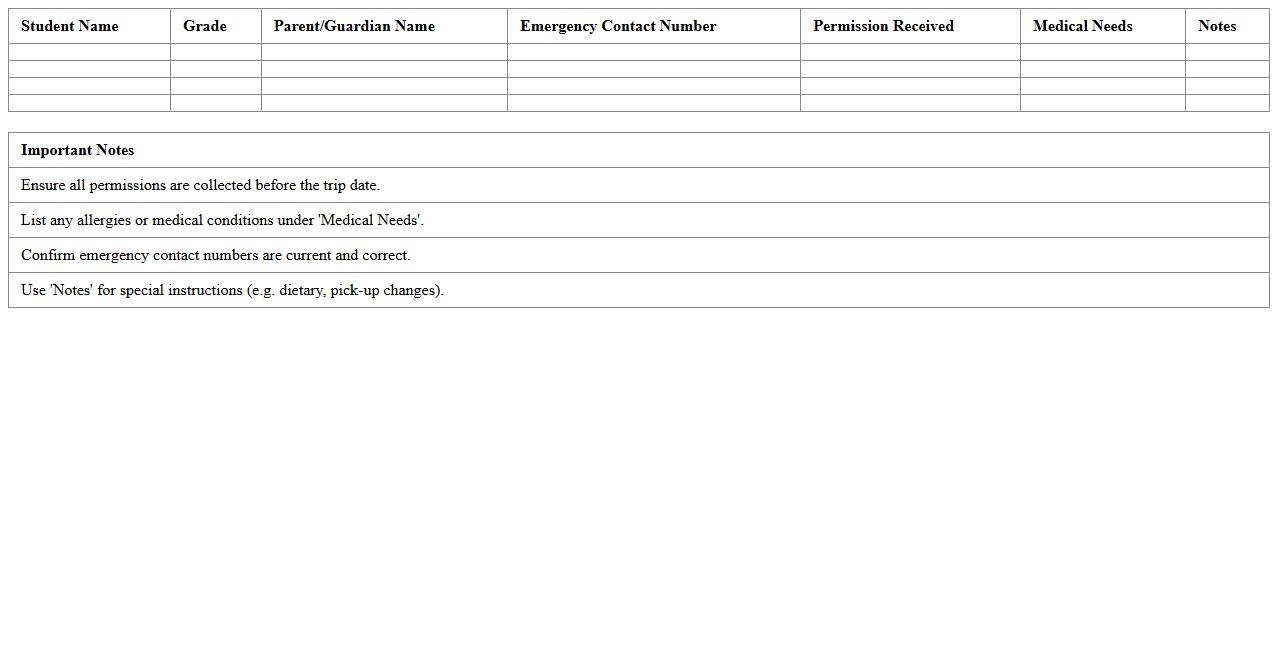
Field Trip Permission Roster Excel Template
The
Field Trip Permission Roster Excel Template is a structured spreadsheet designed to efficiently manage and track student permissions for school field trips. It consolidates essential information such as student names, parent consent status, emergency contacts, and medical details in one accessible document. This template enhances organization, ensures compliance with safety protocols, and streamlines communication between educators and parents.
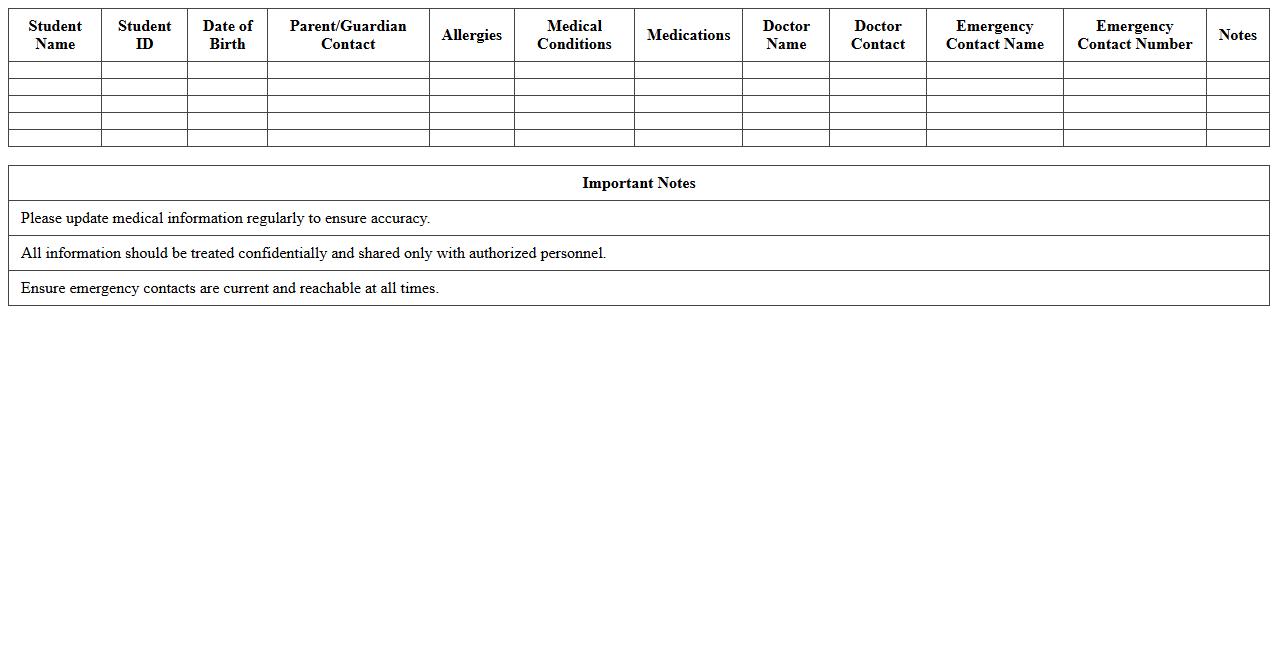
Student Medical Information Roster Excel Template
The
Student Medical Information Roster Excel Template is a structured spreadsheet designed to collect and organize essential health details of students, including allergies, medications, emergency contacts, and medical conditions. This document facilitates quick access to critical medical data for school staff, ensuring efficient response during health emergencies and promoting student safety. Utilizing this template enhances communication between parents, healthcare providers, and educational institutions by maintaining accurate and up-to-date medical records.
How to automate teacher shift assignments in a roster Excel sheet?
To automate teacher shift assignments in Excel, use formulas like INDEX and MATCH combined with drop-down lists for easy input. Implement VBA macros to dynamically assign and rotate shifts based on teacher availability and workload. This approach reduces manual scheduling errors and improves overall efficiency.
What are the best conditional formatting rules for teacher availability in Excel?
Use conditional formatting rules to highlight teacher availability by applying color codes for available, unavailable, and on-call statuses. For example, set a green fill for available teachers and red for unavailable cells using the "Text contains" or "Cell value" rules. This visual aid helps quickly identify gaps and manage schedules more effectively.
How to track substitute teacher allocations using an Excel roster?
Track substitute teacher allocations by adding dedicated columns in the roster for substitute details and dates. Use filters and conditional formatting to spotlight shifts needing substitutes and visualize coverage. Automating notifications through VBA can alert substitutes of their assignments promptly.
Which Excel formulas optimize class coverage for teacher absences?
Excel formulas such as COUNTIF and SUMPRODUCT help optimize class coverage by calculating available teachers and matching them to absent shifts. Use nested IF statements to dynamically allocate substitutes based on priority and availability. These formulas ensure minimal disruption in class schedules during absences.
How to integrate attendance data with teacher roster Excel files?
Integrate attendance data by linking the roster sheet with attendance records using VLOOKUP or XLOOKUP formulas. Automate updates by importing attendance data through Power Query for real-time synchronization. This integration enables accurate tracking of teacher presence alongside their schedules.