The Recruitment Activity Report Excel Template for Staffing Firms provides a comprehensive tool to track candidate sourcing, interviews, and placements efficiently. This template helps staffing professionals analyze recruitment metrics and optimize their hiring processes with clear data visualization. It streamlines reporting tasks, enabling better decision-making and improved client management.
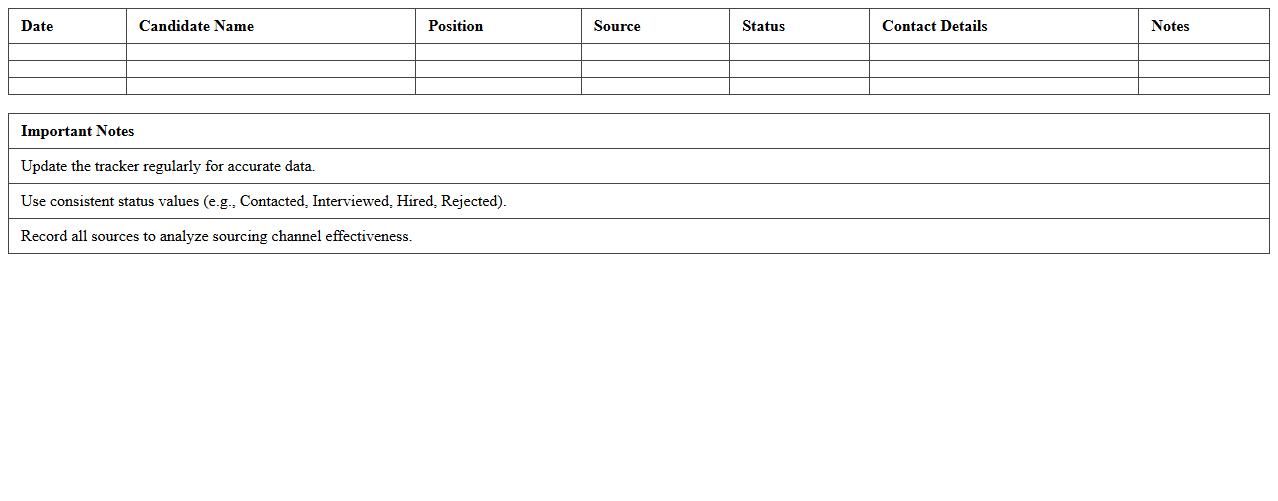
Candidate Sourcing Tracker Excel Template
The
Candidate Sourcing Tracker Excel Template document is a structured spreadsheet designed to organize and monitor the progress of potential job candidates through various sourcing channels. It enables recruiters to efficiently record candidate details, track communication history, and analyze sourcing effectiveness, improving talent acquisition strategies. By providing a centralized and customizable platform, this template enhances productivity and helps ensure no candidate is overlooked in the hiring process.
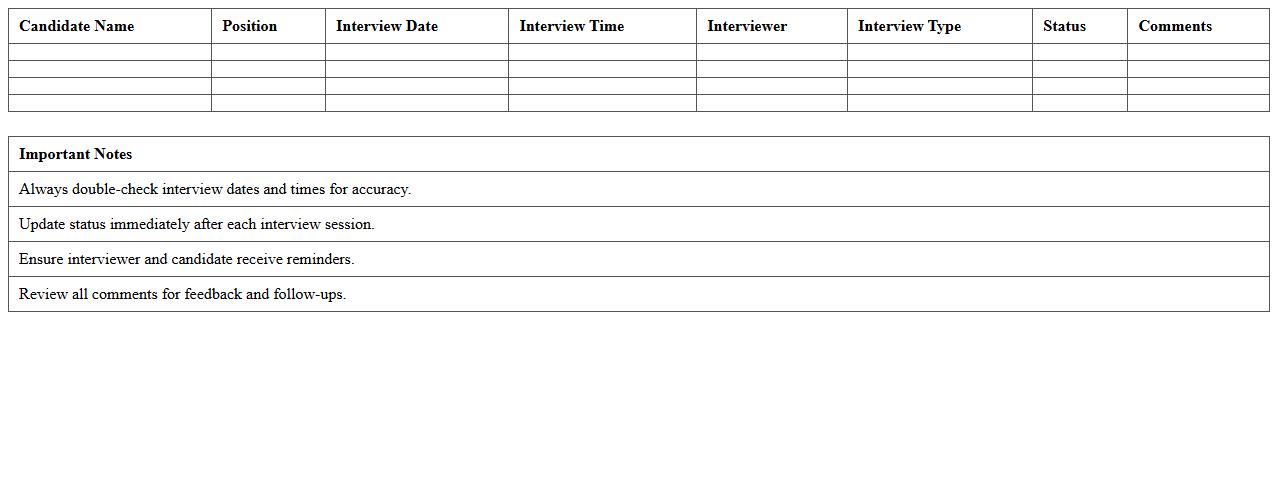
Interview Scheduling Log Excel Template
The
Interview Scheduling Log Excel Template is a structured digital tool designed to organize and track interview appointments efficiently. It enables HR professionals and recruiters to input candidate details, interview dates, times, and interviewers, ensuring no scheduling conflicts occur. By using this template, organizations can streamline their hiring process, maintain clear records, and improve communication among hiring team members.
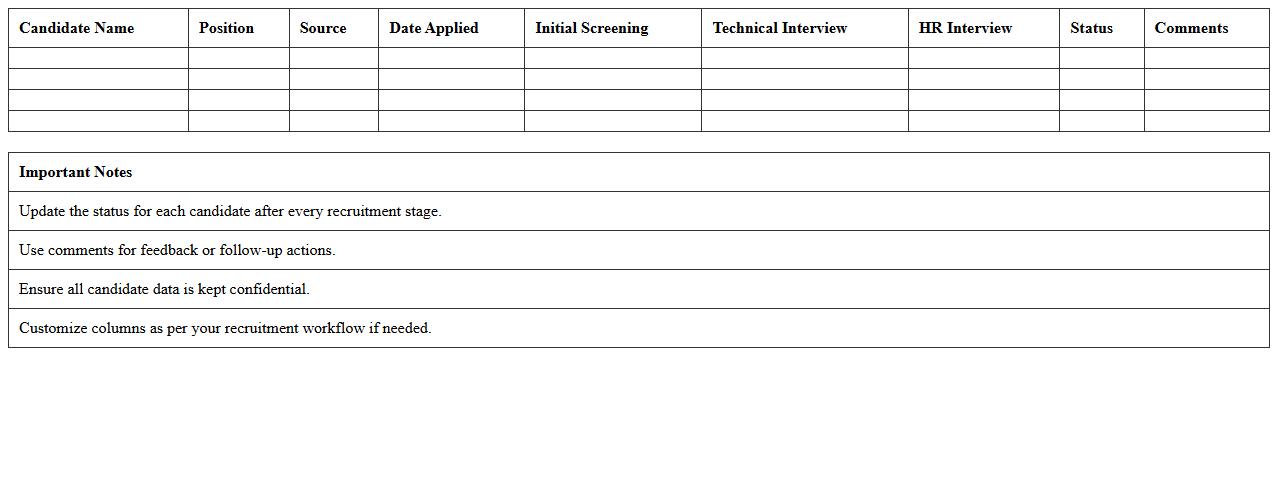
Recruitment Pipeline Progress Excel Template
The
Recruitment Pipeline Progress Excel Template document is a structured tool designed to track and manage candidates through various hiring stages efficiently. It allows HR professionals to visualize applicant status, identify bottlenecks, and streamline recruitment workflows, ensuring timely decision-making. Utilizing this template enhances transparency and improves the overall hiring process by providing clear, organized data on candidate progression.
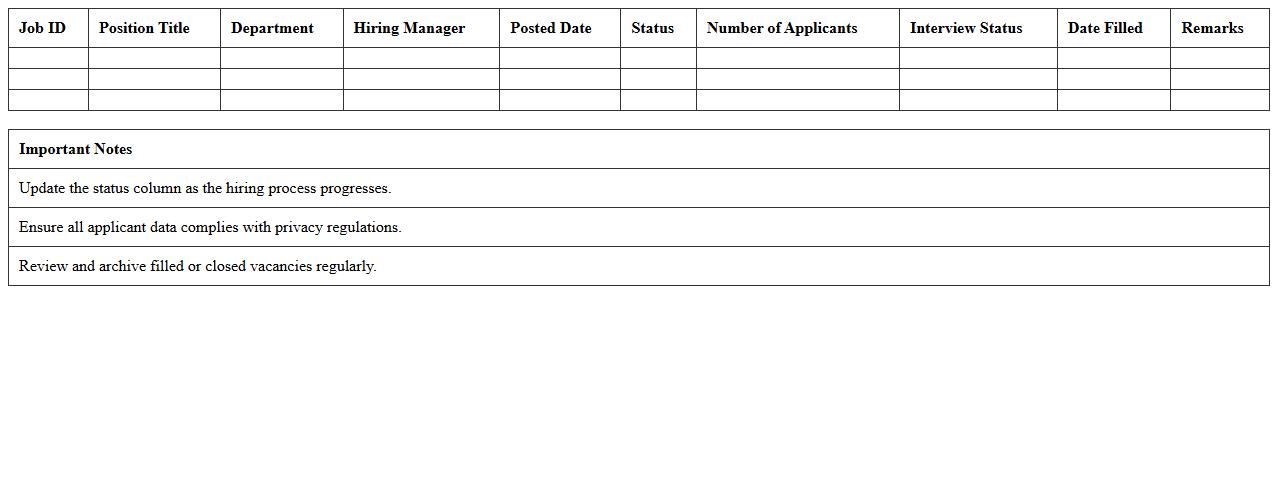
Job Vacancy Status Report Excel Template
The
Job Vacancy Status Report Excel Template is a structured spreadsheet designed to track and manage current job openings within an organization. It consolidates key data such as vacancy details, application status, and recruitment progress, enabling HR teams to monitor hiring efficiently and identify bottlenecks. This tool enhances workforce planning by providing a clear overview of recruitment efforts and vacancy fulfillment rates.
Hiring Manager Feedback Sheet Excel Template
The
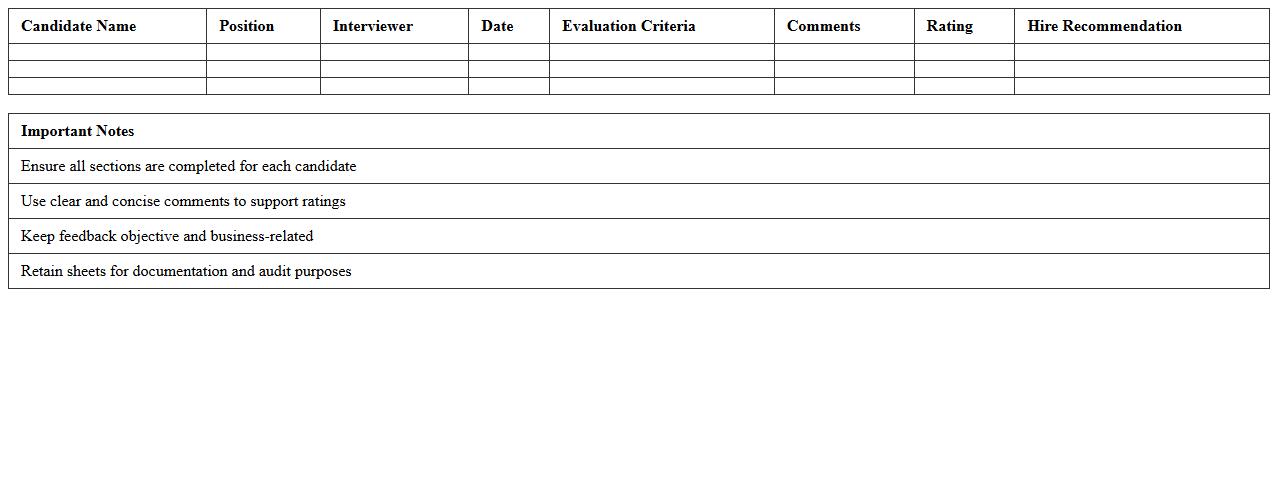
Hiring Manager Feedback Sheet Excel Template document serves as a structured tool enabling hiring managers to systematically record and evaluate candidate interviews. It streamlines the feedback process by organizing key criteria such as skills, experience, and cultural fit in one centralized sheet, enhancing decision-making efficiency. This template improves collaboration among recruitment teams and helps maintain consistency in candidate assessments across multiple interviewers.
Offer Acceptance Analysis Excel Template
The
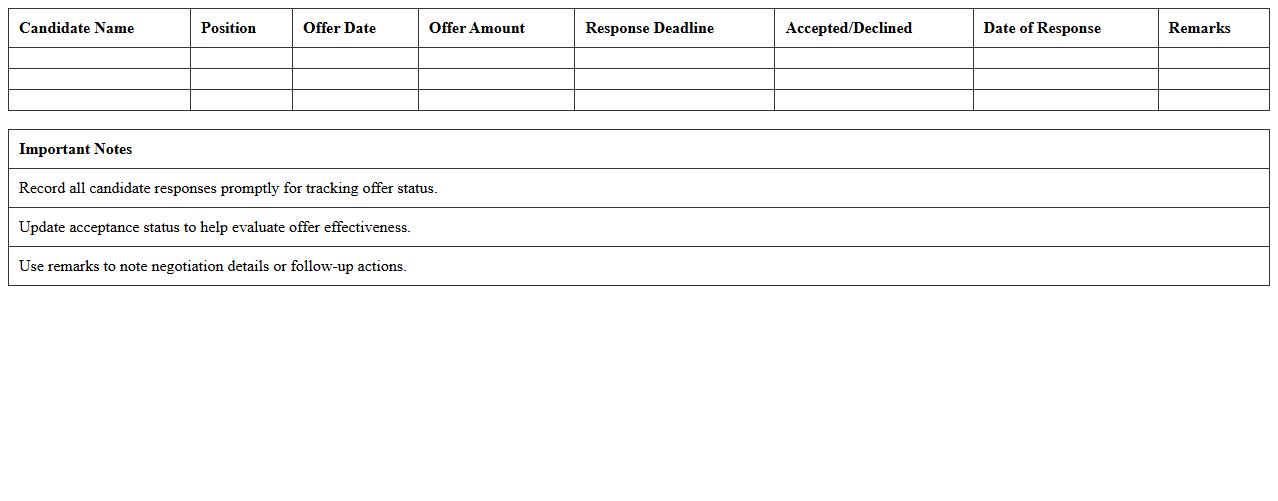
Offer Acceptance Analysis Excel Template is a structured document designed to track and evaluate the rate at which job offers are accepted by candidates. It helps HR professionals and recruiters analyze trends, identify potential issues in the hiring process, and improve offer strategies based on data-driven insights. By providing clear metrics and visualizations, this template enhances decision-making and optimizes recruitment efficiency.
Applicant Screening Summary Excel Template
The
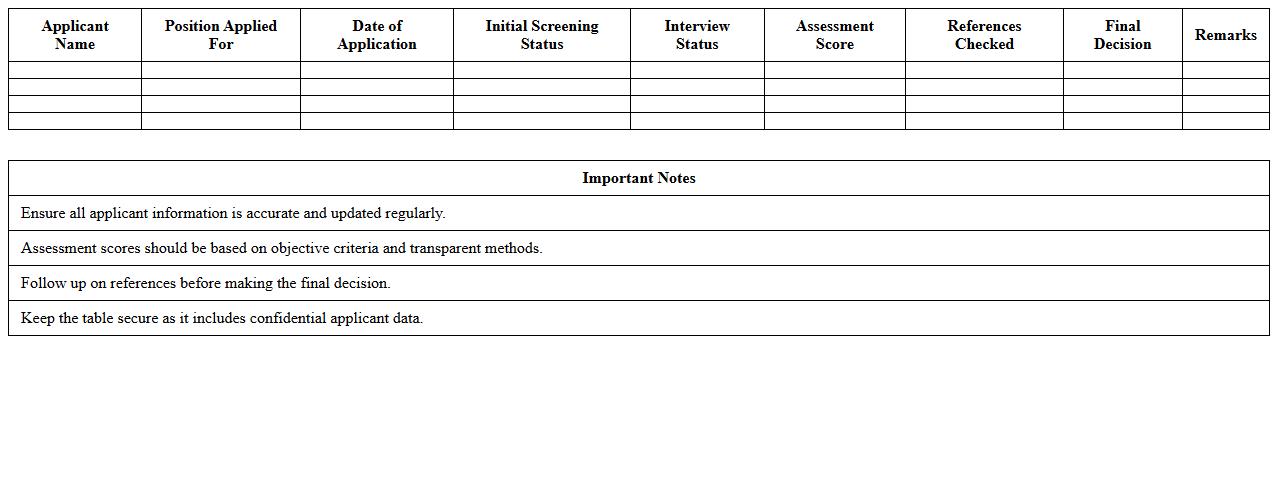
Applicant Screening Summary Excel Template document is a structured tool designed to organize and evaluate candidate information efficiently during the hiring process. It enables recruiters to track qualifications, interview feedback, and screening results in one centralized spreadsheet, improving decision-making accuracy. Using this template streamlines applicant comparison, reduces manual errors, and accelerates the selection timeline for optimal workforce acquisition.
Placement Success Rate Report Excel Template
The
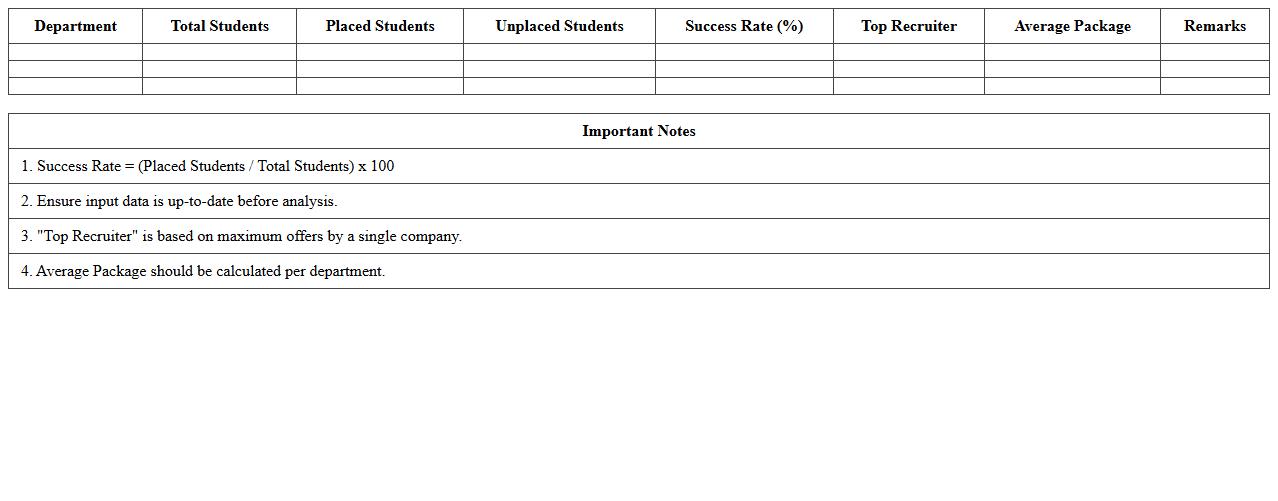
Placement Success Rate Report Excel Template is a structured document designed to track and analyze the efficiency of student placements in various companies or organizations. It provides a clear visualization of placement percentages, trends over time, and department-wise success rates, enabling educational institutions or placement cells to identify strengths and areas for improvement. This template helps streamline data management, facilitating informed decision-making and strategic planning to enhance placement outcomes.
Recruitment Channel Effectiveness Excel Template
The
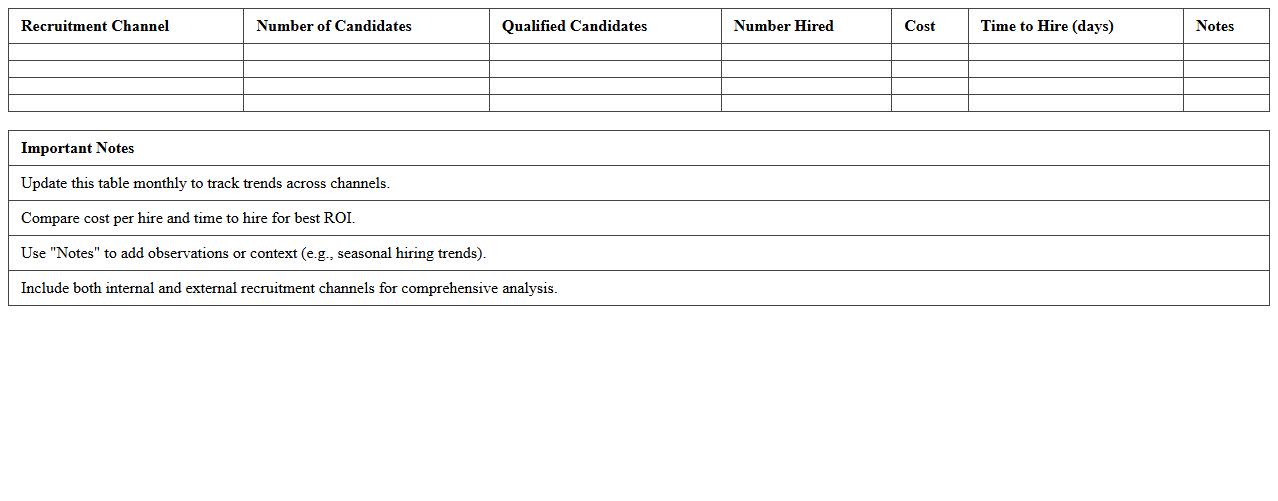
Recruitment Channel Effectiveness Excel Template document is a structured tool designed to track, analyze, and compare the performance of various recruitment channels. It helps organizations measure key metrics such as cost per hire, time to fill, and candidate quality from each channel, enabling data-driven decisions. By optimizing recruitment strategies, this template enhances hiring efficiency, reduces expenses, and attracts top talent more effectively.
Onboarding Activity Checklist Excel Template
The
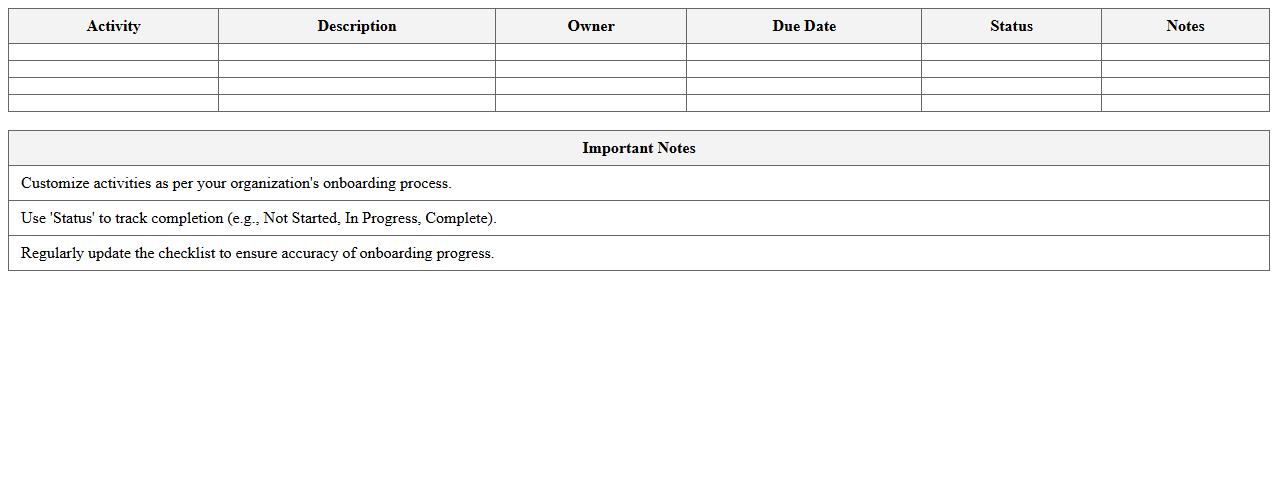
Onboarding Activity Checklist Excel Template is a structured document designed to organize and track employee onboarding tasks efficiently. It helps HR teams ensure all necessary steps, such as paperwork completion, training sessions, and orientation activities, are systematically followed and recorded. Using this template improves the consistency and productivity of the onboarding process, leading to smoother integration of new hires into the company.
What key metrics should be included in a Recruitment Activity Report Excel for staffing firms?
Key metrics such as the number of job openings, candidate submissions, interviews scheduled, and placements made must be included for comprehensive reporting. Time-to-fill and cost-per-hire are critical metrics that reflect recruitment efficiency and budget adherence. Tracking candidate pipeline stages and conversion rates ensures visibility into recruitment funnel effectiveness.
How can candidate source tracking be efficiently structured in the report?
Candidate source tracking can be efficiently structured using a dedicated column that categorizes sources like job boards, referrals, social media, and agencies. Employing data validation drop-down lists ensures consistency in source reporting and minimizes errors. Summarizing source performance with pivot tables provides quick insights into the most productive channels.
Which formulas automate interview-to-hire conversion rates in the spreadsheet?
The interview-to-hire conversion rate can be automated with a simple formula dividing the number of hires by the total interviews, e.g., =Hires/Interviews. Implementing the IFERROR function prevents division errors when interview counts are zero, enhancing spreadsheet robustness. Conditional formatting can visually highlight high and low conversion rates for quick assessment.
How to segment client-specific recruitment activity data in Excel?
Client-specific recruitment data can be segmented by creating filters or pivot tables grouped by client name or ID. Incorporating dynamic slicers allows users to interactively select and display recruitment metrics for individual clients. This segmentation facilitates targeted analysis and enhances reporting accuracy for diverse client portfolios.
What visualization tools best highlight recruiter performance in the report?
Bar charts and line graphs are excellent for displaying recruiter performance trends over time, highlighting key metrics like placements and activity levels. Heat maps can visually represent productivity variations among recruiters, quickly identifying top performers. Dashboard elements combining multiple visuals provide a comprehensive performance overview at a glance.
More Report Excel Templates