The School Budget Excel Template for Administrators offers a streamlined way to manage financial planning and track expenses efficiently. This template is designed to help school administrators allocate funds, monitor budgets, and forecast future financial needs with ease. Its user-friendly layout ensures accurate data entry and quick analysis for better decision-making.
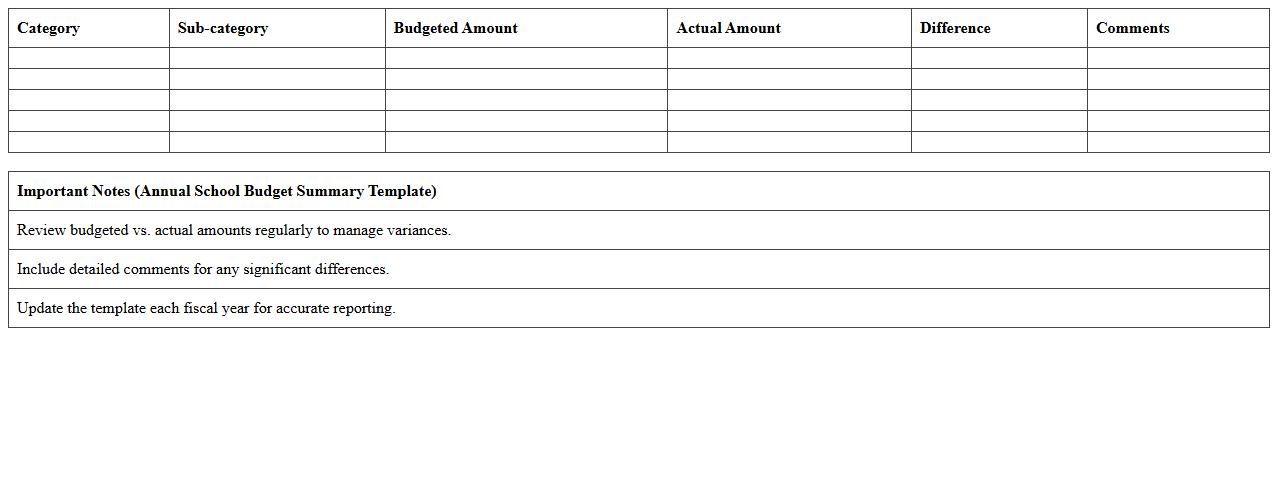
Annual School Budget Summary Excel Template
The
Annual School Budget Summary Excel Template is a comprehensive tool designed to organize and track a school's financial plan over the fiscal year. It consolidates income sources, expenses, and budget allocations into clear, editable spreadsheets, enabling efficient financial analysis and forecasting. This template helps administrators manage funds responsibly, ensuring resources are allocated effectively to support educational programs and operational needs.
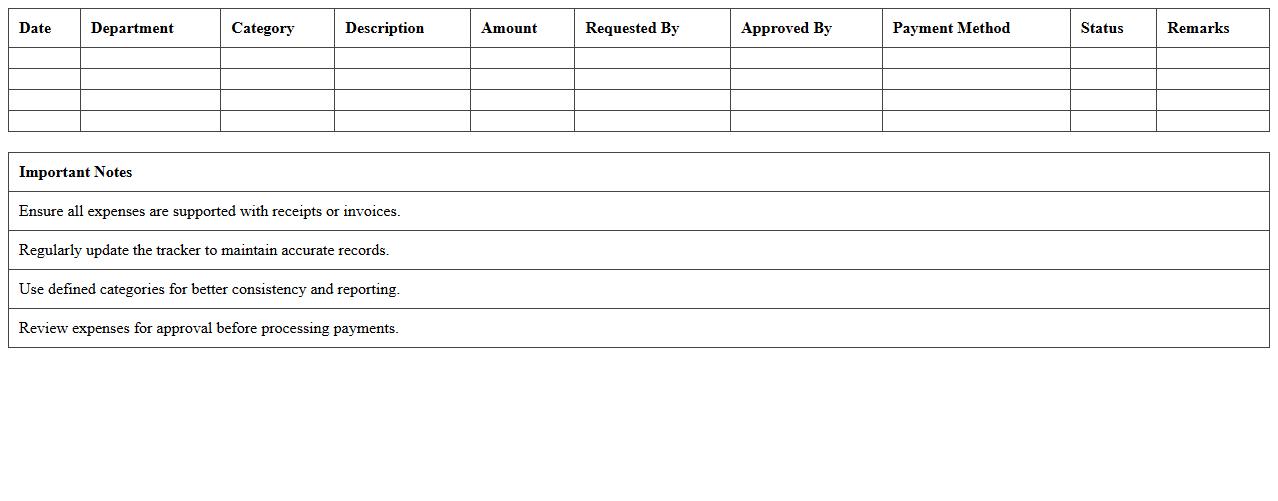
Departmental Expense Tracker for Schools
The
Departmental Expense Tracker for Schools document is a structured financial tool designed to monitor and record expenditures across various school departments, ensuring transparent and accurate budget management. It helps administrators identify spending patterns, control costs, and allocate resources efficiently to meet educational goals. By providing detailed insights into departmental expenses, this tracker supports informed decision-making and enhances fiscal responsibility within educational institutions.
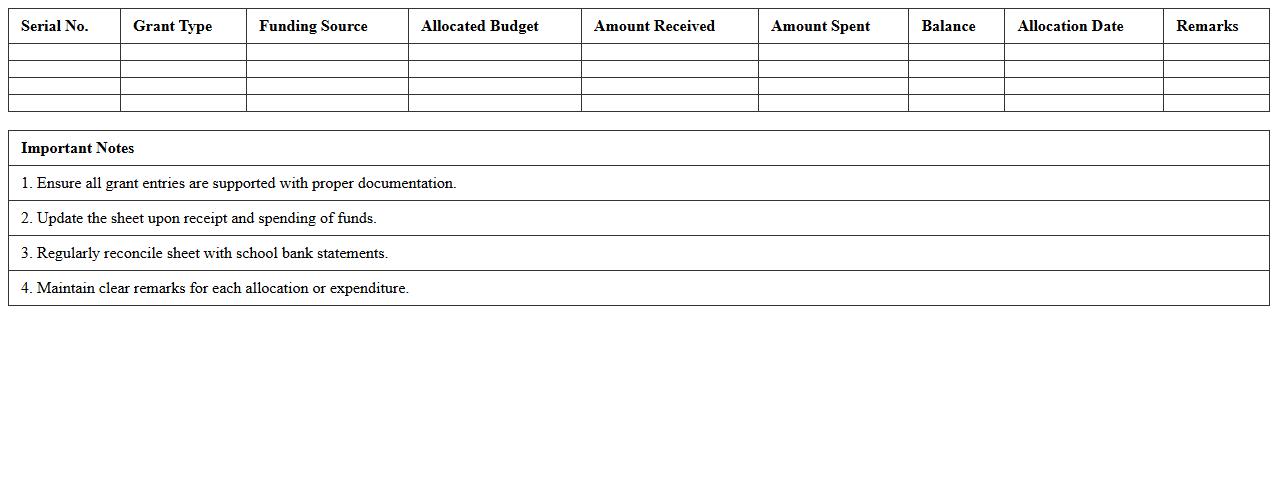
School Grant and Funding Allocation Sheet
The
School Grant and Funding Allocation Sheet is a detailed document outlining financial resources allocated to schools, including government grants, donations, and other funding sources. It helps school administrators track and manage budget distribution effectively, ensuring that funds are used in accordance with educational priorities and compliance requirements. This document supports transparency, facilitates strategic planning, and enhances accountability in school financial management.
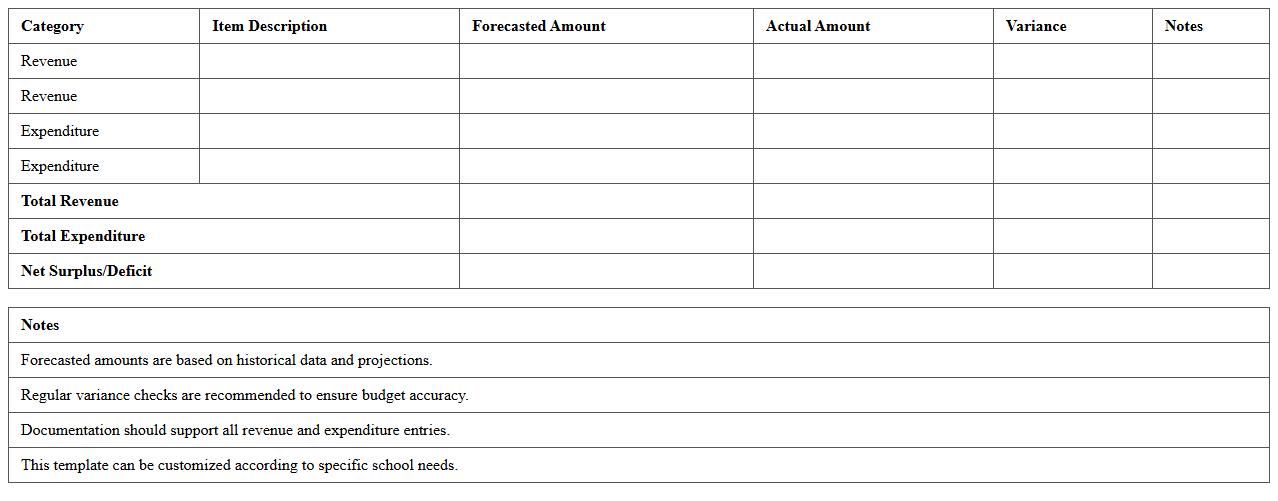
School Revenue and Expenditure Forecast Excel
The
School Revenue and Expenditure Forecast Excel document is a financial planning tool that projects future income and expenses for educational institutions, helping administrators manage budgets effectively. By analyzing historical data and anticipated financial trends, it supports informed decision-making and ensures resource allocation aligns with school priorities. This document enhances transparency and accountability, enabling schools to maintain fiscal stability and plan for long-term growth.
Student Enrollment-Based Budget Planner
The
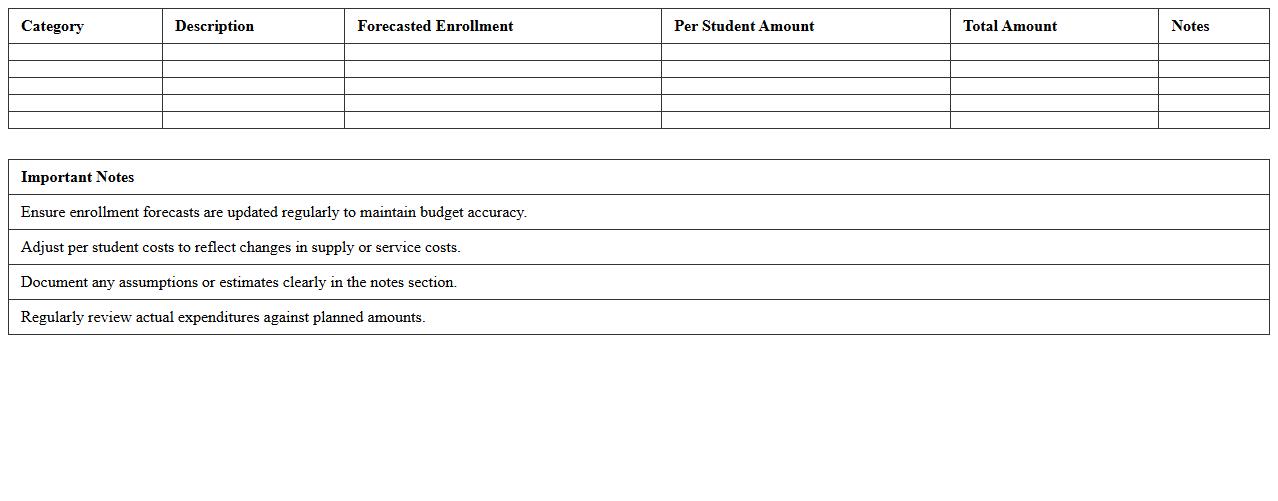
Student Enrollment-Based Budget Planner document is a strategic financial tool designed to allocate resources effectively based on projected student enrollment numbers. By analyzing enrollment data, schools and educational institutions can create accurate budgets that ensure optimal funding for staffing, facilities, and instructional materials. Utilizing this planner helps improve financial efficiency, supports informed decision-making, and aligns budget allocations with student population trends.
School Capital Project Budget Worksheet
The
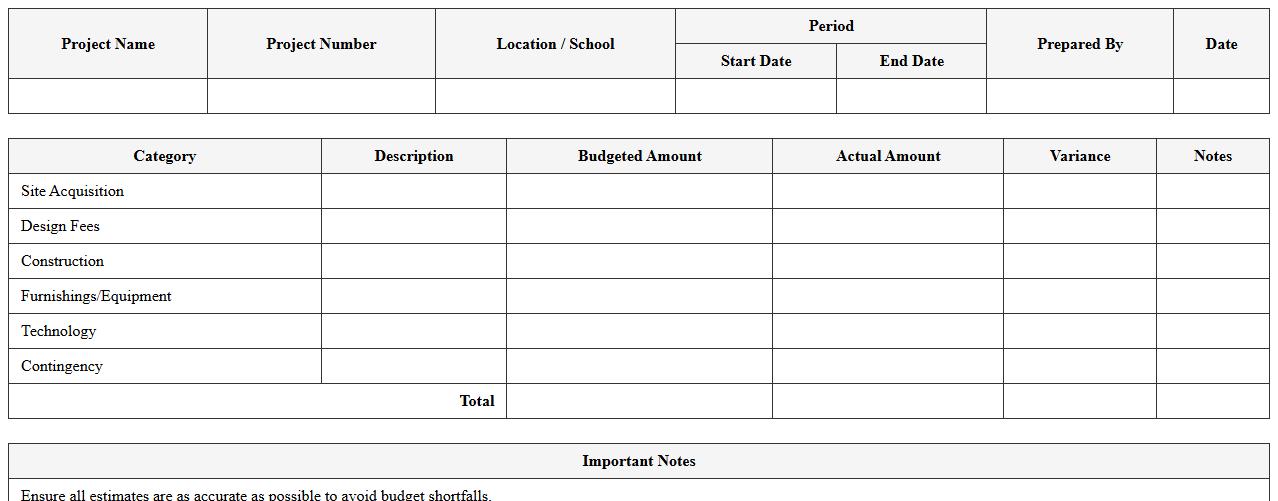
School Capital Project Budget Worksheet is a detailed financial planning tool designed to outline and manage costs associated with school construction, renovation, and infrastructure improvements. It helps administrators track expenses, allocate funds efficiently, and ensure projects stay within budget by providing a clear overview of all projected and actual expenditures. Utilizing this worksheet improves financial transparency, aids in grant applications, and supports strategic decision-making for educational facility investments.
Multi-Year School Budget Planning Excel
A
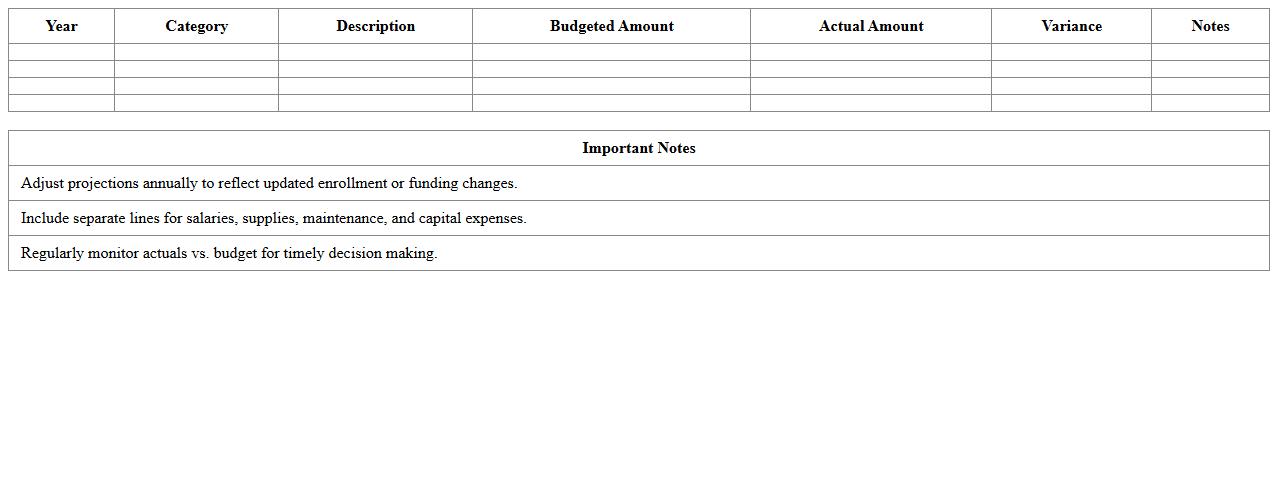
Multi-Year School Budget Planning Excel document is a powerful tool designed to project and manage a school's financial resources over several years, allowing for detailed tracking of income, expenses, and funding sources. It helps administrators forecast future budget needs, align spending with strategic goals, and identify potential financial gaps early. By providing clear, organized data visualization and scenario analysis, it supports informed decision-making and ensures sustainable fiscal management in education institutions.
School Event and Activities Budget Calculator
The
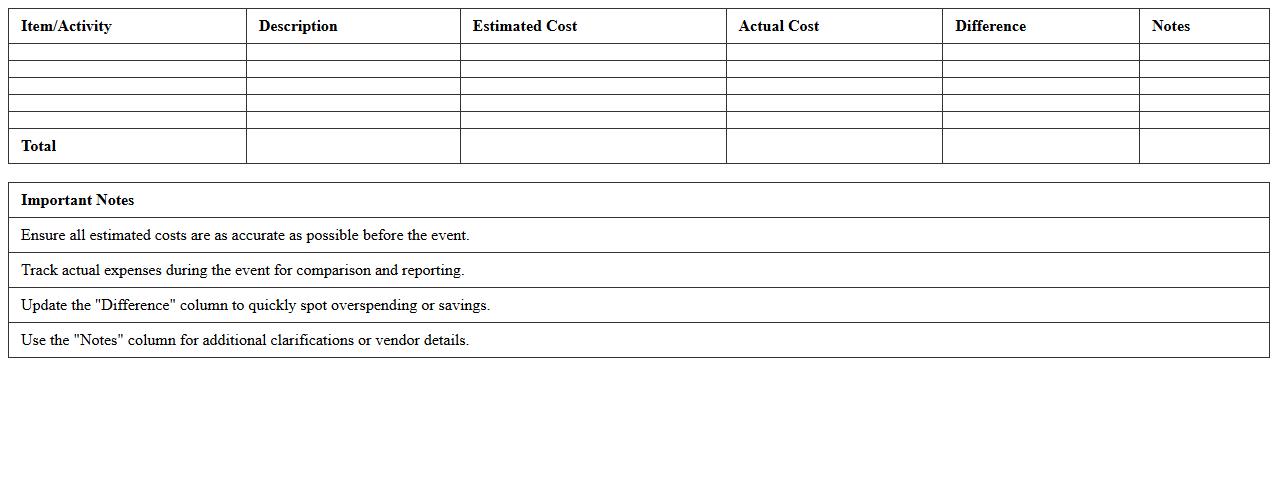
School Event and Activities Budget Calculator document is a tool designed to help administrators and event planners accurately estimate and manage the financial requirements of school functions. It allows users to input costs for various components such as venue, supplies, refreshments, and transportation, providing a clear overview of the total budget needed. This calculator enhances financial planning by preventing overspending and ensuring efficient allocation of resources during school events.
Teacher Salary and Benefits Budget Tracker
The
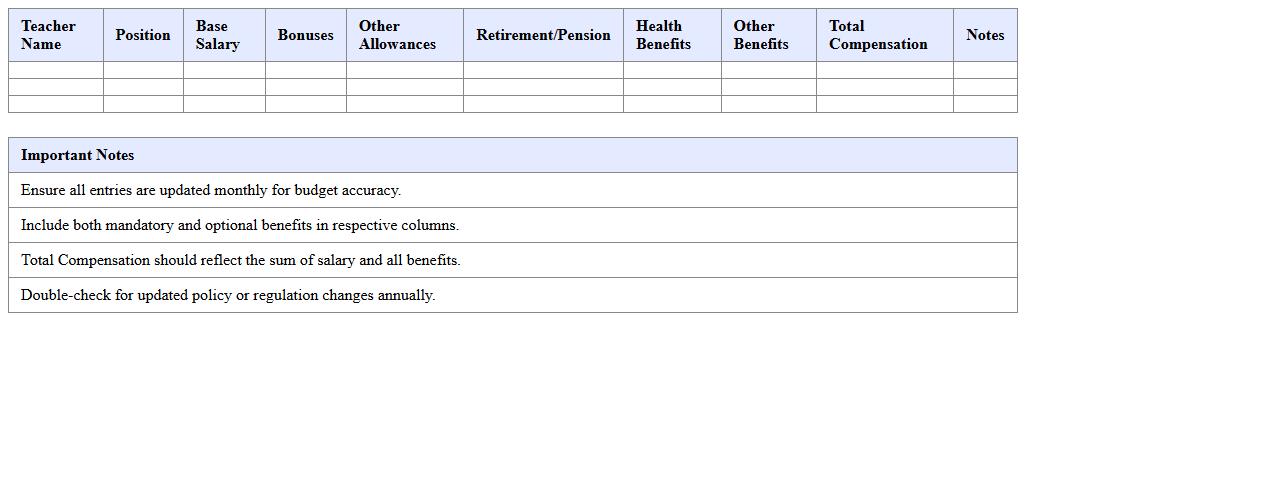
Teacher Salary and Benefits Budget Tracker document is a specialized tool designed to monitor and manage the allocation of funds related to teacher compensation and associated benefits. It enables school administrators to efficiently track salary expenses, benefits costs, and budget variances, ensuring financial resources are used effectively. This document supports informed decision-making and helps maintain budget compliance while optimizing resource distribution for educational staff.
Comparative School Budget Analysis Dashboard
The
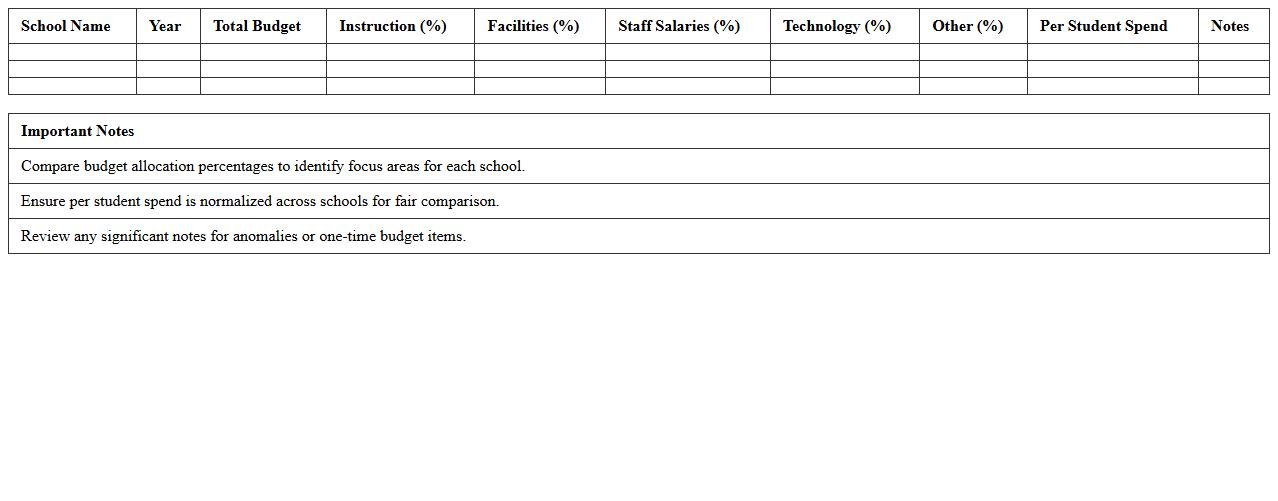
Comparative School Budget Analysis Dashboard document presents a detailed visual comparison of budget allocations across multiple schools, highlighting spending patterns and resource distribution. It helps educators and administrators identify funding disparities, optimize financial planning, and allocate resources more effectively to improve educational outcomes. By providing clear, data-driven insights, the dashboard supports informed decision-making and promotes fiscal transparency within school districts.
How can administrators automate expense tracking in a school budget Excel document?
Administrators can automate expense tracking by using Excel tables combined with dynamic formulas like SUMIFS to categorize and sum expenses automatically. Leveraging PivotTables allows for easy summarization and visualization of detailed data entries. Additionally, integrating conditional formatting highlights anomalies or overspending, enabling prompt budget adjustments.
What Excel formulas best support forecasting for annual school budgets?
Key Excel formulas such as FORECAST.LINEAR and TREND provide reliable predictions based on historical budget data. The SUMPRODUCT function helps in weighted calculations for more nuanced forecasts across multiple categories. Using IF statements alongside these formulas enables scenario analysis for different budget conditions.
Which data validation techniques enhance accuracy in school budget spreadsheets?
Applying drop-down lists restricts inputs to predefined categories, reducing errors in expense classifications. Using data validation rules with criteria like whole numbers, decimal ranges, or date limits ensures accurate and consistent data entry. Incorporating custom formulas in validation enforces complex constraints tailored to the school's budgeting policies.
How to structure program-specific allocations within a school budget Excel template?
Organize the budget template by creating separate worksheets or sections for each program to maintain clear, dedicated tracking. Use named ranges and references to aggregate program-specific expenses into a consolidated summary. Implement consistent formatting and clear labels to streamline monitoring of allocation distributions across programs.
What methods ensure secure access for multiple administrators in budget Excel files?
Utilizing password protection on Excel files guards against unauthorized access while allowing shared use among administrators. Employing OneDrive or SharePoint enables controlled, real-time collaboration with version history and access permissions. Configuring Excel's file-level encryption adds an additional layer of security for sensitive budget data.
More Budget Excel Templates