IT Security Risk Assessment Checklist – Small Business Excel Template
The
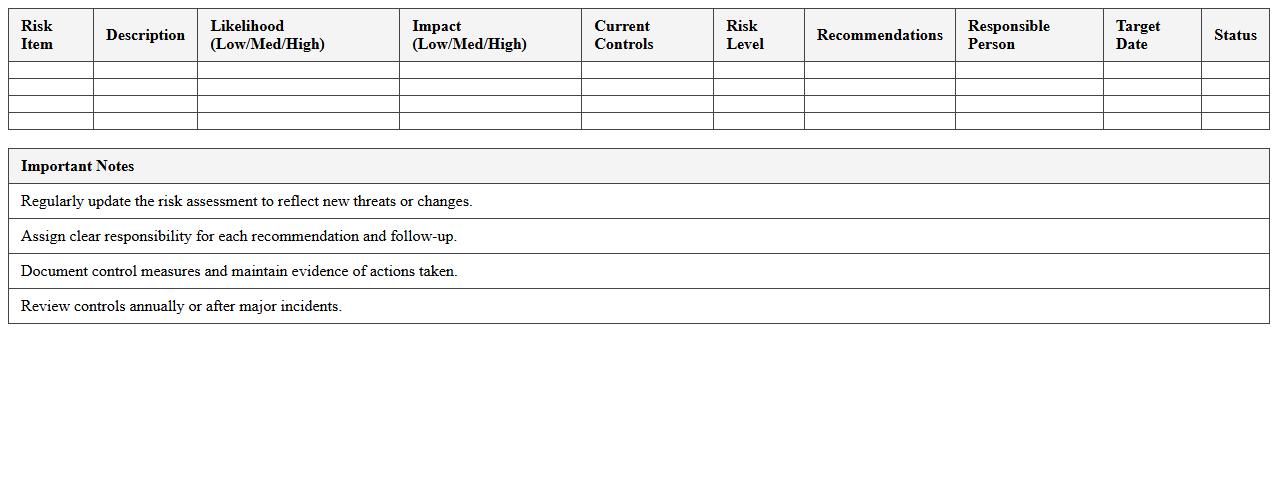
IT Security Risk Assessment Checklist - Small Business Excel Template document serves as a practical tool to systematically identify, evaluate, and prioritize cybersecurity risks within small business environments. This template streamlines the risk assessment process by providing predefined categories and criteria, enabling businesses to document vulnerabilities, threats, and potential impact efficiently. Utilizing this checklist helps small businesses enhance their cybersecurity posture, ensure compliance with industry standards, and implement targeted mitigation strategies to safeguard critical information assets.
Network Security Controls Audit Spreadsheet
The
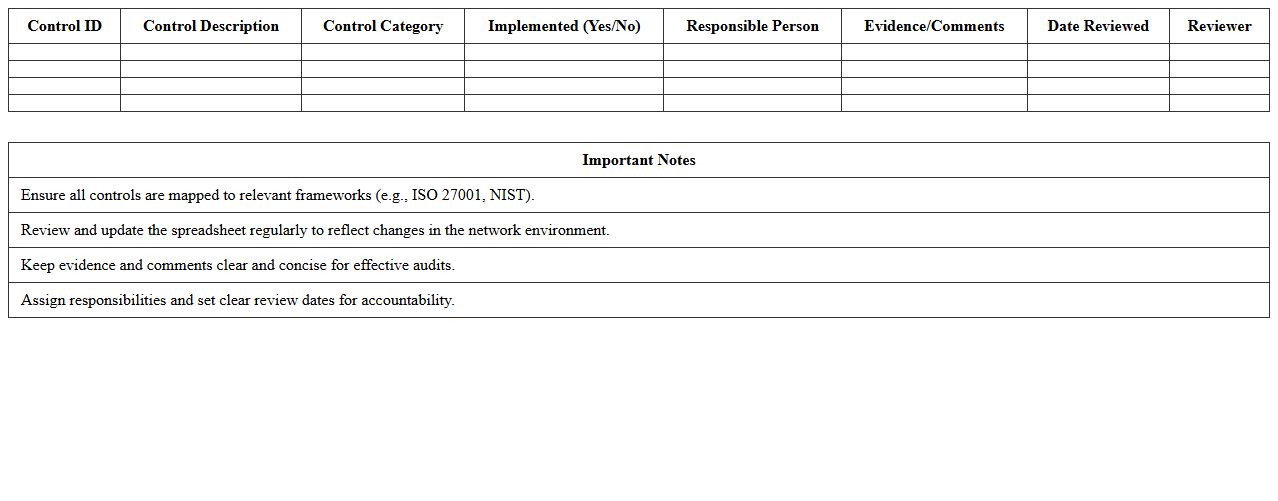
Network Security Controls Audit Spreadsheet document serves as a comprehensive tool to systematically evaluate and document the effectiveness of security measures implemented within a network infrastructure. It helps organizations identify vulnerabilities, ensure compliance with industry standards, and track remediation efforts over time. By providing a structured and detailed overview of network controls, this spreadsheet enables proactive risk management and supports continuous improvement in cybersecurity defenses.
IT Compliance Gap Analysis Tracker for SMEs
The
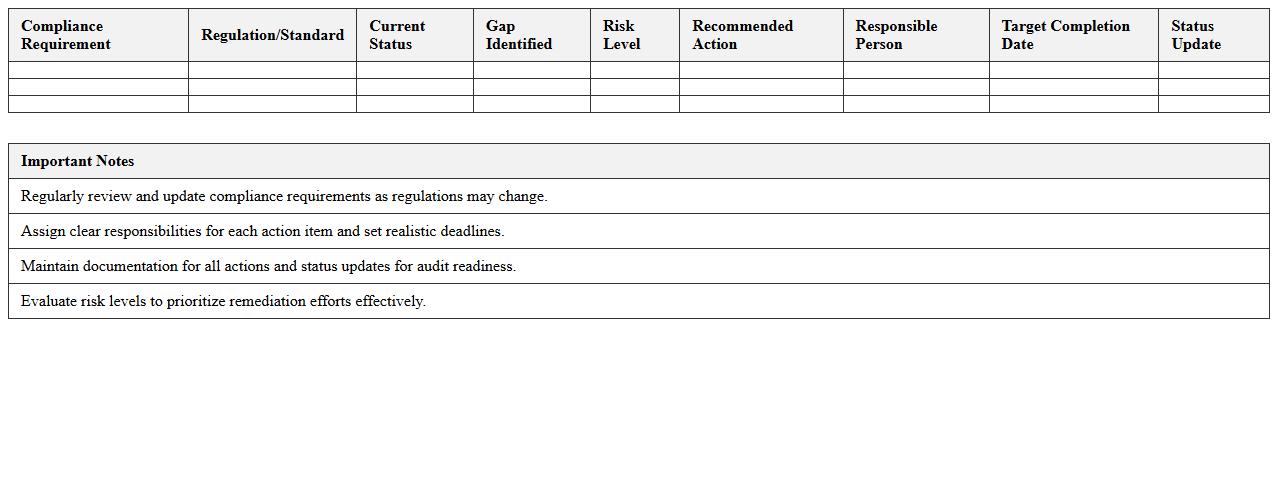
IT Compliance Gap Analysis Tracker for SMEs is a critical tool that identifies discrepancies between current IT practices and regulatory requirements, enabling small and medium-sized enterprises to address compliance risks effectively. It helps organizations systematically evaluate their IT infrastructure, policies, and procedures against standards such as GDPR, HIPAA, or ISO 27001, ensuring all compliance gaps are documented and prioritized for remediation. This proactive approach improves risk management, reduces the likelihood of legal penalties, and strengthens overall information security posture.
Information Security Incident Log Sheet
The
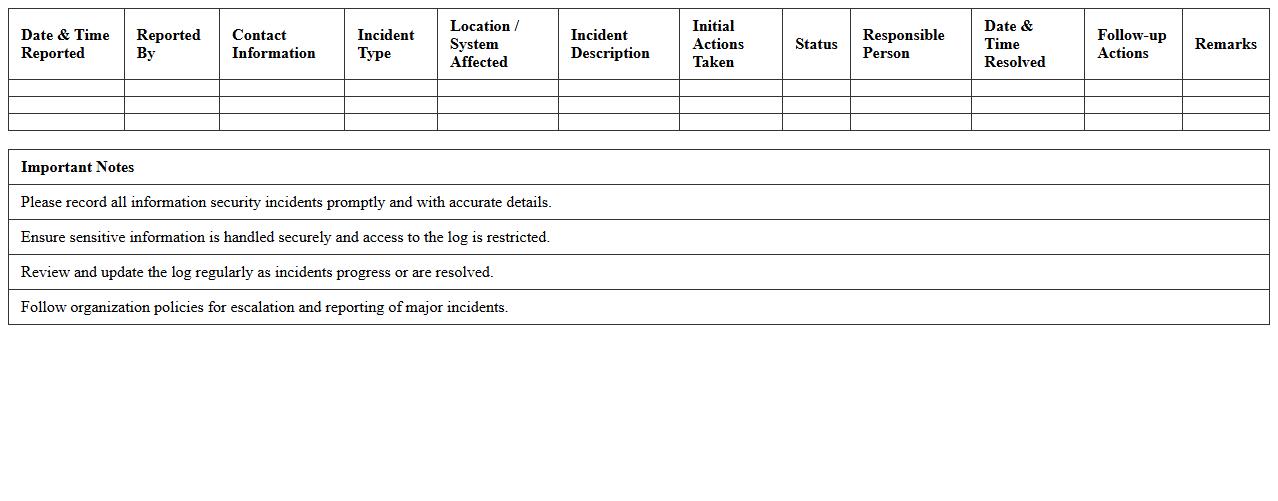
Information Security Incident Log Sheet document is a structured record that tracks and documents all security incidents within an organization. It provides detailed information on the nature, date, time, impact, and resolution status of each incident, enabling efficient monitoring and analysis. This log sheet is essential for identifying patterns, improving response strategies, and ensuring compliance with industry regulations and standards.
IT Assets & Access Inventory Management Template
An
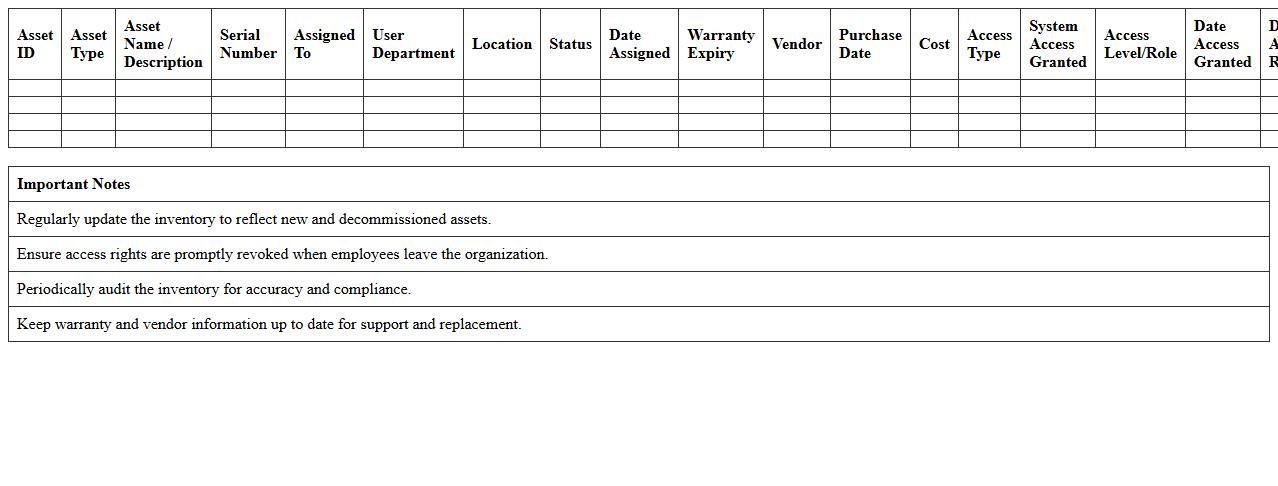
IT Assets & Access Inventory Management Template is a structured document that systematically records and tracks all IT assets, including hardware, software, and user access permissions. It helps organizations maintain visibility over their technology resources, ensuring accurate asset management, compliance, and security control. By using this template, businesses can streamline audits, prevent unauthorized access, and optimize IT resource allocation effectively.
Staff Cybersecurity Training Tracker Excel
The
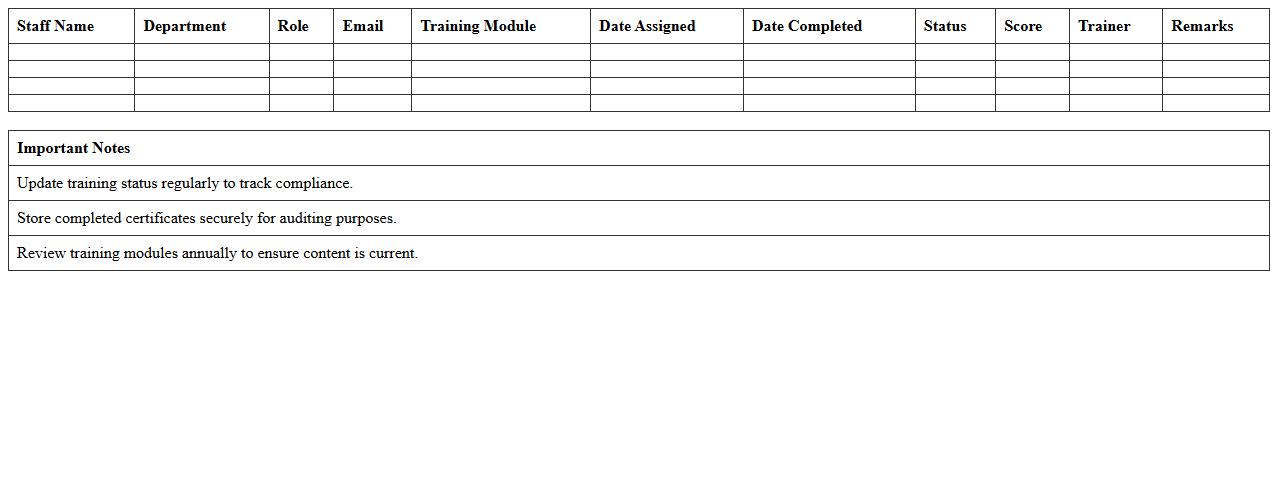
Staff Cybersecurity Training Tracker Excel document is a comprehensive tool designed to monitor and manage employee cybersecurity training progress within an organization. It enables HR and IT teams to track completed courses, certification statuses, and upcoming training sessions, ensuring all staff members stay compliant with security policies. Utilizing this tracker enhances overall cybersecurity awareness, reduces risk exposure, and supports regulatory compliance by maintaining accurate and up-to-date training records.
System Vulnerability Assessment Matrix
The
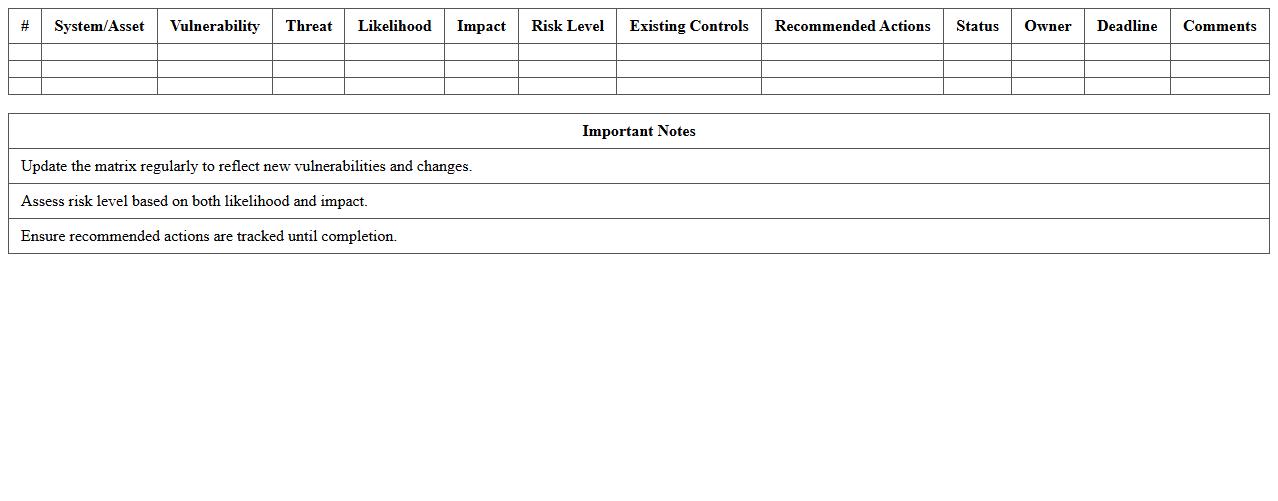
System Vulnerability Assessment Matrix document systematically identifies, categorizes, and prioritizes potential security weaknesses within an IT infrastructure or software system. It provides a clear framework for risk evaluation by mapping vulnerabilities against threat likelihood and impact, enabling organizations to allocate resources effectively for mitigation efforts. This matrix is essential for enhancing cybersecurity posture, supporting compliance requirements, and guiding proactive risk management strategies.
IT Security Policy Implementation Checklist
The
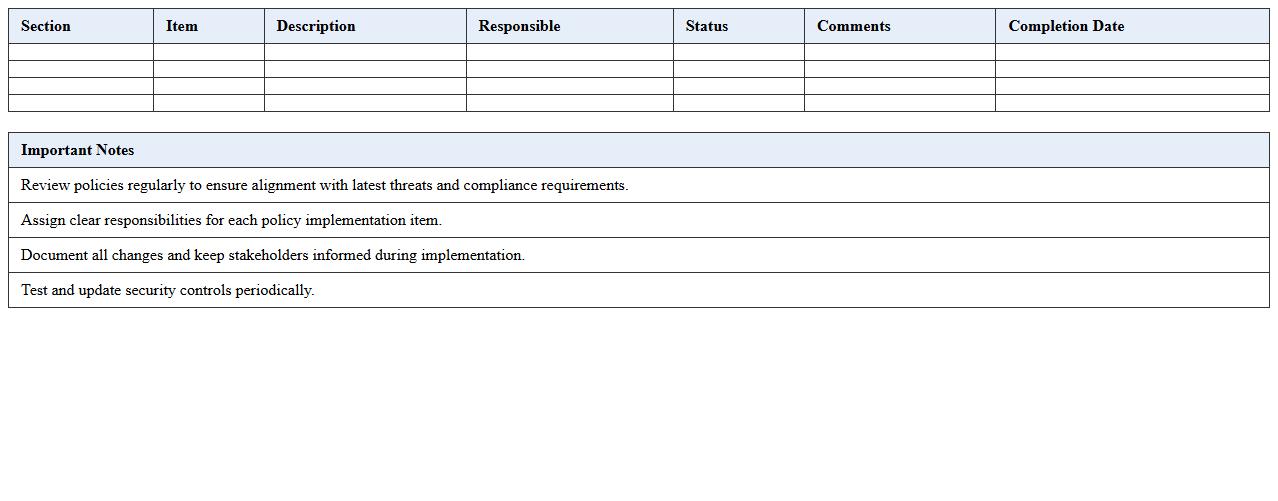
IT Security Policy Implementation Checklist document outlines critical steps and controls necessary for enforcing an organization's IT security policies effectively. It ensures systematic adherence to security protocols, helping to identify and mitigate potential risks, maintain regulatory compliance, and protect sensitive information. By following this checklist, organizations can streamline security management, enhance accountability, and reduce vulnerabilities across their IT infrastructure.
Data Backup & Recovery Audit Schedule Sheet
A
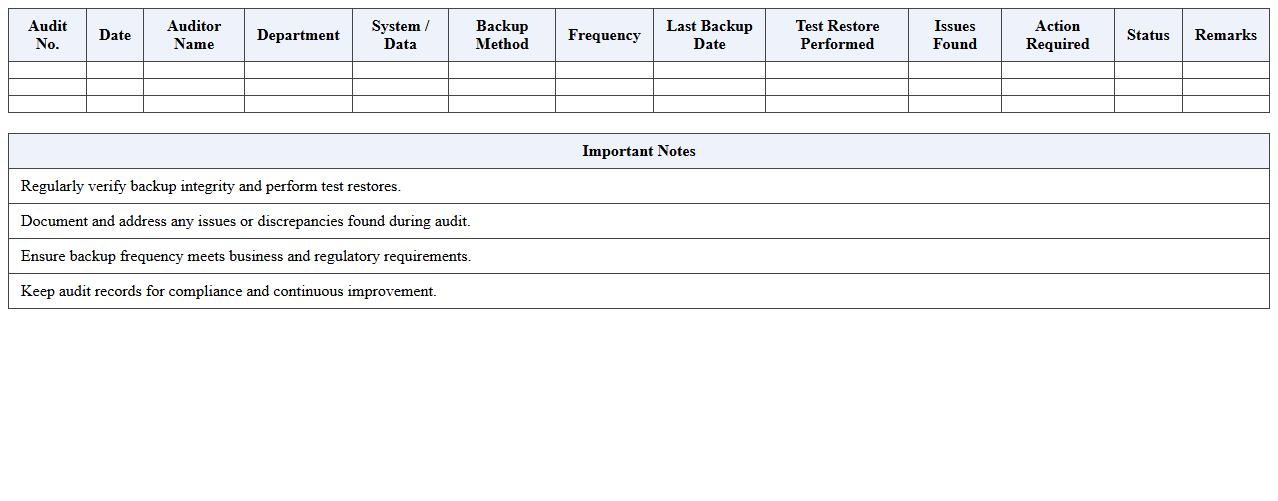
Data Backup & Recovery Audit Schedule Sheet document systematically outlines the planned timeline and procedures for auditing backup and recovery processes within an organization. It ensures regular verification of data integrity, compliance with retention policies, and readiness for disaster recovery scenarios. This sheet is useful for maintaining operational resilience, minimizing data loss risks, and demonstrating adherence to regulatory requirements.
IT Security Audit Findings & Remediation Tracker
The
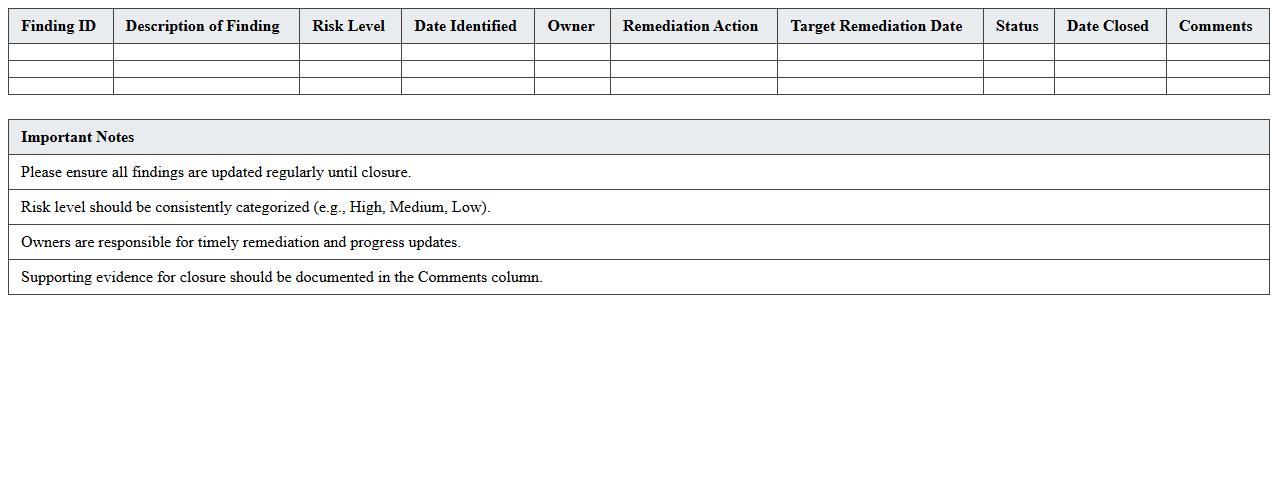
IT Security Audit Findings & Remediation Tracker document is a comprehensive tool used to record, monitor, and manage vulnerabilities identified during IT security audits. It helps organizations systematically track audit findings, assign remediation tasks, and ensure timely resolution to mitigate security risks. This document enhances accountability, improves compliance with security standards, and strengthens overall cybersecurity posture by providing clear visibility into unresolved issues and remediation progress.
Key Security Controls for IT Security Audit Excel Checklist
Include access control measures to ensure only authorized personnel can reach sensitive data. Verify firewall and antivirus settings to protect against external threats. Also, incorporate backup and recovery controls to secure data availability during incidents.
Using Excel to Track User Access Logs and Permissions
Maintain columns for user IDs, access times, and document names to log detailed permissions. Use drop-down lists and data validation to minimize entry errors and ensure consistency. Pivot tables can then summarize user activity for quick security reviews.
Excel Formulas for Automating Risk Assessment Scoring
Use the IF function to assign scores based on risk criteria, such as vulnerability severity. Combine SUMPRODUCT with weighted values to calculate total risk scores efficiently. Conditional formatting helps visually identify high-risk areas for immediate attention.
Documenting Incident Response Steps in Audit Templates
Create a structured section with columns for incident description, action taken, and resolution date. Include standardized response procedures to ensure consistency across incidents. This documentation supports accountability and improves future incident handling.
Columns for Remediation Deadlines and Responsible Staff
Add clear columns such as remediation deadline, assigned staff member, and status updates. Use date formatting to track due dates visually within Excel. Assigning responsibilities promotes timely completion and enhances overall audit management.